Student - Create an account and submit the application
A student account must be created first. Parent/Guardian information will be entered later on the Student Application.
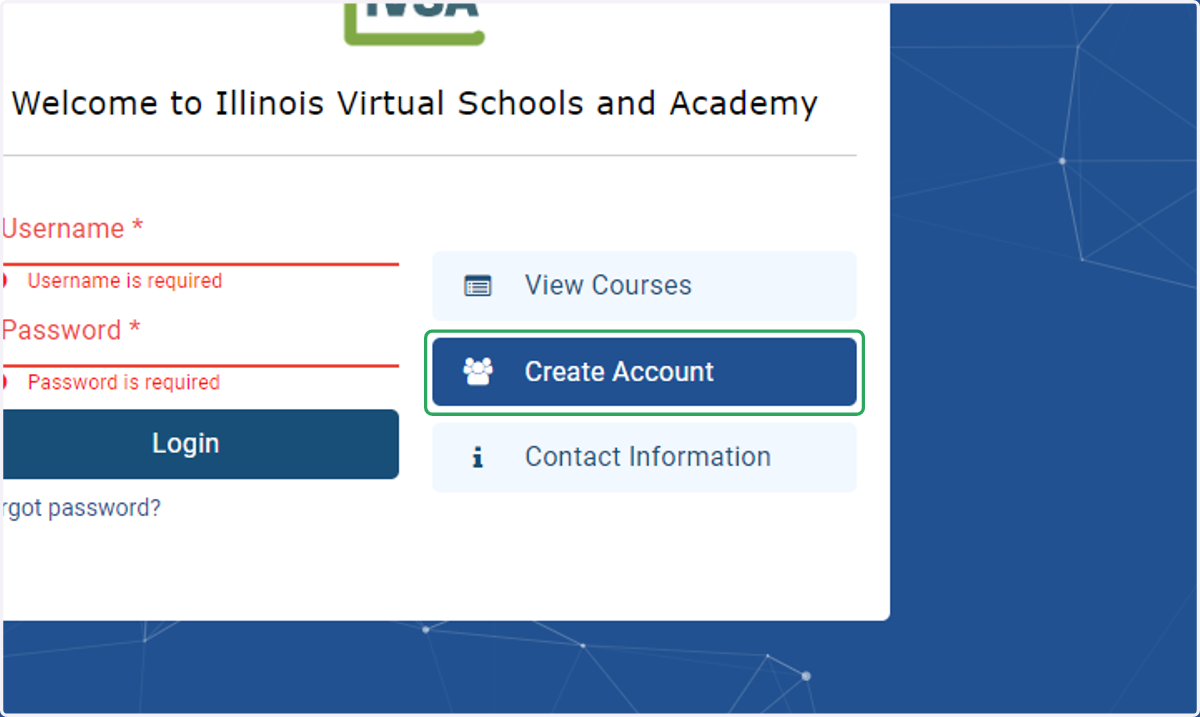
Go to https://ivsa.maestrosis.com
This is also the page where students and parent/guardians will login when their accounts have been created.
1. Click on Create Account.
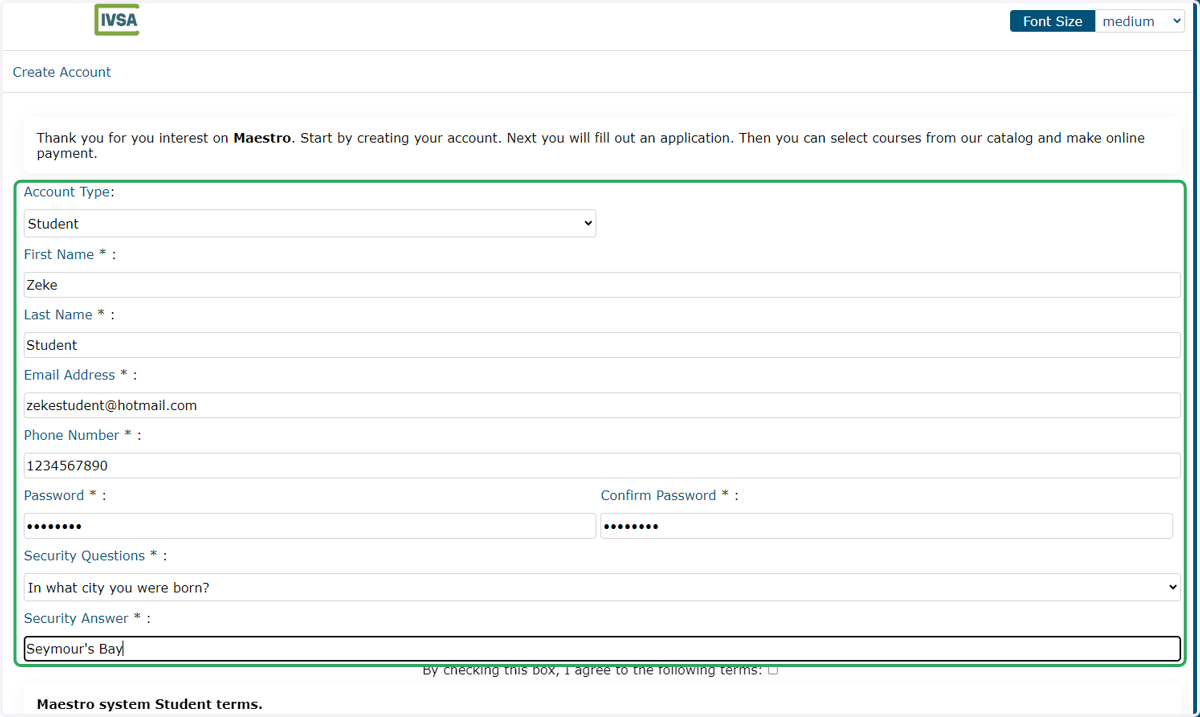
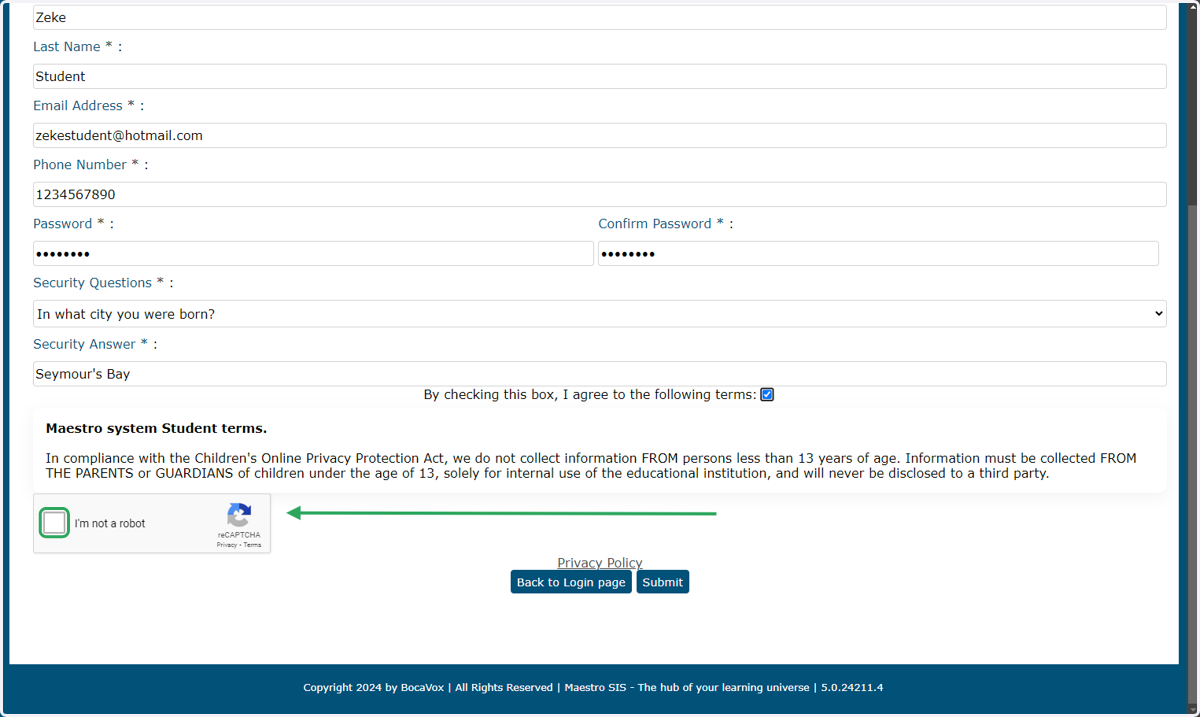
2. Enter the student's information in all fields on the form.
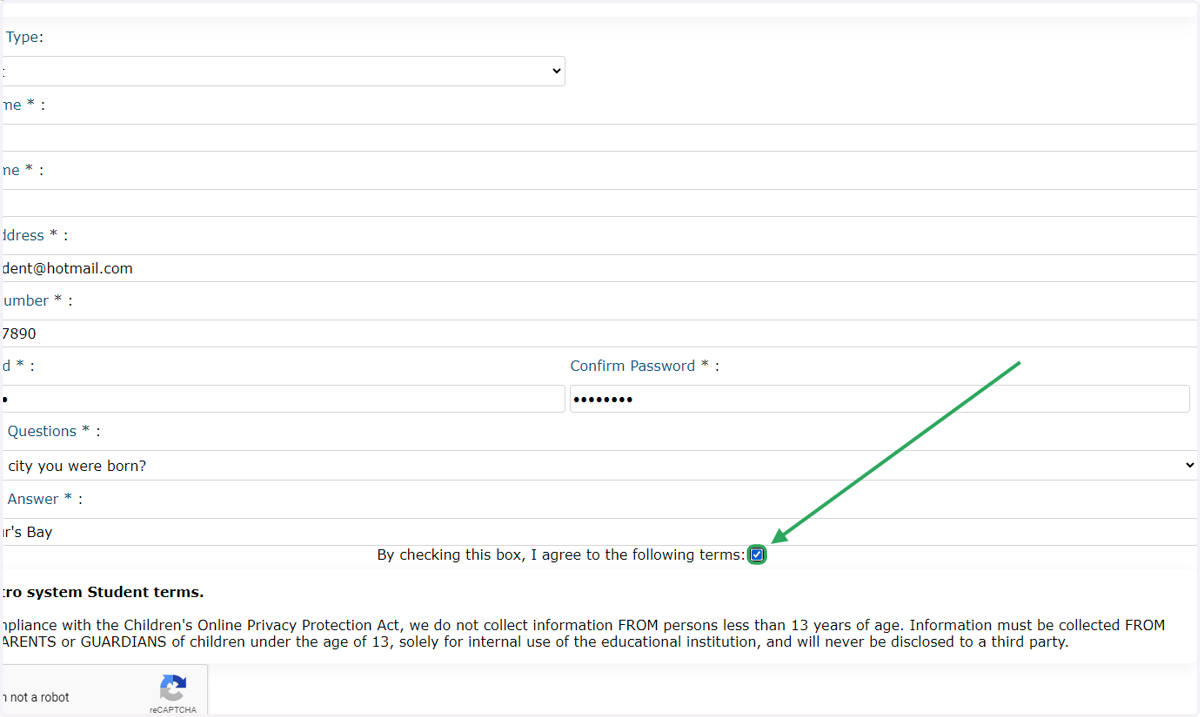
3. Check the box to agree to the terms.
4. Check the box to defeat the robots.
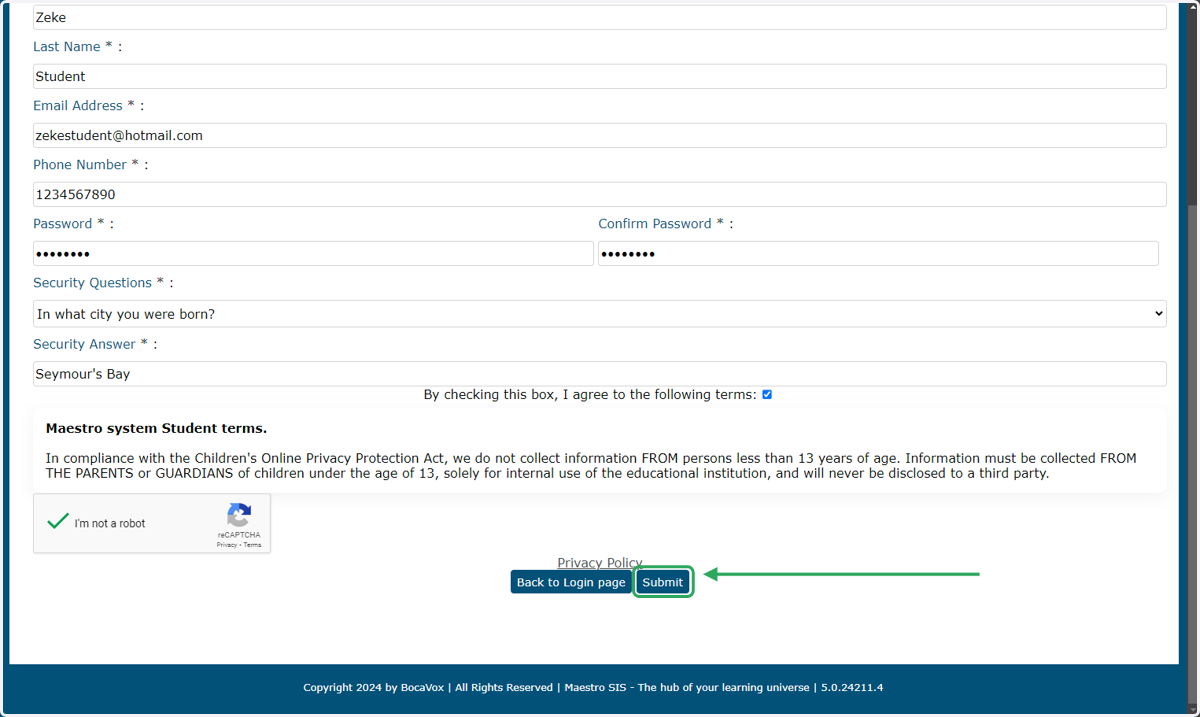
5. Click the Submit button at the bottom of the page.
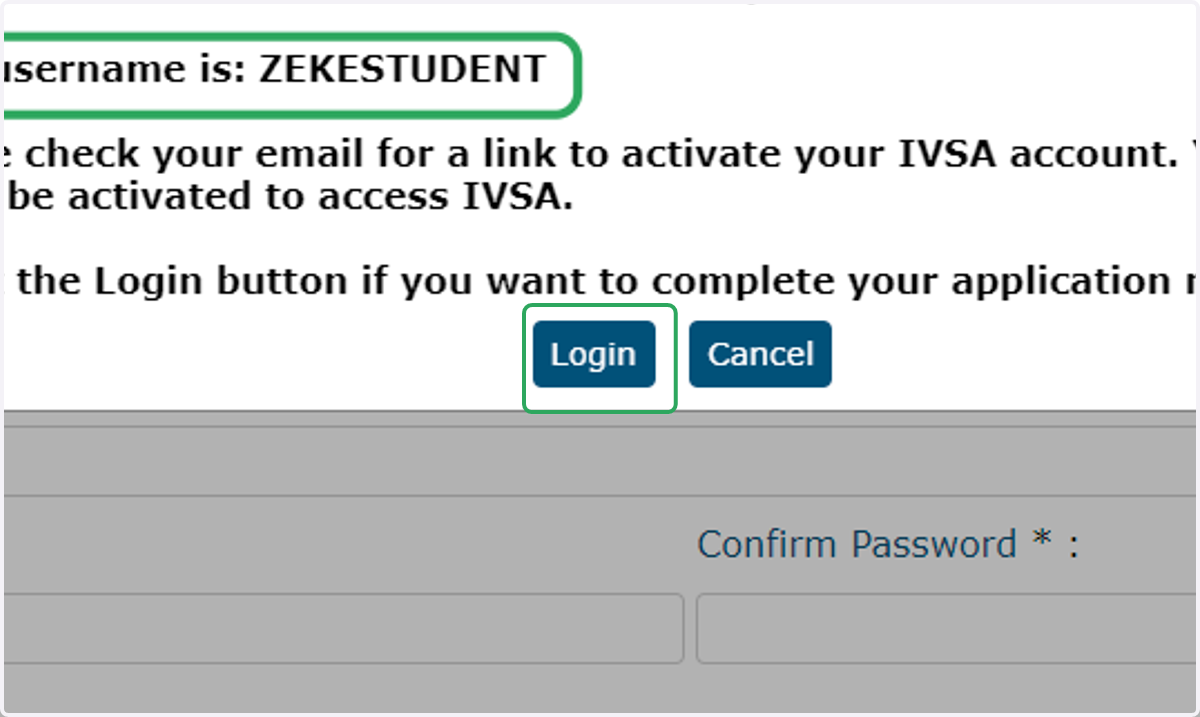
6. STOP! Before you continue, please complete the following steps:
A new box will open that provides you with your username. Please record this, as you'll use it to login to your IVSA account.
Open a new tab and check your email (or open your email app) for a link to activate your IVSA account.
If you don't see the email in your inbox, please check your spam/junk folder.
Click the link to activate your account.
Return to the previous tab and click the Login button.
7. Student Application
When you login the first time, you'll be taken to the Student Application. The student application must be submitted before a school can see the student.
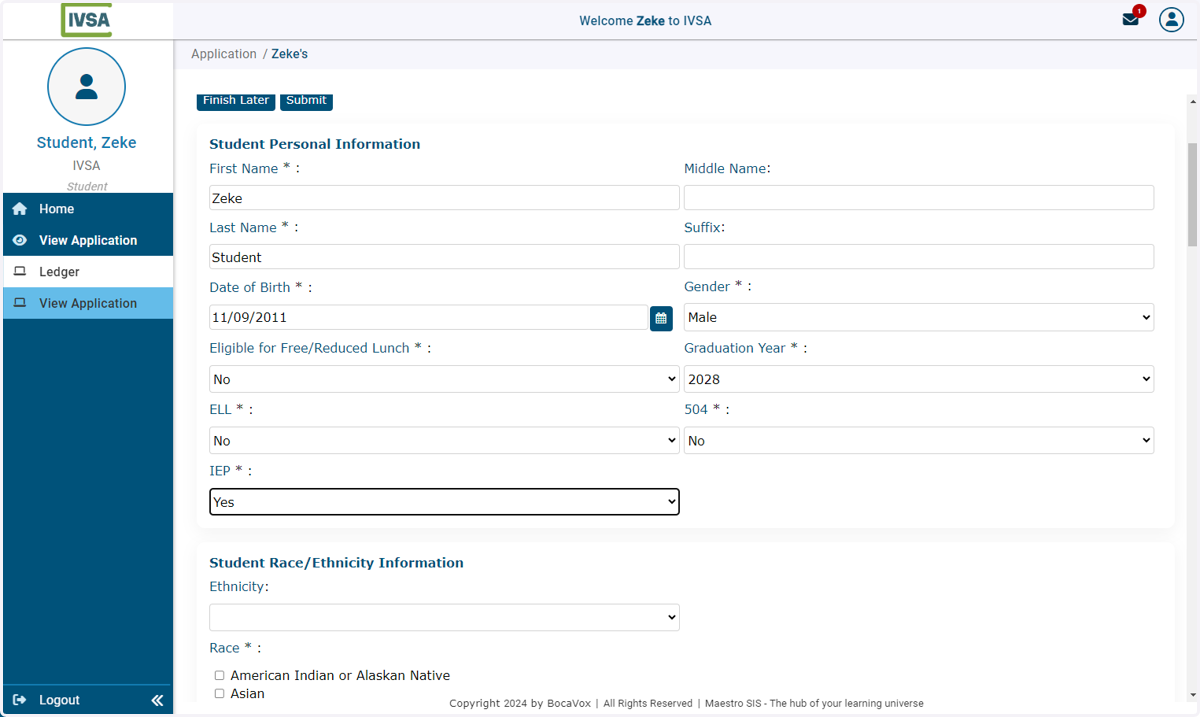
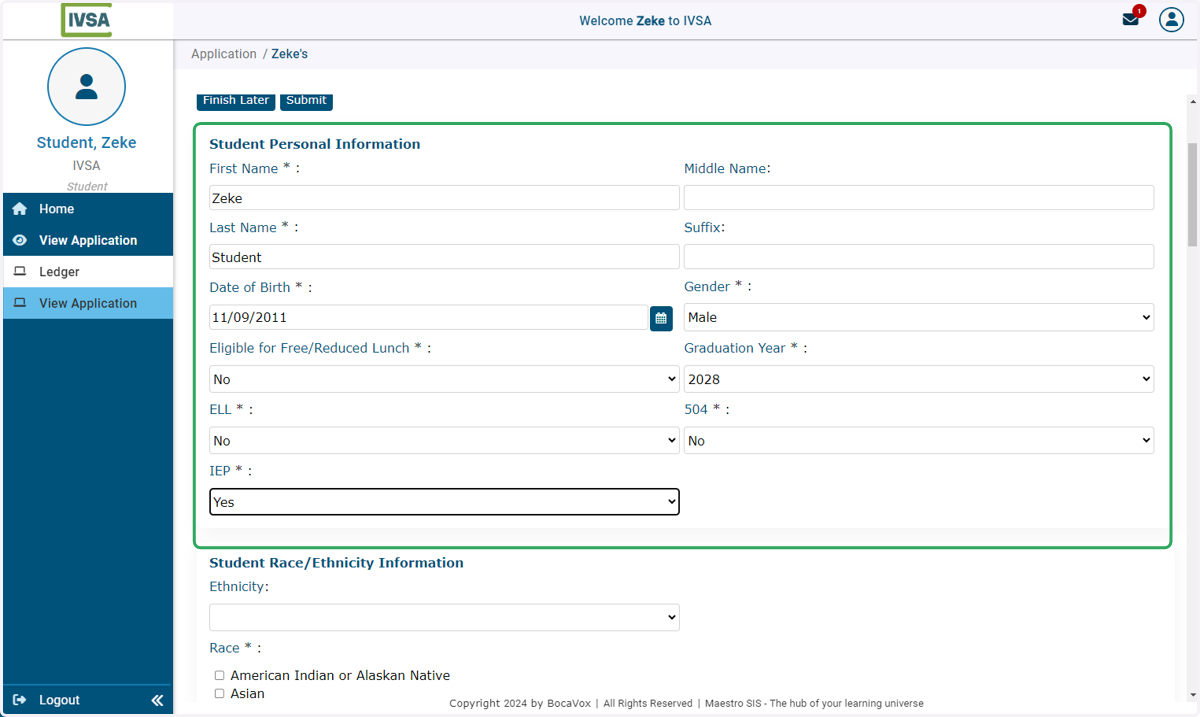
8. Complete Personal Information.
All fields with an asterisk (*) are required.
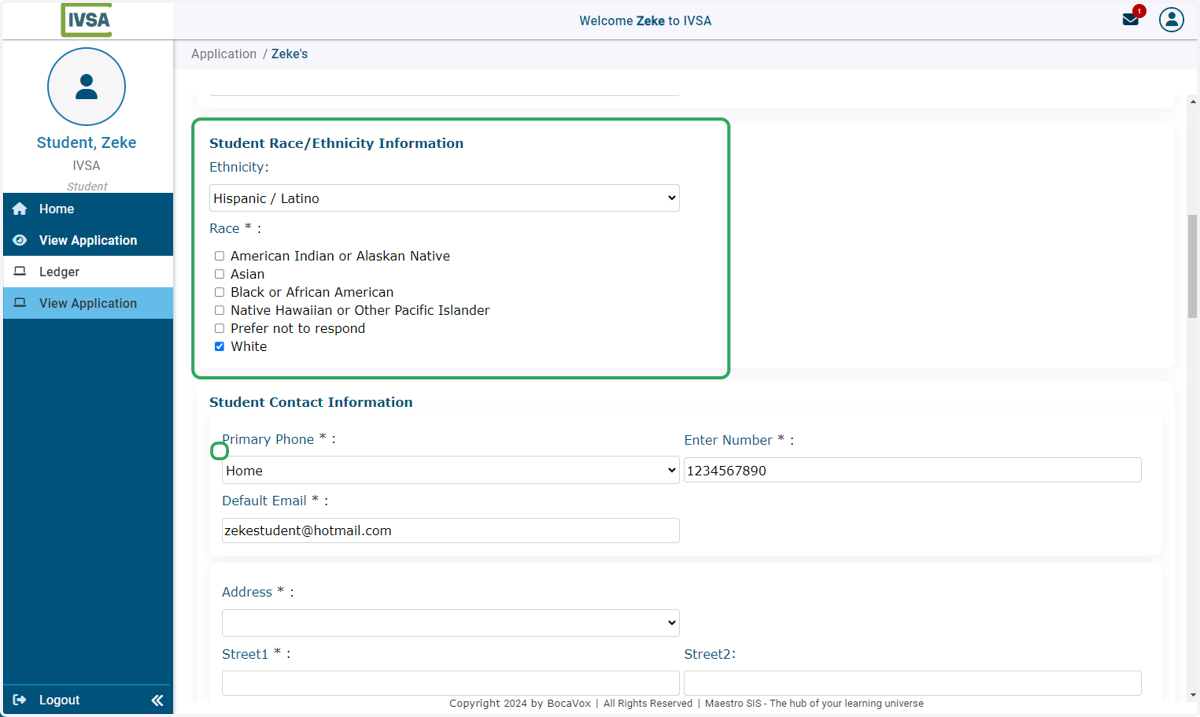
9. Enter race/ethnicity information.
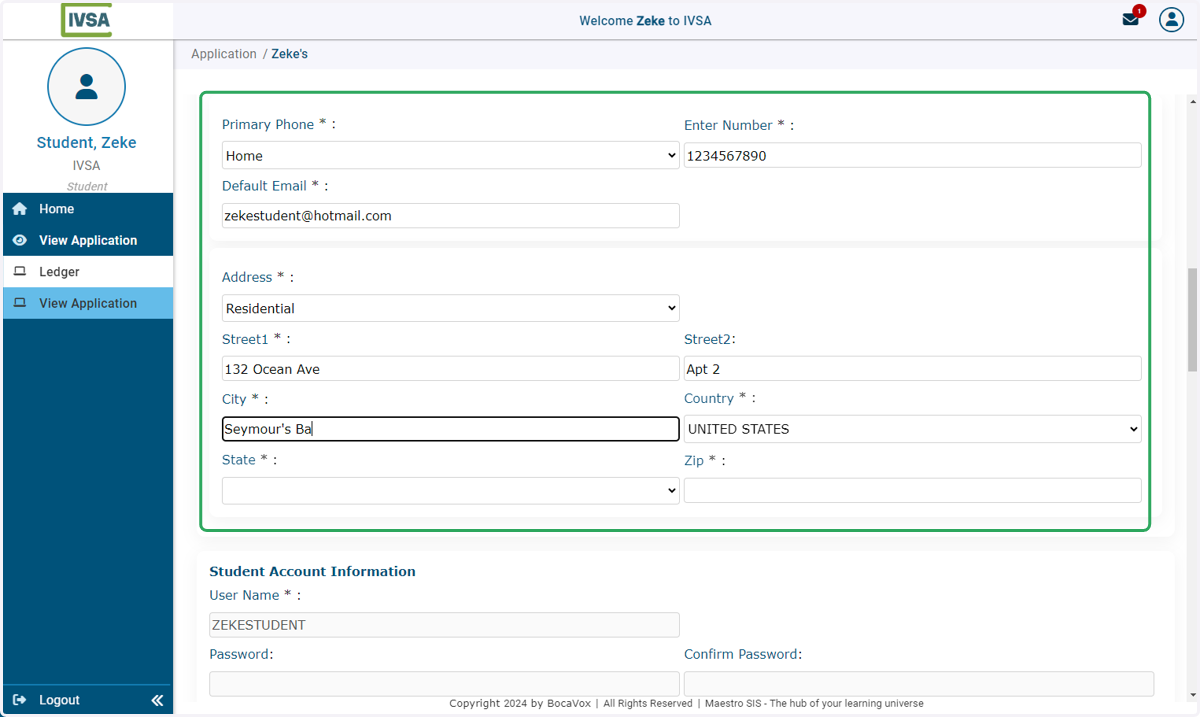
10. Enter student contact information.
For older students, it is best to use their phone number in this field. There may be times when IVSA needs to contact the student to resolve technical issues.
All fields with an asterisk (*) are required.
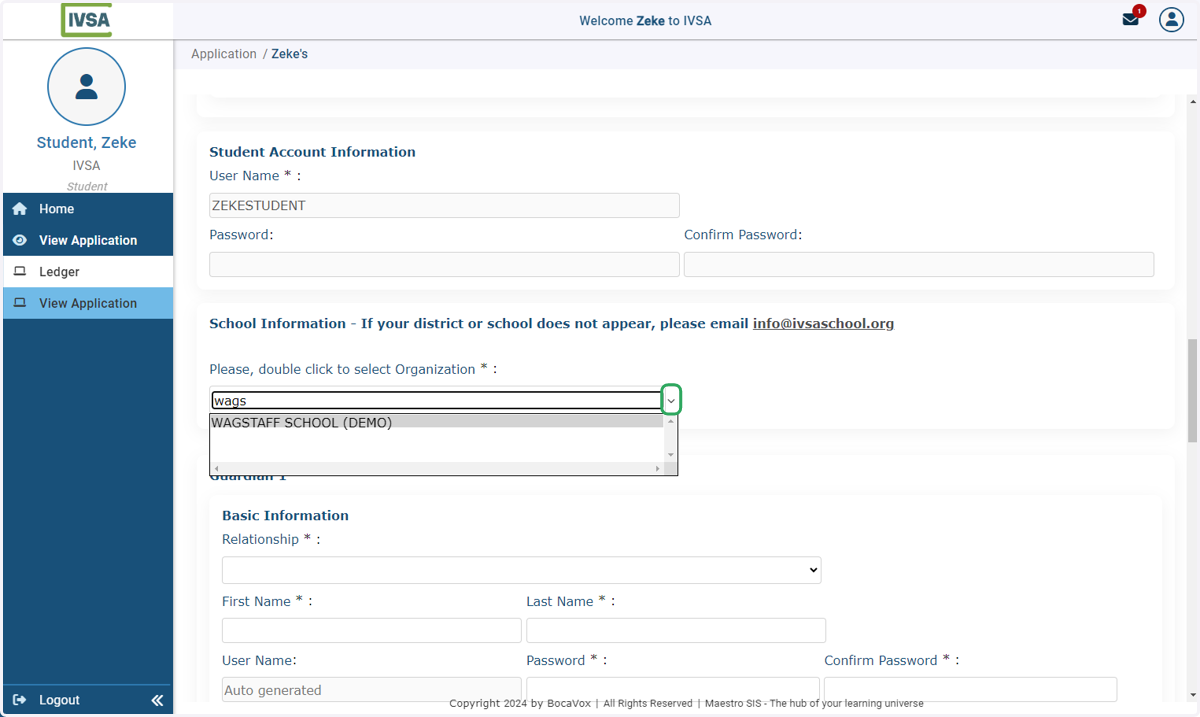
11. Select your school.
Double click and type the name of your school in the box.
Your school's name will populate.
Double click to select your school from the list.
*Homeschool students can select 'homeschool' as an option on the menu.
**If your school does not appear on the list, please contact us at info@ivsaschool.org
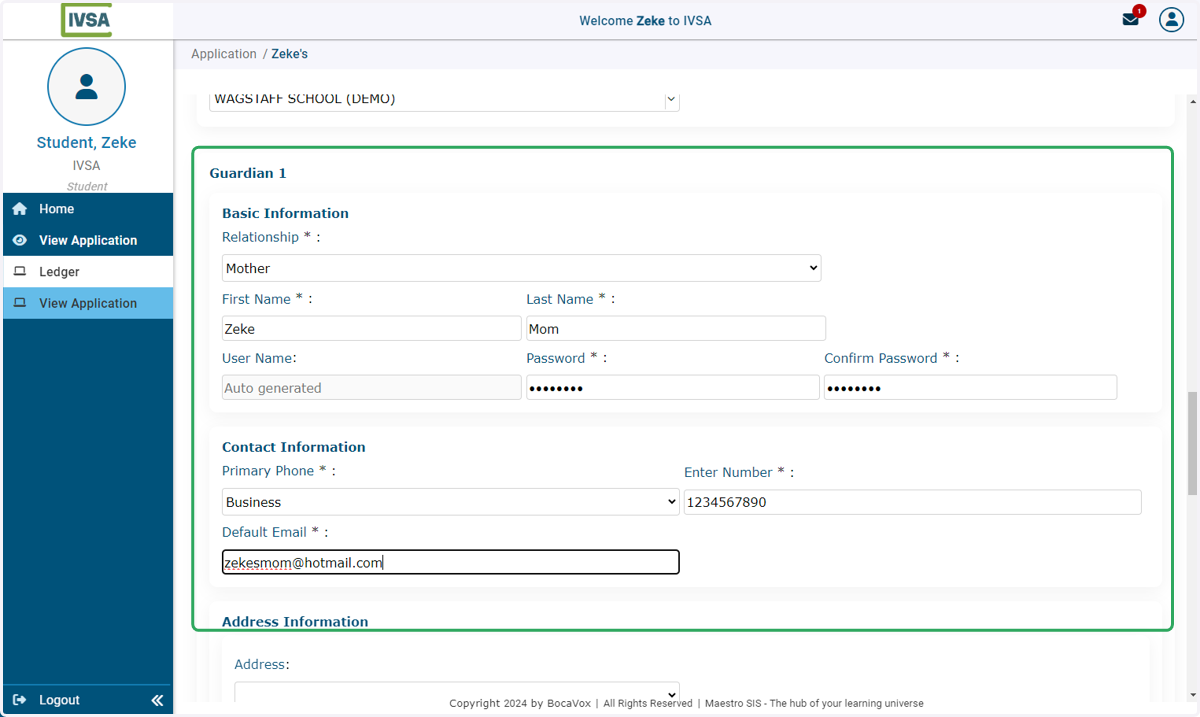
12. Enter the parent/guardian information.
Parent/guardian accounts are created when a student submits the application.
*It is up to the student to enter valid information to create the parent/guardian account.
All fields with an asterisk (*) are required.
Information is only required for one parent/guardian account. However, students can enter information for up to two users, and accounts will be created for each.
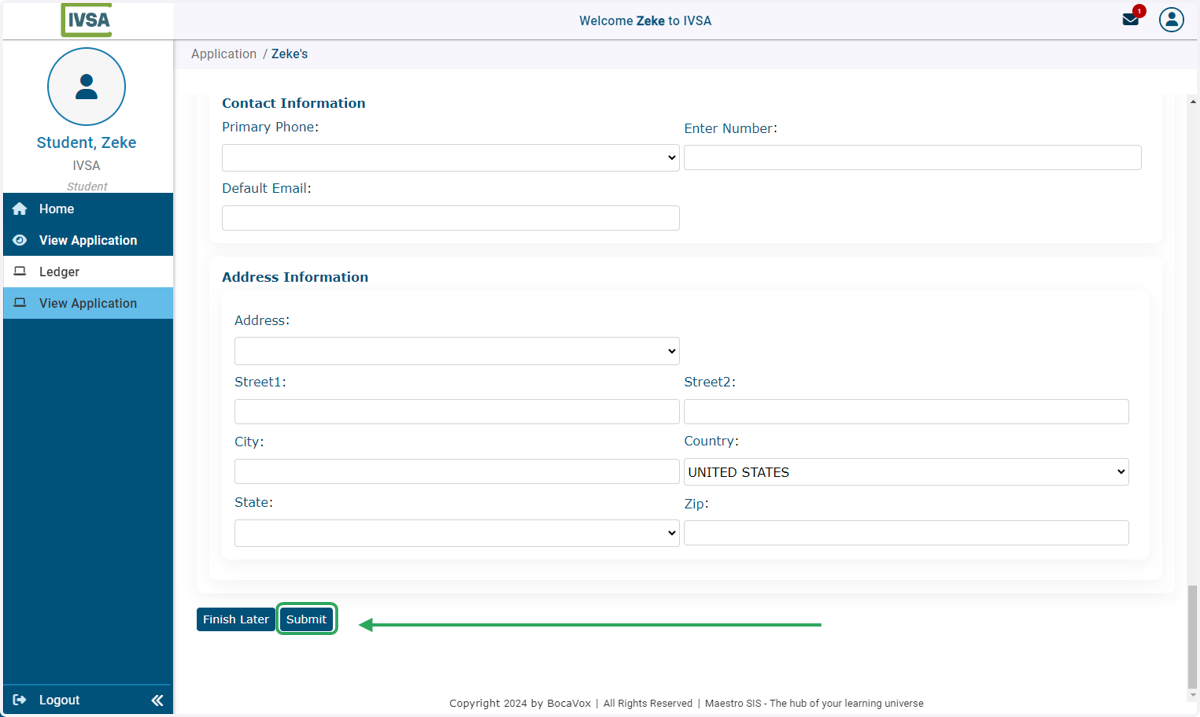
13. Click on Submit at the bottom of the page.
Success!
The application has been submitted, and your local school will now see you in their students list.
The parent/guardians listed will receive emails at the address provided with their username(s) and links to activate their account.
Now you can login to Request a Course.
Need help? Please contact us at info@ivsaschool.org