Students - How to request an IVSA course
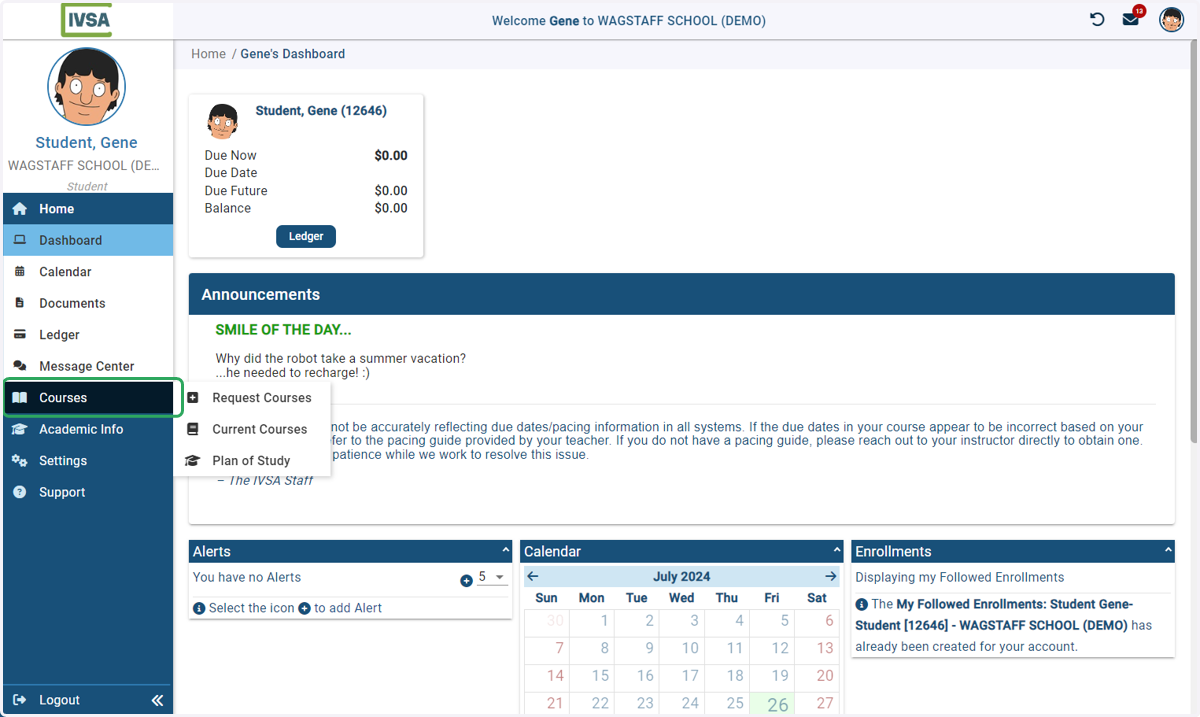
1. On the dashboard, hover over Courses
After you have created an account and completed the student application, you can login to request a course.
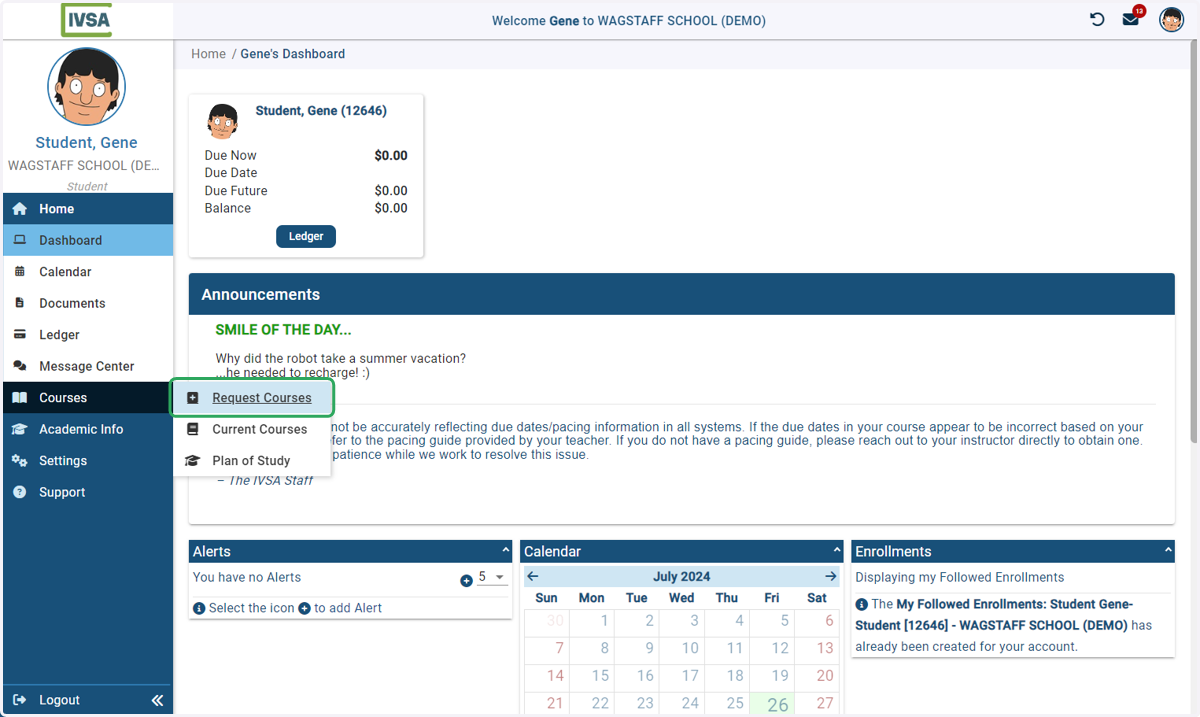
2. Click on Request Courses
When the menu expands, click 'Request Courses'
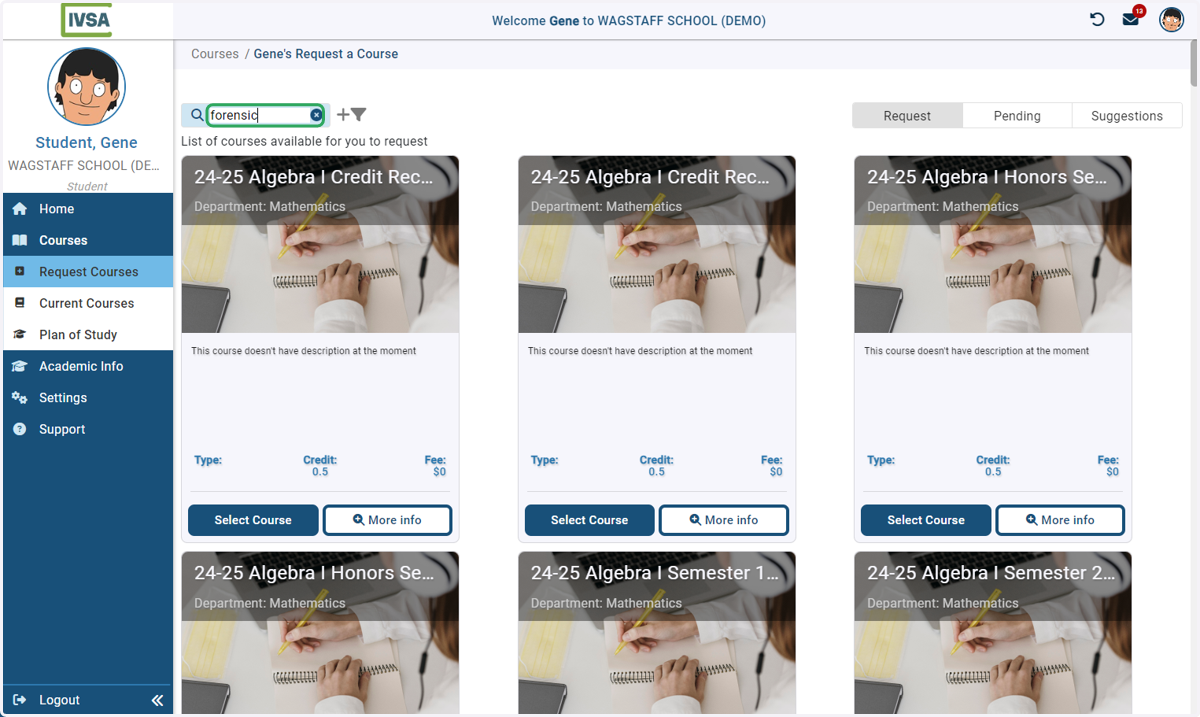
3. Find the course you want to take
You can type in the search bar or scroll to locate the course you want to request.
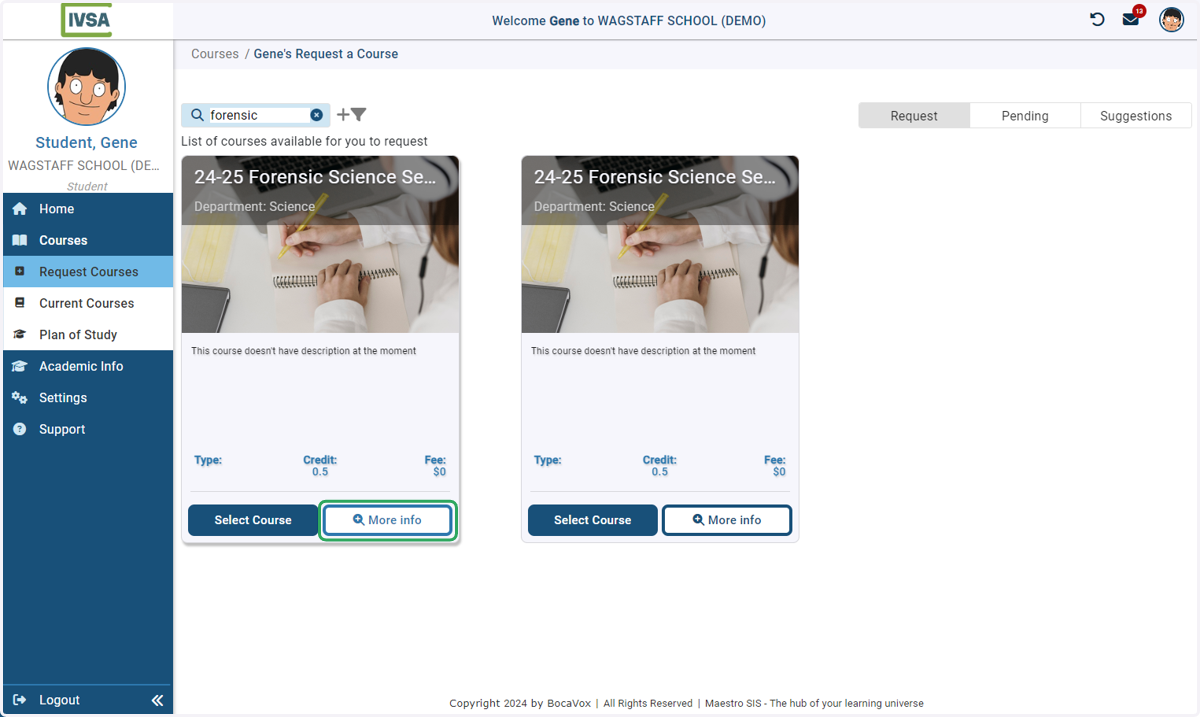
4. Click on More Info
5. Confirm the the course
Confirm the course and semester you want to request.
Please note: V1 and V2 are for internal purposes and have no bearing on the course offering.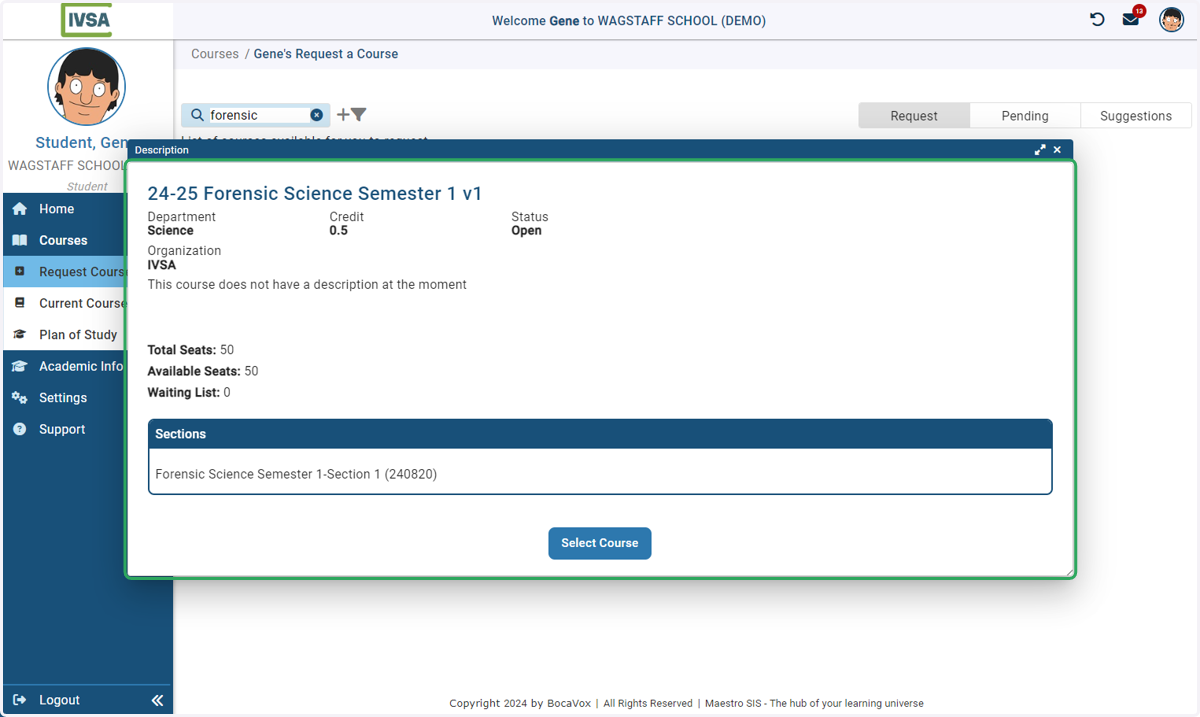
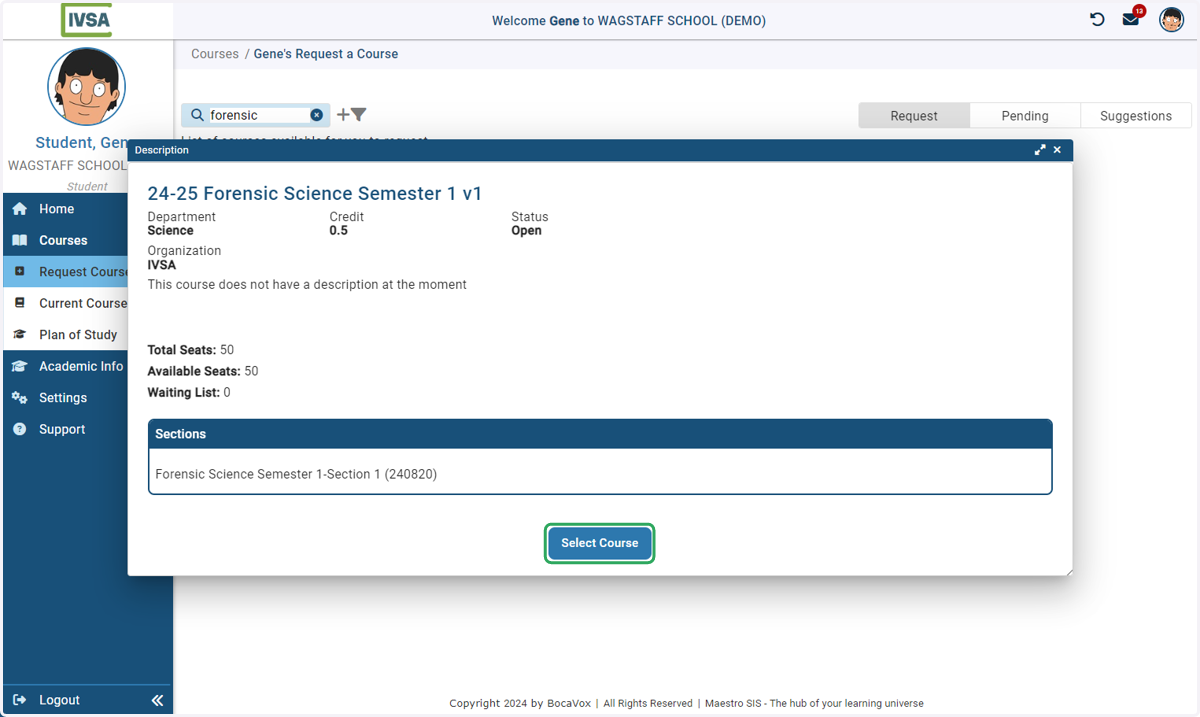
6. Click on Select Course
After you confirm the course and semester you want to request, click Select Course
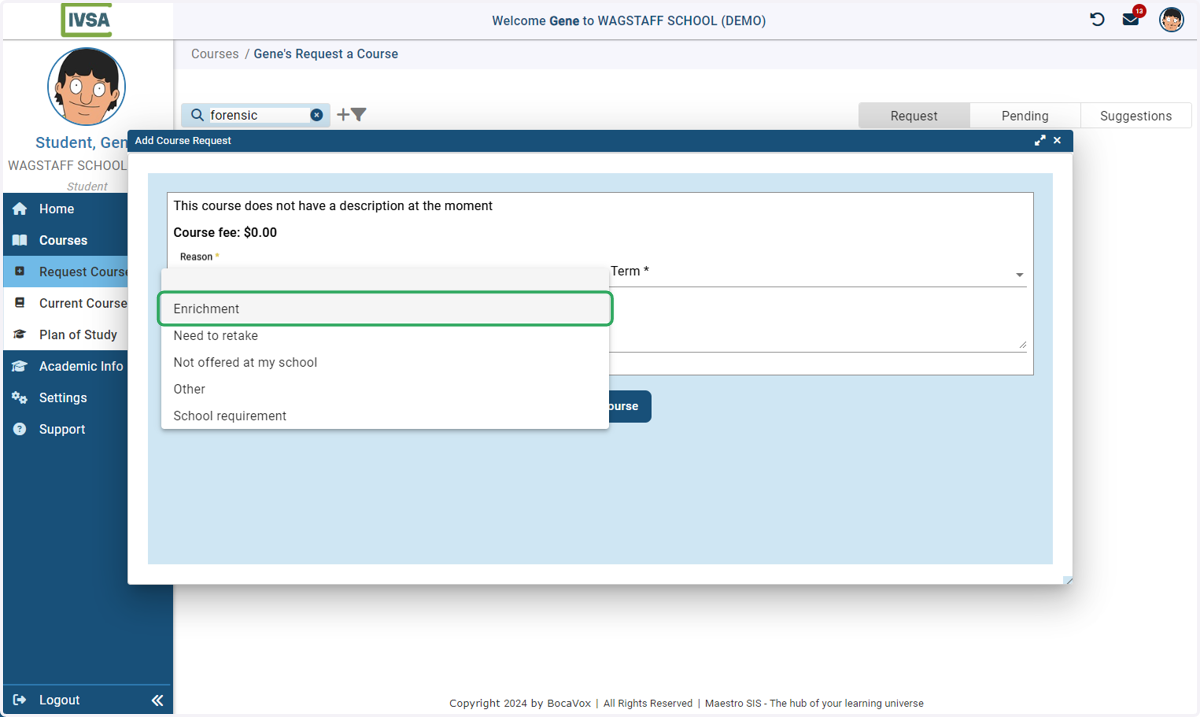
7. Select the reason for taking the course
Add any comments in the space provided - they will be shared with the person listed as your school's IVSA Registrar.
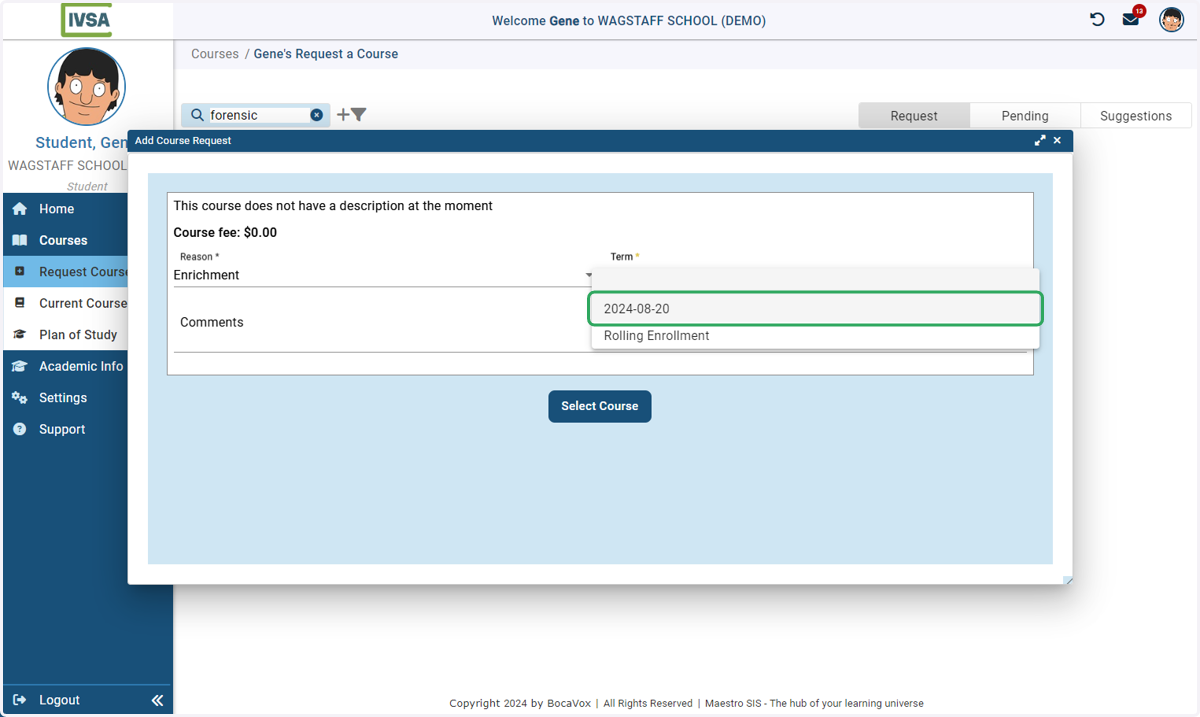
8. Select the date you would like to start your course
IVSA courses are available to start on designated dates throughout the year. Sometimes multiple start dates are visible at the same time. Please select the start date that best suits your schedule.
Please note: Rolling Enrollment is not available at this time.
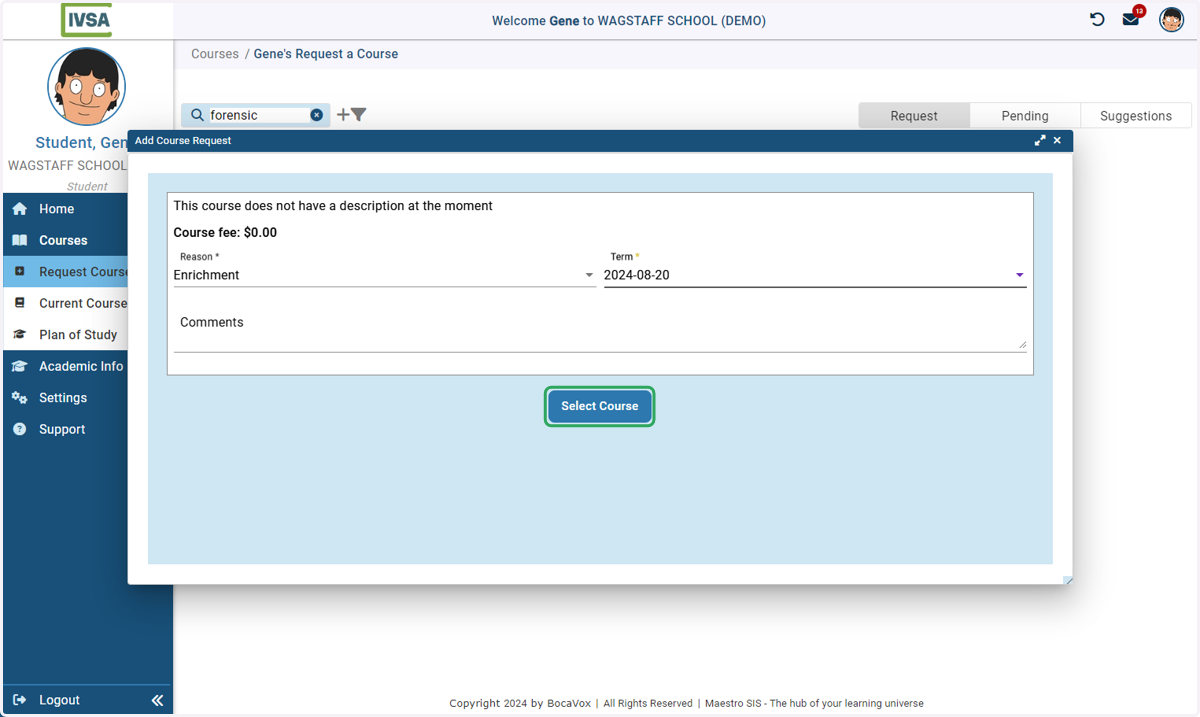
9. Click on Select Course
After selecting your reason and the start date, click the Select Course button.
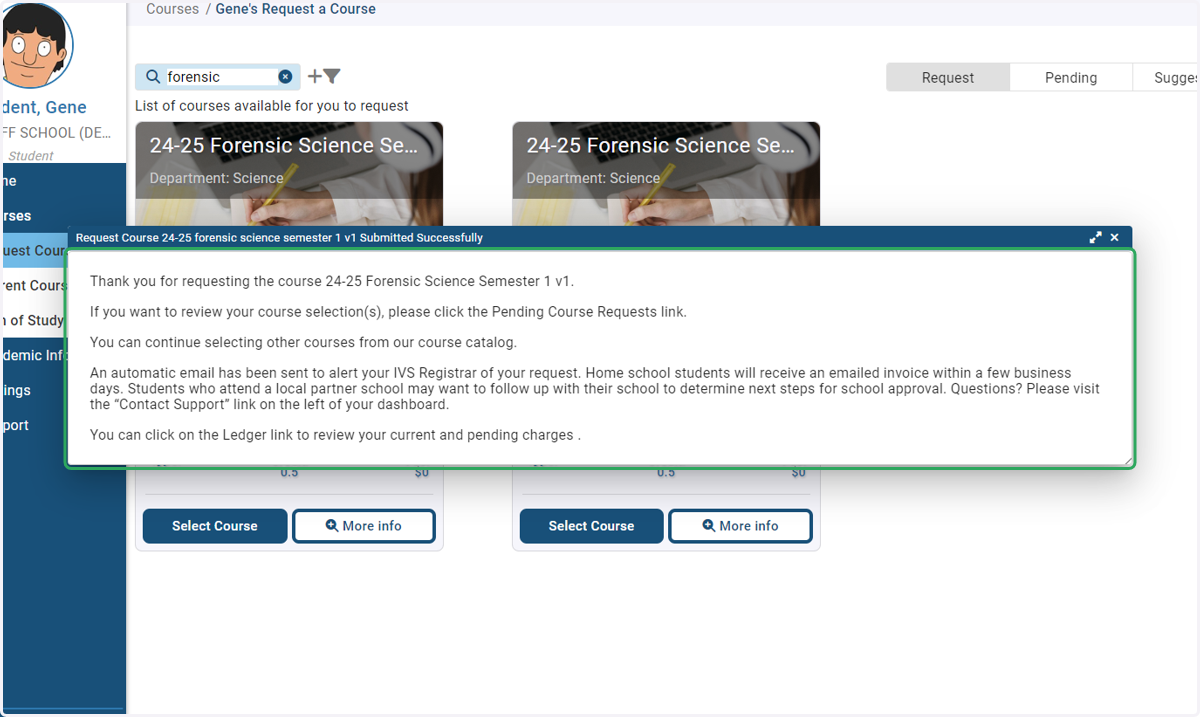
10. Success!
A confirmation box will appear confirming that the course request has been submitted to your school for approval.
Invoices are generated after the request is approved.
Homeschool student course requests are approved by IVSA.