Selecting a payment option
These instructions detail how to select a payment processor to submit payment for HOA dues and assessments. If you have any questions regarding assessments and billing, please contact residentsupport@lelandmanagement.com.
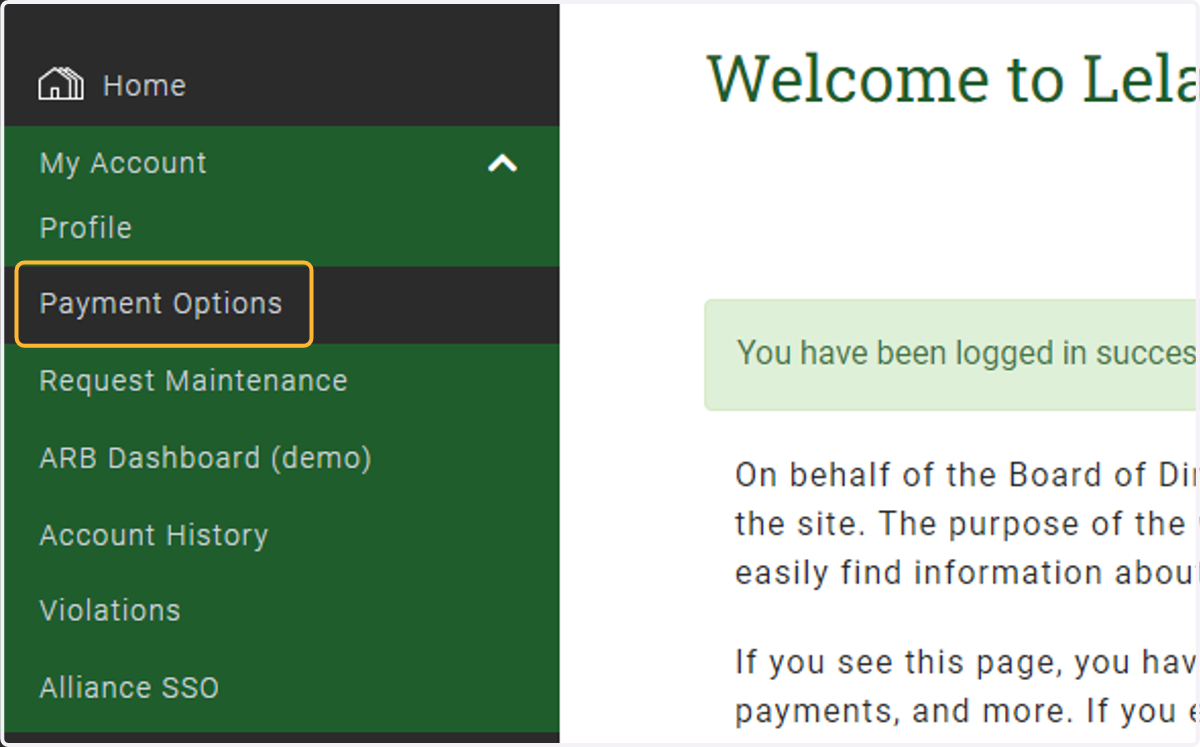
1. Under My Account, select Payment Options
Please note: some websites may have it listed as "Make a Payment"
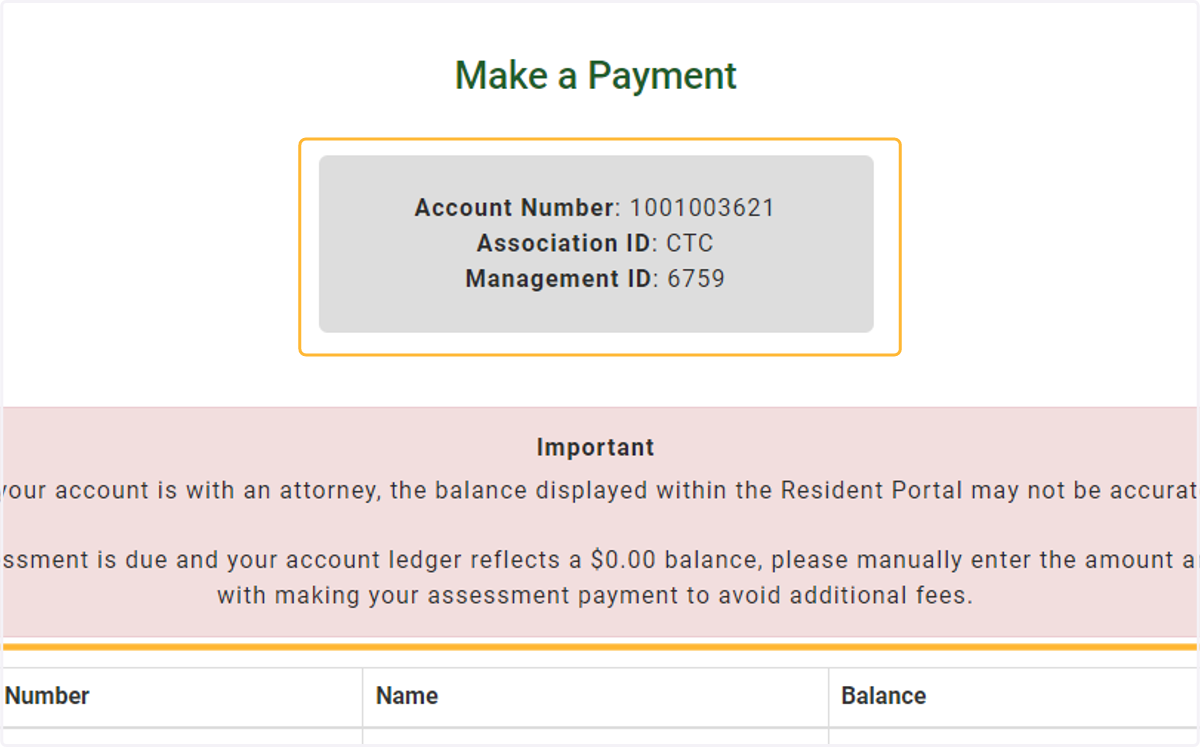
2. Review and verify your account details and balance
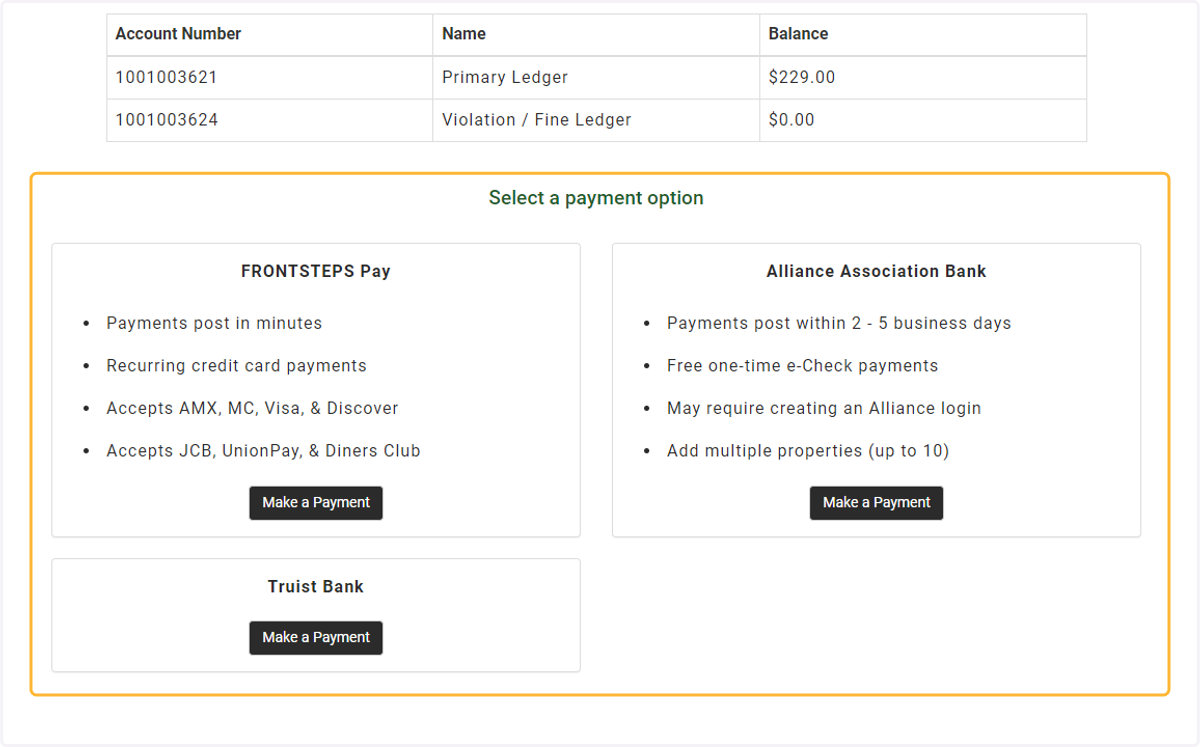
3. Select a payment option
There are pros to using either payment option available. Select the best one that suits your needs. The benefits are listed on each payment option. Please note: not all payment options listed below will be visible for you and are dependent on the association.
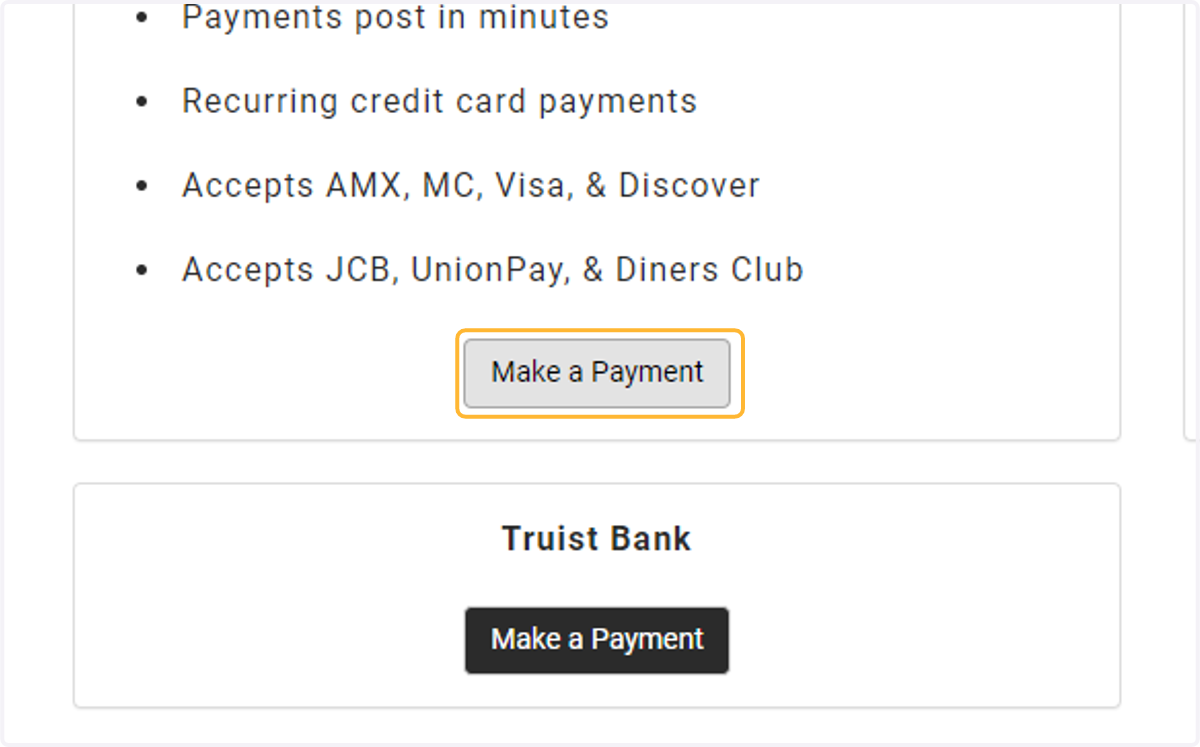
4. Click on Make a Payment
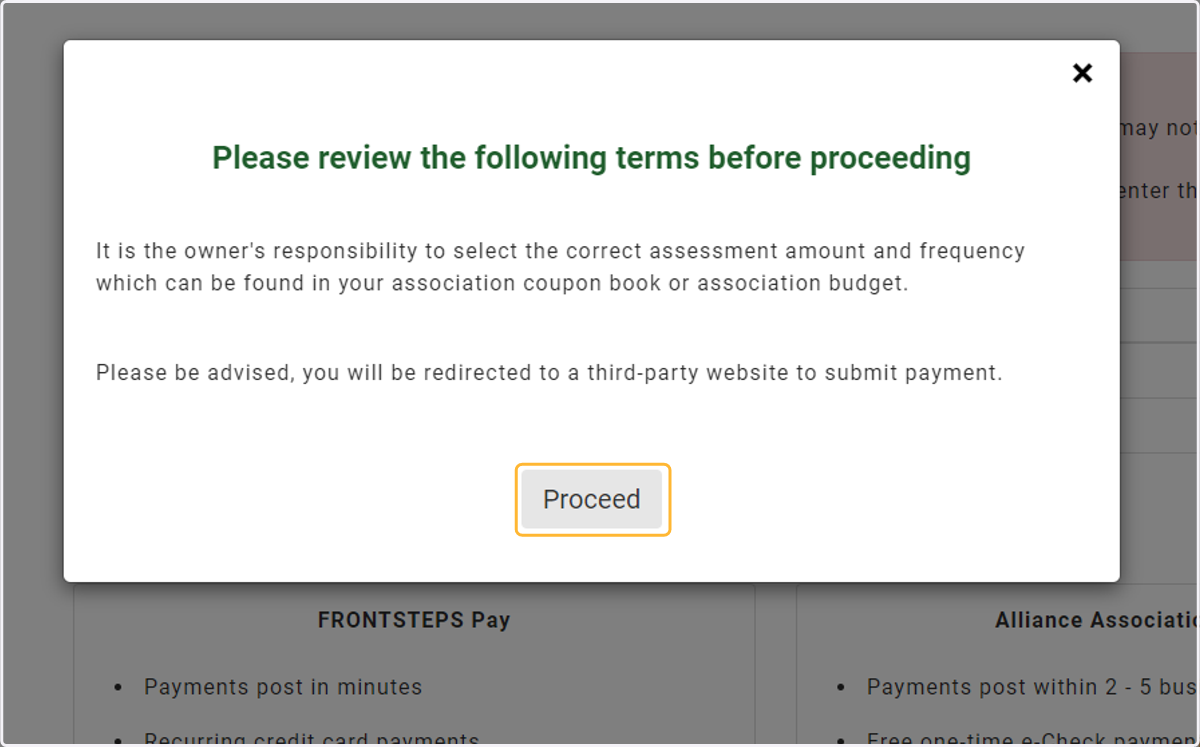
5. Review the terms and click proceed
6. Submit payment
Depending upon which payment option you choose, there are additional steps to complete payment. See the links below to their help articles.
1. FRONTSTEPS Pay - FSPay 3.0 - FSC - Guide to Making Payments (frontsteps.com)Alliance Association Bank - Setting up an account and making payments (Alliance)