Access Code Support and Redemption
Ways to redeem the code you received from your recent purchase
Need Help with Your Access Code?
1. I Need Another Access Code to Redeem My Purchase
If more than 10 minutes has passed and you've checked your junk mail and still do not have your Test Prep App Access Code, please reach out to ptsupport@psionline.com with your:
First name
Last name
Proof of purchase
Email you purchased with
If you ordered on the Online Store, please include your Order Number and Order Confirmation for the fastest assistance
2. There is an Error When I Enter My Access Code
If an error is occurring when you are entering your Access Code, please make sure that you are entering the details accurately. If you have already checked that the Access Code is being entered properly, and there is still and error being received, screenshot your error and send it to ptsupport@psionline.com
Please include the following in your email:
Screenshot of the error
Order Number
First Name
Last Name
Email address used for your order
Use the Redeem Button
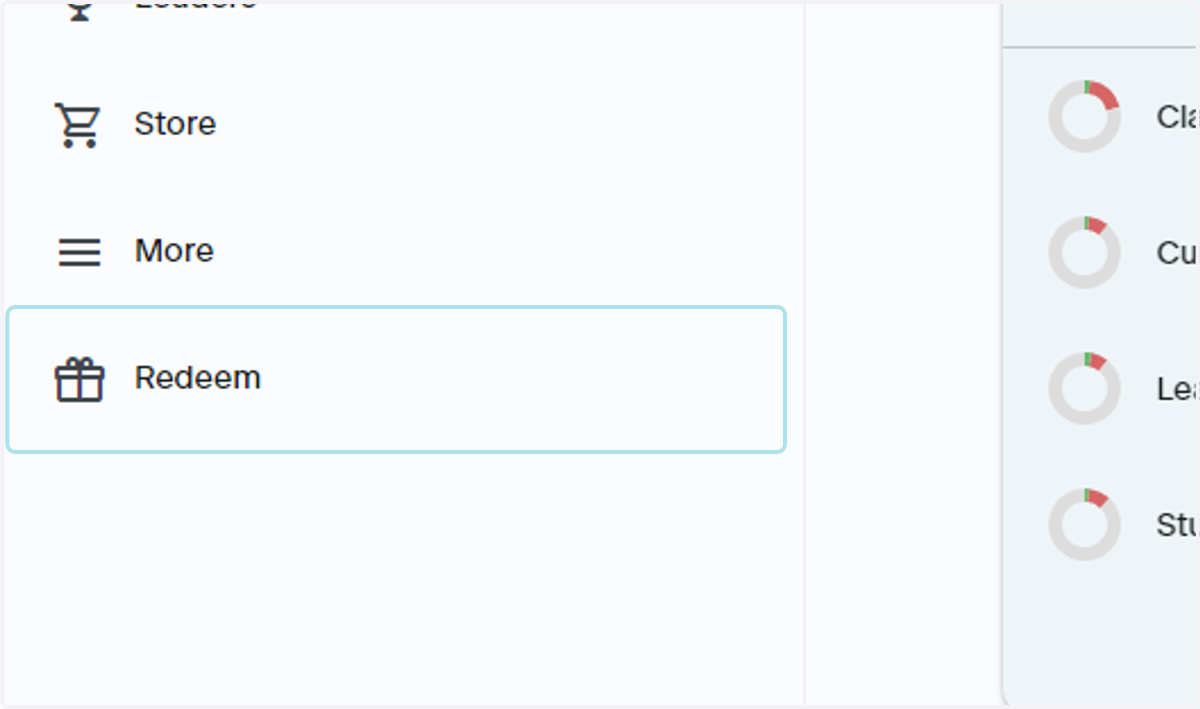
3. Navigate to the Redeem Button
The fastest way to redeem an access code is through the lefthand navigation bar. Click Redeem and you will be taken to a screen to enter your access code
4. Enter the Access Code You Received
Once you've made a purchase, an email will be sent to the email you've made a purchase with. If you made a purchase on your mobile device, this email would be associated with your Google Play or Apple ID. The Access Code will come from PSI Support
Note: The mail that you receive your access code from is a No Reply Email, and is NOT for assistance with access codes. If you reply back to the Access Code email, you will not receive a response. For help with access codes, please refer to Step 10, under Need Help with Your Access Code?
Using Find Anything to Redeem
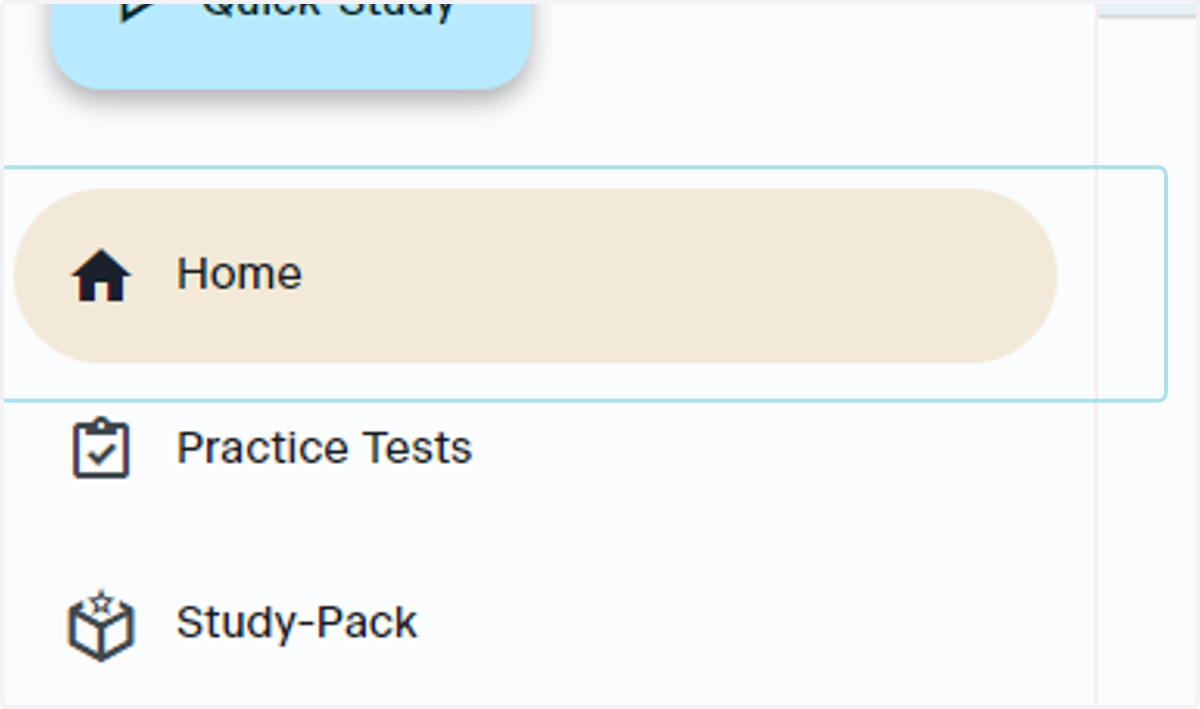
5. Start on the Home page
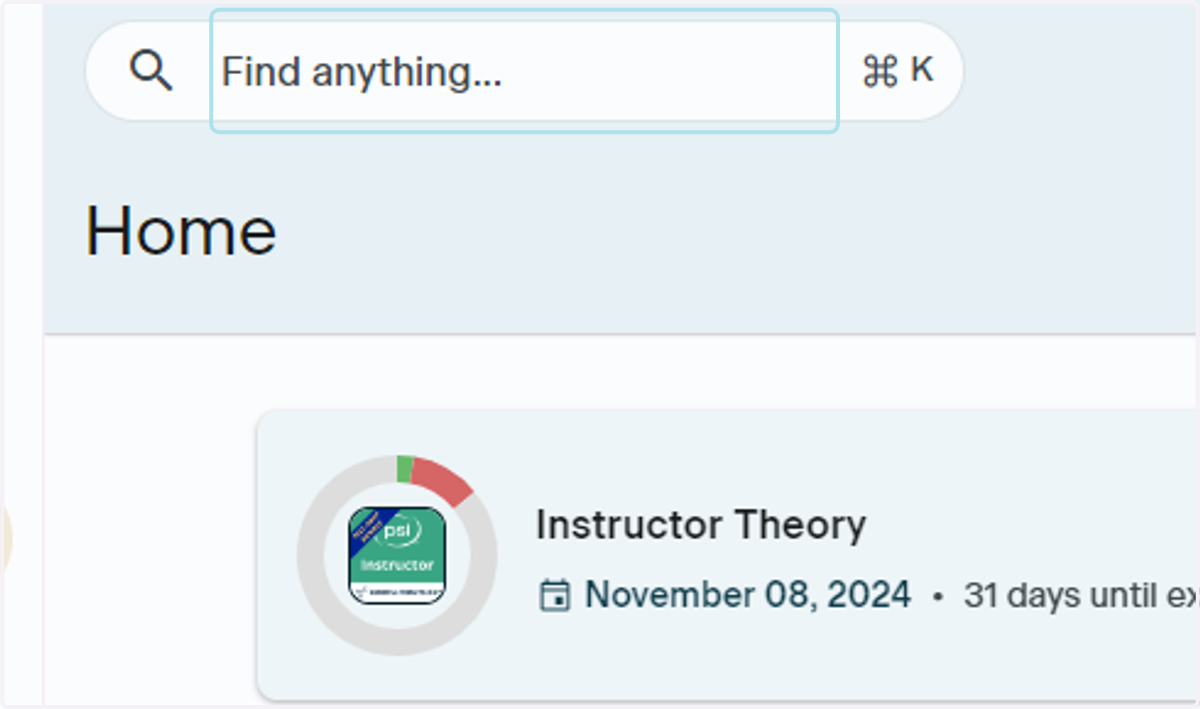
Another way to redeem your Access Code is through the Find Anything search bar. Start by clicking the Home button in the lefthand navigation
6. Click Find Anything
At the top of the Home page, navigate to the Find anything... search bar and click it
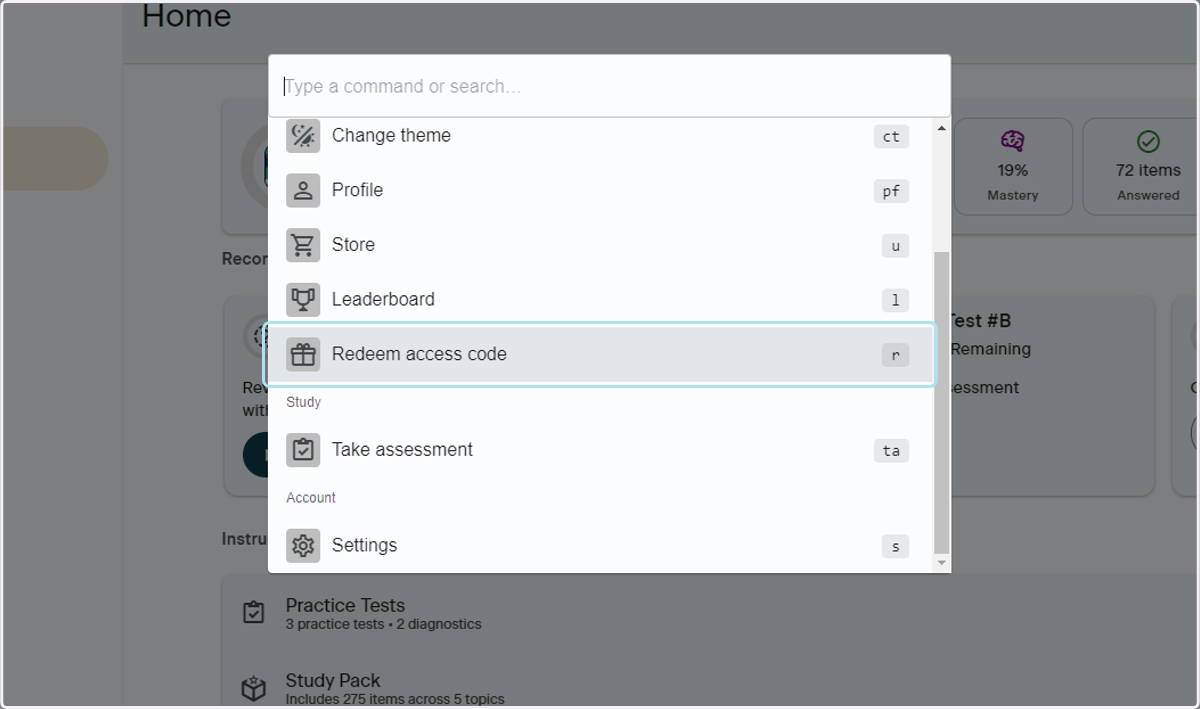
7. Click Redeem access code
Scroll down the list and select Redeem access code to enter the Access Code you received
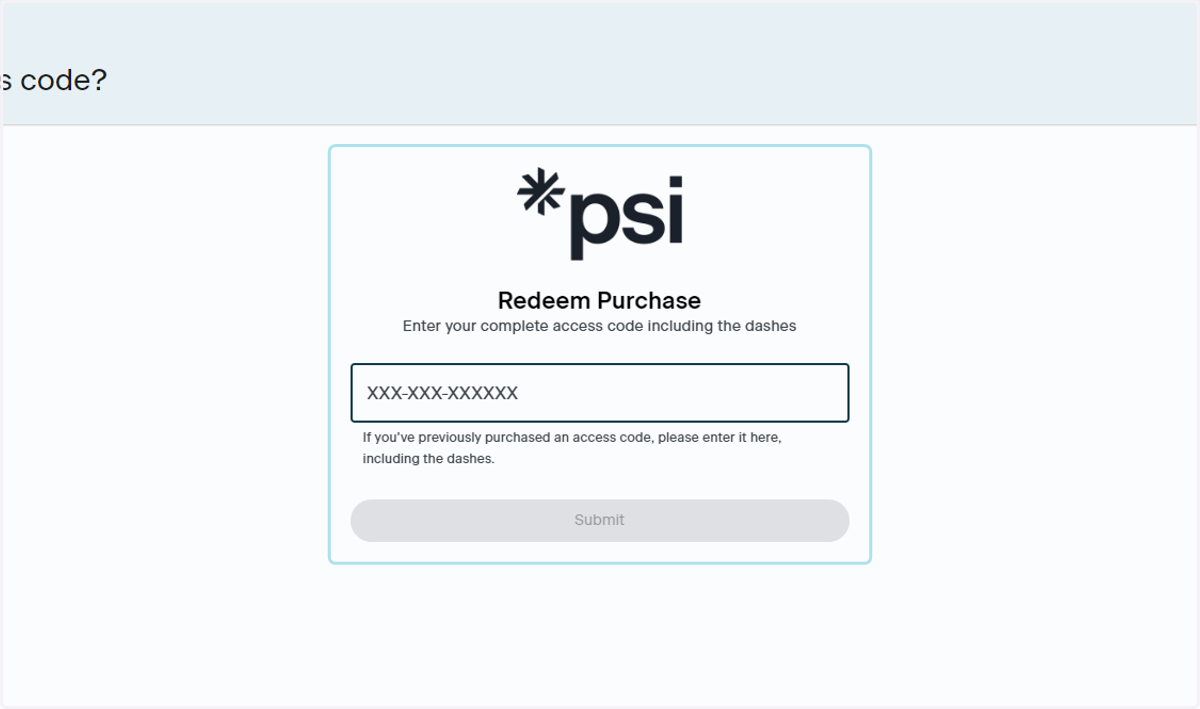
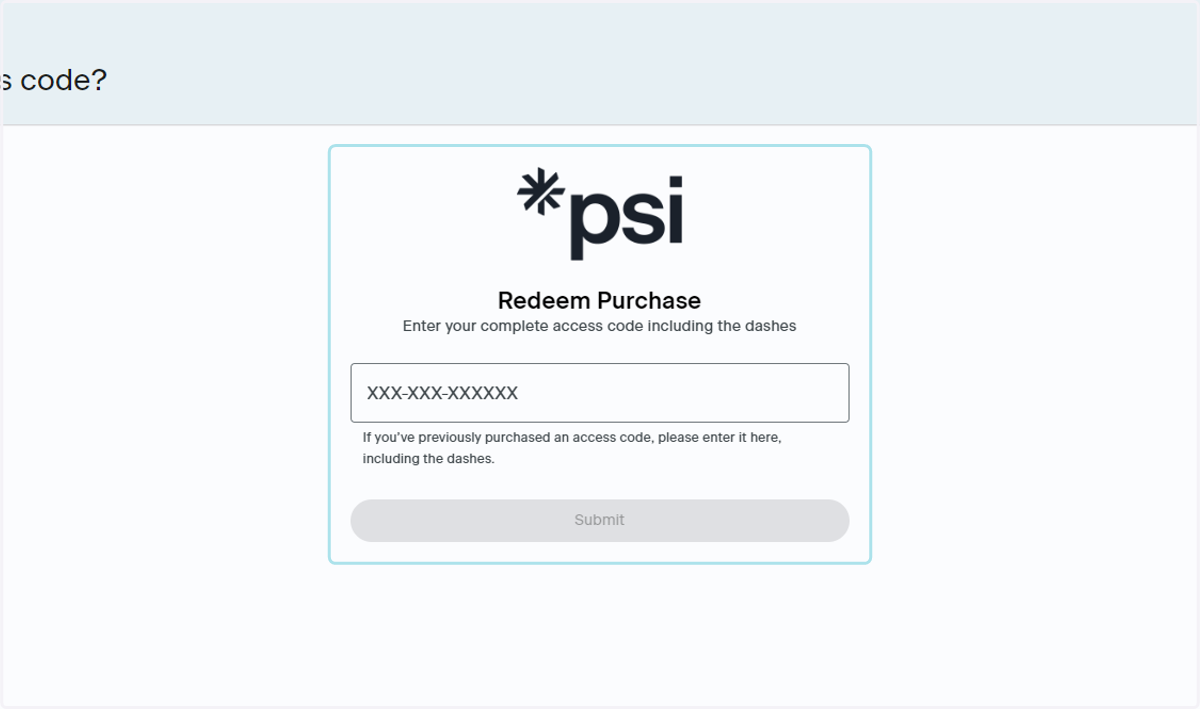
8. Enter the Access Code
Once you have clicked Redeem access code, you will be brought to the screen to enter the access code you received in your email
Use the More Button to Redeem Your Access Code
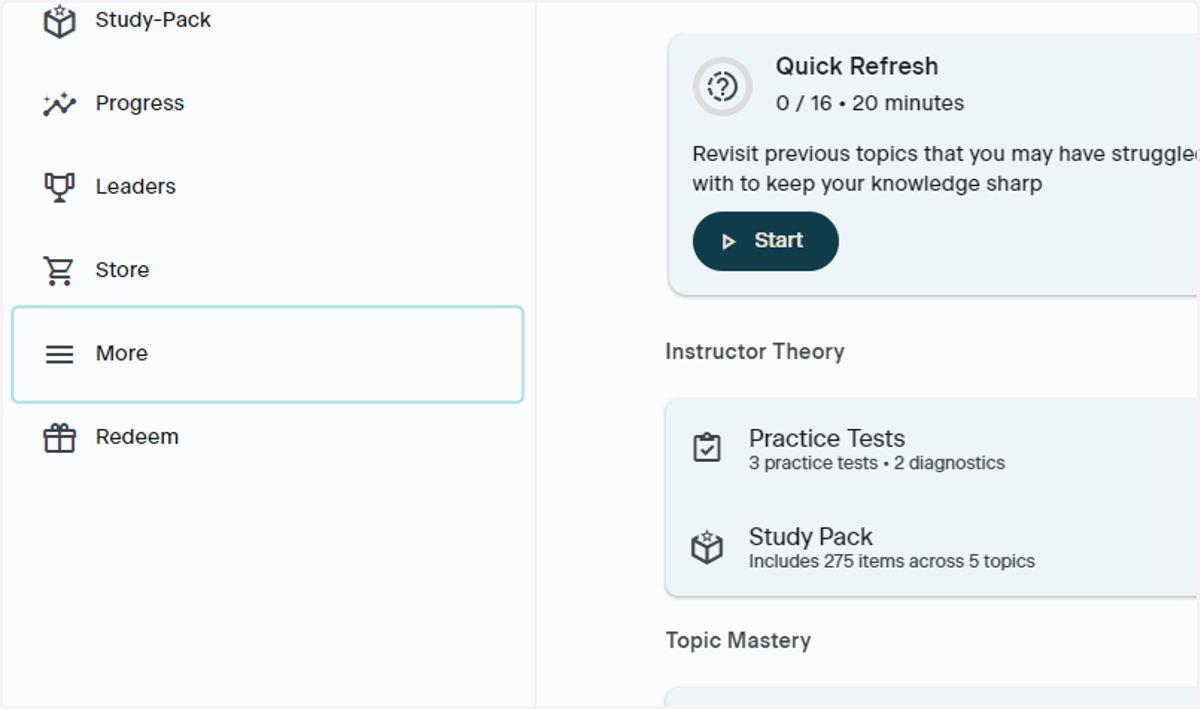
9. Click on More
Navigate to More in the lefthand navigation bar and click More
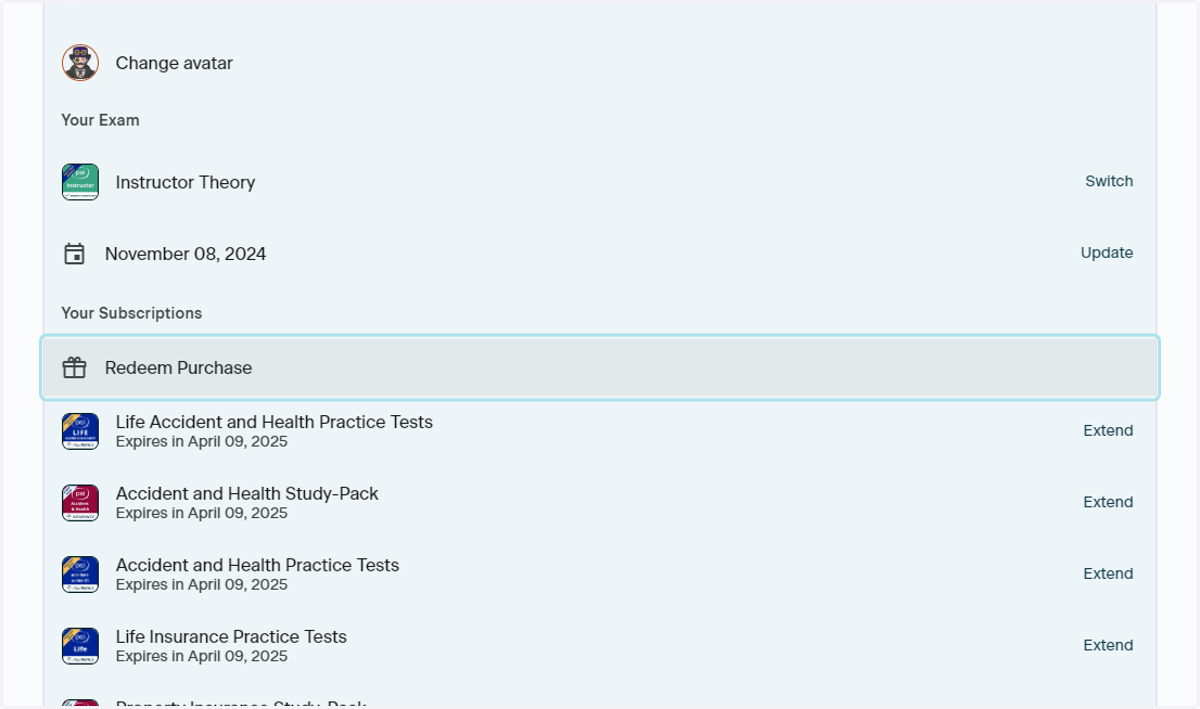
10. Click Redeem Purchase
Scroll down to the Your Subscriptions section and click Redeem Purchase
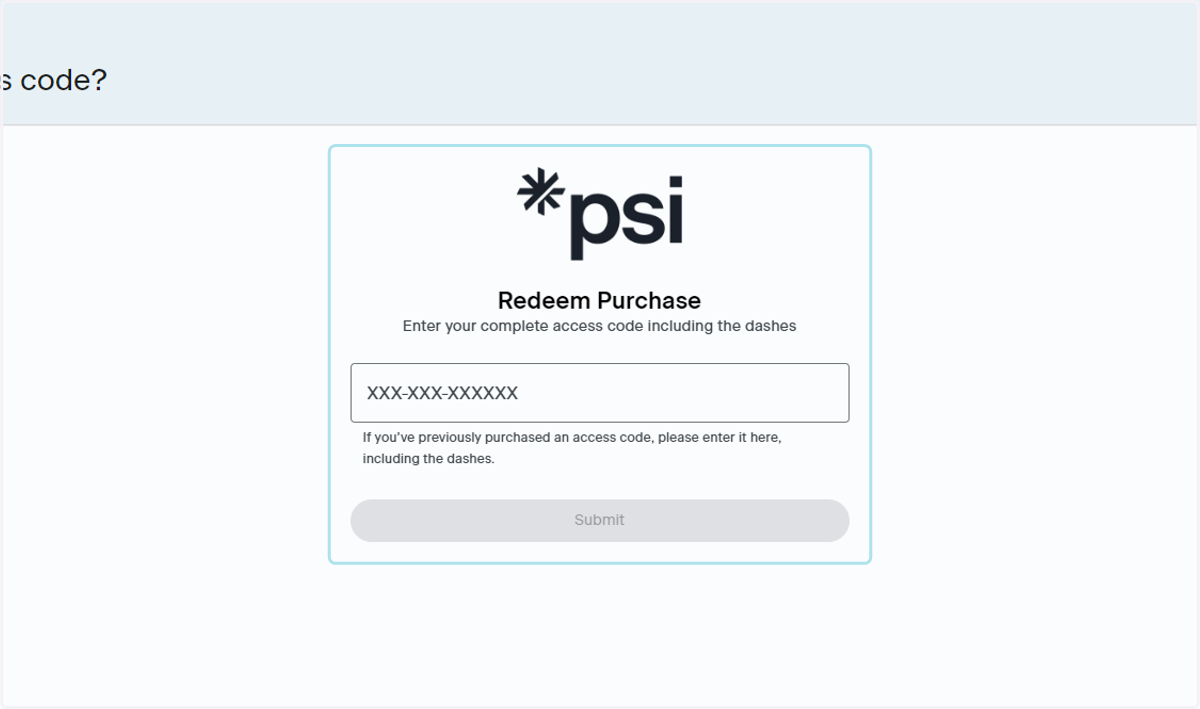
11. Enter the Access Code
Once you have clicked Redeem Purchase, you will be brought to the screen to enter the access code you received in your email
Contact Support
12. Where to Contact Support
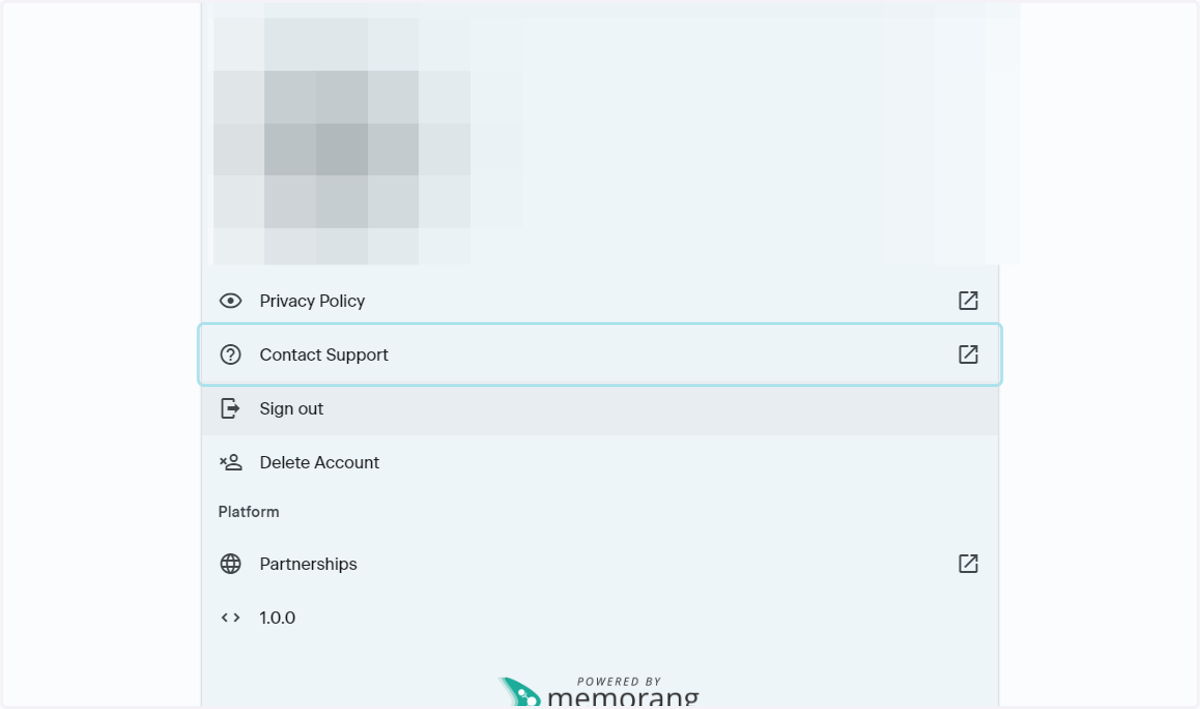
Go to your Account Settings by clicking the Gear icon in the upper righthand corner of the App and click Support. This will launch an email to the PSI Support Team, ptsupport@psionline.com
For help with:
Profile details
Order related issues
Access code assistance
Change username
Errors
Please be sure to take screenshots of any errors
Please include the following in your email:
First name
Last name
Email associated with your order
Order Number
Order Confirmation
Note: If you have made a purchase in-app, or through the App Store or Google Play Store, the PSI team will not be able to assist you with order related issues such as:
Copy of order confirmation
Refunds of purchases made through the App Store, Play Store or in-app