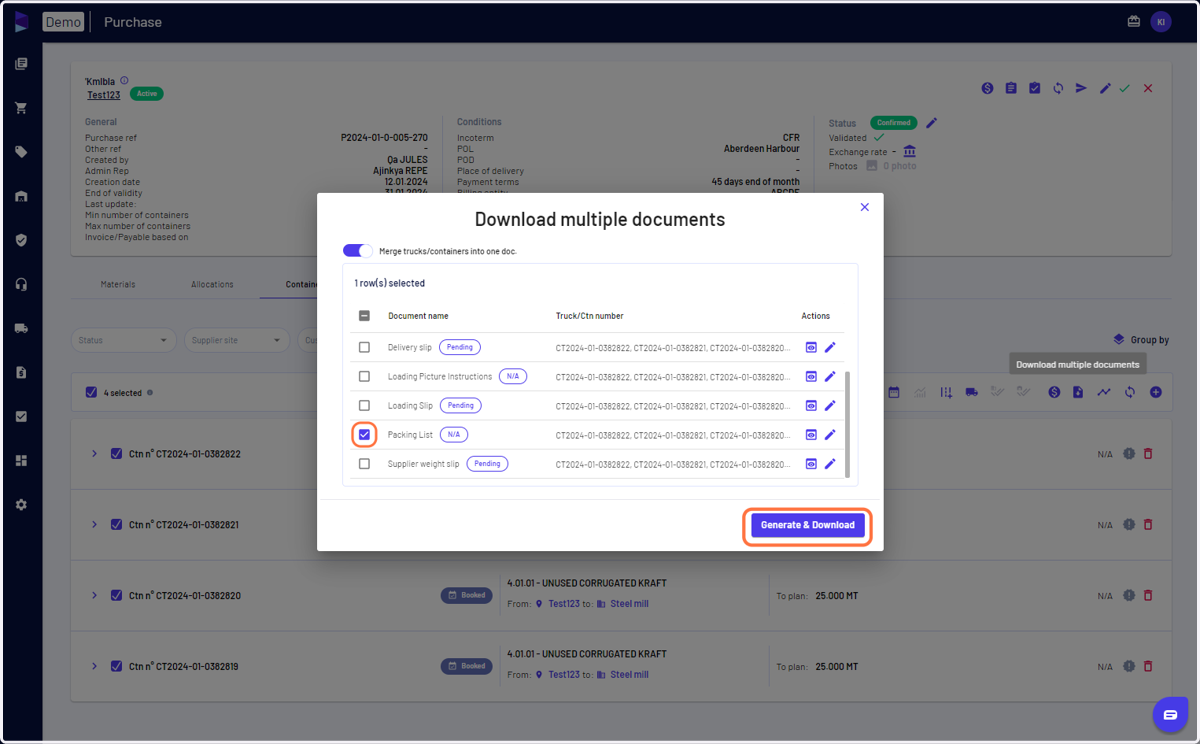
I can generate and download an empty Packing List for data upload
Jules.ai
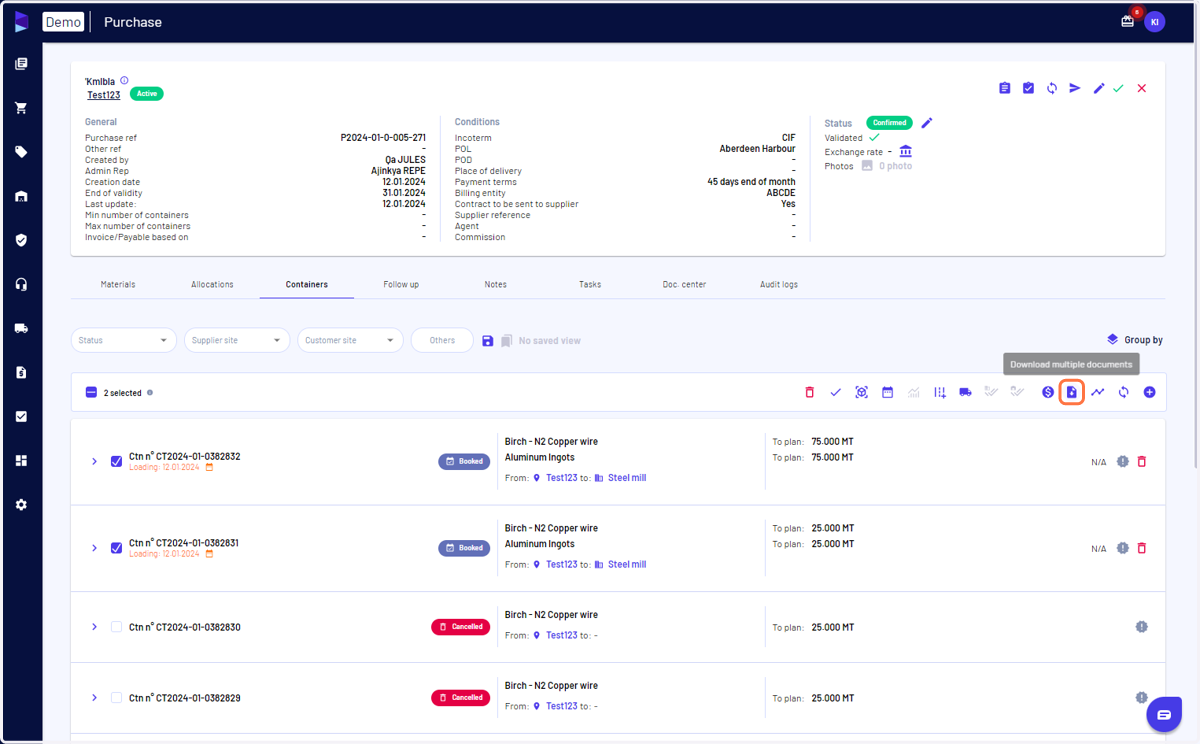
1. Select the containers and click on 'download multiple documents'
You can select the containers from the 'containers' tab of your 'purchase' or from 'trucks/containers' page
2. Select Packing List and click on 'Generate & Downalod'
Make sure to select the template 'PL for data upload' in case of multiple packing list templates