Step-by-Step User Creation

  1. 1. Go to the admin section of the application
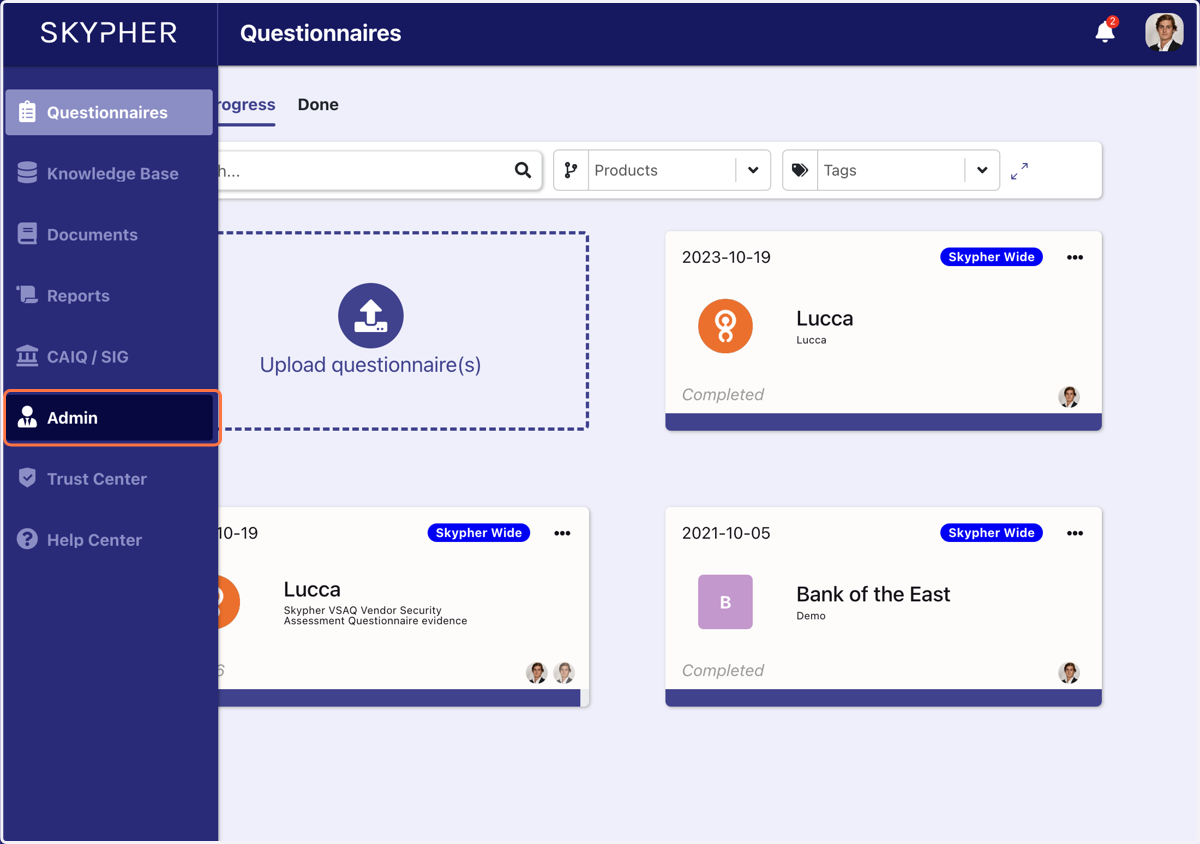
    Go to the admin section of the application
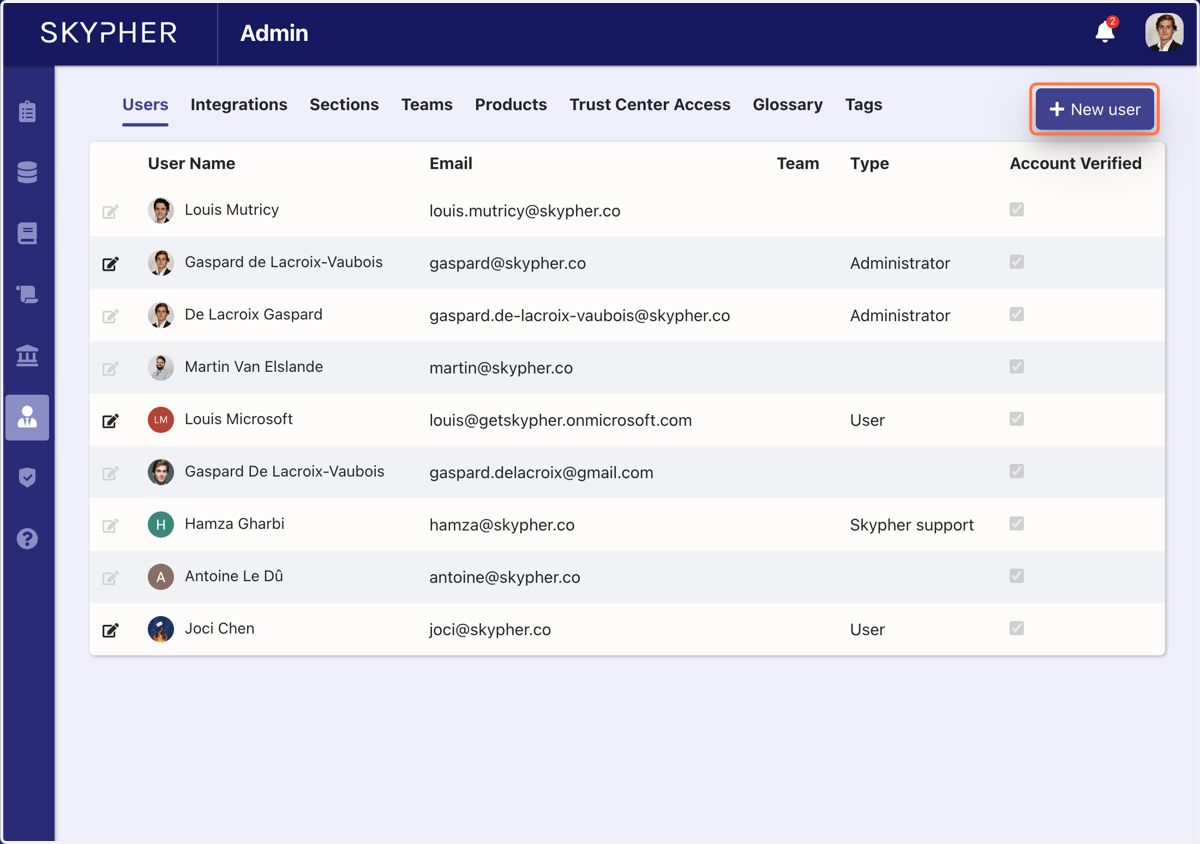
  2. 2. Click on New user

    Click on New user
  3. 3. Add user information

    In User type, you can select the permissions you attribute to the user (User, Administrator, Viewer). You can assign a Team to the user if necessary
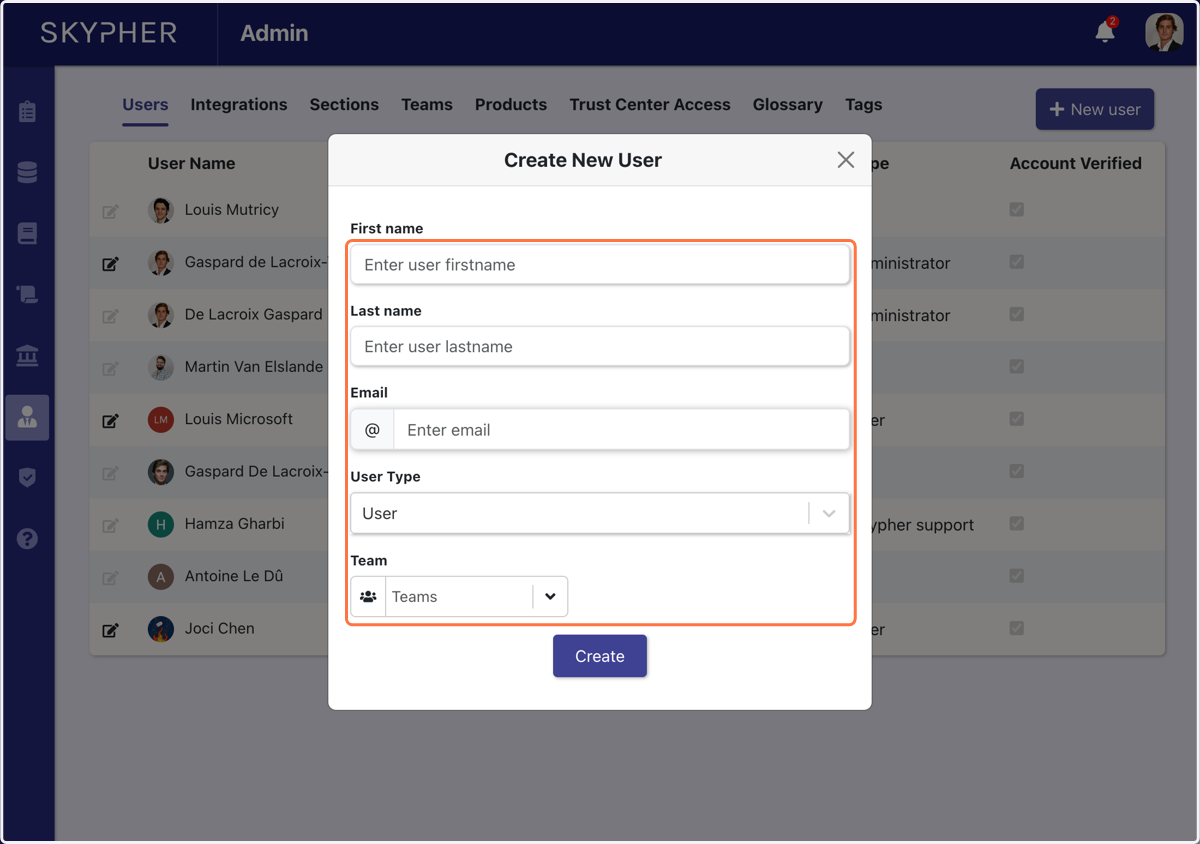
    Add user information
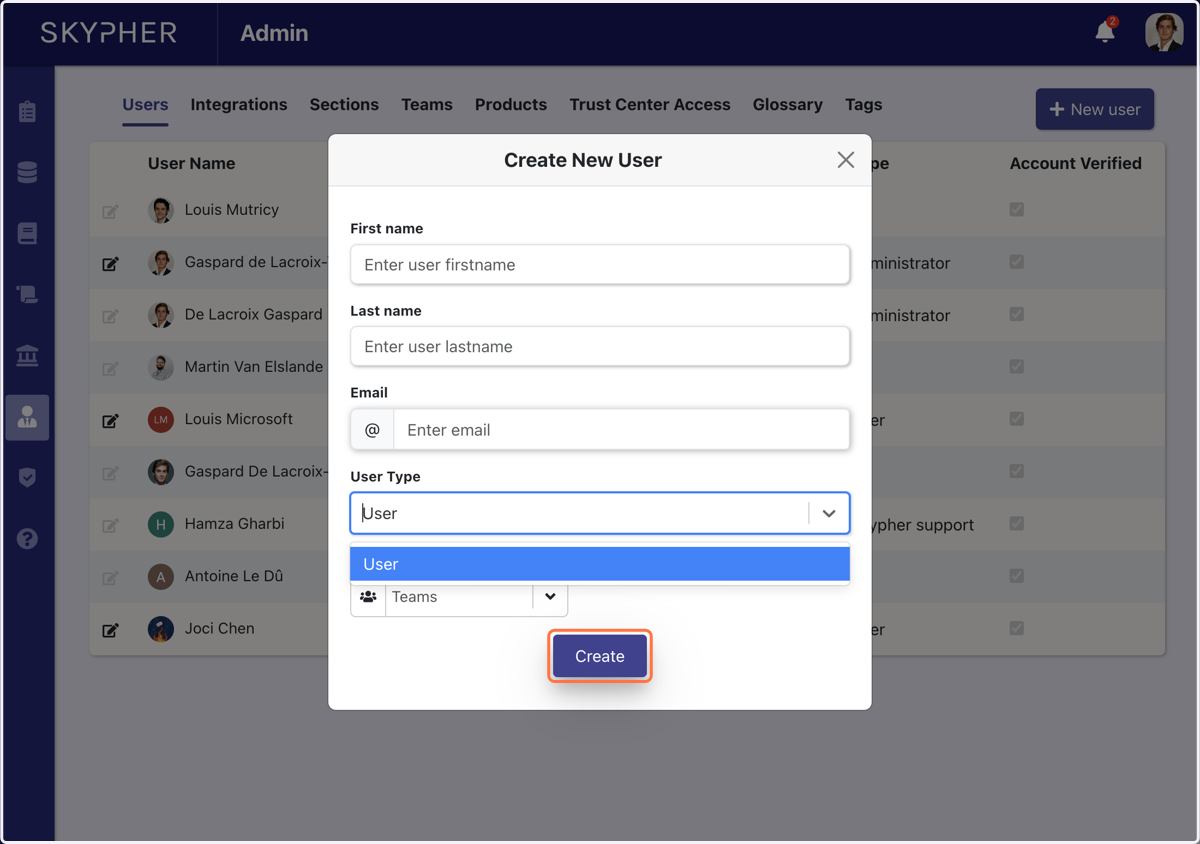
  4. 4. Click on Create

    Click on Create

šŸ™‹ Congrats, you just added a new user to your Skypher Account šŸ™Œ ! They will receive an activation email. Please refer to the login instructions for more detail on how to create your account in Skypher

āœ‰ļø Don't forget to ask your coworker to check their spam if they can't find the activation email in their mailbox