Customize Your Easter Bunny Flyer
1. Click here to get started
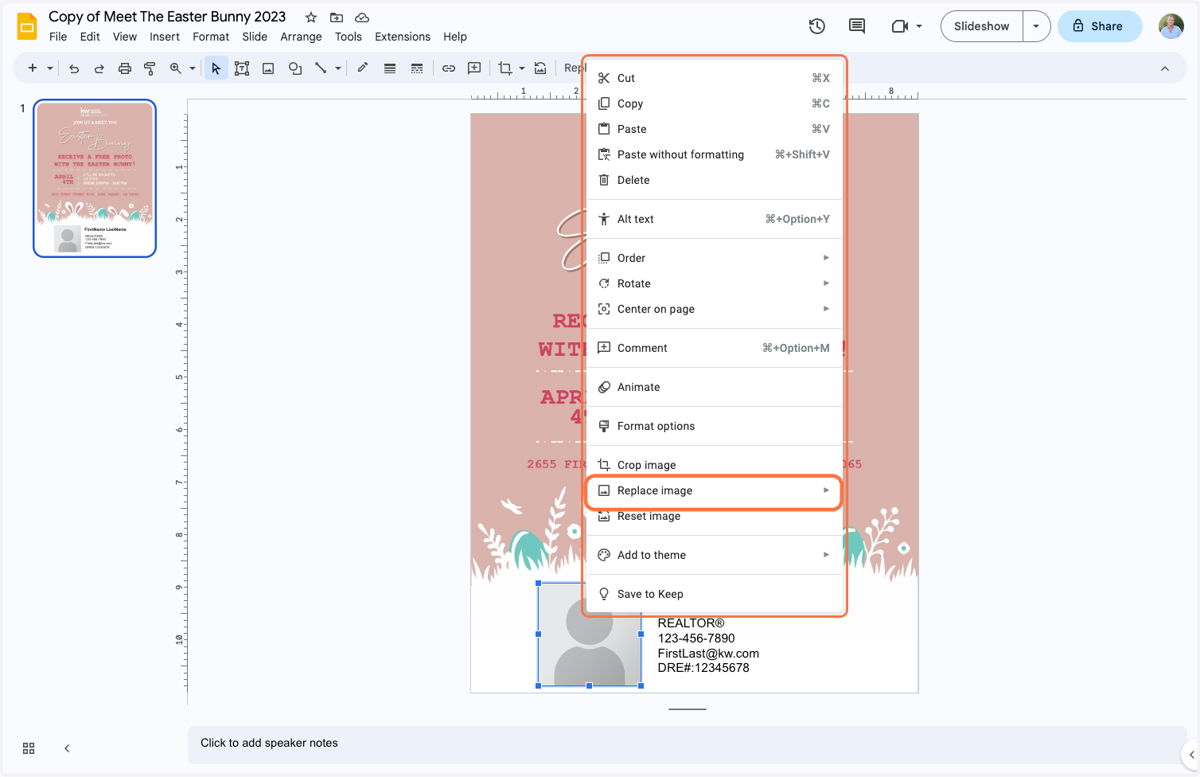
2. Right-click on the placeholder photo and click "Replace Image" > "Upload from Computer"
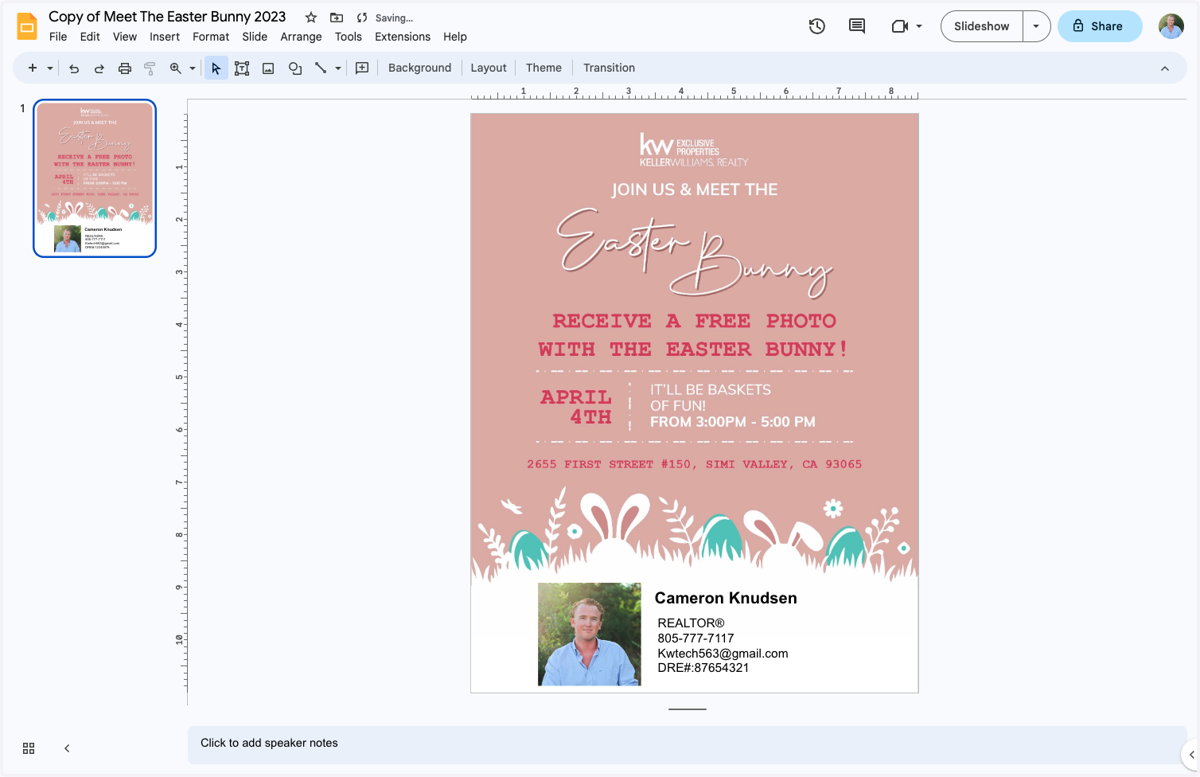
3. Click and edit the appropriate contact info in the text box.
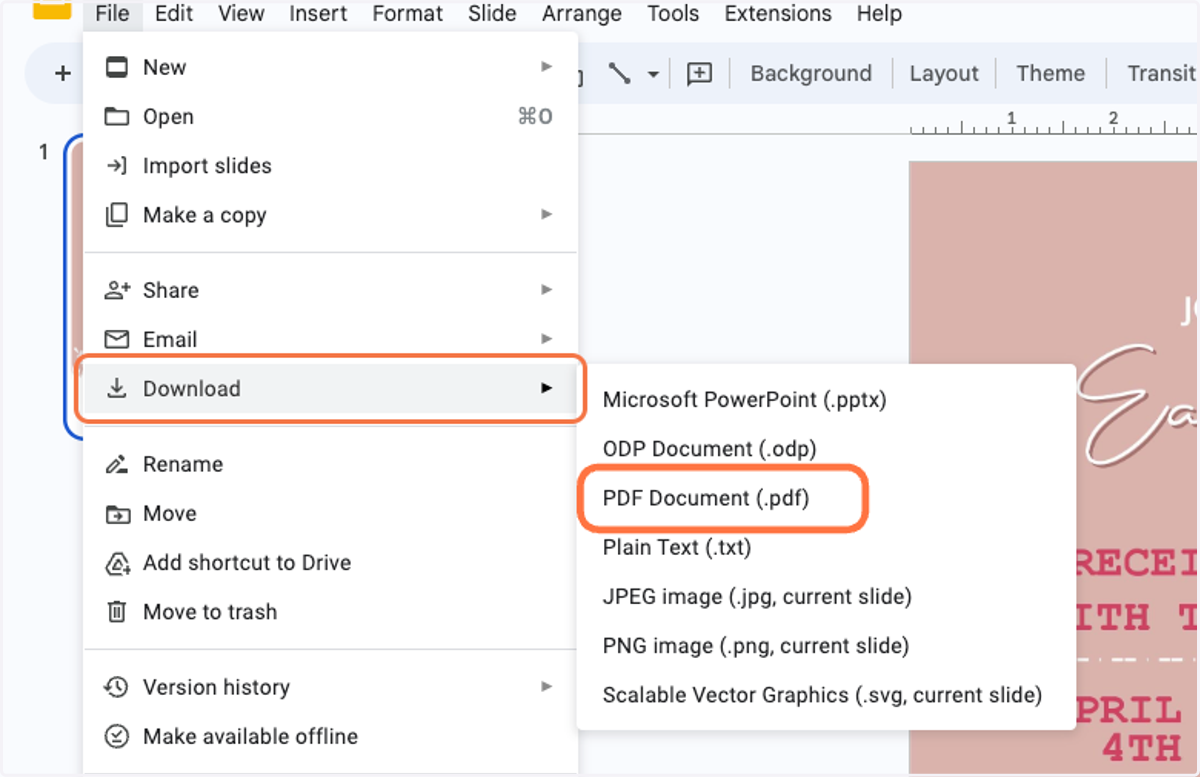
4. Click on File > Download > PDF Document (.pdf)