Navigating E-Ticket Confirmation: Step-by-Step Process
1. Congrats! You have been invited! What next?
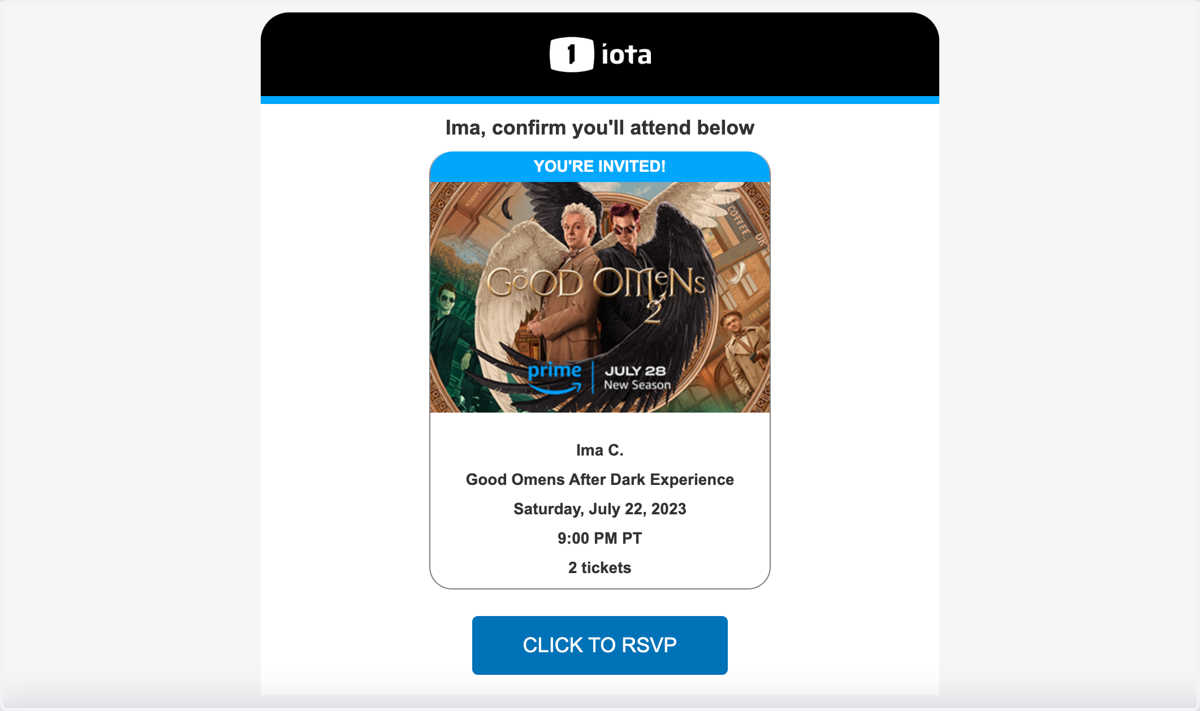
You received the email confirmation that you have available tickets for an event!
To confirm your tickets, you have two options.
You can click on the blue "Click to RSVP" button in the email - which will then take you to "My Requests"
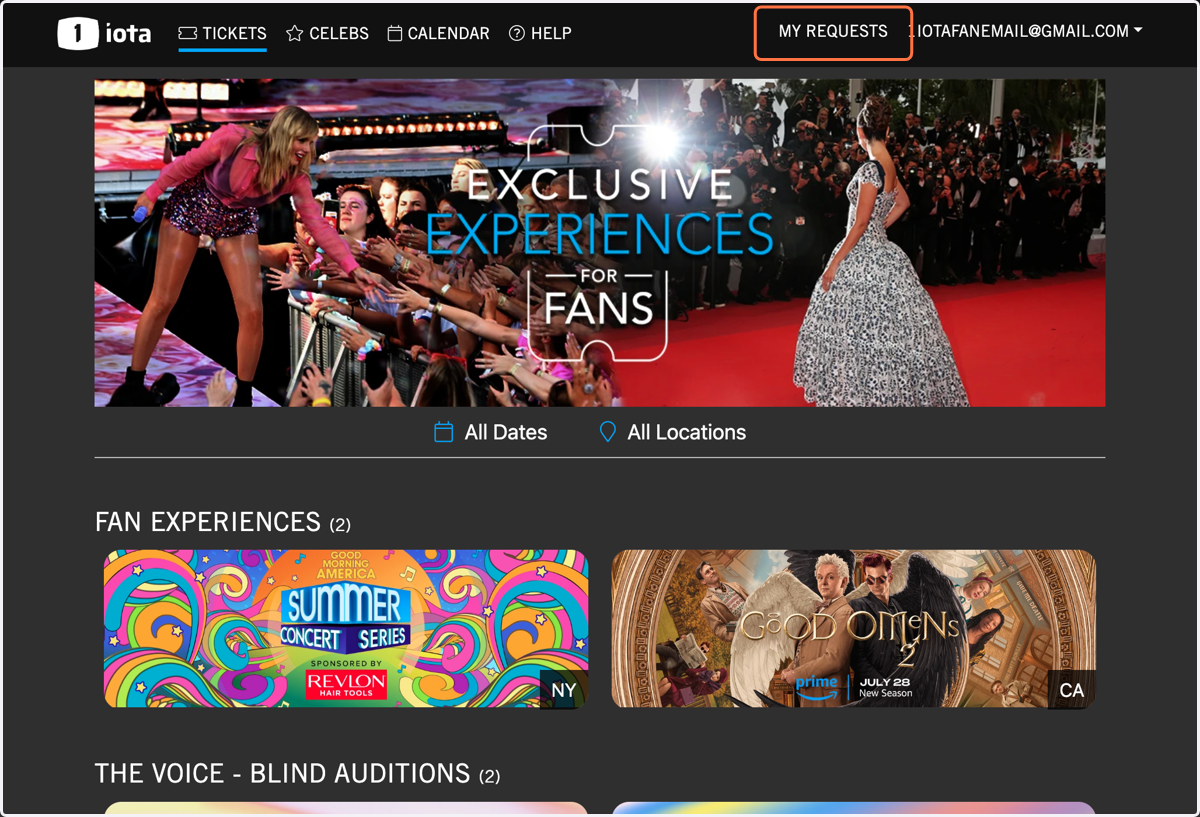
The alternative route is to login into your 1iota account, and click on "My Requests"
Please do not reply to this email. You MUST click through and confirm your available tickets. If you do not complete this step, you will not receive tickets.
2. Click on "MY REQUESTS" via 1iota.com
The second route to access your E-ticket is to login into your 1iota account, and click on "My Requests"
3. Enter your Guest Information
Before you confirm your ticket, please make sure to enter your guest's information. Certain events will not permit access to the E-ticket information, until this step has been completed.
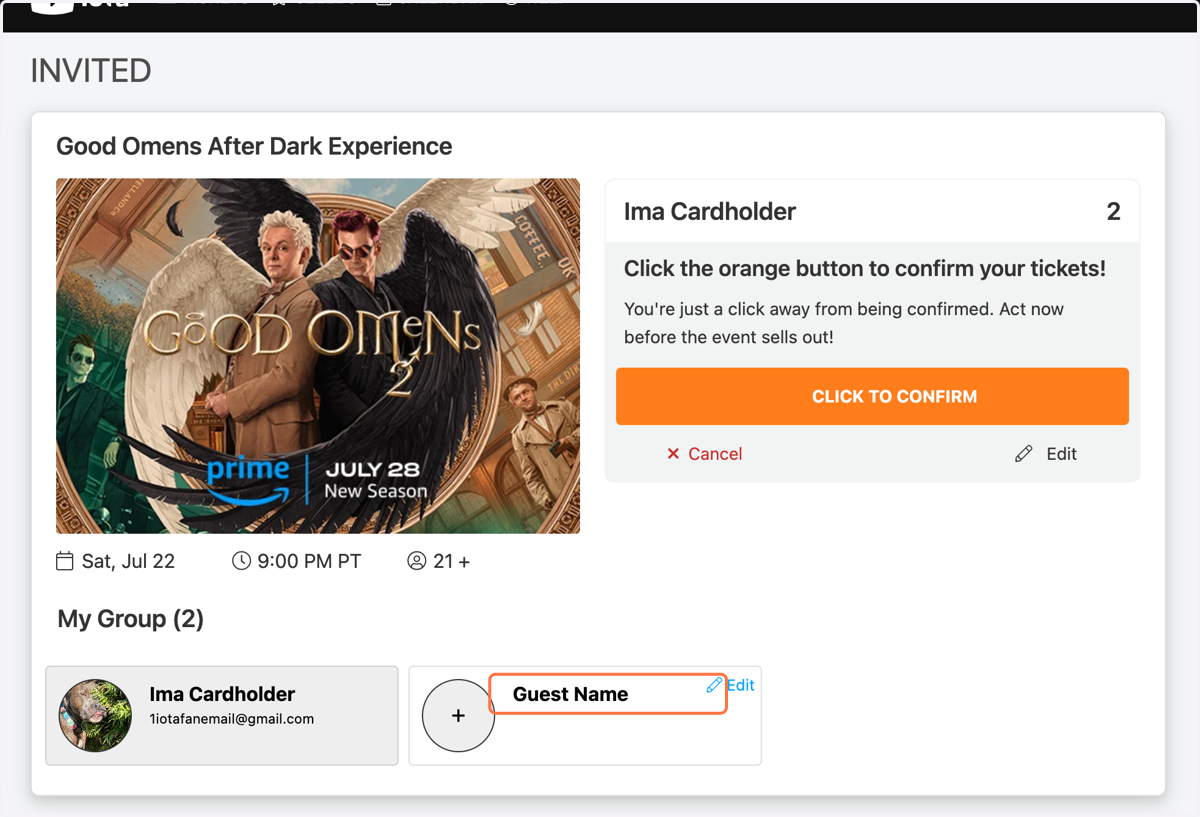
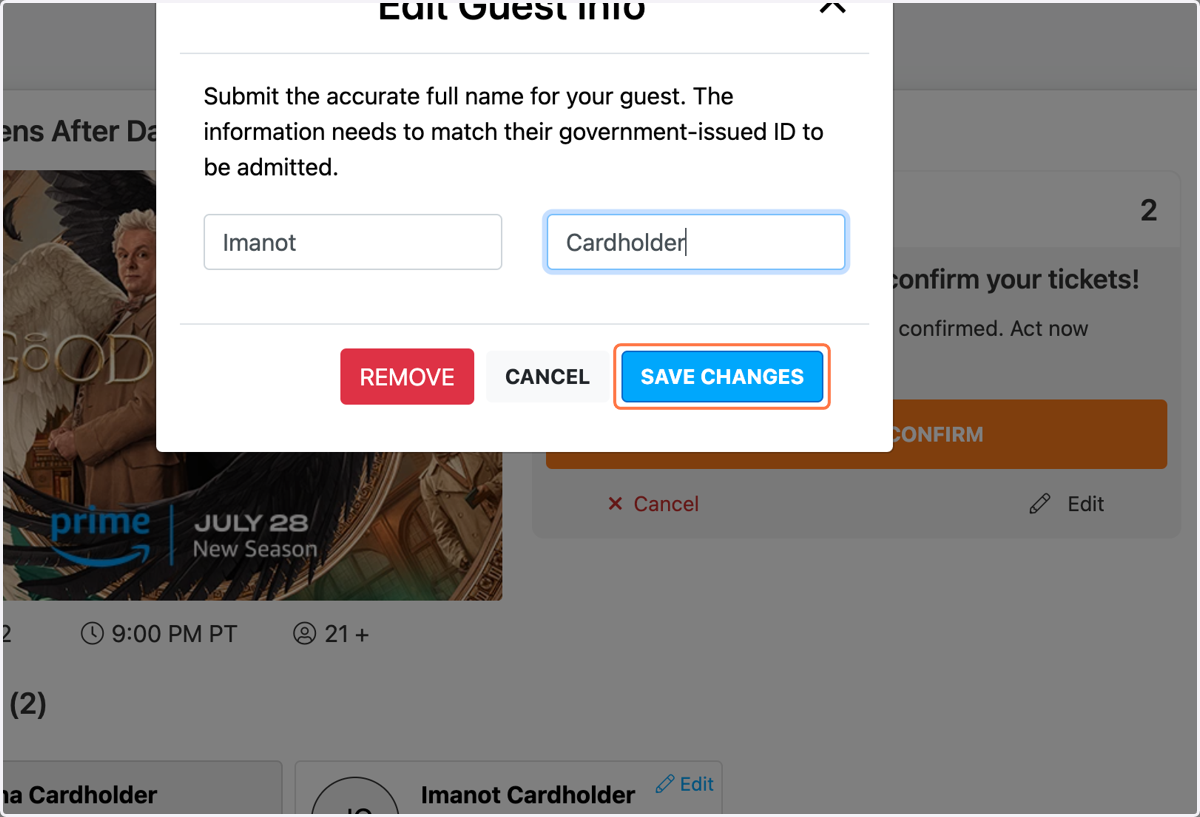
4. Click on "Guest Name"
Enter your guest's first and last name.
*This name MUST match the name listed on their photo ID.
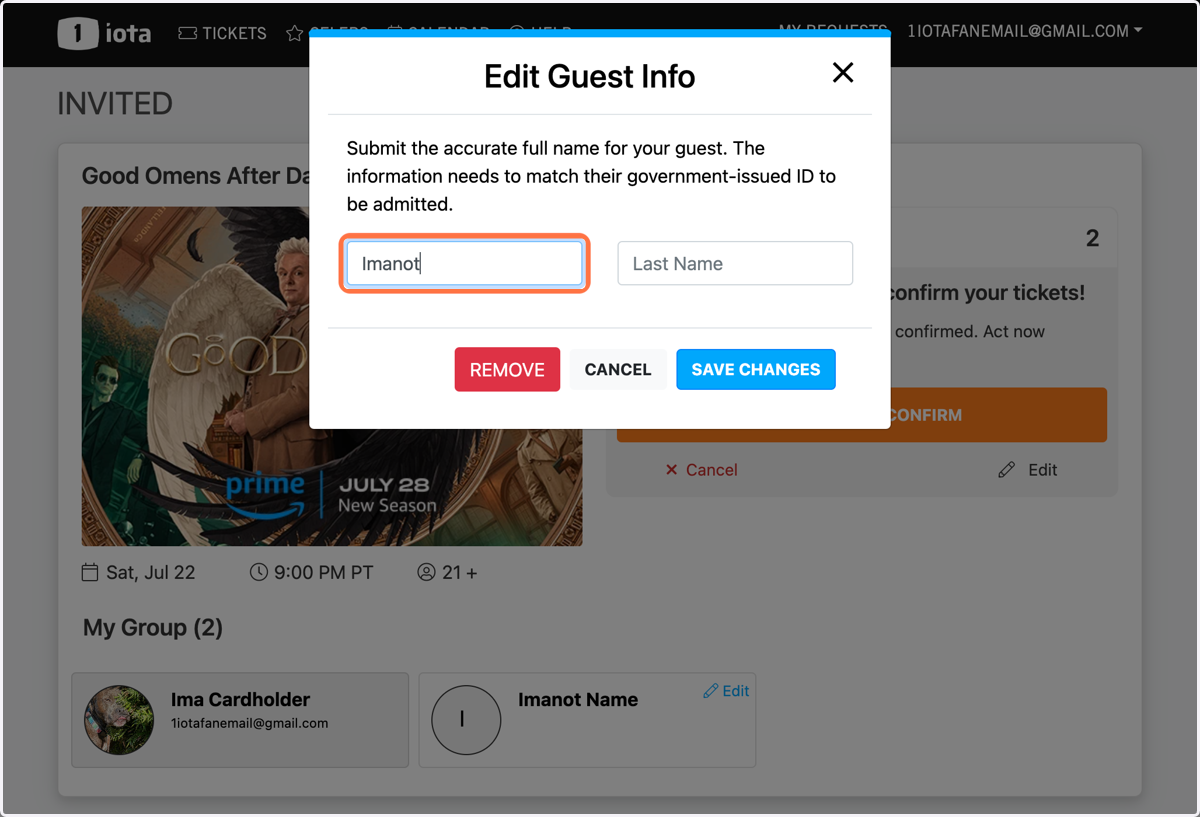
5. Click "SAVE CHANGES"
Once your guest's information has been entered - click the blue "Save Changes" button.
If your guest can no longer attend, or you need to edit the information, simply click "Remove" and/or update.
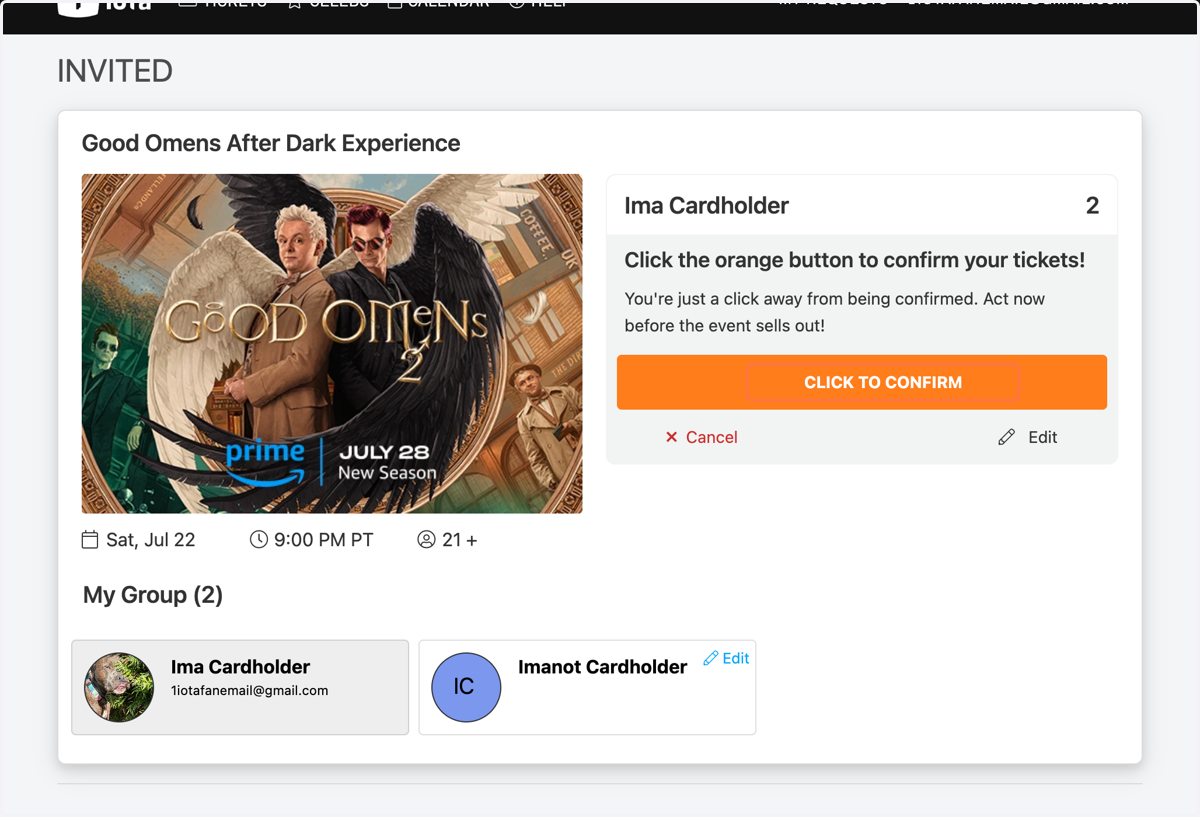
6. Click "CLICK TO CONFIRM"
Now that your guest's information has been saved, you may now click on the orange "Click To Confirm" button to confirm your E-ticket.
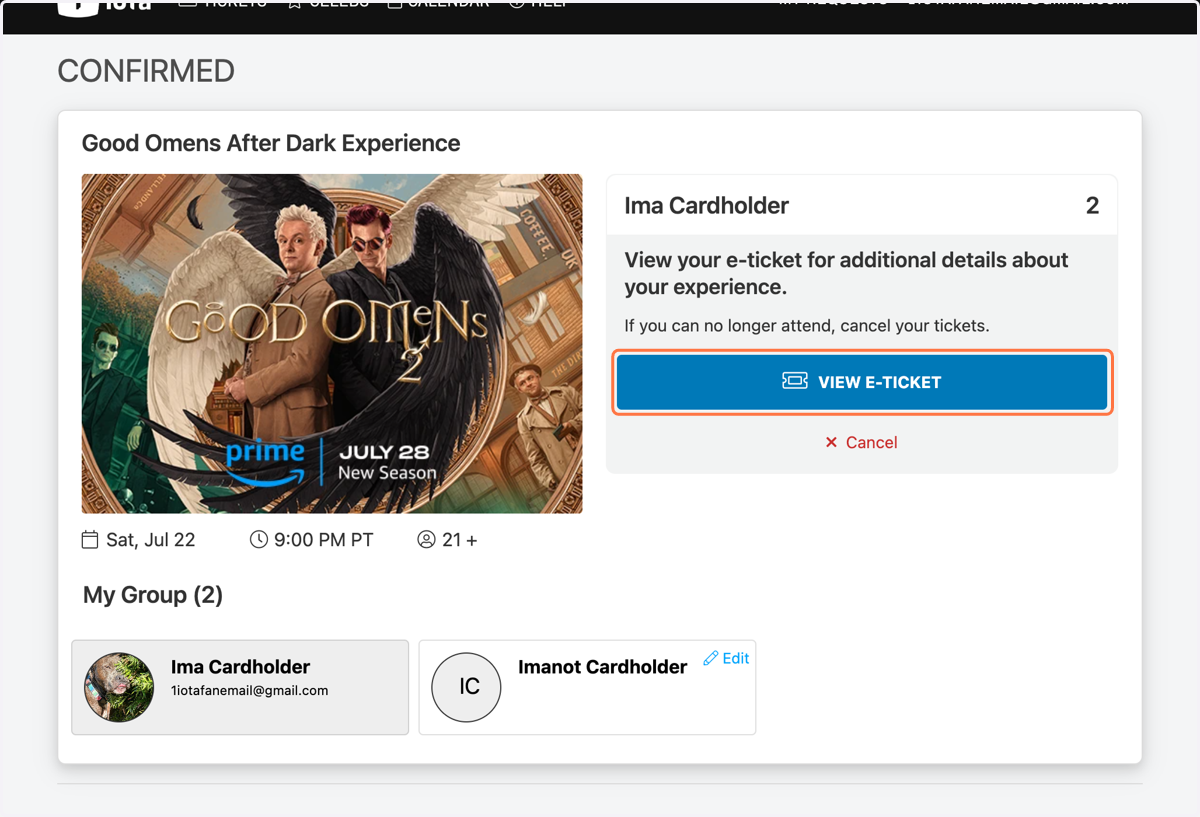
7. Click on "VIEW E-TICKET"
You're confirmed! To view the ticket information, click the blue "View E-Ticket" button.
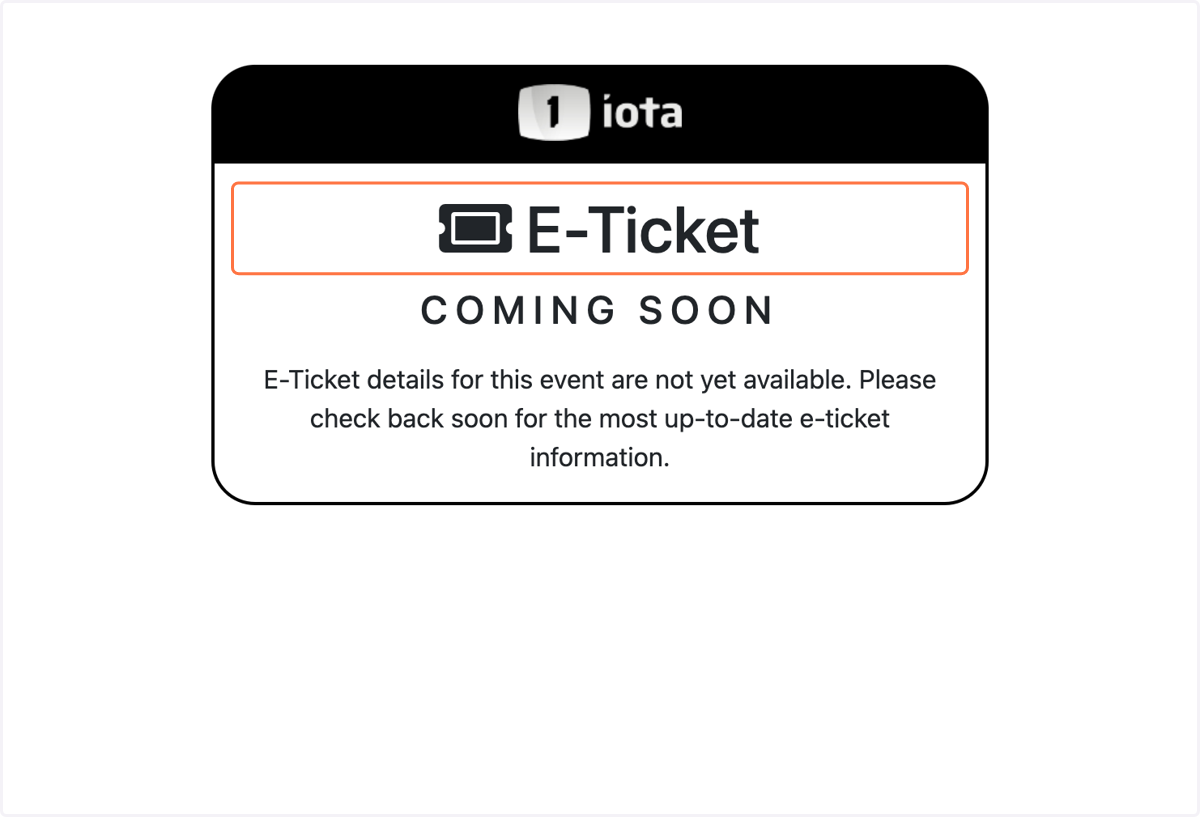
8. E-Ticket Coming Soon
If you see this page, that means E-ticket details for this event are not yet available. Please check back 24 hours prior to your event for the most up to date e-ticket information!
9. E-Ticket Available
Your E-Ticket will contain all of the important information regarding the event. This includes: event location, check-in location, check-in window times for Priority and General ticket holders, etc.
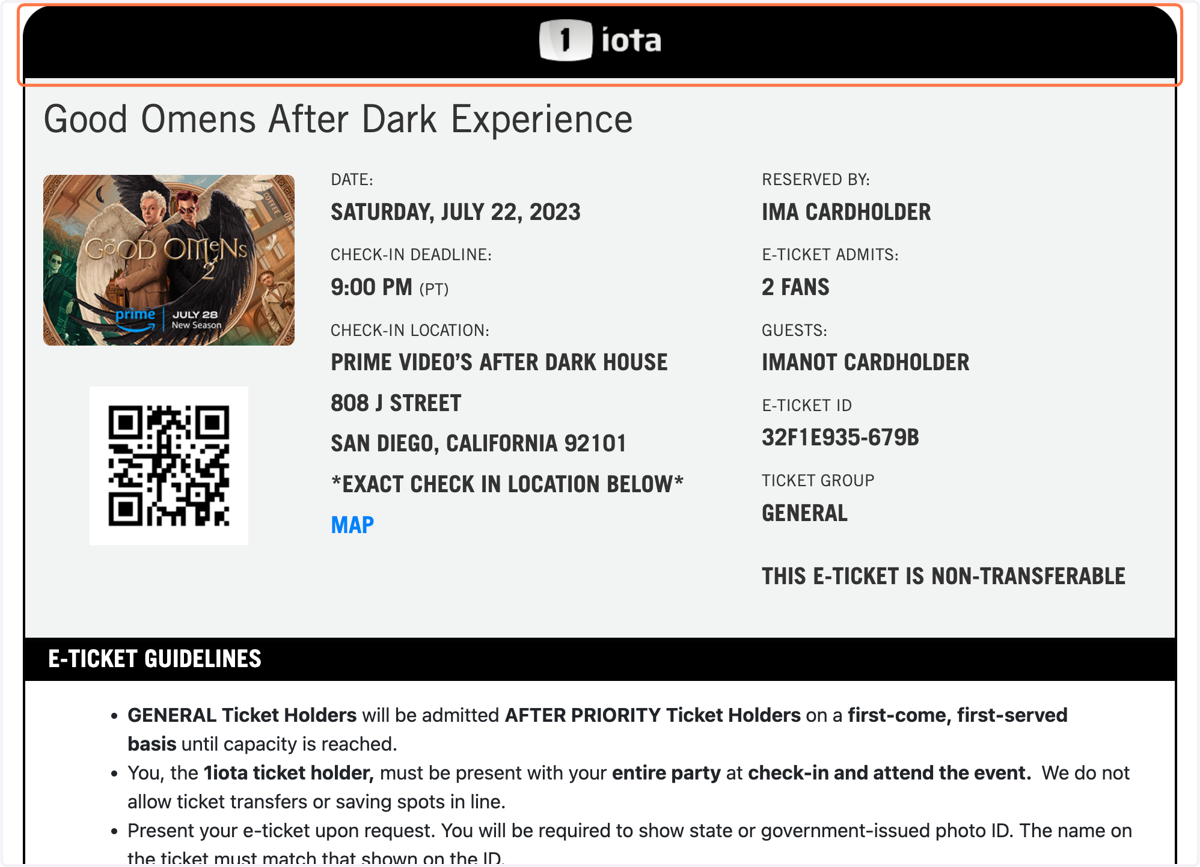
10. E-TICKET GUIDELINES…
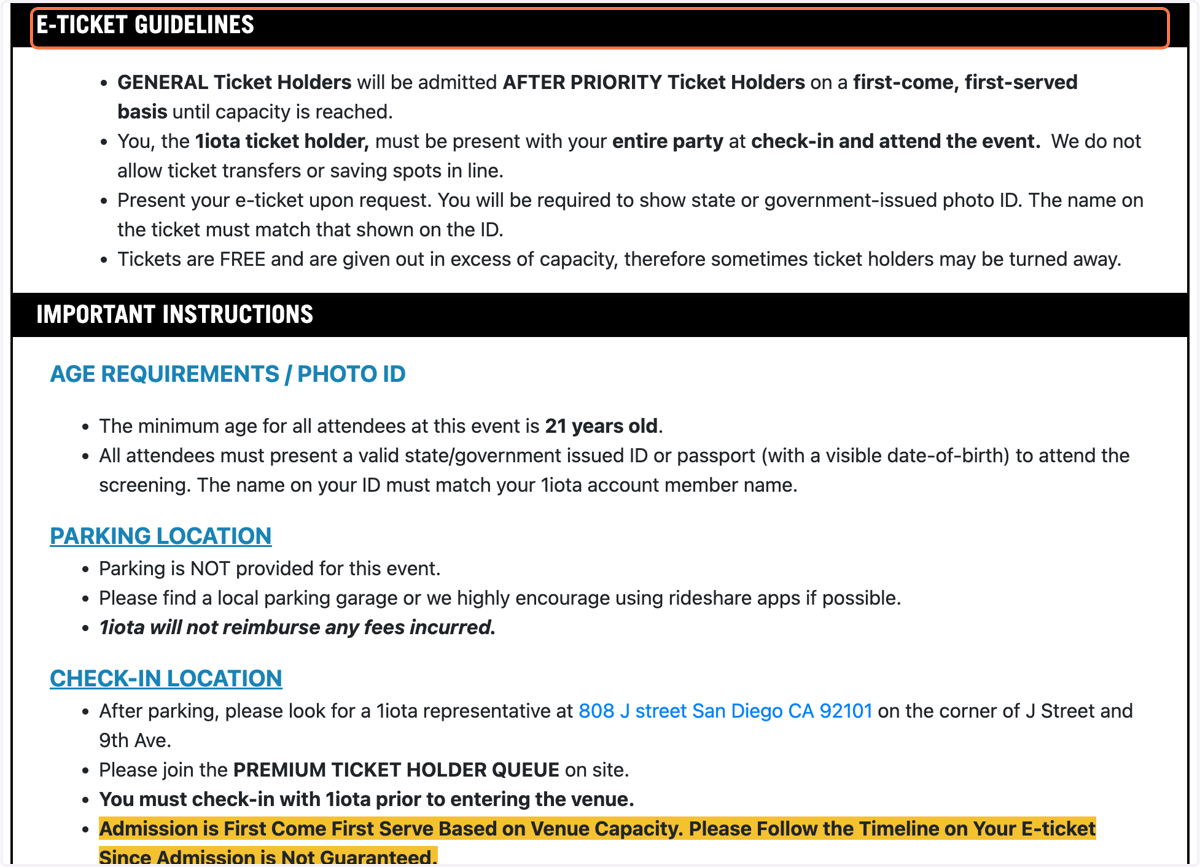
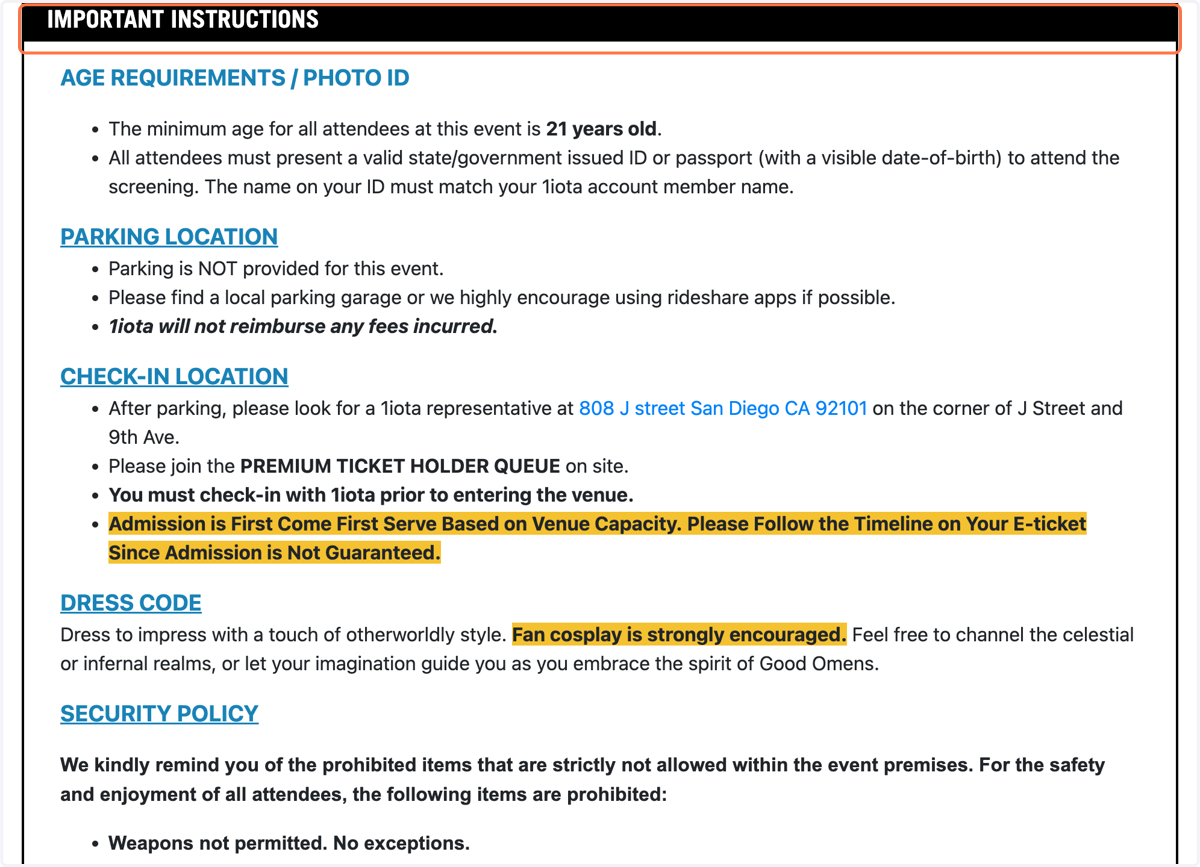
11. IMPORTANT INSTRUCTIONS…
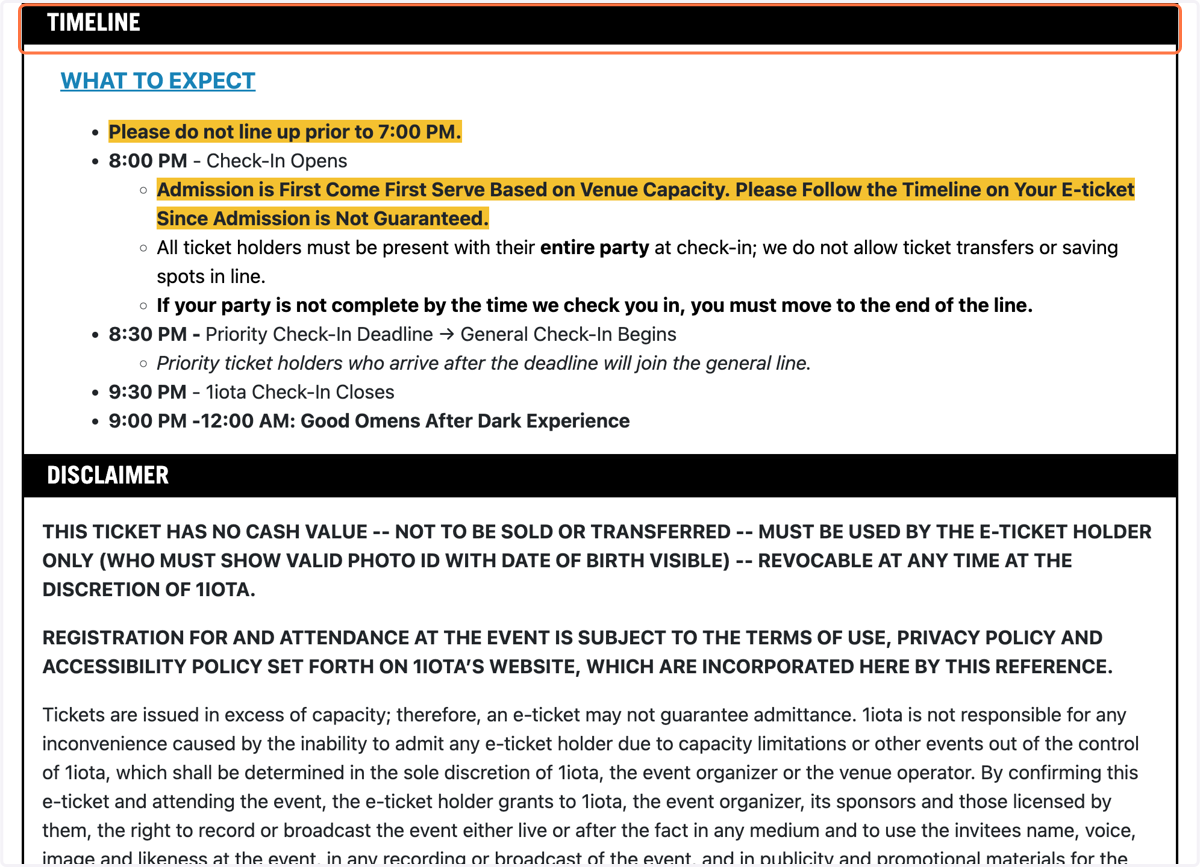
12. TIMELINE…
Please adhere to the timeline shared, so that you do not miss your check-in window! We'll see you at the show!
13. Additional Support
For assistance with any additional questions or issues that you may be encountering, please reach out to support@1iota.com. A member of our support team will reach out to assist within a few business days.