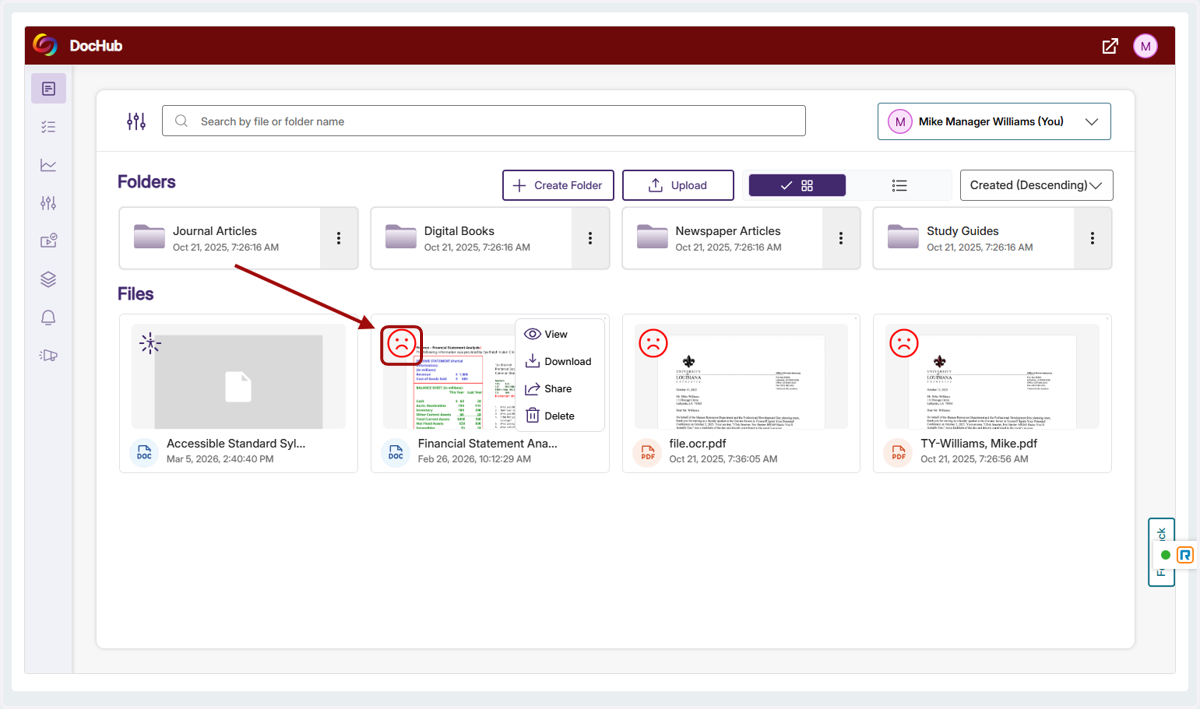
Access and Use the Panorama DocHub
1. Hover over the menu icon at the top left of the screen
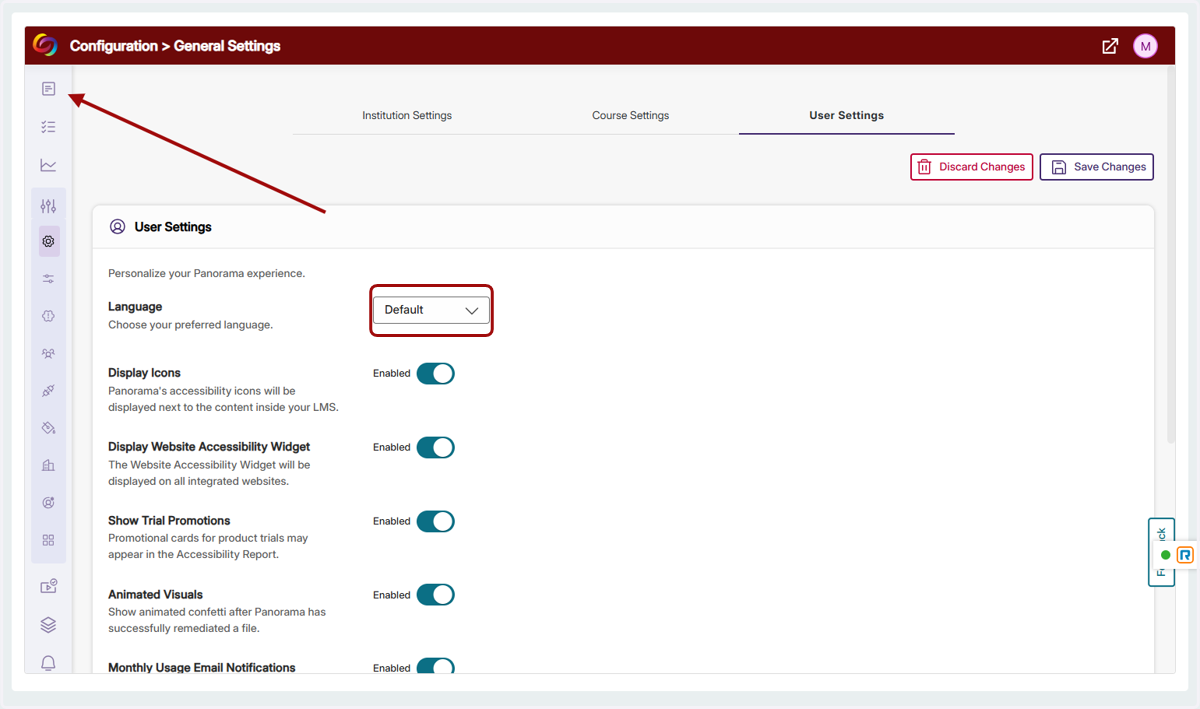
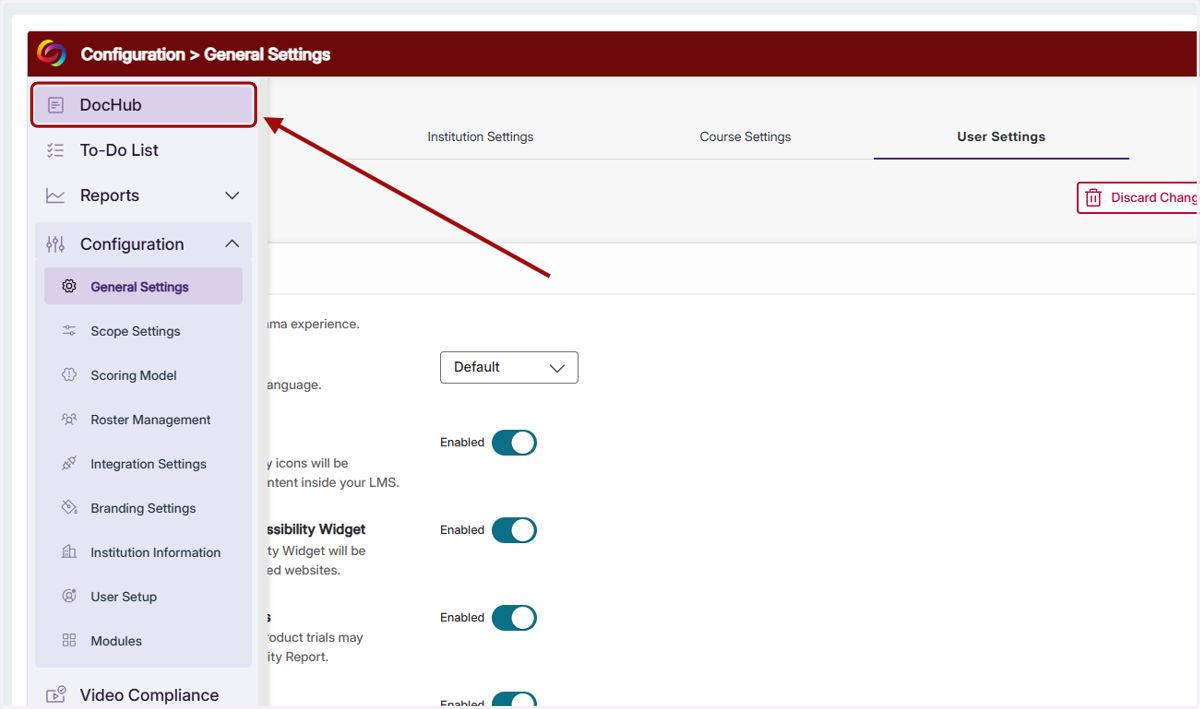
2. Click on DocHub
3. To add new files to the DocHub, click on Upload
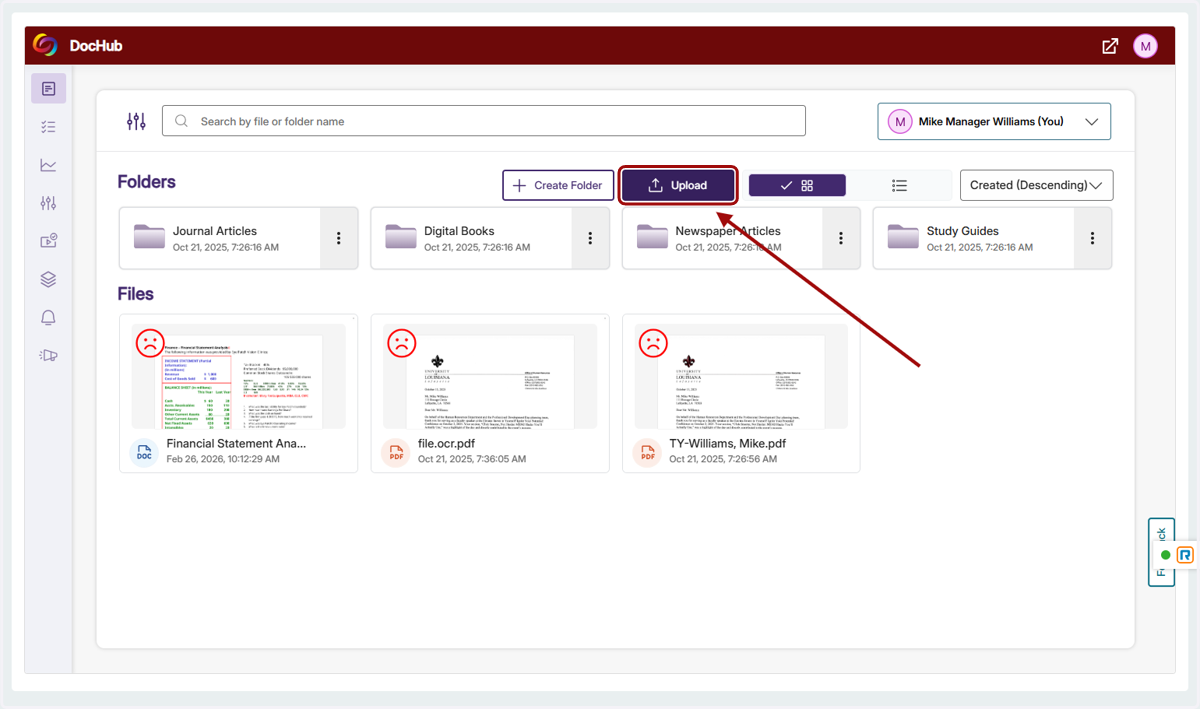
4. Select a file from your computer
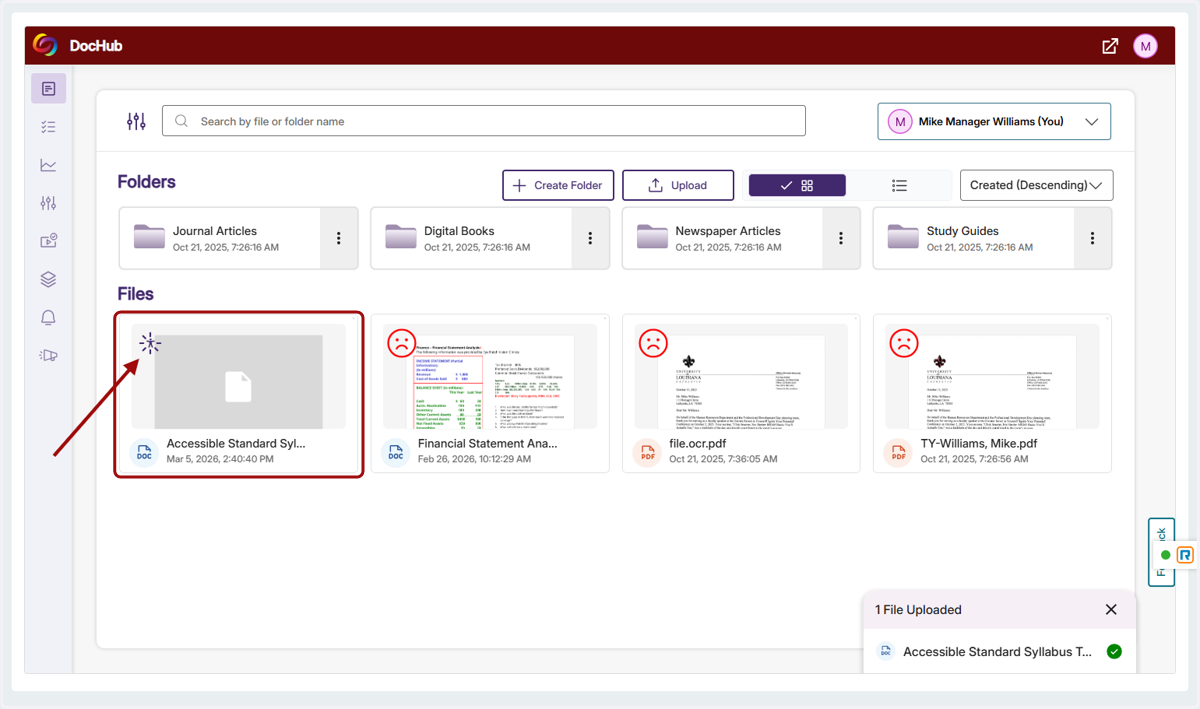
5. Note the icon at the top-left of the newly uploaded document indicating that the filed is being checked for accessibility.
6. Once processing is complete, click on the accessibility icon (face) on the file card to open the Alternative Formats Menu