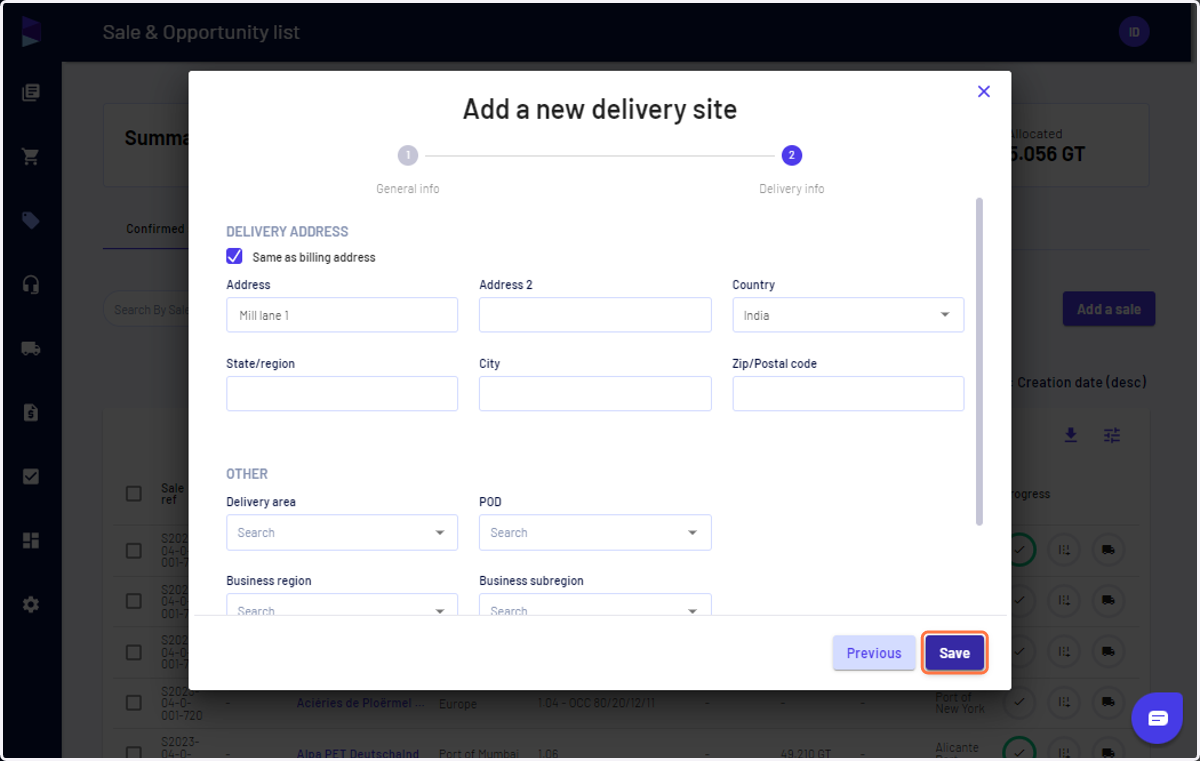
I can create a Customer and Site while recording a sale
Jules AI
1. Go to Jules AI
2. Click on "Add a sale" on the sales page
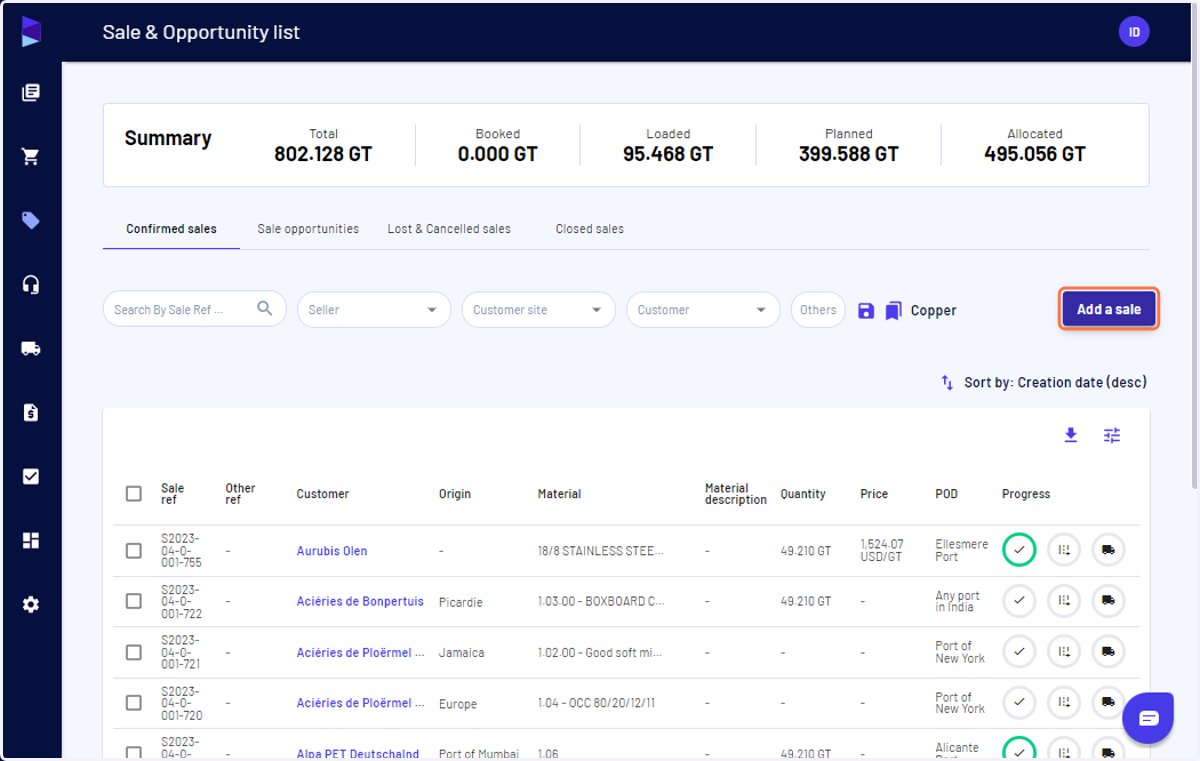
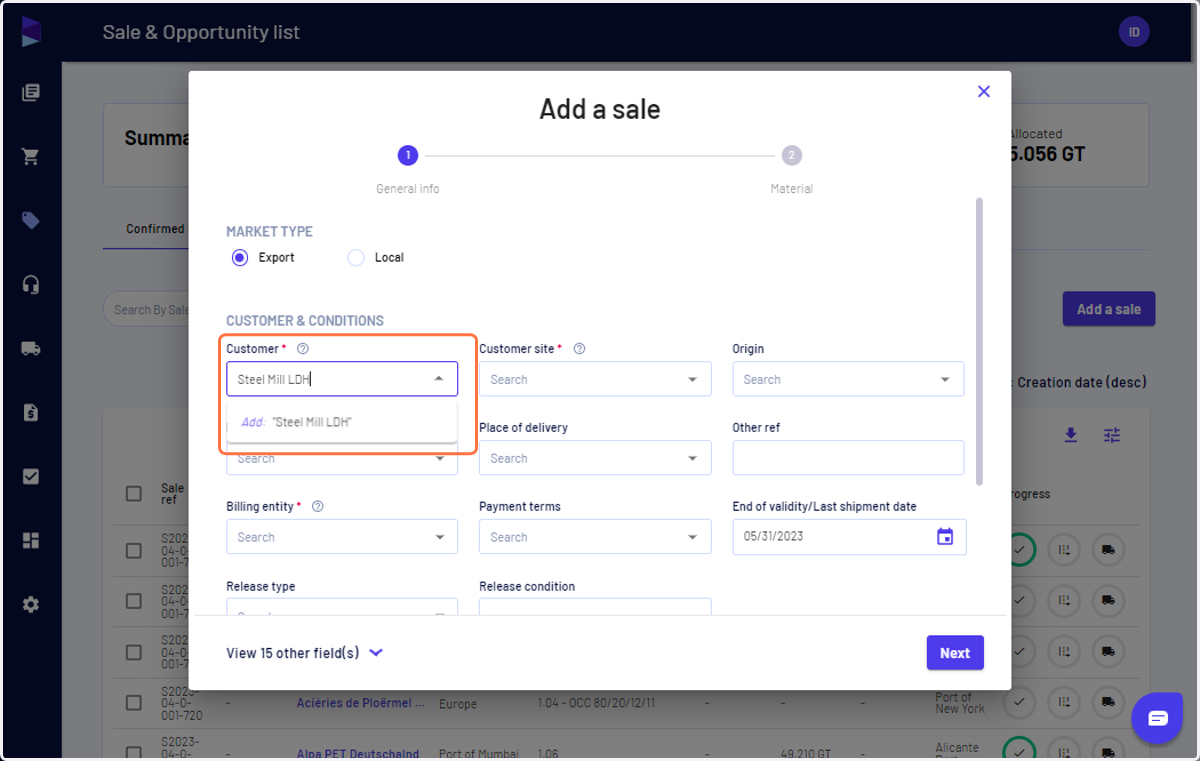
3. Type the name of the new customer and click on "Add"
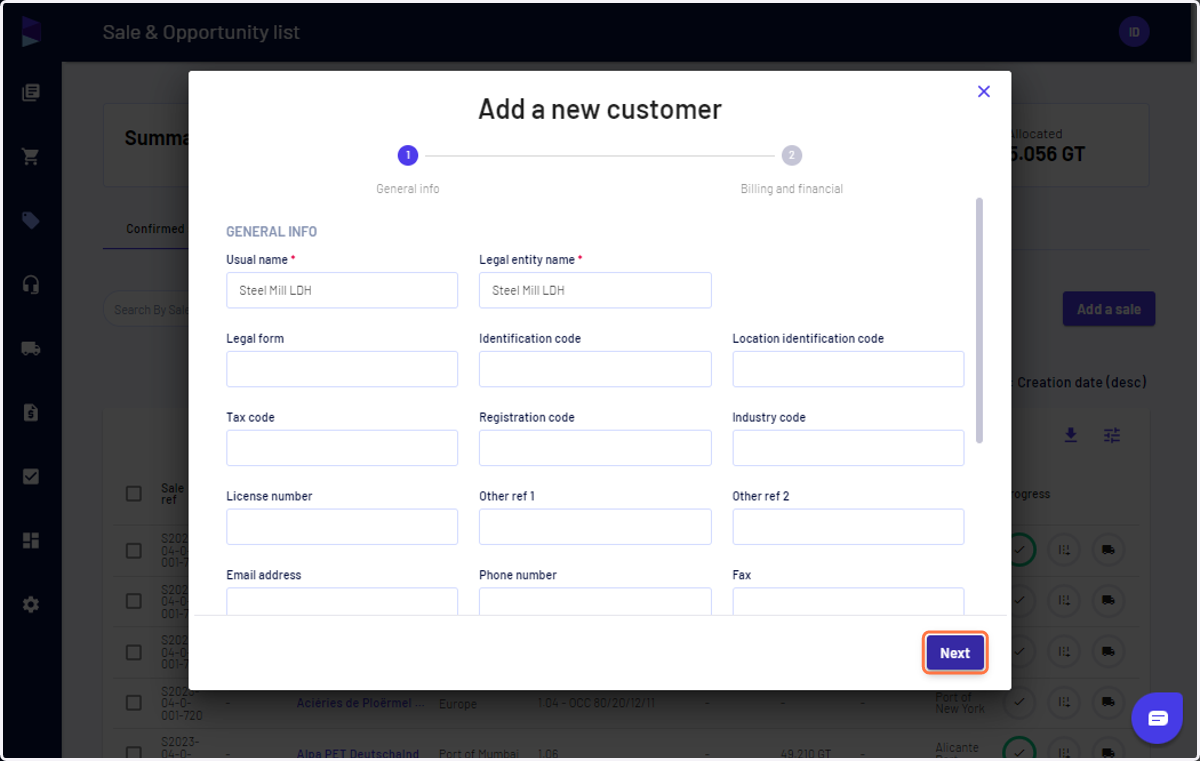
4. Fill in the details and click on "Next"
You can add tax id details here
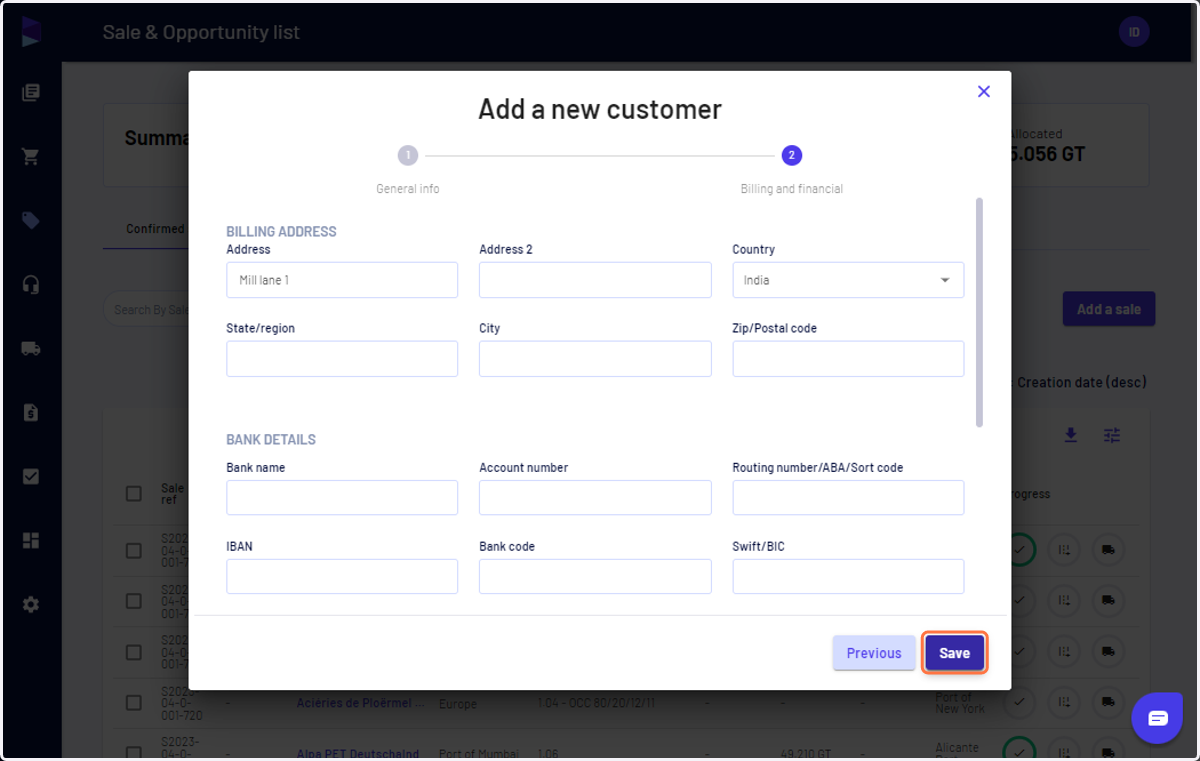
5. Add address and bank details and click on "Save" and your customer is created
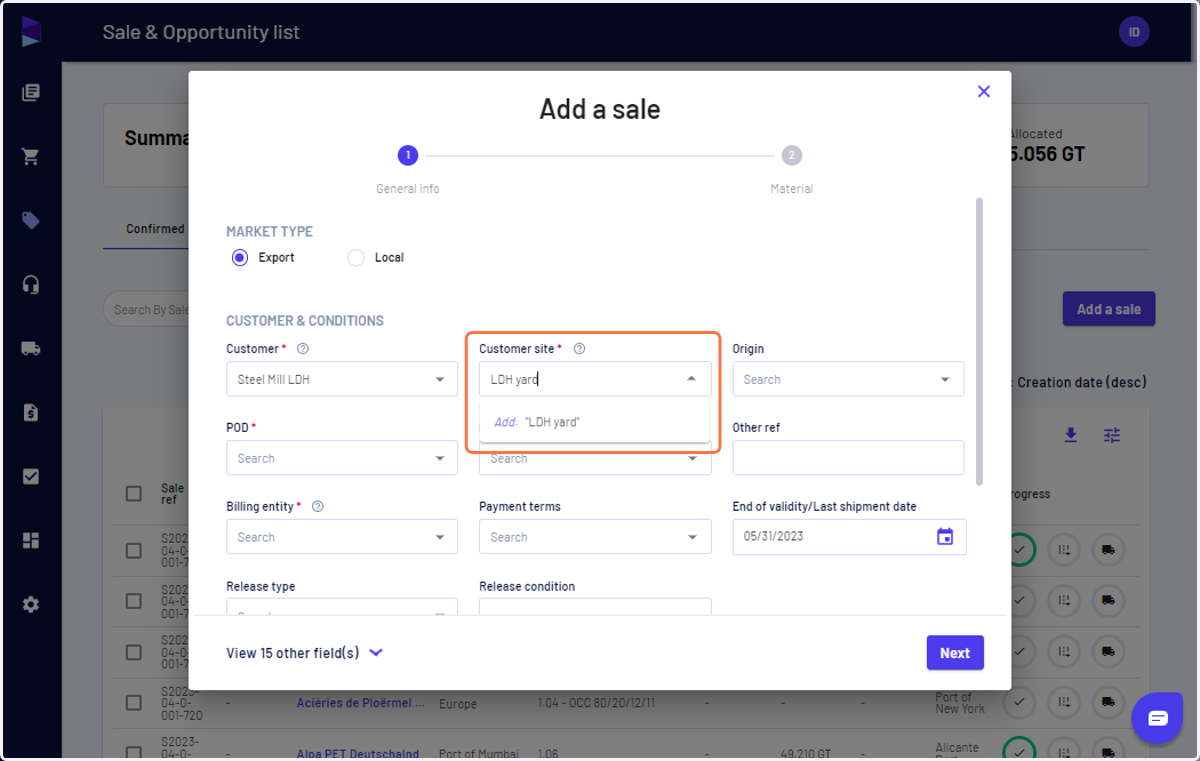
6. Type the name of the site and click "Add"
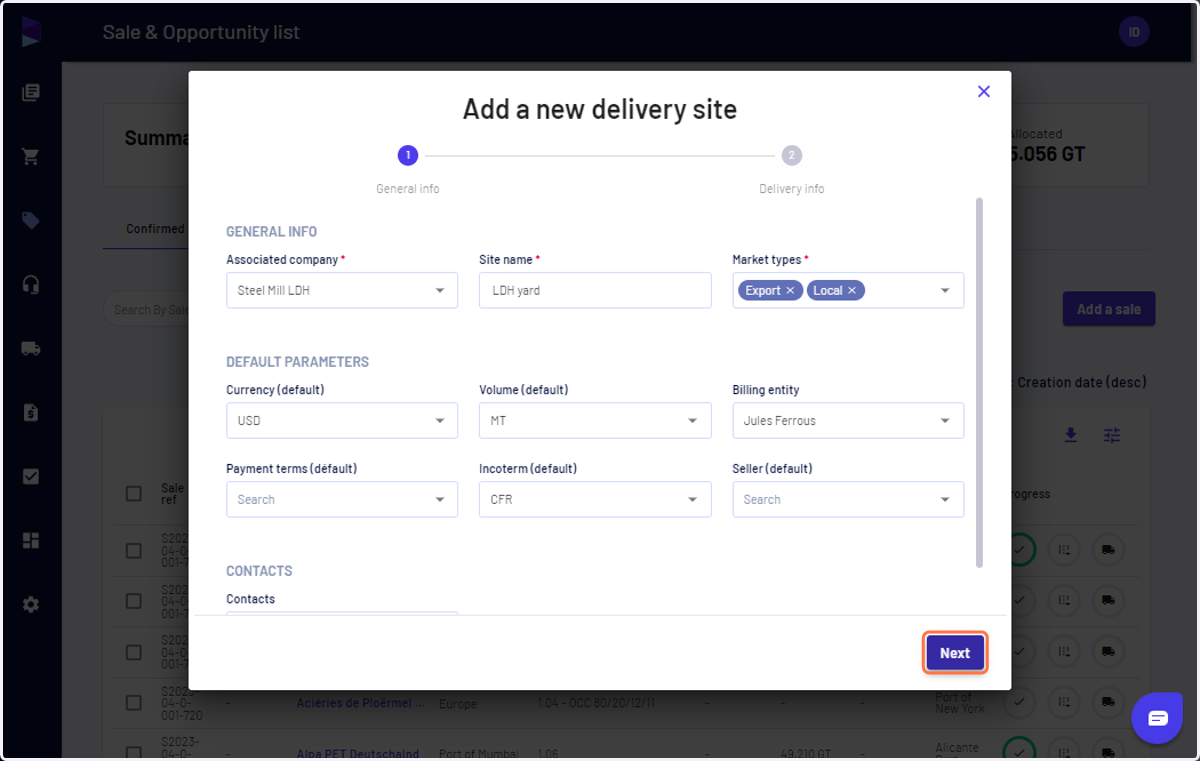
7. Select market type, default currency, units, and more and click "Next"
8. Fill in the details and click "Save" and your customer site is created