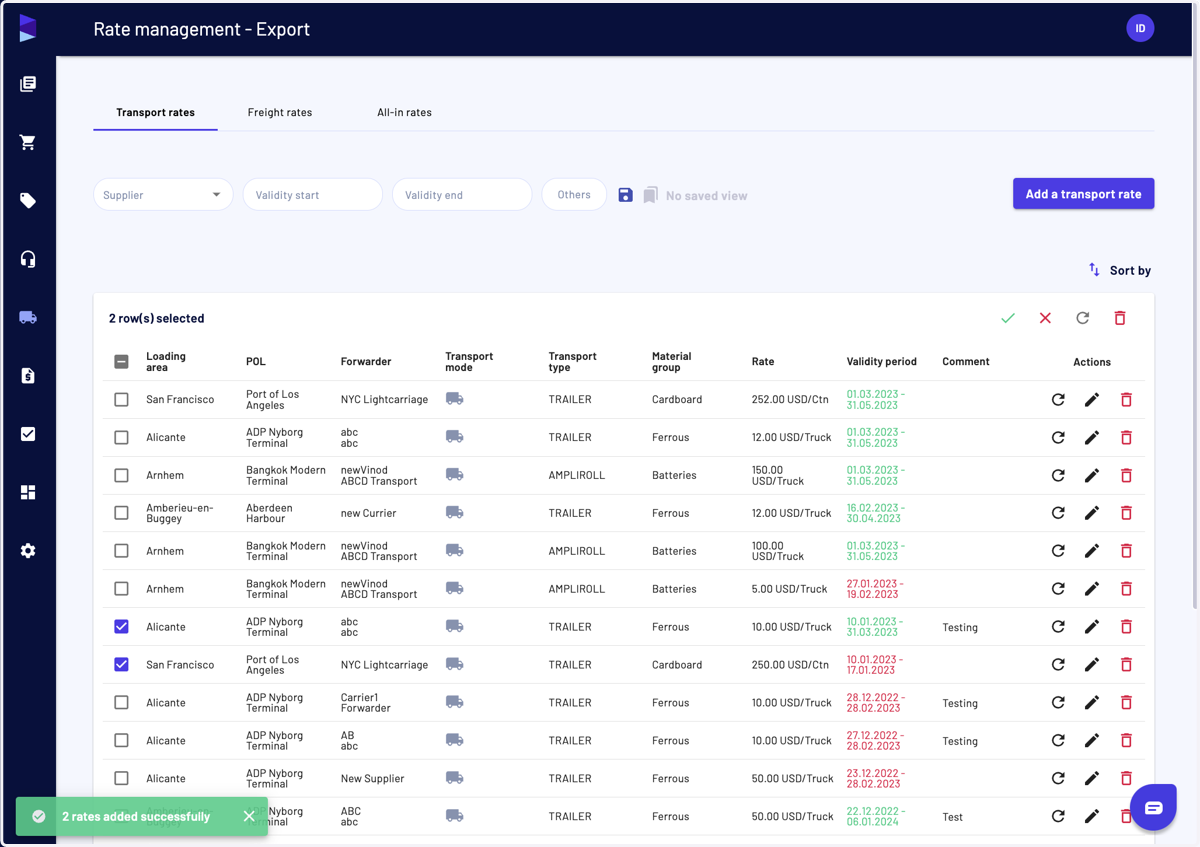
I can renew logistic rates
You can make this action for:
Local transport rates
Export pre-carriage transport rates
Export freight rates
Export all-in rates
Haroldwaste
1. Go to Jules AI
2. You can click on the "Renew" button at the end of a line
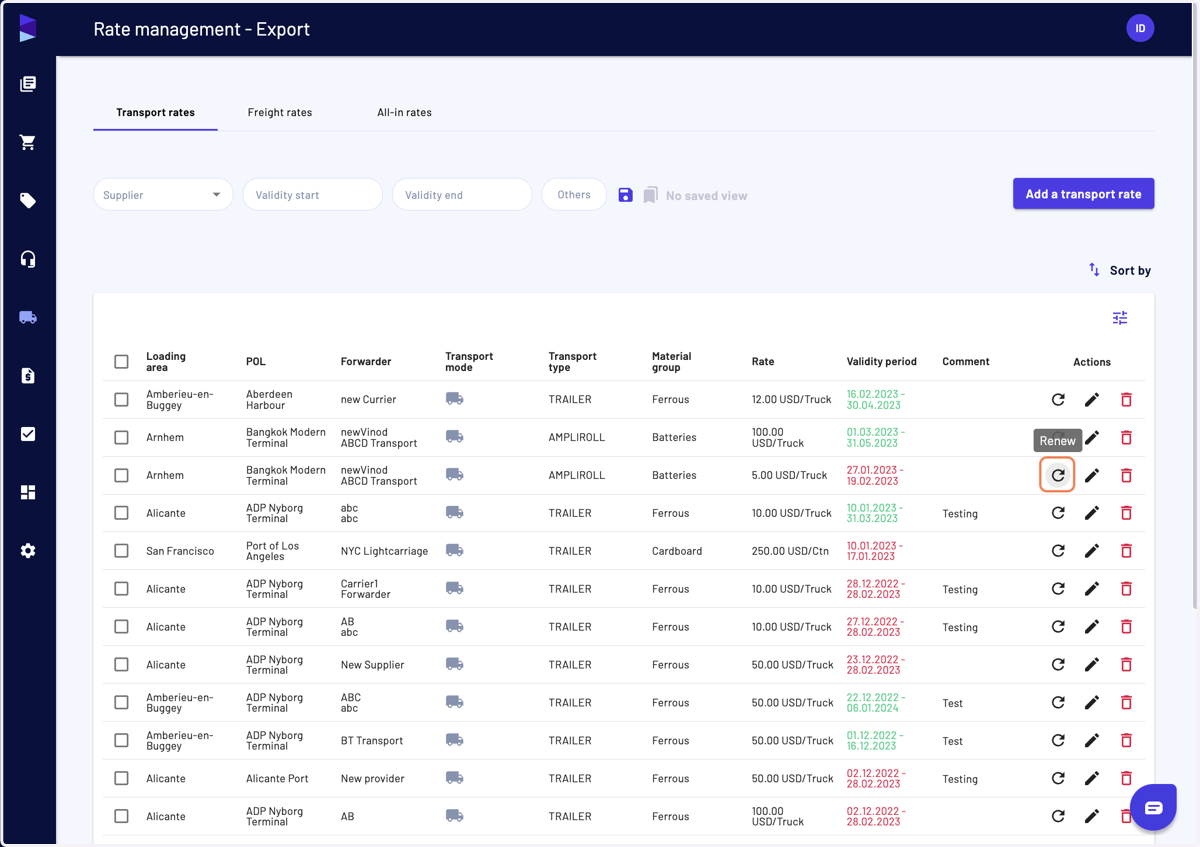
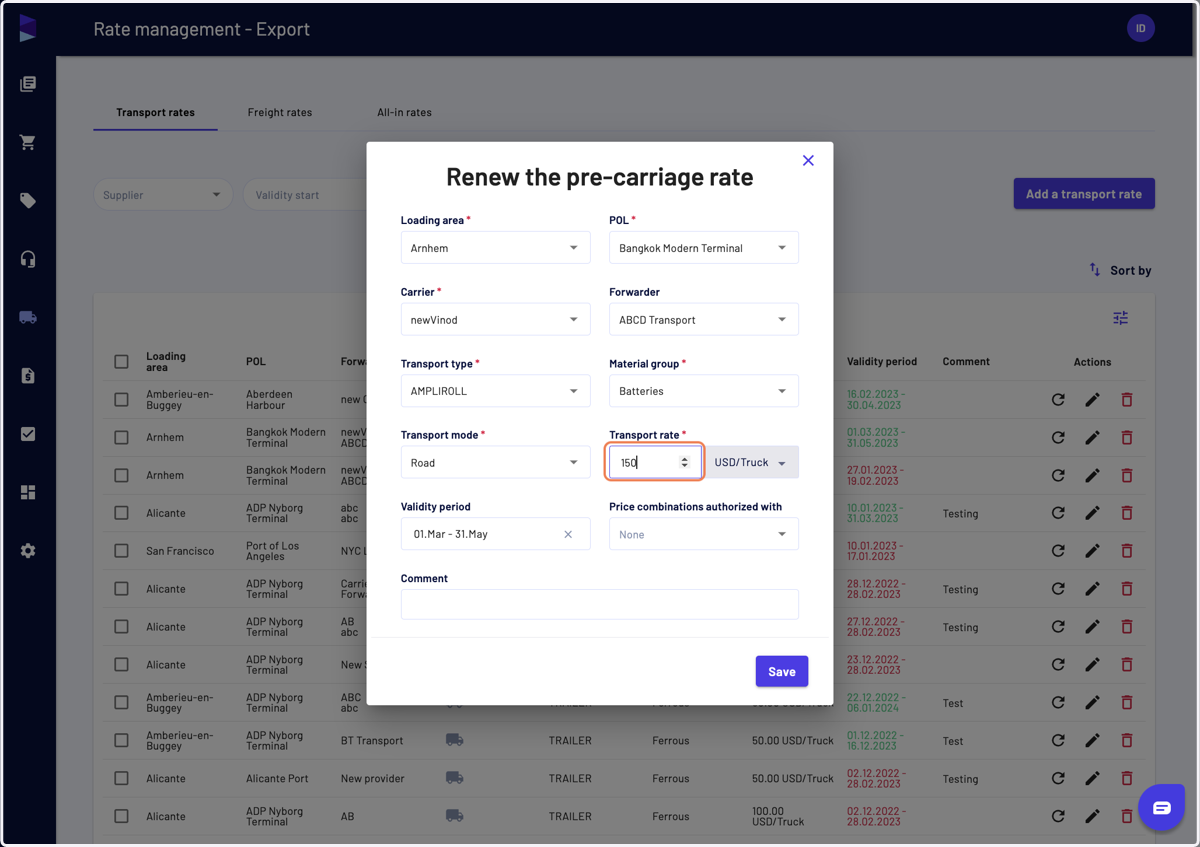
3. It will open a modale where most of the fields are pre-filled, except for the transport rate.
The validity period is set to a future period
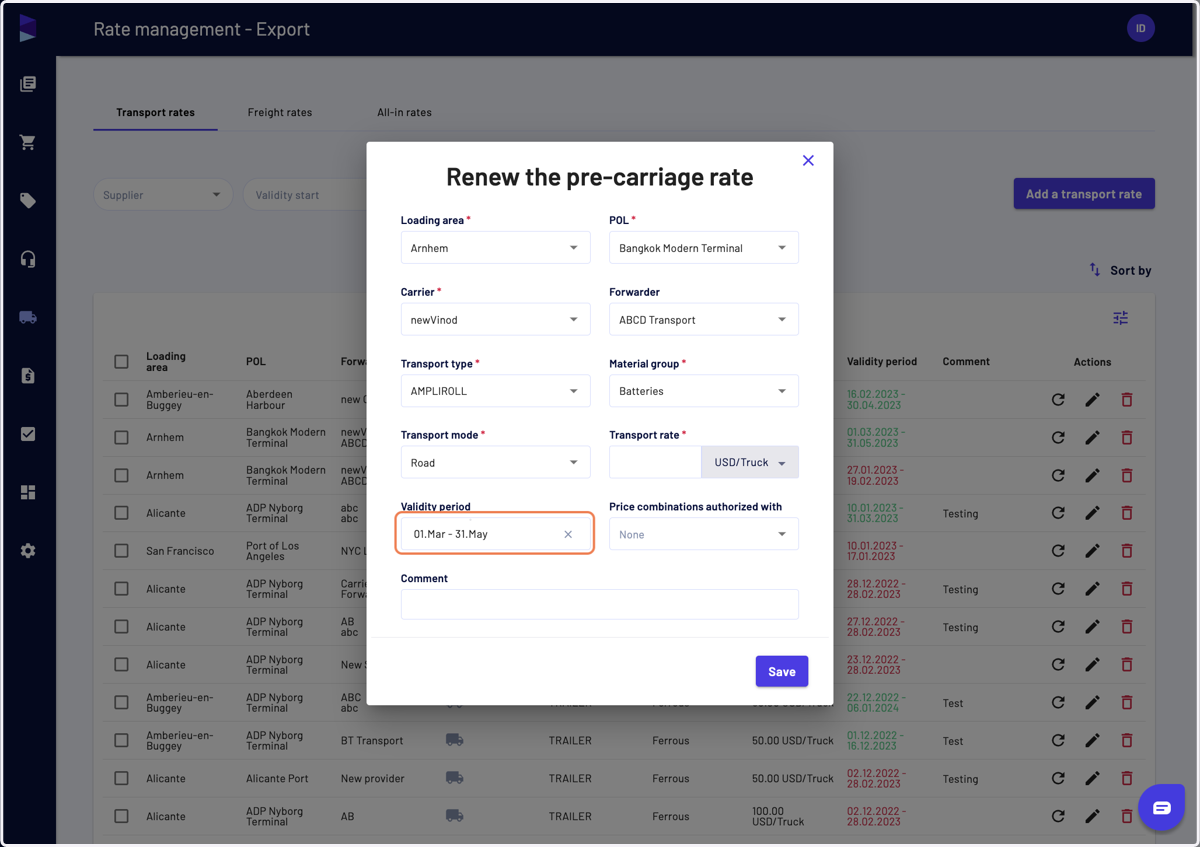
4. You can update the validity period
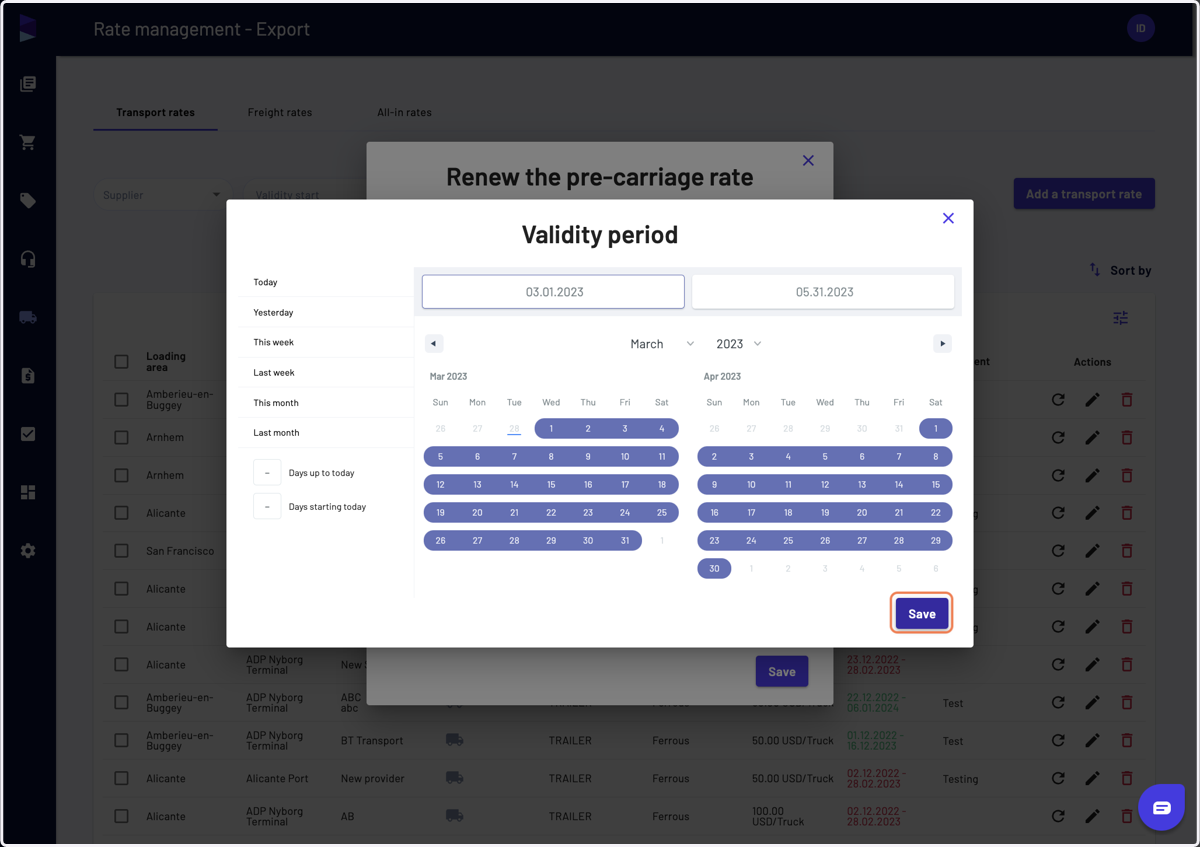
5. Then enter the transport rate
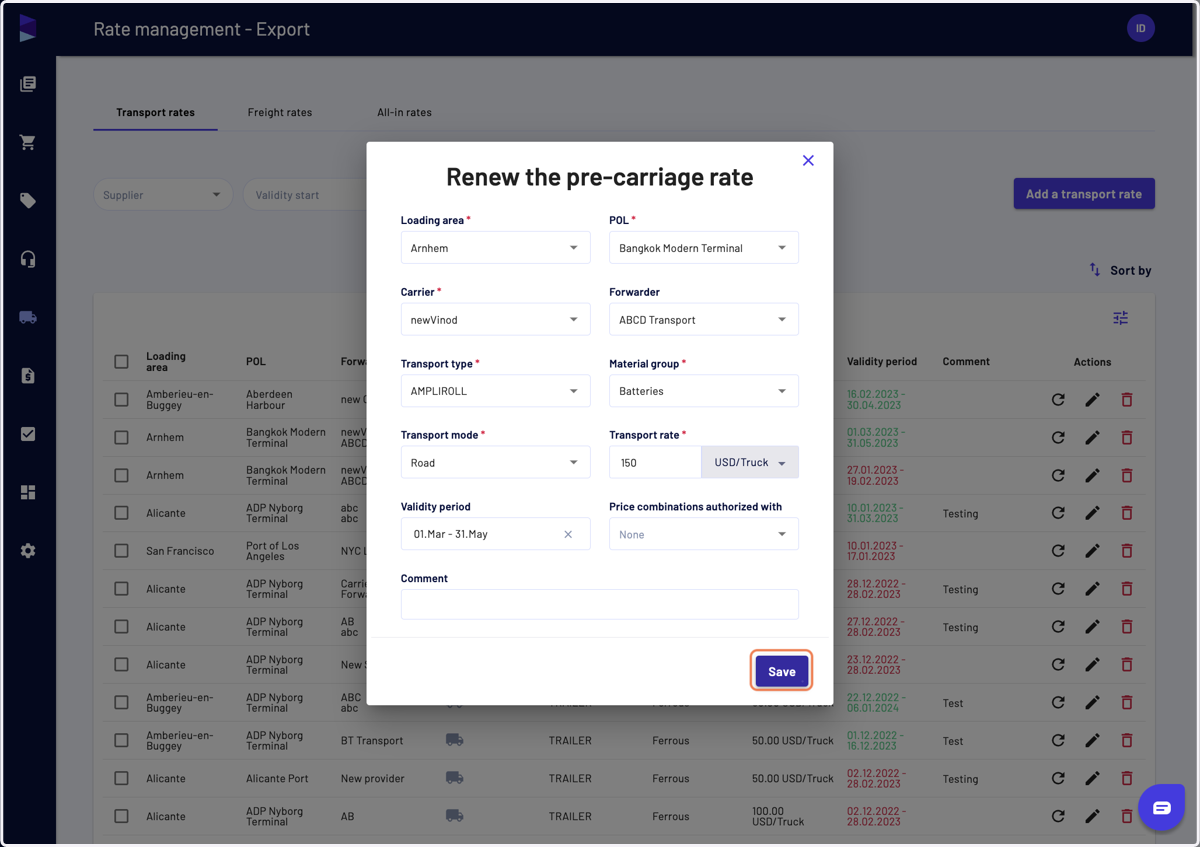
6. And finally, click on "Save"
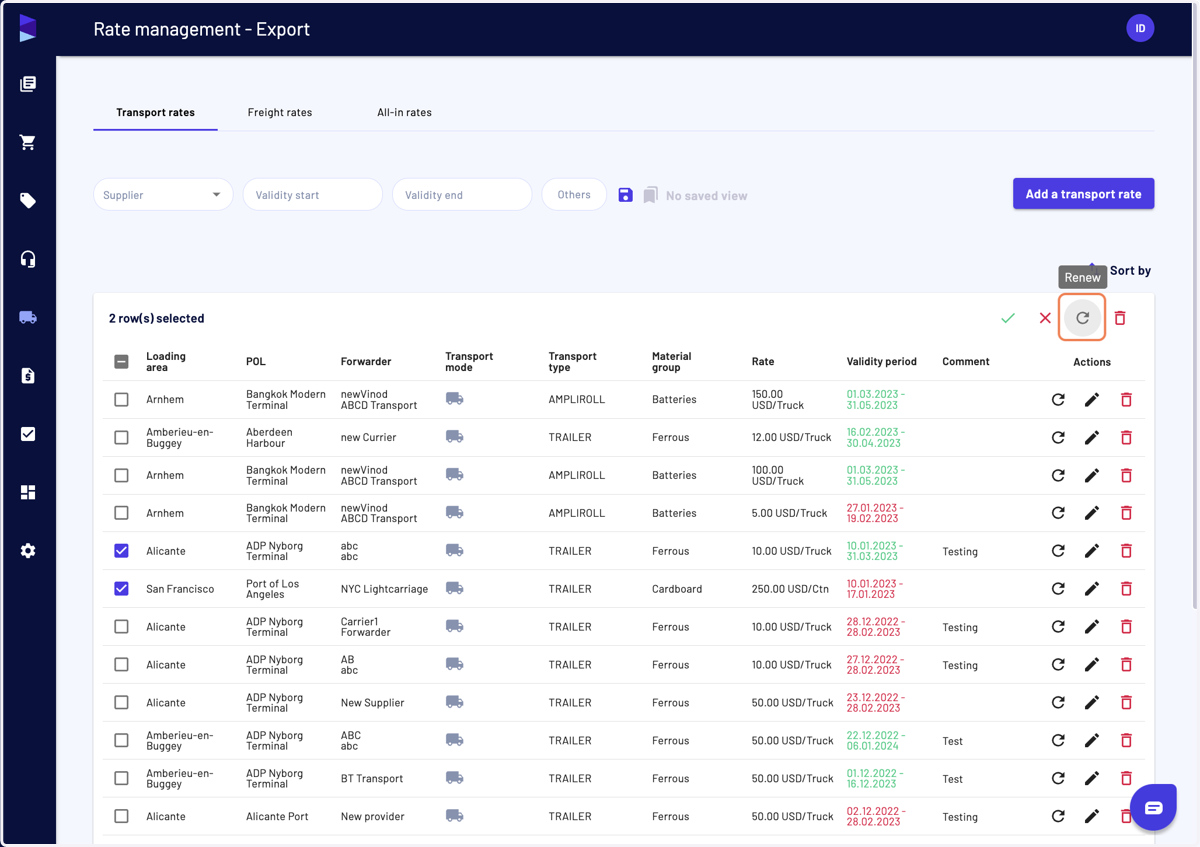
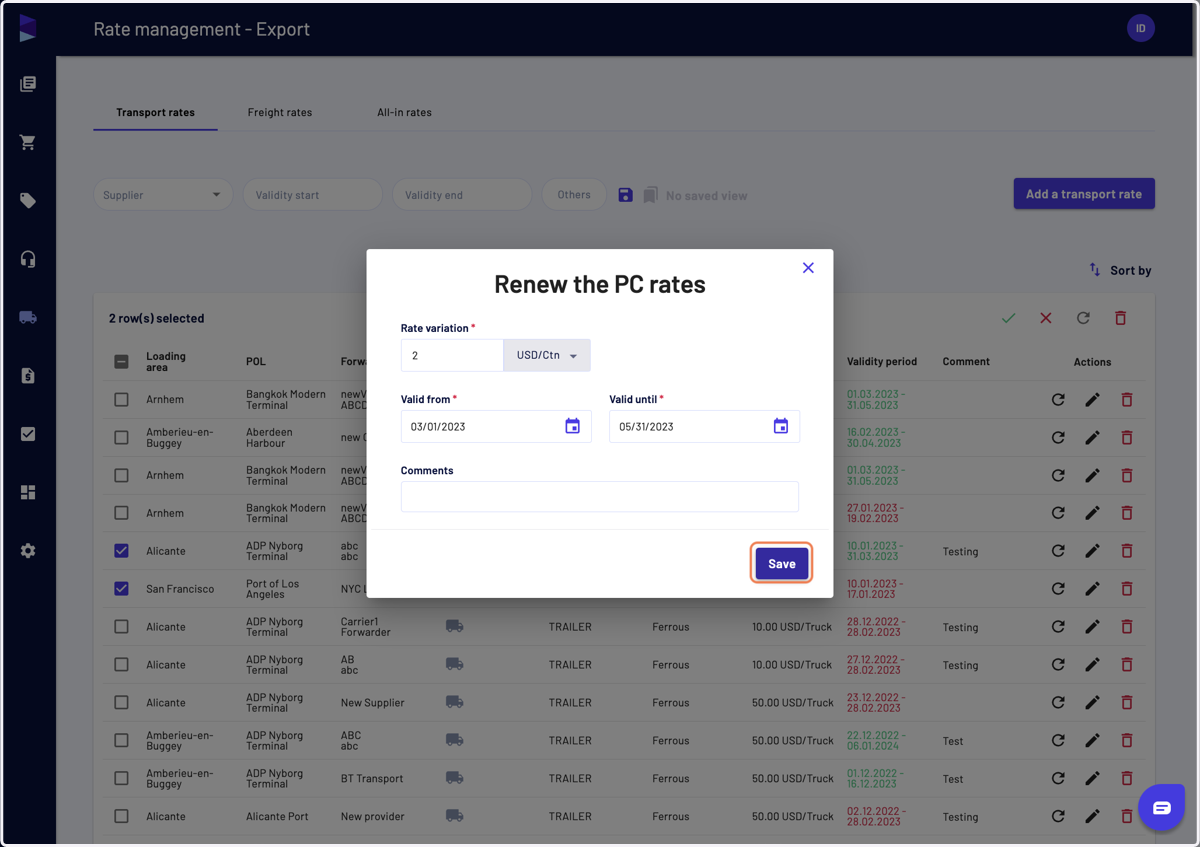
7. You can also renew rates in bulk by selecting them and then clicking on the bulk "Renew" action
8. From there, you should enter a rate variation (positive or negative value)
You can also edit the validity period and add a comment
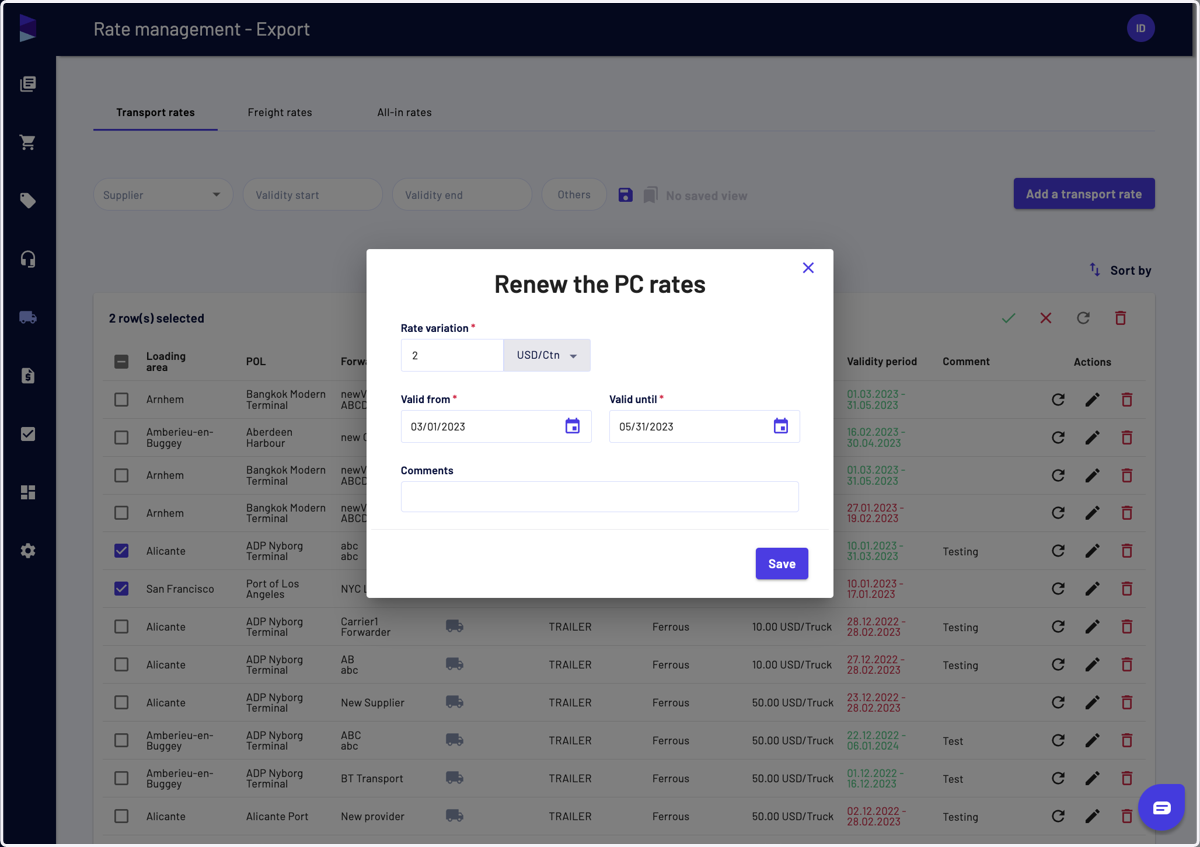
9. Then click on "Save" to finalize the action
10. The new rates appear on top of the list