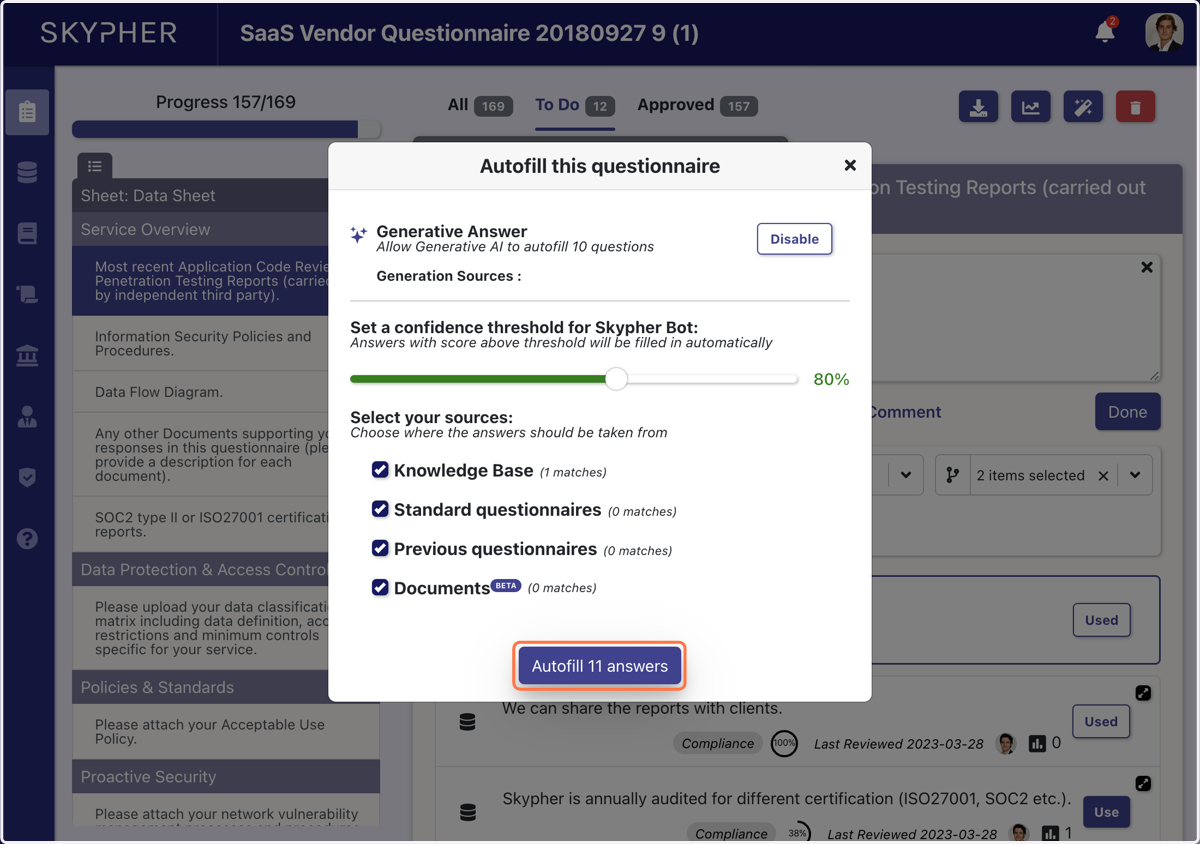
Uploading an Excel spreadsheet
Upload the questionnaire to Skypher
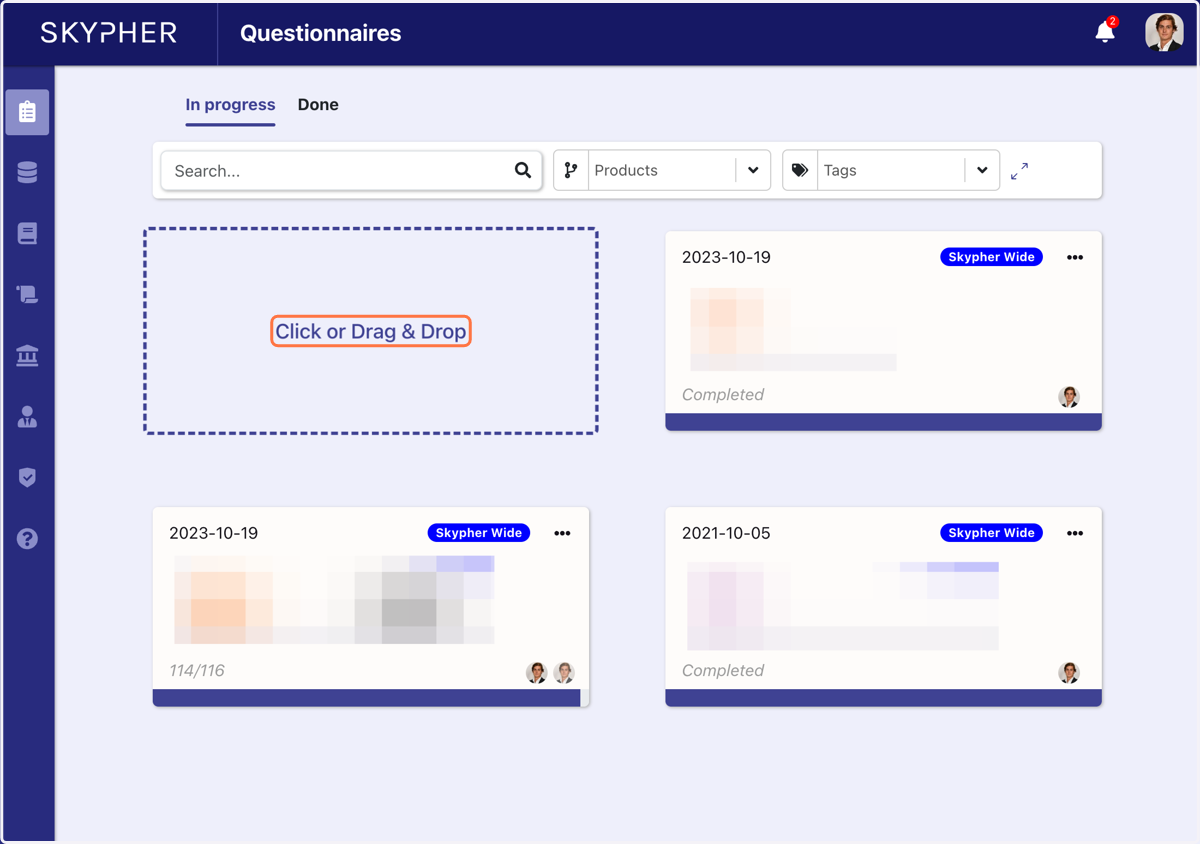
1. Upload the questionnaire
Either Drag a questionnaire from your documents or download it from your files
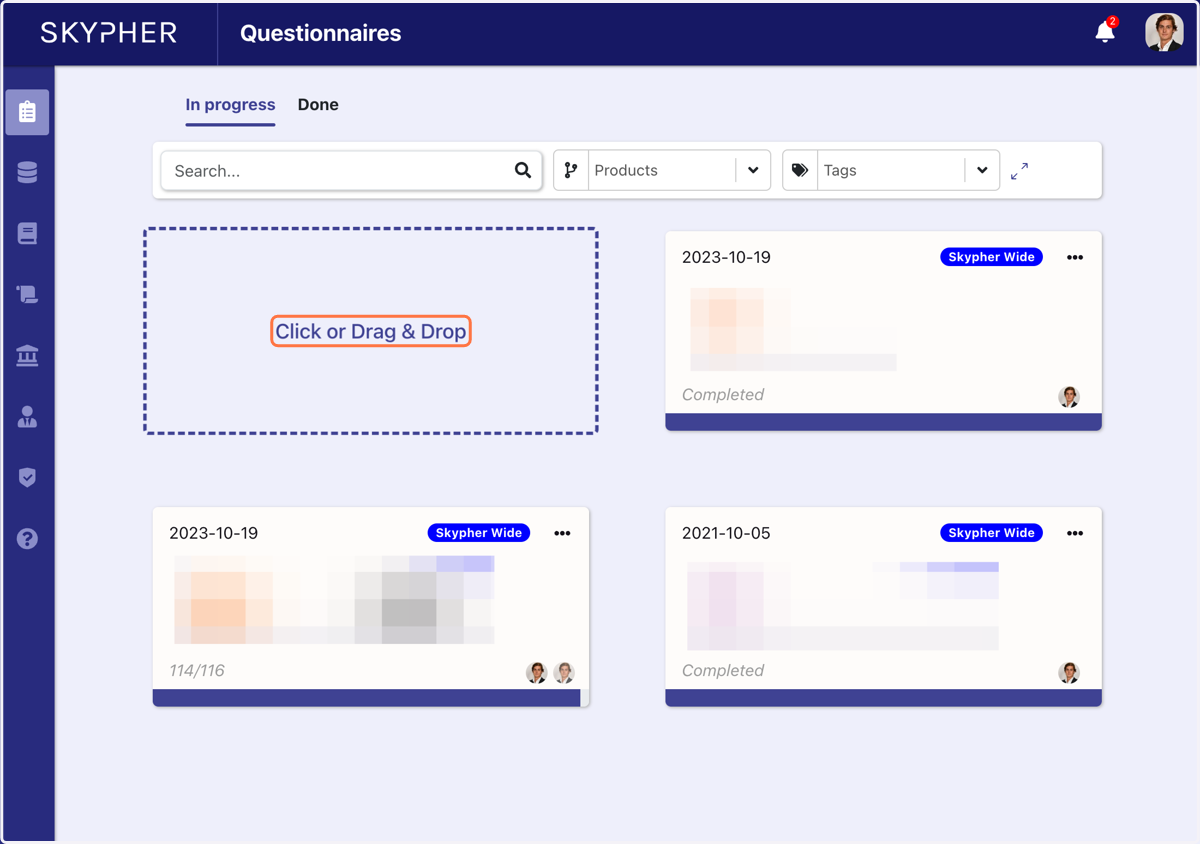
2. Upload the questionnaire
Either Drag a questionnaire from your documents or download it from your files
3. Fill in the questionnaire name, client name and due date
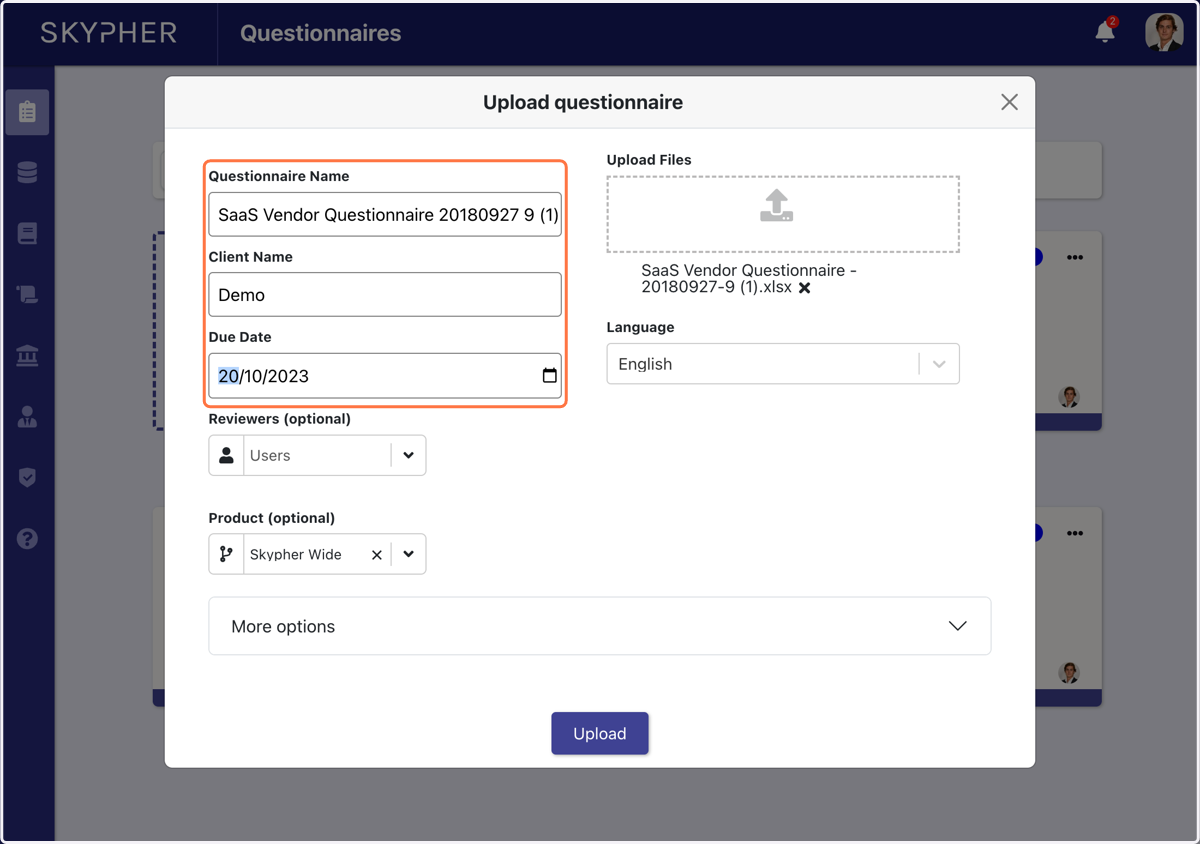
4. You have the option to add a final reviewer
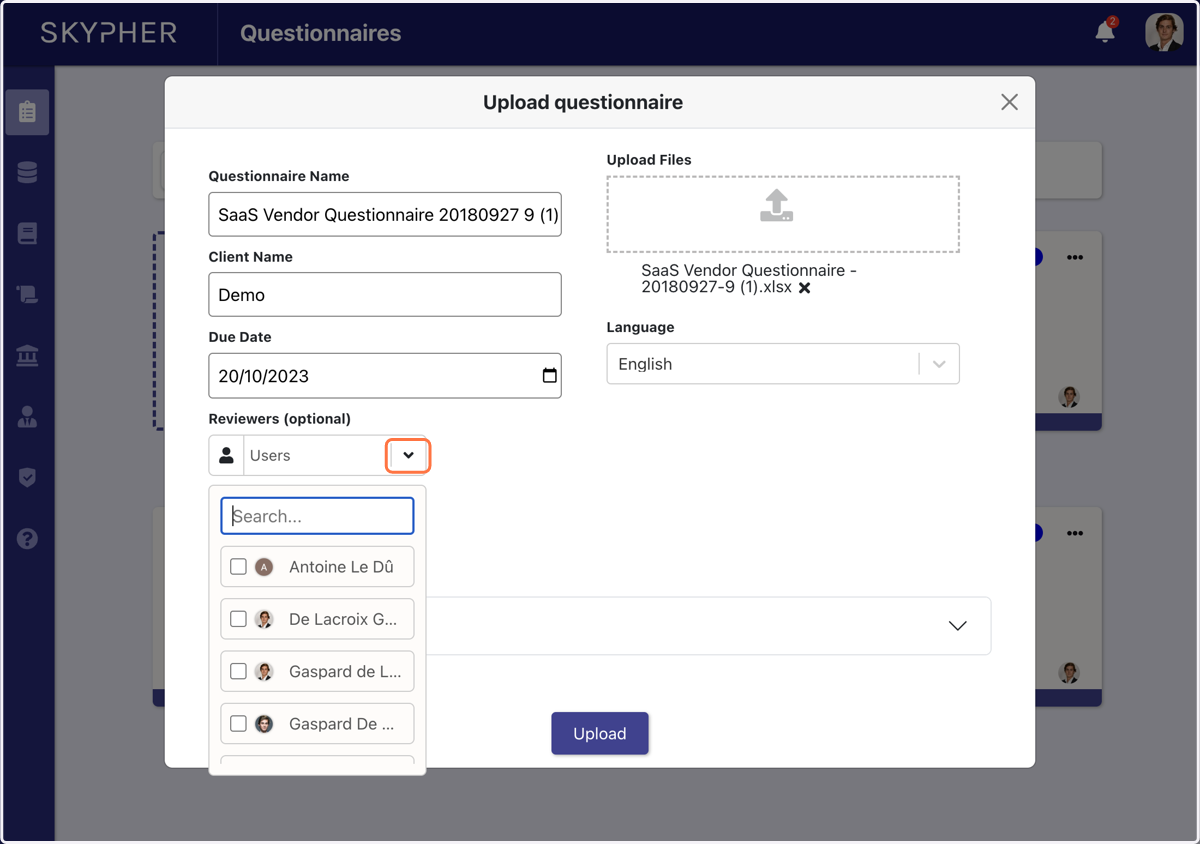
5. And you have the option to add a product for which you are doing the security questionnaire
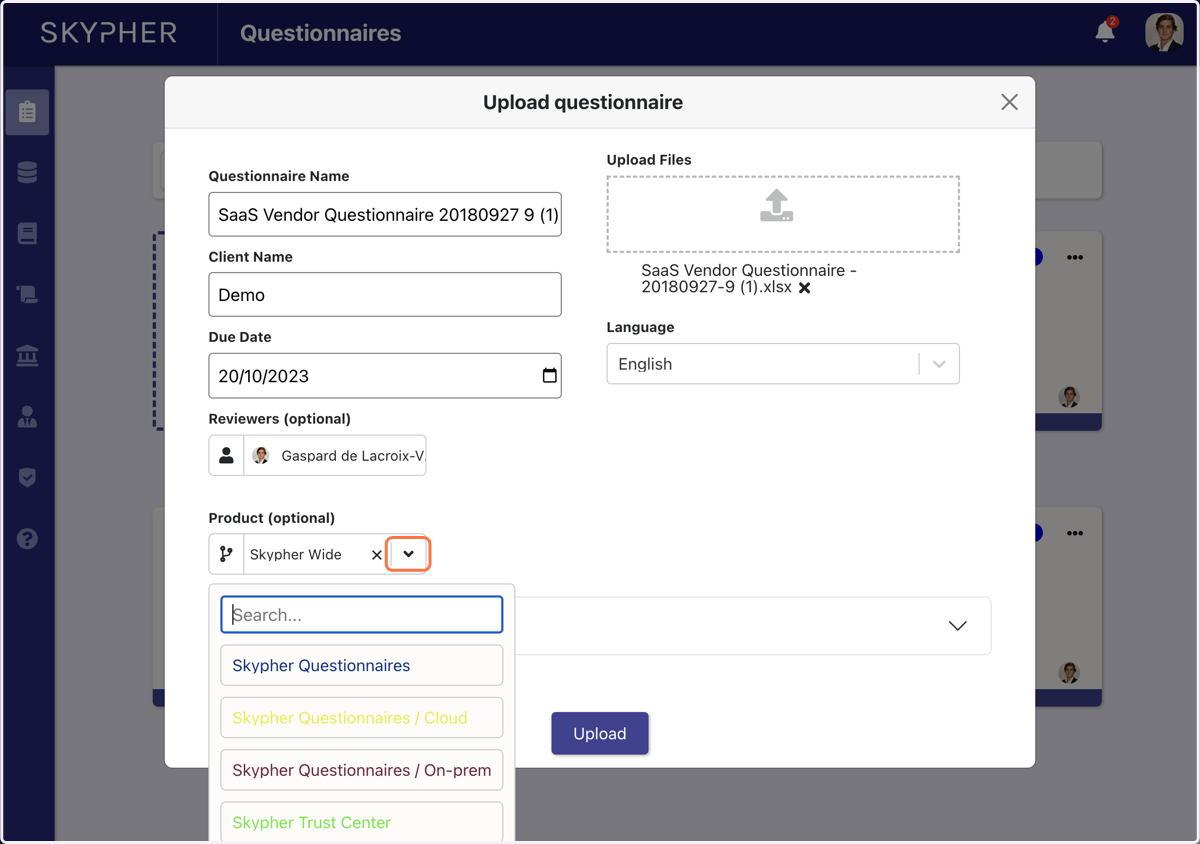
6. Then, simply click on Upload
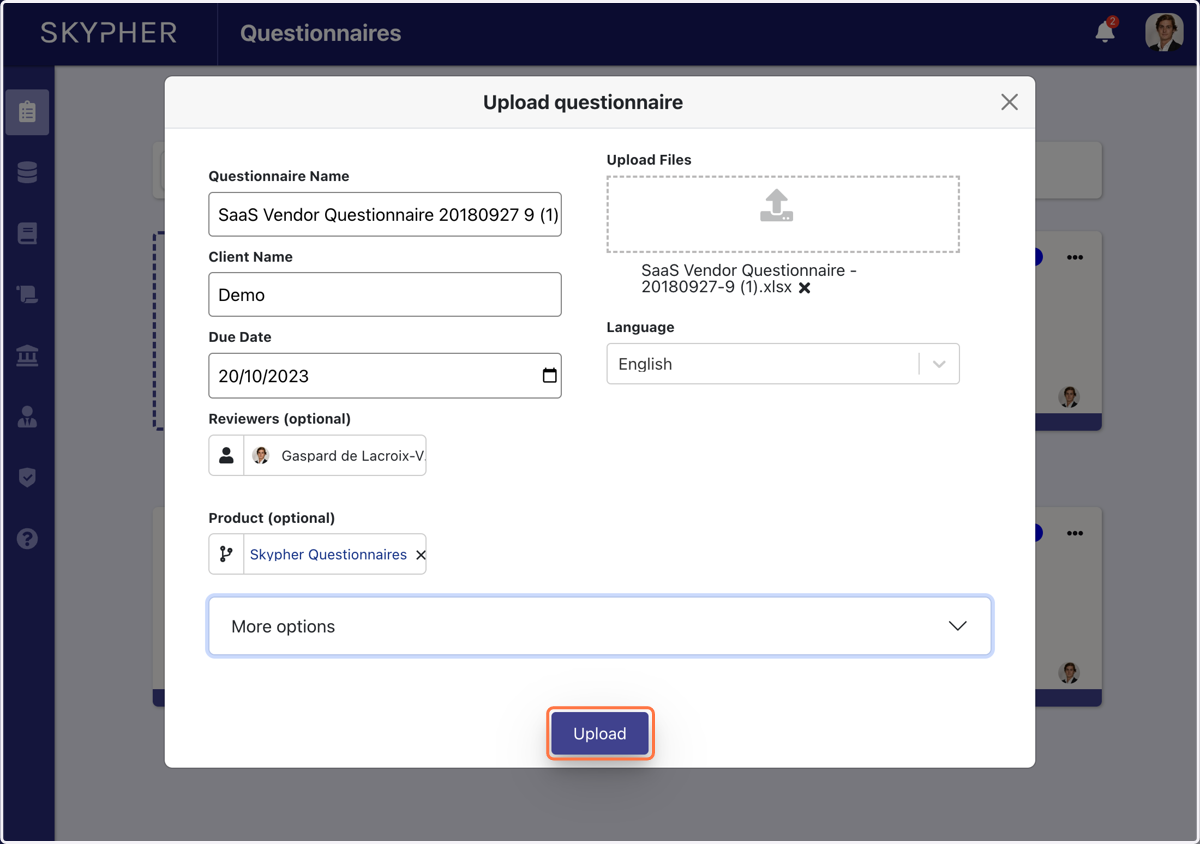
7. Choose the file tab you would like to analyse (here Data Sheet), then click on Next
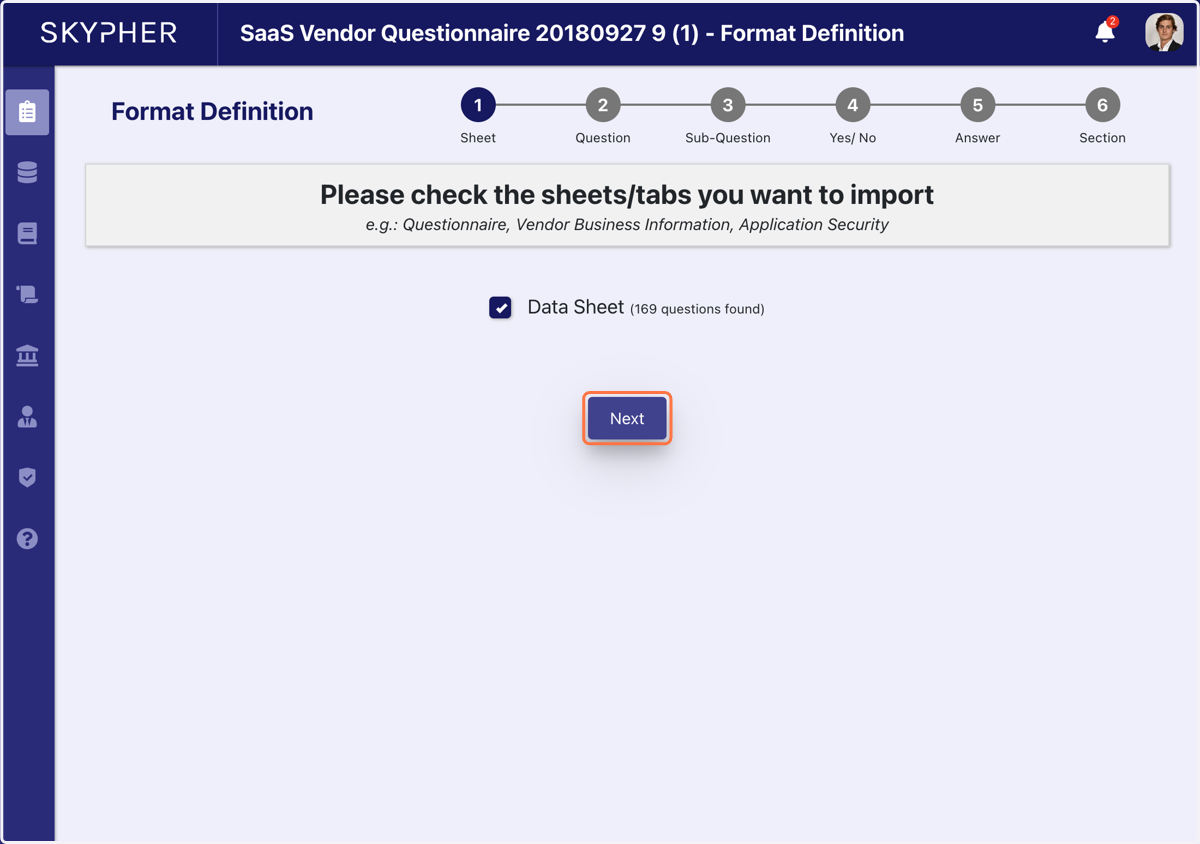
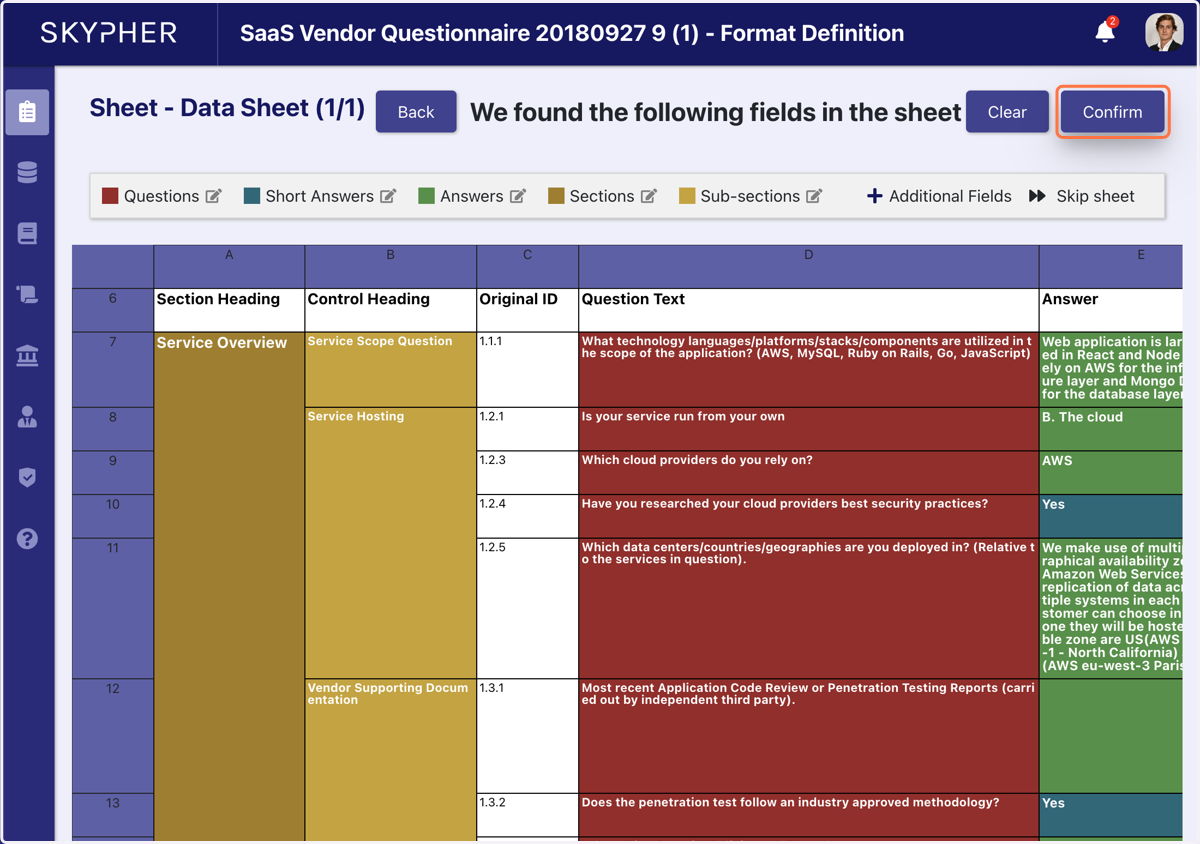
8. Once you have identified the correct sections, click confirm
An important part of the process is identifying the sections for each part. Please go to the Help Center for a detailed explanation of this action. Once it is correctly sectioned, click on confirm.
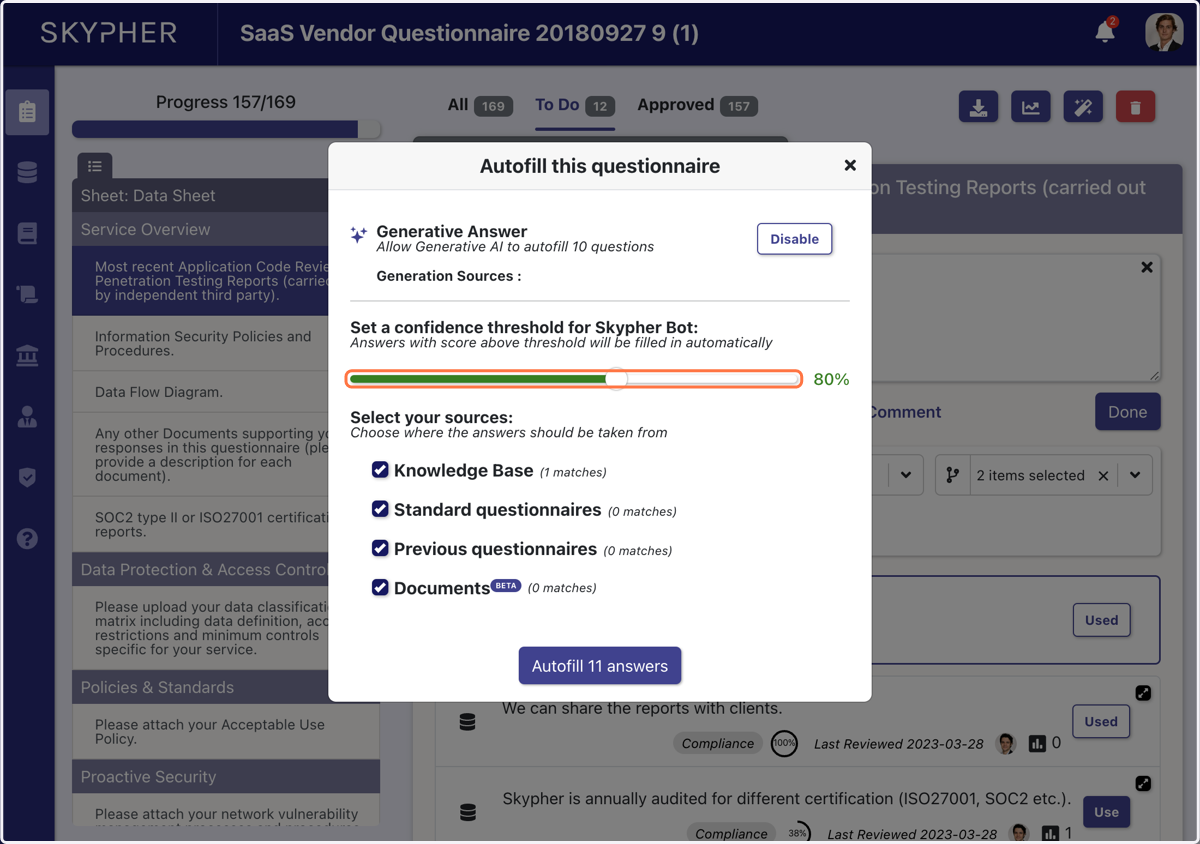
9. Select the confidence level for an acceptable answer
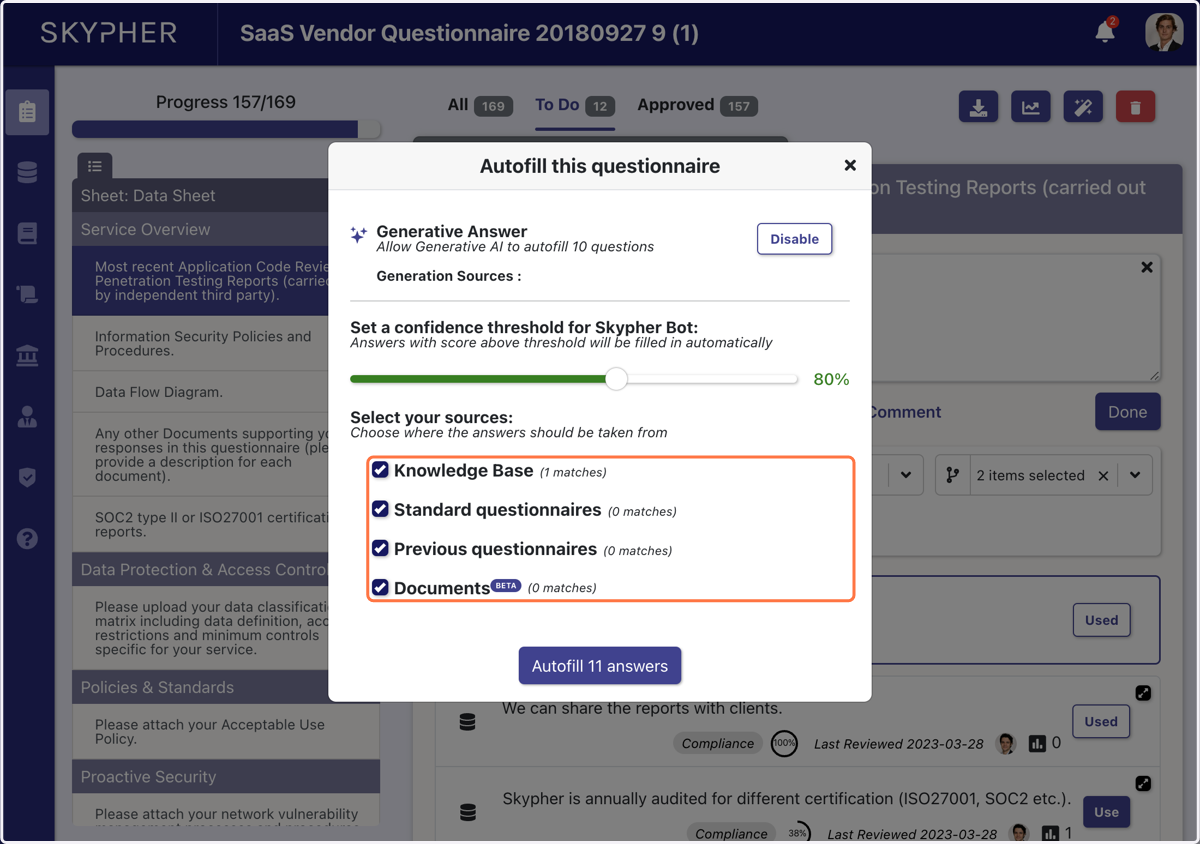
10. Check the sources for your answers
11. Click on Autofill