Analyze Individual Predictions in Workmate
This page allows you experiment with features to help you understand how changes in the various features change the predictions
How to Access
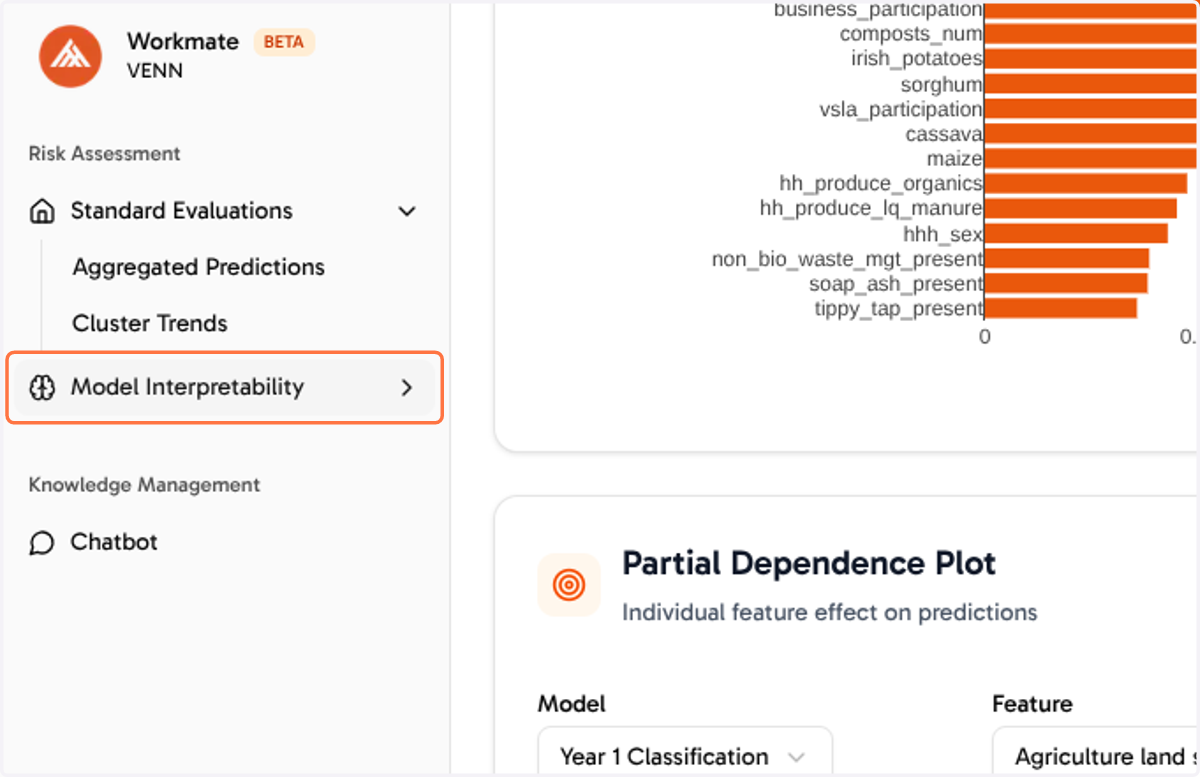
This page can be found under the "Model Interpretability" section in the side bar.
1. Click on Model Interpretability
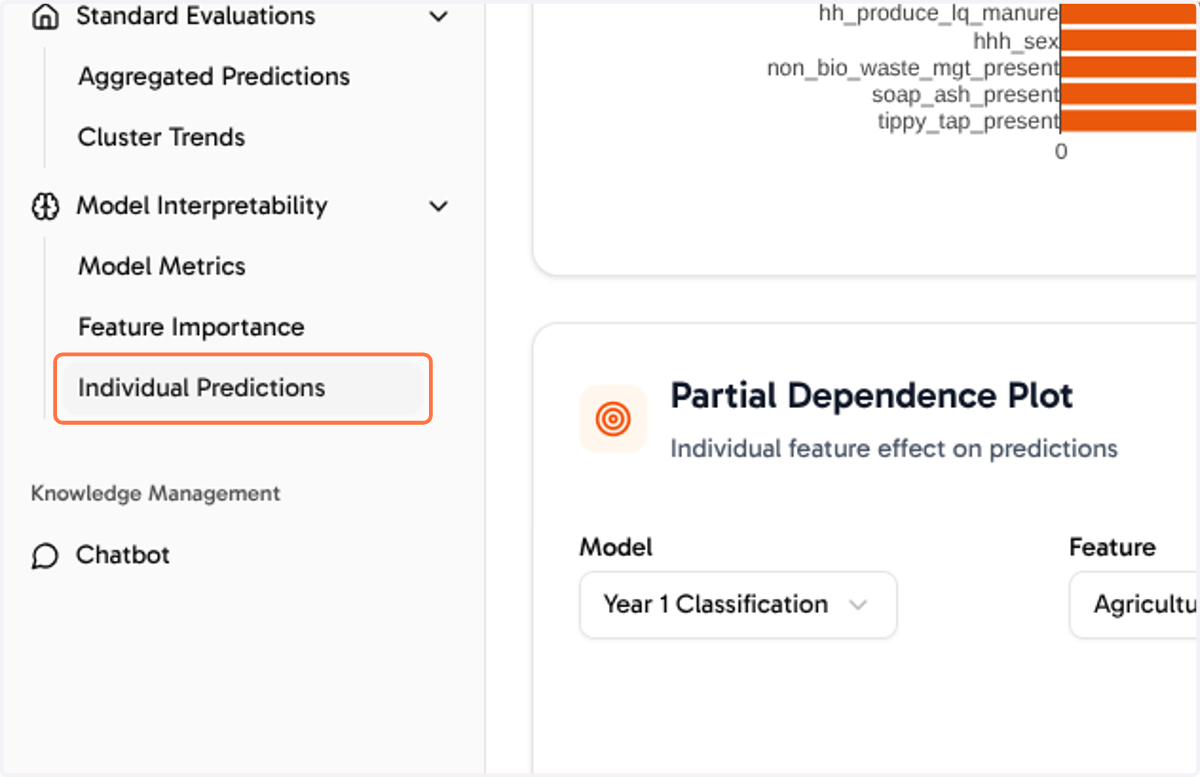
2. Click on Individual Predictions
3. Numeric Characteristics
You can adjust these by shifting the sliders. The left side as the lower end and the right side as the far end.
Extensive analysis on the data that helped us identify the higher and lower limits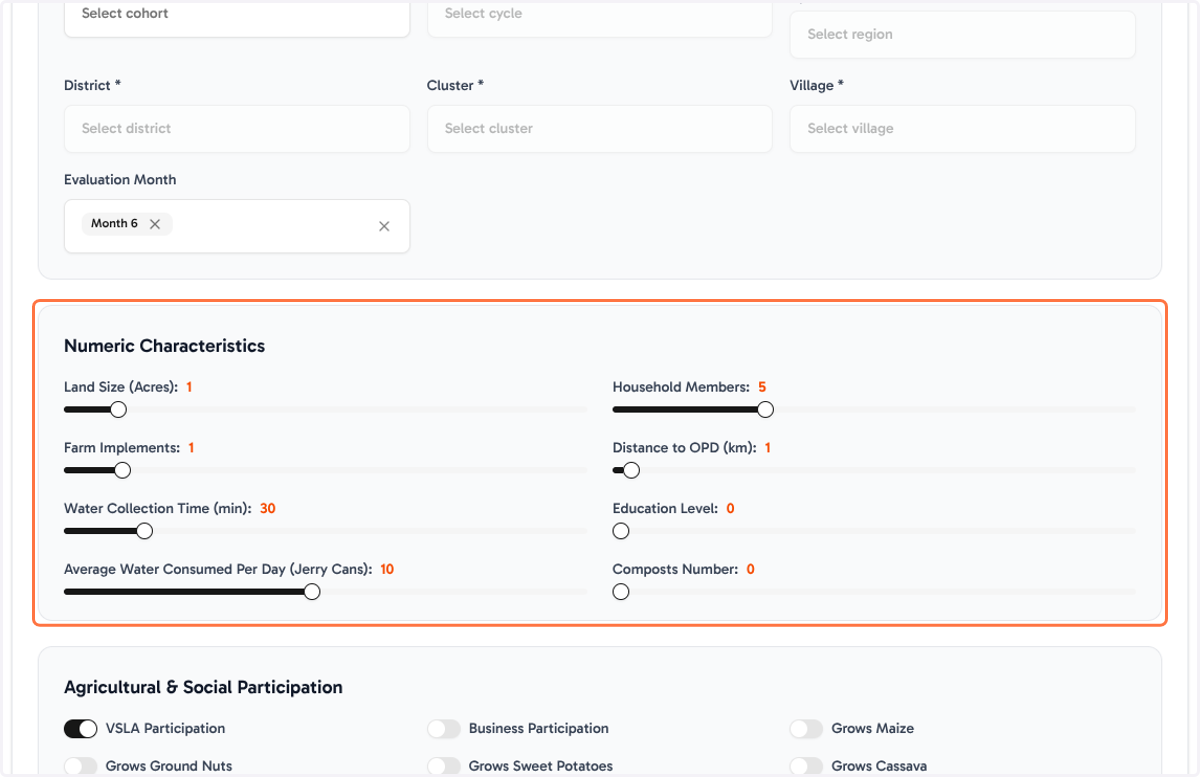
4. Categorical Features
You can adjust the categorical features by toggling the radio button
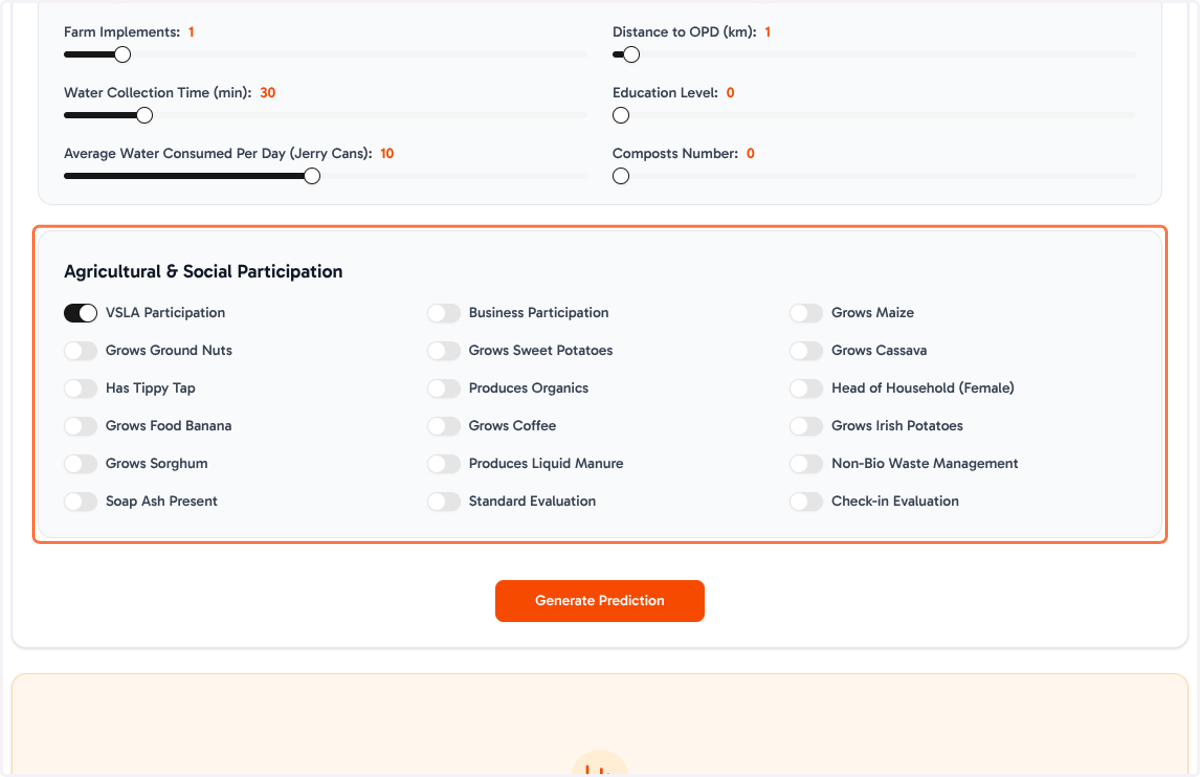
5. Click on Prediction…
After setting all your features, you can get results by clicking "Generate Prediction".
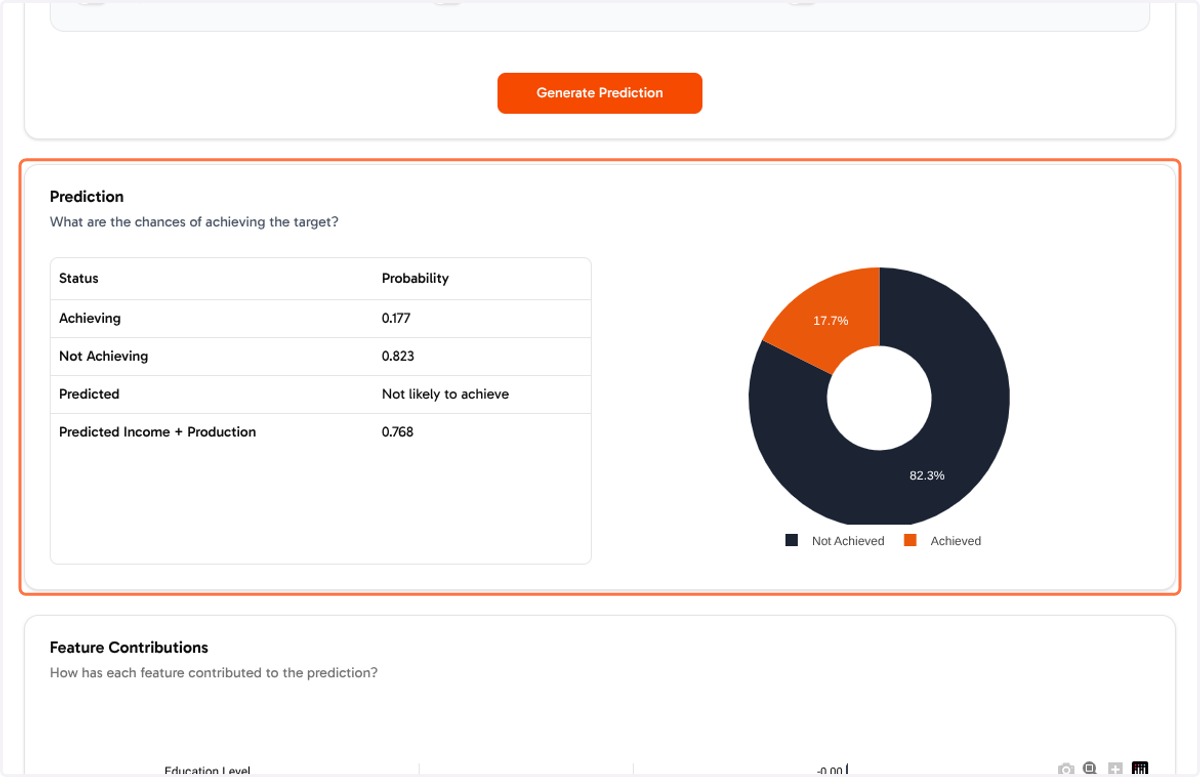
6. Feature Contributions
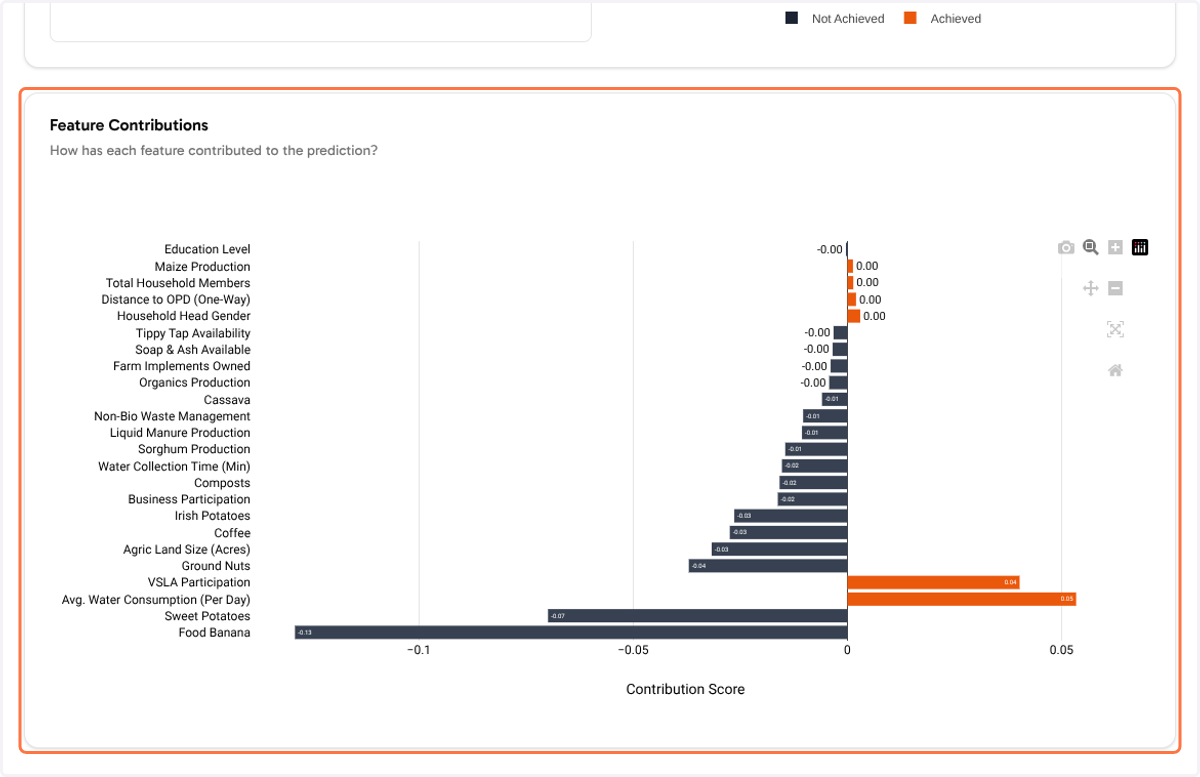
The feature contributions chart show how each feature is contributing to the prediction result, the orange bars show positive contribution while the darker bars show negative contribution. The length of the bar shows how important the contribution is.
7. Contact us
Should you require any support, don't hesitate to reach out at workmate@raisingthevillage.org