Where do I access the Anytime Payments link in Admin Portal?
Login to your admin portal
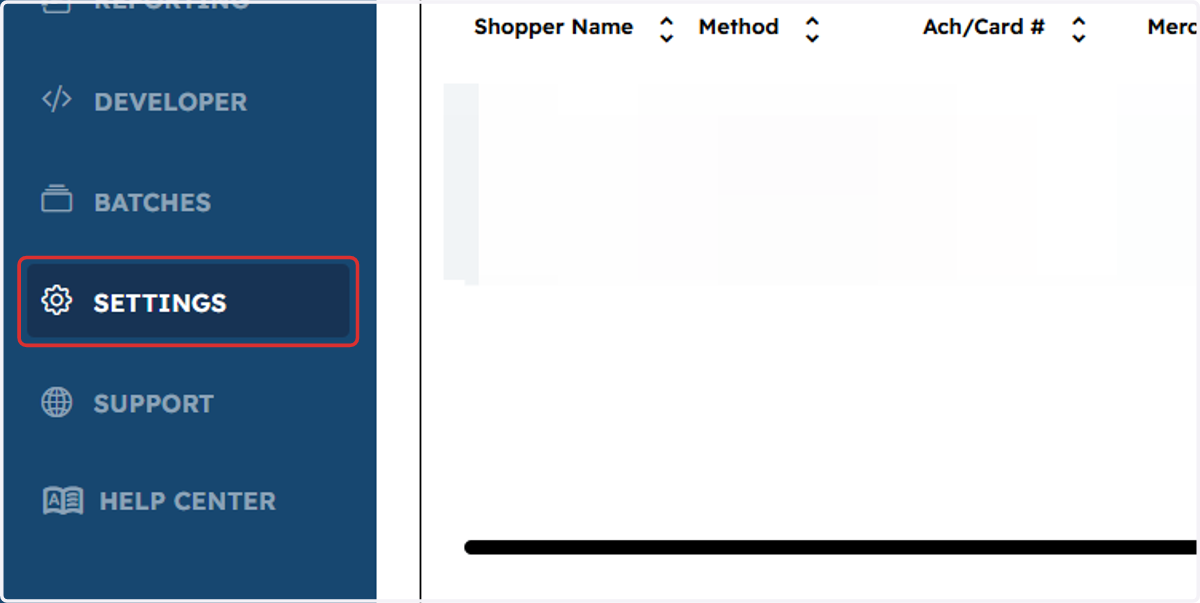
1. Click on Settings
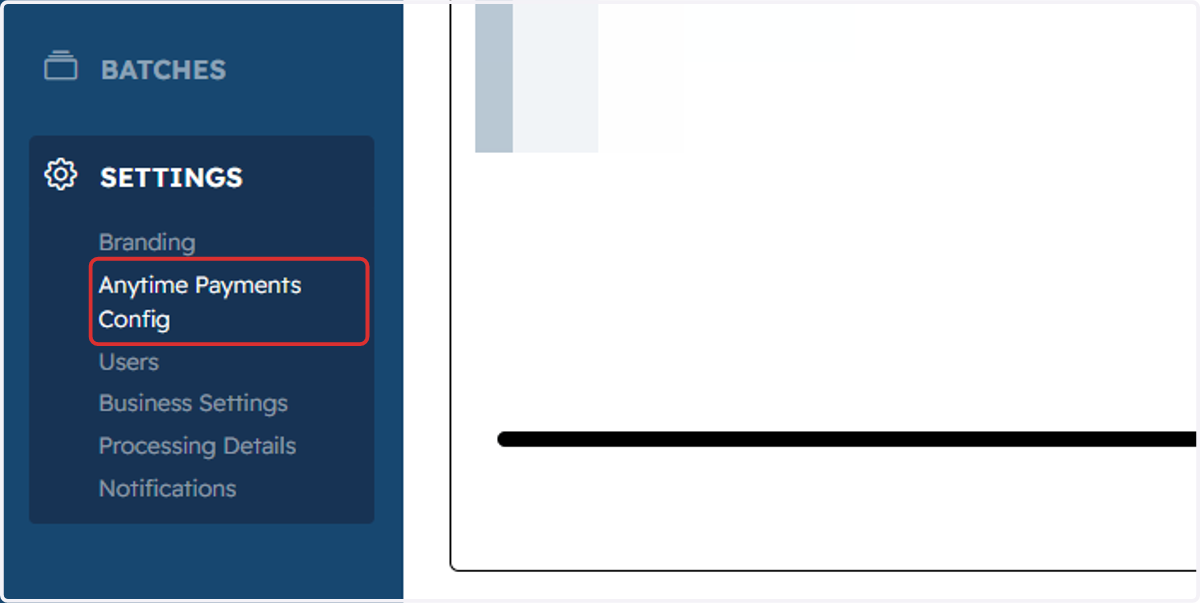
2. Click on Anytime Payments Config
3. View the ANYTIME PAYMENTS details page
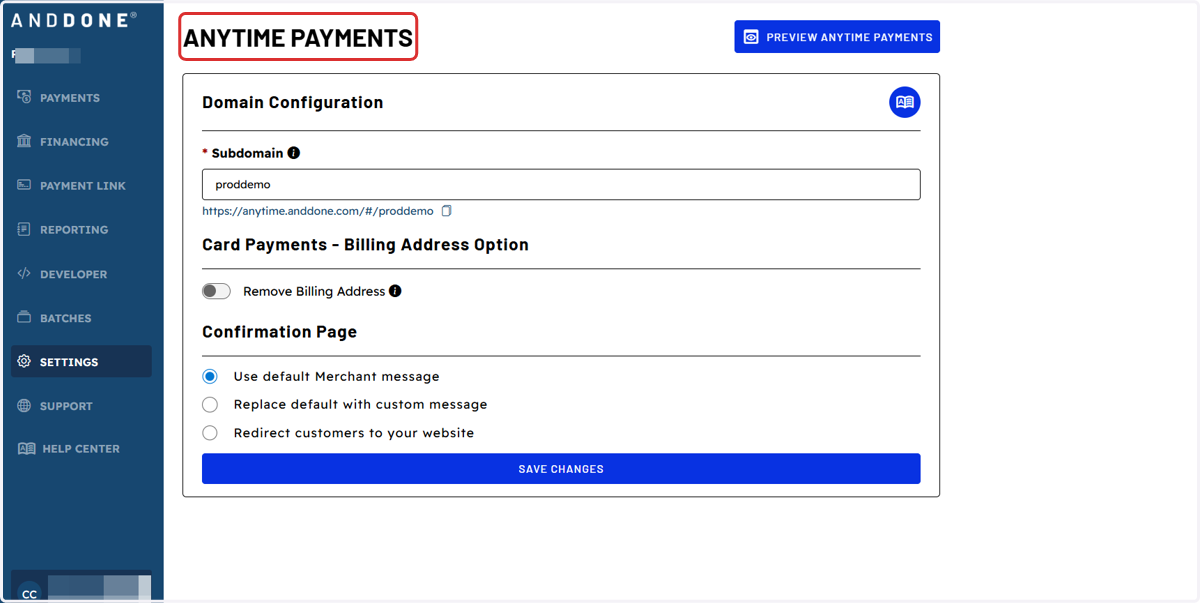
4. Click on copy button next to Payments URL https://anytime.anddone.com/#/proddemo
Then you can paste and send directly to your clients, save to your favorites bar for easy access, or save in your email signature.
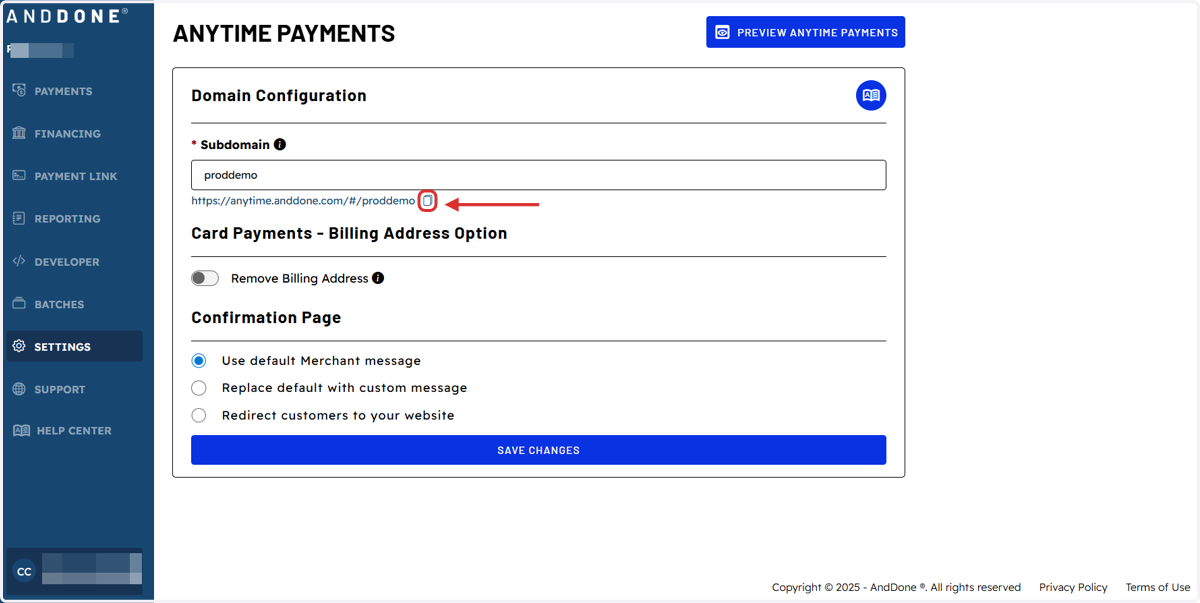
5. You may also preview your Anytime Payments link by Clicking on Preview…