View Pay Invoices in Admin Portal
Login to your Admin Portal
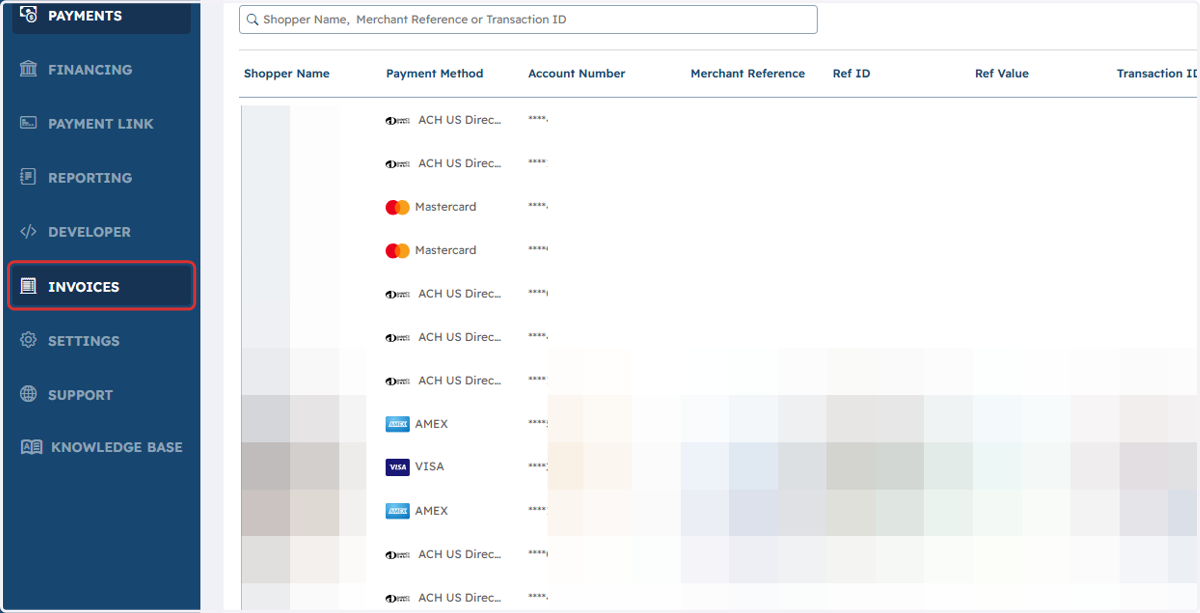
1. Click on INVOICES
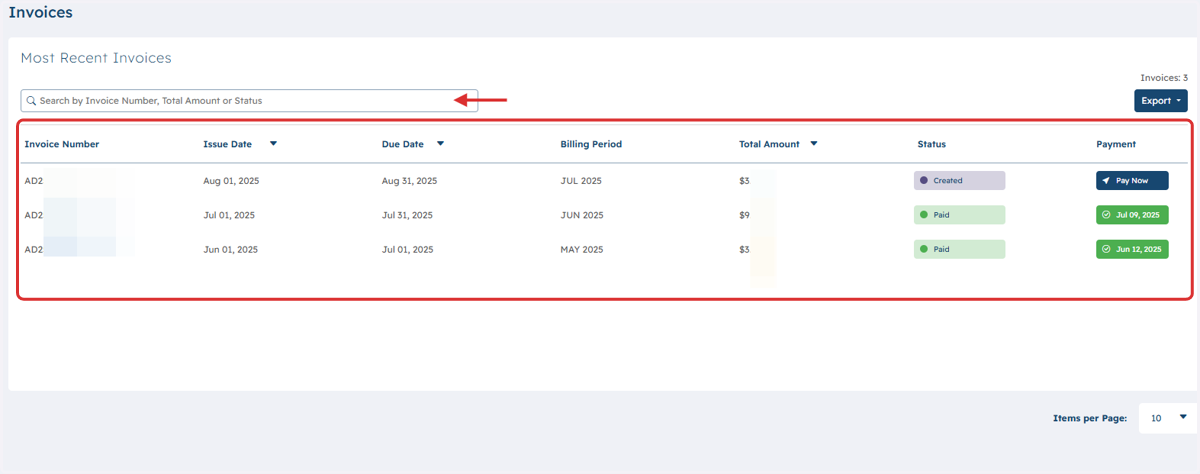
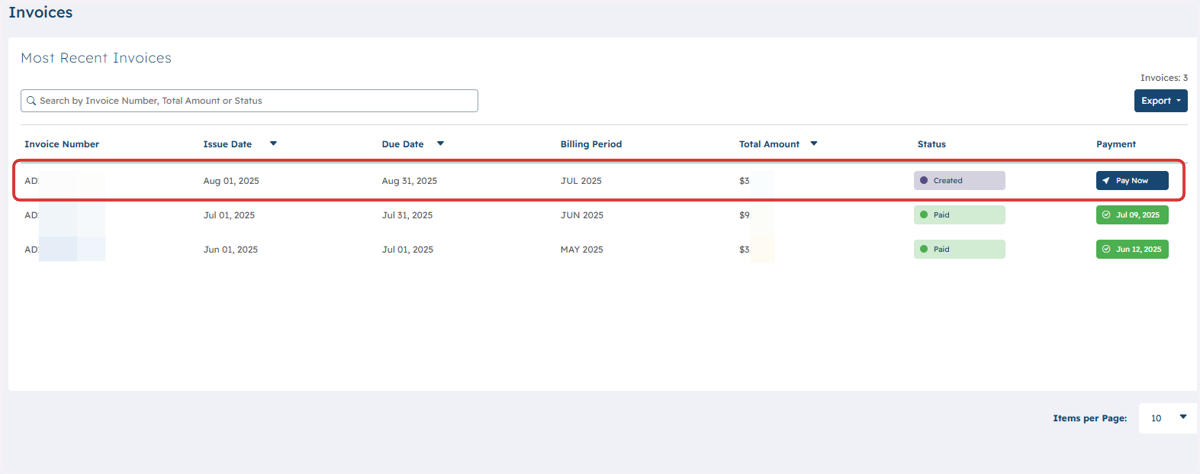
2. Recent Invoice(s) will be displayed. Also you may utilize the Search bar to filter your options.
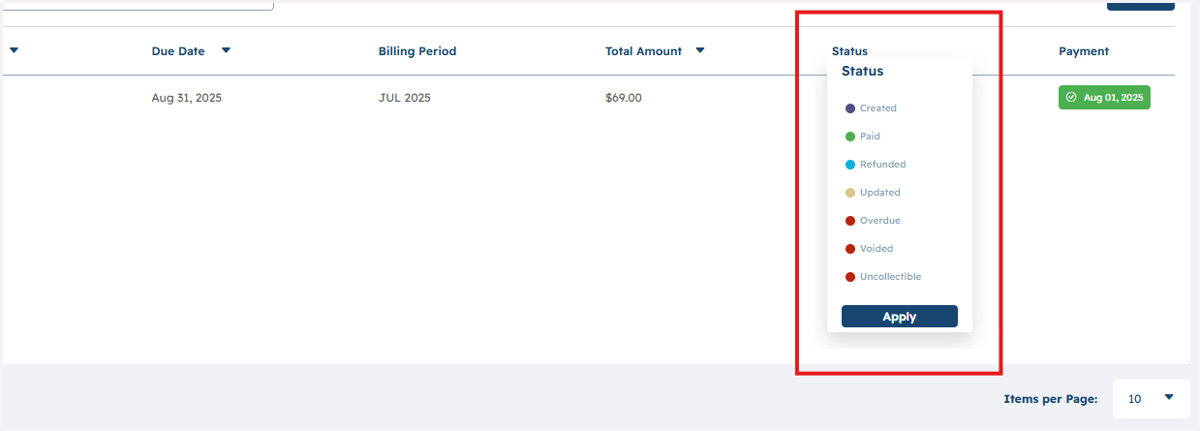
3. Please see the available status options for your Invoices
4. To see more details and to Pay an Invoice click on the preferred Invoice.
5. You will be able to review the details and select Pay Now to complete payment
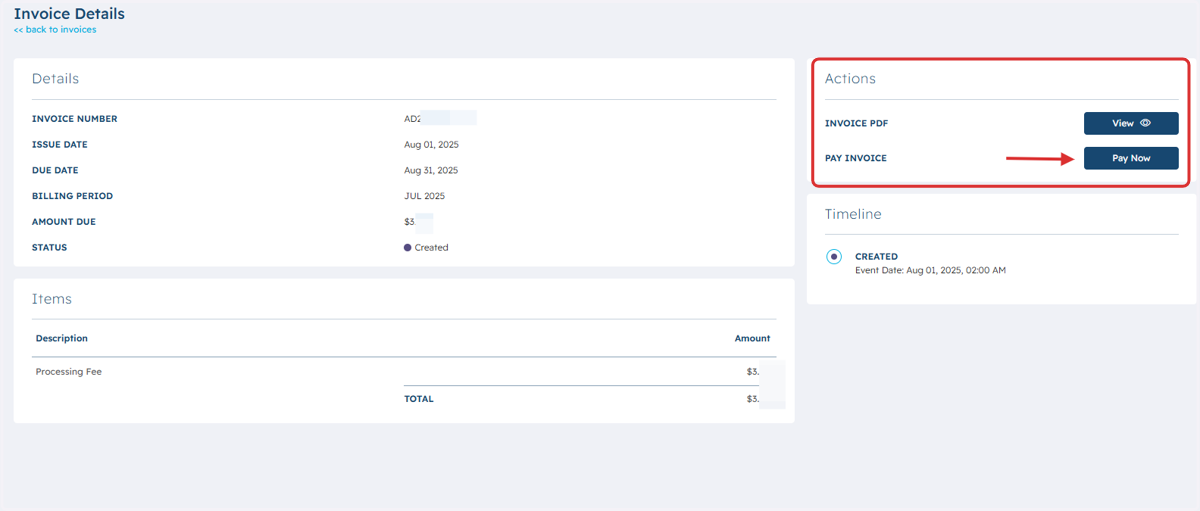
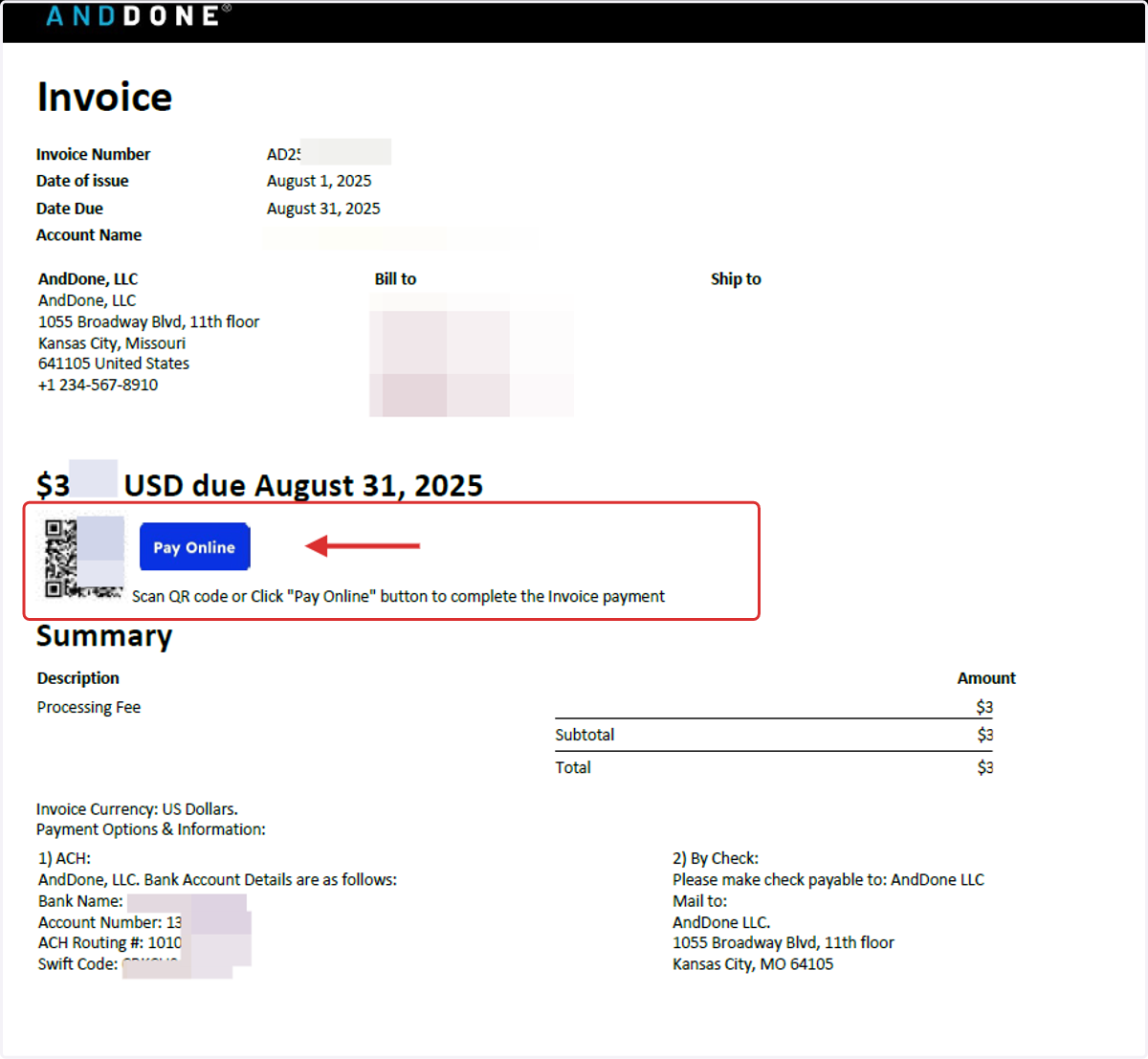
6. A PDF version of your Invoice will open in a separate window and provide both a QR code or Pay Now button to easily complete your payment.