Update Workday Communication Preferences
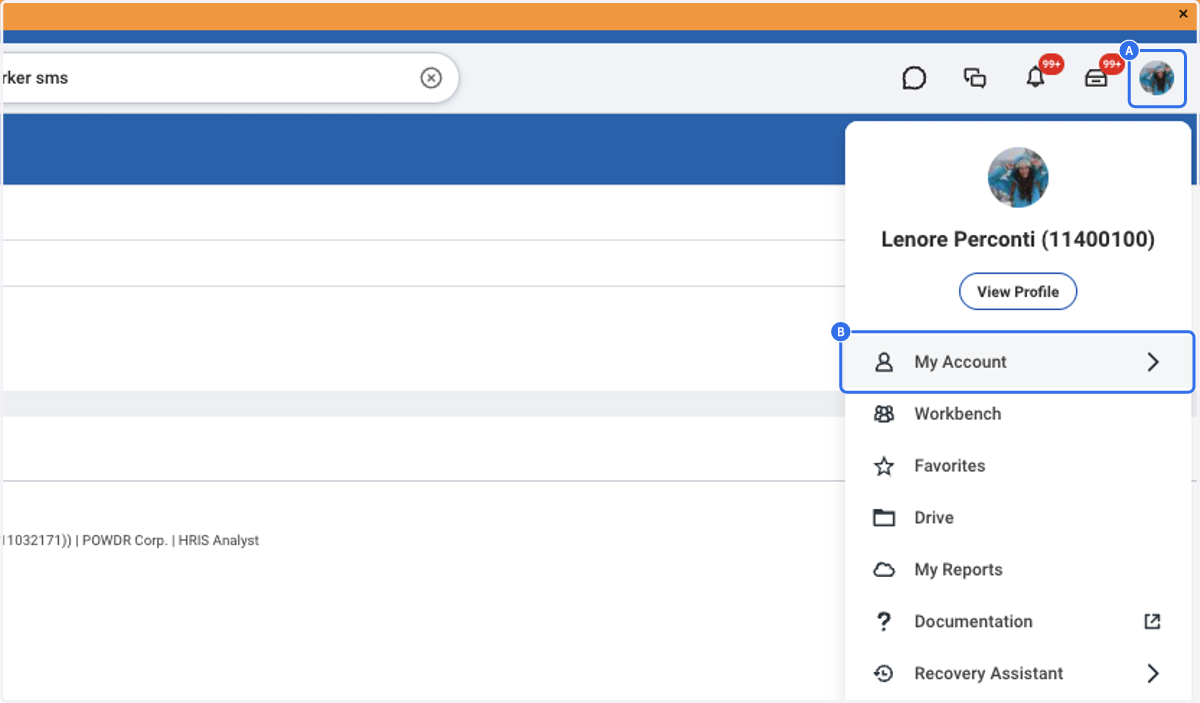
1. A. Click on your Profile Picture in the Top Right
1. B. Click on My Account
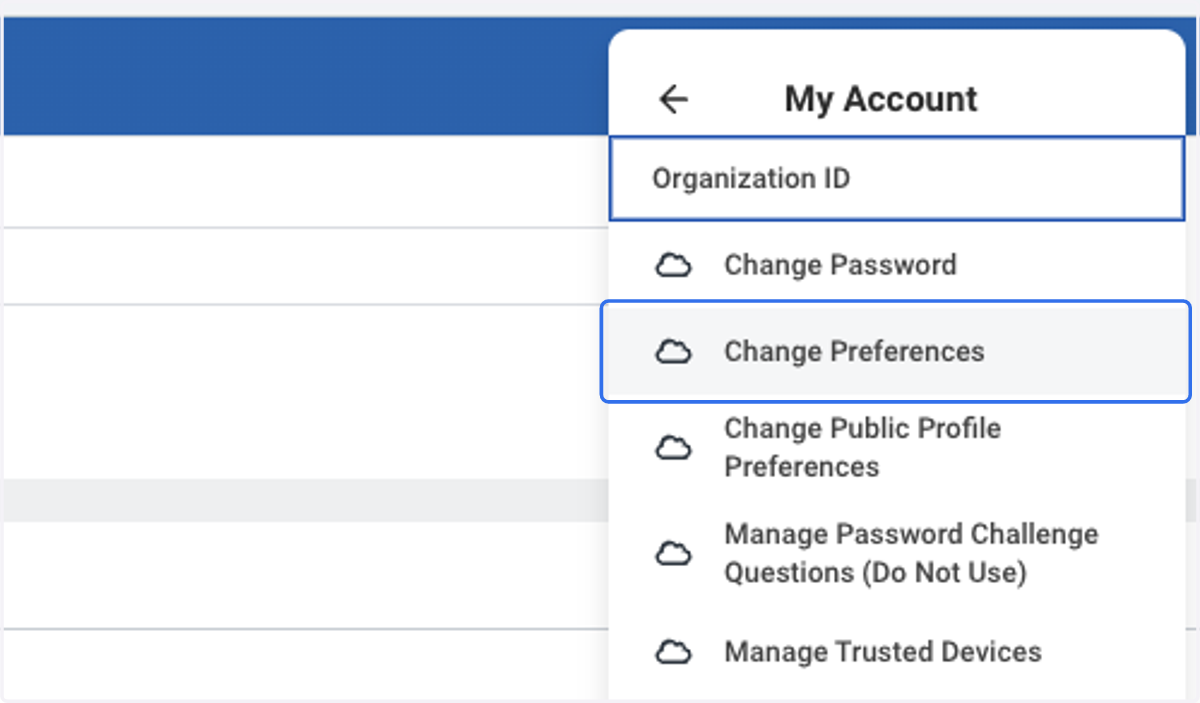
2. Click on Change Preferences
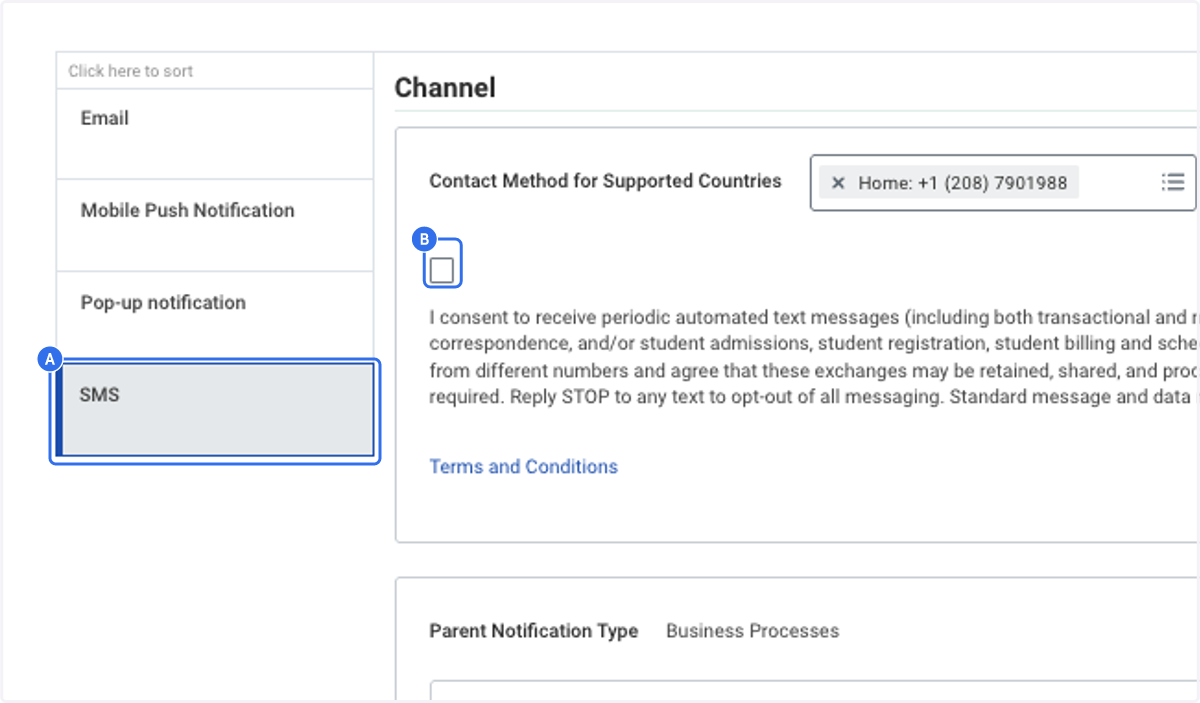
3. A. Scroll down to Channels, click on SMS in the Left Menu
3. B. Check the box above 'I consent'
Remember you can opt out anytime.
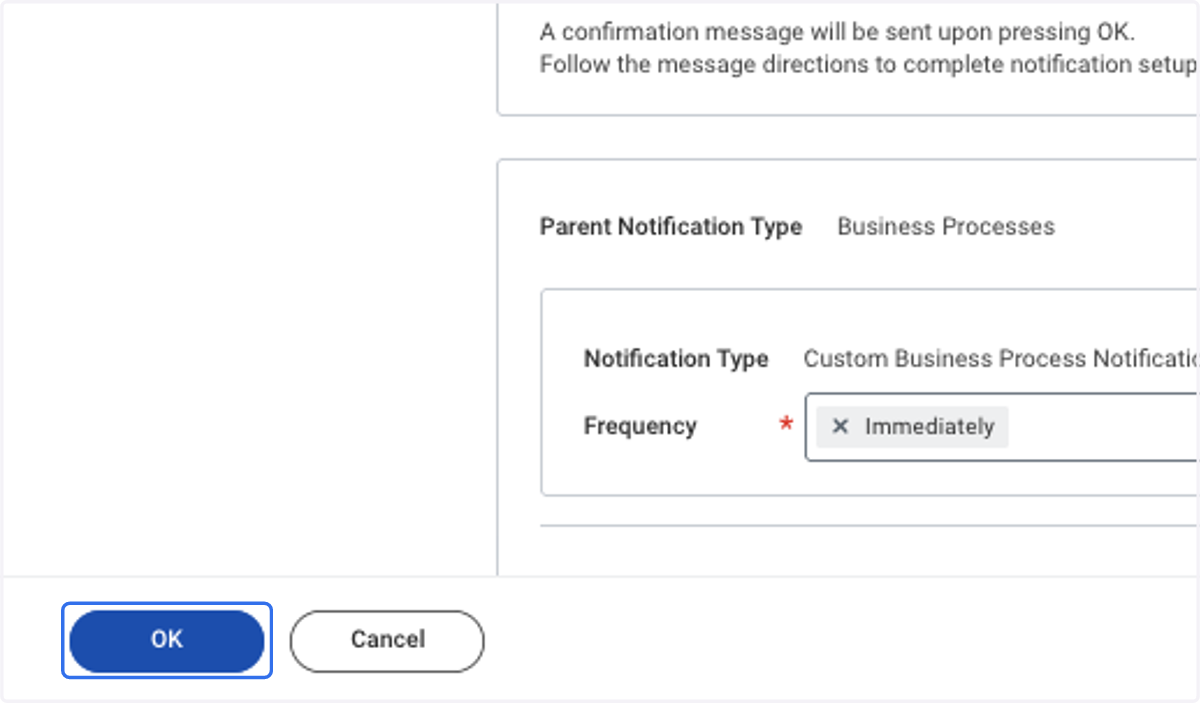
4. Click on OK
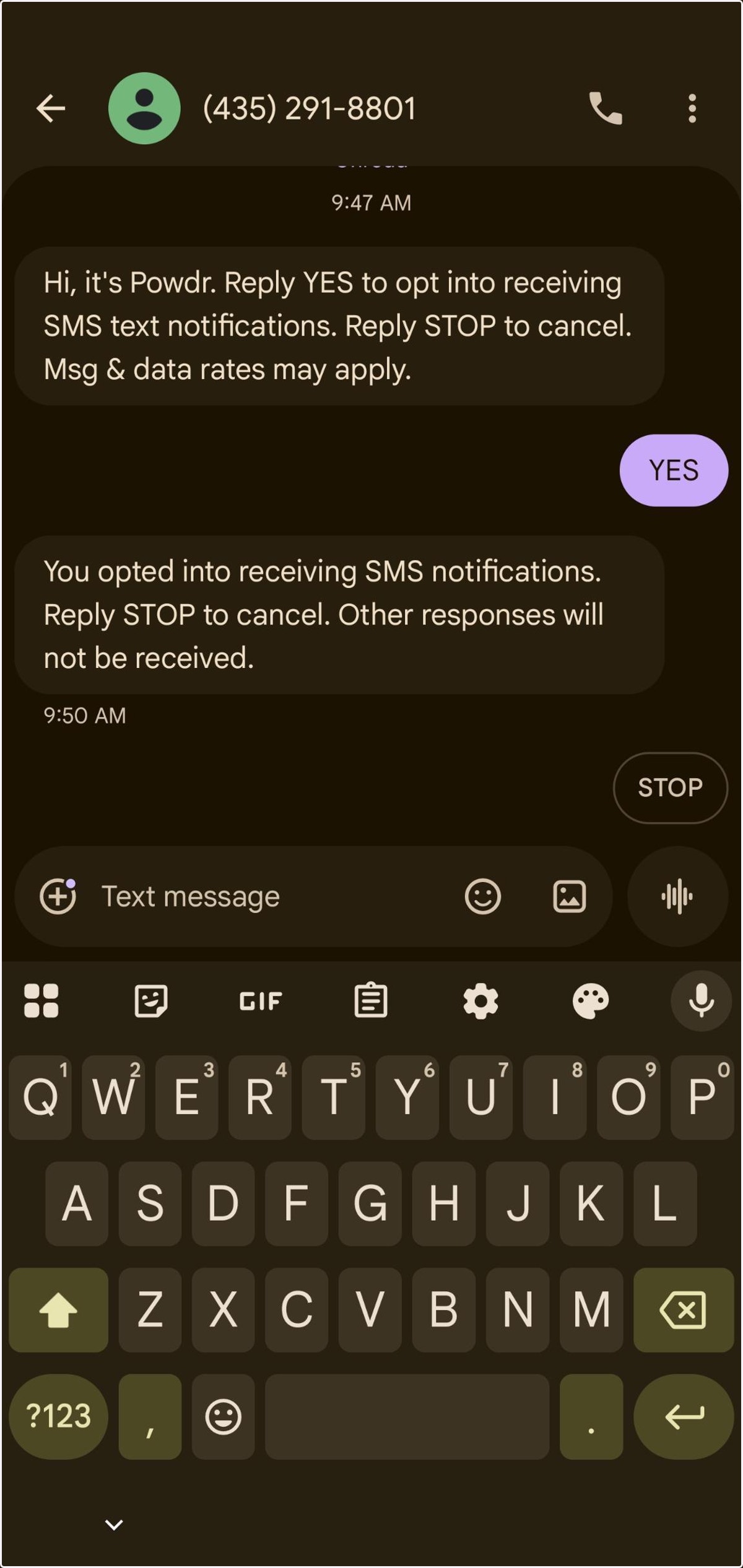
5. You will receive a confirmation text that looks like this. Be sure to reply YES