Update Public Holiday Trading Hours on Your Google Business Profile
Keeping your trading hours up to date on Google—especially for public holidays is important for both your customers and your business.
When customers search for your store on Google, one of the first things they check is whether you’re open. If your hours aren’t accurate, it can lead to missed sales and frustration. Updating your special holiday hours also signals to Google that your business information is current and trustworthy, which can improve your local search ranking.
This step-by-step guide will show you how to update your public holiday trading hours through your Google Business Profile, helping you stay connected with your customers and visible in search results.
1. Search for your business on Google.
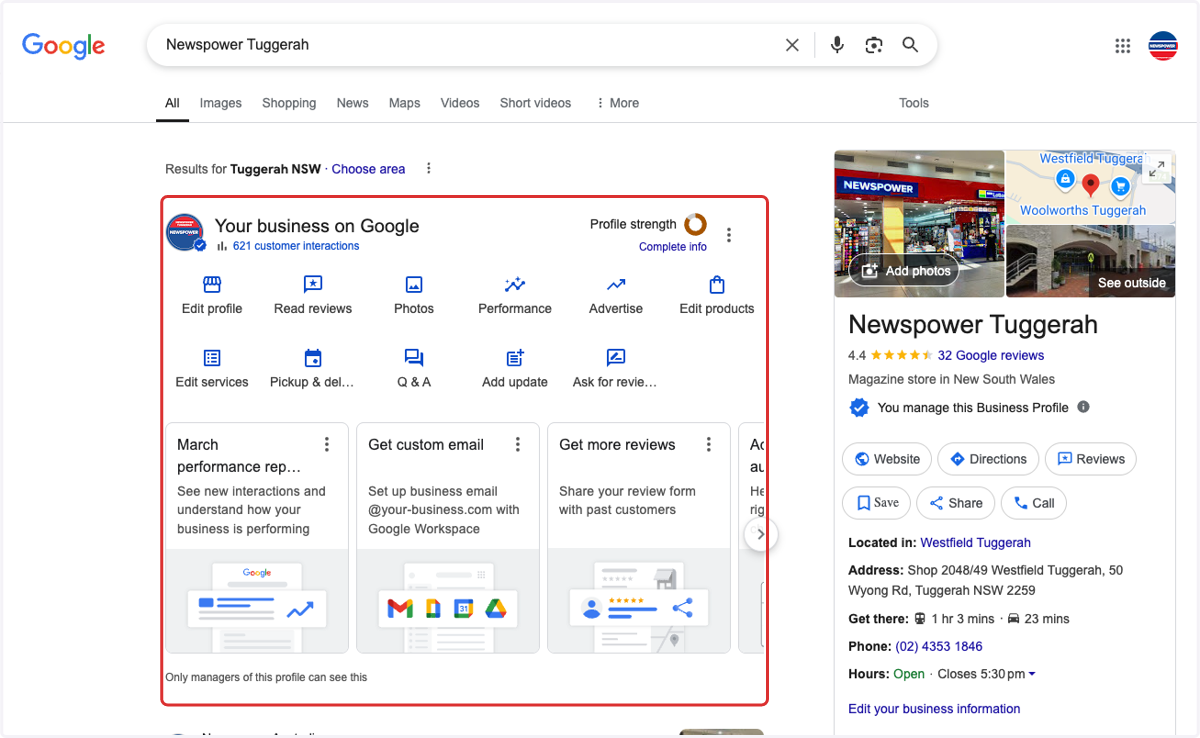
2. You should then see this admin panel
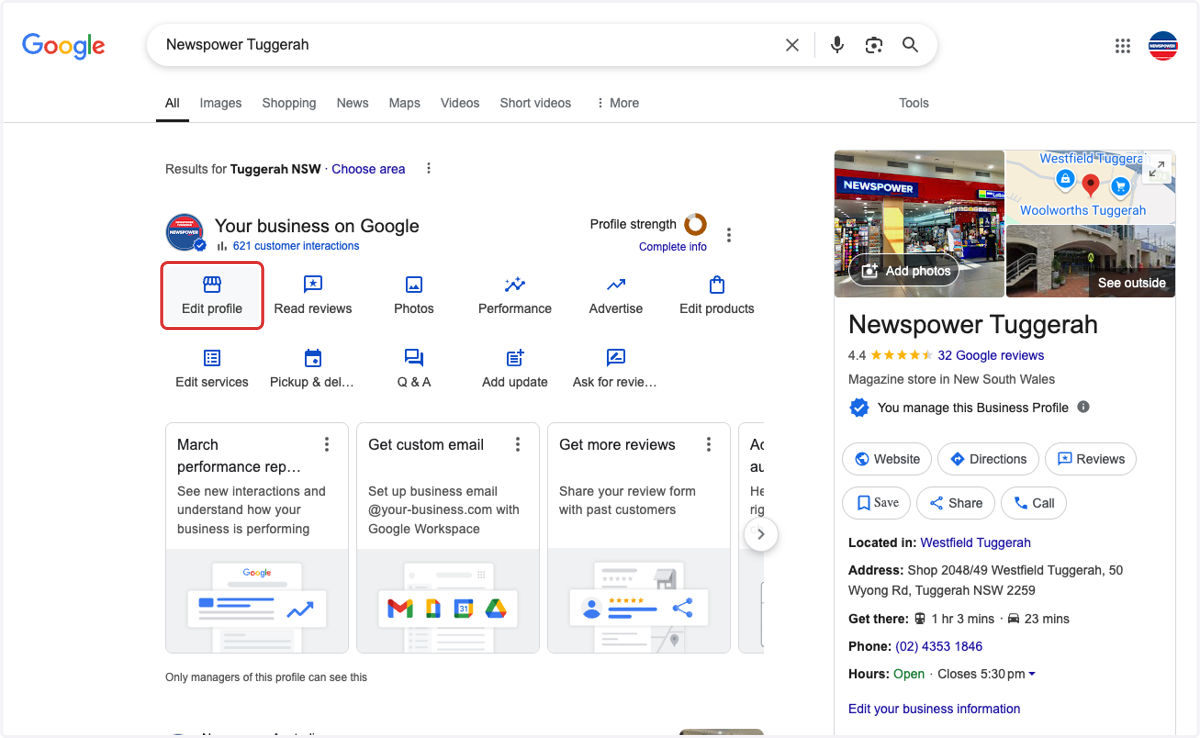
3. Click on Edit profile
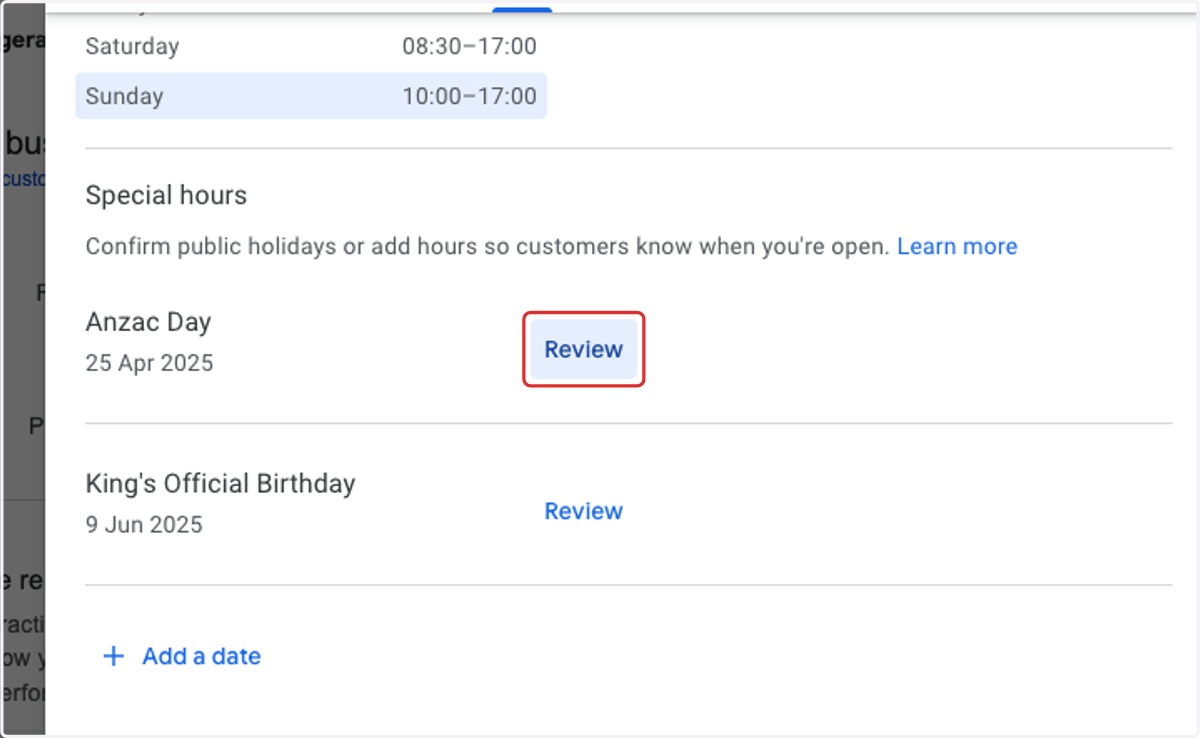
4. Scroll down to find the Special hours section
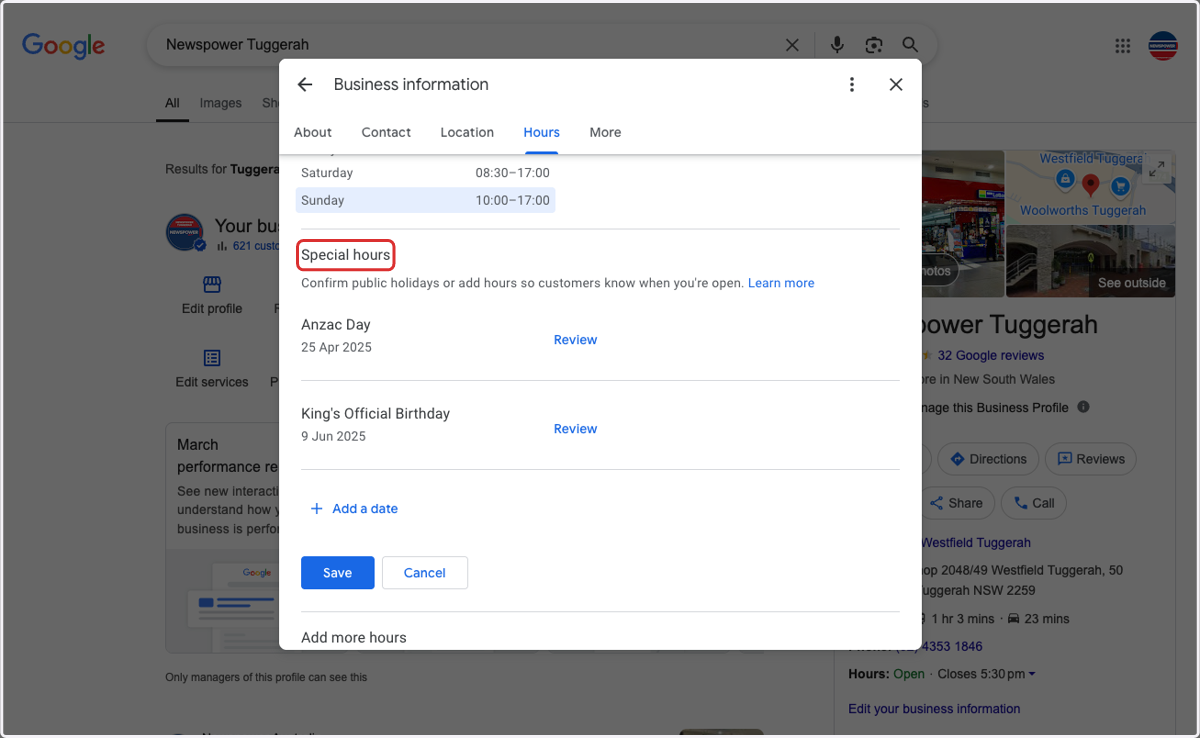
5. Click on Review to edit hours
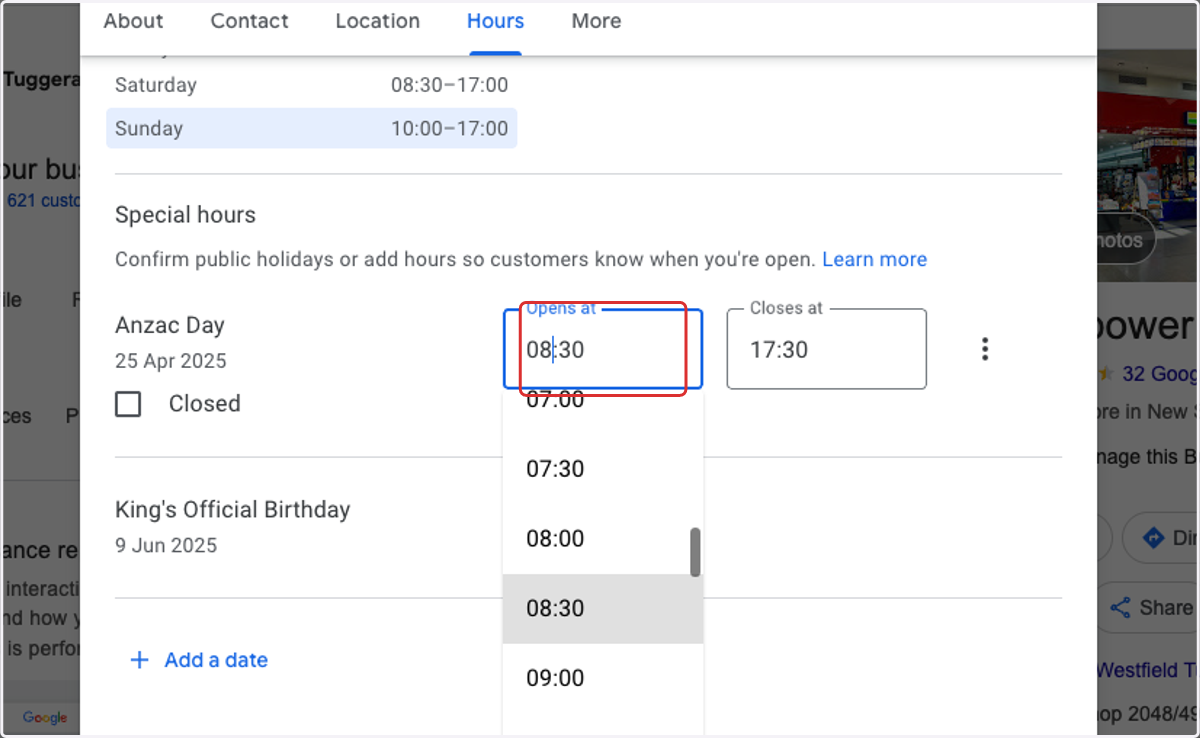
6. Update you Opening hours
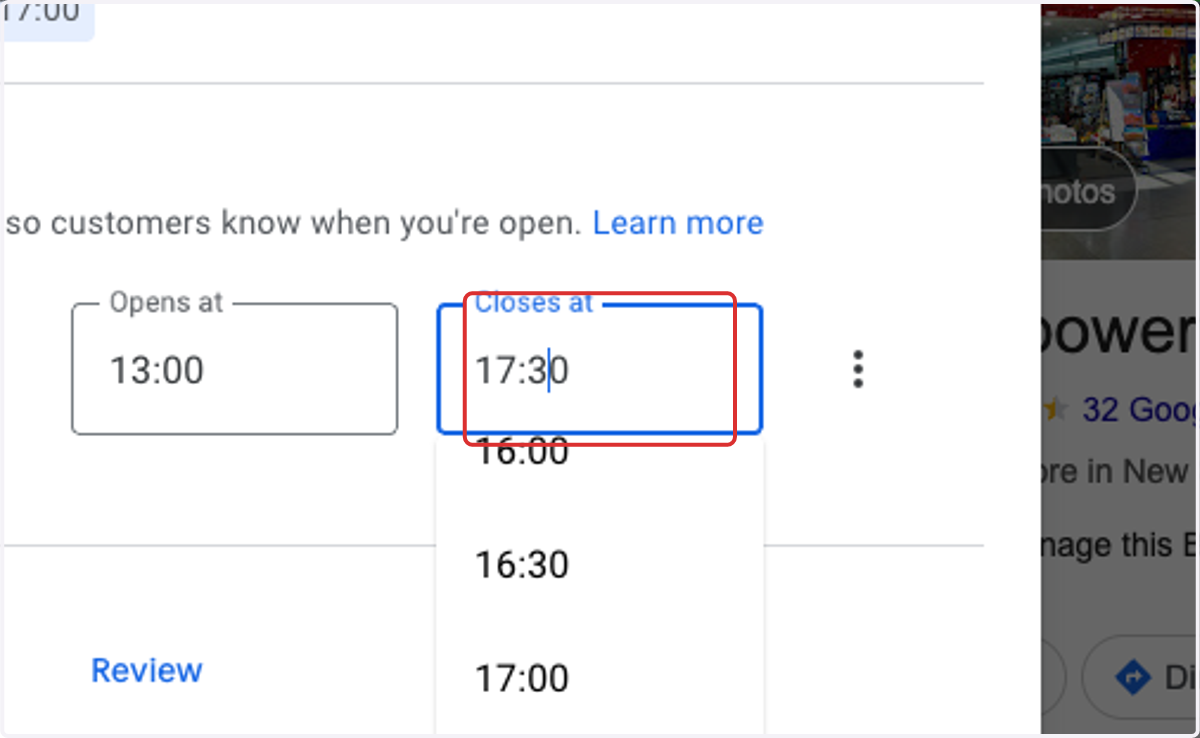
7. Update your Closing hours
8. Click on Save
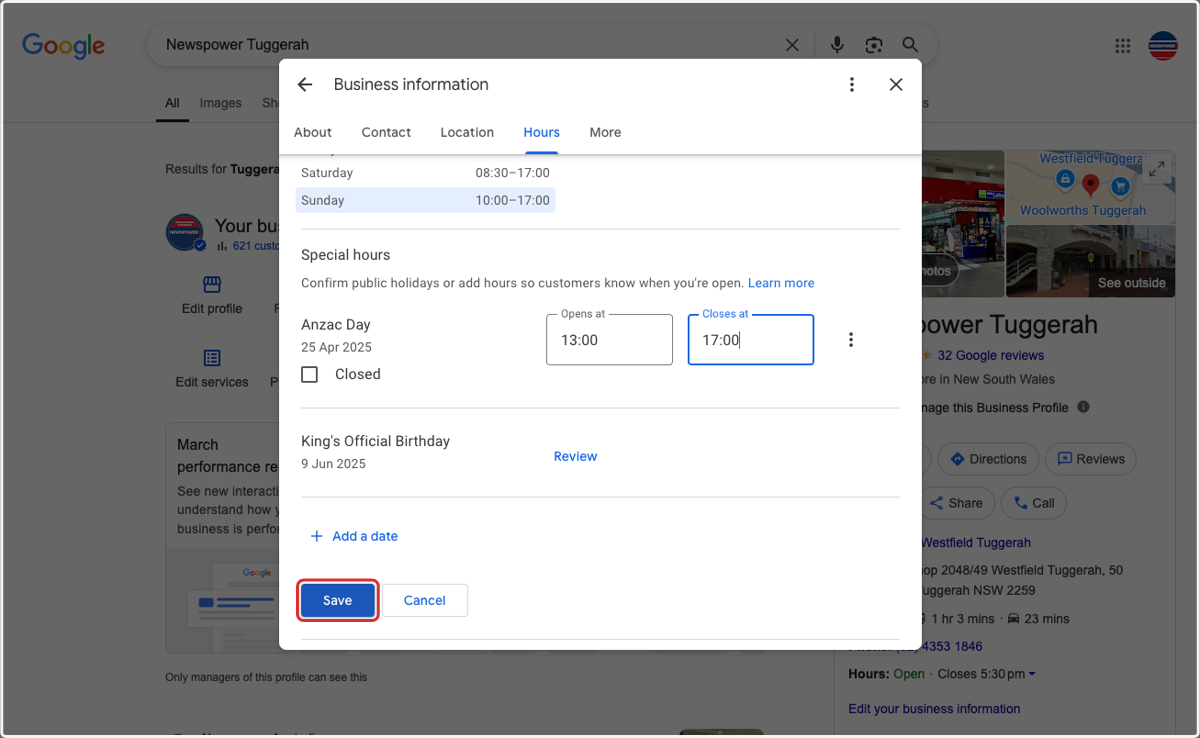
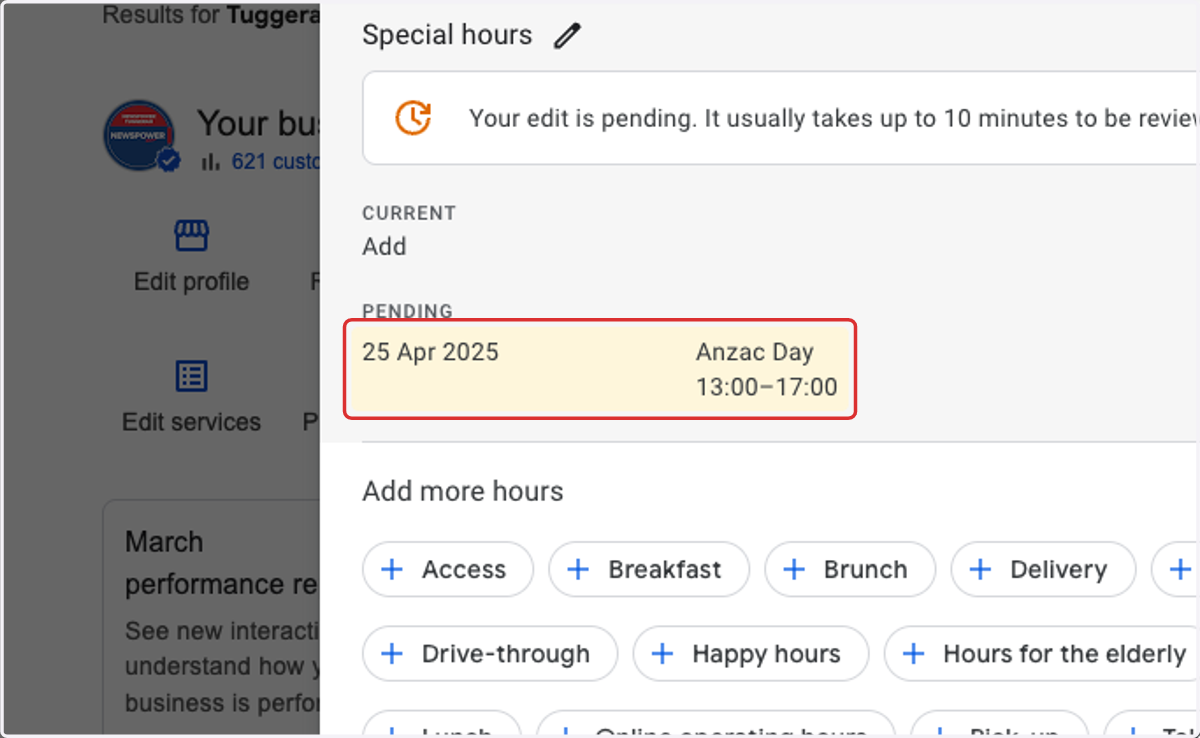
9. You should then see these updated hours highlighted and pending.