Update Opening Hours on Facebook Page
Keeping your business hours up to date on your Facebook Page is essential — especially if customers are using your page to check when you're open. Whether it's for public holidays, special events, or just a regular schedule change, updating your hours ensures customers always have the right information before they visit.
Inaccurate hours can lead to missed visits, frustrated customers, and even negative reviews — so it’s worth the few minutes to keep things current.
This guide will show you how to quickly and easily update your opening hours on your Facebook Page.
✅ Tips for Managing Your Business Hours:
Be specific: Include any regular closed days or lunch breaks to avoid confusion.
Update as things change: If your store hours change seasonally or during promotions, reflect this on your page.
Pin a post if needed: If hours are changing for a short time, pin a post at the top of your page to highlight the update.
Keeping your page up to date shows customers you’re active, reliable, and easy to do business with.
Let’s get started with the steps to update your hours.
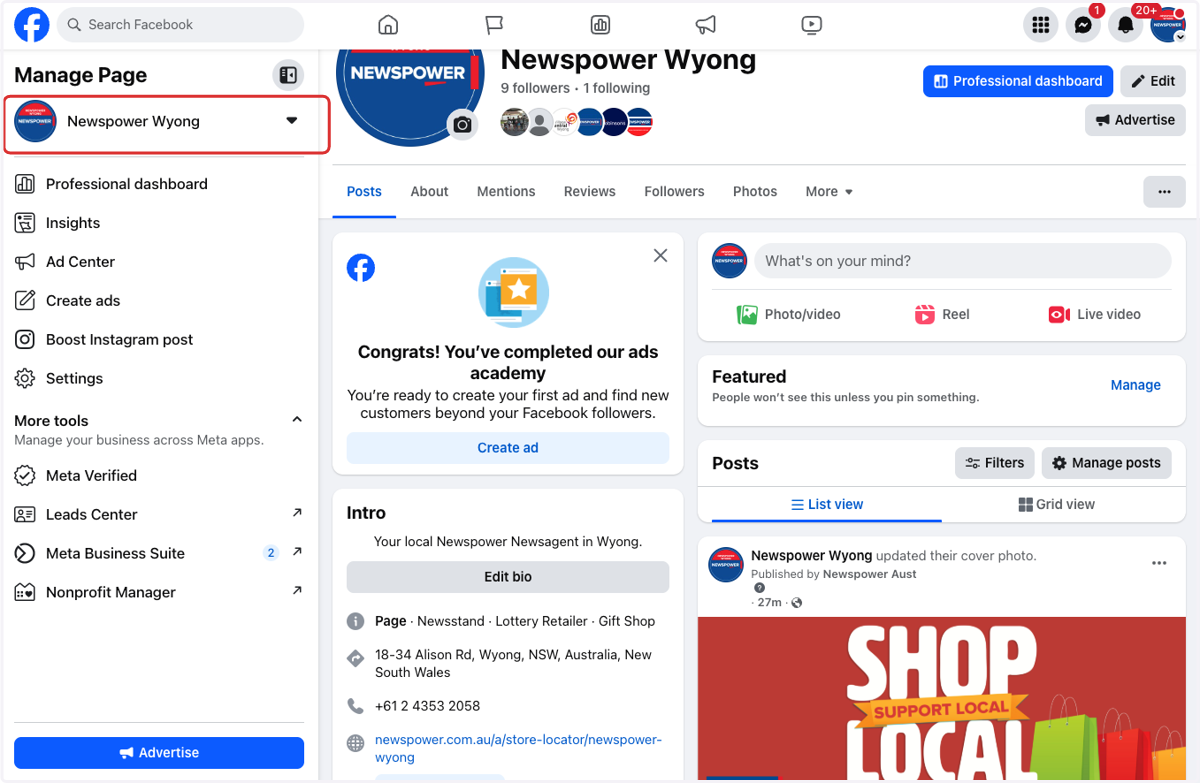
1. Go to your business page
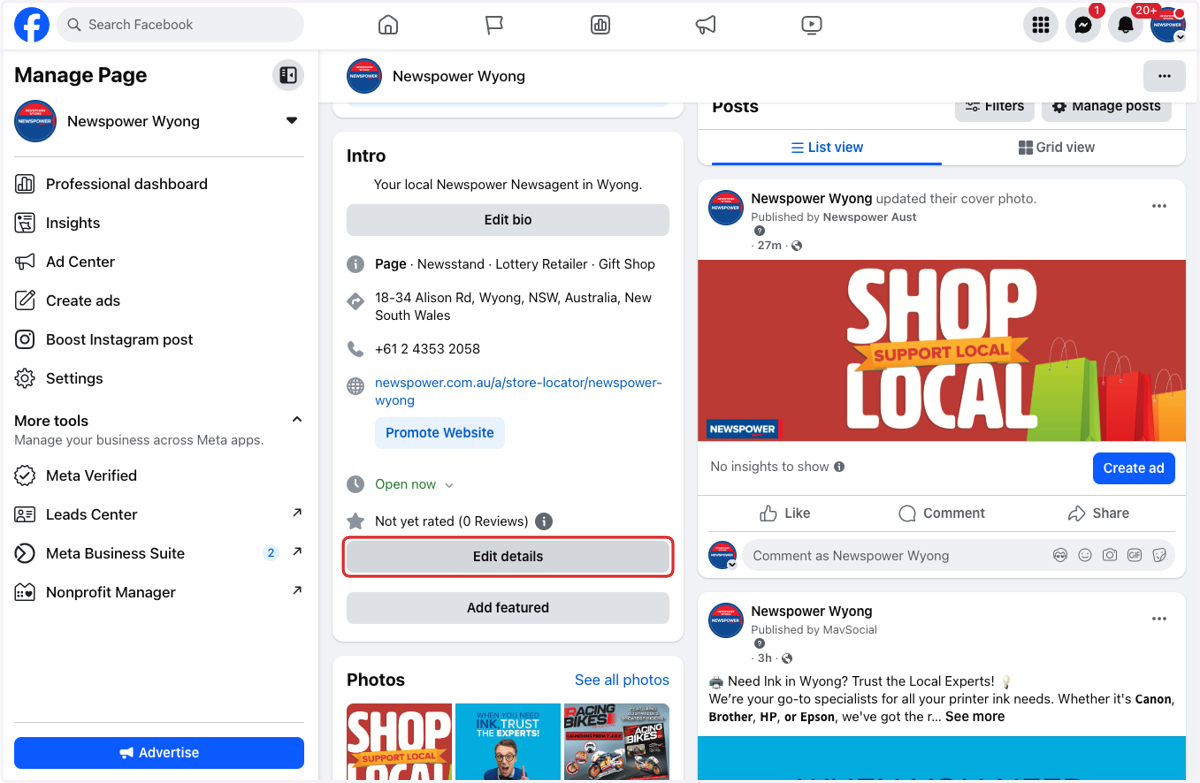
2. Click on Edit details
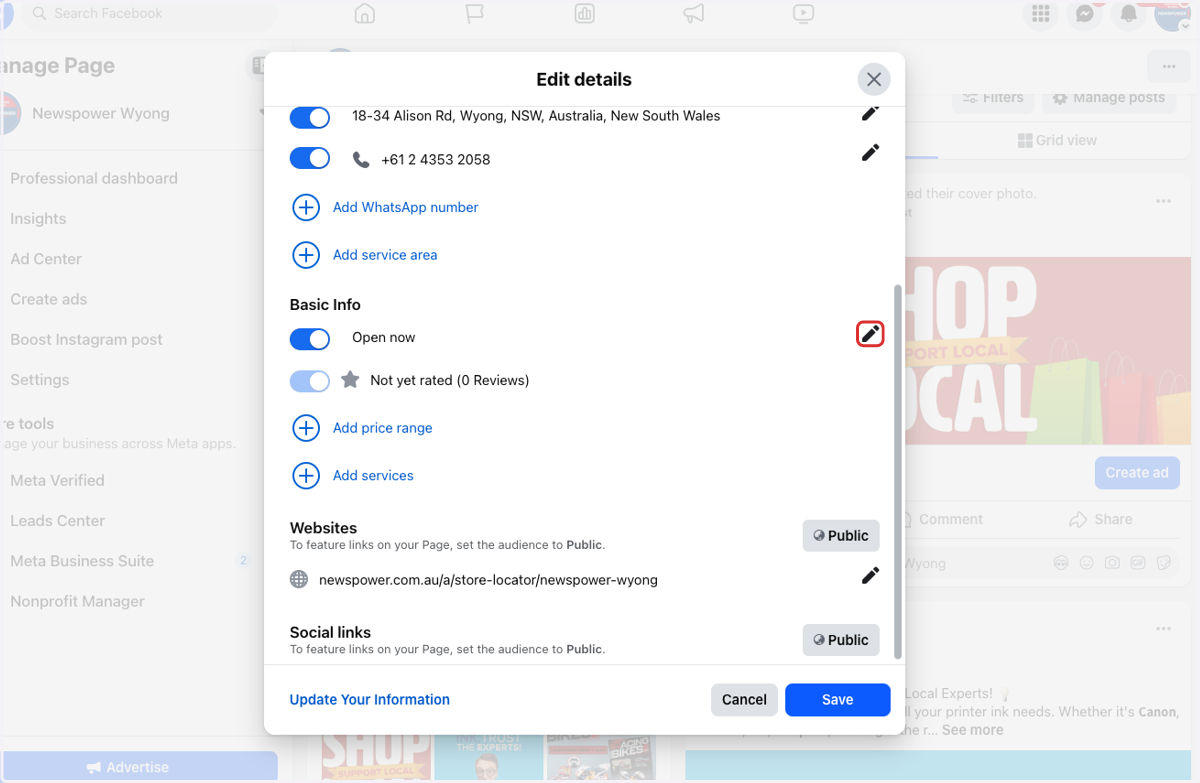
3. Locate Basic Info section
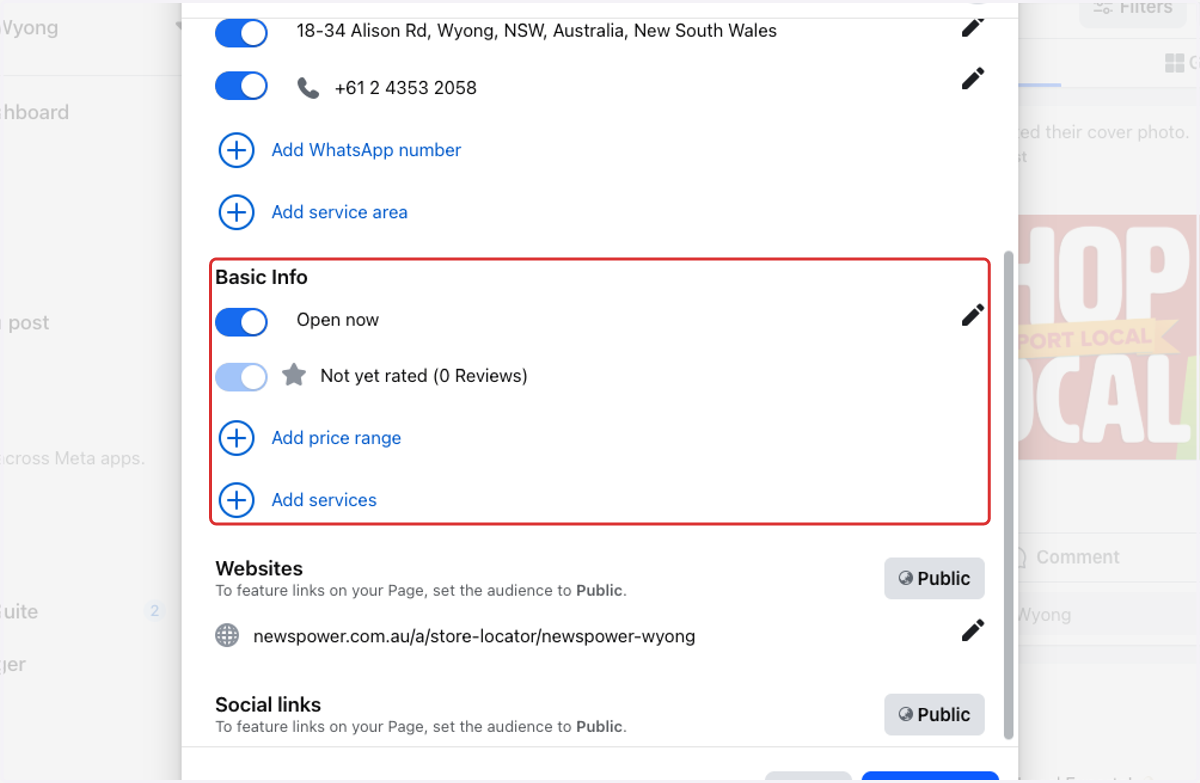
4. Click on Edit icon on right
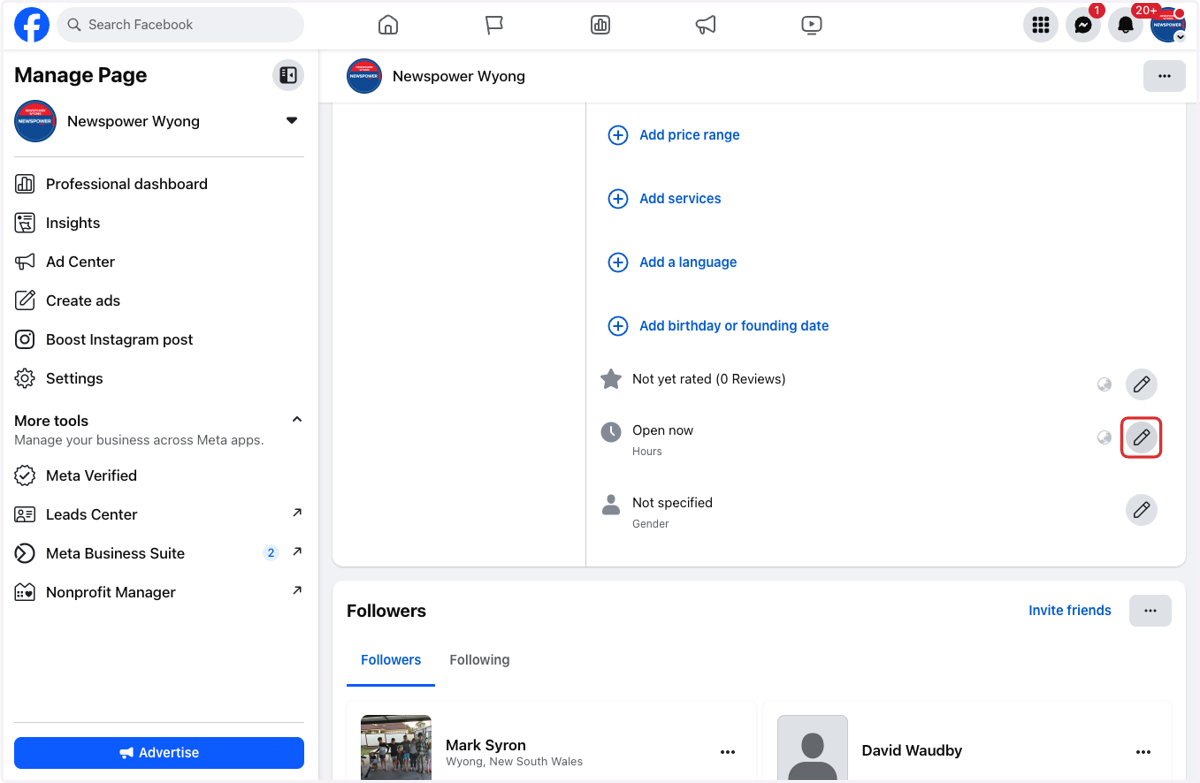
5. Click on Edit icon next to Hours
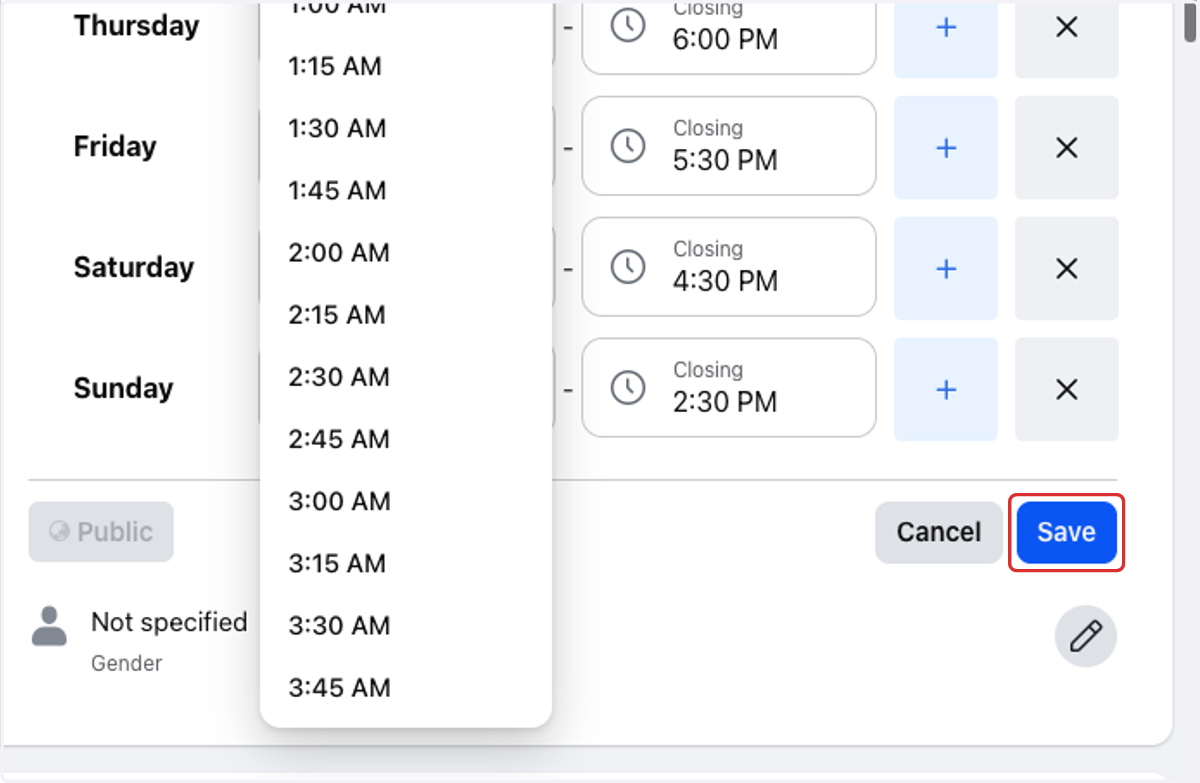
6. Update your business hours
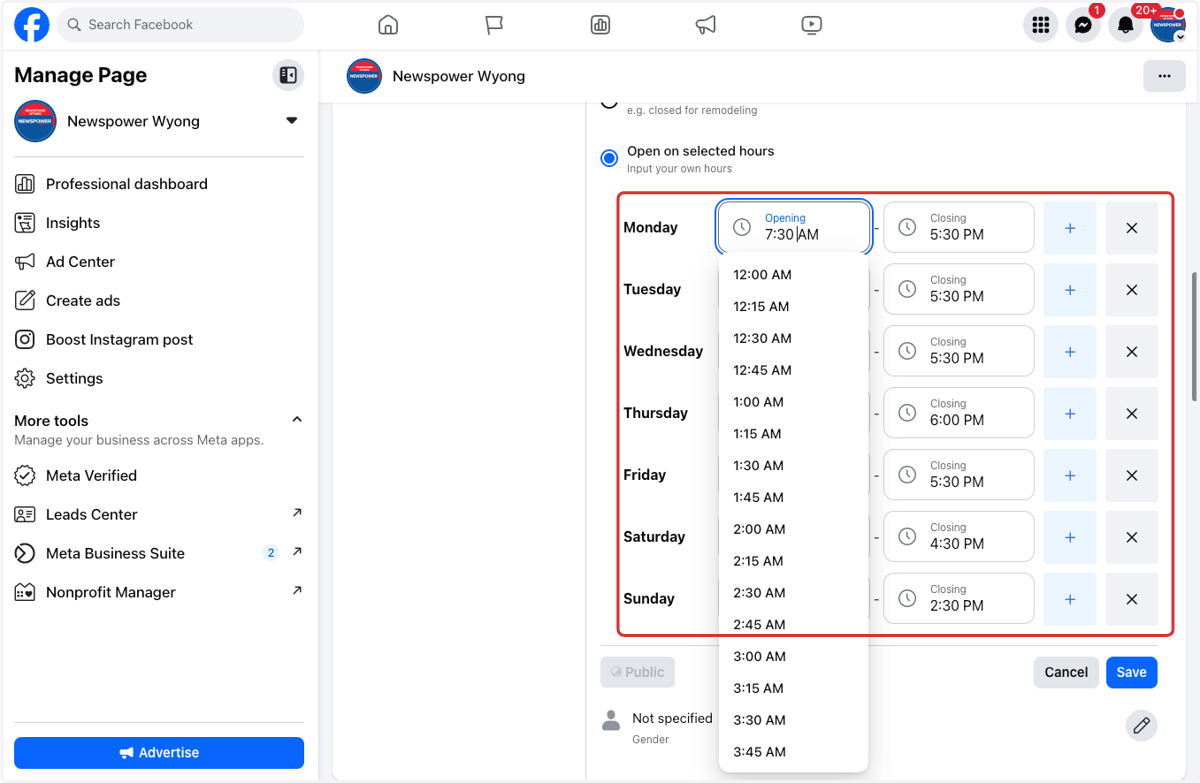
7. Click on Save