Update Facebook Profile Picture
Your Facebook profile picture is often the first impression people get of your business online. Whether someone finds your page through search, ads, or a shared post, your profile image shows up everywhere — so it needs to be clear, professional, and recognizable.
Updating your profile picture regularly (especially during rebrands, seasonal campaigns, or major updates) helps keep your page fresh and engaging.
This guide will walk you through how to update your Facebook profile picture in just a few easy steps.
✅ Tips for a Great Business Profile Picture:
Use your logo — ideally the Newspower logo: Using the Newspower logo helps build trust and recognition. Customers are more likely to engage with a business that’s clearly part of a well-known and reputable brand. It also creates consistency across all Newspower pages and marketing, which makes your store easier to identify online.
Keep it simple: Avoid too much text or clutter — profile images are displayed small in most places.
High-quality only: Blurry or pixelated photos can hurt your credibility.
Match your branding: Use brand colors and a style that aligns with your other marketing materials.
Ready to give your page a fresh look? Let’s get started!
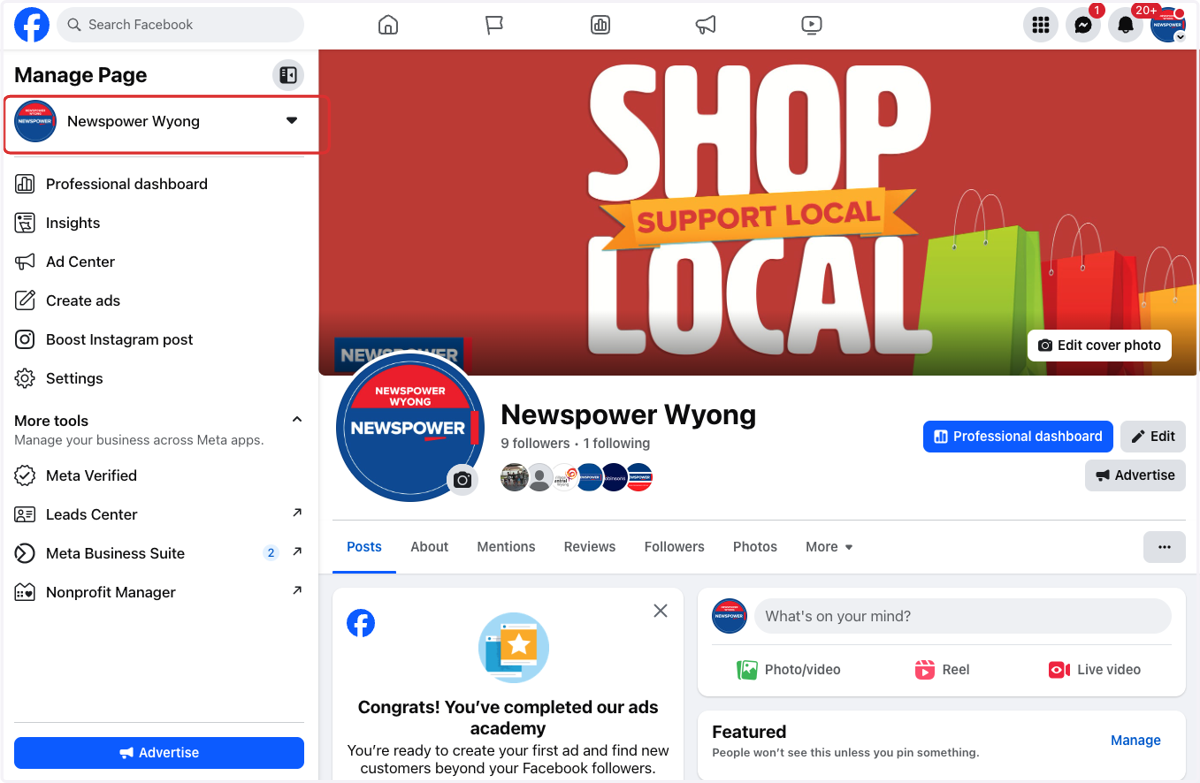
1. Go to your business page
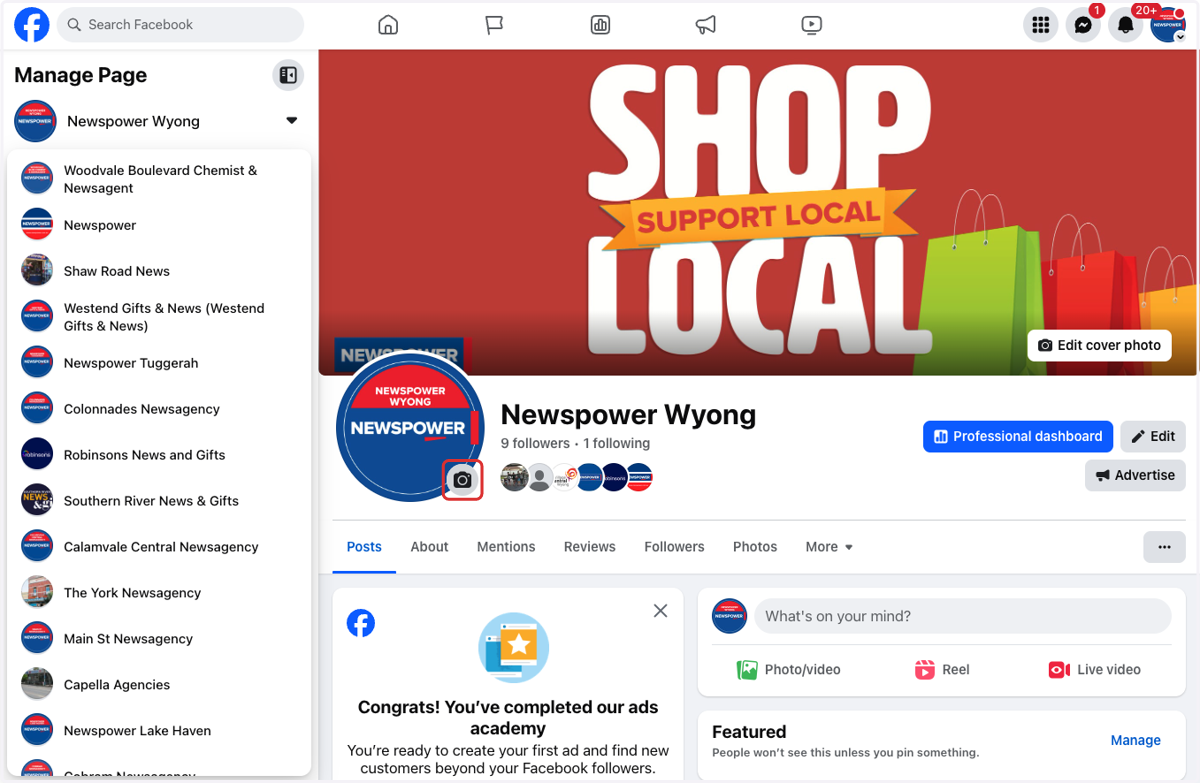
2. Click on Update profile picture (Camera Image)
3. Click on Upload photo
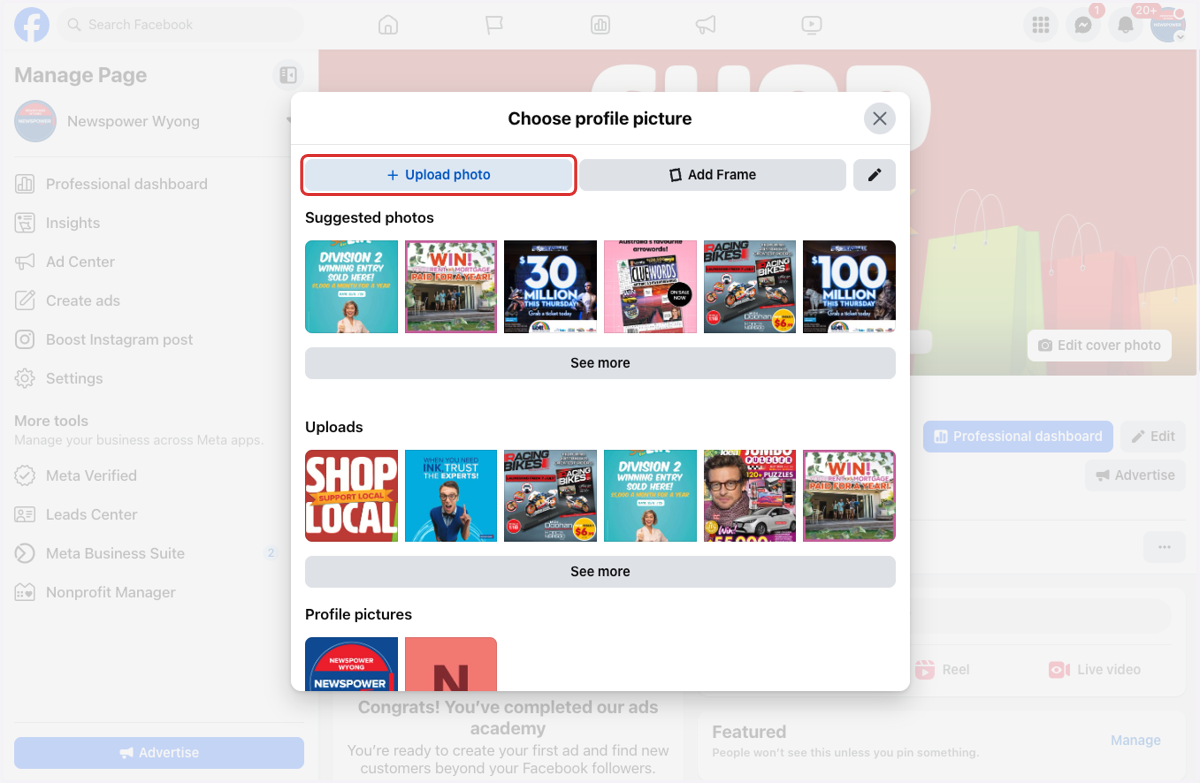
4. Select new image from your files
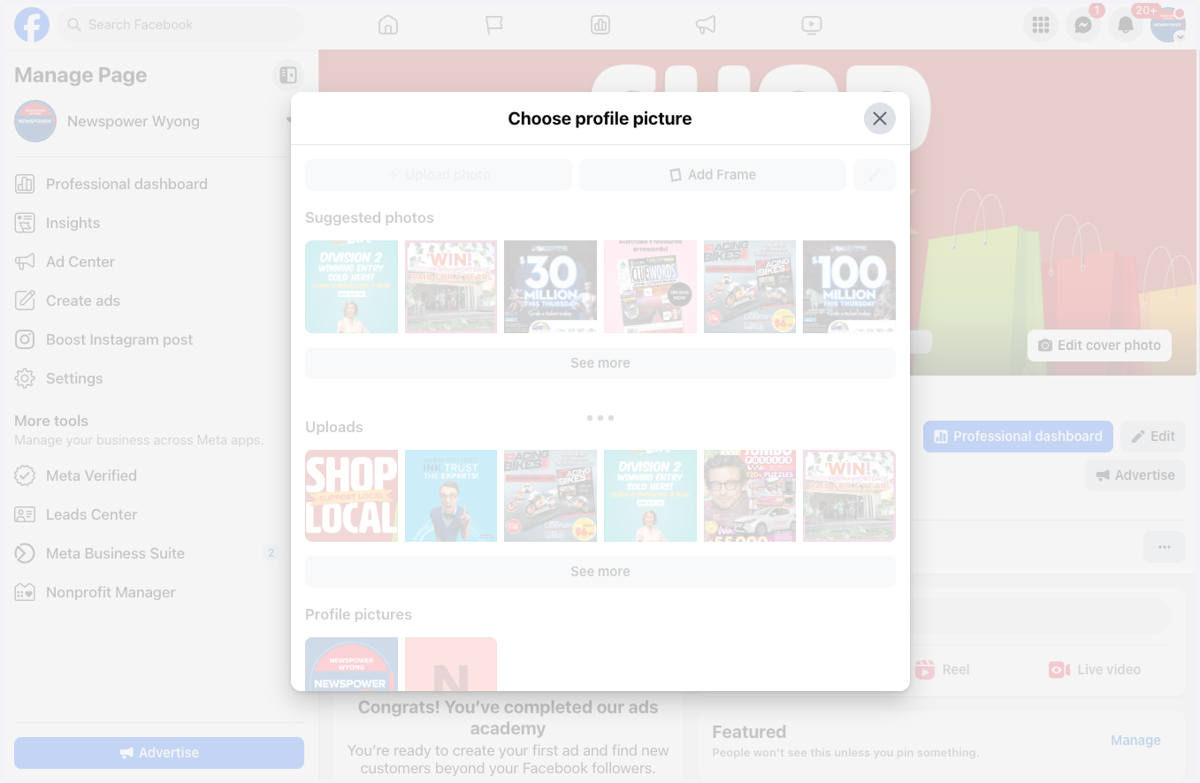
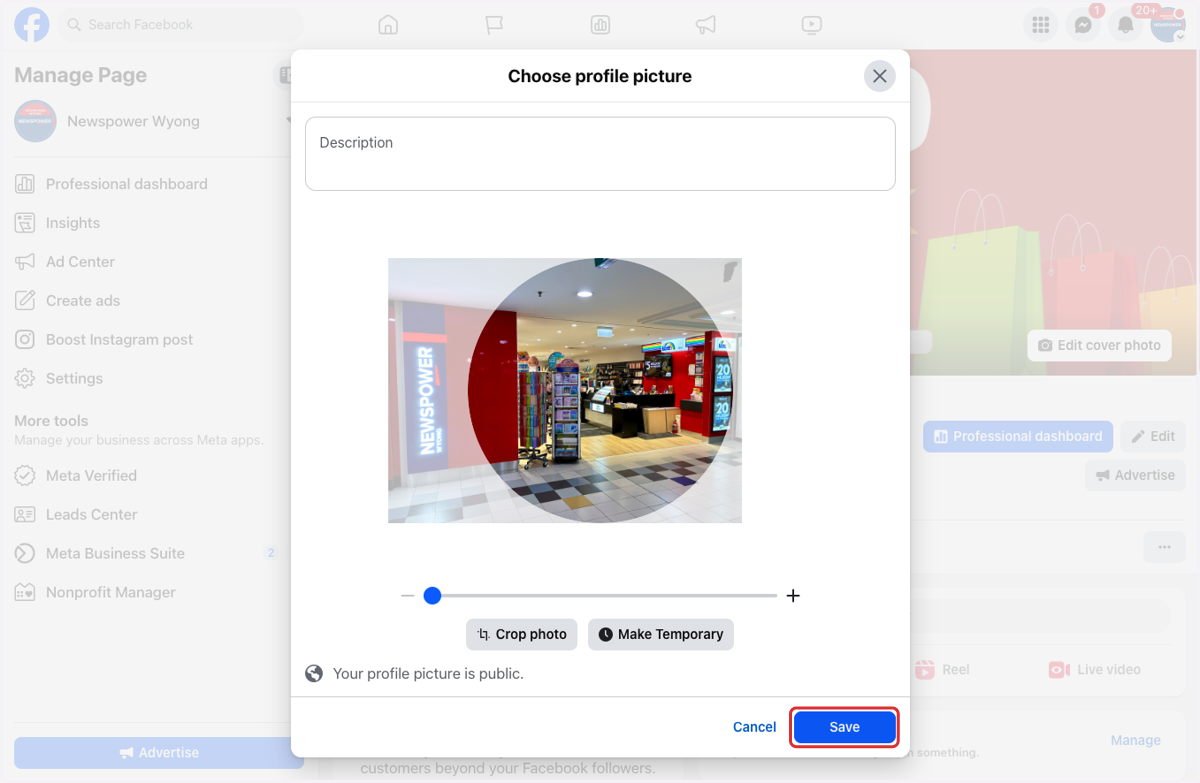
5. Drag image to reposition
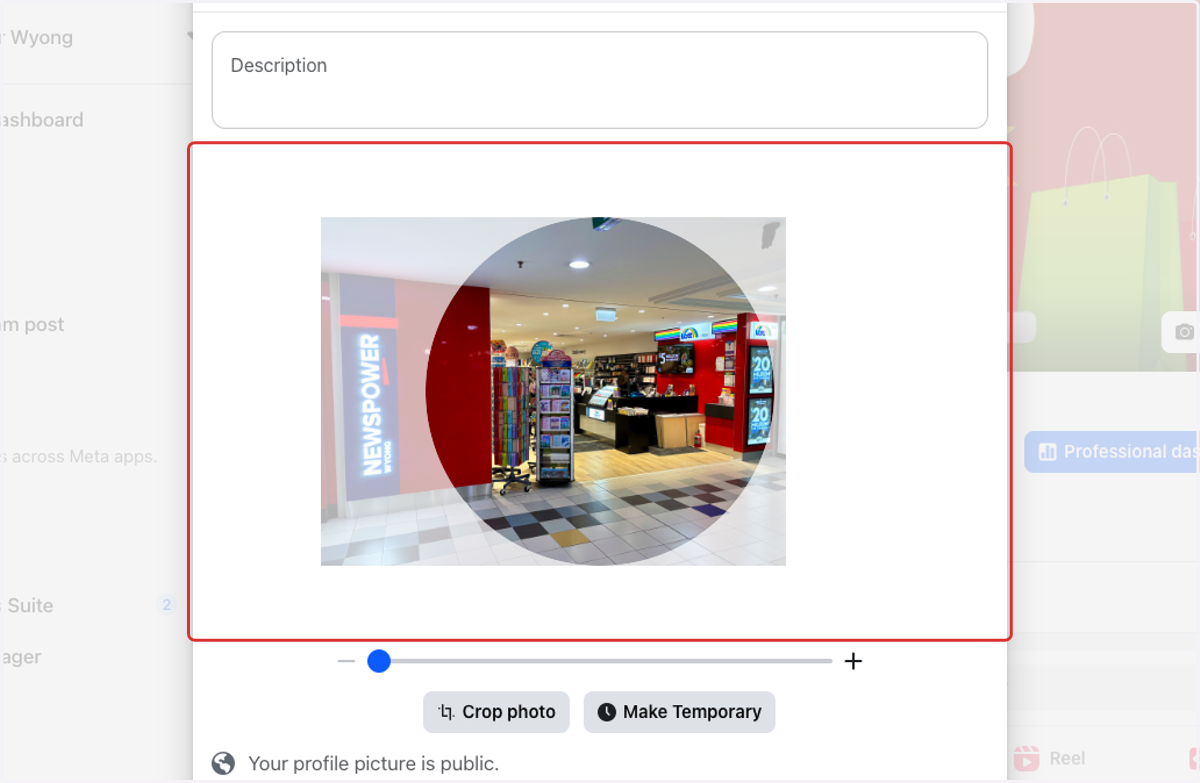
6. Click on Save