Update Business Info in Meta

Meta Business Suite

  1. 1. Search for business.facebook.com into your browser url
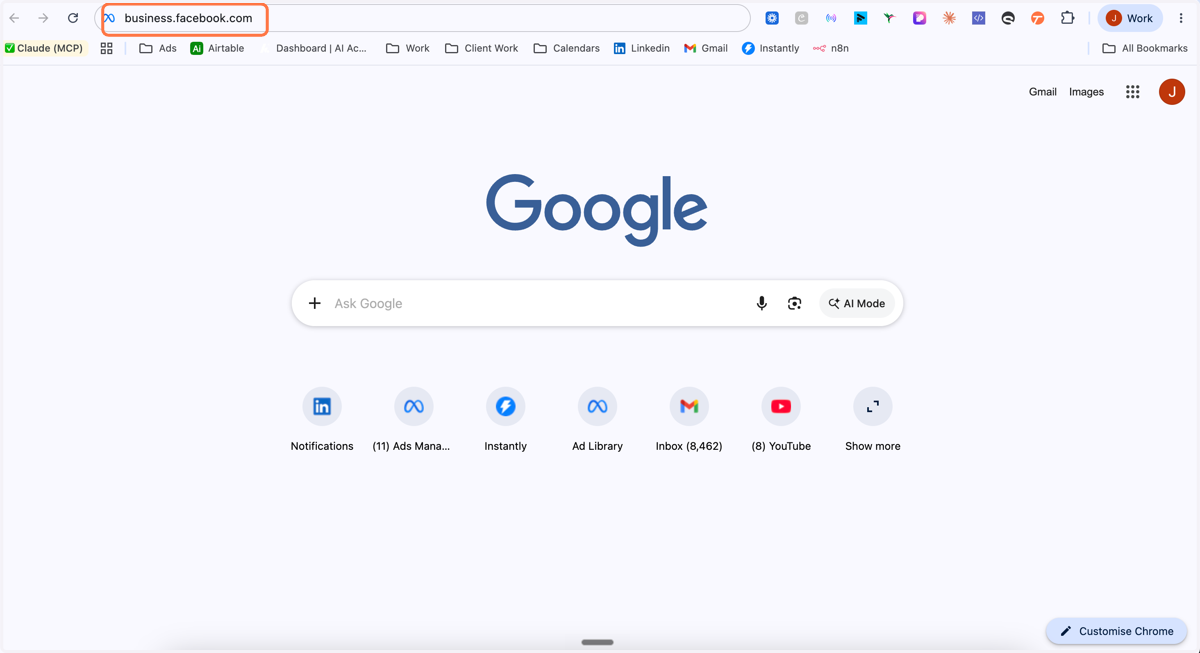
    Search for business.facebook.com into your browser url
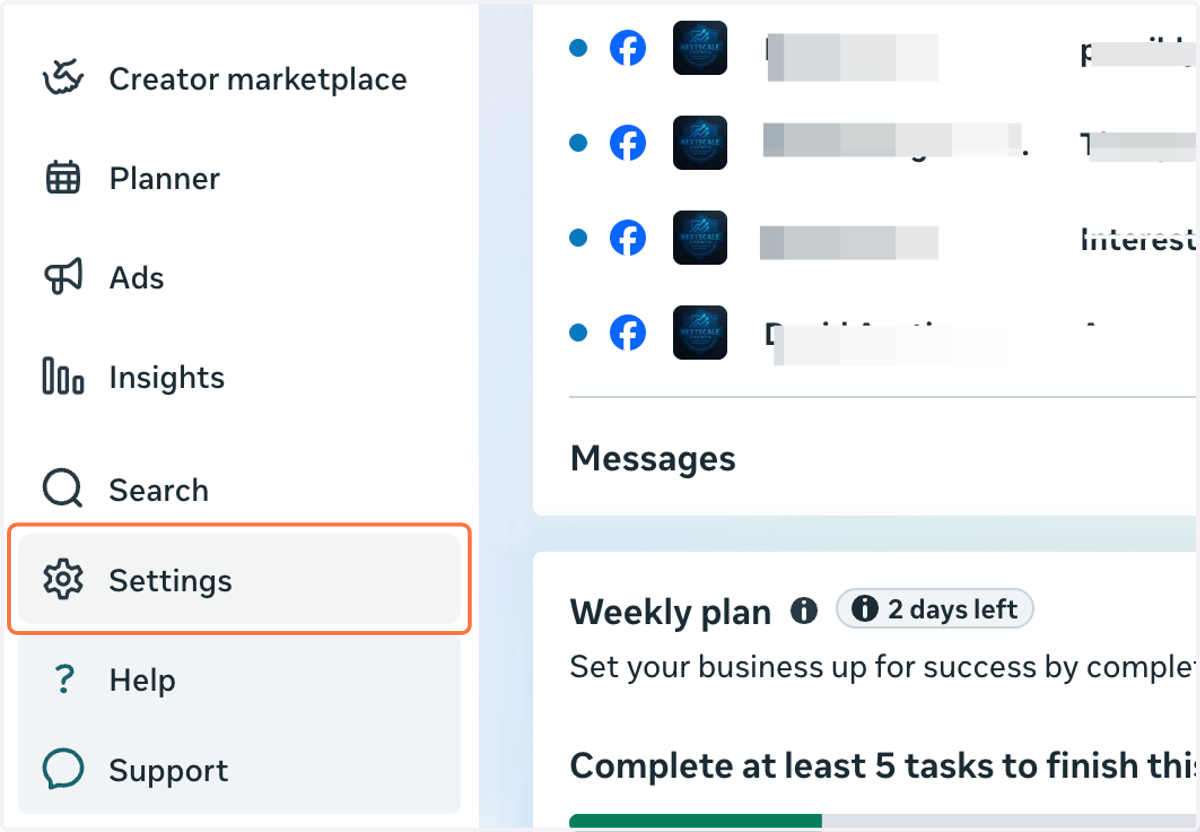
  2. 2. Click on Settings

    Click on Settings
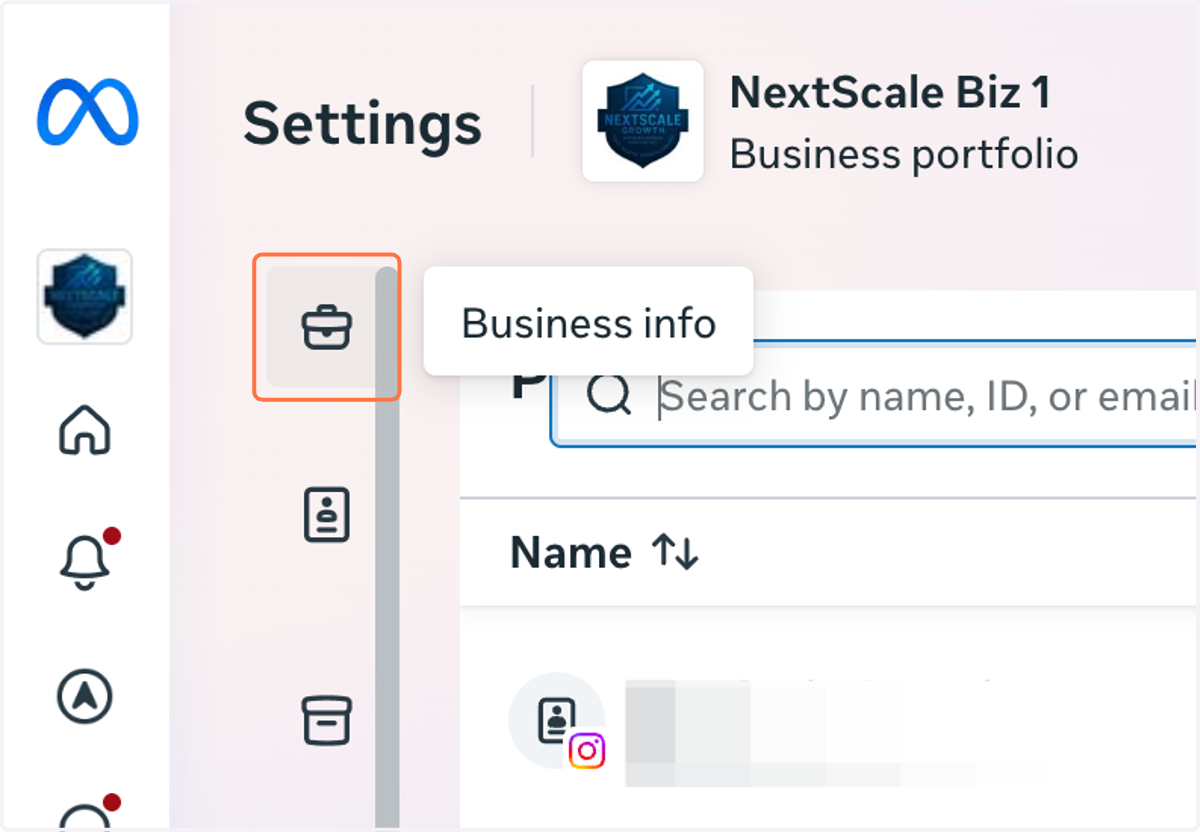
  3. 3. Click on Business info

    Click on Business info
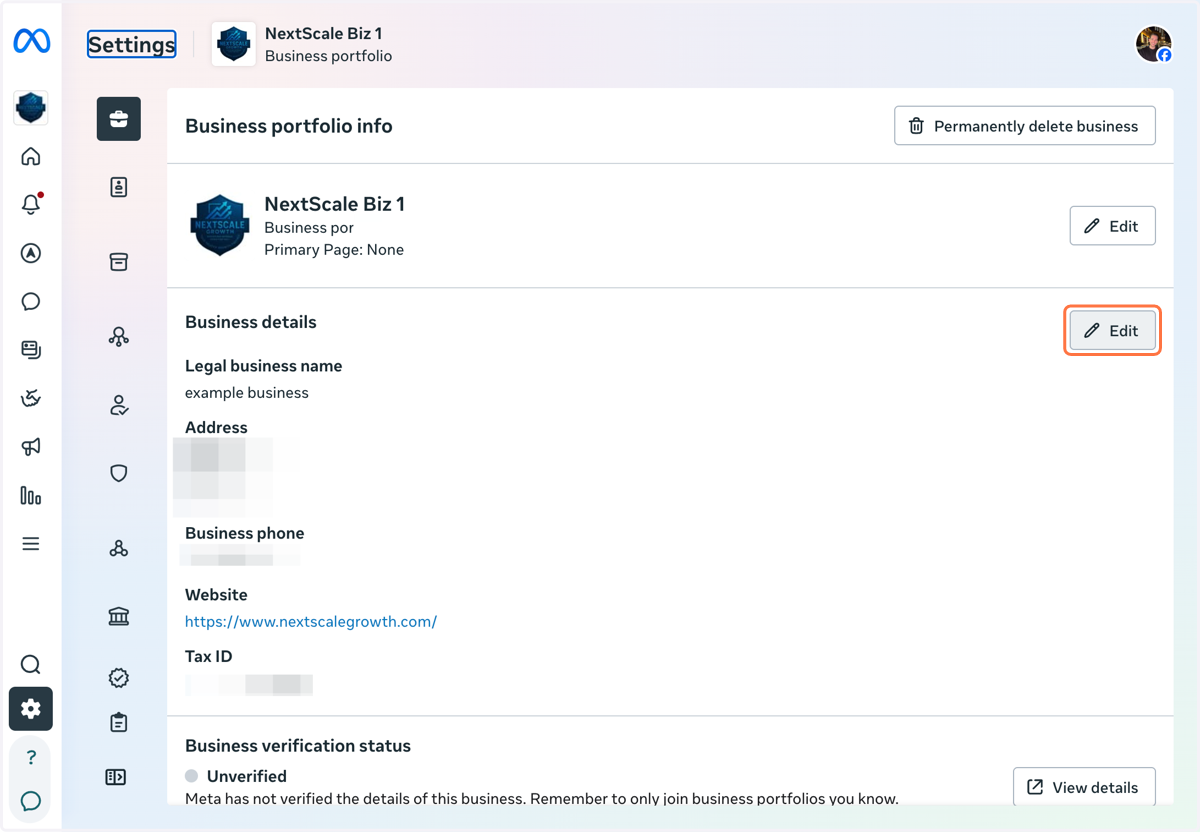
  4. 4. Click on Edit

    Click on Edit
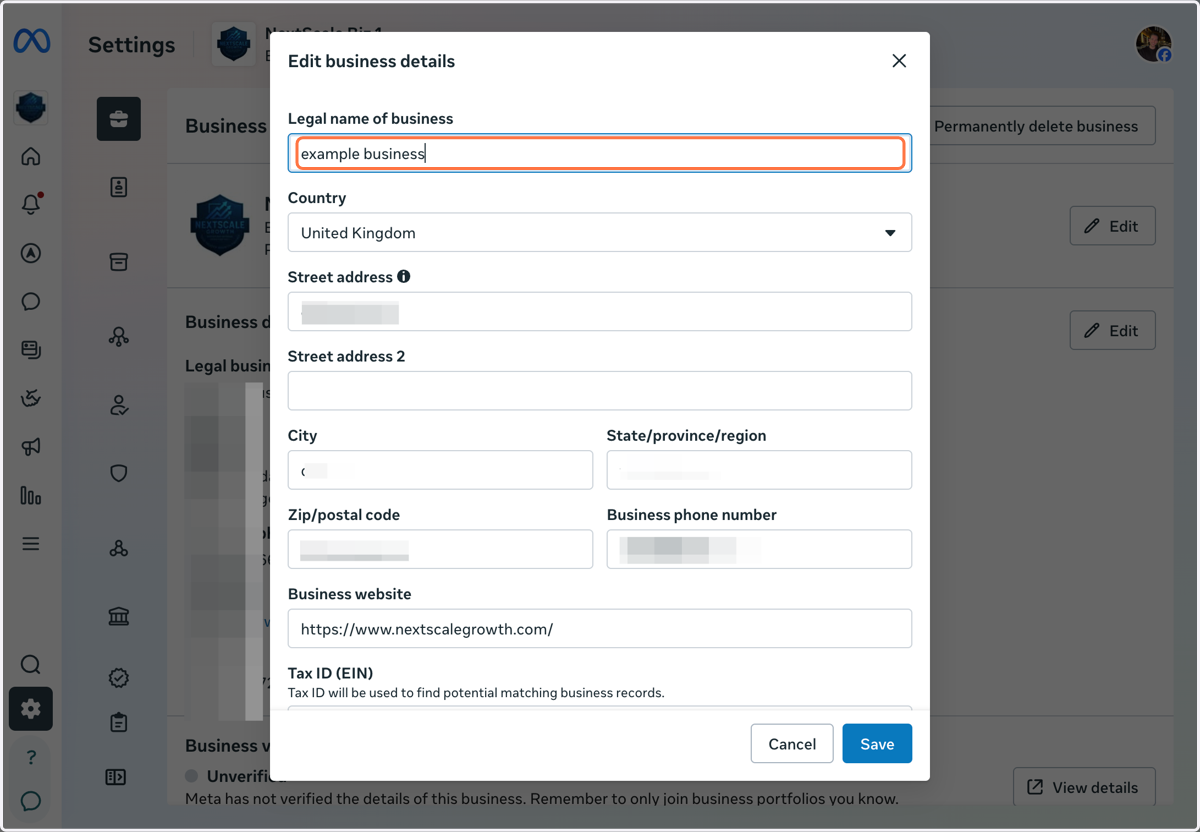
  5. 5. Type Legal name of business

    Type Legal name of business
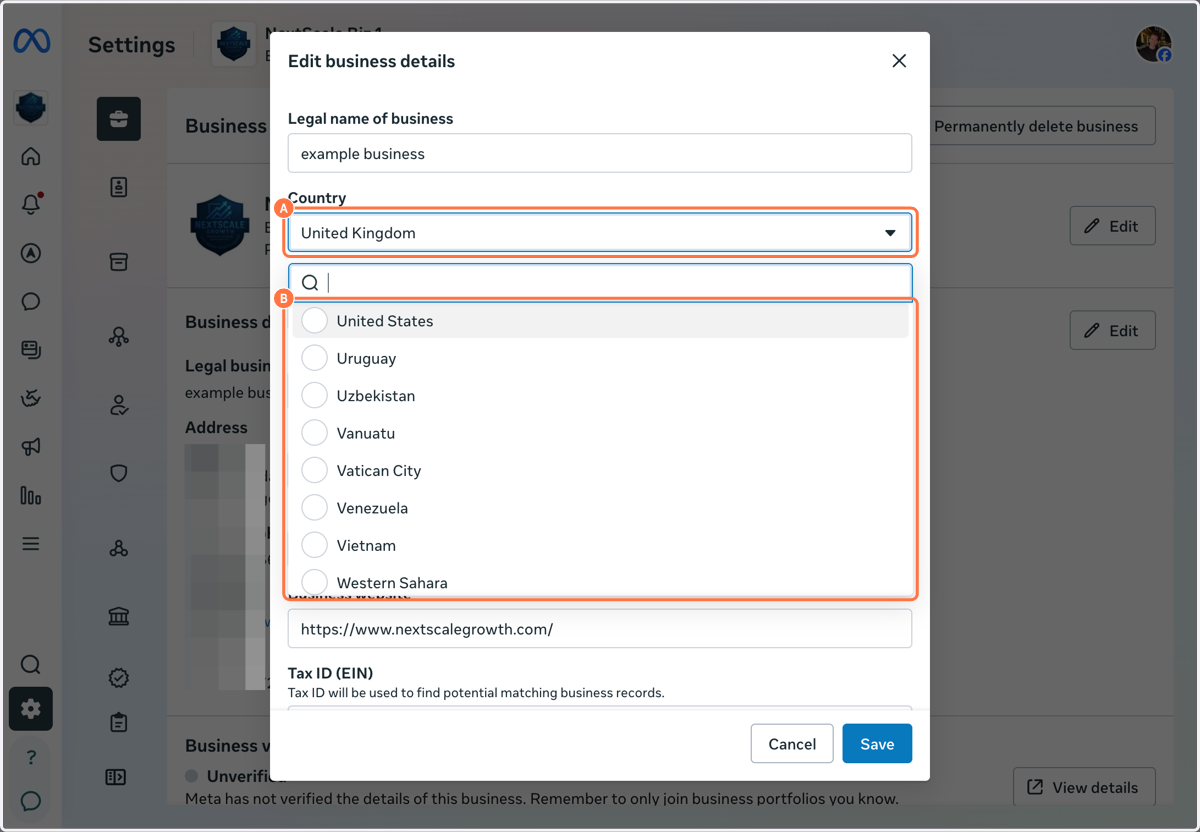
    1. 6. A. Click on Country

    2. 6. B. Select Country

    A. Click on Country B. Select Country
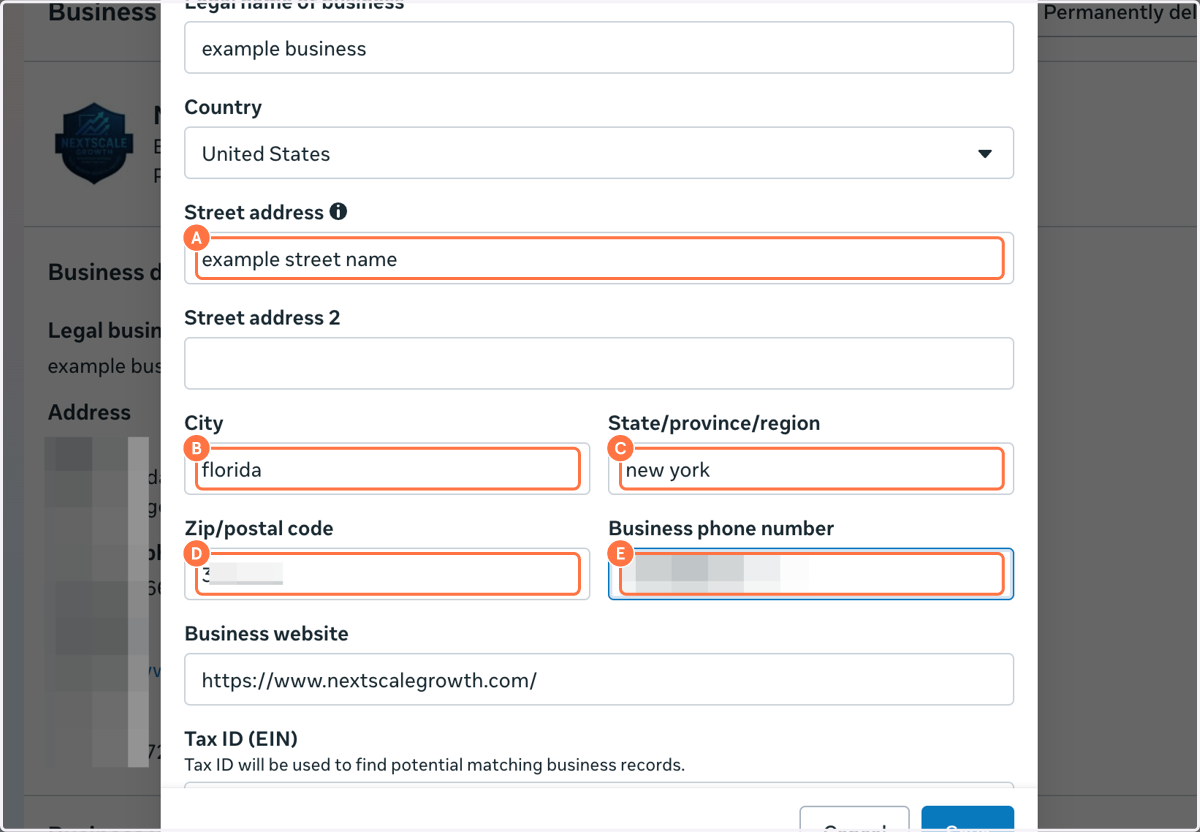
    1. 7. A. Type Street address

    2. 7. B. Type City

    3. 7. C. Type State/province/region

    4. 7. D. Type Zip/postal code

    5. 7. E. Type Business phone number

    A. Type Street address B. Type City C. Type State/province/region D. Type Zip/postal code E. Type Business phone number
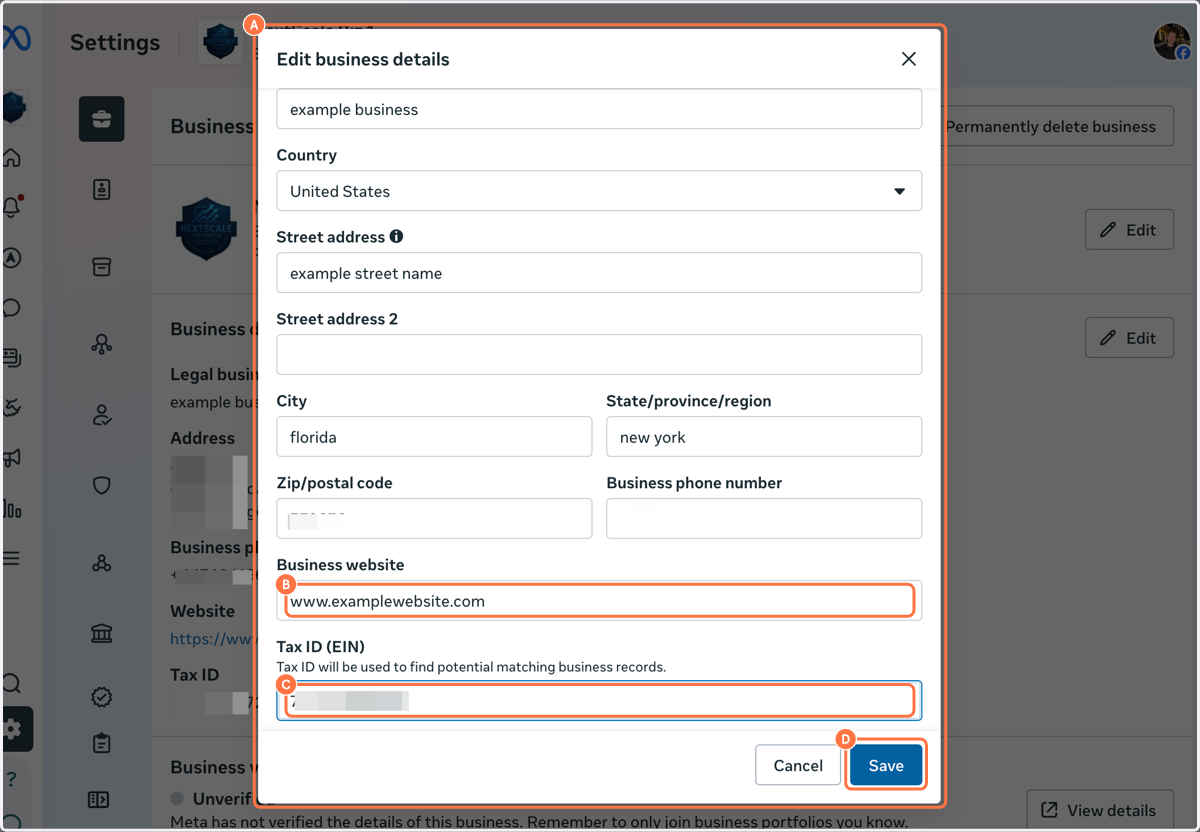
    1. 8. A. Click on Edit business details…

    2. 8. B. Type Business website

    3. 8. C. Type Tax ID (EIN)

    4. 8. D. Click on Save

    A. Click on Edit business details… B. Type Business website C. Type Tax ID (EIN) D. Click on Save