TNZ Coaching App: Check-In Attendees
Use the Coaching app to check in attendees
1. Let's Go!

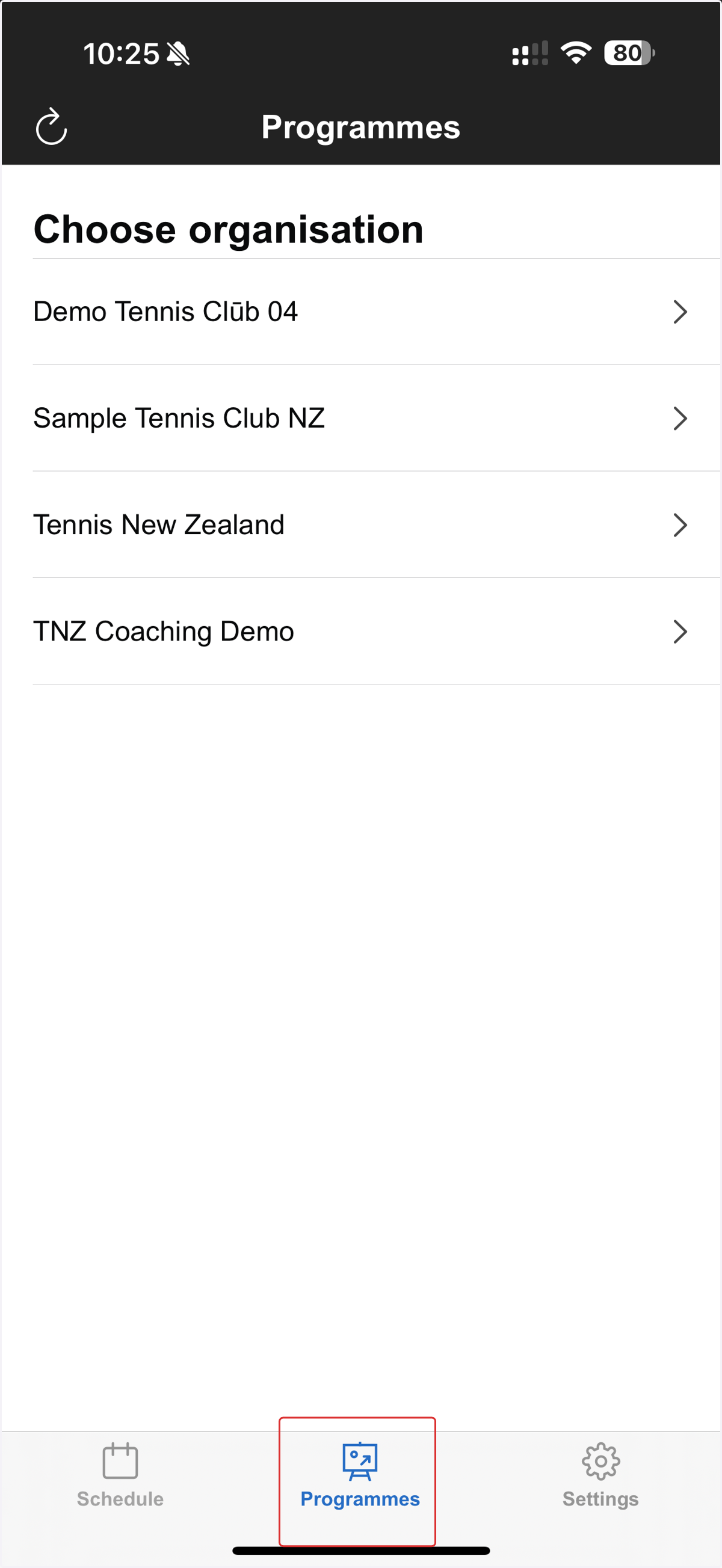
2. Tap Programmes
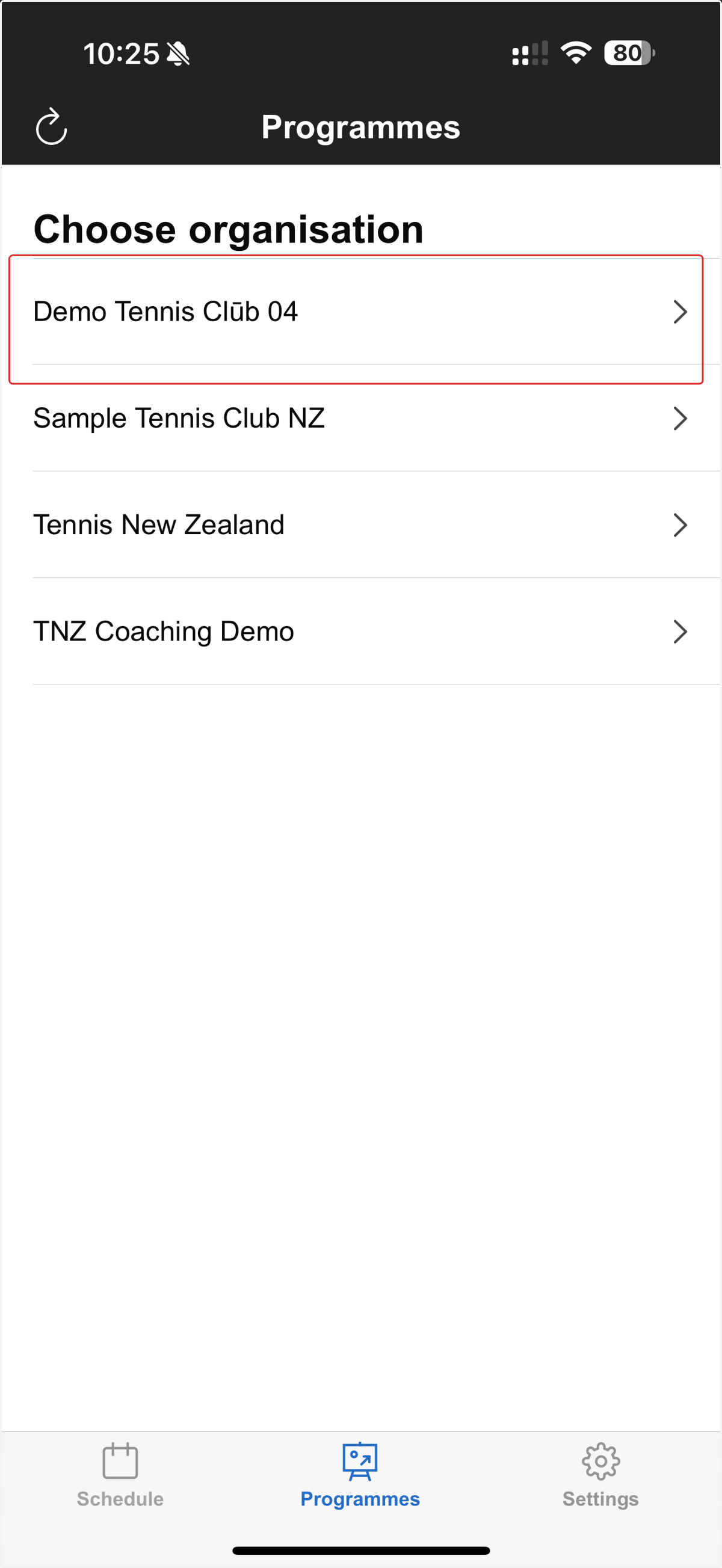
3. Choose venue
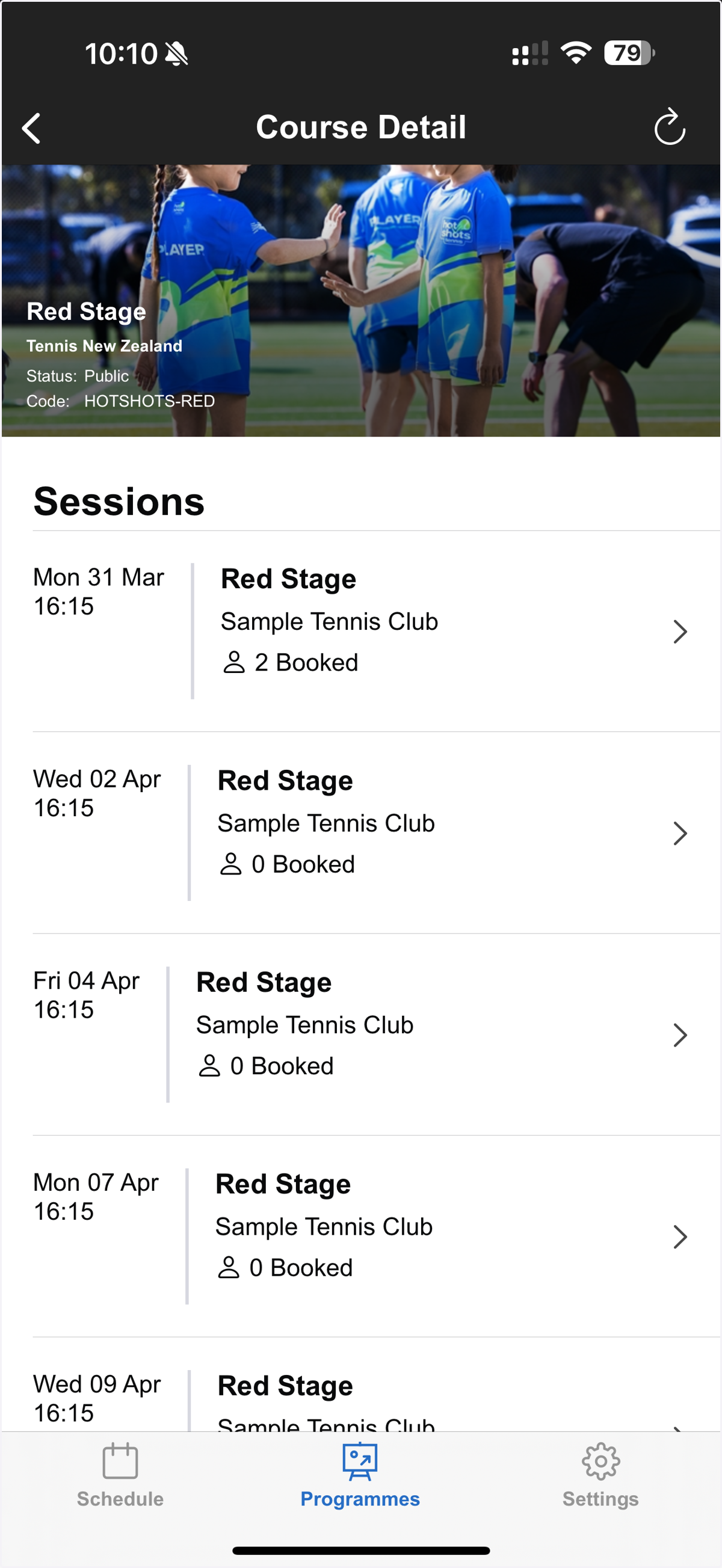
4. Tap on your session
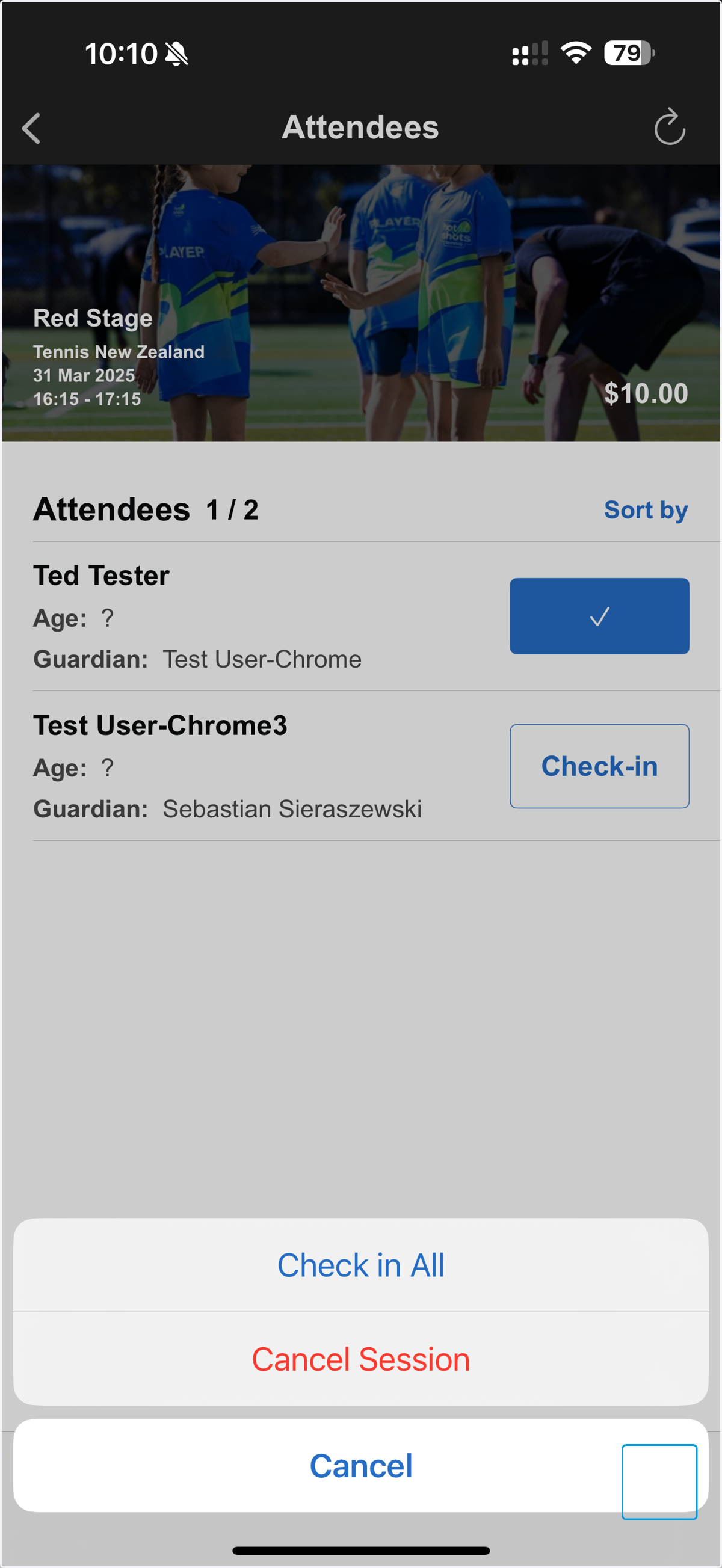
5. Attendees
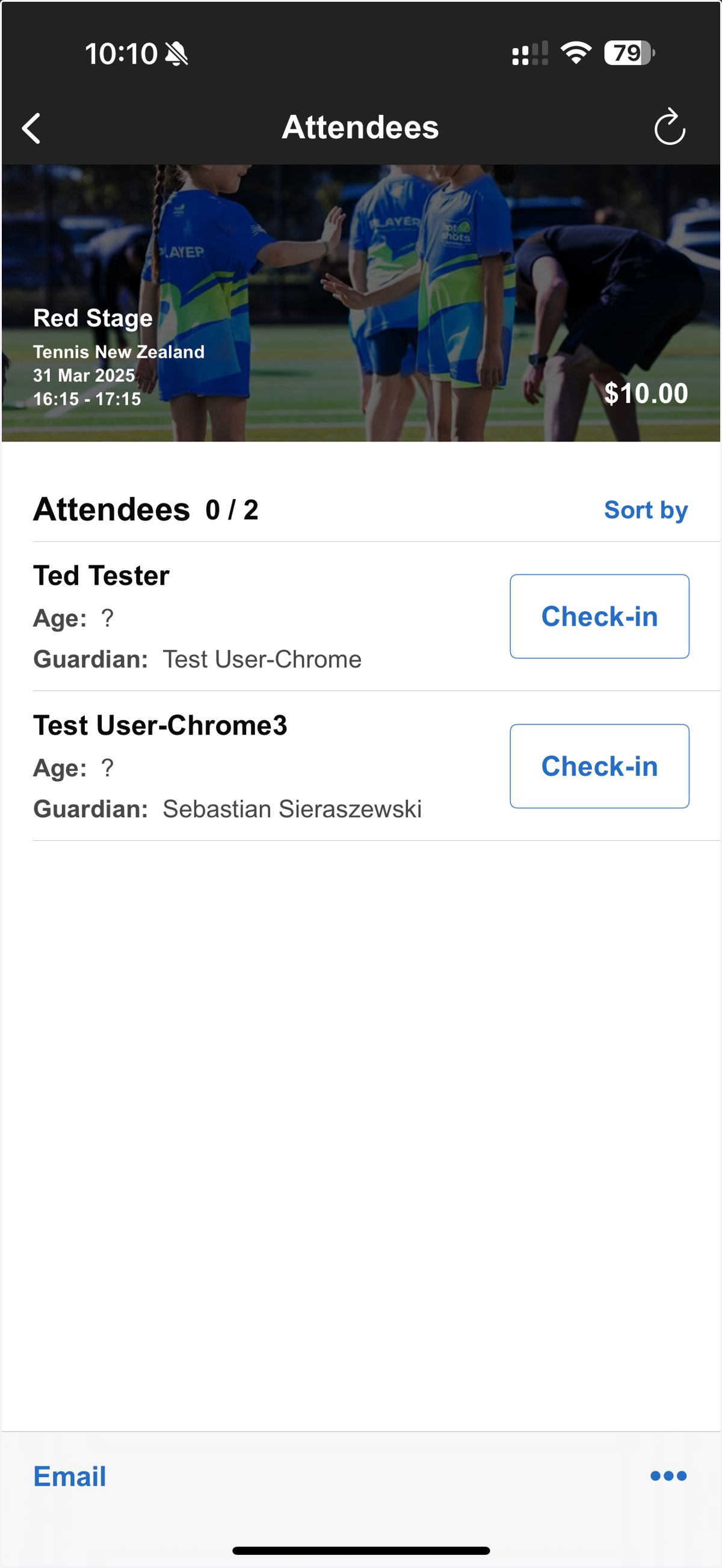
6. You can check off attendees

7. If you wish to check in all attendees, you can tap the ellipses on the bottom right and tap Check-In All