Surface Water Self-Reporting in GAP
Groundwater Accounting Platform
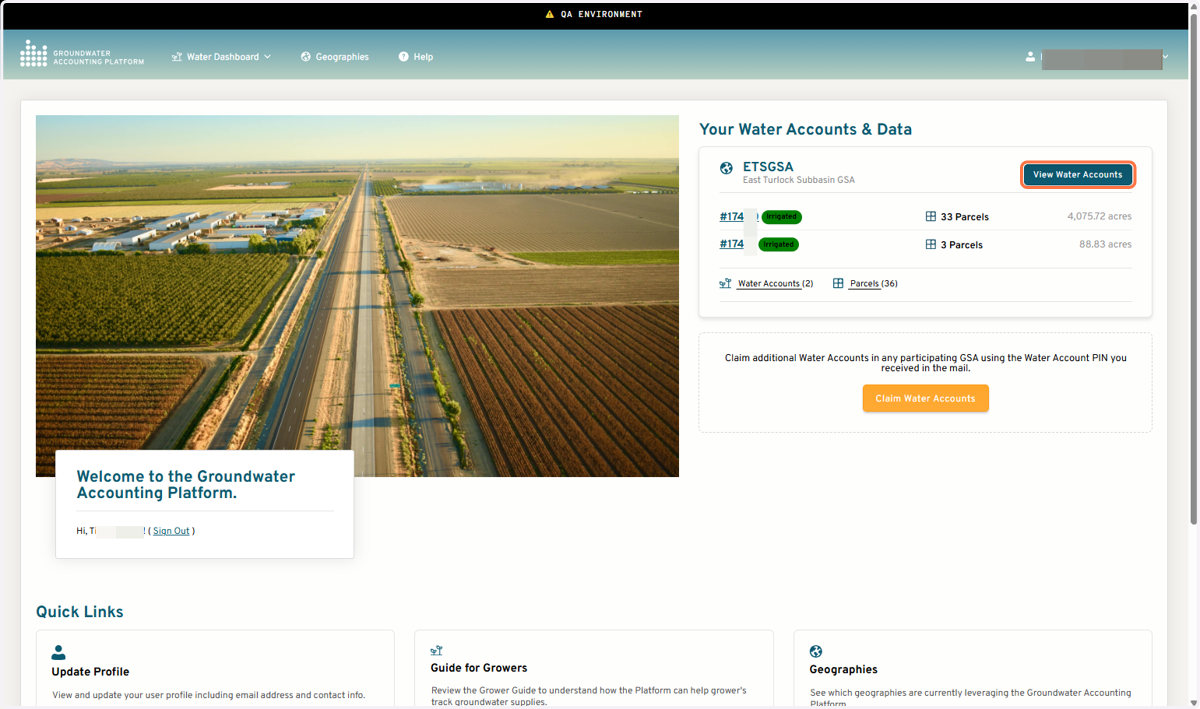
1. Click on View Water Accounts
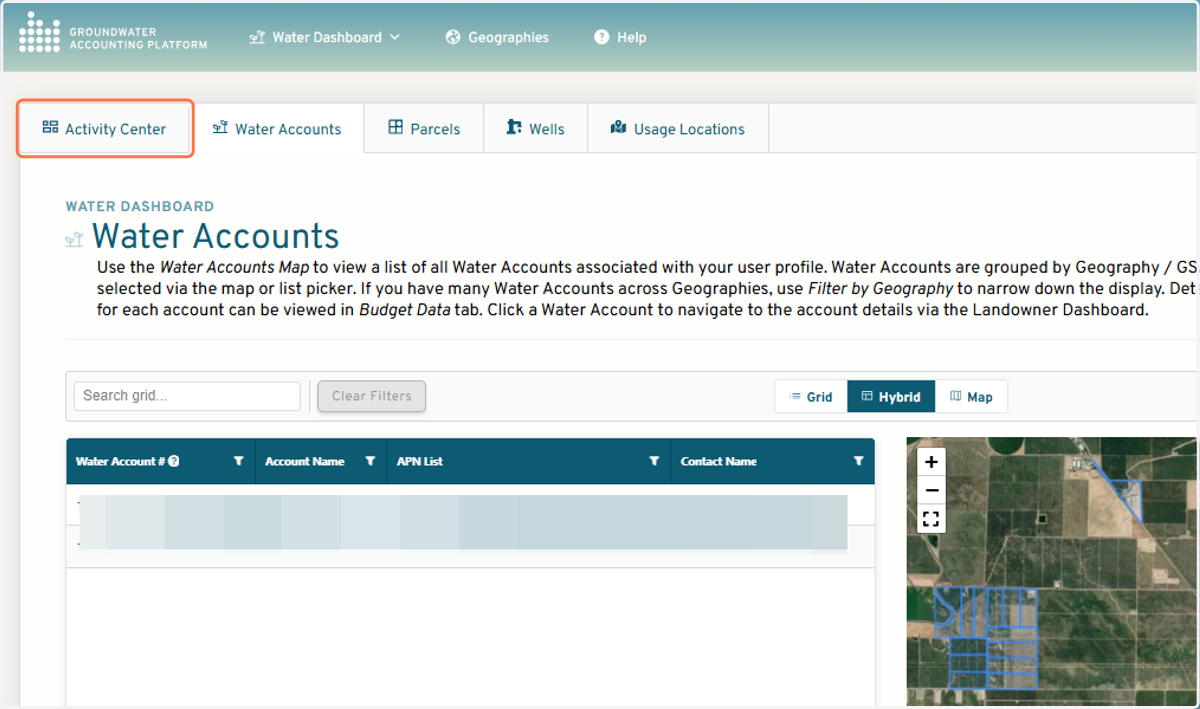
2. Click on Activity Center
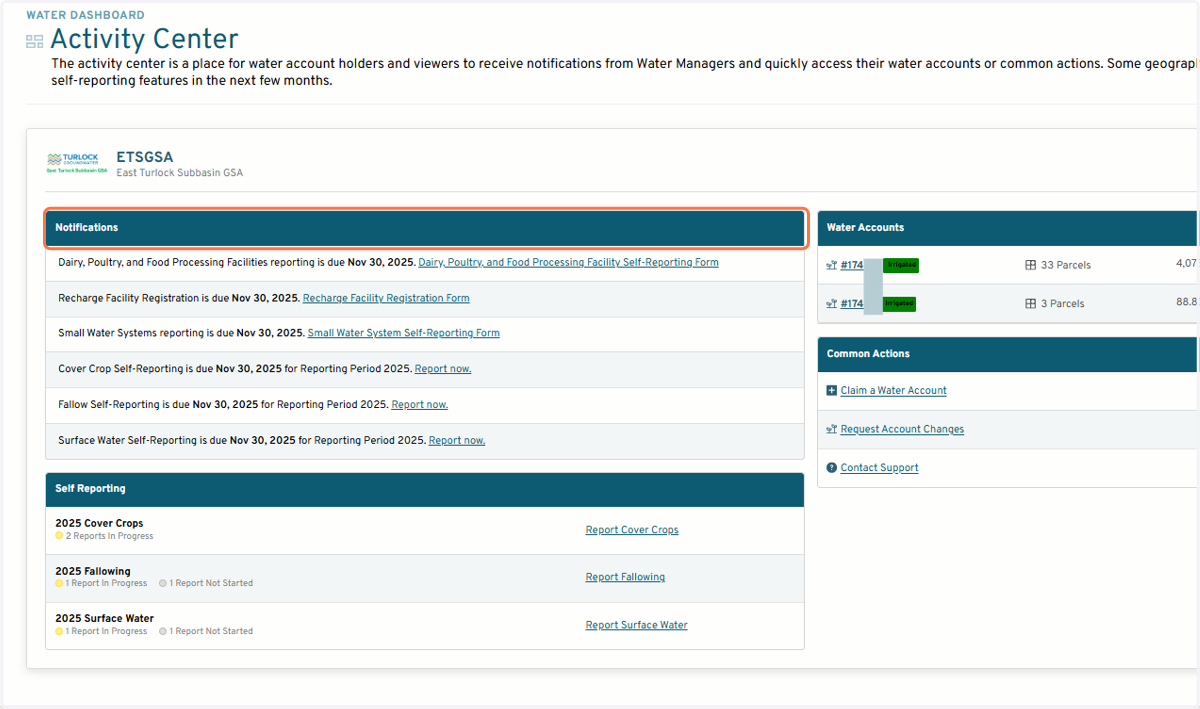
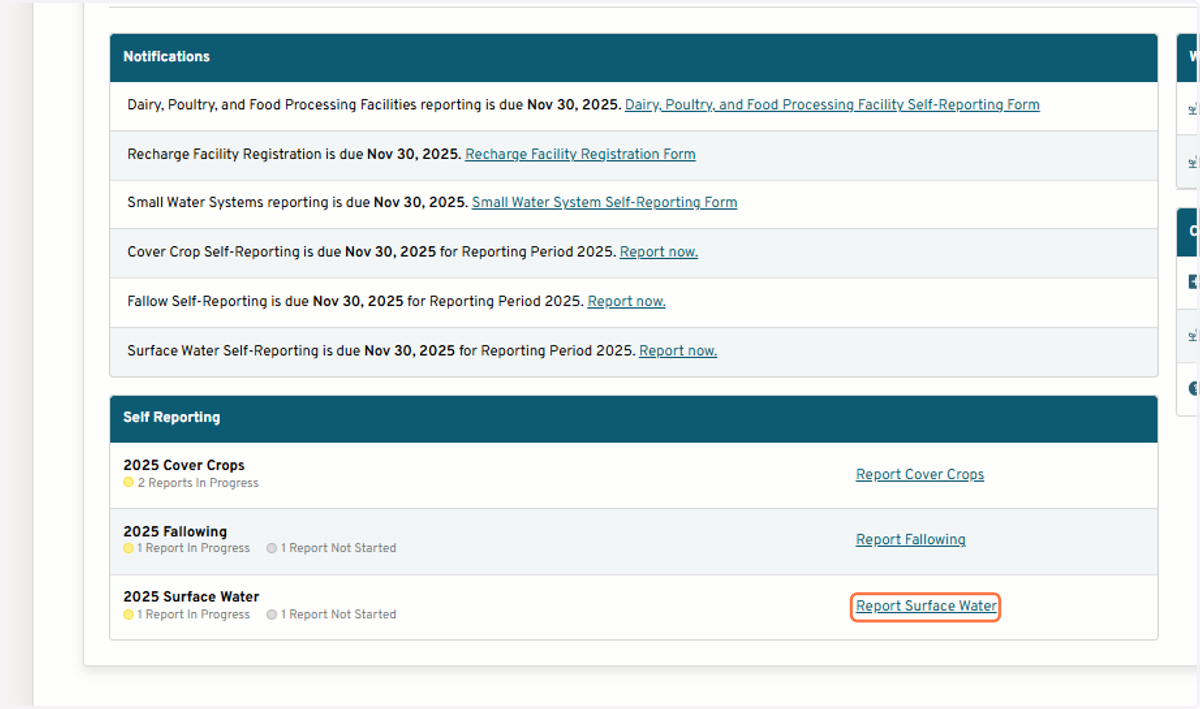
3. All self-reporting forms are linked in the Notifications section
Start a new report
4. Click on Report Surface Water
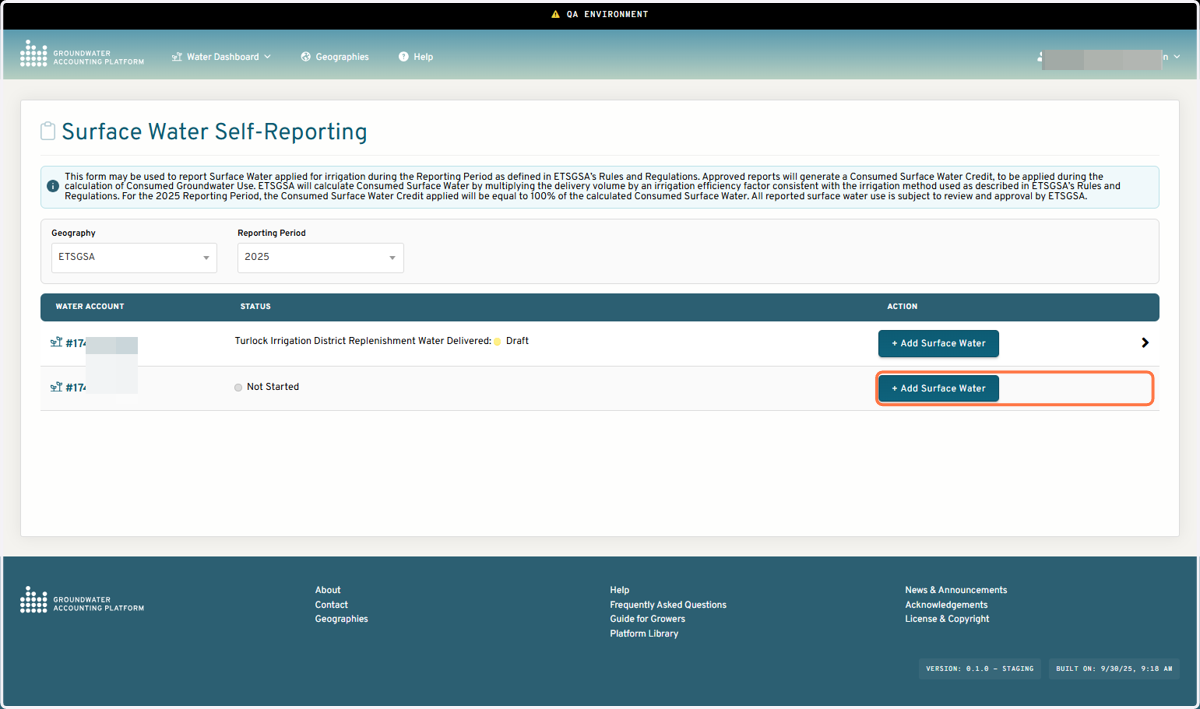
5. Click on + Add Surface Water for the Water Account to report on
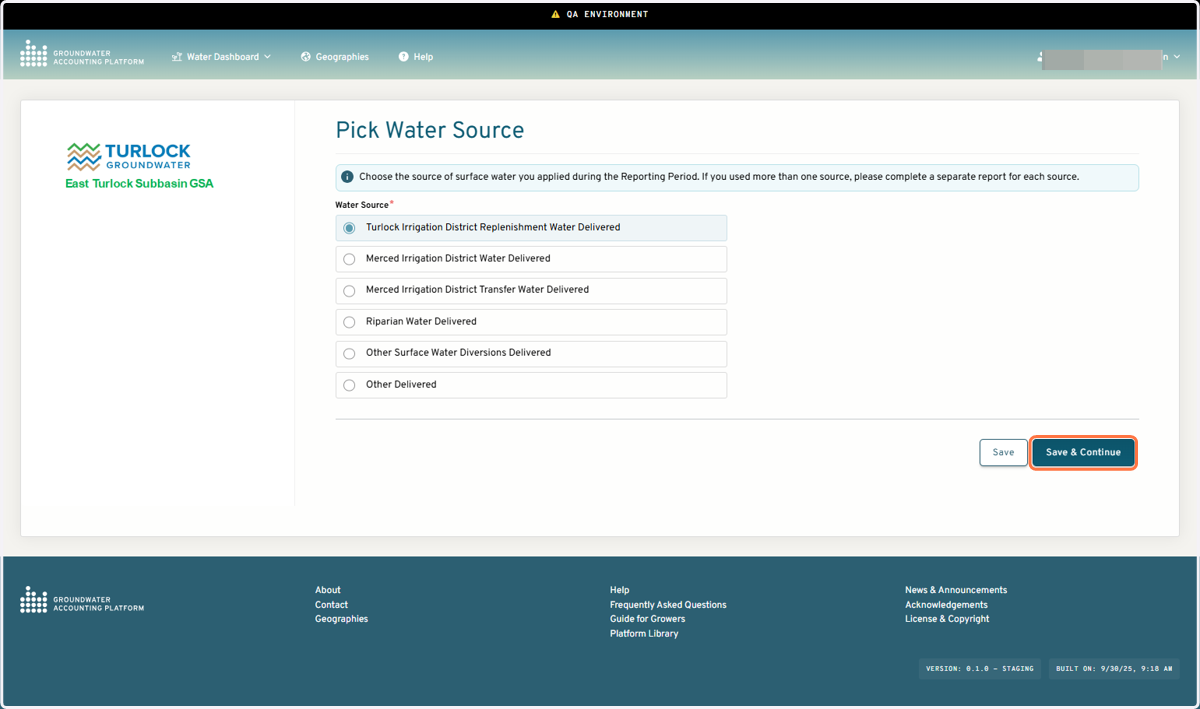
6. Pick a water source
7. Select parcels receiving surface water from the water source you are reporting on. Select a primary irrigation method for each parcel receiving surface water. Optional to identify if the parcel is only irrigated with surface water
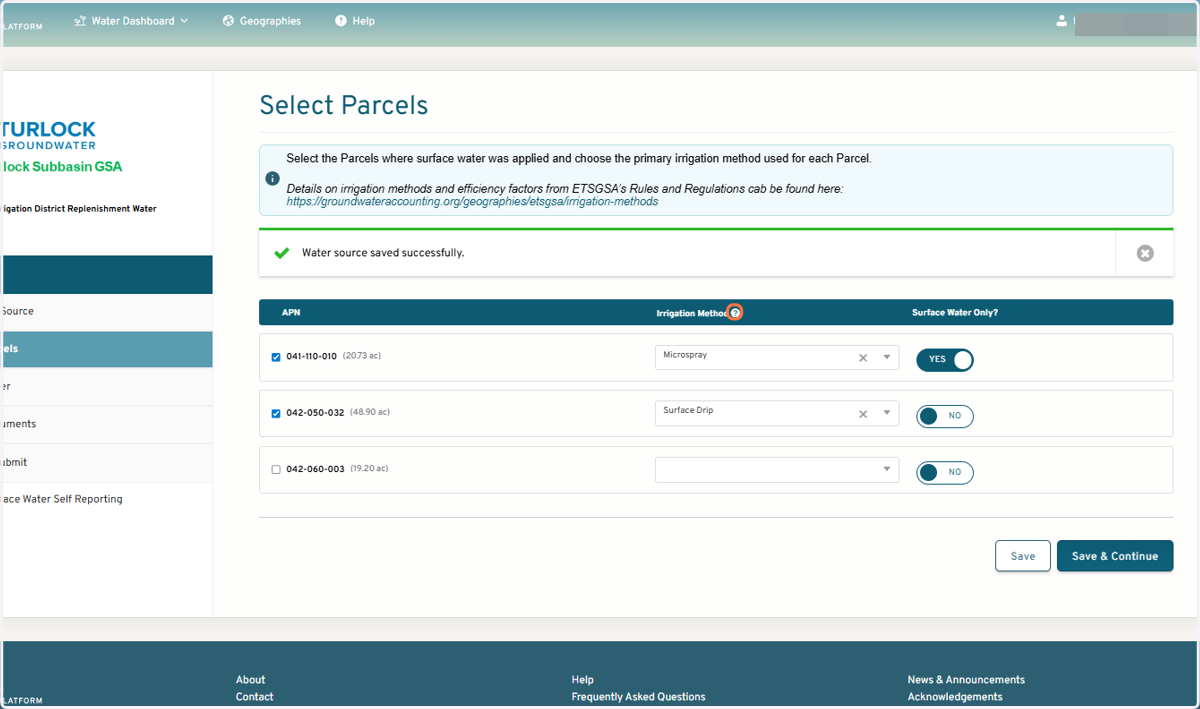
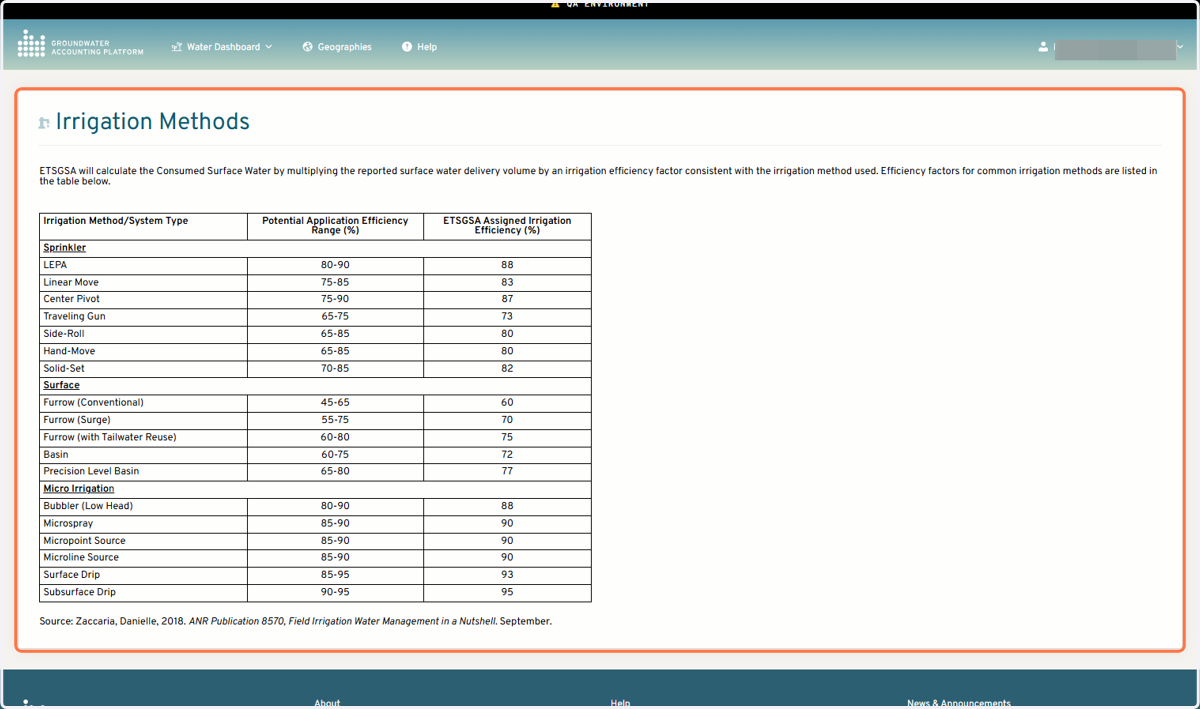
8. Irrigation methods and corresponding irrigation efficiencies used to calculate consumed groundwater can be accessed via the information button on the irrigation method column.
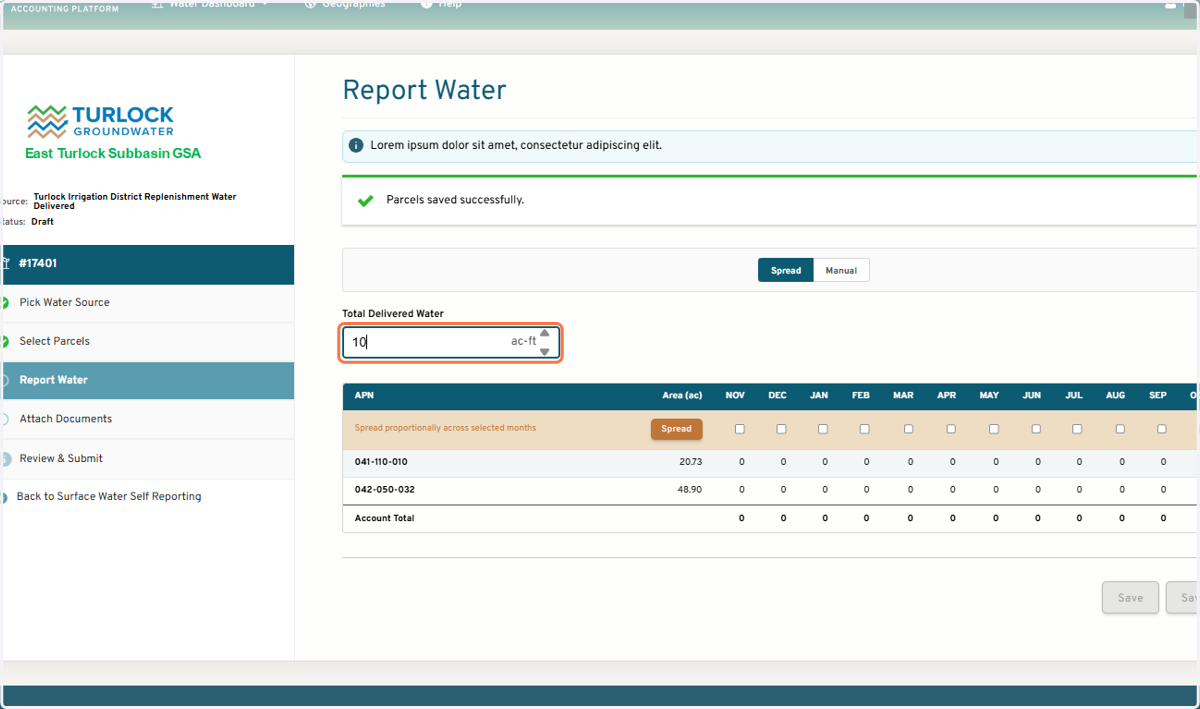
9. Enter the total volume of surface water deliveries
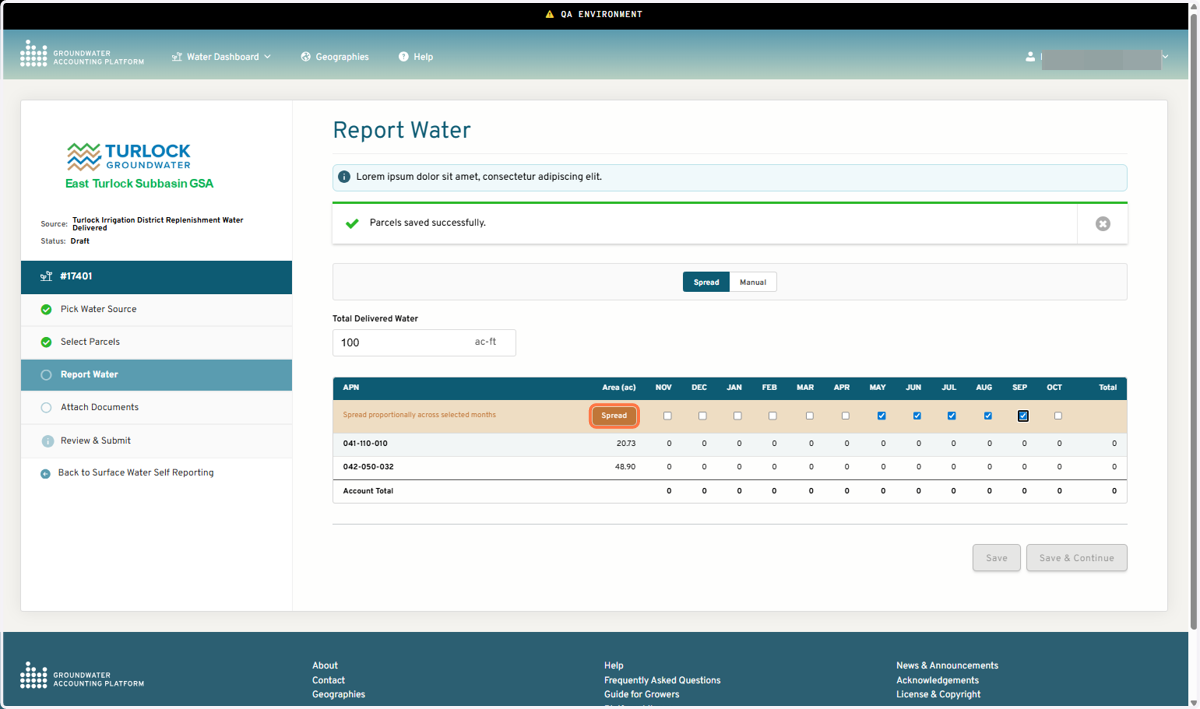
Option to use the Spread or Manual entry to complete the monthly total surface water deliveres per parcel table
10. For the Spread method, select the months that surface water was applied for irrigation then click Spread.
1. Enter the total volume of delivered surface water (AF)
2.
GAP will automatically distribute your reported total deliveries across the parcels and months you identify. The distribution of total delivery volume across parcels is an area-weighted average (larger parcels receive a proportionally larger share) split evenly across all selected months reported to receive surface water irrigation.
11. Use the toggle to use Manual Entry option
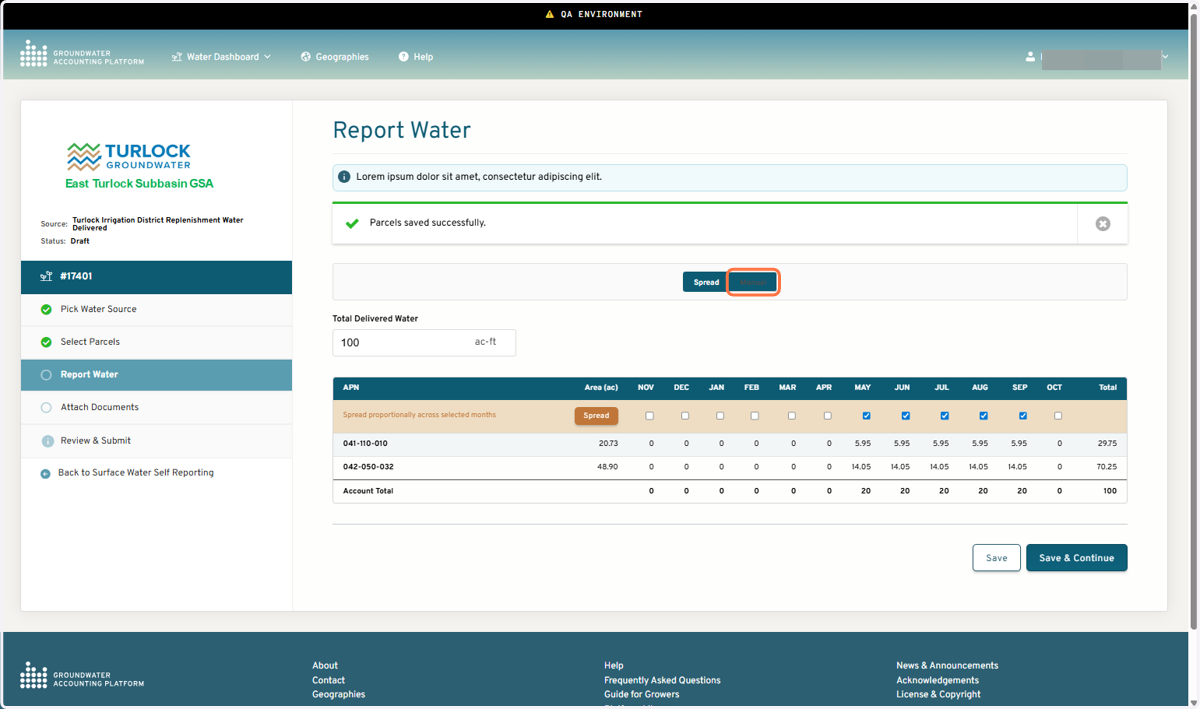
12. Manually enter the monthly delivery volumes per parcel
The total monthly delivery volume across all selected parcels must match the total reported delivery volume in order for the report to be submitted.
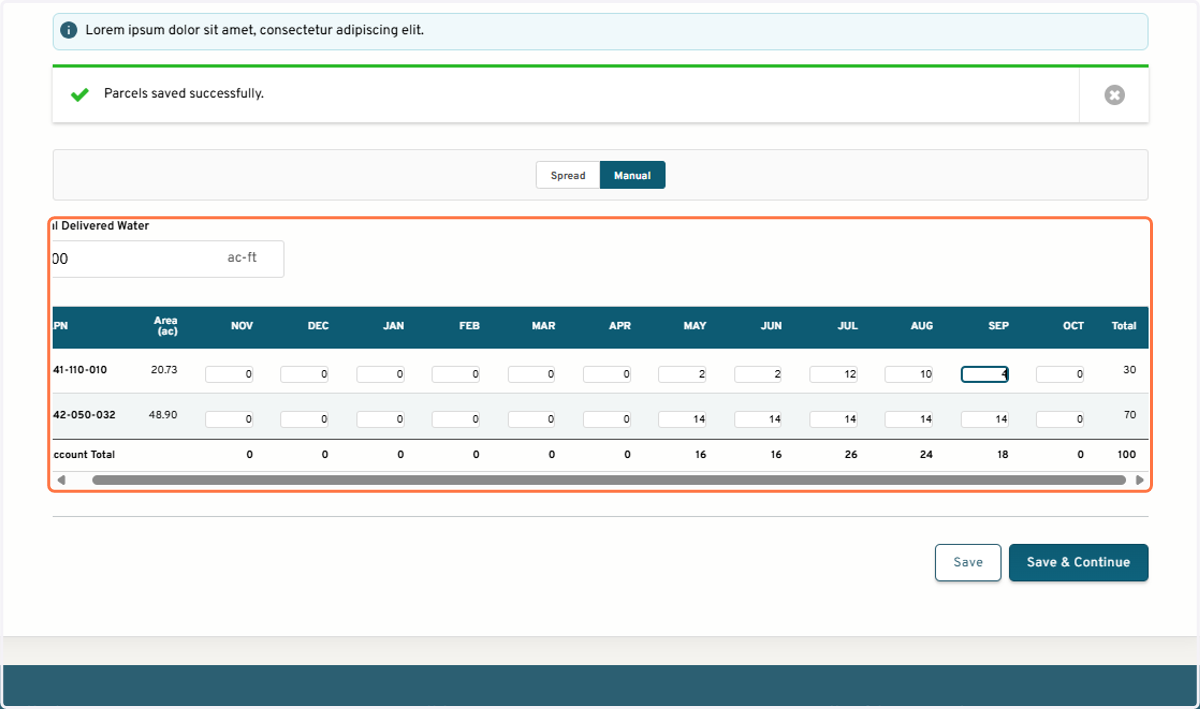
13. Click on Save & Continue
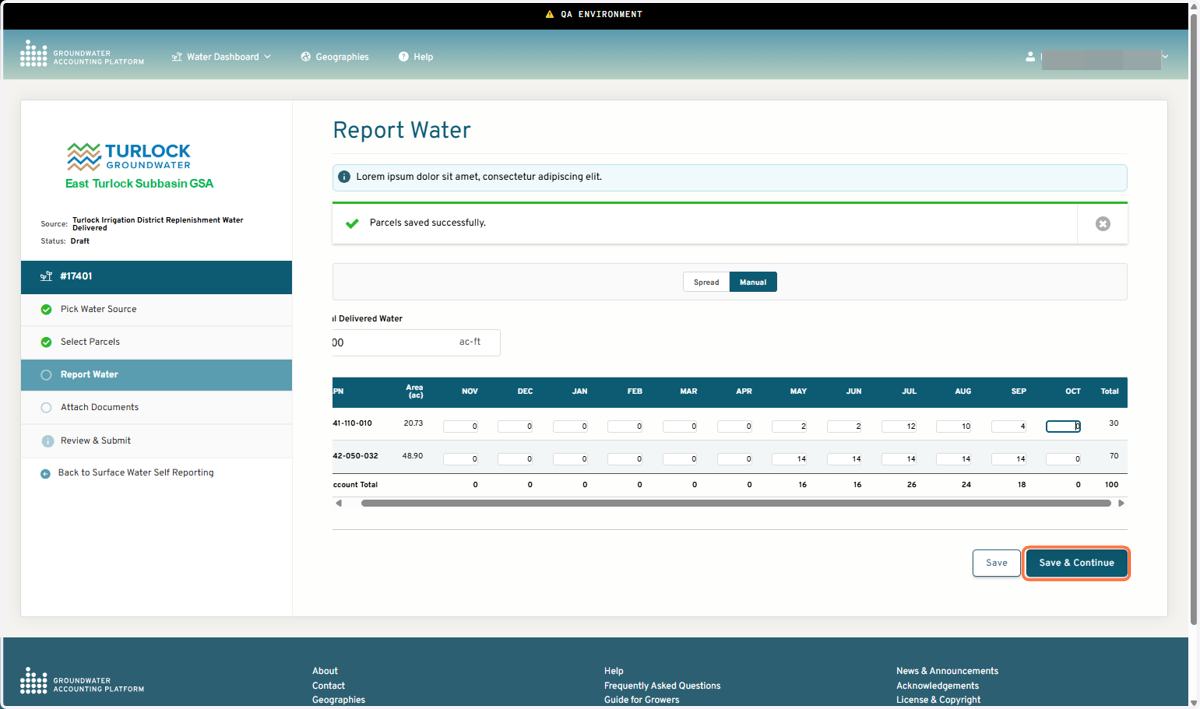
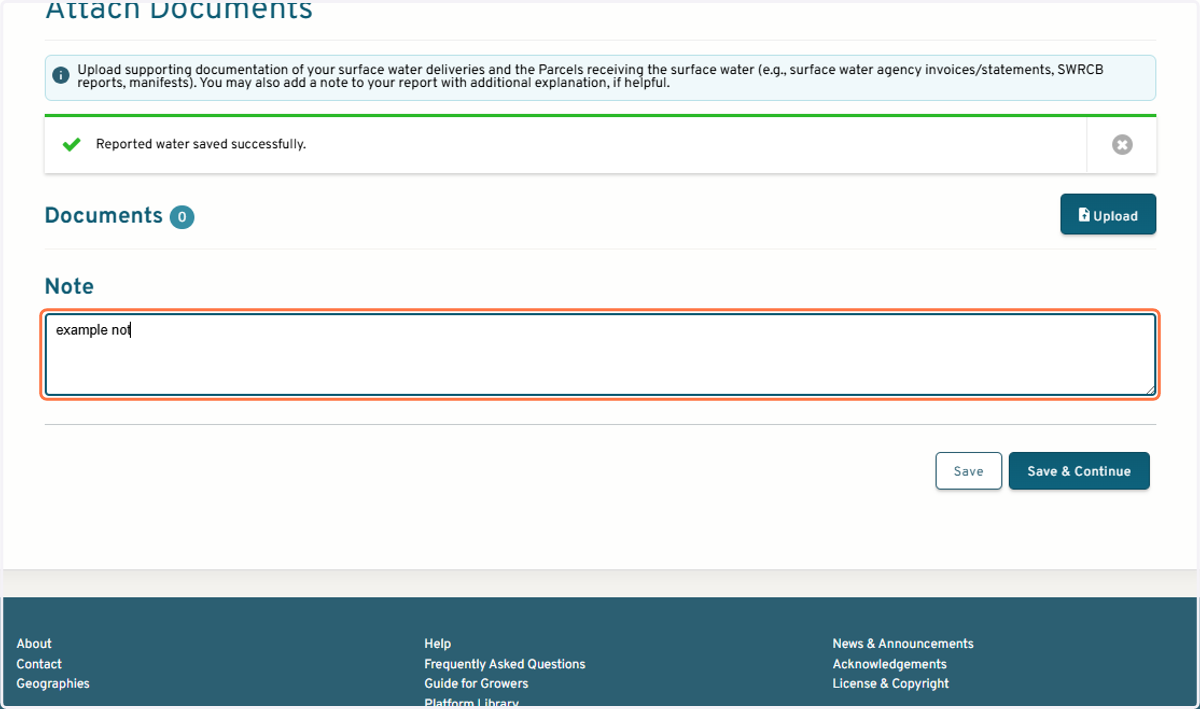
14. Upload supporting documentation or leave a note
15. Review surface water report
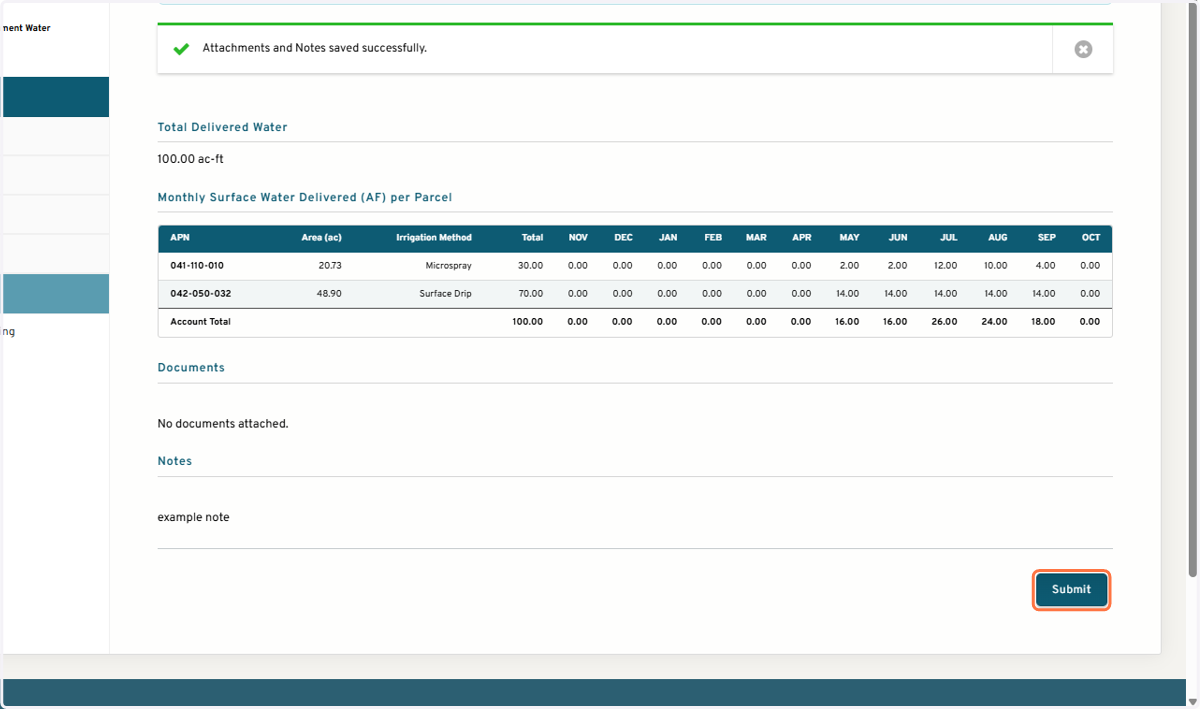
16. Click on Submit
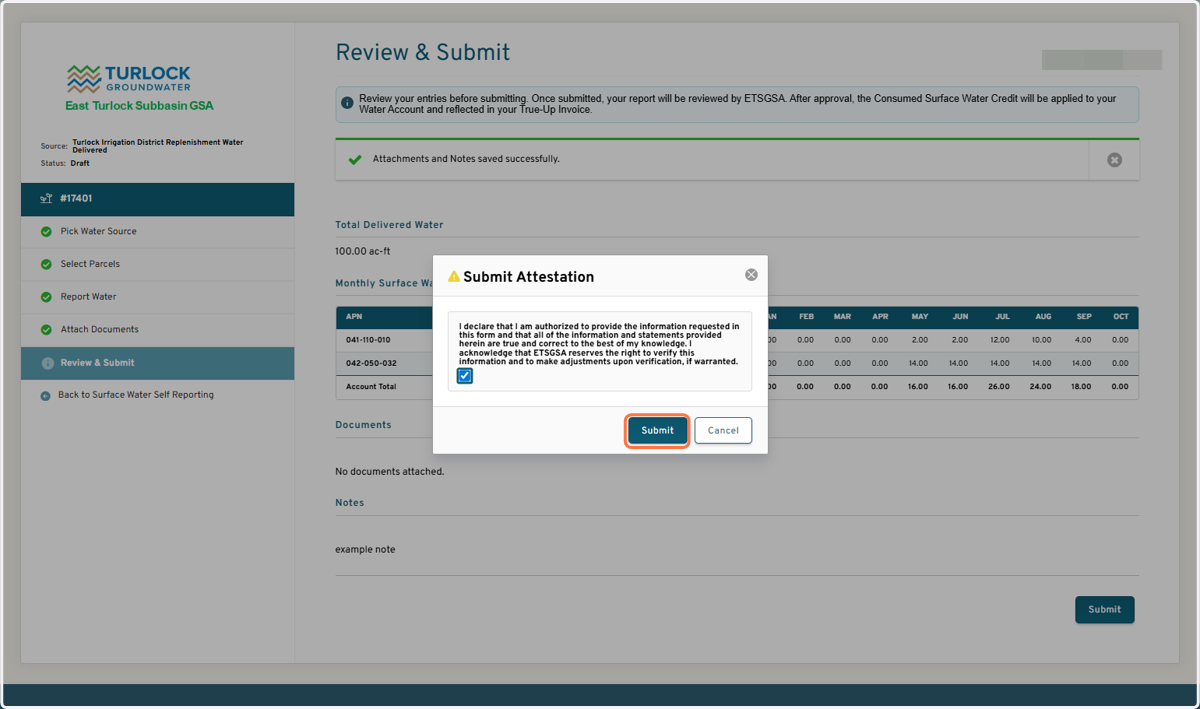
View submitted report
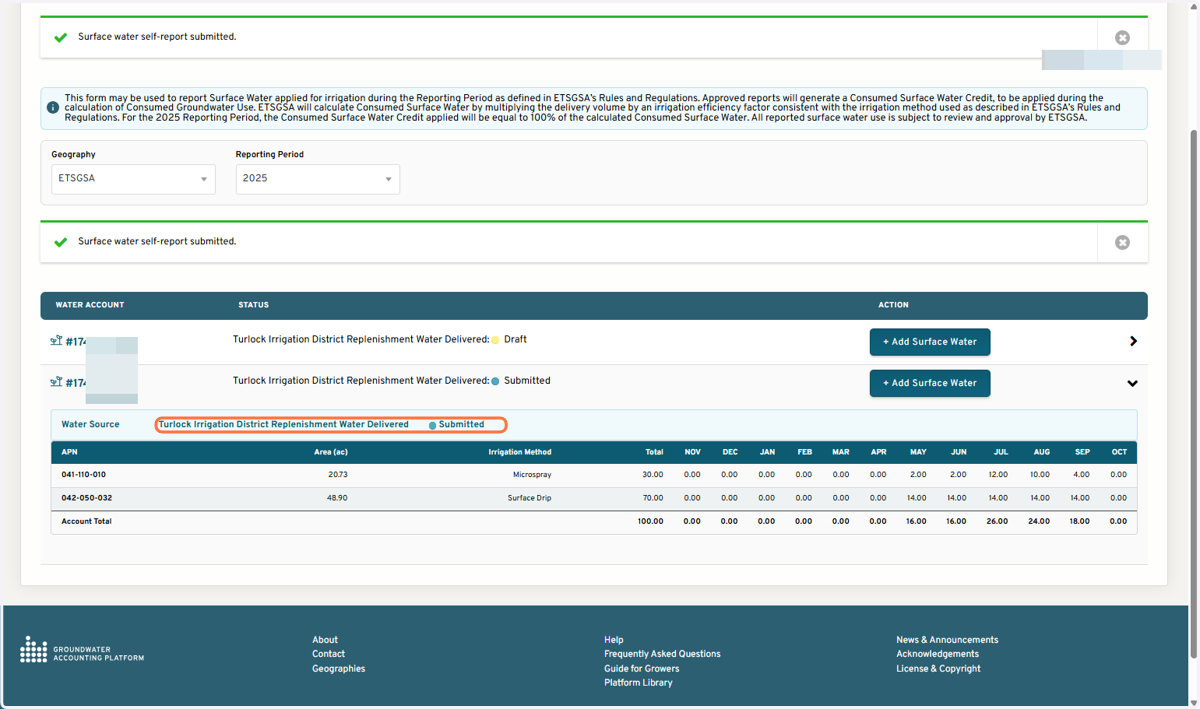
17. Click on highlight
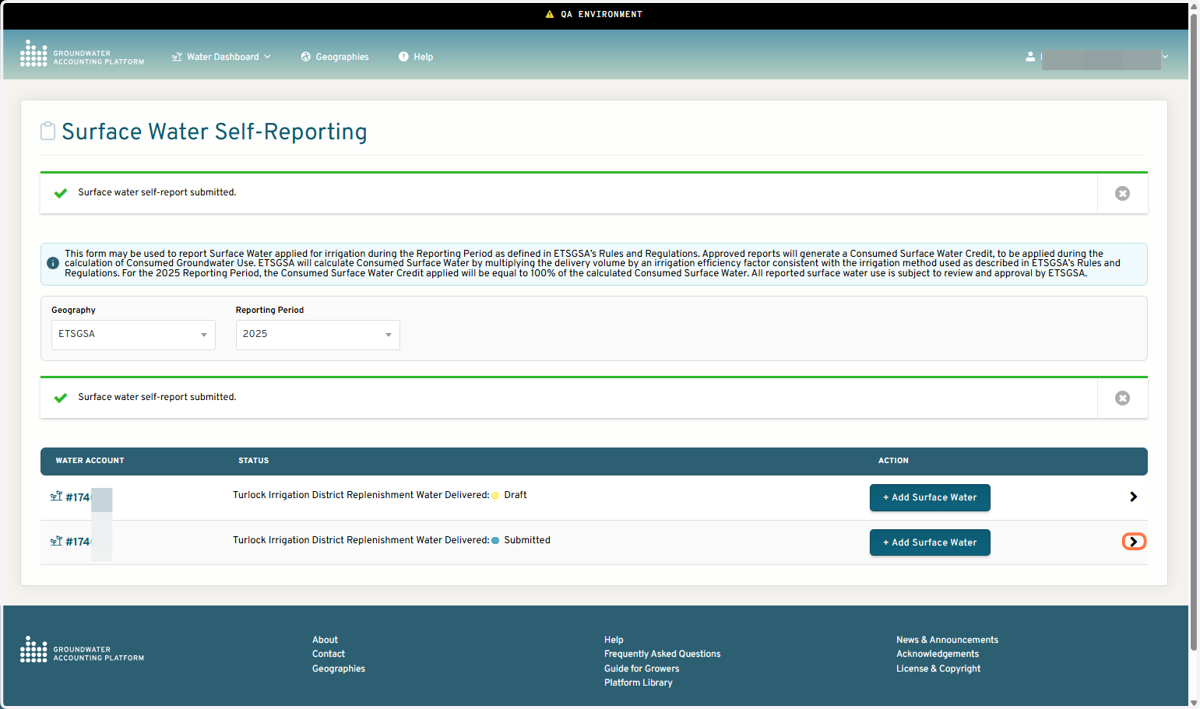
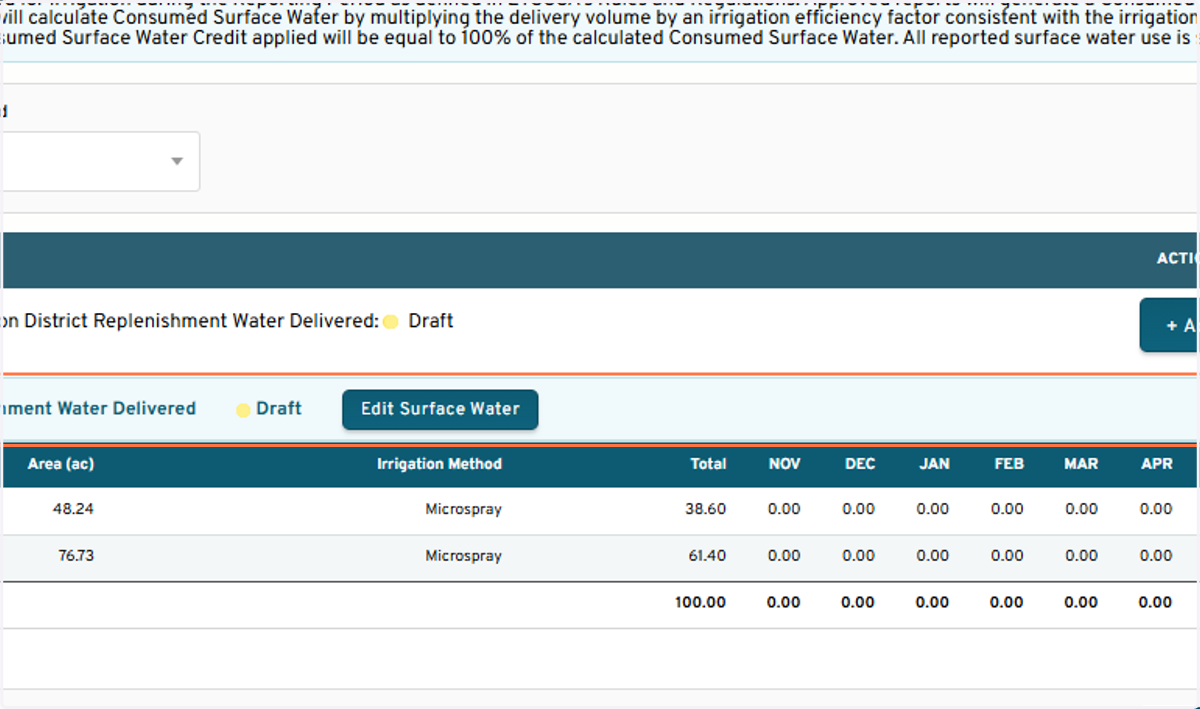
18. Click on Turlock Irrigation District Replenishment Water Delivered…
Edit a draft report
19. Expand the reports for the Water Account
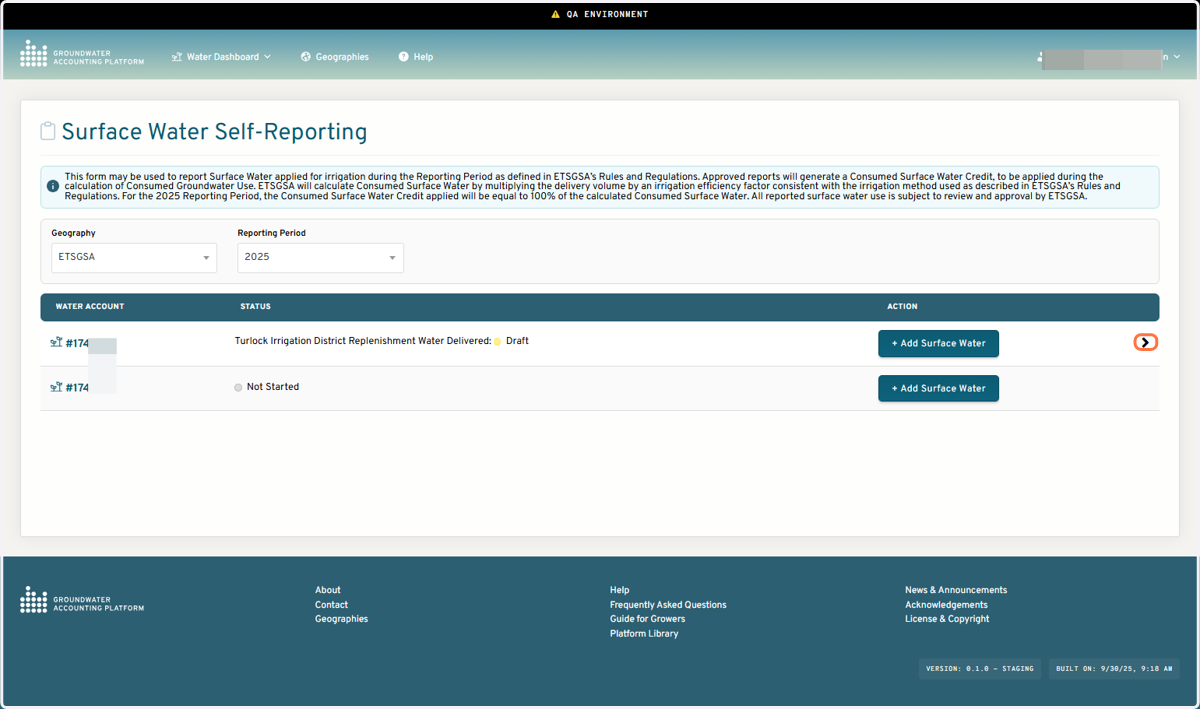
20. Click on Edit Surface Water