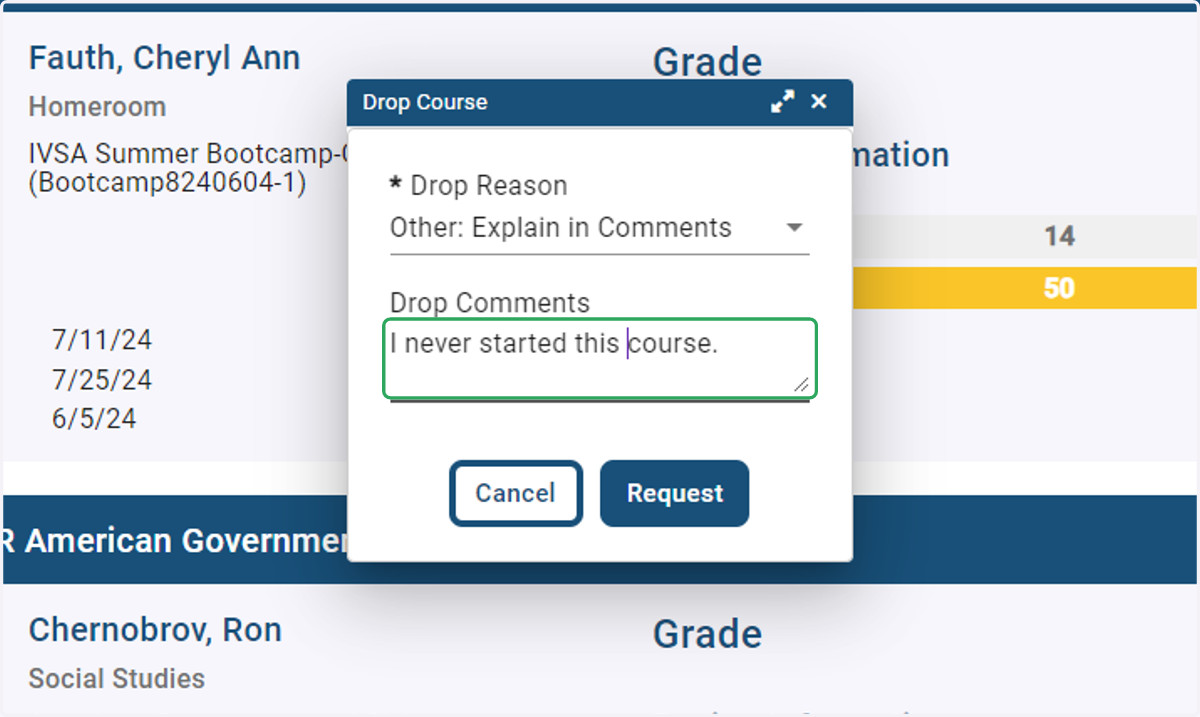
Students - How to request to drop a course
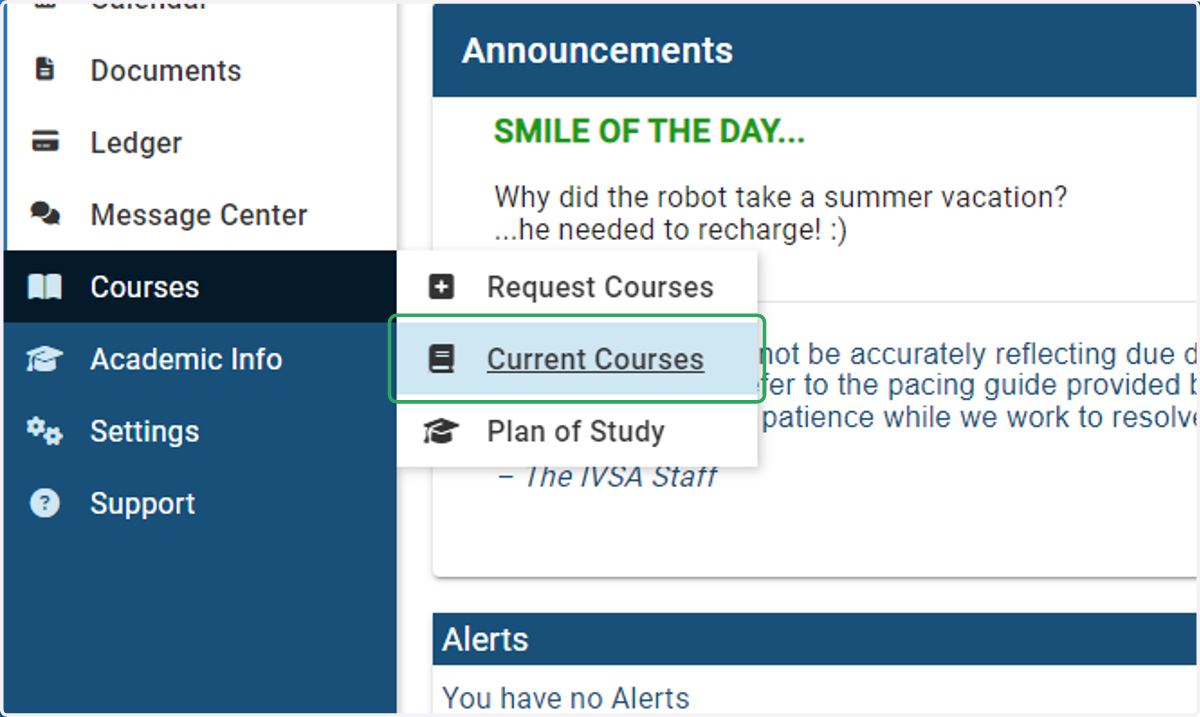
1. On the student dashboard, hover over Courses and select Current Courses.
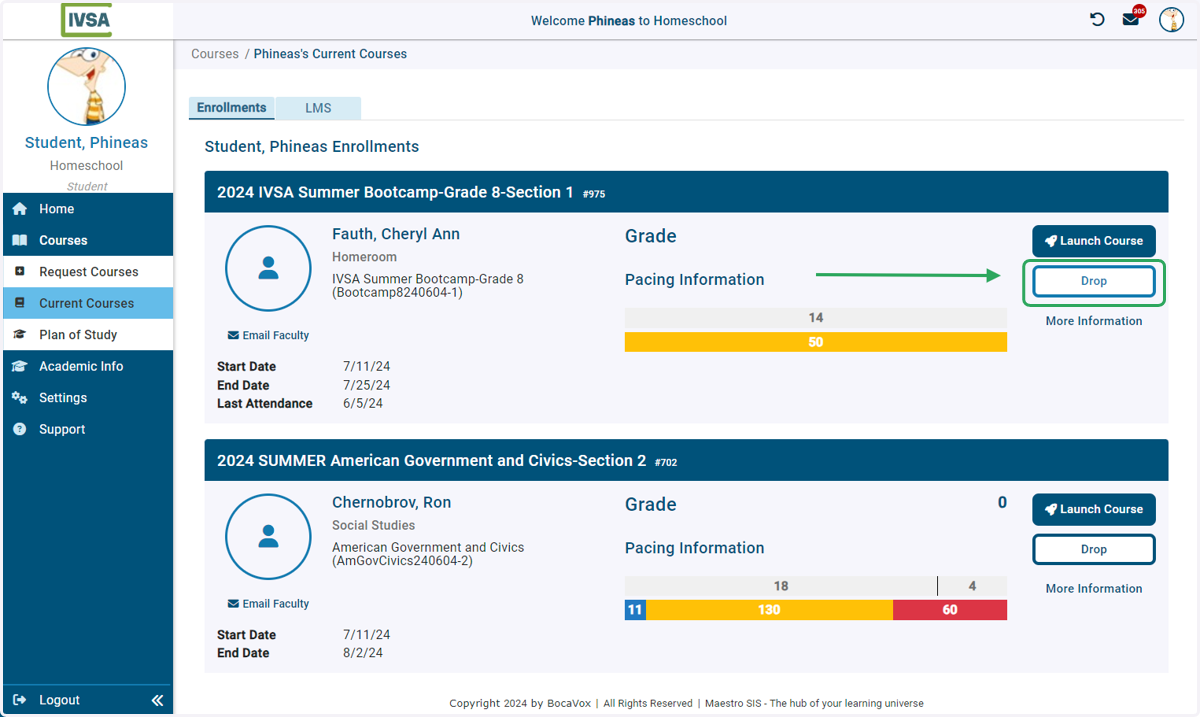
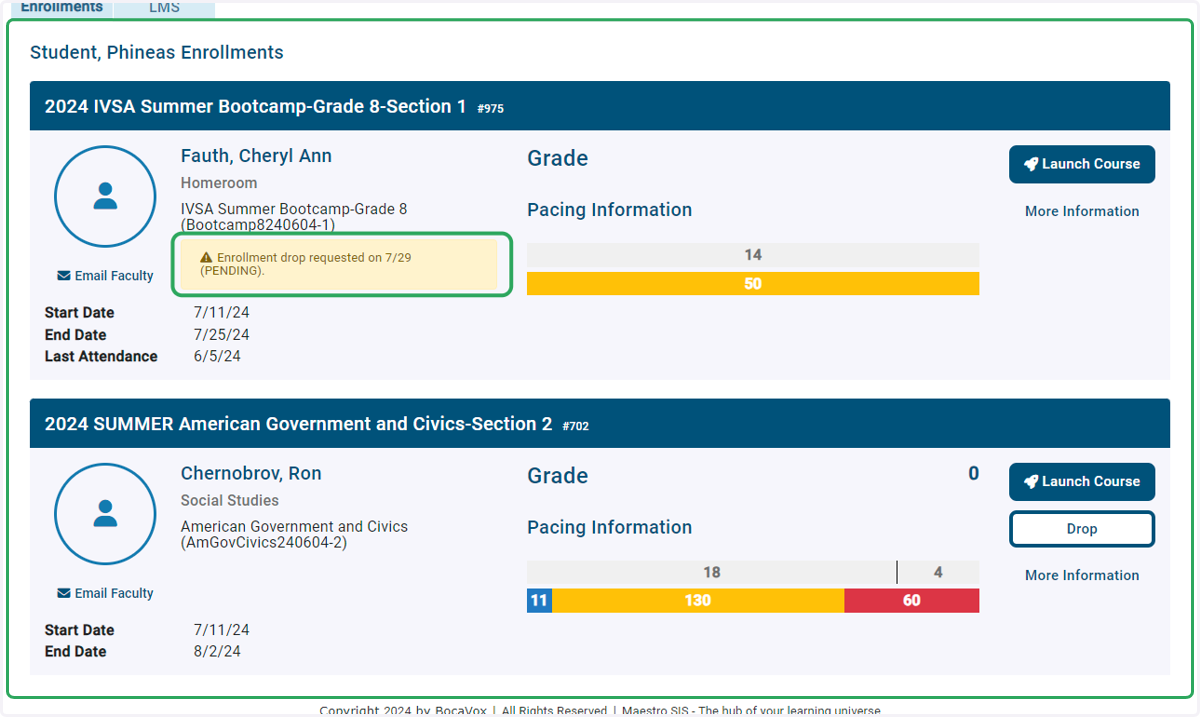
2. Click the drop button for the course you wish to drop.
If you wish to drop multiple courses, you will need to submit a separate request for each.
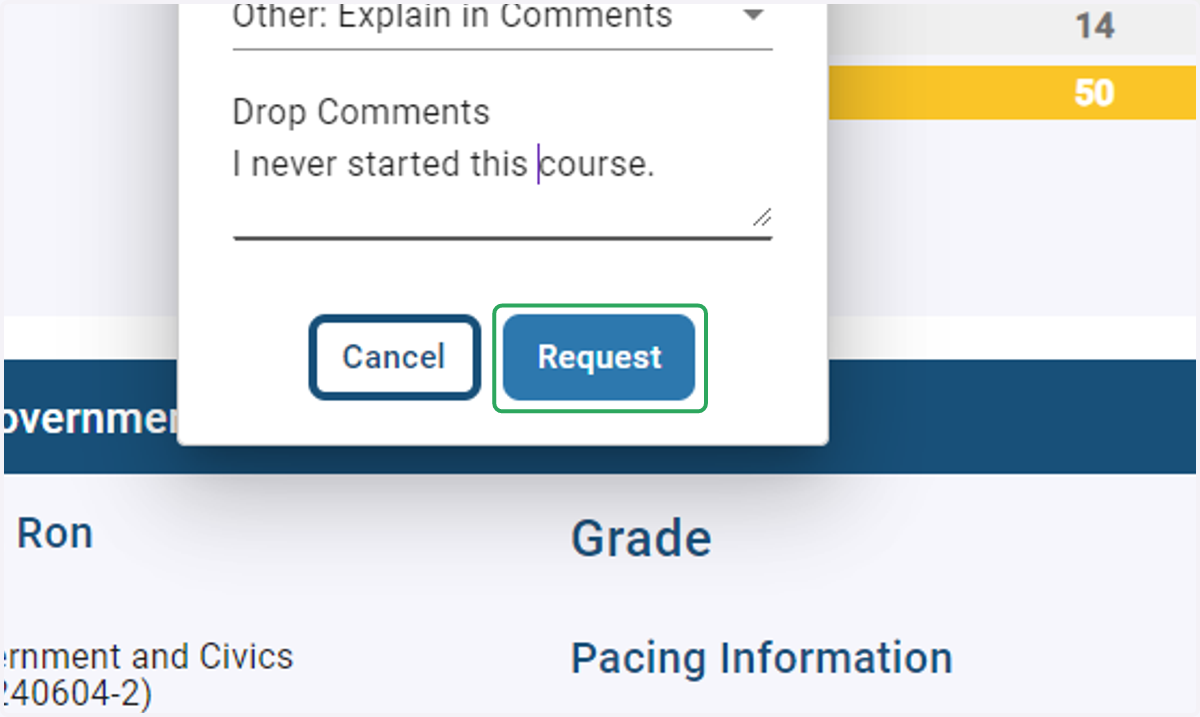
3. Click on Request
4. Success! You have submitted the drop request for your school's approval.
A yellow box will appear in the enrollment displaying the date the request was submitted.
Homeschool course drop requests are processed by IVSA.
5. Select your reason in the drop-down menu.
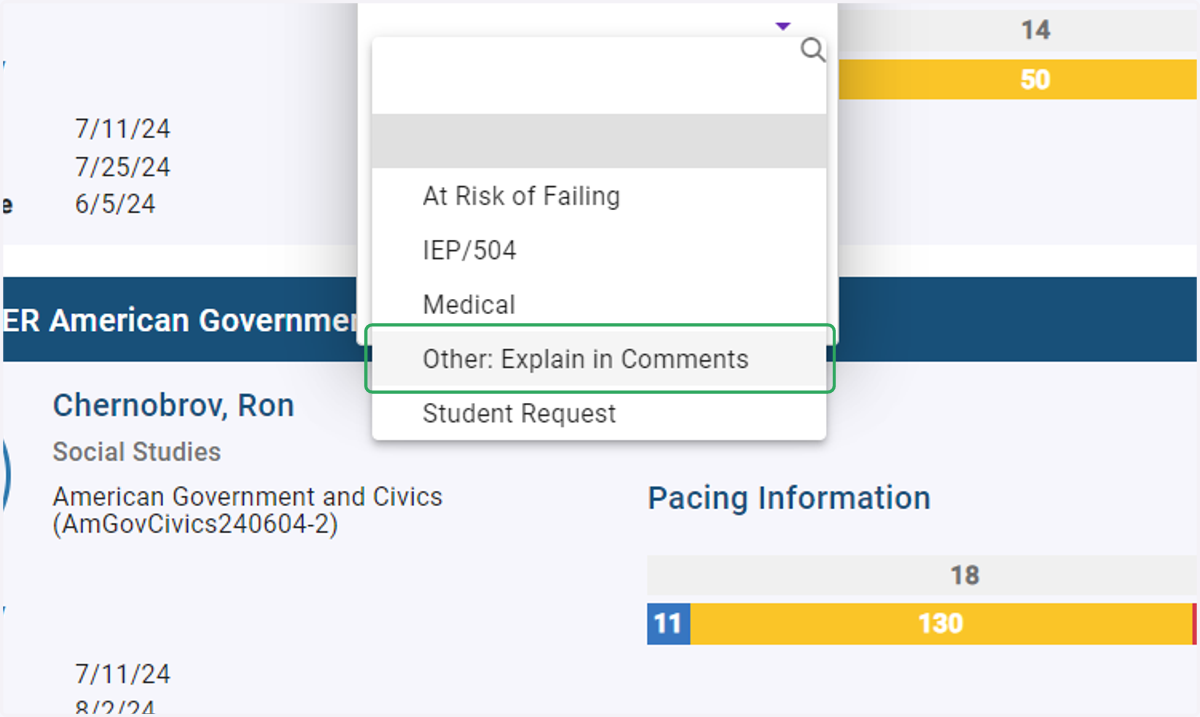
6. Add any comments for your school's IVSA Registrar to see when reviewing the request.