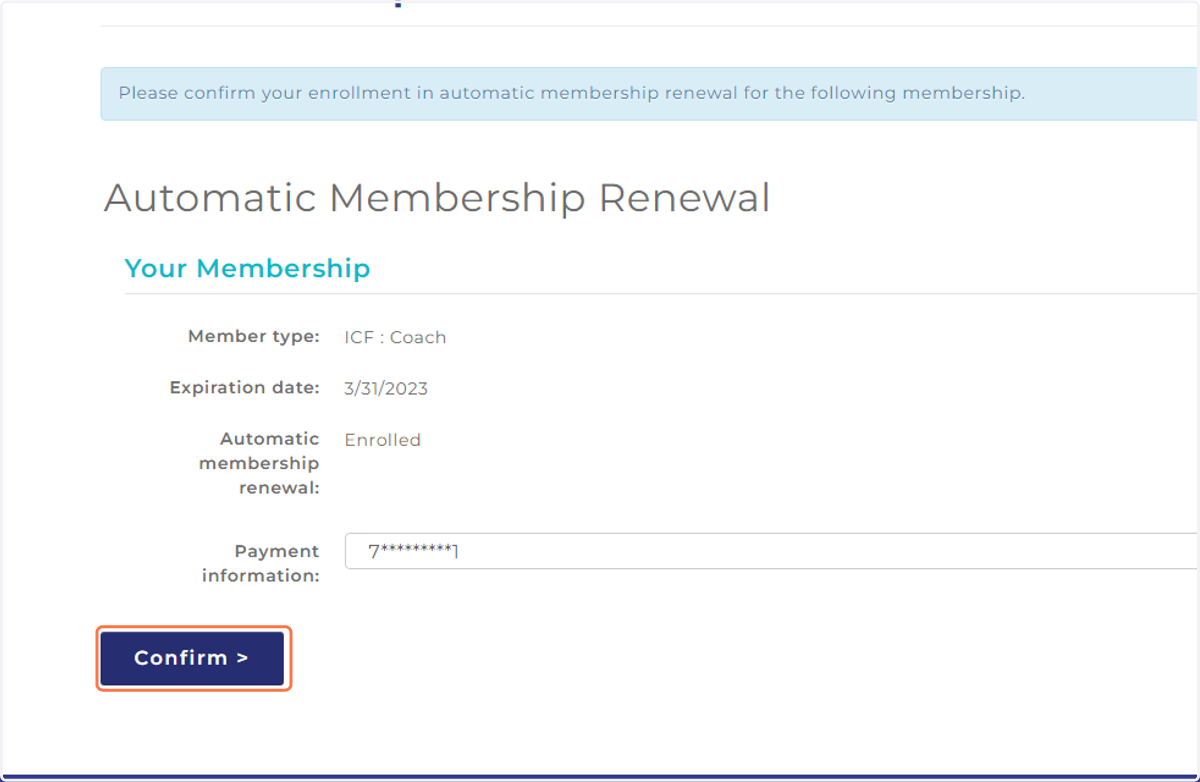
Steps to Enroll in Membership with Automatic Renewal
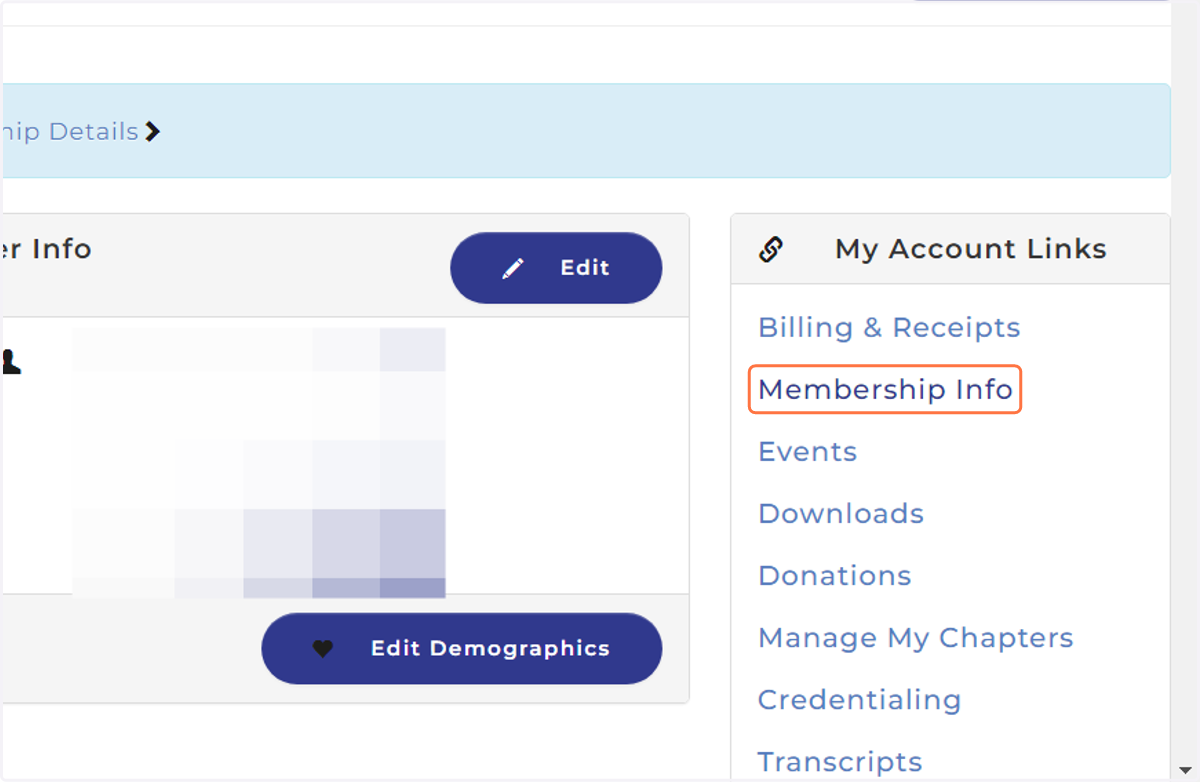
1. Navigate to your Member Profile & select 'Membership Info' from My Account Links
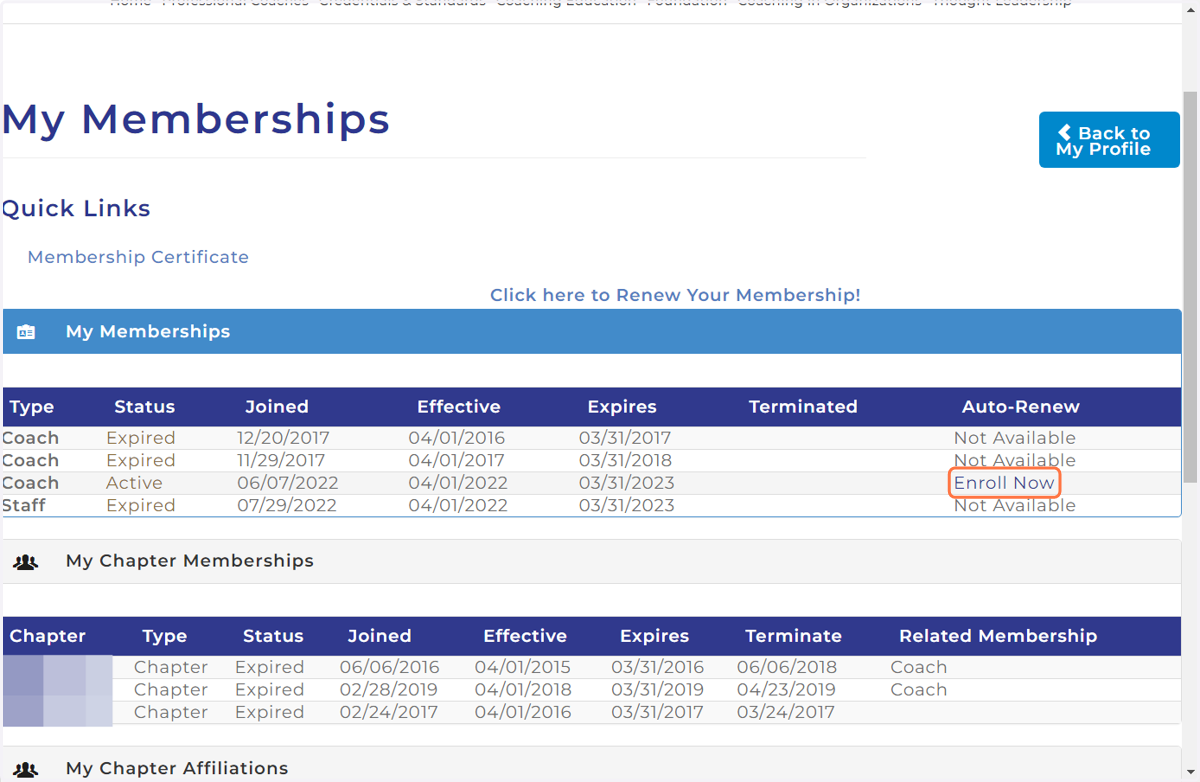
2. Locate the Membership you would like to enroll & Click on Enroll Now
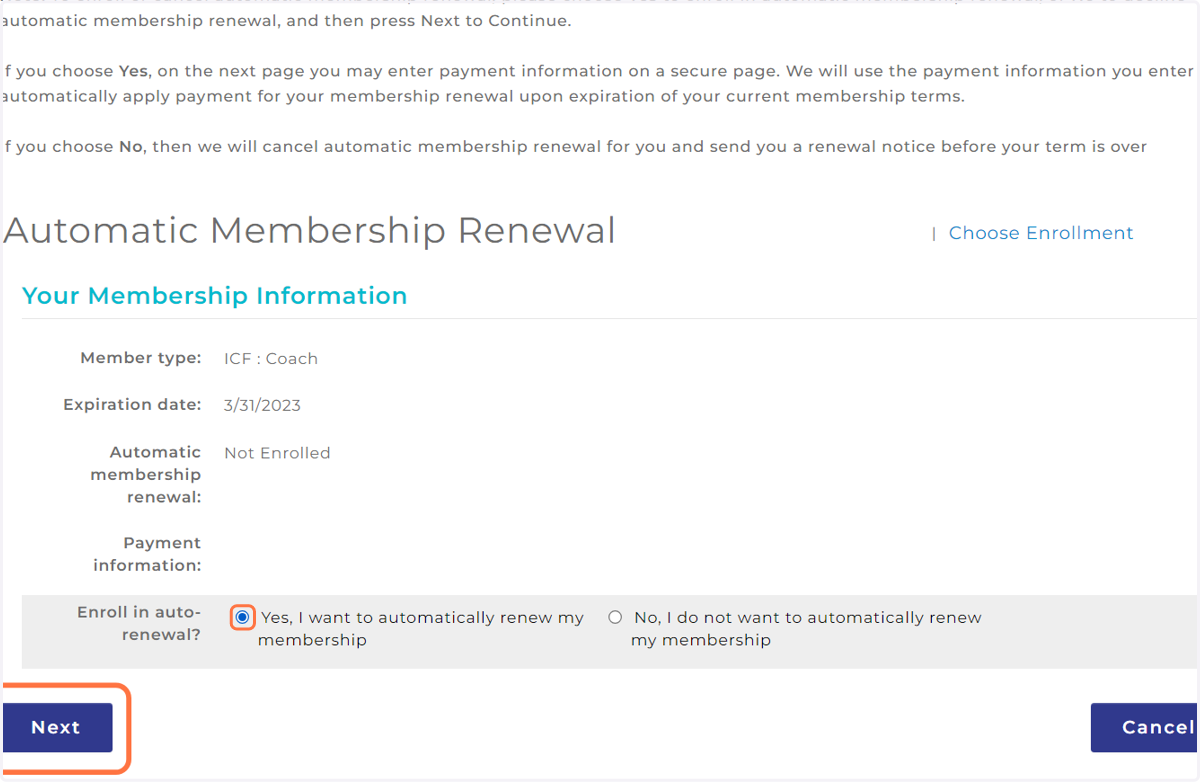
3. Select Yes, I want to automatically renew my membership, then click 'Next'
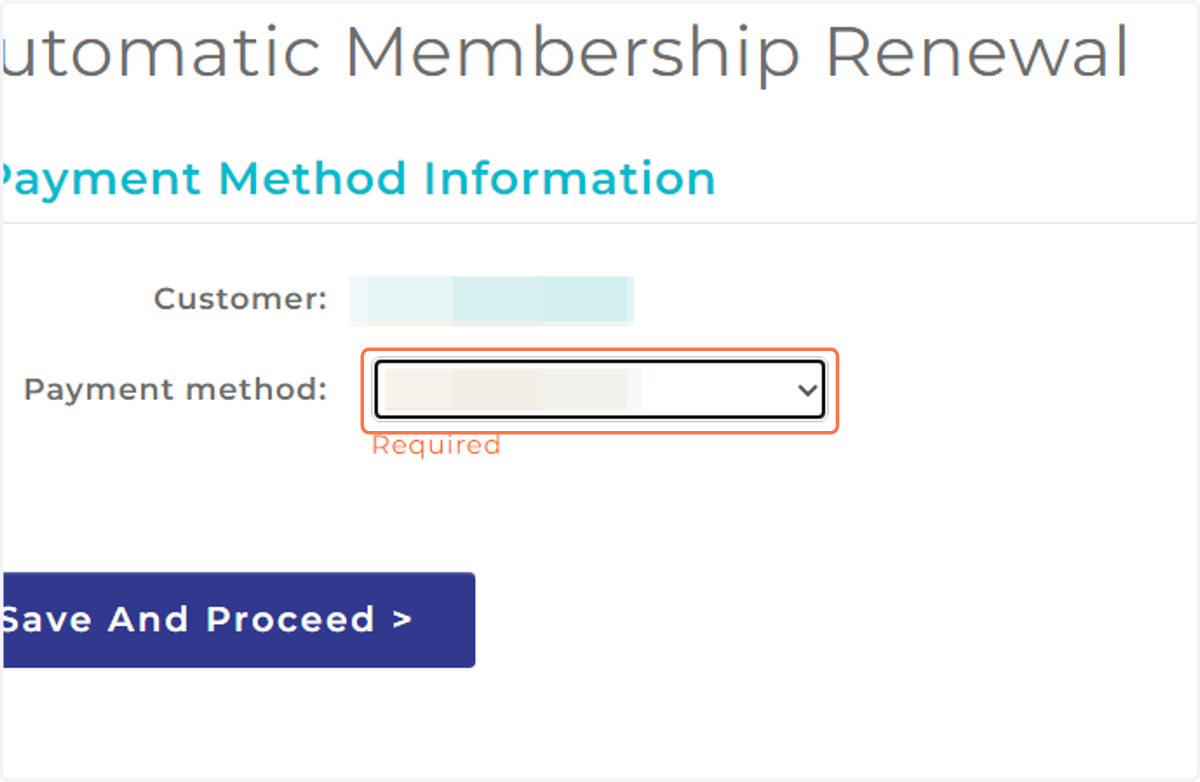
4. Select your Payment method:
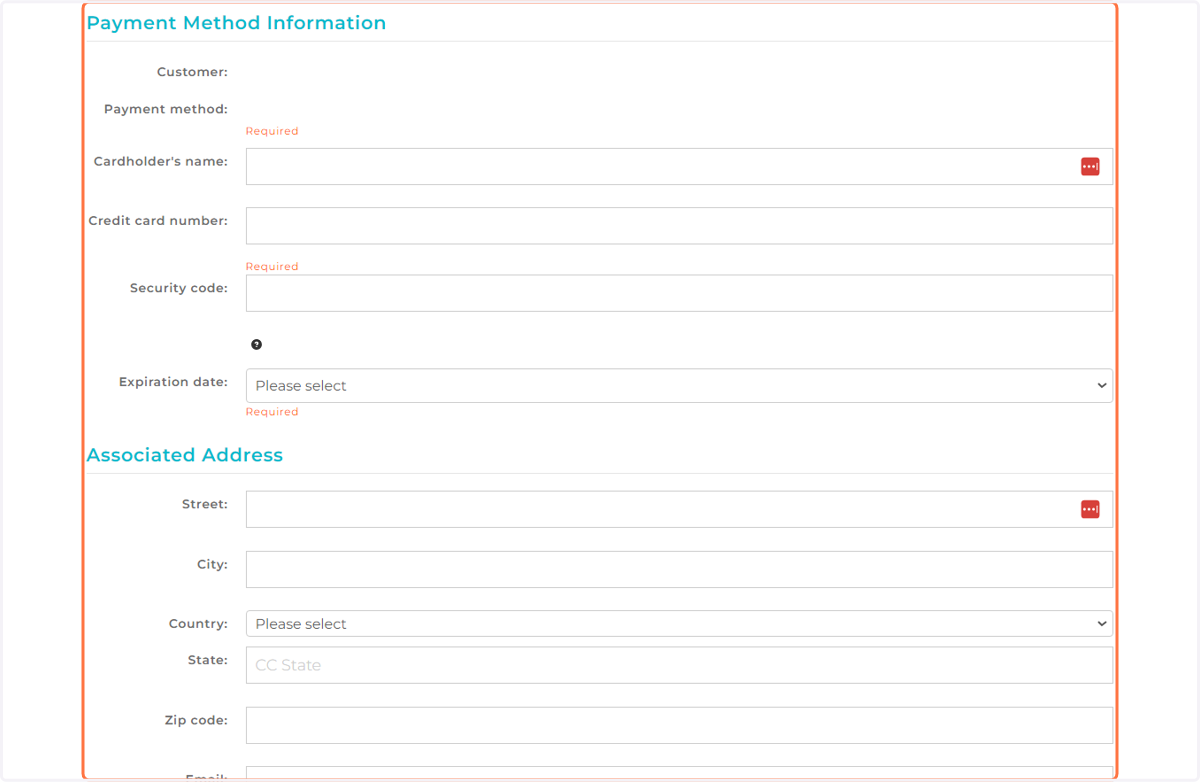
5. Fill in your credit card information and associated address
6. Click on Confirm