Step by step on how to delete your account

  1. 1. Step 1: Go to "Account" at the navigation bar
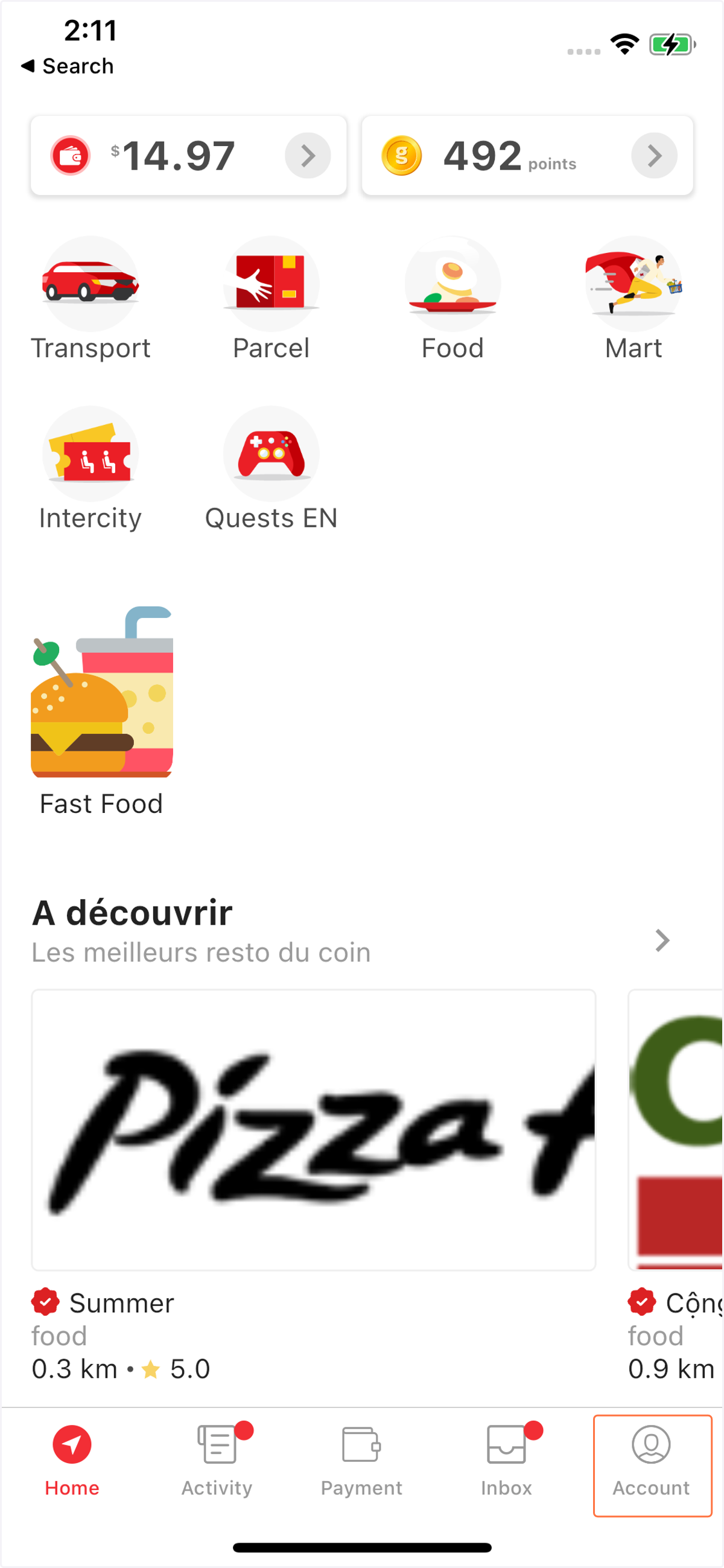
    Step 1: Go to "Account" at the navigation bar
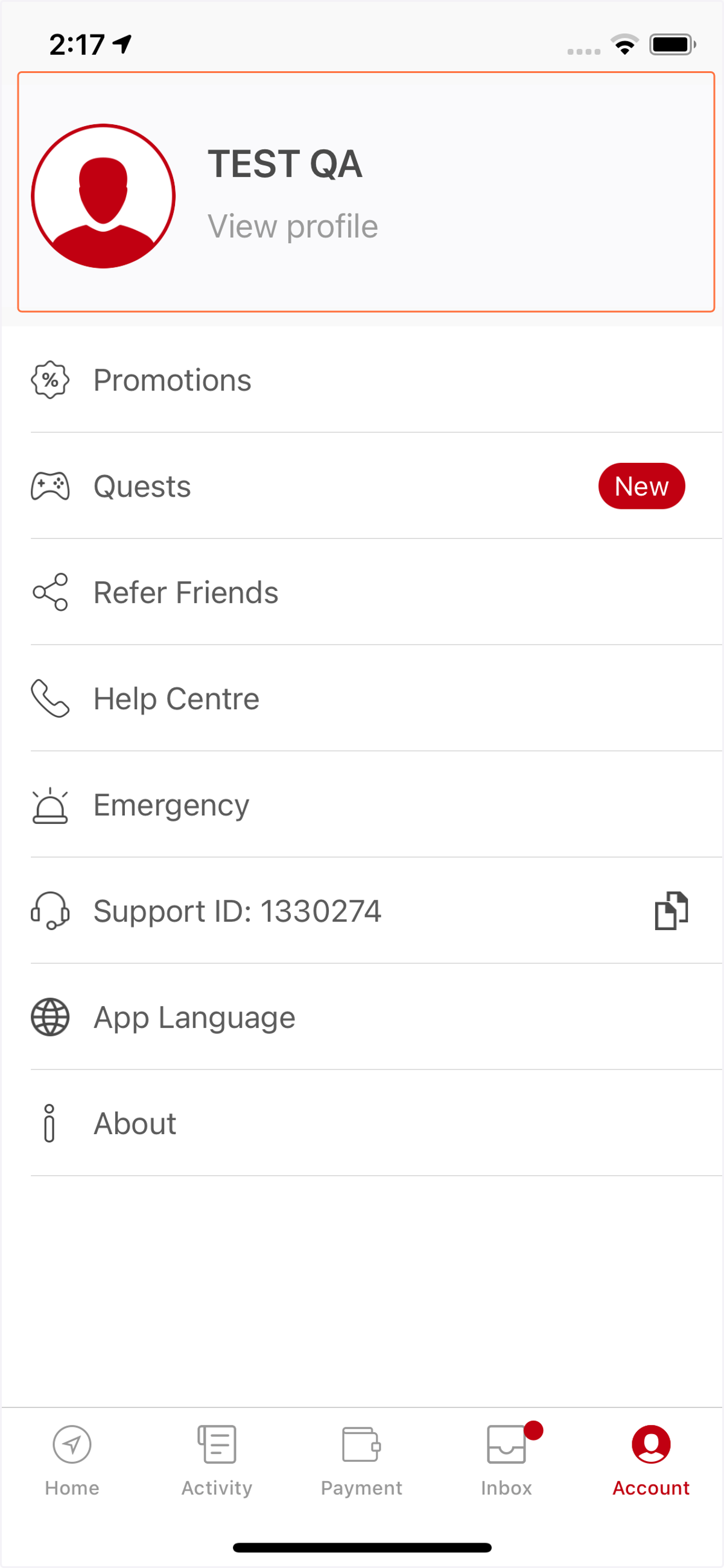
  2. 2. Step 2: Tap on "View profile"

    Step 2: Tap on "View profile"
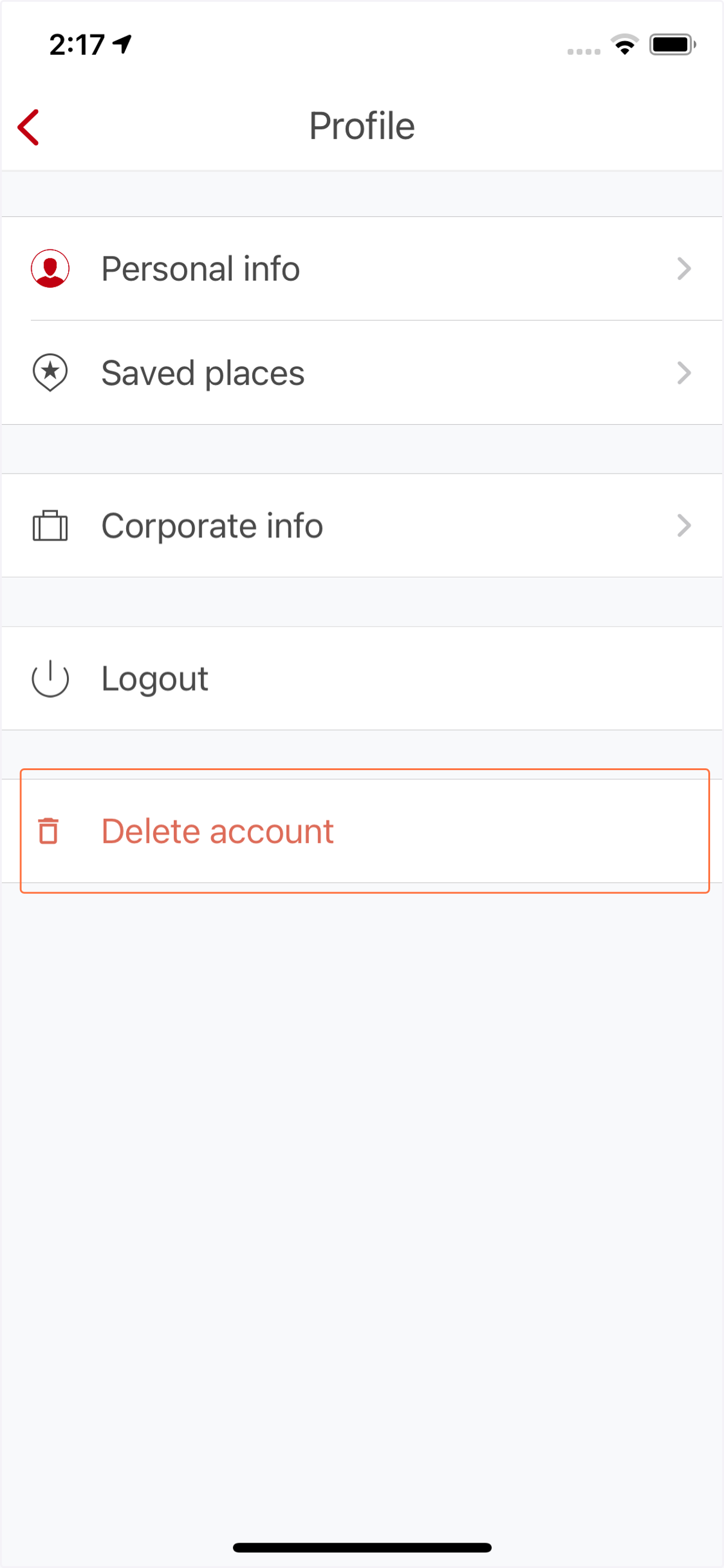
  3. 3. Step 3: Tap on "Delete account"

    Step 3: Tap on "Delete account"
  4. 4. Step 4: Sign in to your account again
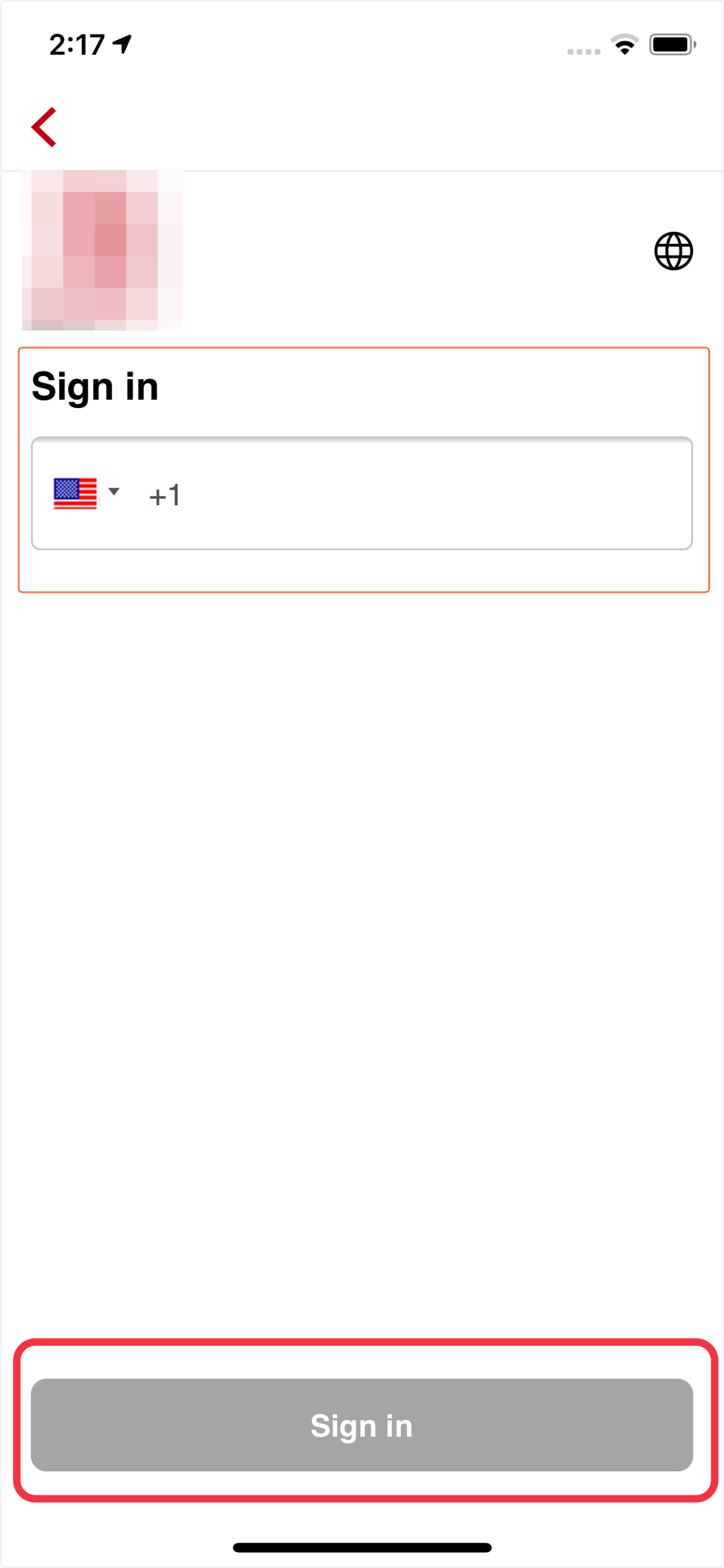
    Step 4: Sign in to your account again
  5. 5. Step 5: Enter the code send to your phone number
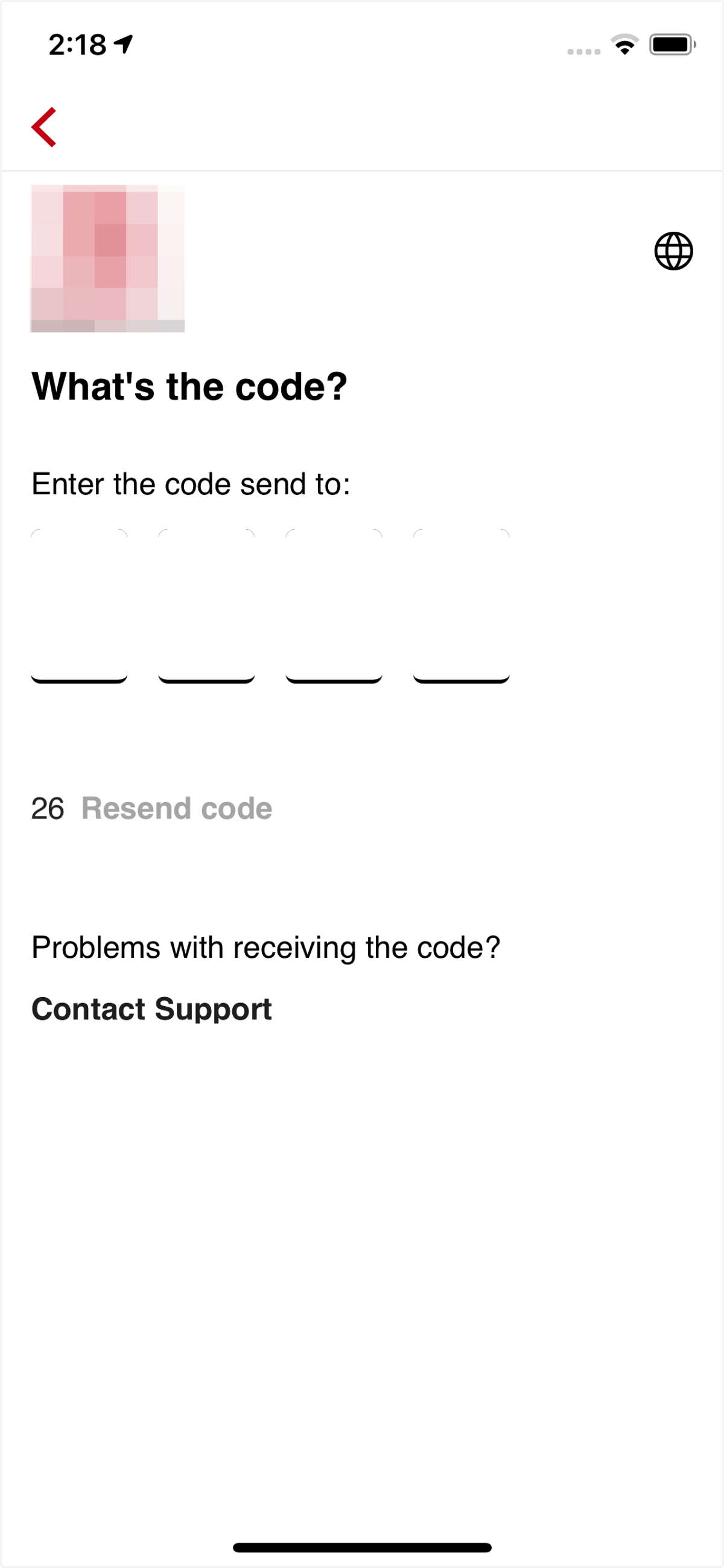
    Step 5: Enter the code send to your phone number
  6. 6. Step 6: Start to delete your account. Tap on "Start"
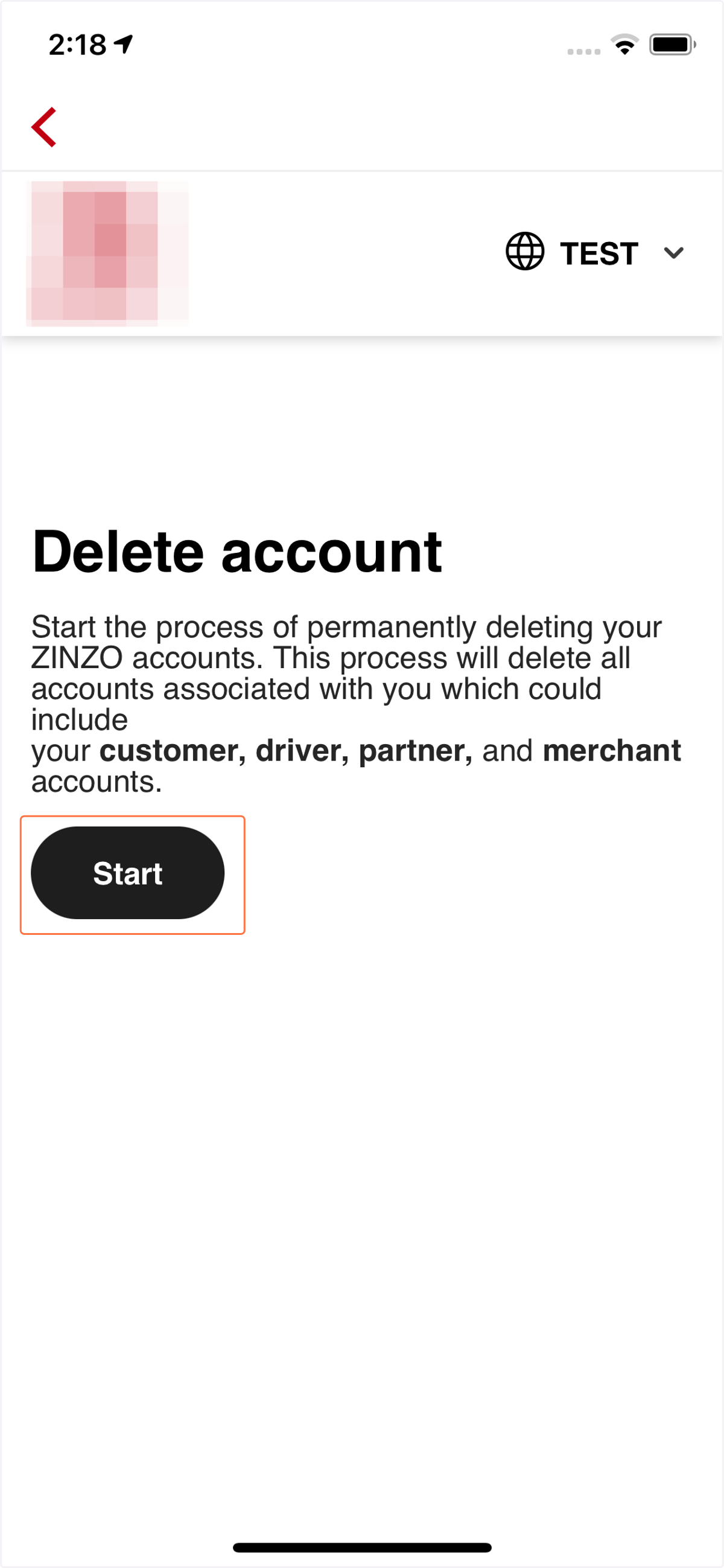
    Step 6: Start to delete your account. Tap on "Start"
  7. 7. Step 7: Select the reason to delete your account
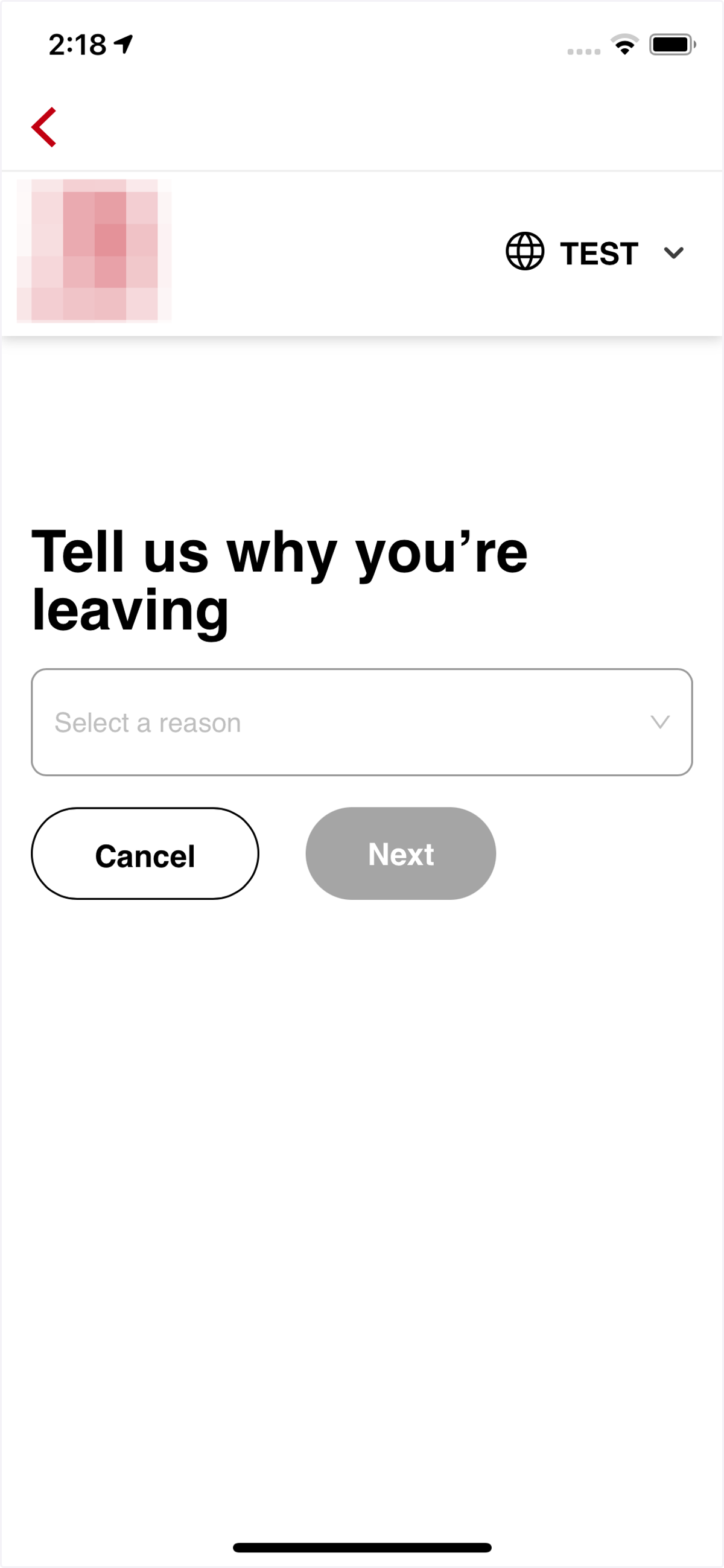
    Step 7: Select the reason to delete your account
  8. 8. Step 7: Select the reason to delete the account, then tap on "Next"
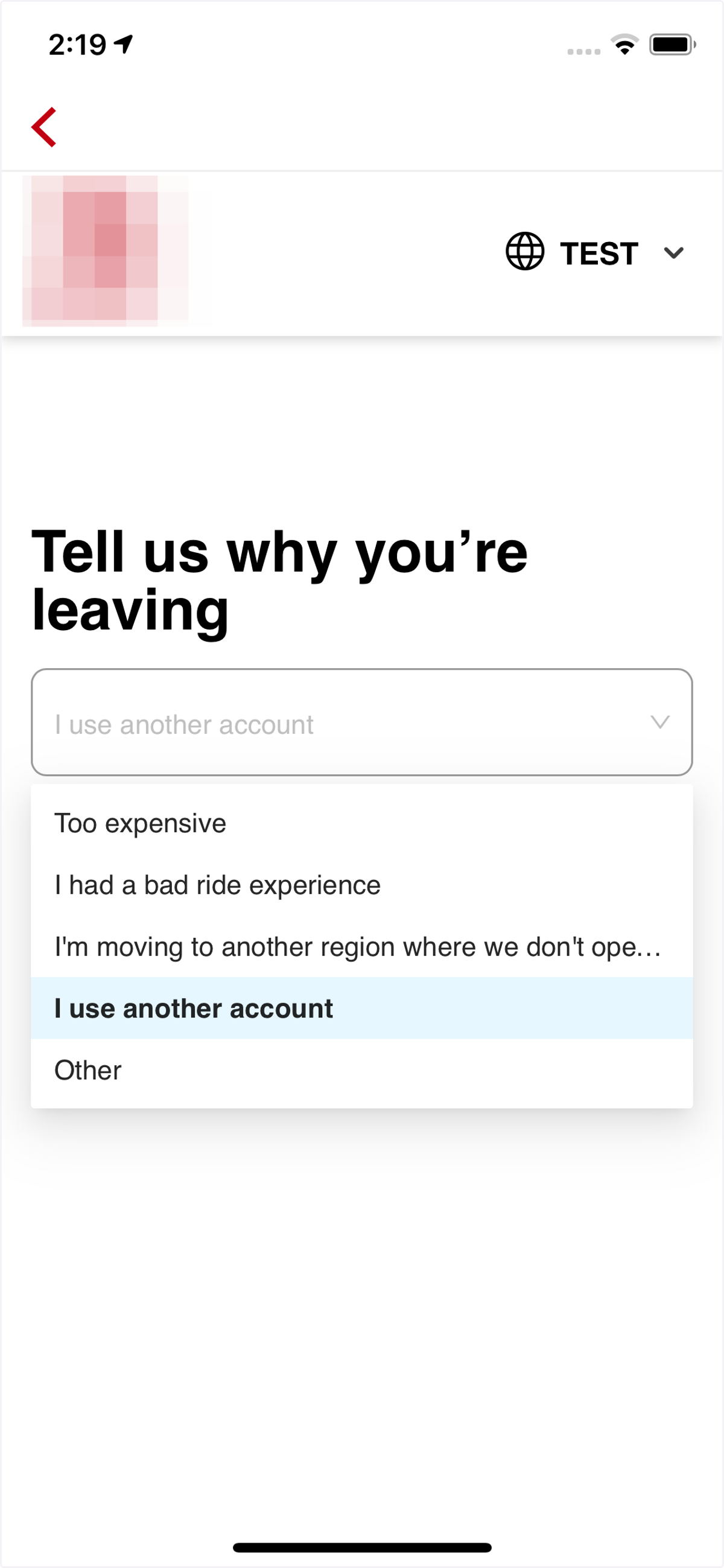
    Step 7: Select the reason to delete the account, then tap on "Next"
  9. 9. Step 8: Confirm DELETE then tap on "Delete account"
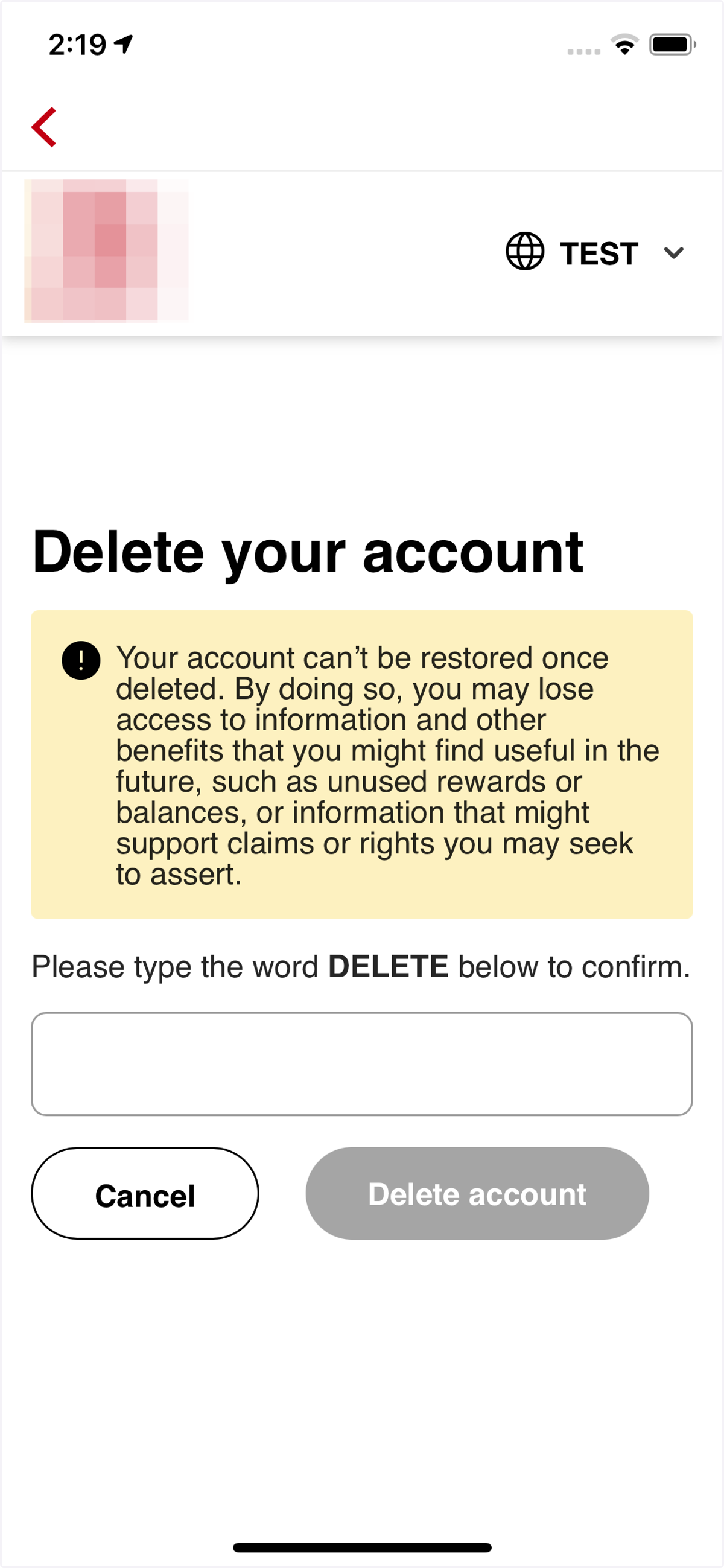
    Step 8: Confirm DELETE then tap on "Delete account"
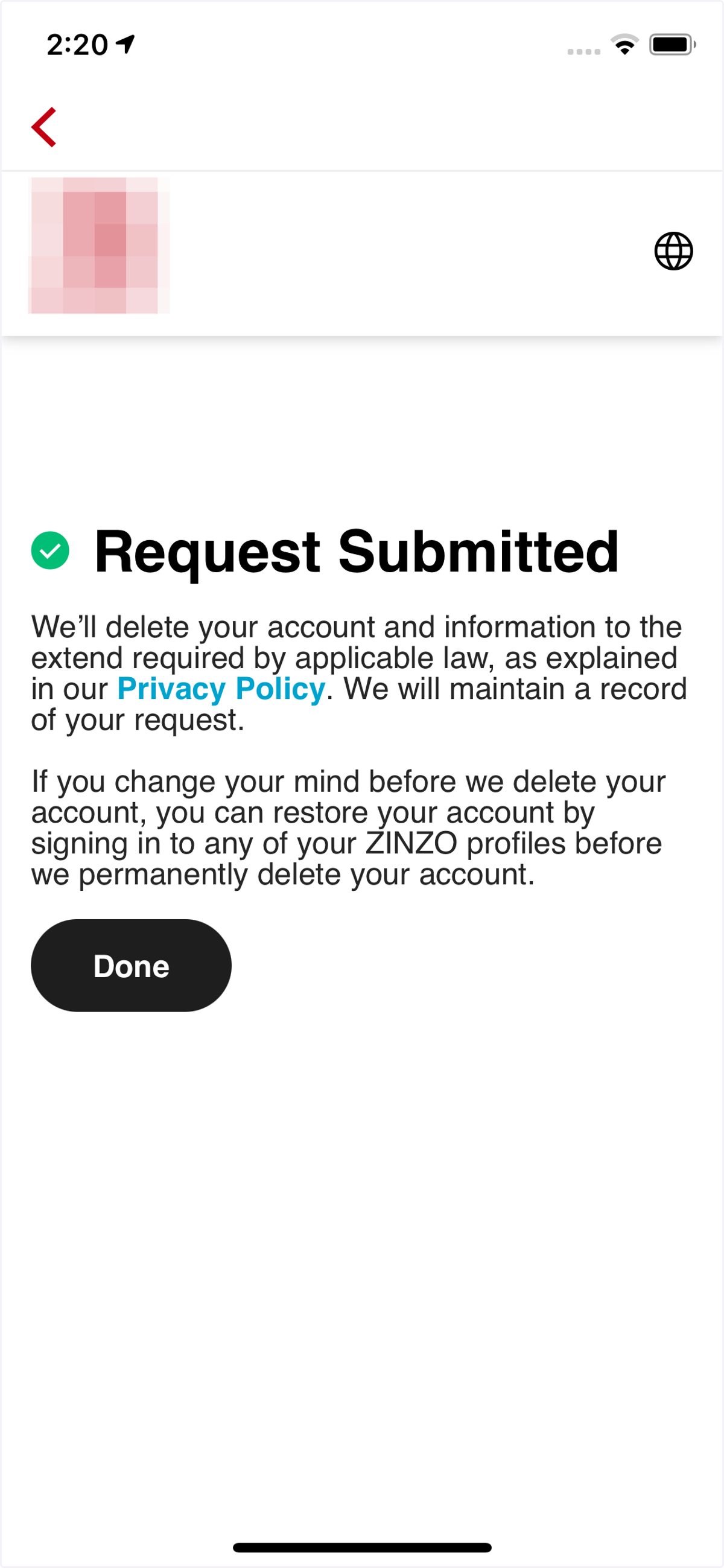
  10. 10. Request successfully!

    Request successfully!