SqALC - How to register for a Certification
Log in to your SqALC account
1. Go to Squash Australia website: www.squashaus.com.au
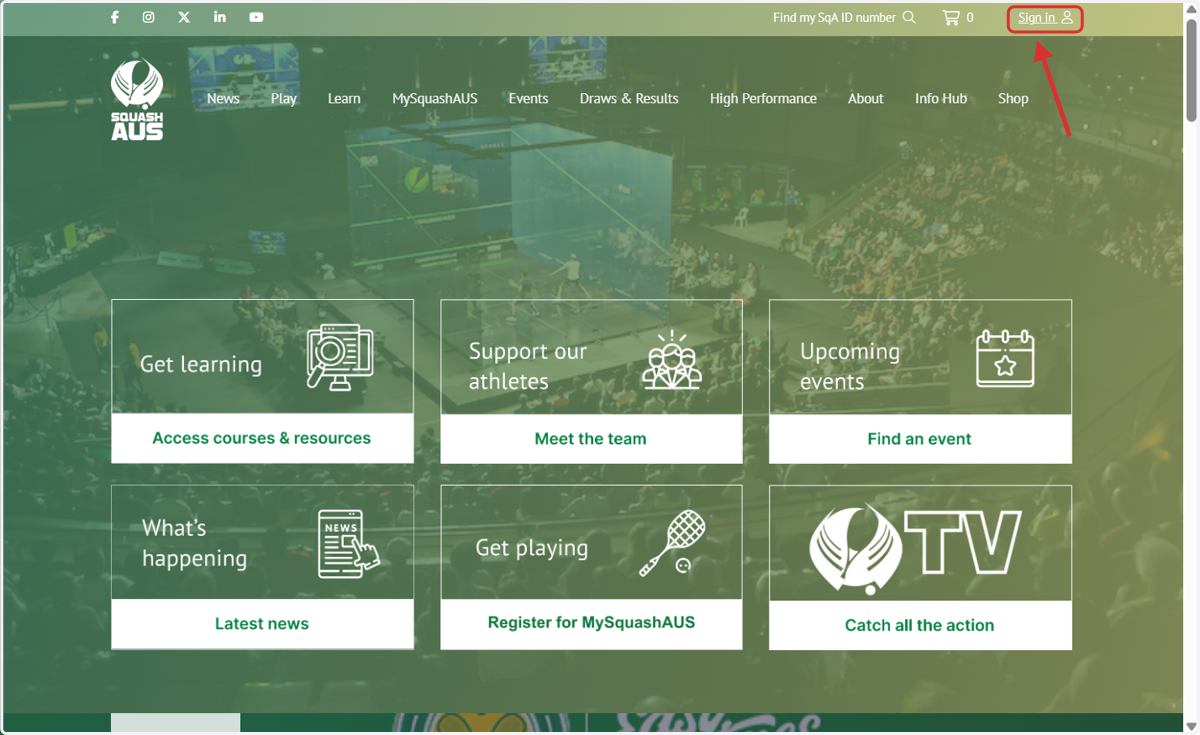
2. Click on 'Sign in' (top right).
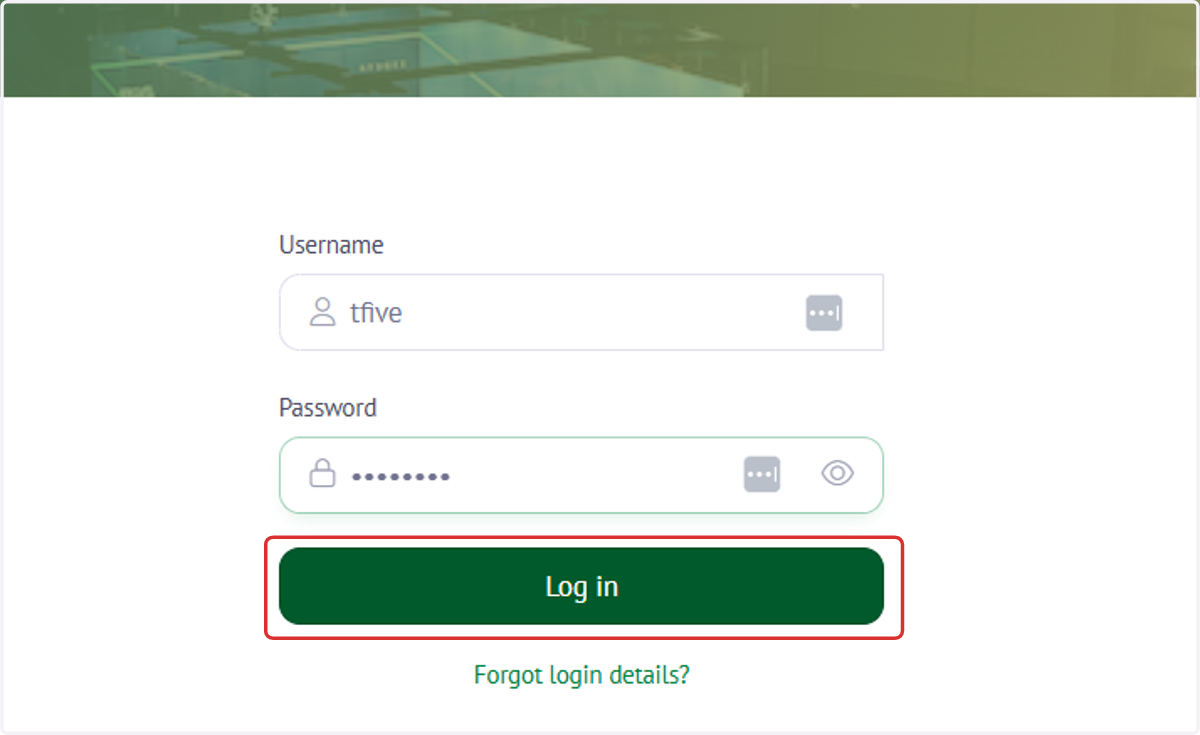
3. Type your MySquashAUS account username & password and click 'Log in'. If you're unsure of your MySquashAUS login details, click 'Forgot login details?' and an email will be sent to your registered email address with the info.
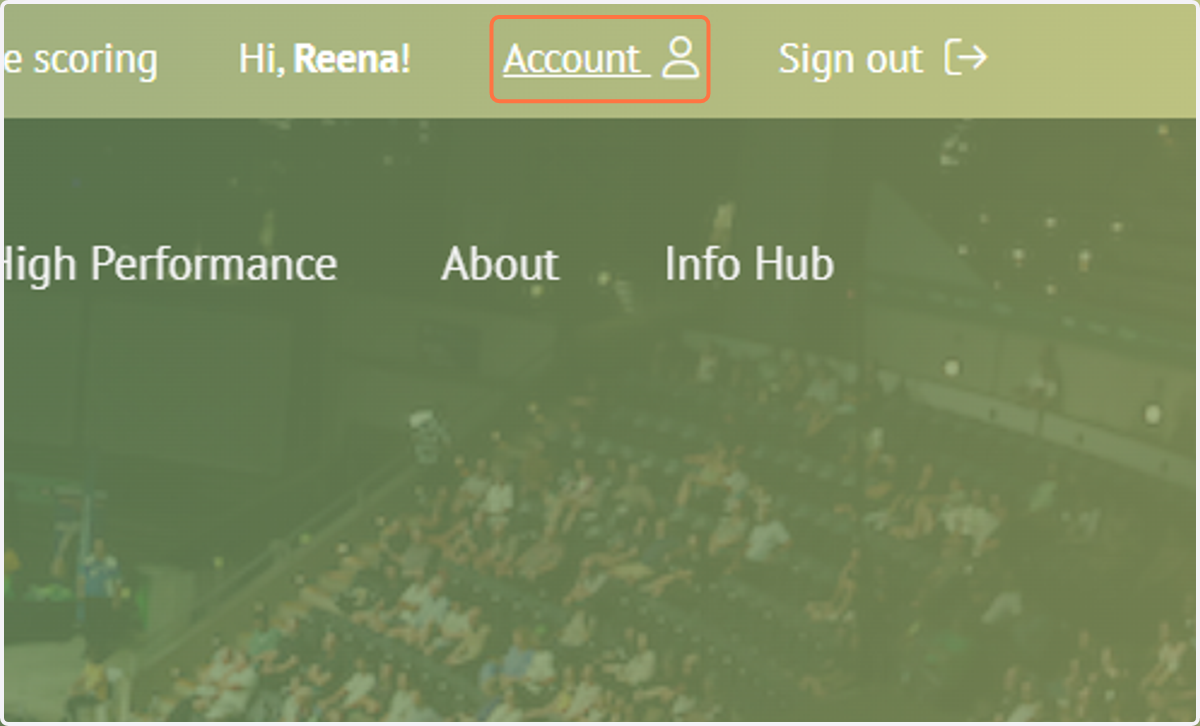
4. To see your MySquashAUS membership details, click on 'Account'.
5. Once you're logged into your MySquashAUS account, find the 'Squash Australia Learning Centre' tile and click on 'Log in'.
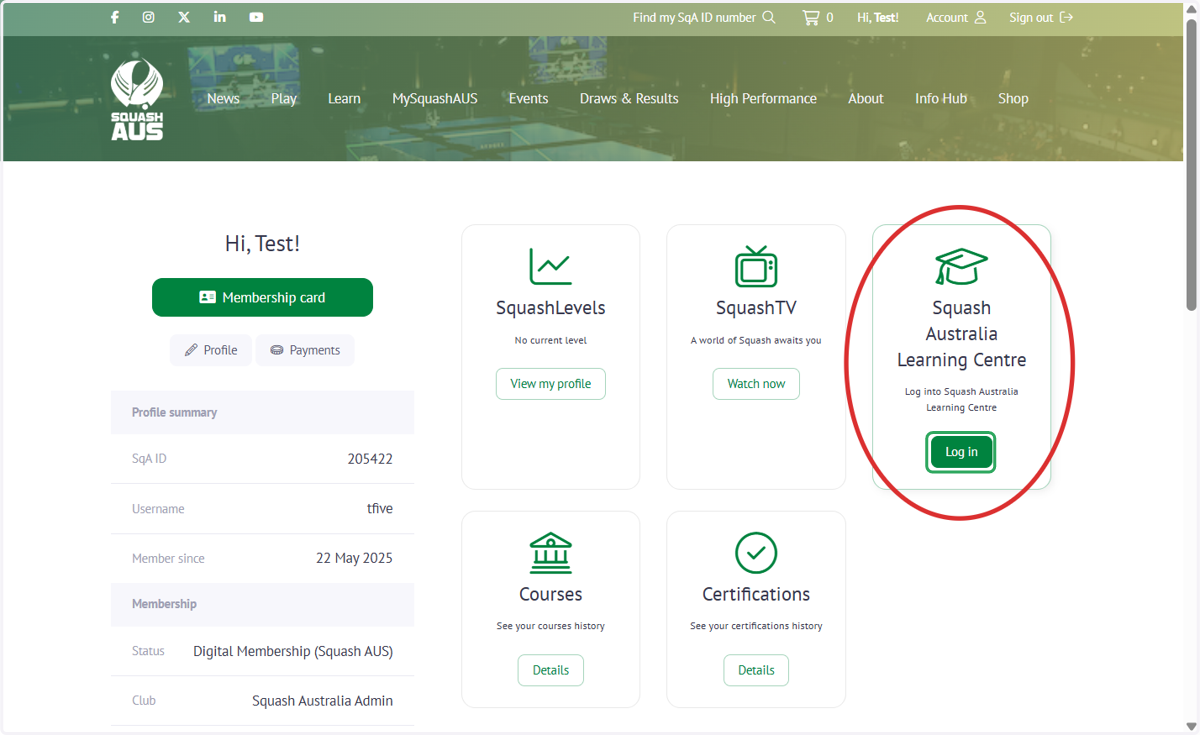
6. This takes you to the SqALC and you can find all the Coach/Official Certifications when you click on the relevant tile.
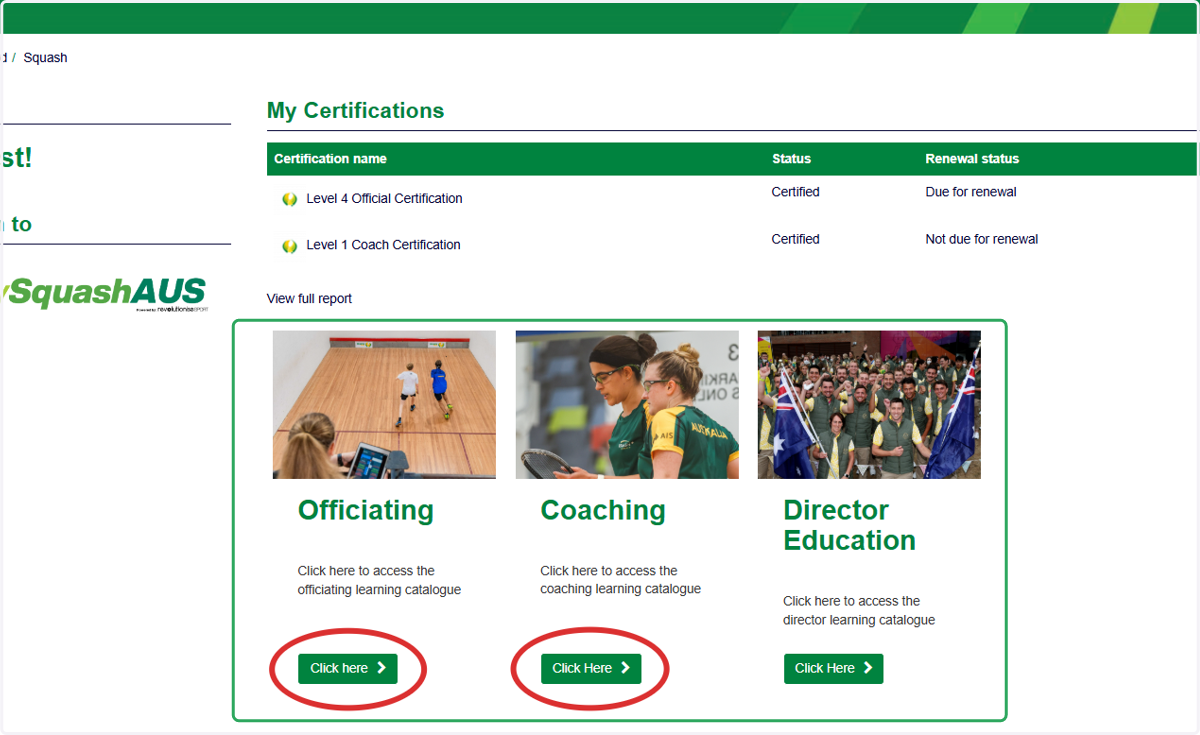
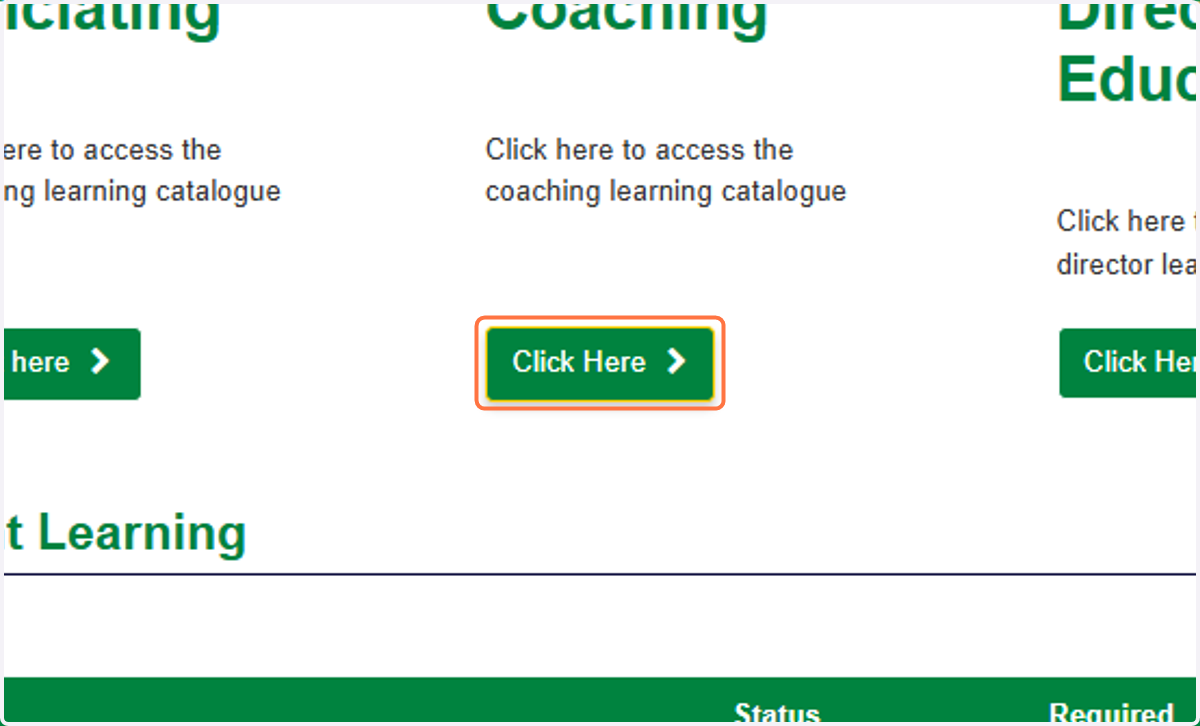
7. If you are registering for a coach certification, select 'Coaching'.
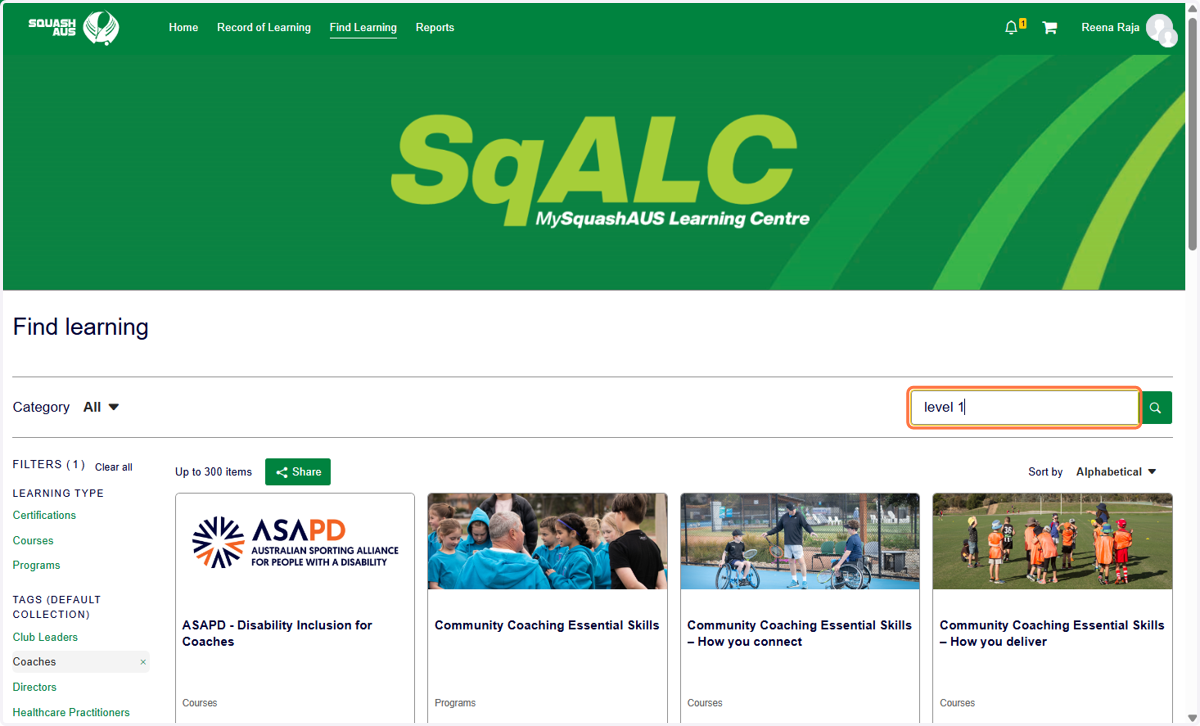
8. Use the Search function or find the Certification you are interested in.
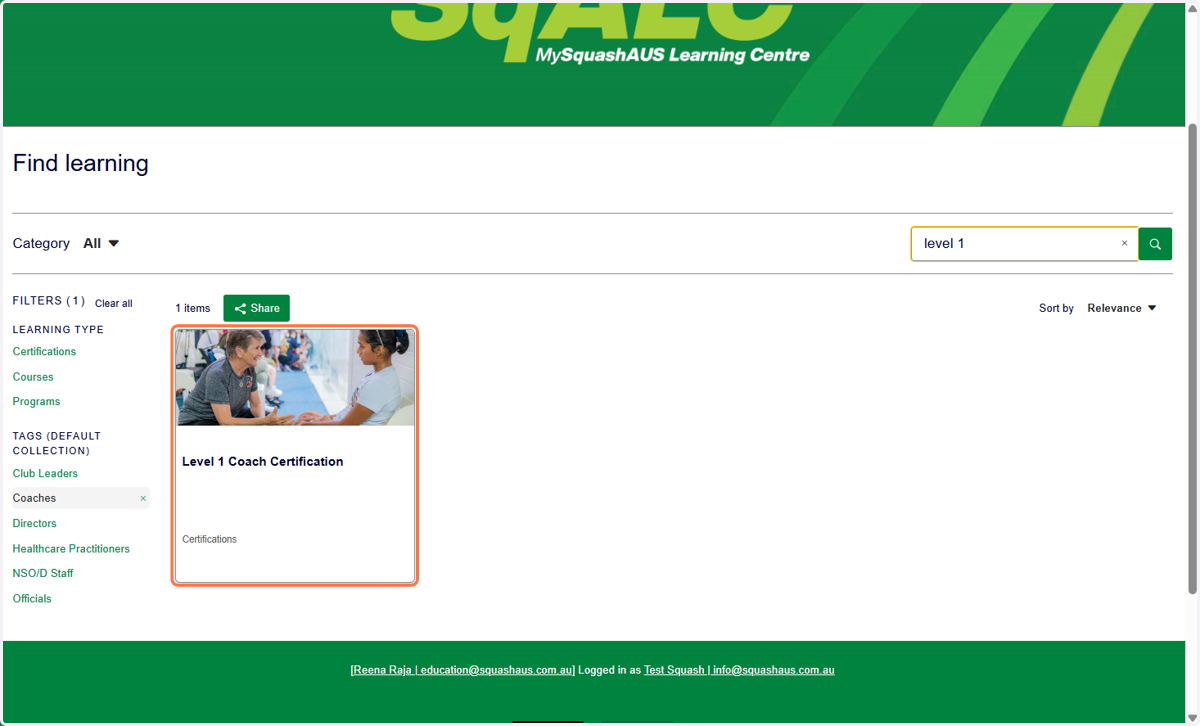
9. Select the right Certification.
10. Once you have opened the Certification, you need to finalise the payment for the certification fee. Click on 'Add to shopping cart'.
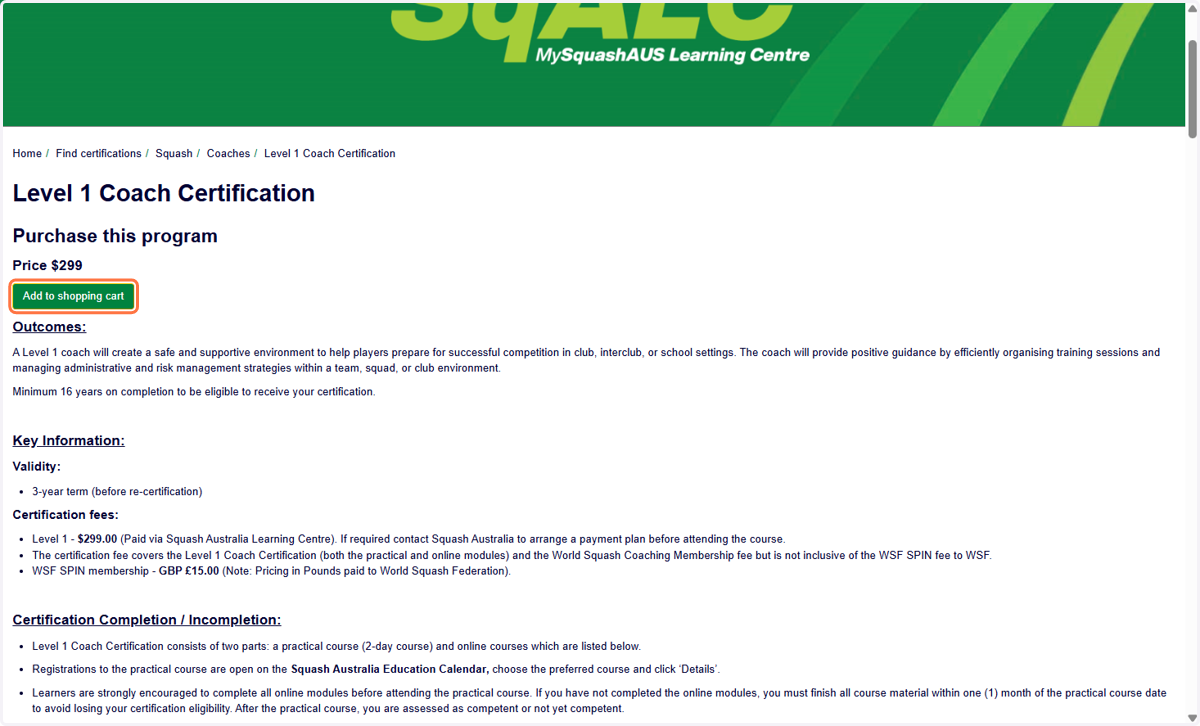
11. Then go to your shopping cart in the top-right corner of the page.
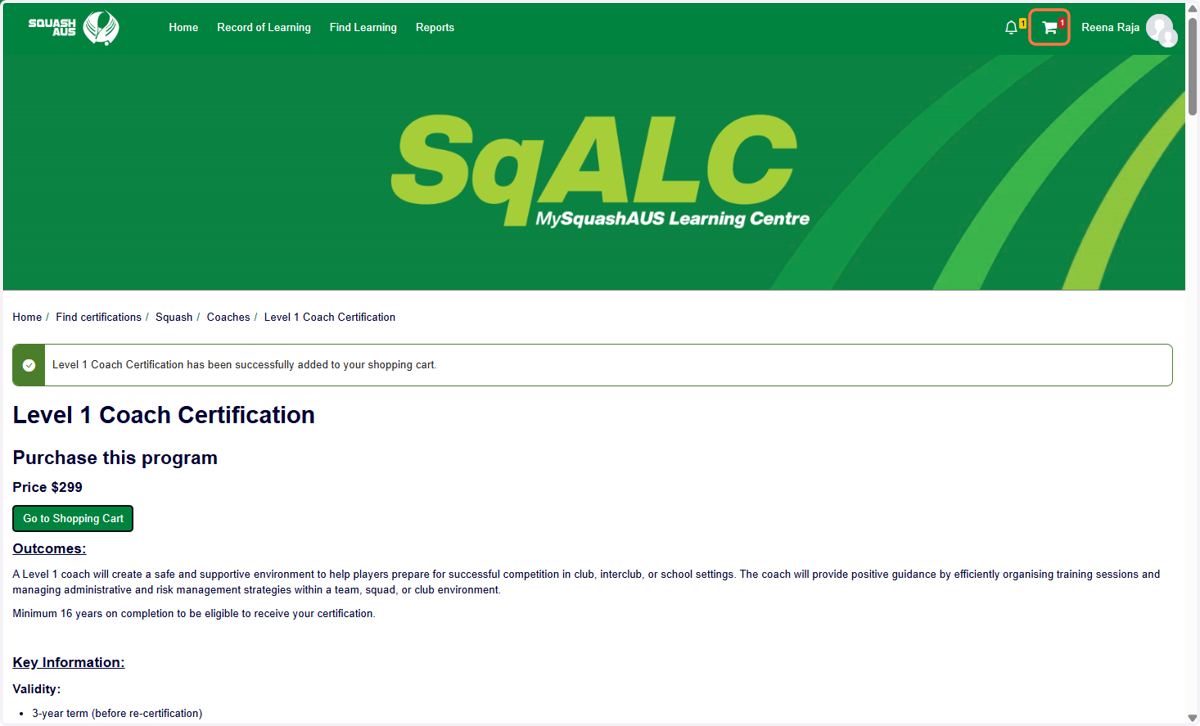
12. Click on the 'Shopping cart'.
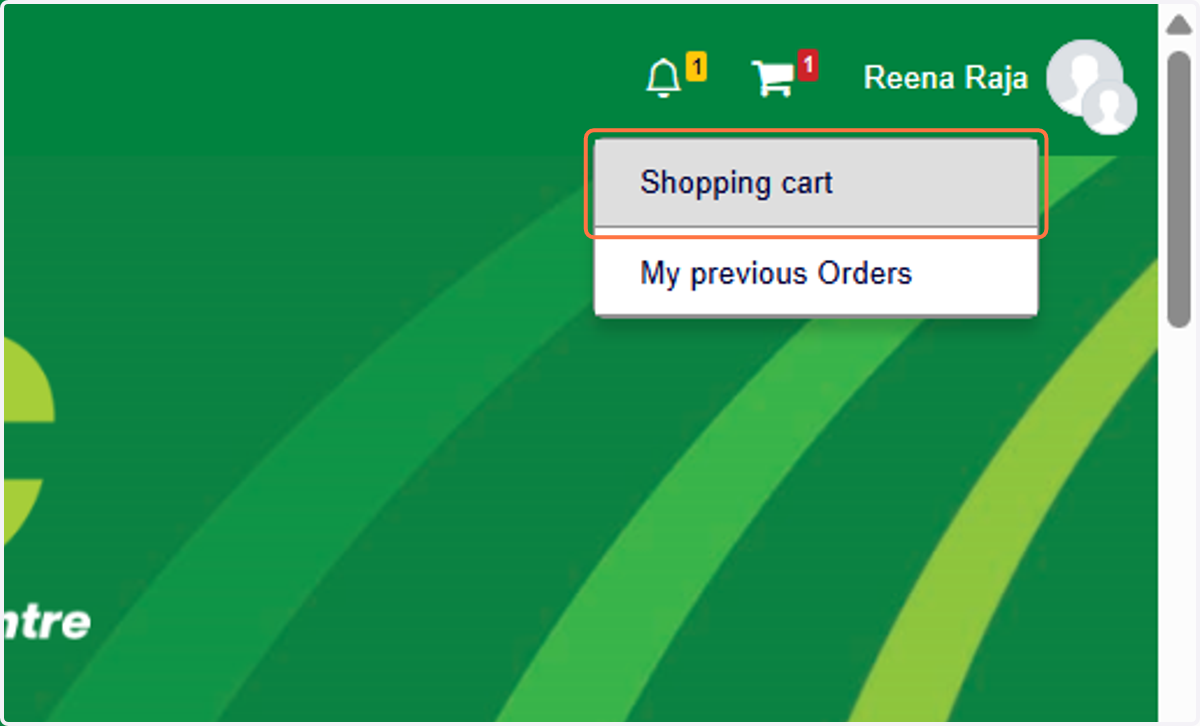
13. Click on 'Proceed to Checkout' and finalise the payment.
14. Once the payment has been processed, you can see all the requirements listed. To view the details and instructions for each one, simply select ‘Launch Course’.
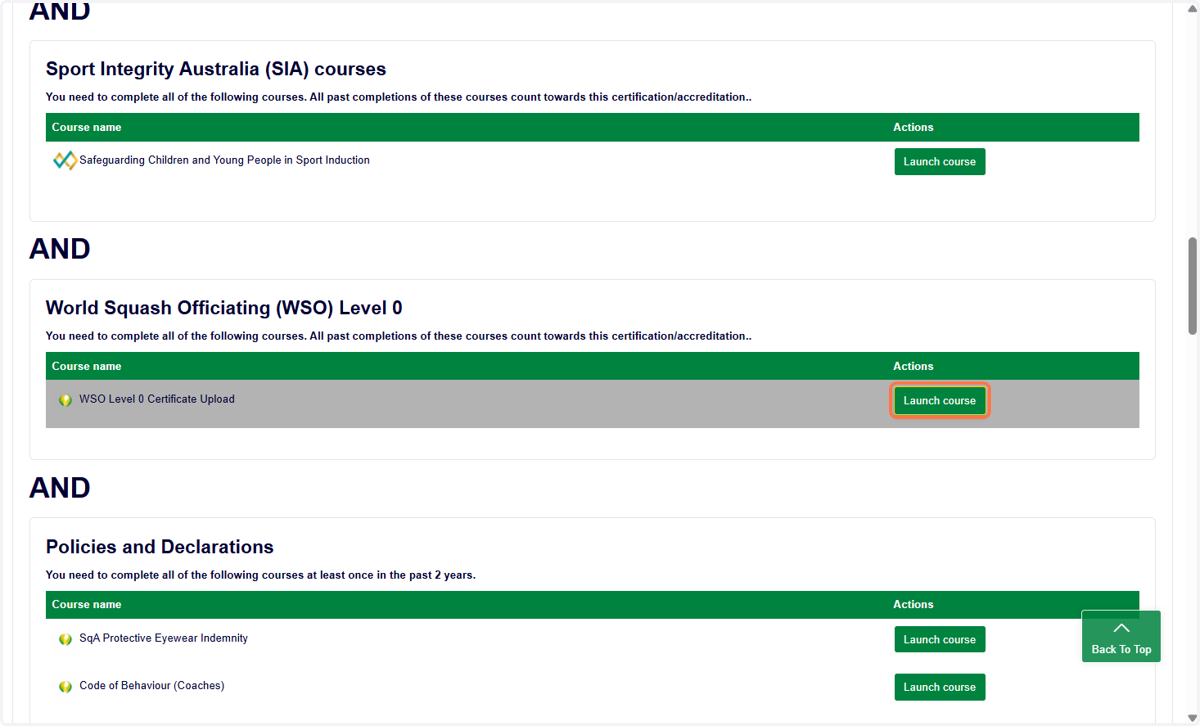
15. You can see all the information and instructions displayed.
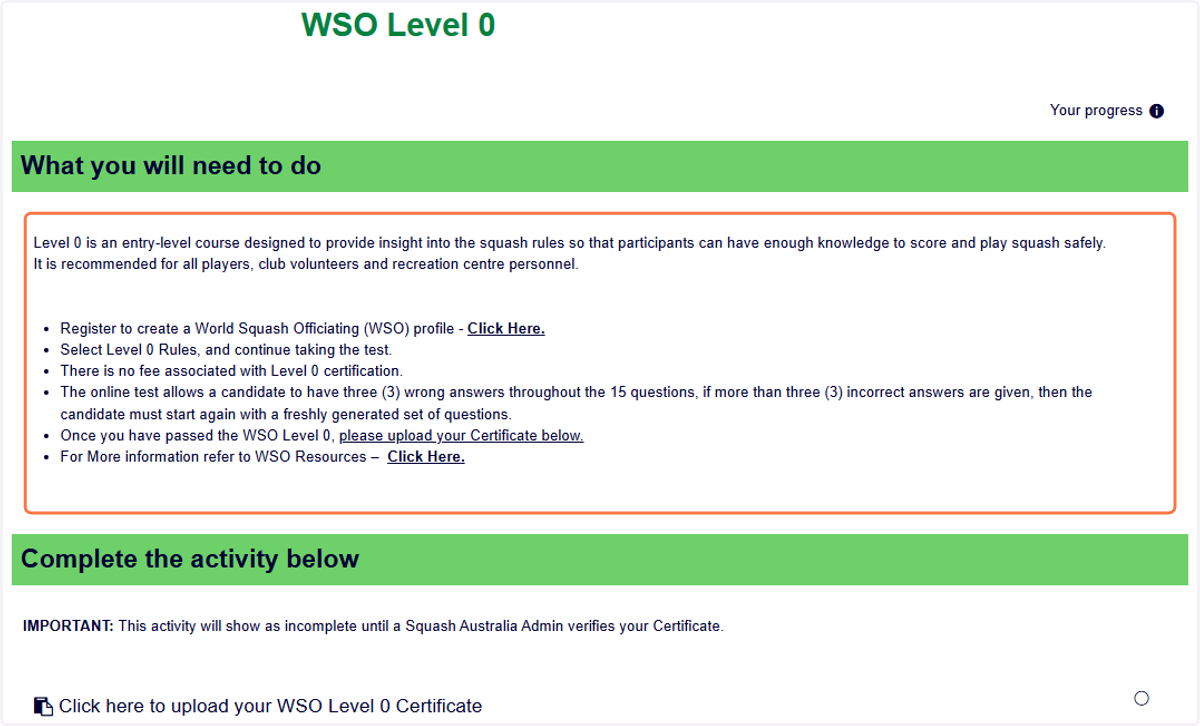
16. Then complete the required activity. If you need to upload any completion certificates, please click the links provided to upload your Certificate.
PS! Please note that upload activities will show as incomplete until a Squash Australia Admin verifies them.
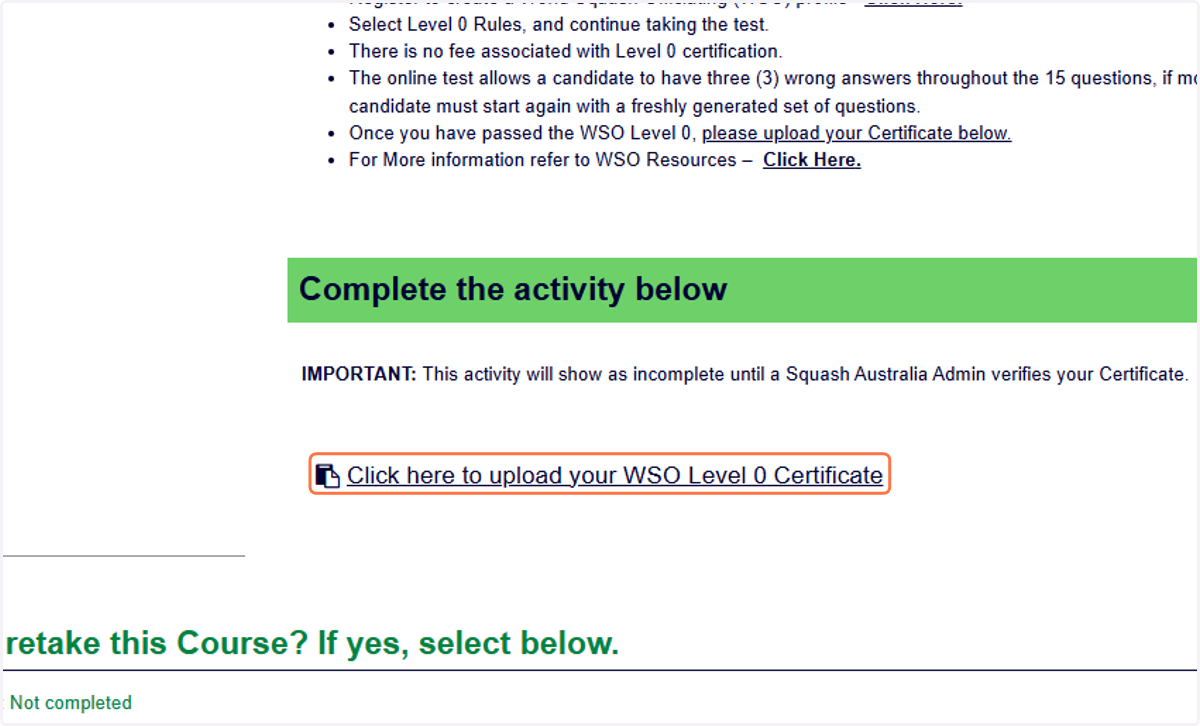
17. A course is considered complete only when it shows a green ‘Completed’ status. Your certification will be awarded once all listed courses display a completed status.
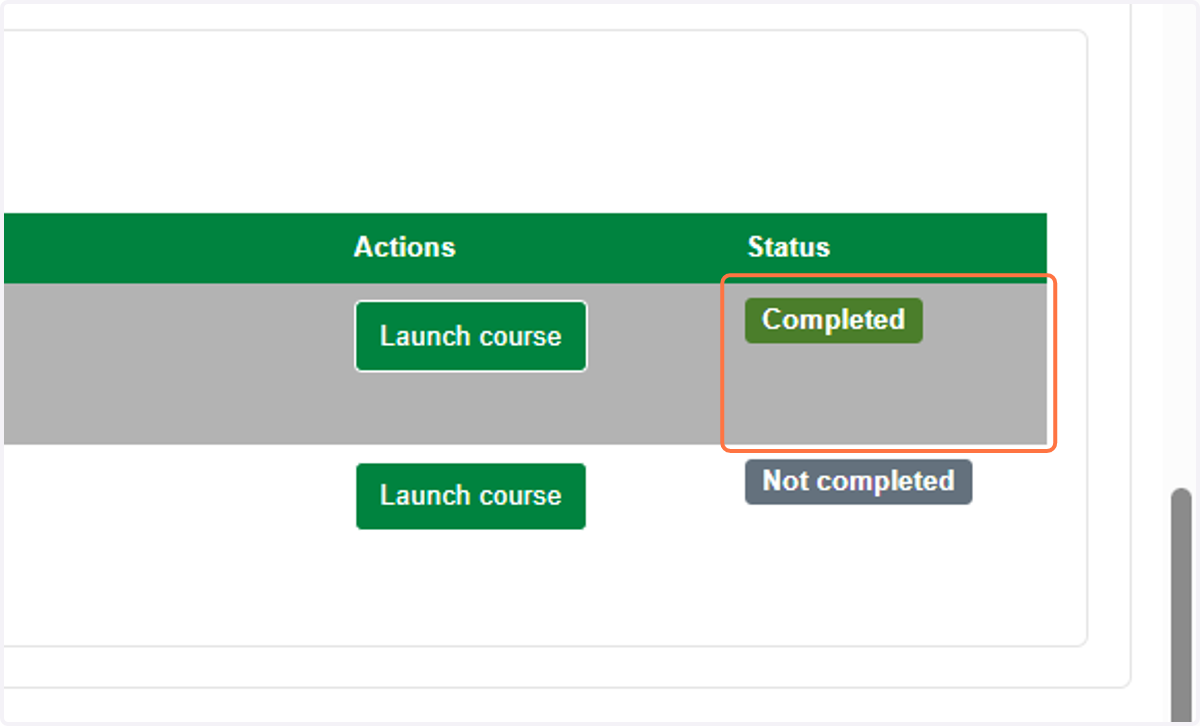
18. Not completed courses will show statuses like 'Not Completed' or 'In Progress'.
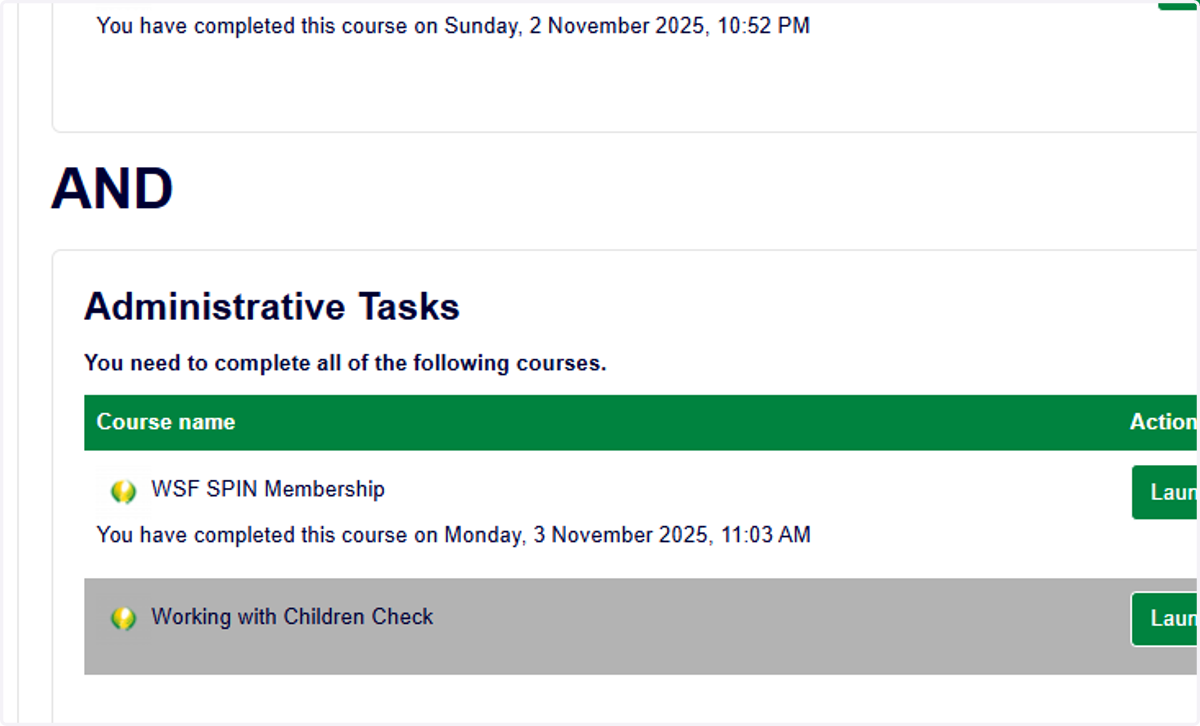
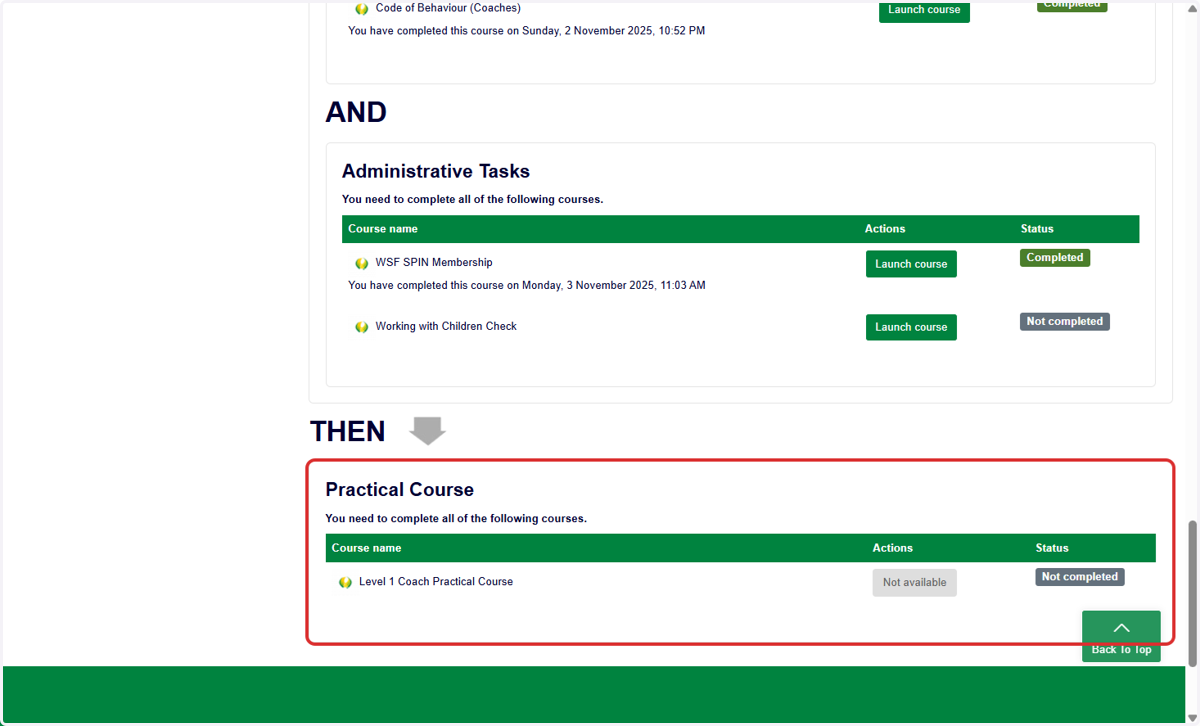
19. Some courses are only available once all the preceding courses have been completed.
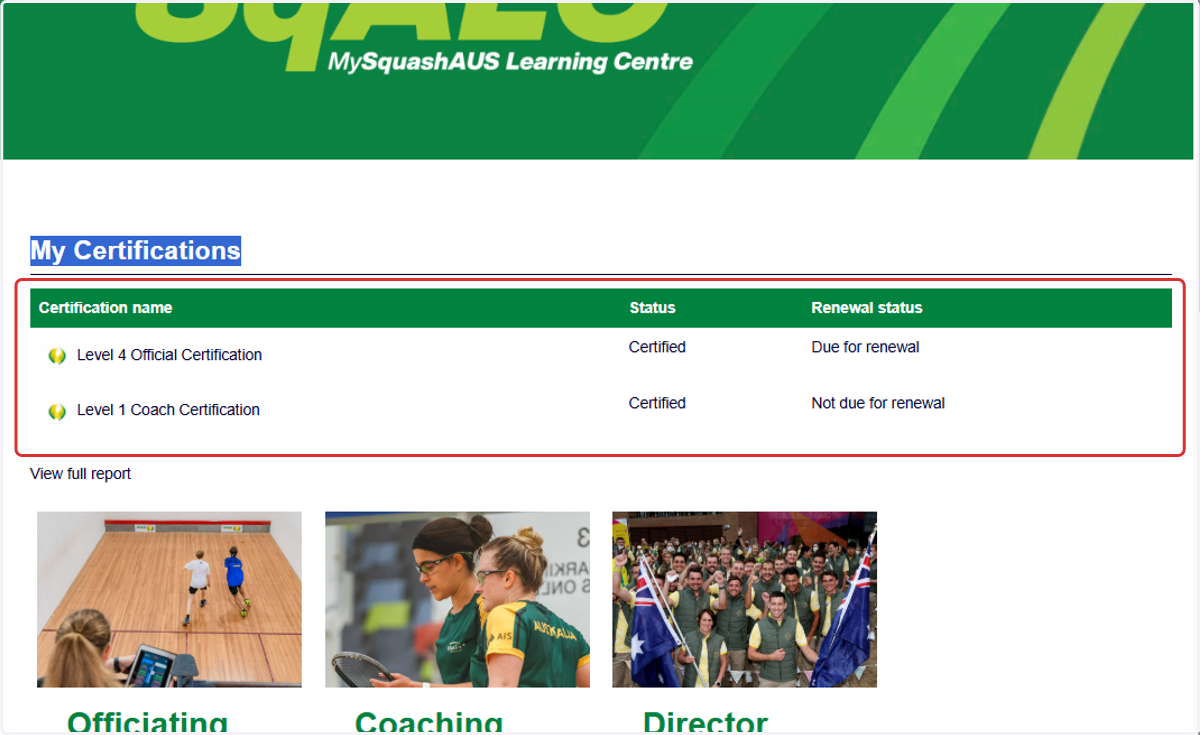
20. Once you have registered for the certification, you can find all your active certifications under 'My Certifications' on your Dashboard.
Completed Certifications
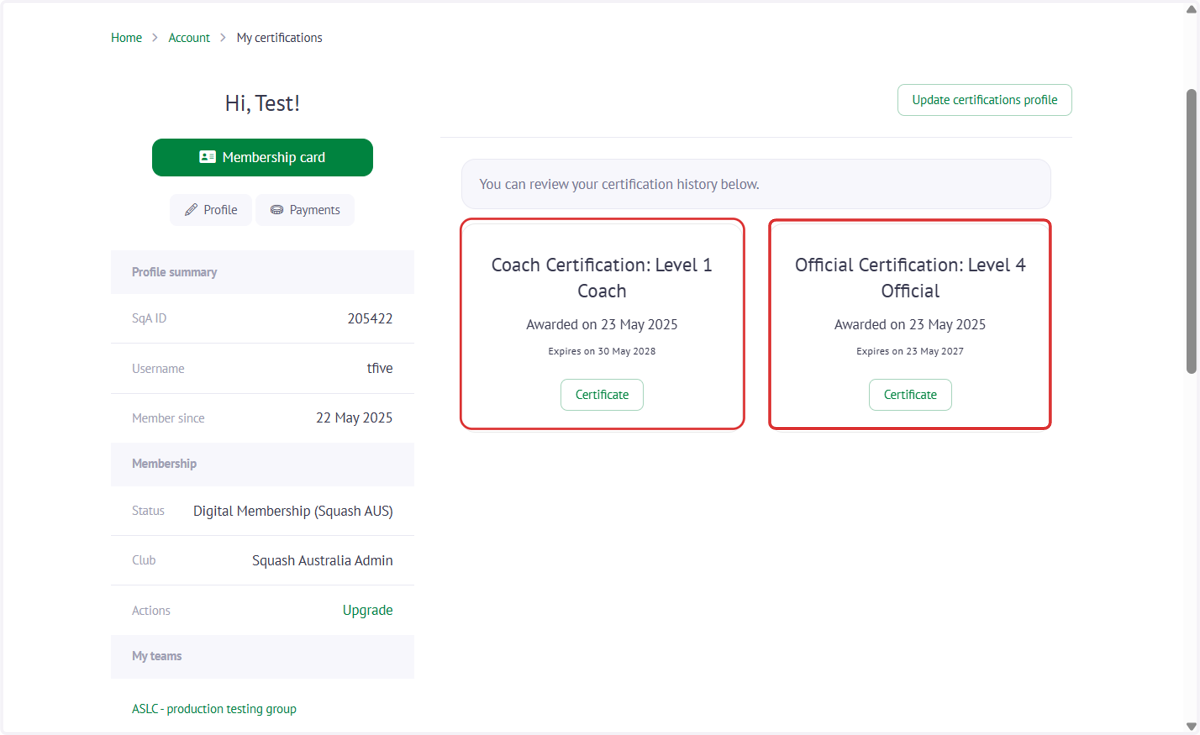
21. Once you have completed your Certification in the SqALC, you can find your completion Certificate back on your MySquahsAUS profile under the 'Certifications' tile approximately 24h after completion. Select 'Details' to see additional information.
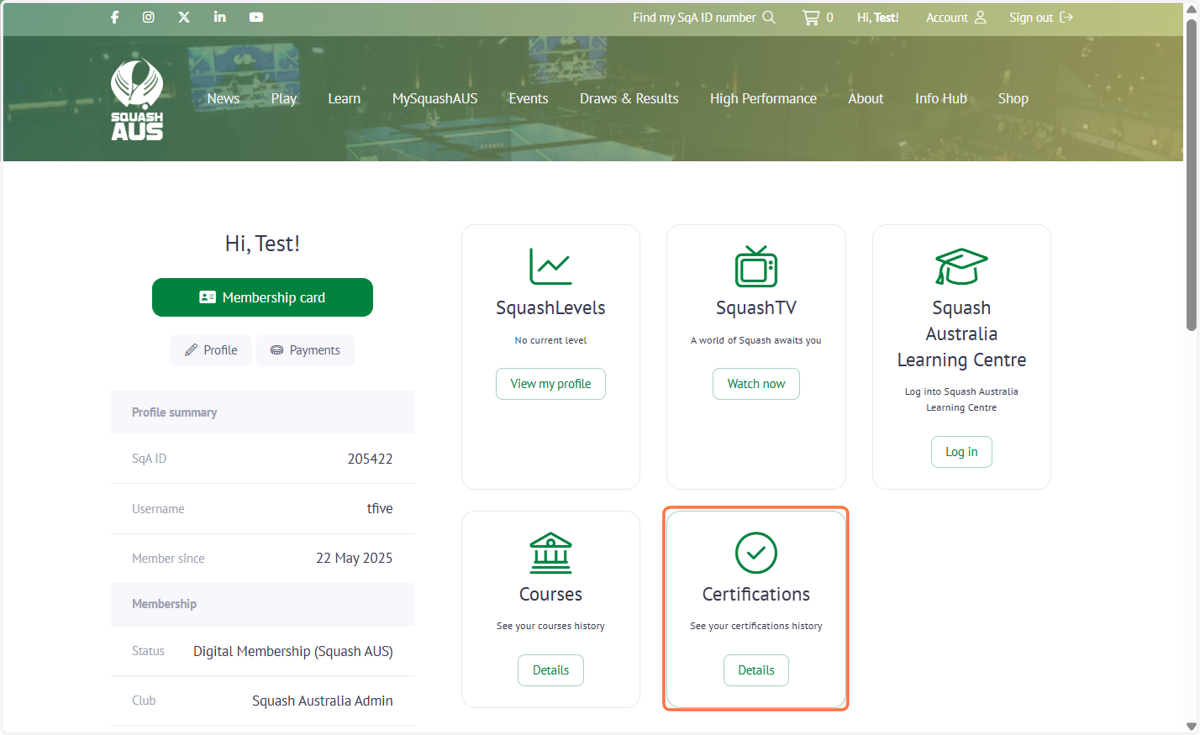
22. Select 'Details' to see additional information and to review your Certification history:
✉️ Questions?
If you experience any issues or need support, please contact us at education@squashaus.com.au.