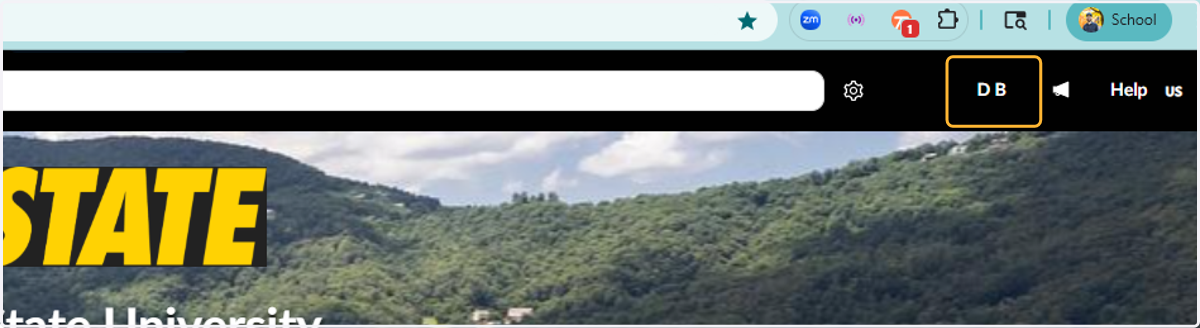
Sign In to photo catalog via SSO (Single Sign-On)
You will learn how to log in to App State's Mediagraph photography catalog.
Navigate to mediagraph.io/appstate
Use your web browser to go to mediagraph.io/appstate
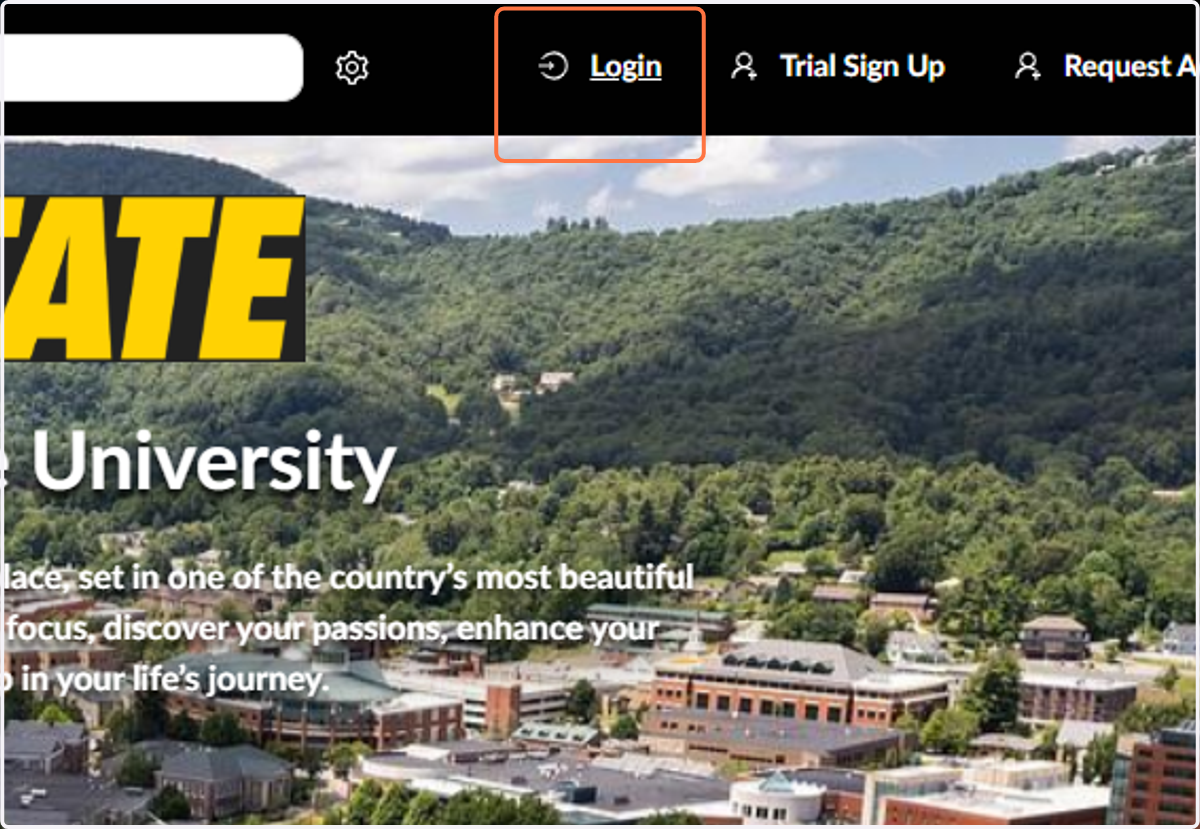
1. Click on Login
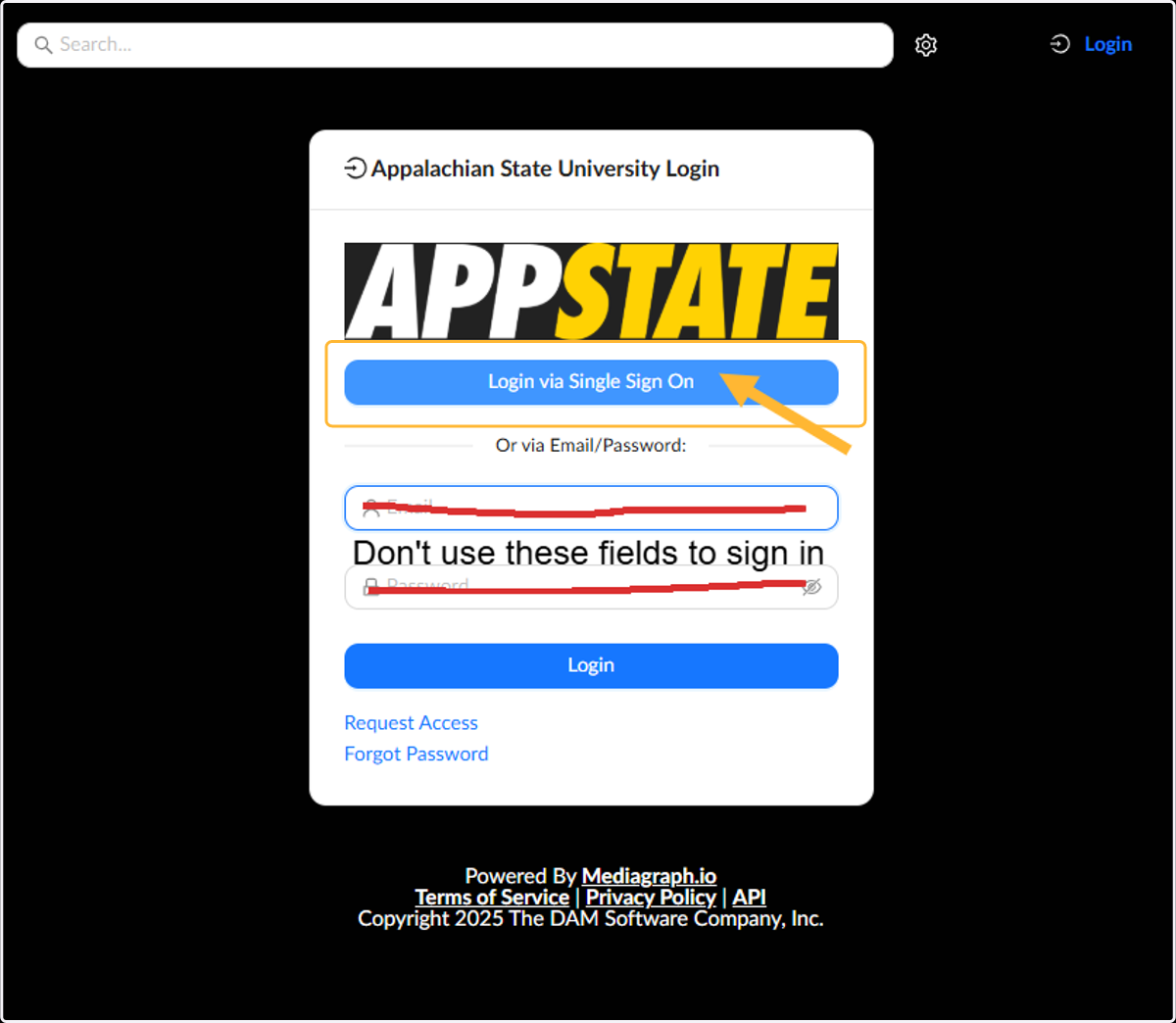
2. Click on Login via Single Sign On
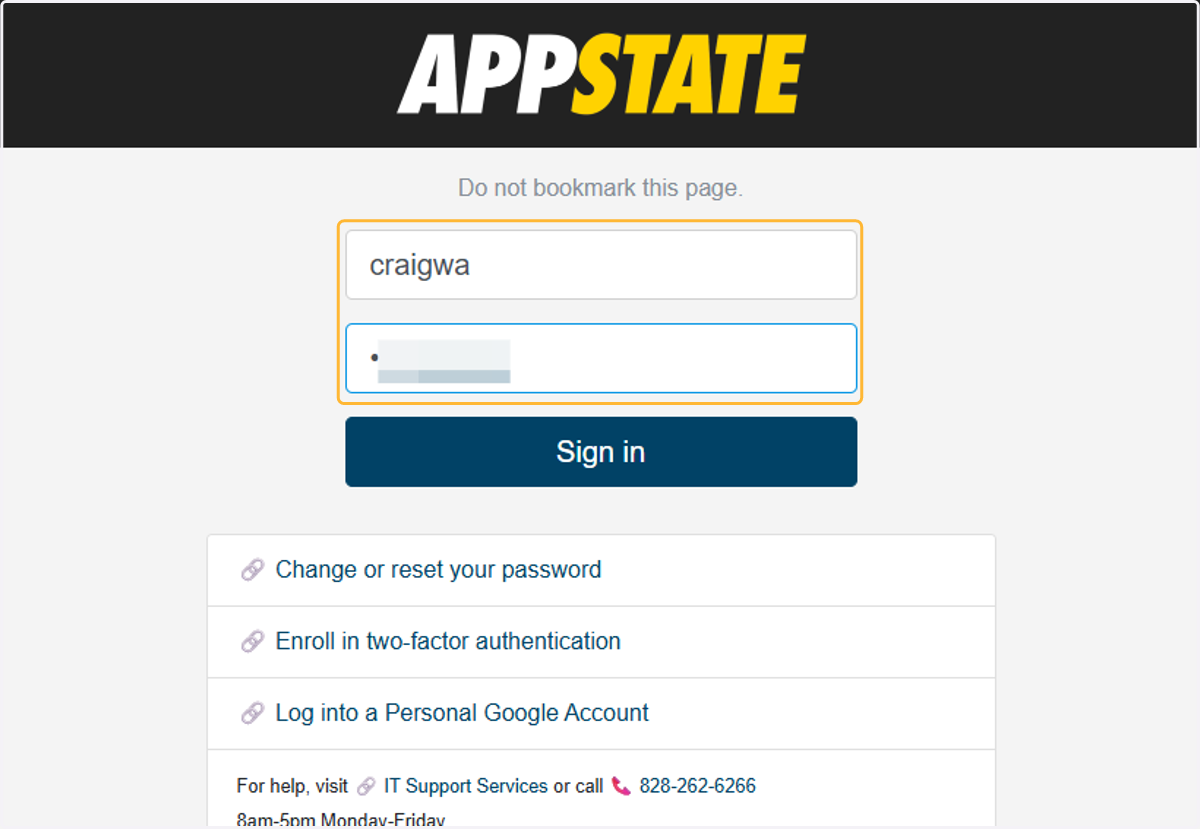
3. Type your App State username and password
4. You are now logged in
Once logged in you may see the home page or you may be taken directly to the photo collections. Your profile initials will also show in the top right.