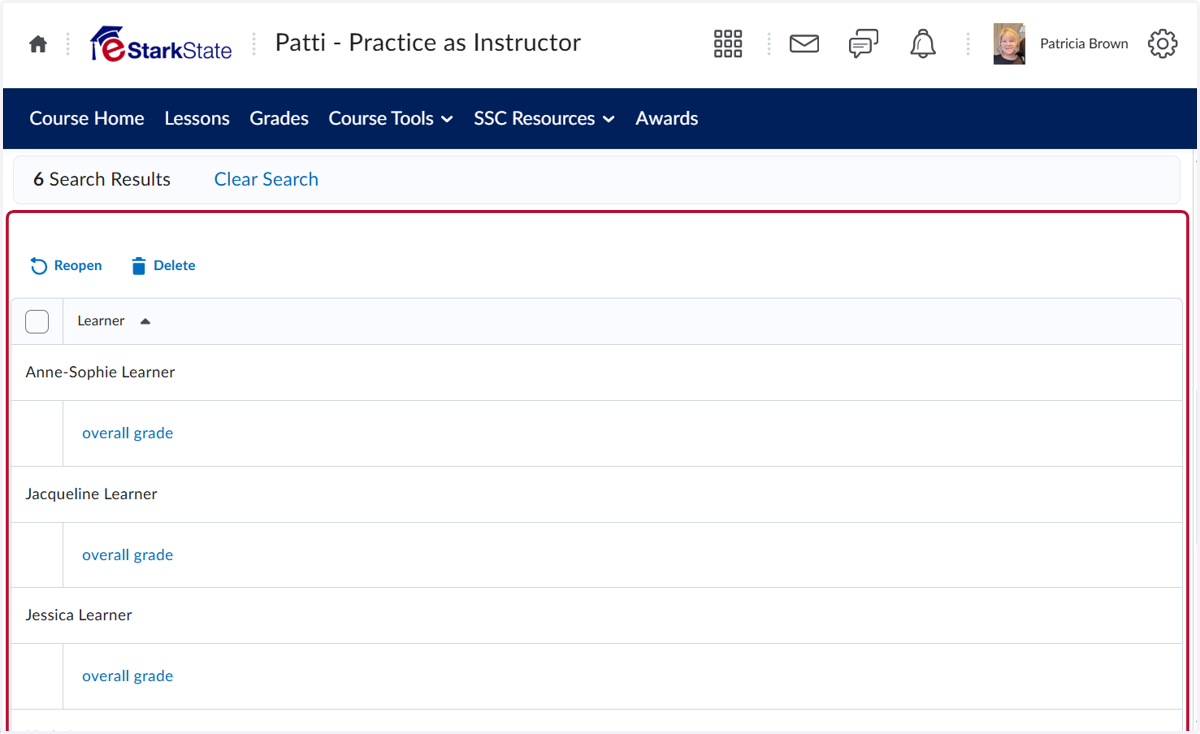
Search Options for Quiz Attempts
This tutorial will show you how to search quiz attempts for students who have not completed a quiz.
Start Here - Patti - Practice as Instructor
1. Click on Course Tools
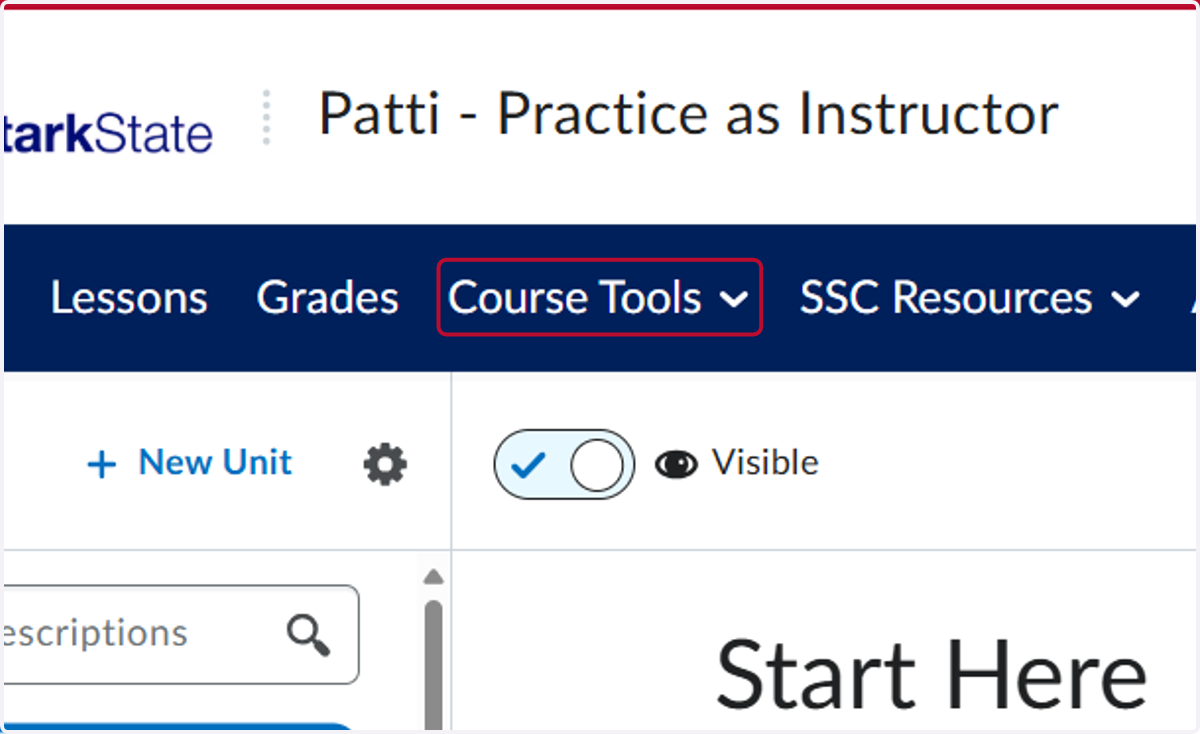
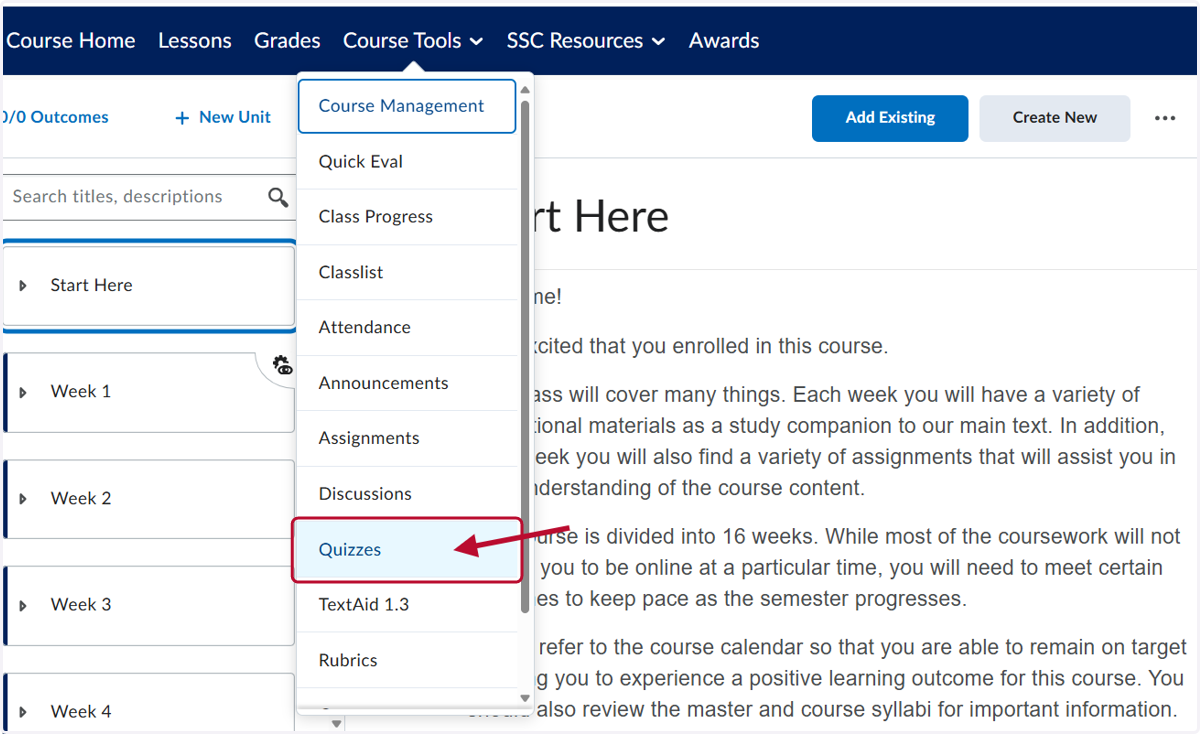
2. Click on Quizzes
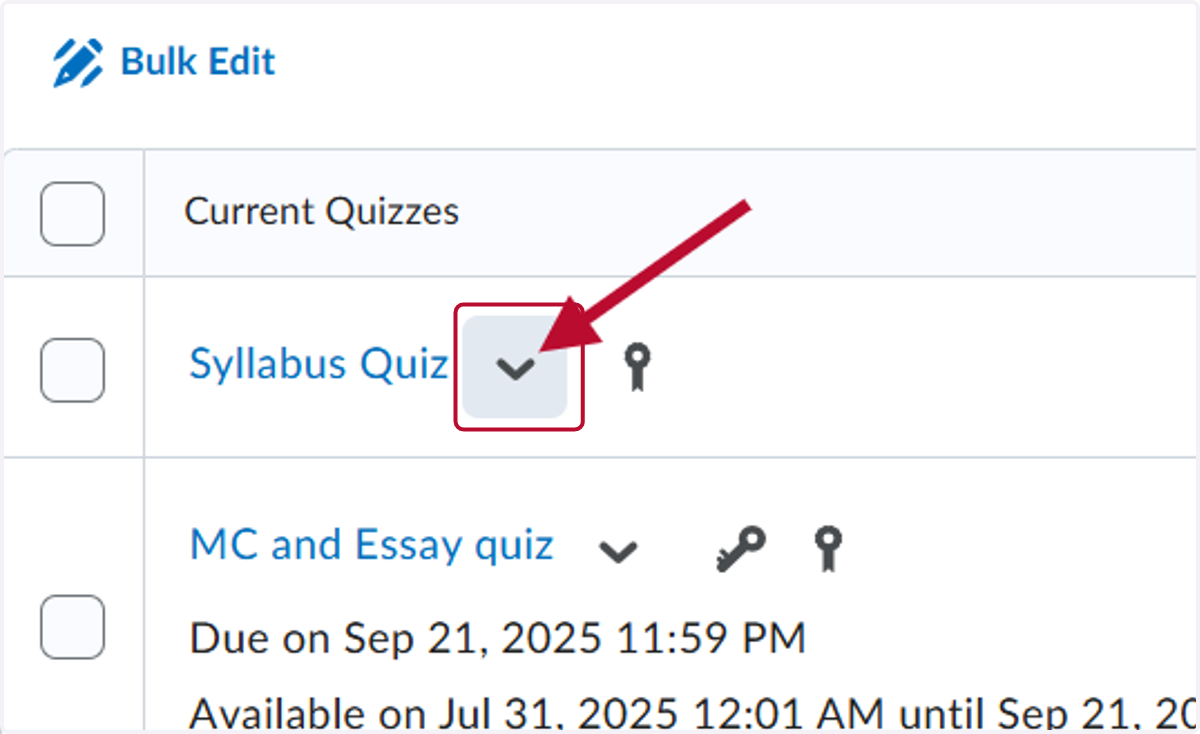
3. Click on the down arrow on the quiz you want to search attempts
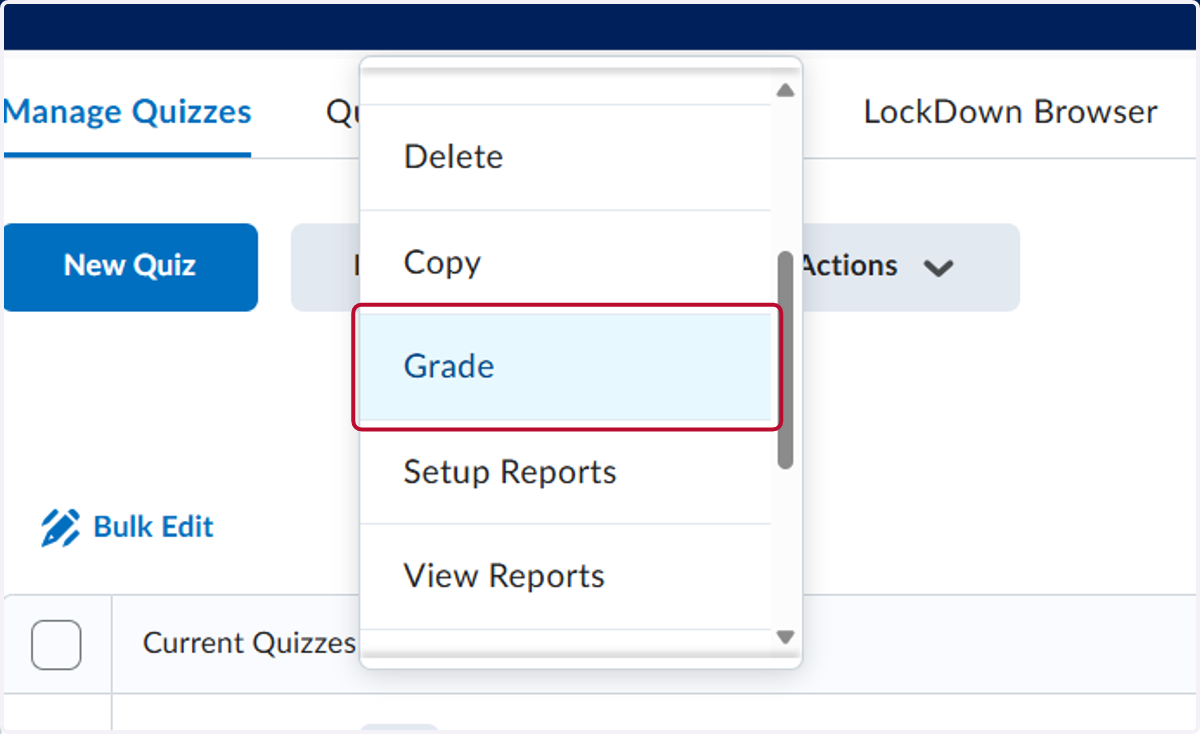
4. Click on Grade
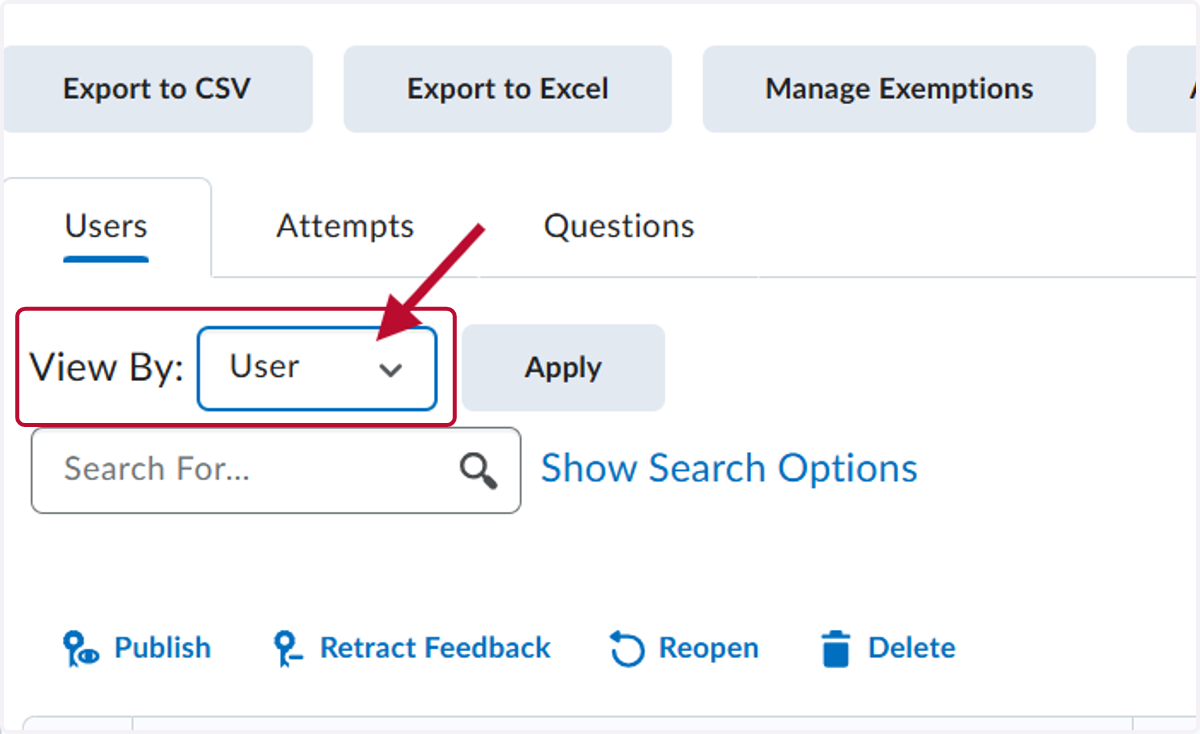
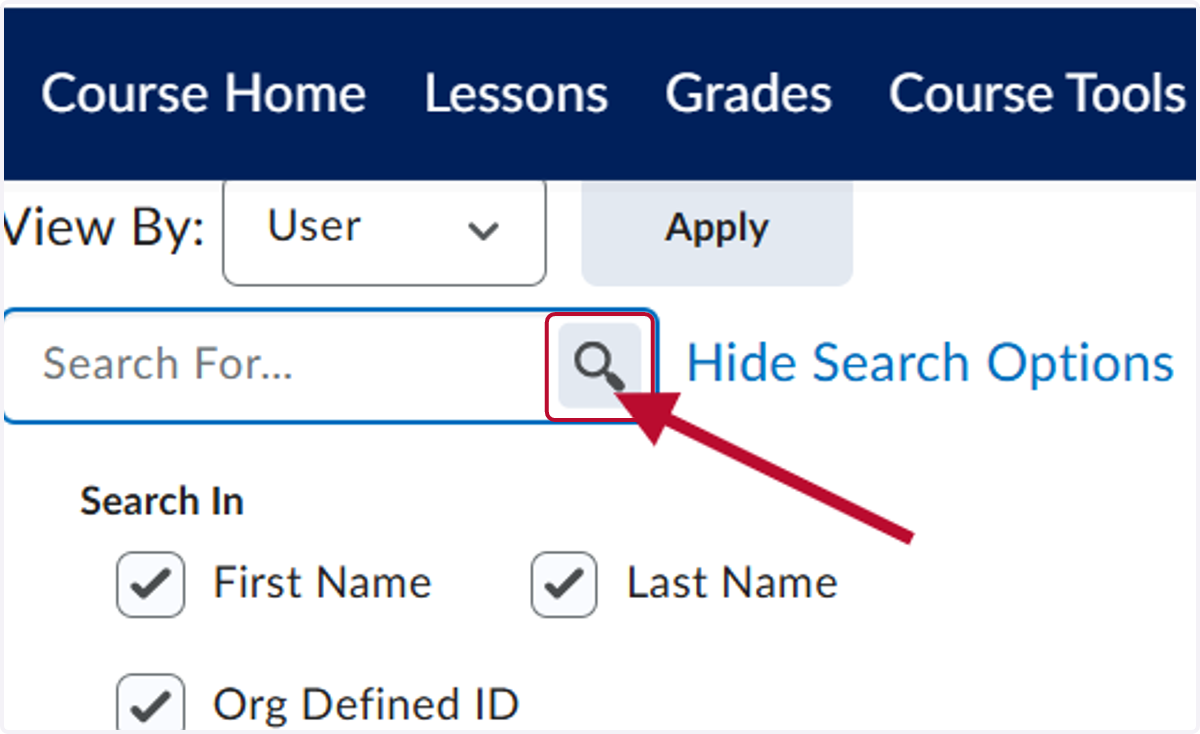
5. Click the down arrow next to View By to select users or sections if you have merged courses. Then click Apply. If you have sections, you will want to select All Sections.
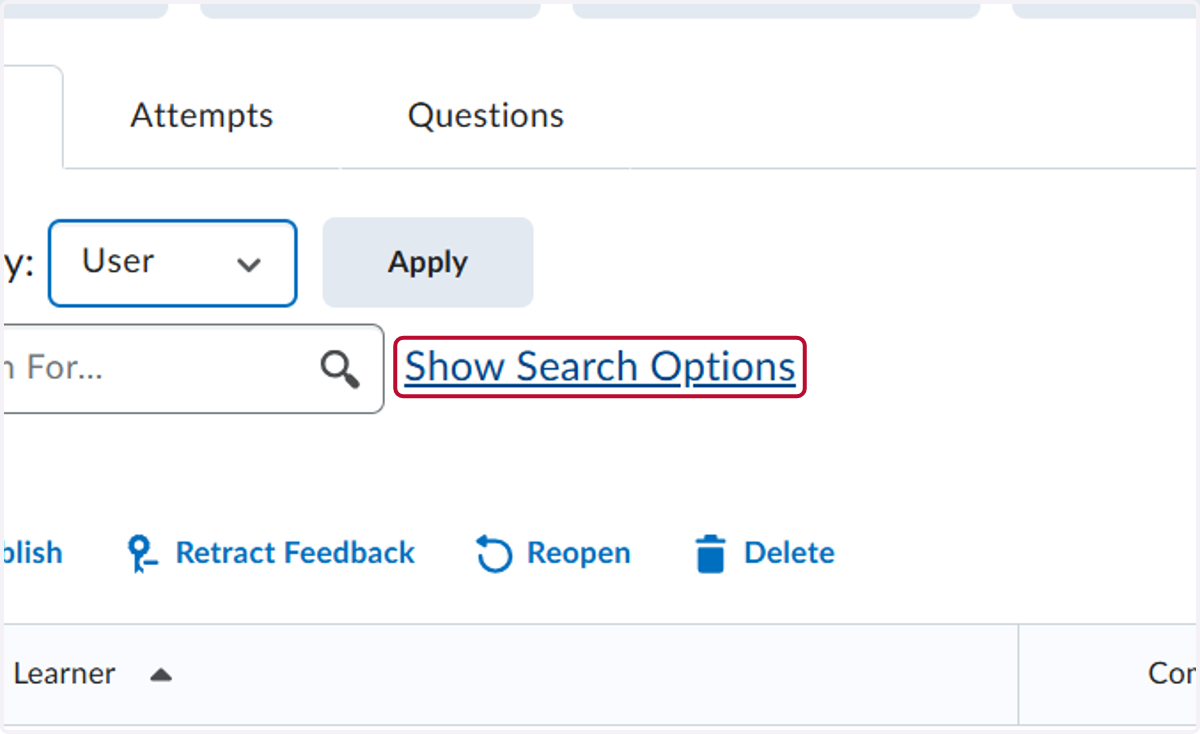
6. Click on Show Search Options
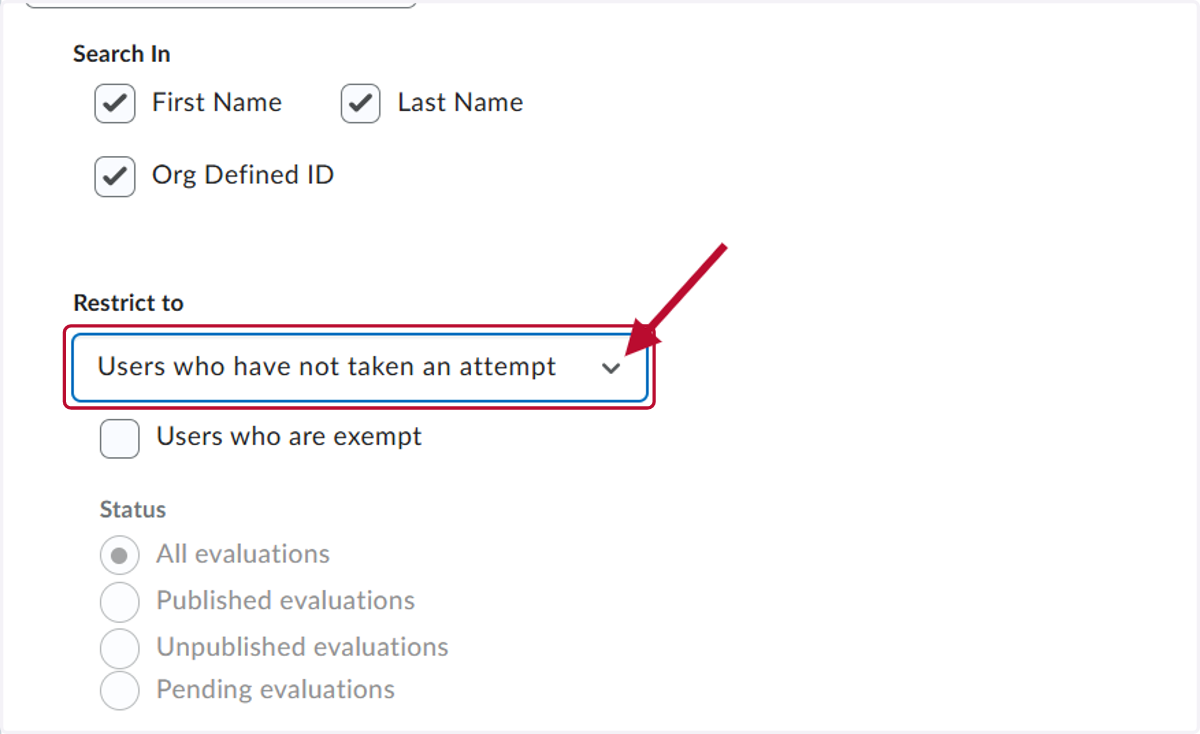
7. Select Users who have not taken an attempt
8. Click on Search
9. The result of the search are all users who have not completed an attempt.