School Store - Athletic Sign Up

Student Profile | Home | Infinite Campus

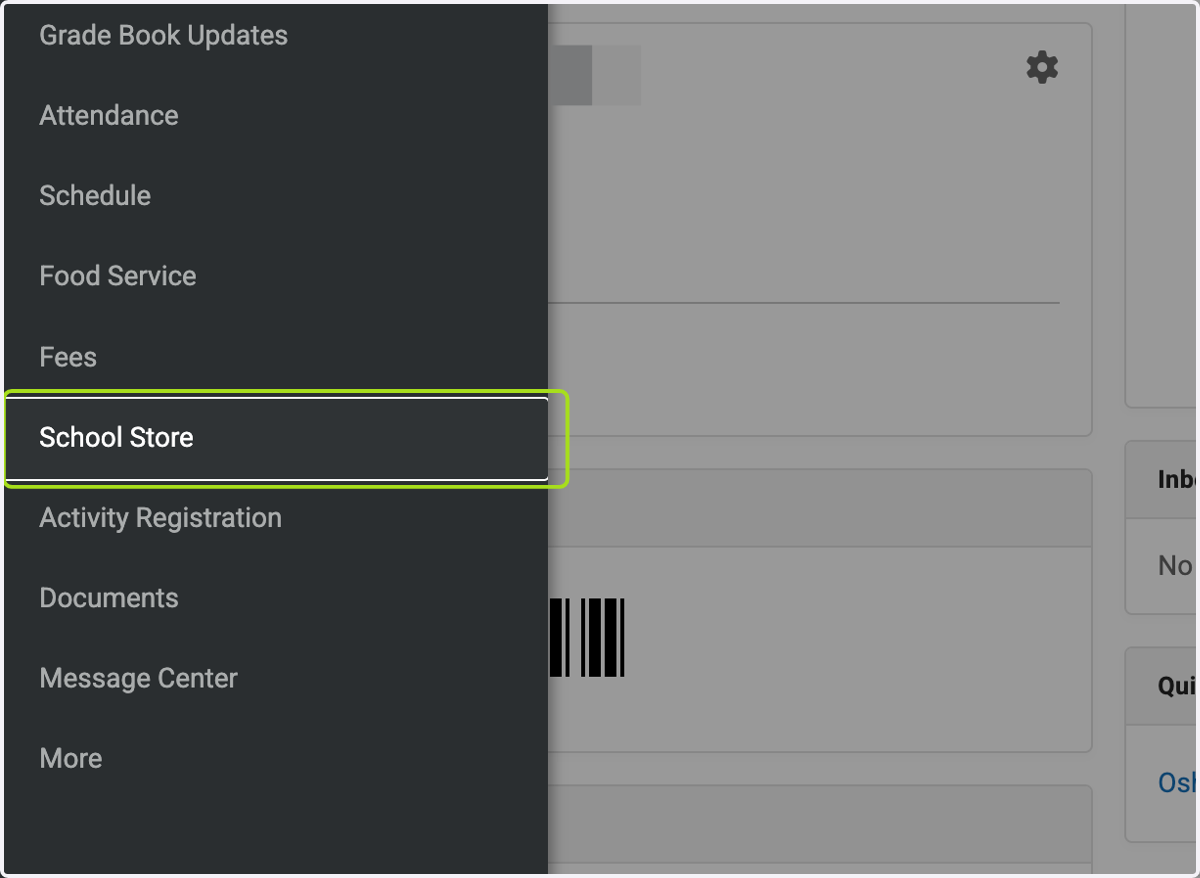
  1. 1. Click on School Store

    Click on School Store
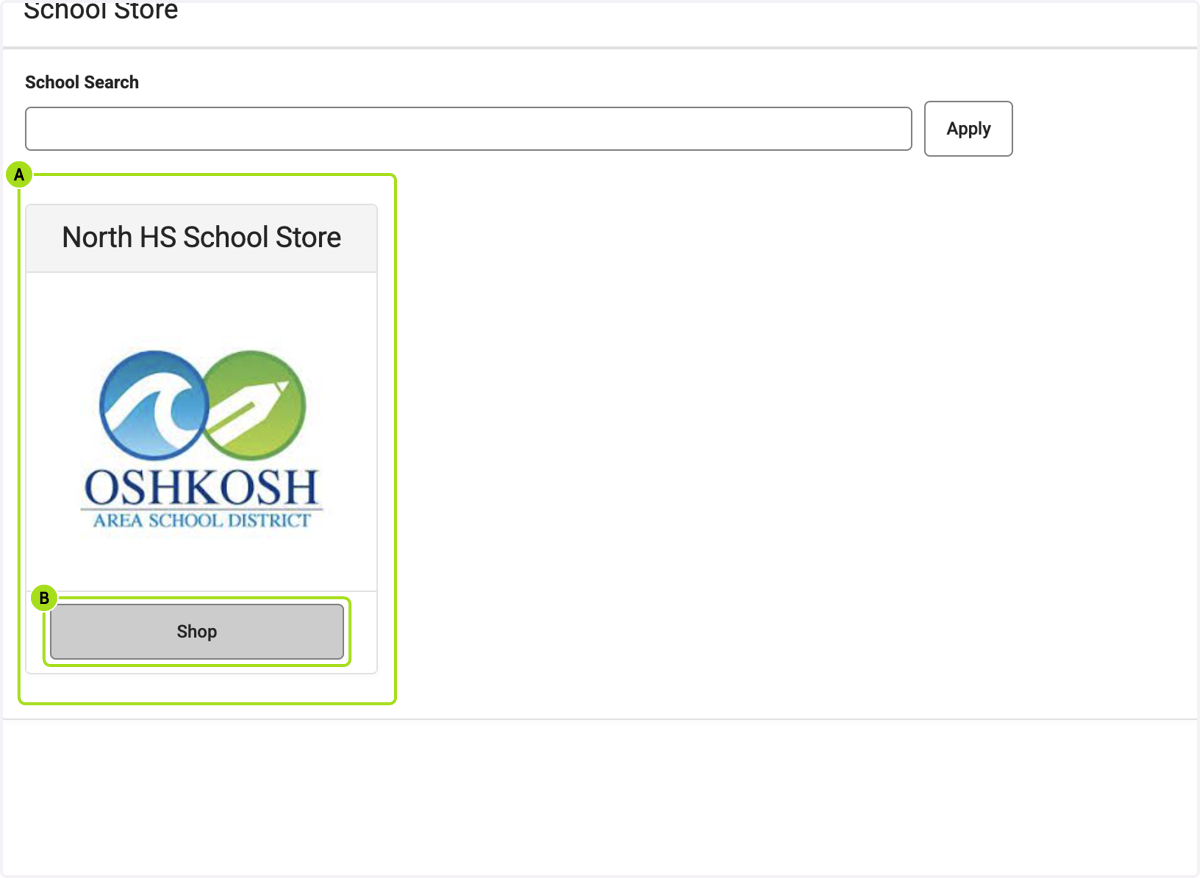
    1. 2. A. Click on your child's school

    2. 2. B. Click on Shop

    A. Click on your child's school B. Click on Shop
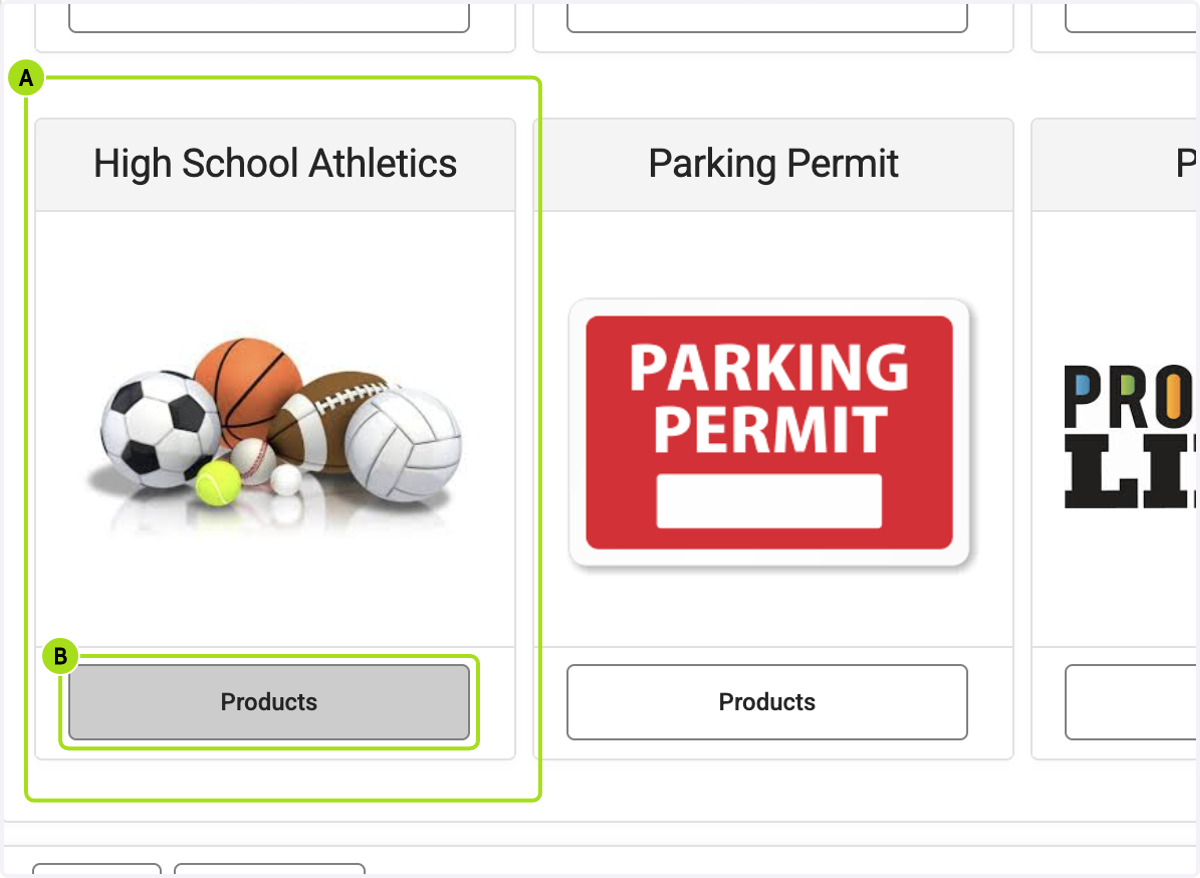
    1. 3. A. Click on High School Athletics…

    2. 3. B. Click on Products

    A. Click on High School Athletics… B. Click on Products
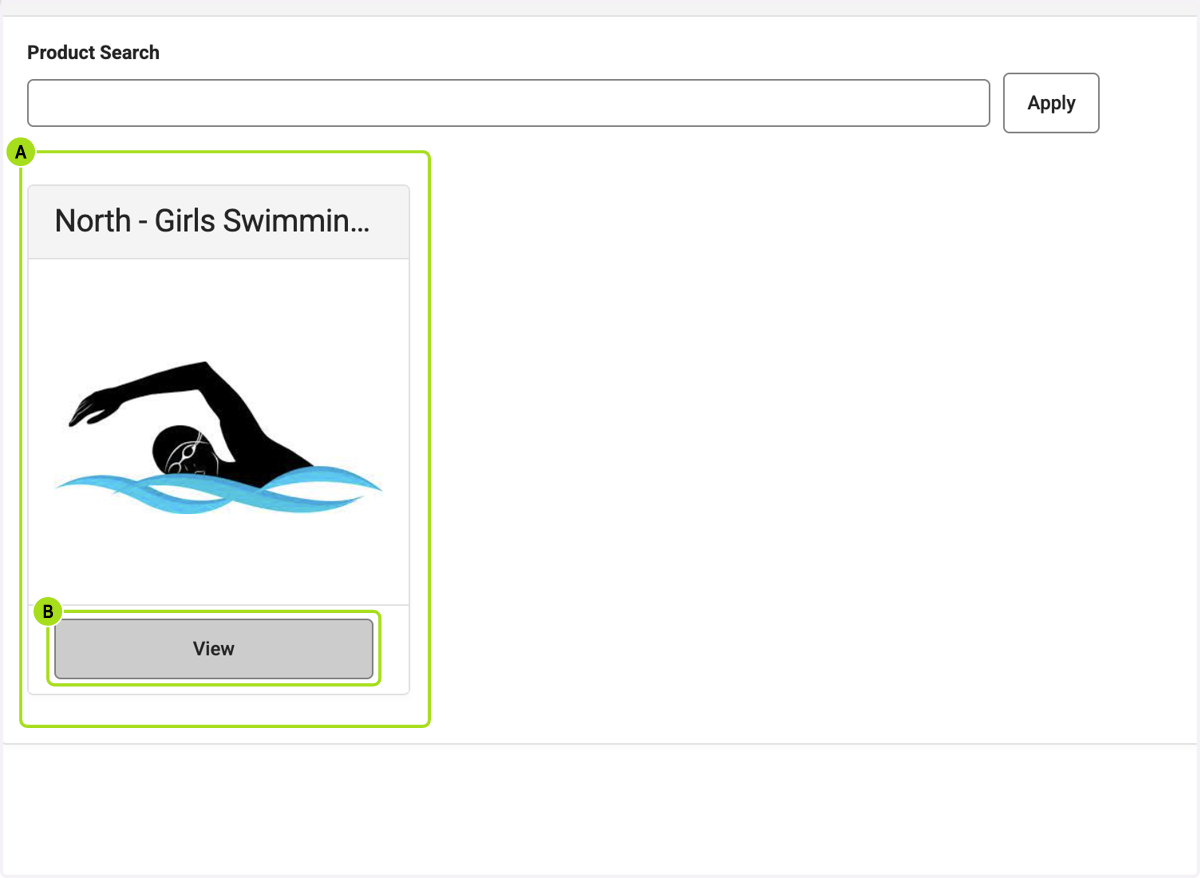
    1. 4. A. Click on the sport you would like your child to participate in

    2. 4. B. Click on View

    A. Click on the sport you would like your child to participate in B. Click on View
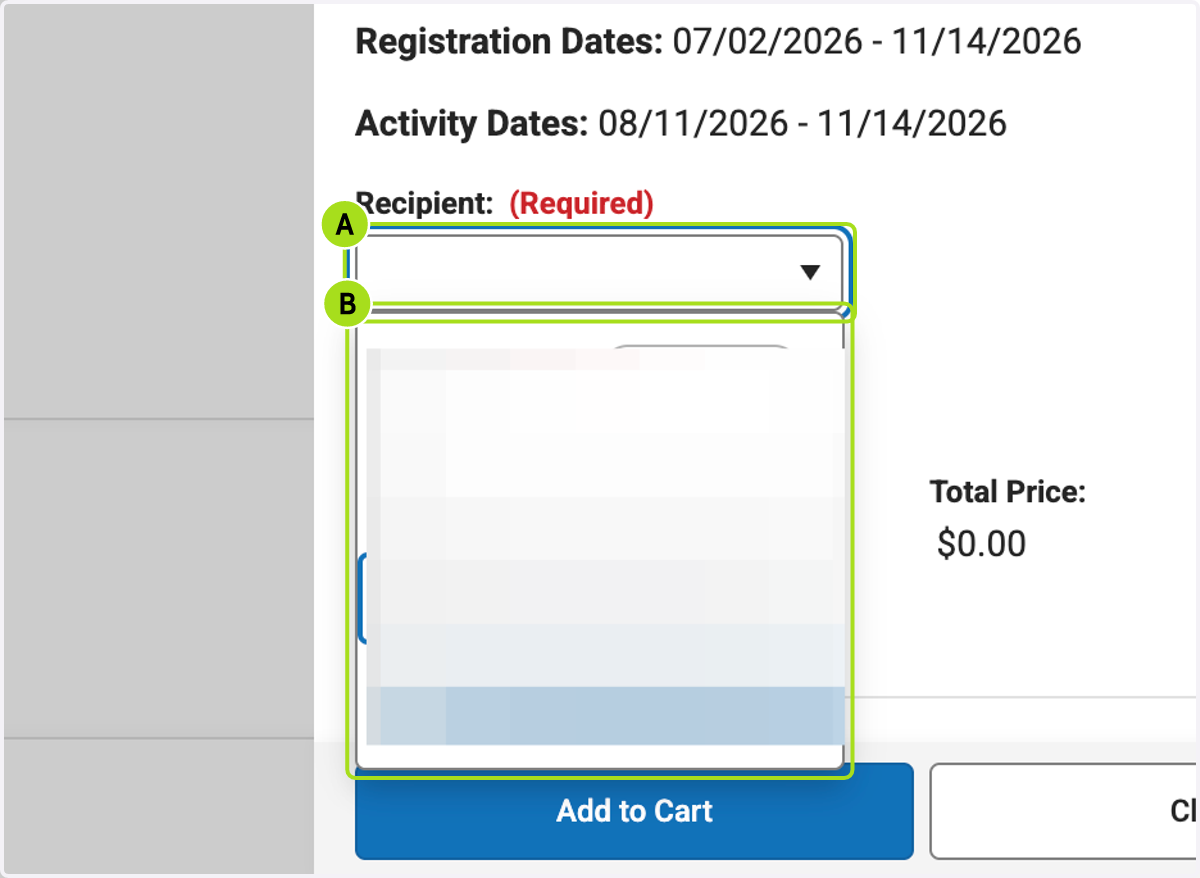
    1. 5. A. Click on Recipient: (Required)

    2. 5. B. Select Recipient: (Required)

    A. Click on Recipient: (Required) B. Select Recipient: (Required)
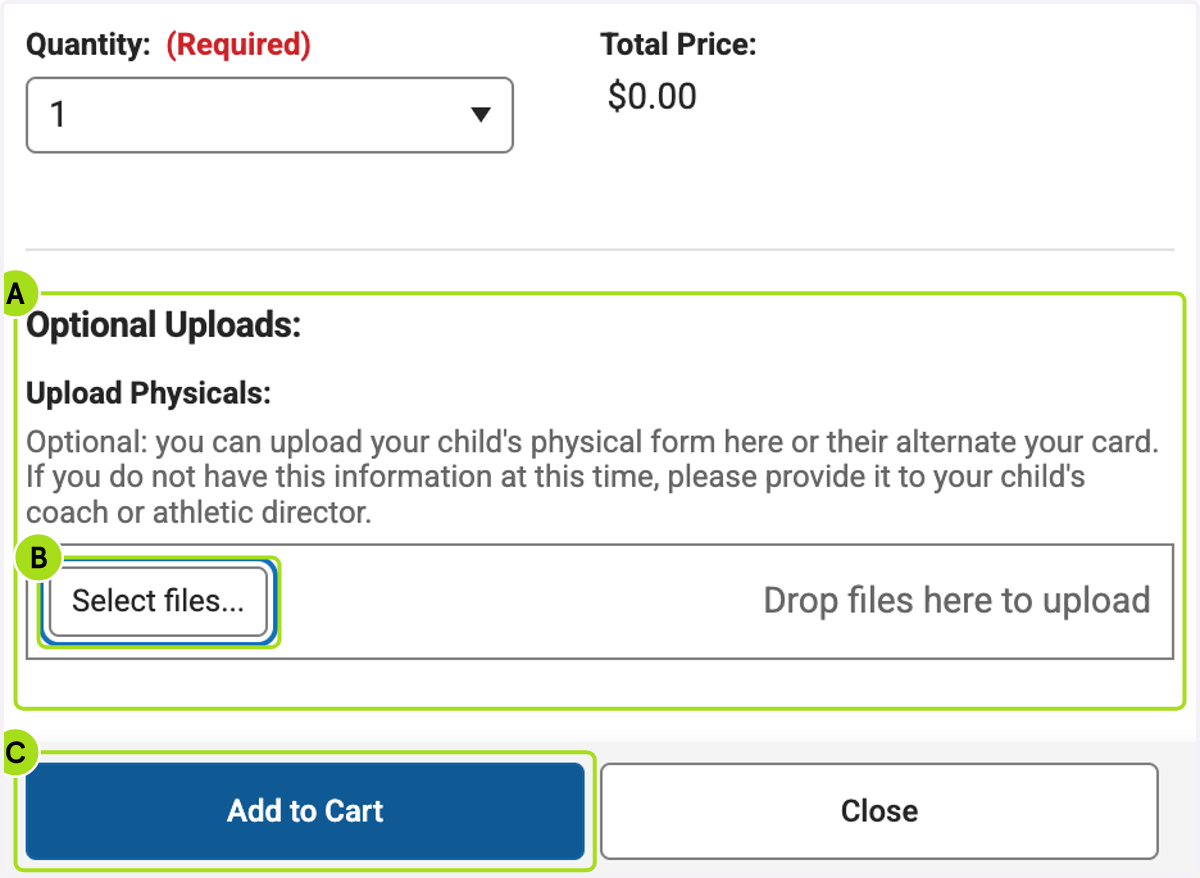
    1. 6. A. Click on Optional Uploads if you are uploading a physical or alt year card

    2. 6. B. Click on Select files...

    3. 6. C. Click on Add to Cart

    A. Click on Optional Uploads if you are uploading a physical or alt year card B. Click on Select files... C. Click on Add to Cart
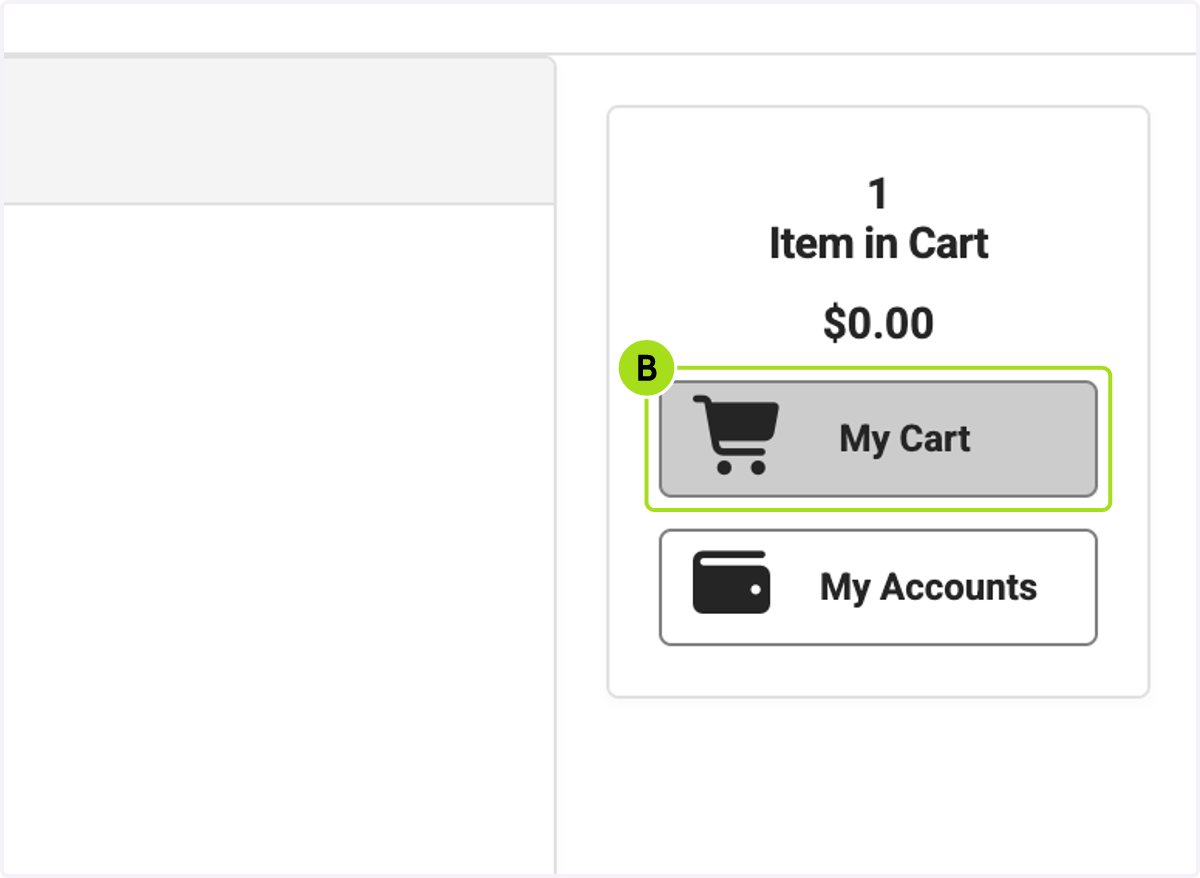
    1. 7. A. Click on Item in Cart…

    2. 7. B. Click on My Cart

    A. Click on Item in Cart… B. Click on My Cart
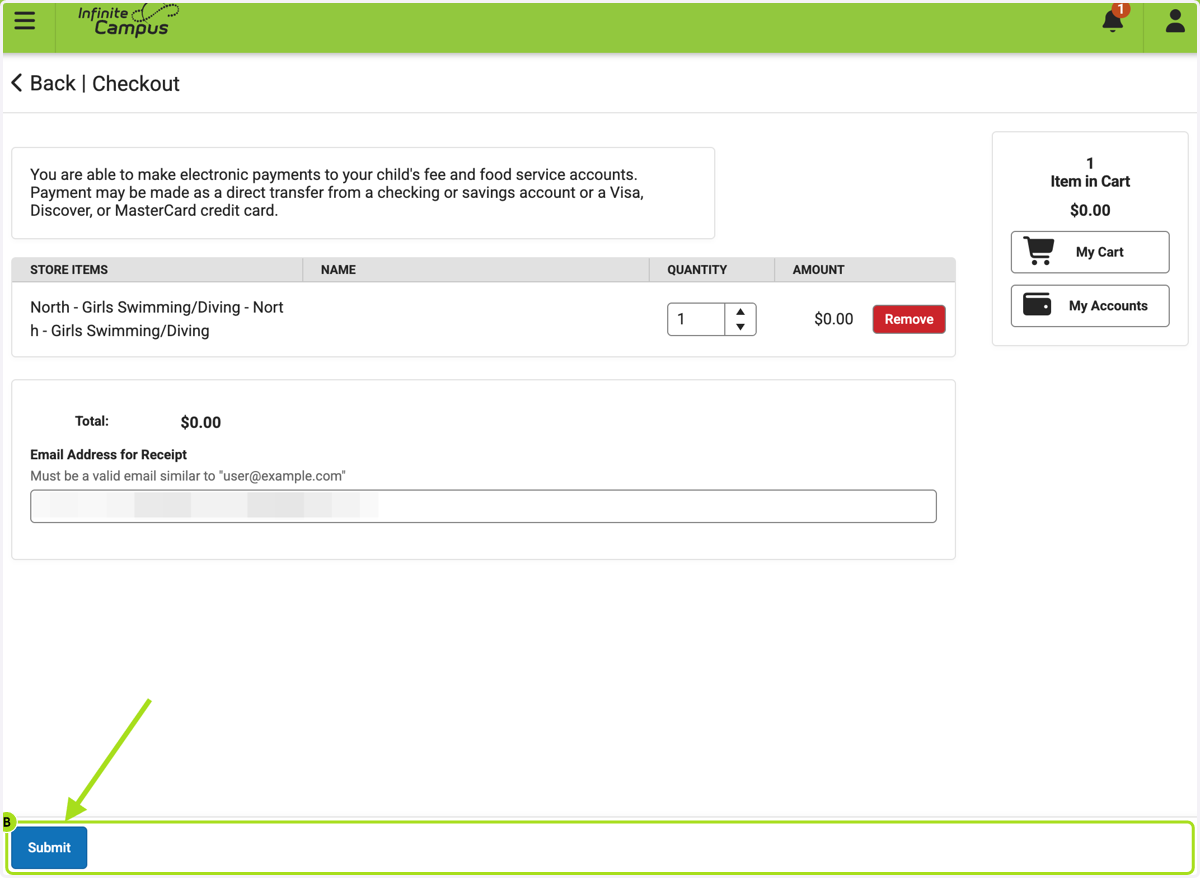
    1. 8. A. Payment may be made as a direct transfer from a checking or savings account or a Visa, Discover, or MasterCard credit card.…

    2. 8. B. Click on Submit

    A. Payment may be made as a direct transfer from a checking or savings account or a Visa, Discover, or MasterCard credit card.… B. Click on Submit