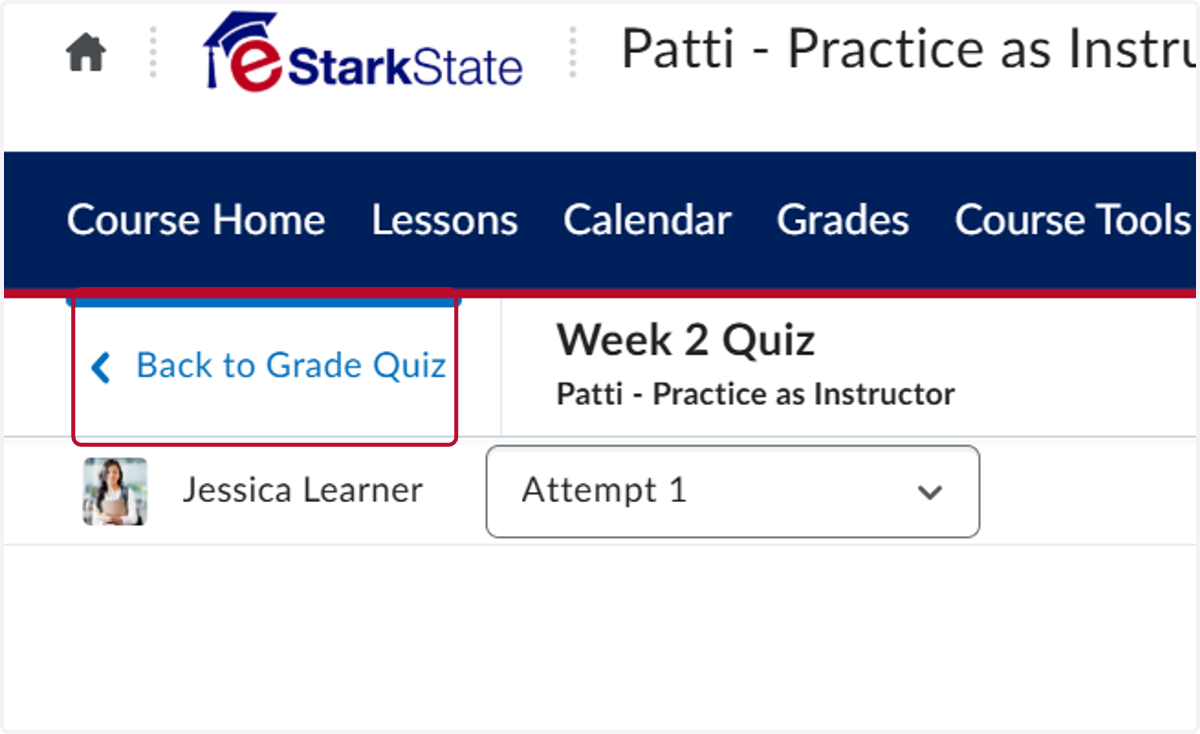
Review Quiz or Test Attempt
This tutorial will show you how to review a quiz or test attempt.
Quizzes - Patti - Practice as Instructor
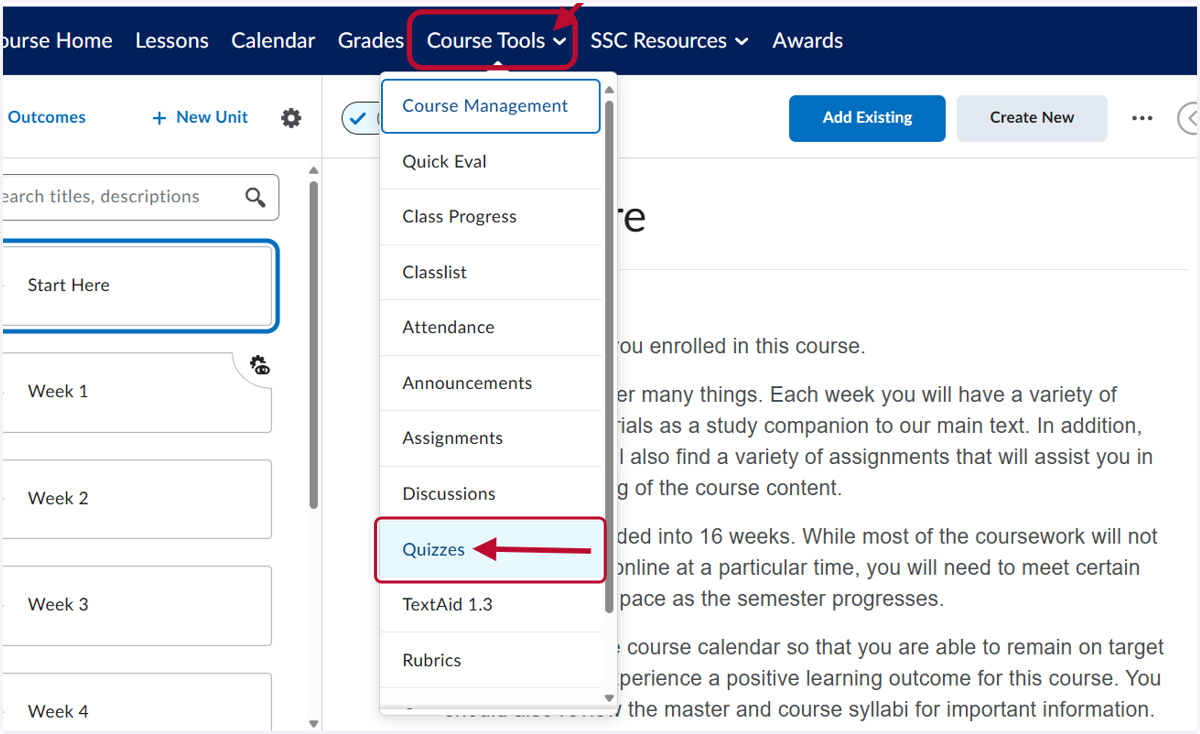
1. Click on Course Tools and then Quizzes
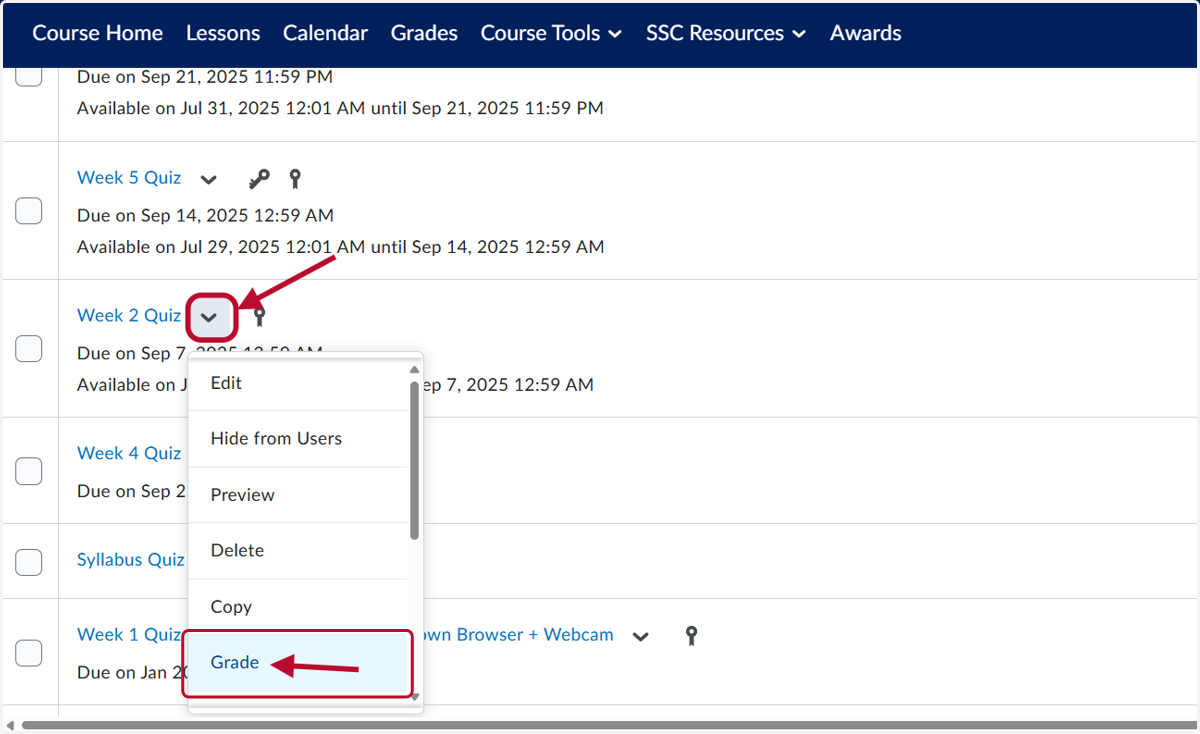
2. Click on the down arrow for the quiz and then Grade.
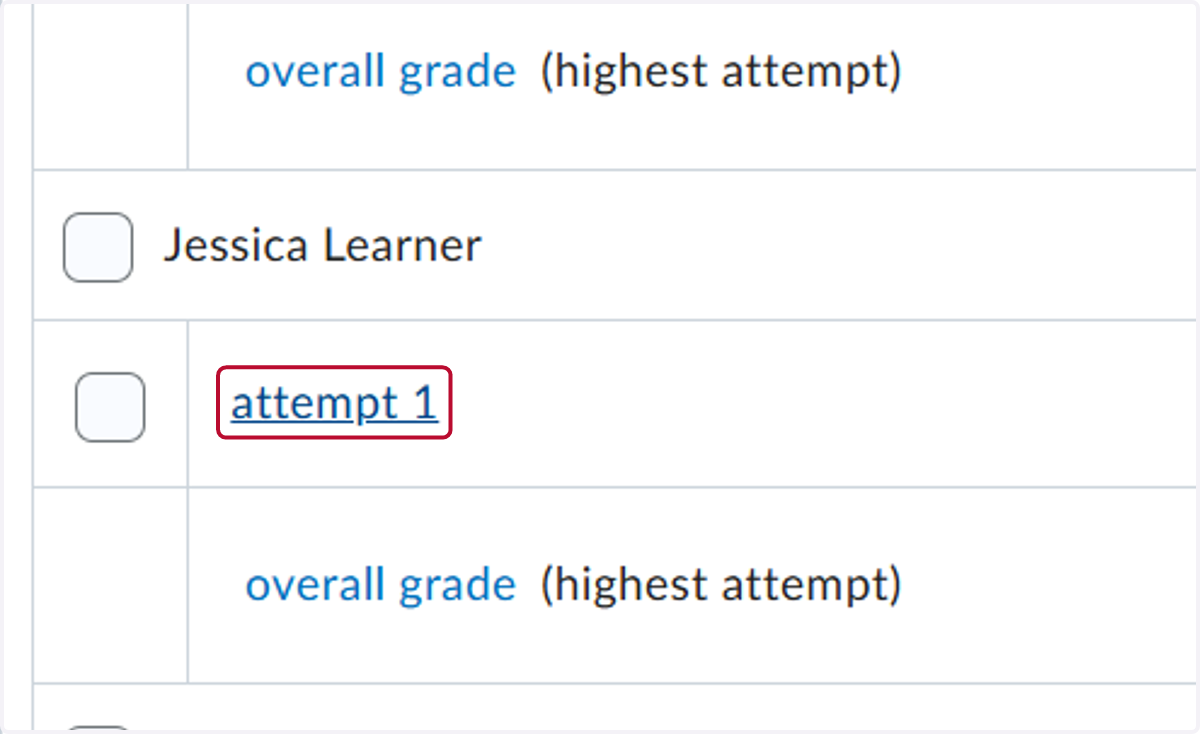
3. Find the student and click on their attempt you want to review
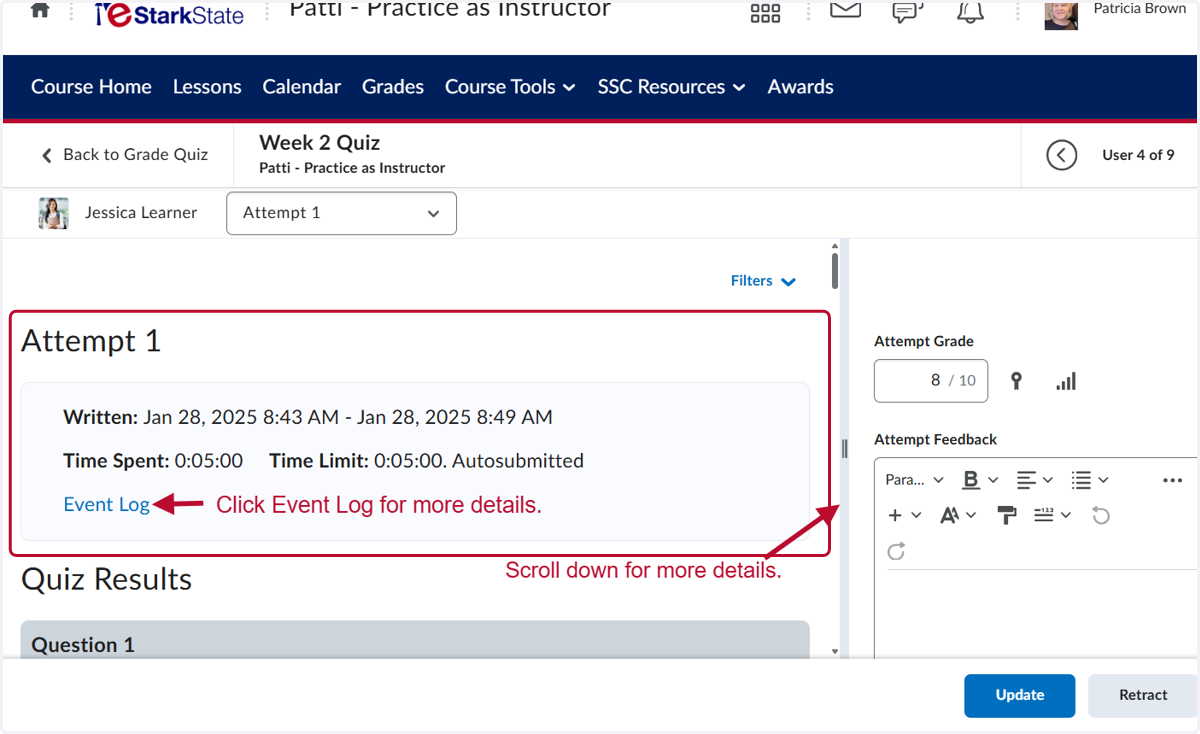
4. View the Attempts details. You can click Event Log for more details. Scroll down.
5. IF you make any changes to the grade, make sure to click Update.
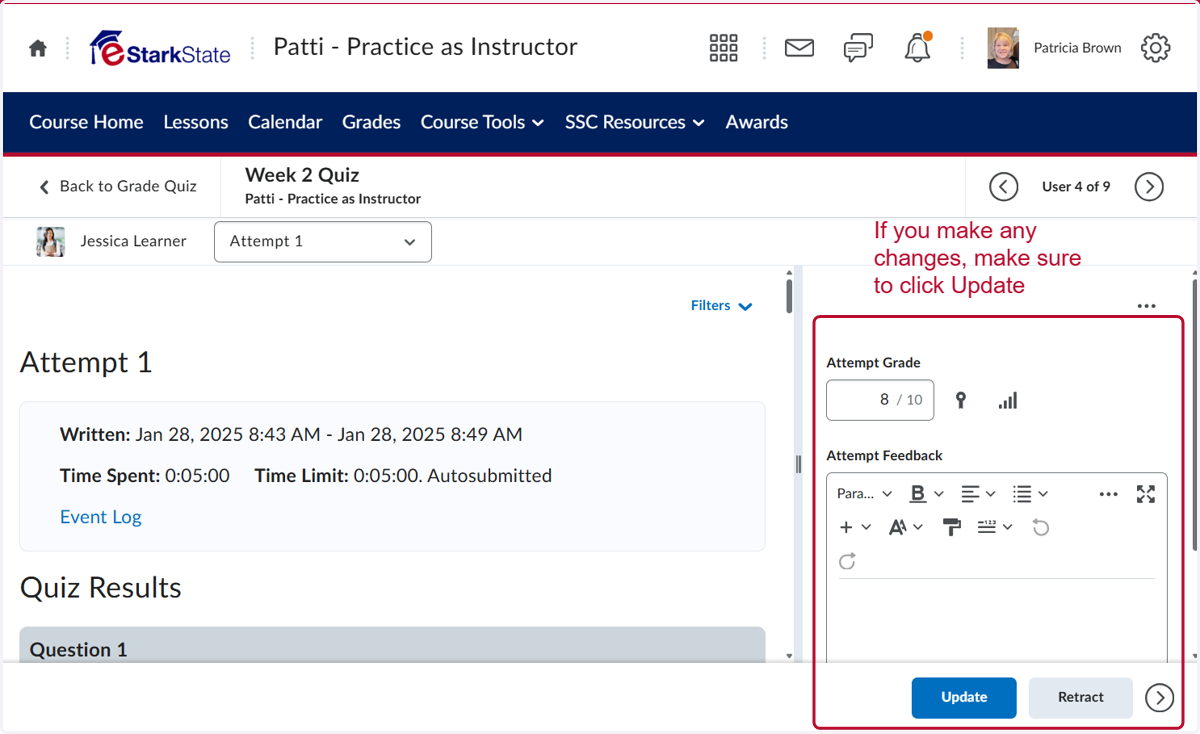
6. Click on Back to Grade Quiz when you are done.