Revealing Hidden Columns in Skyward Gradesheet
1. To reveal your Conduct column
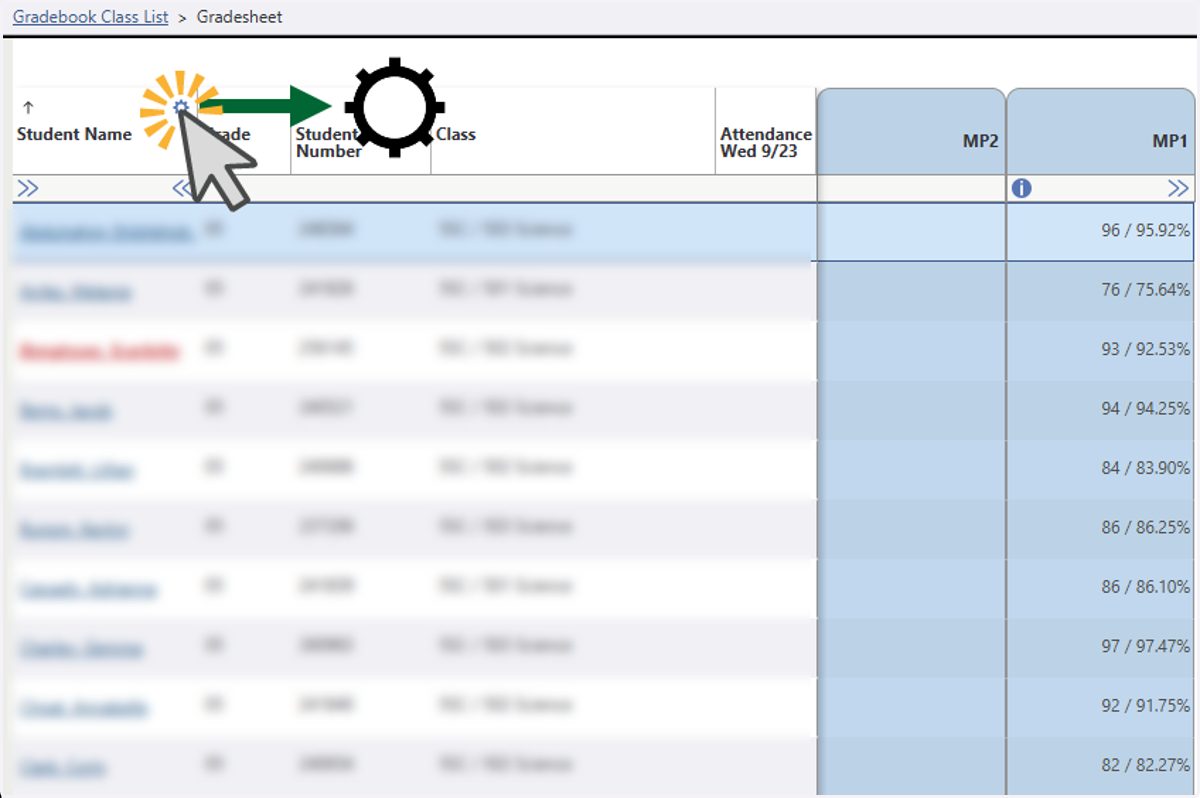
2. Select the Settings Icon in the first column of your Gradesheet
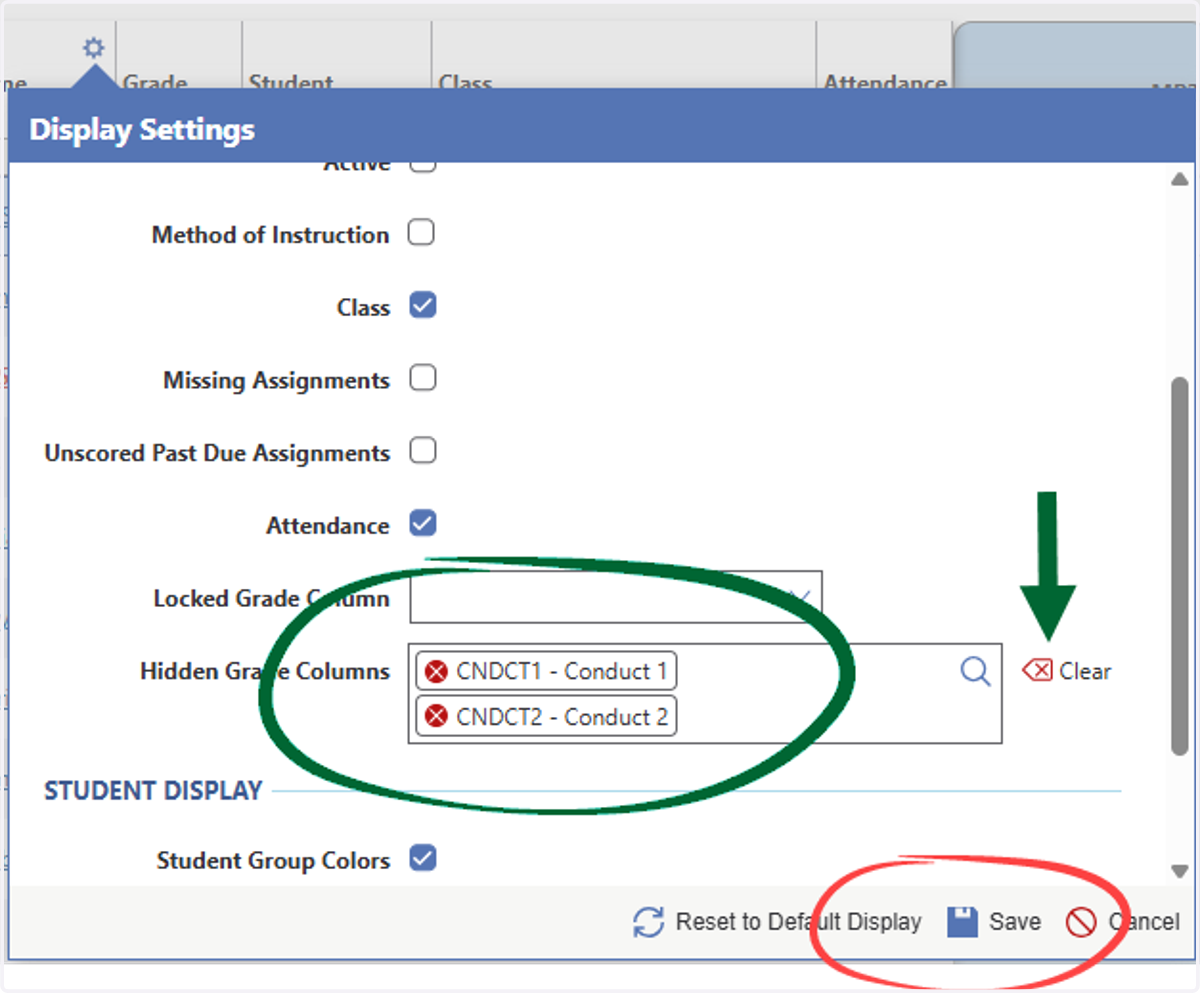
3. Locate and Clear the Hidden Grade Columns field using the Clear option. Choose save.
After clearing and saving, your column will appear in your gradesheet view.
4. To hide or reveal MP columns, do the following....
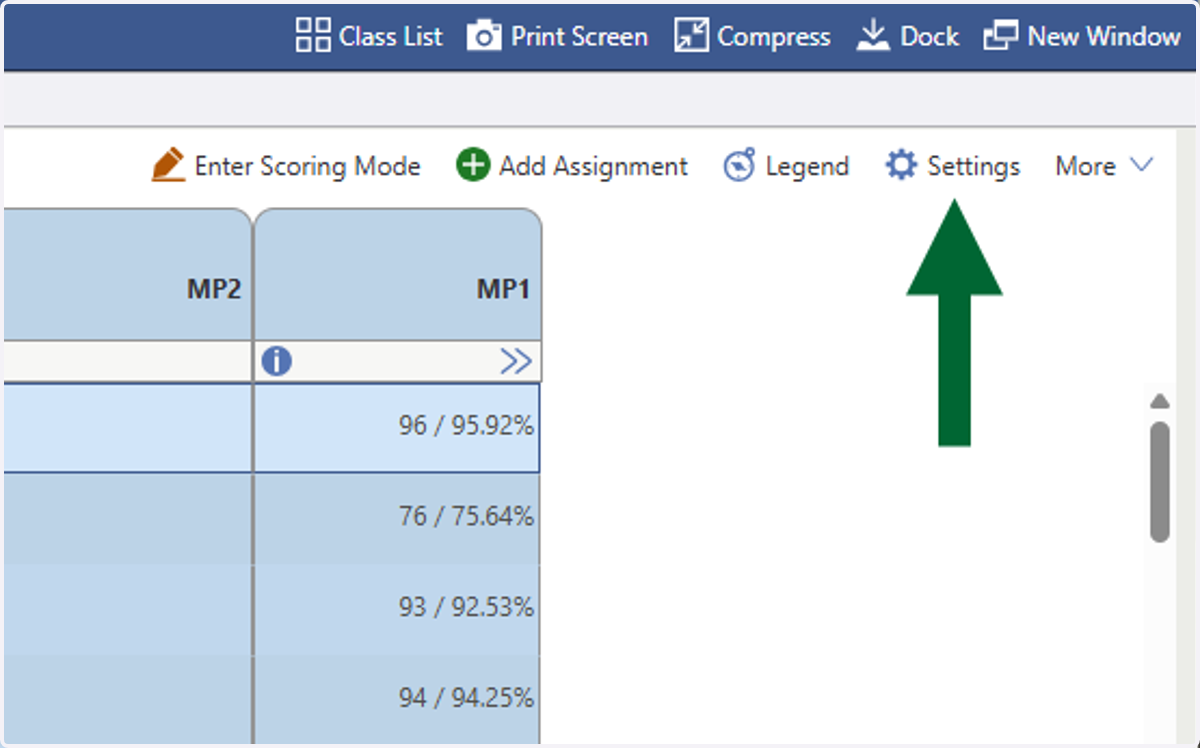
5. Select the Settings option for your Gradesheet
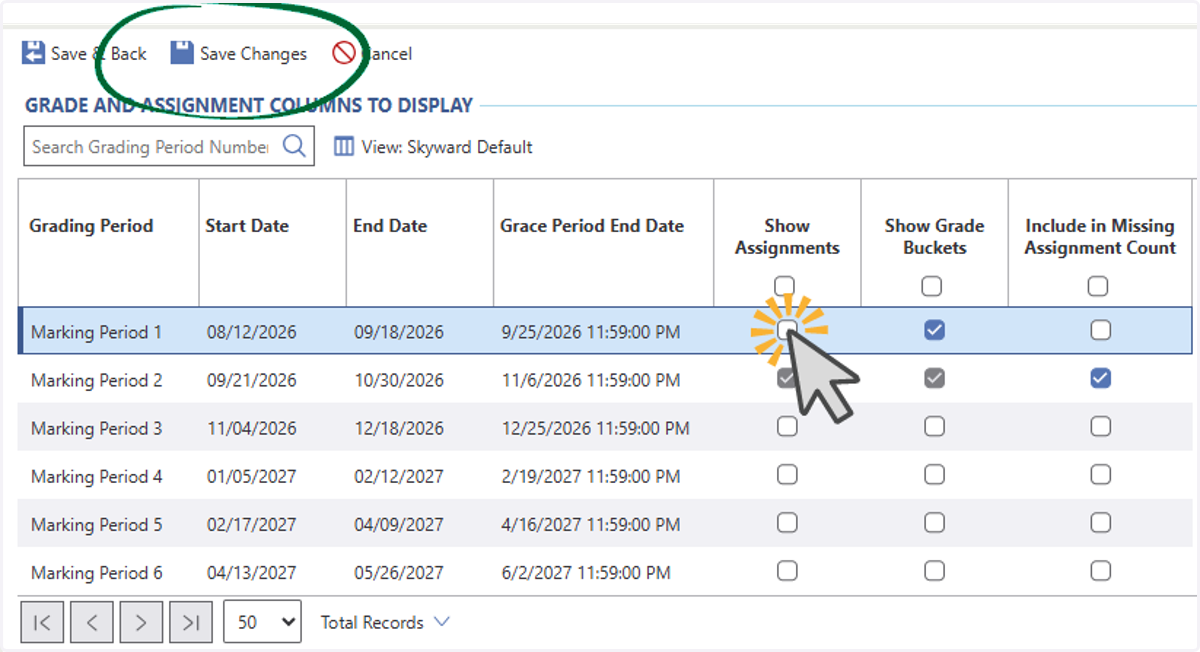
6. Select Show Assignments and/or Show Grade Buckets for the MP you want to hide or reveal. Choose Save Changes.
Show assignments will show or reveal your graded assignments. Show Grade Buckets will hide or reveal grades for the Marking Period you modify. Note: The current marking period will always be shown and cannot be hidden.