Registration of user and dogs
Devent
1. Go to DEVENT
2. Click on AGILITY from the menu
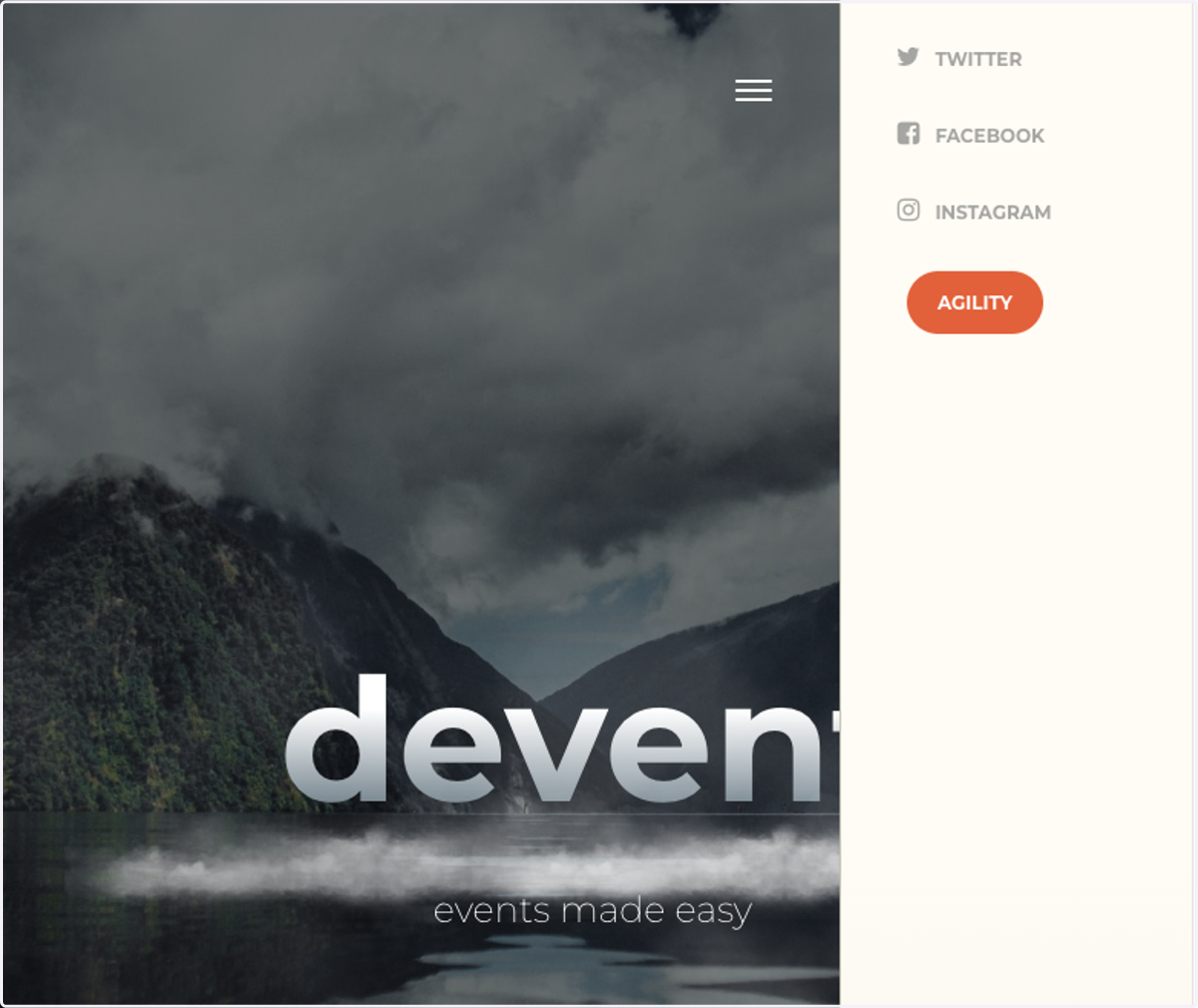
3. English text?
Use google chrome, rightclick and select "translate to english"
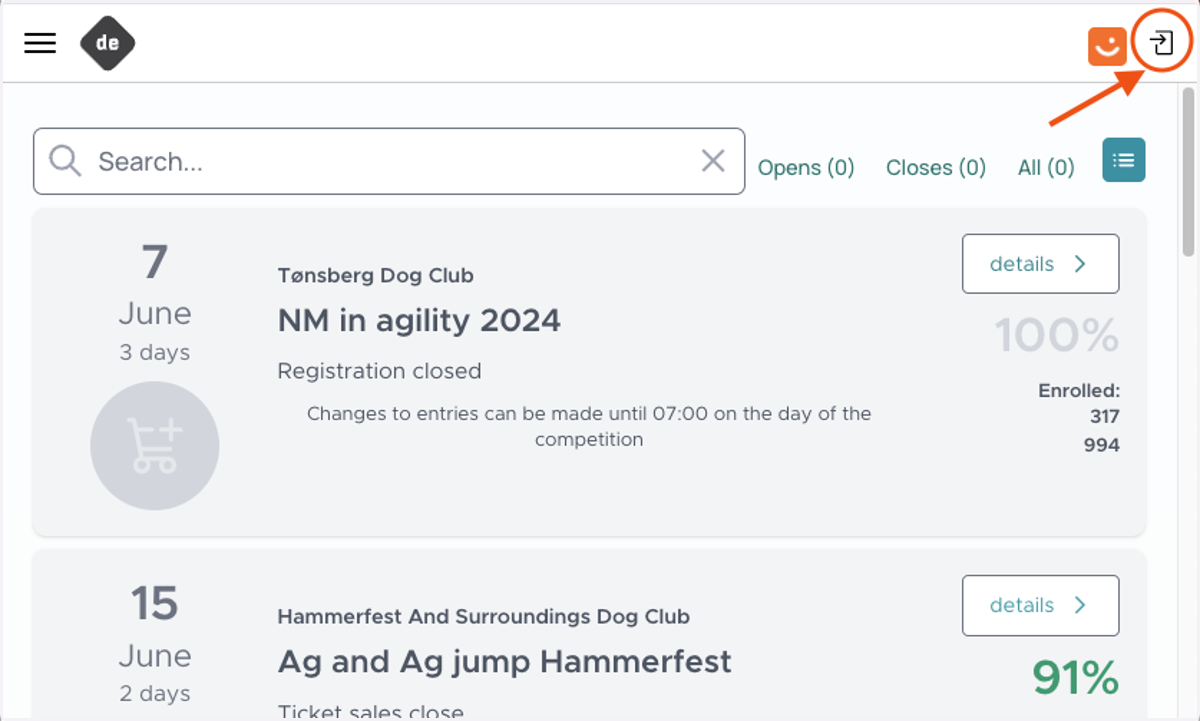
4. Click the enter-symbol in upper right corner to sign in
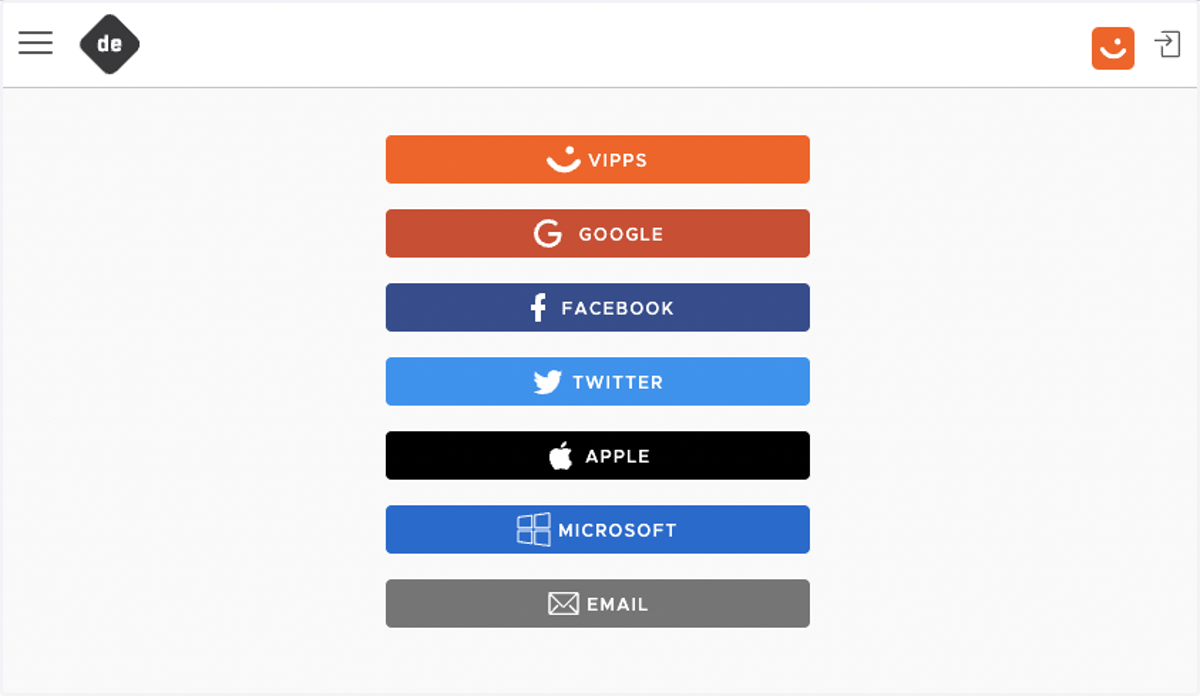
5. Choose your preferred way to log in
(In the example below we have selected email as login method)
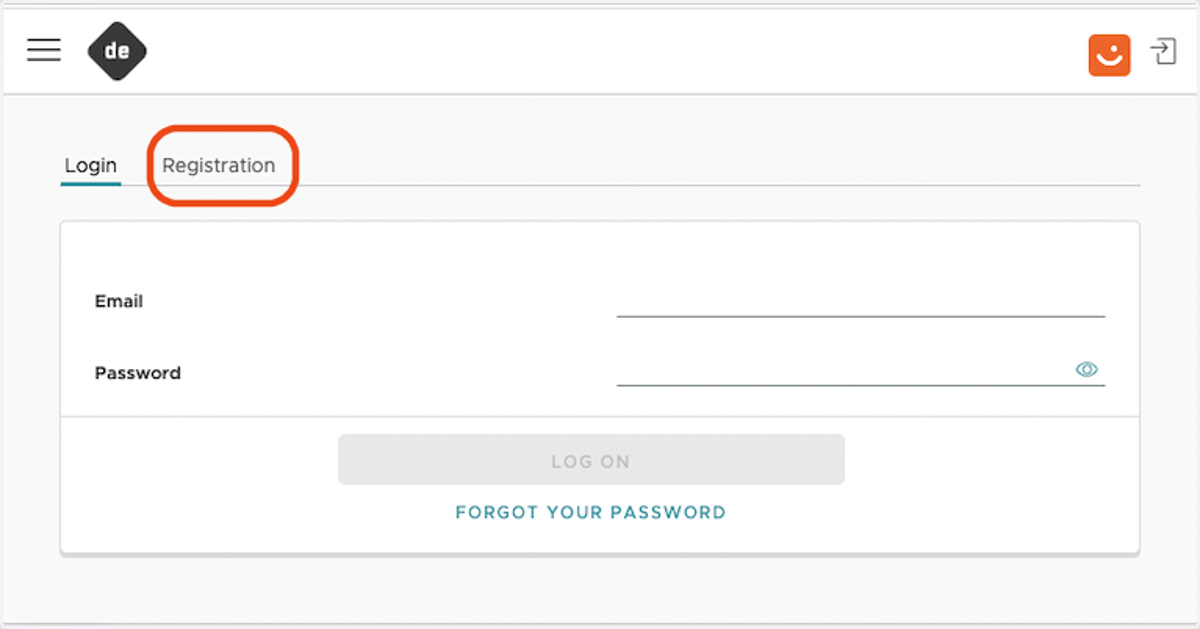
6. Click on Registration tab
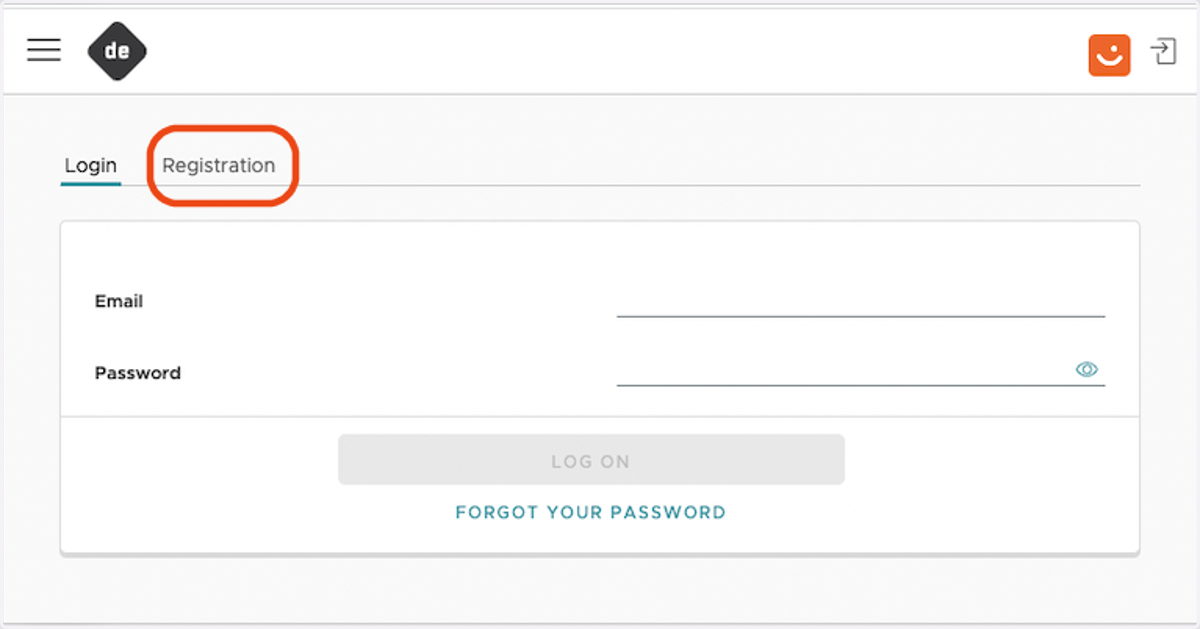
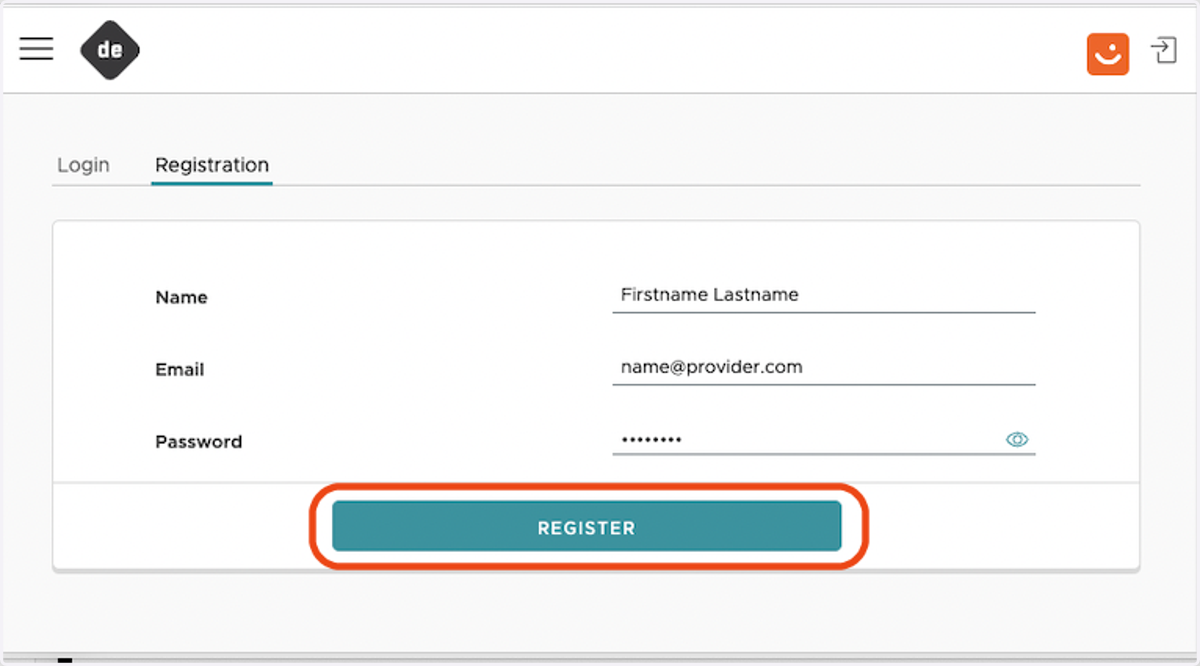
7. Enter requested data
8. Click on Registration
9. A email is sendt, pease click link to verify your email address
10. In the web-page, you are now redirected to the list of events
The orange square will appear until your profile registration is completed

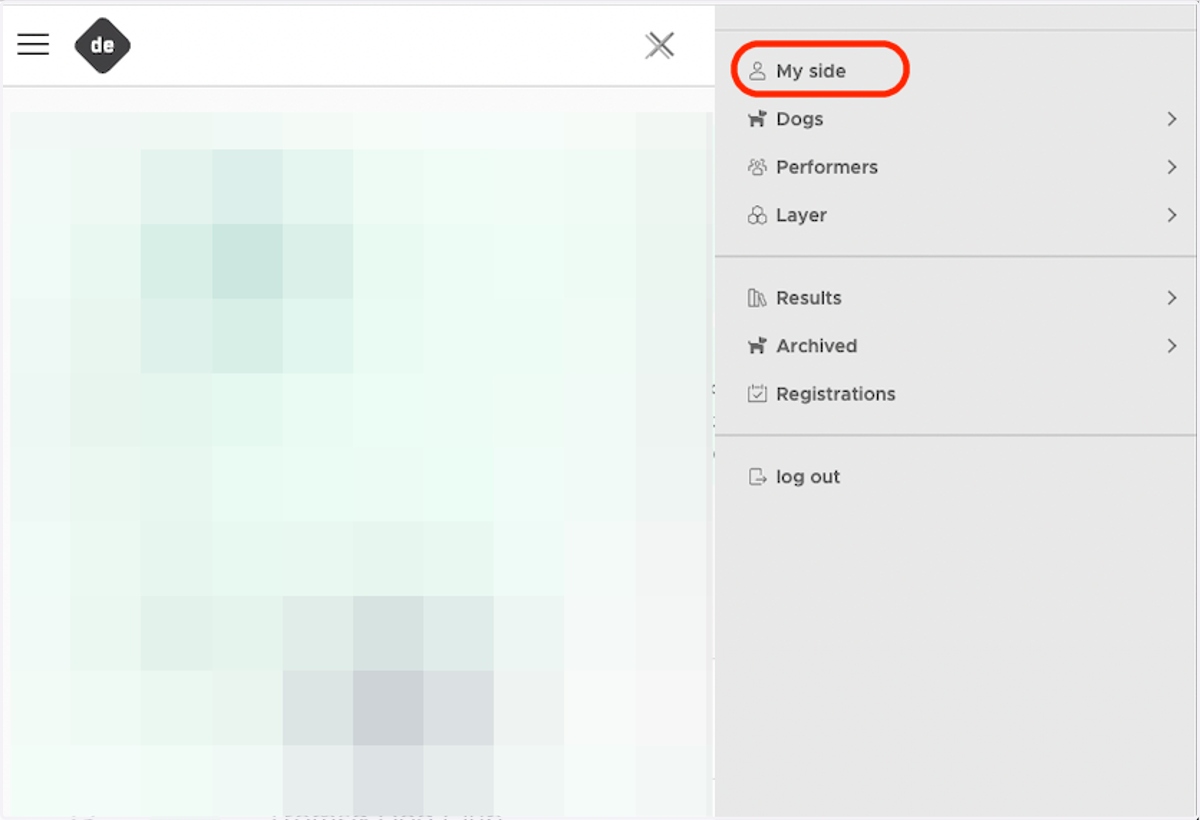
11. If you are not there already, from the upper left menu, select "My Side"
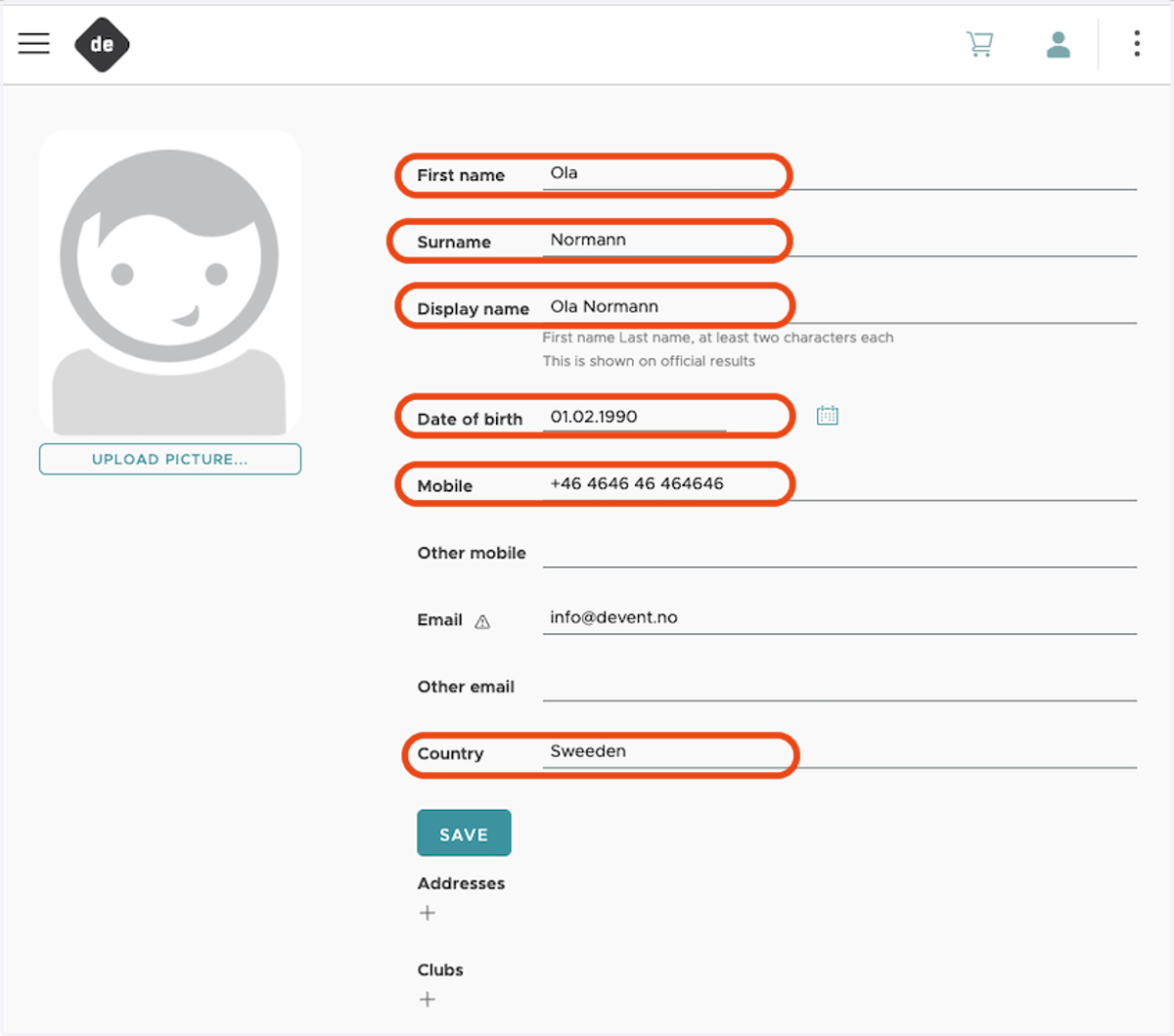
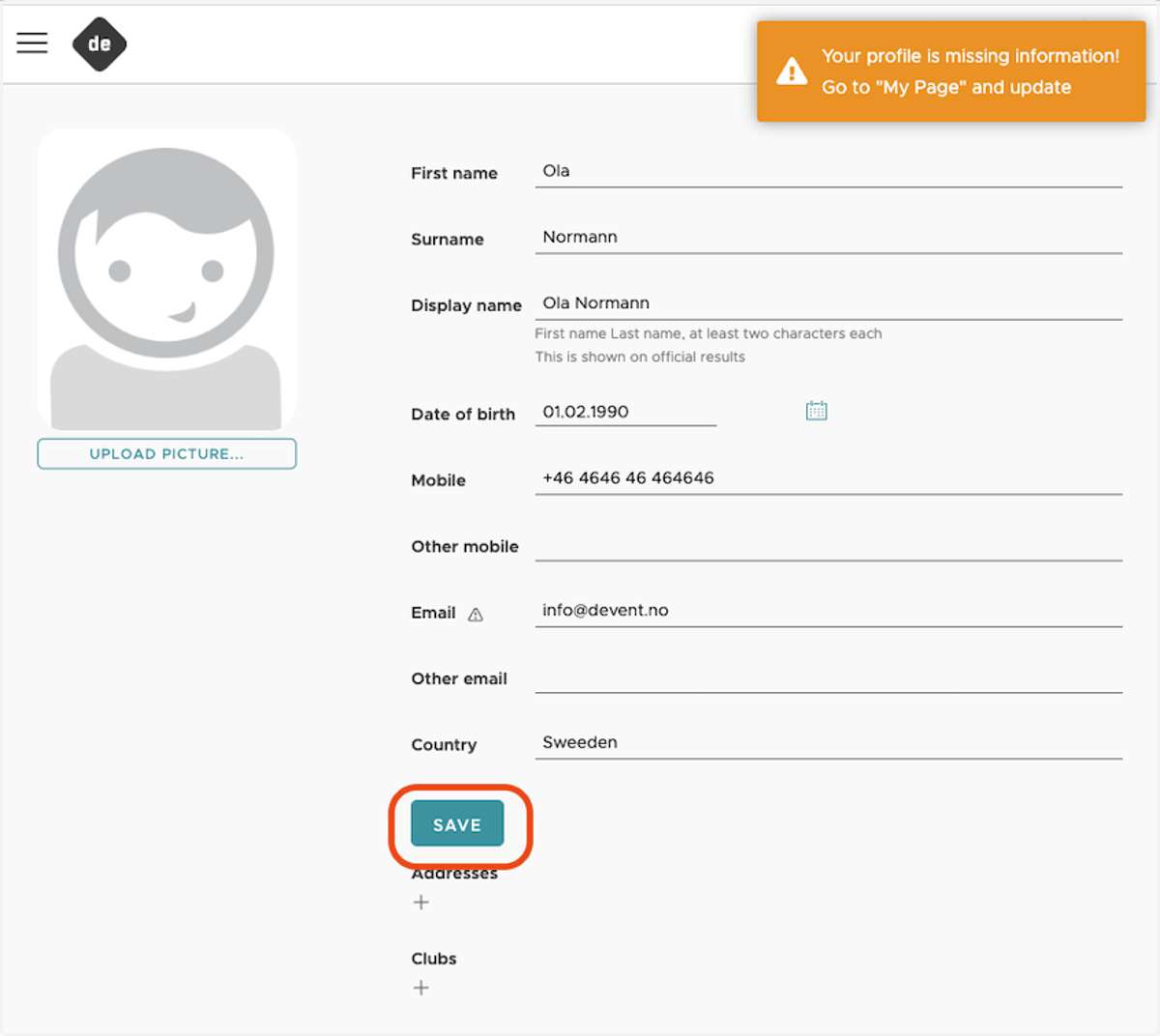
12. Add requested information
"Display name" is used in start and result lists. Please enter your first and last name, if you don't want to have your middle name (s) they can be left out.
13. Click on SAVE
A short confirmation that data is saved is shown in a green square
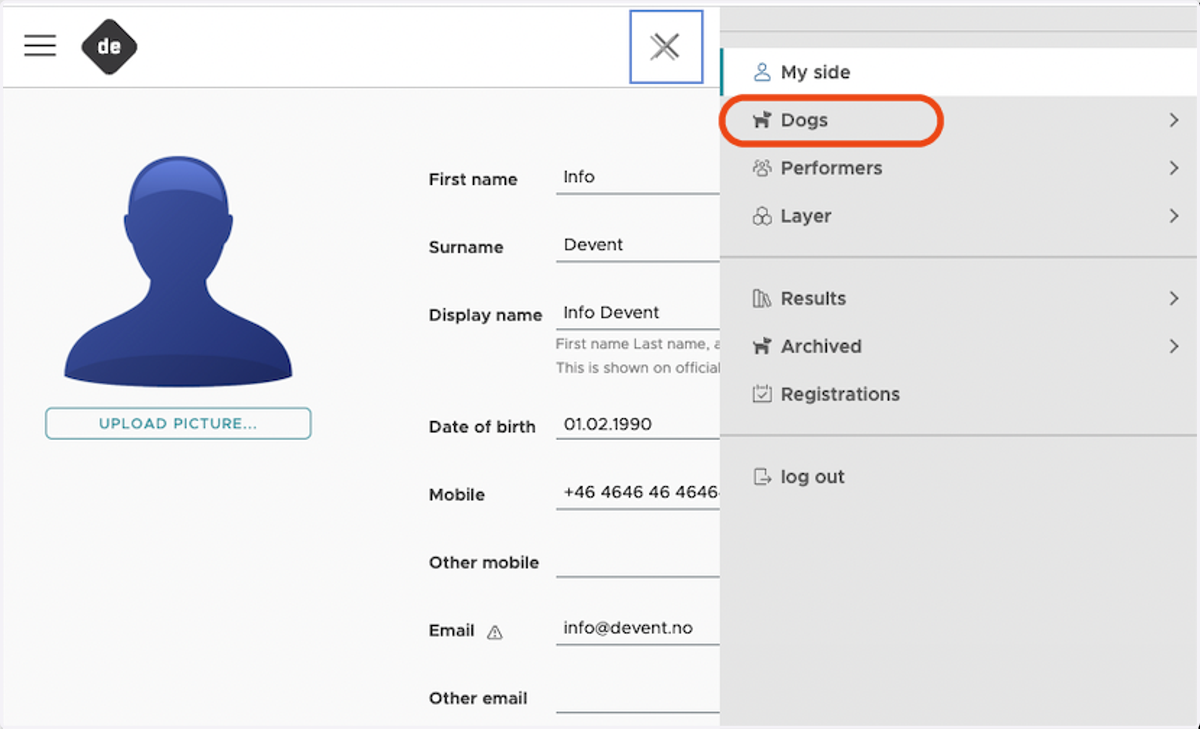
14. To register your dogs select "Dogs" from the upper left menu
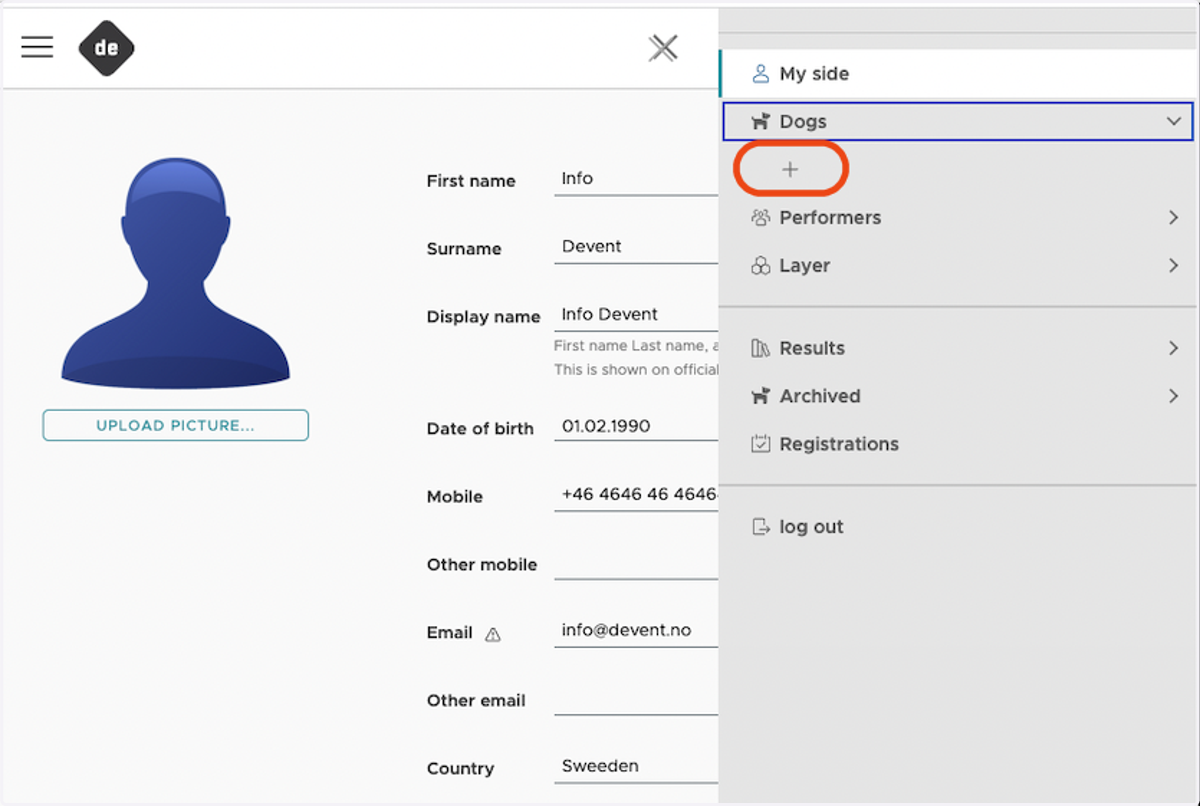
15. Click the "+" to add a dog
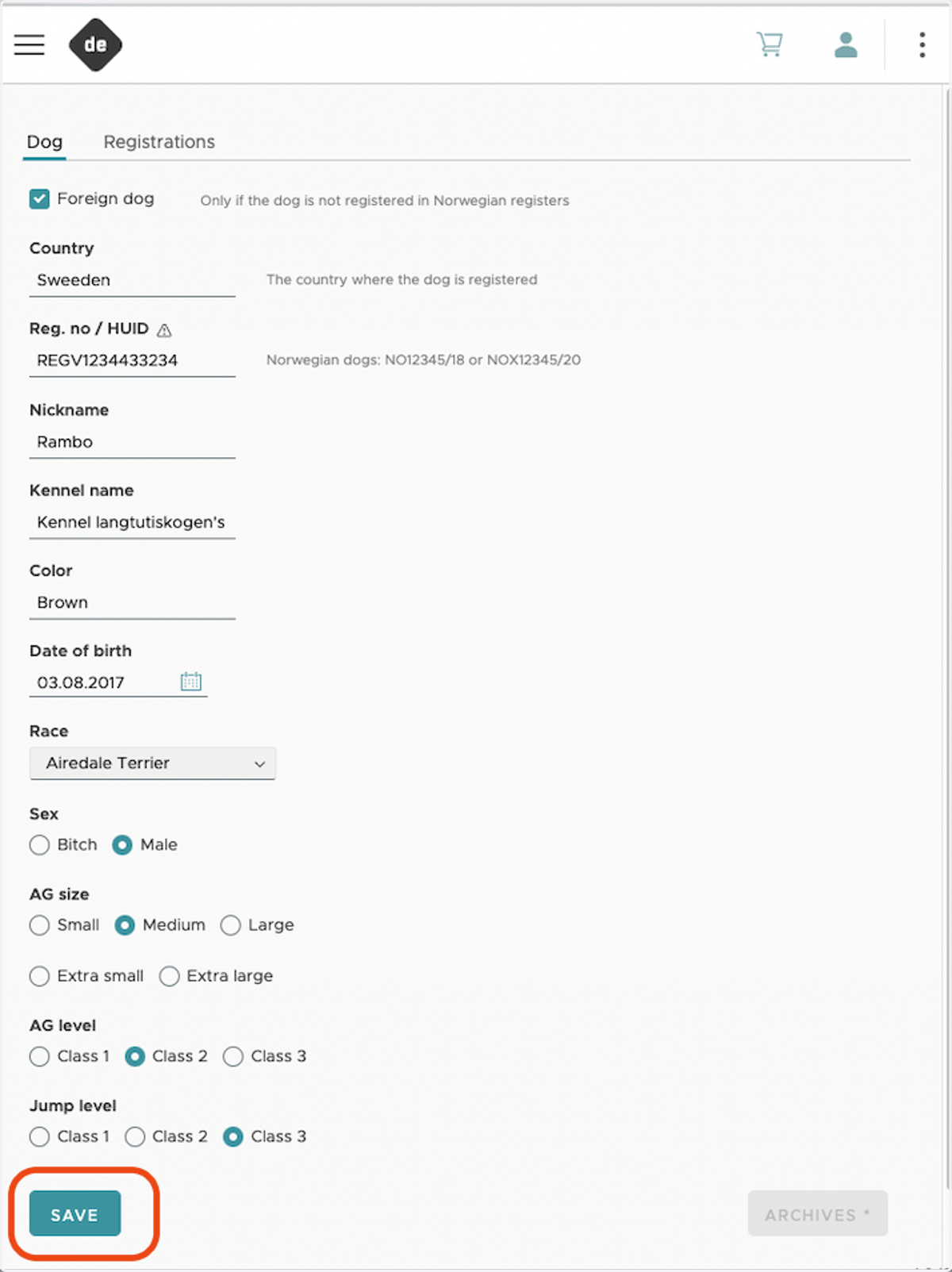
16. Add requested Dog information
If the dog is not registered in Norwegian registers (NKK), select "Foreign dog"
Country: Enter Country
Nickname: Enter Nickname (the dog's short name, will be displayed at start and result lists)
Registration number: Enter registration number from the dogs home country (essential to have this correct with respect to Certs and Championats)
Kennel name: Enter full name
Color: Enter color(s)
Date of birth: Enter the date of birth
"Race" = Breed: Enter the breed
Sex: Select the sex
AG size: Select the size of the dog
XS: -> 28cm
S: 28cm -> 35cm
M: 35cm -> 43cm
L: 43cm -> 50cm
XL: 50cm ->
AG level: Enter agility level
Jump level: Enter jump level
When above information is provided, hit "Save"
17. Repeat from step 13 for registration of second dog etc.
18. Registration is complete, and you are ready to attend

