Registrar - How to deny a course request submitted by a student
IVSA Registrars can deny student submitted course requests.
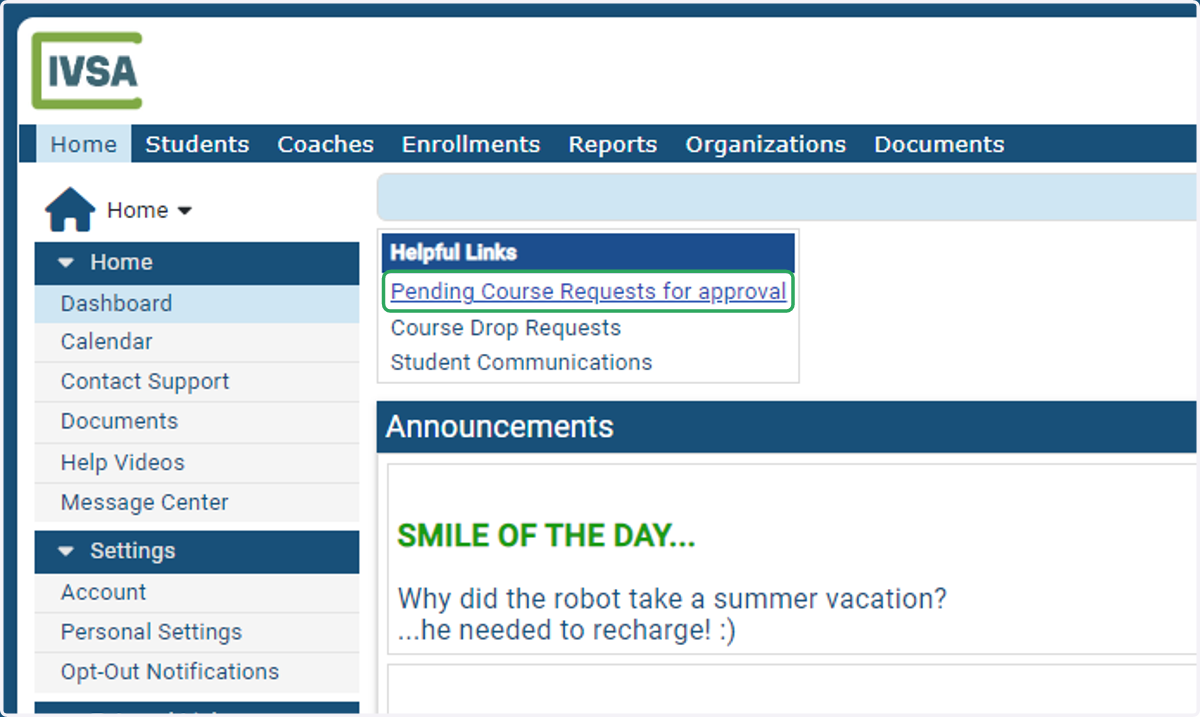
1. From the IVSA Registrar Dashboard click on Pending Course Requests for Approval.
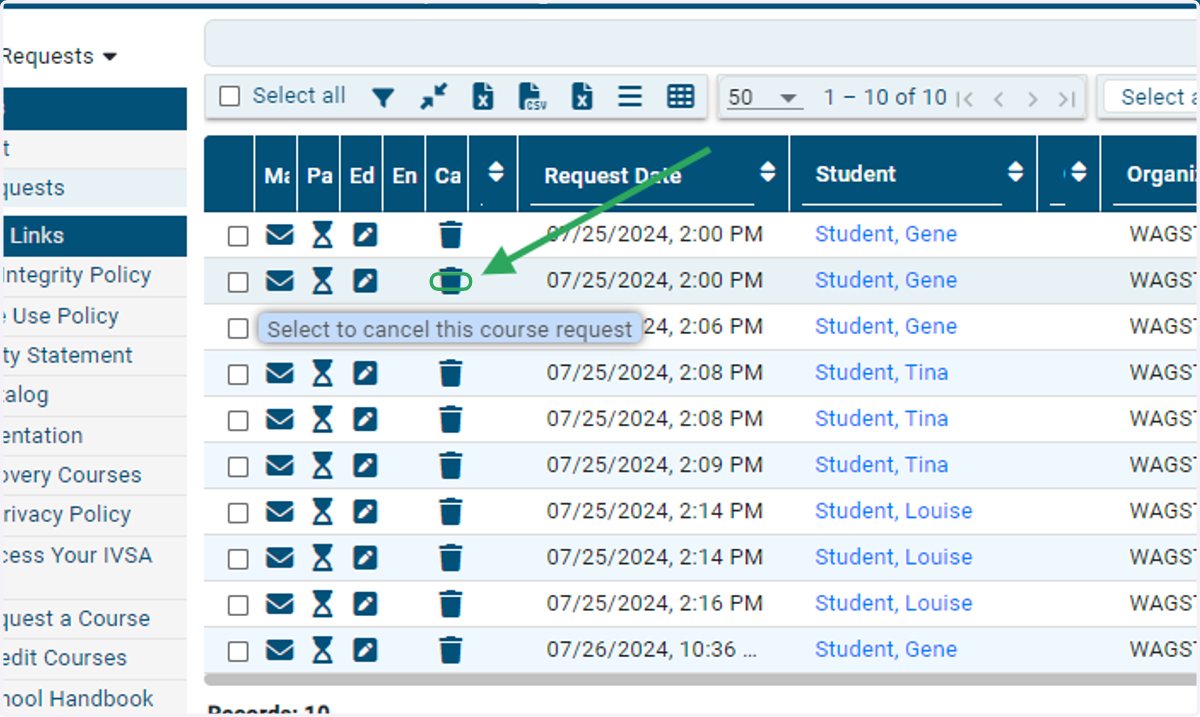
2. Click on the trashcan icon in the row of the course request you want to deny.
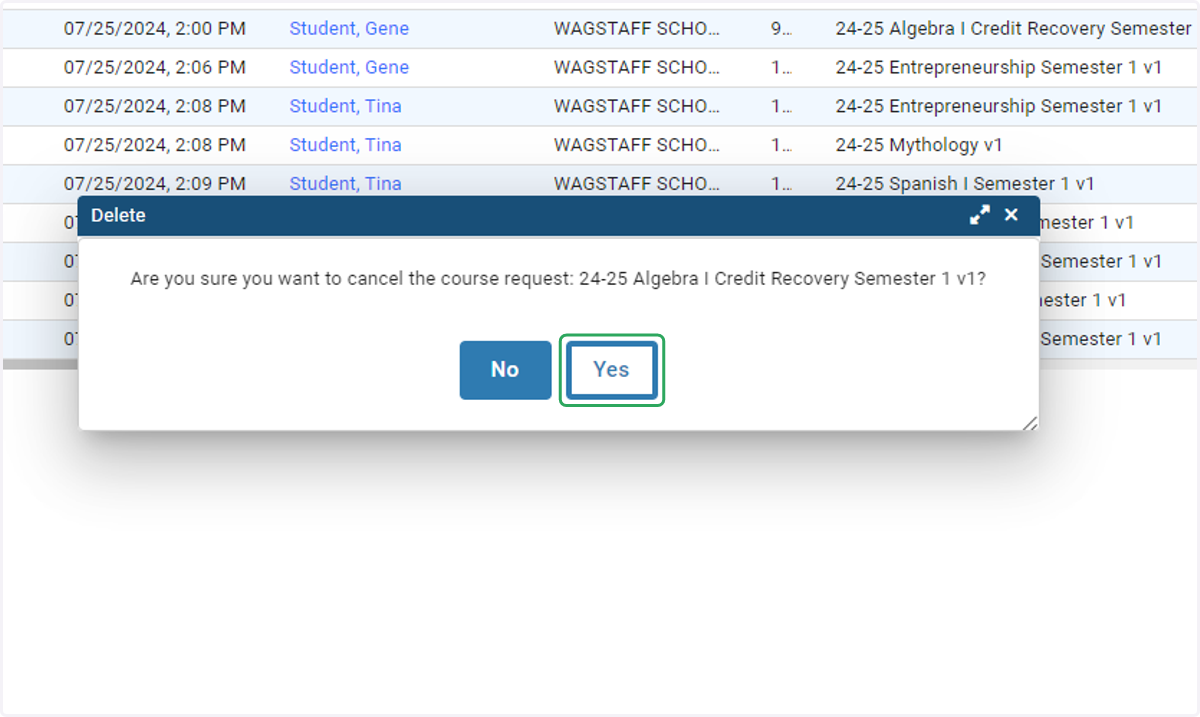
3. Click on Yes.
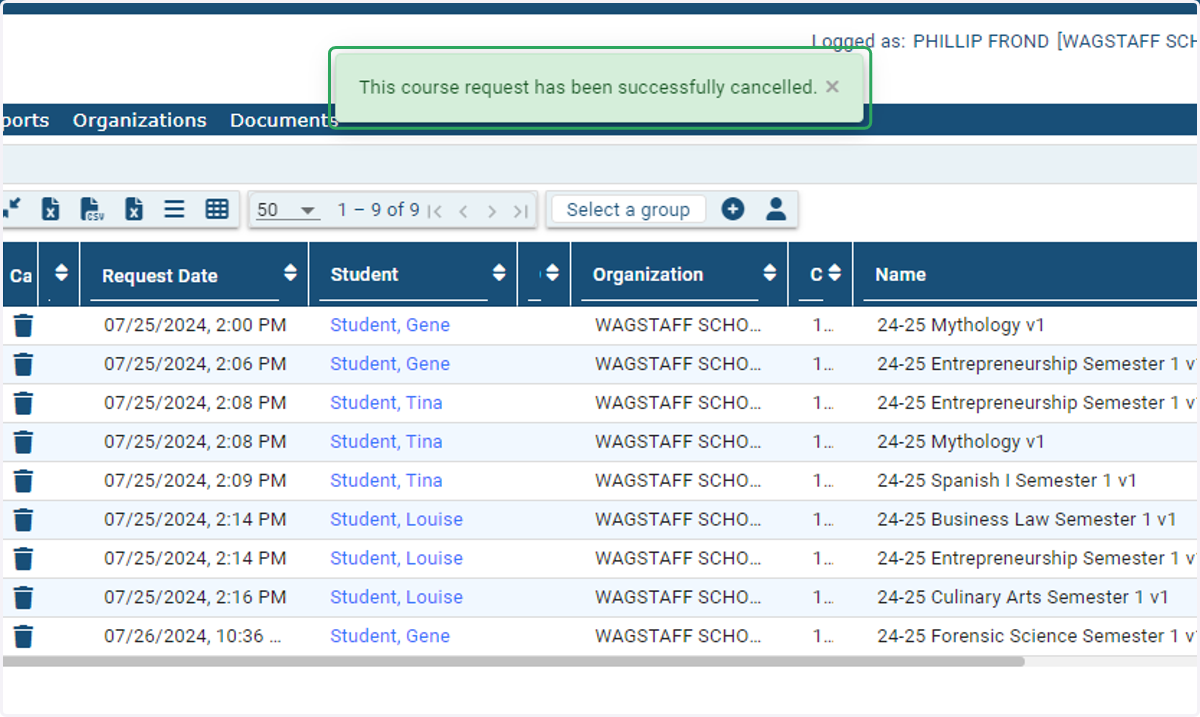
4. A green box will appear confirming that the request has been successfully cancelled.
An email will be sent from the Maestro Student Information System notifying the student and parent/guardian that the request was not approved.