Registrar - How to approve a pending course request
You may have received an email notification that a student has submitted a course request. You can login to to your IVSA Registrar account to approve or deny pending course requests.
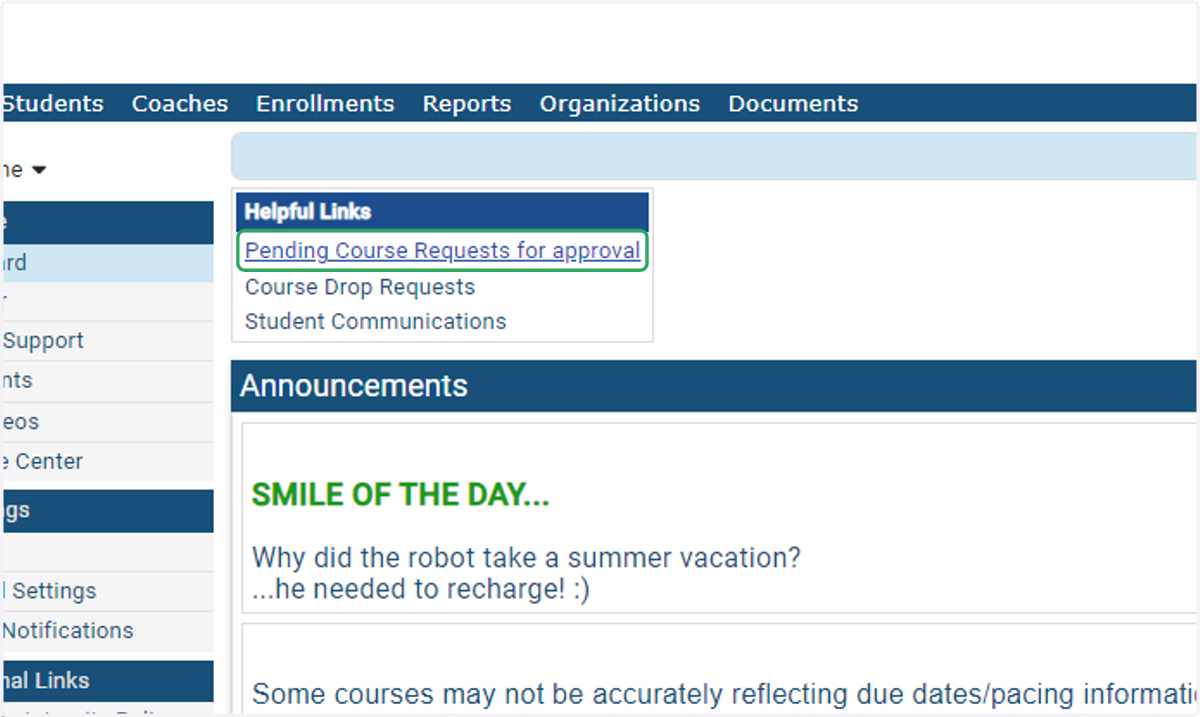
1. Click on Pending Course Requests for Approval
Login to your IVSA Registrar account, and click on Pending Course Requests for Approval under Helpful Links.
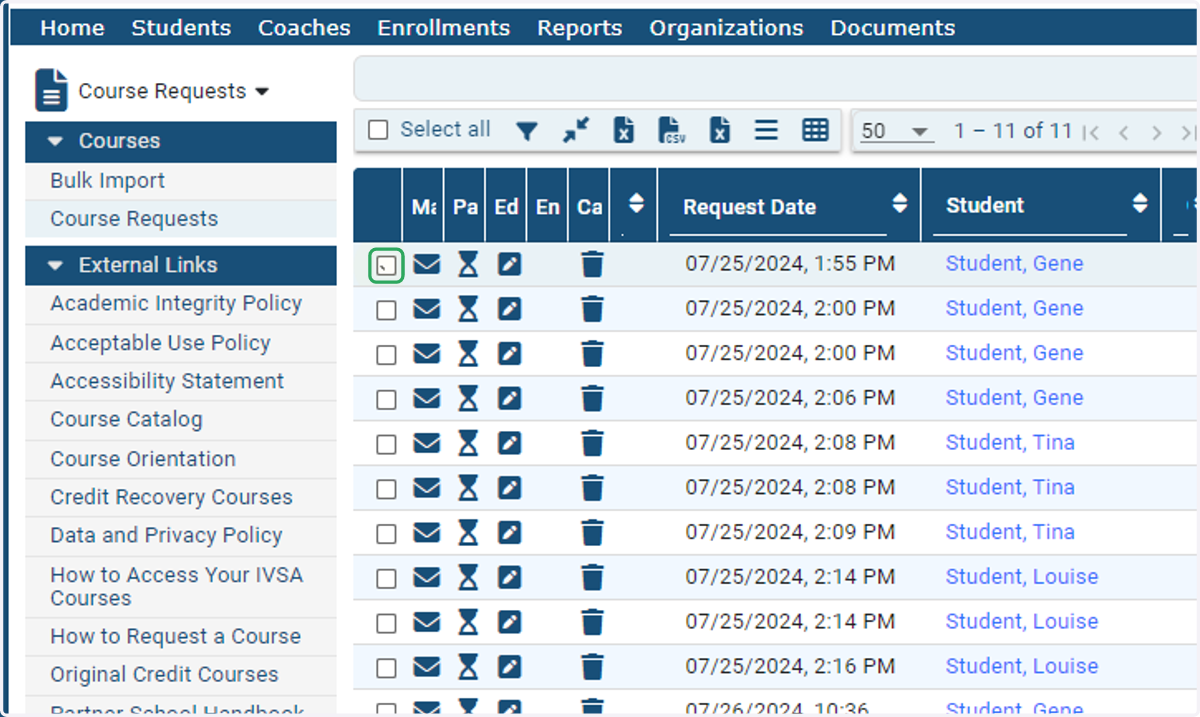
2. Check the box next to the enrollment request you want to approve.
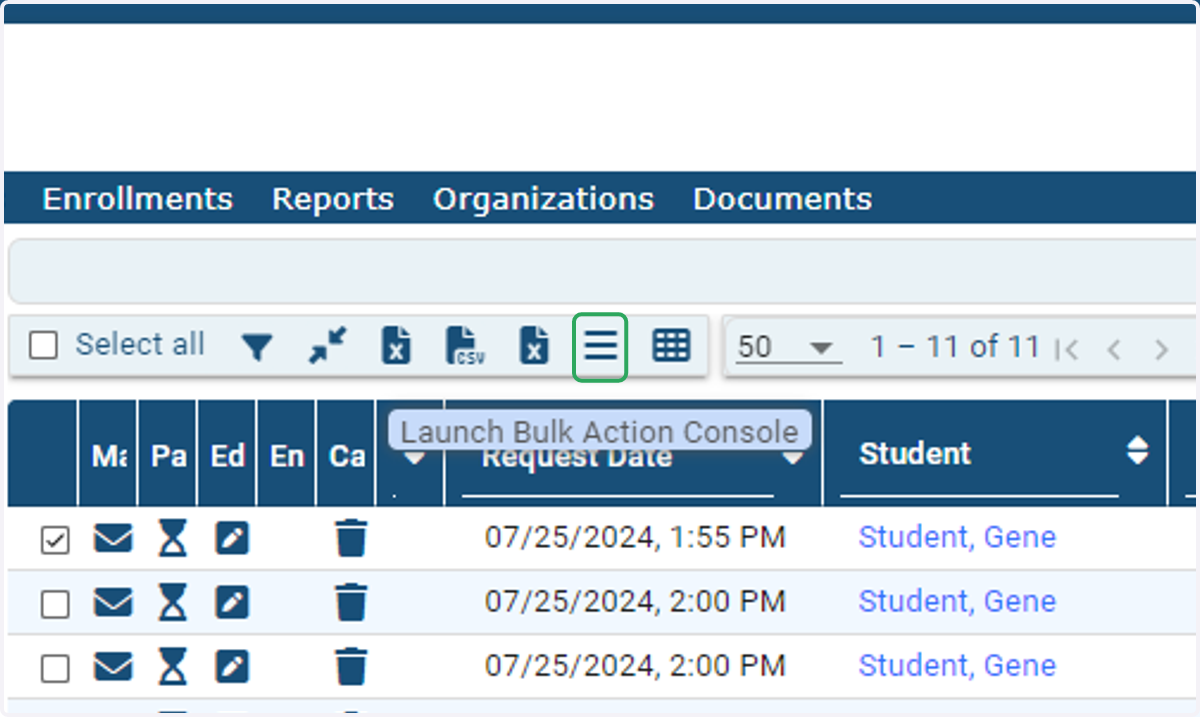
3. Click on Launch Bulk Action Console
The Bulk Action Console can be accessed by clicking the 'hamburger' icon above the enrollment requests table.
4. Down down the bulk action menu and select Enroll
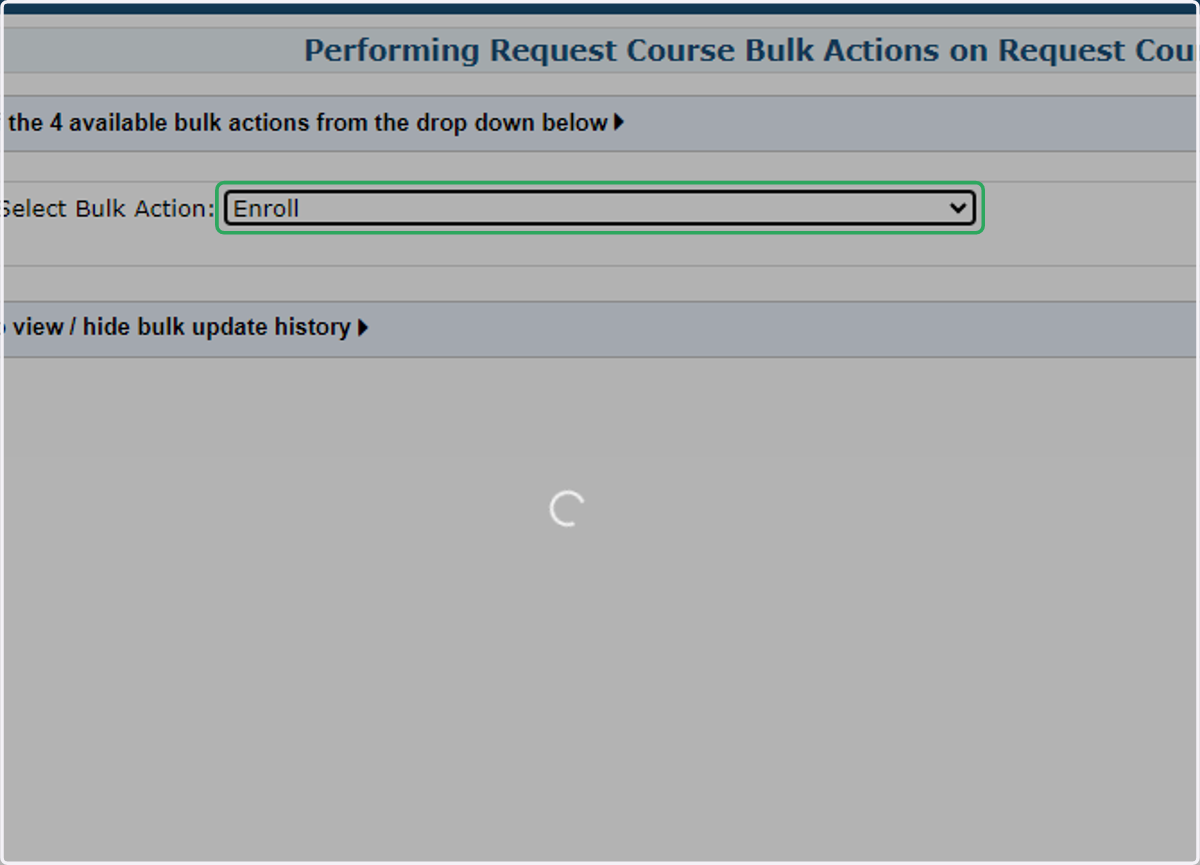
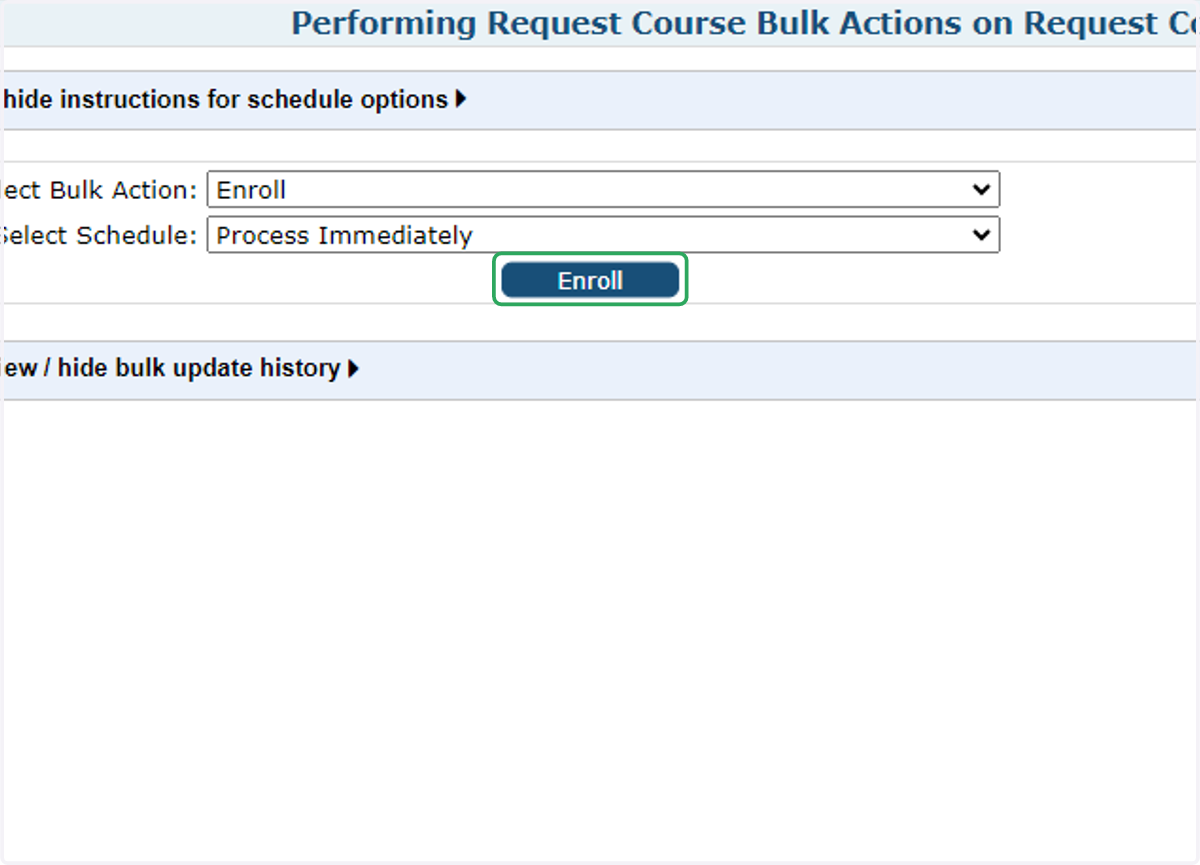
5. Click on Enroll
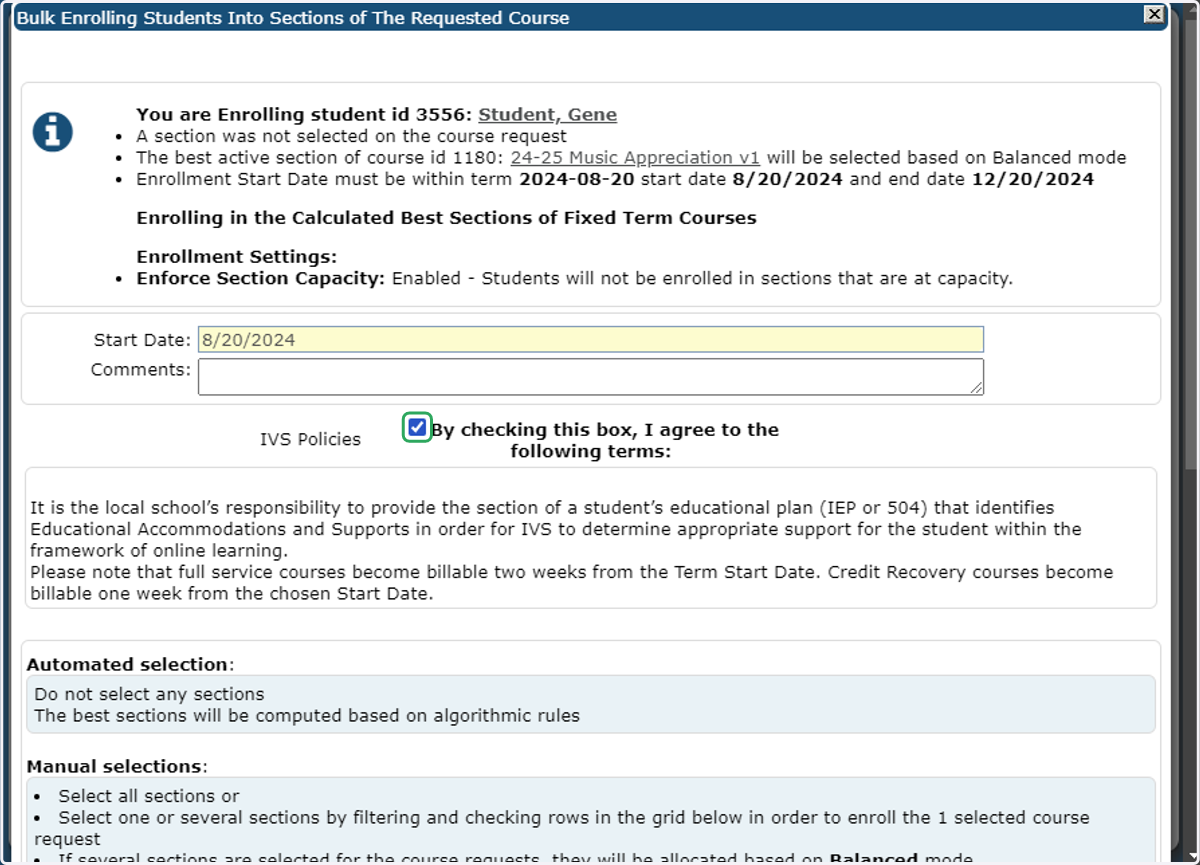
6. Check the box agreeing to the IVSA Policies
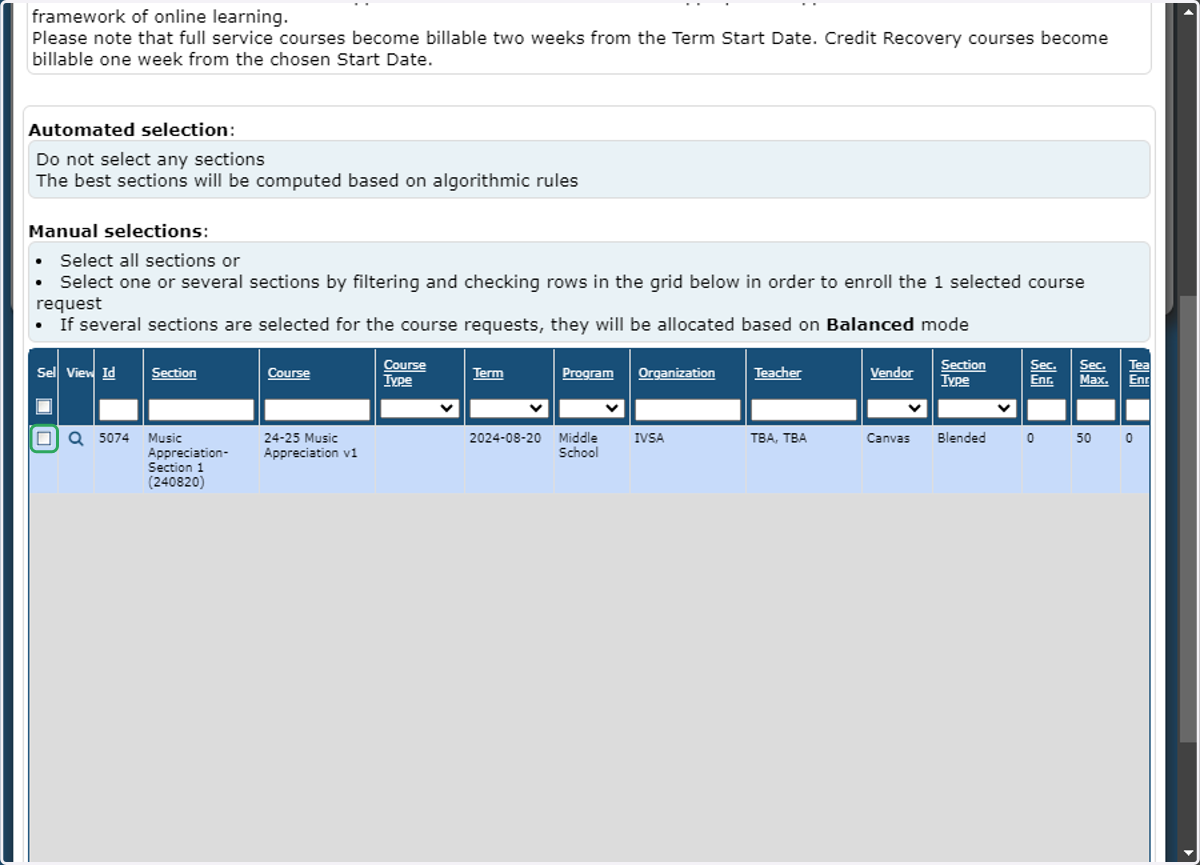
7. Scroll down and check the box next to the course section listing.
8. Scroll to the bottom of the window and click Enroll
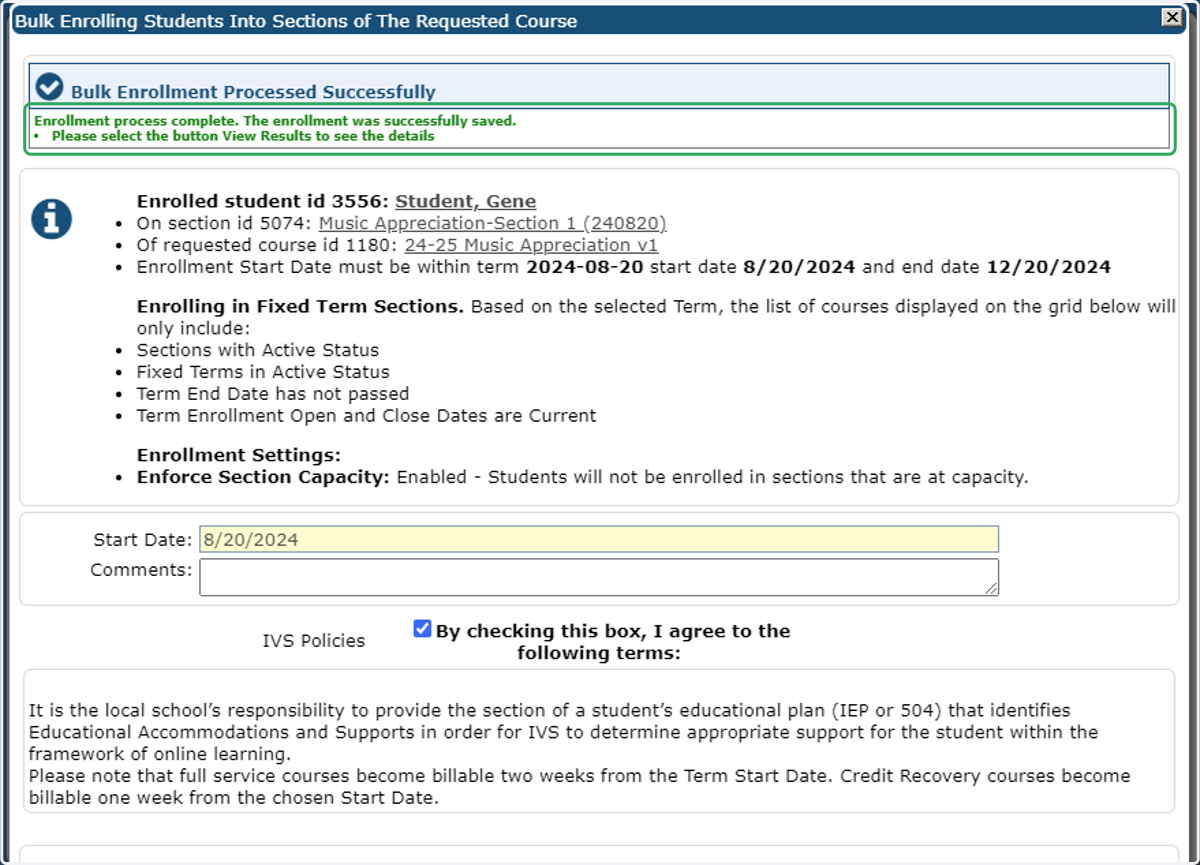
9. Success! A confirmation in green text will appear at the top of the window.
Once an enrollment is processed, an invoice will be issued.
School Pay - Registrars and Invoice Contacts can login to download/print invoices.
Student Pay - An email will be sent to the student/family notifying them that an invoice is available in their account.
Student pay invoices must be paid within 14 days of the enrollment date to avoid being dropped.
Any enrollments after the last date to add/drop courses will be considered billable and the invoice must be paid before the student can begin the course.
These enrollments are not eligible for refunds should a student choose to drop.
If you receive an error, you may want to check the current enrollments to confirm the student is not already enrolled in the section.
If you need additional assistance, please contact us at info@ivsaschool.org.