Registrar - How to access IVSA Completion Reports
IVSA Registrars have access to student completion reports in the Maestro Student Information System.
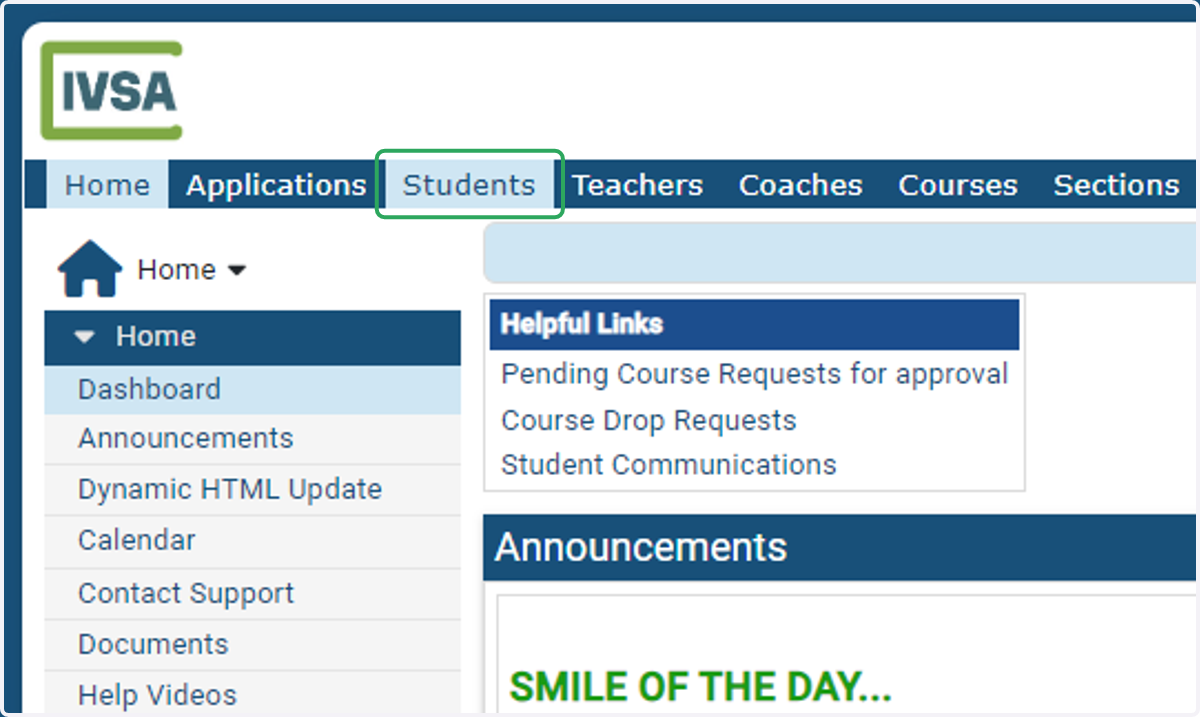
1. From the Registrar dashboard, click the Students tab at the top of the page.
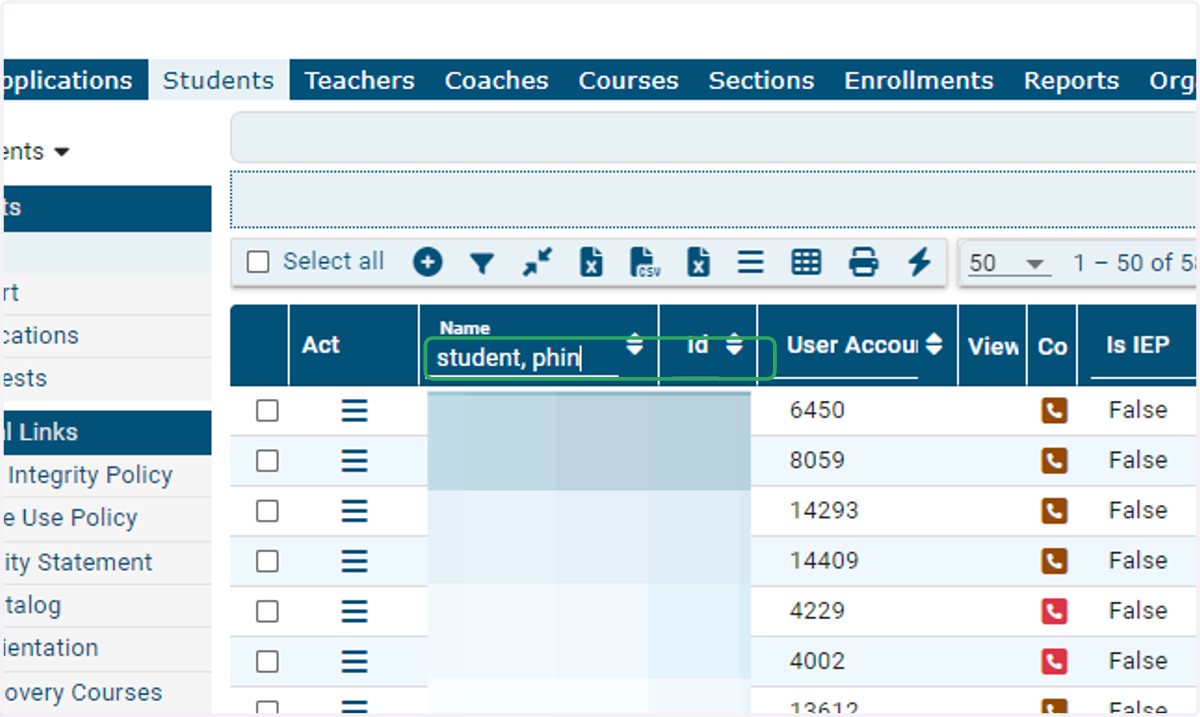
2. Type of the name of the student whose completion report you want to retrieve.
The database will populate results as you type.
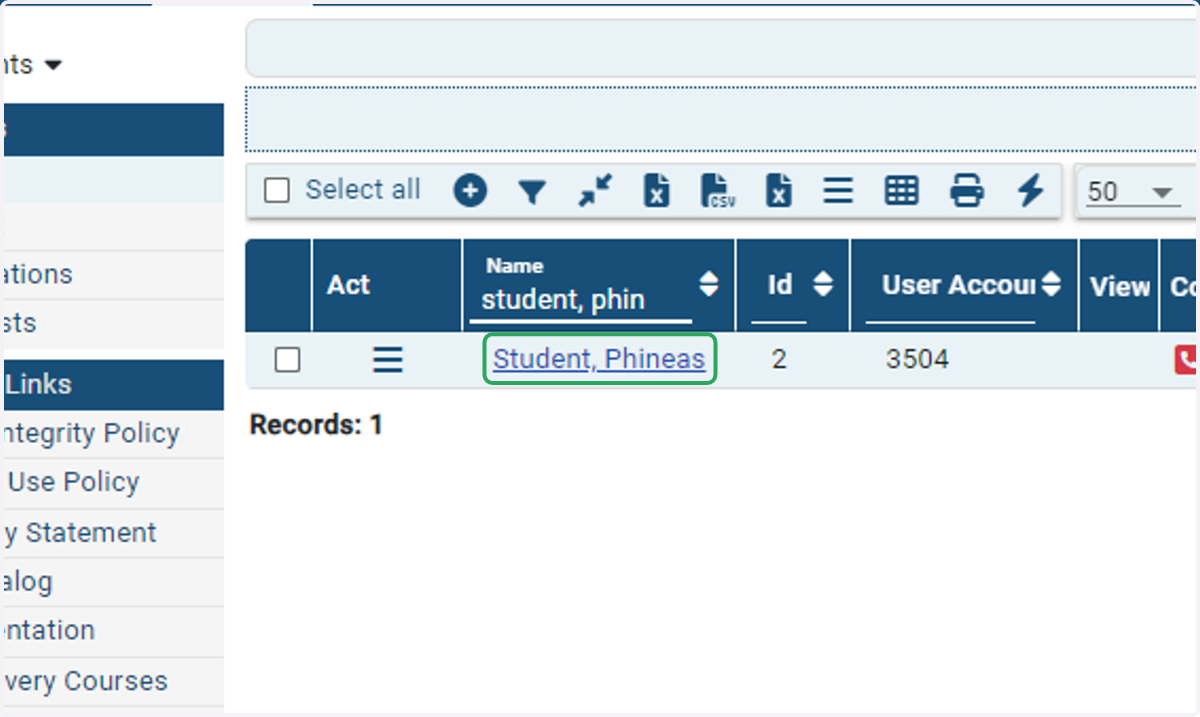
3. Click on the student's name.
4. Click on Official Completion Report under the Academic tab on the left side of the page.
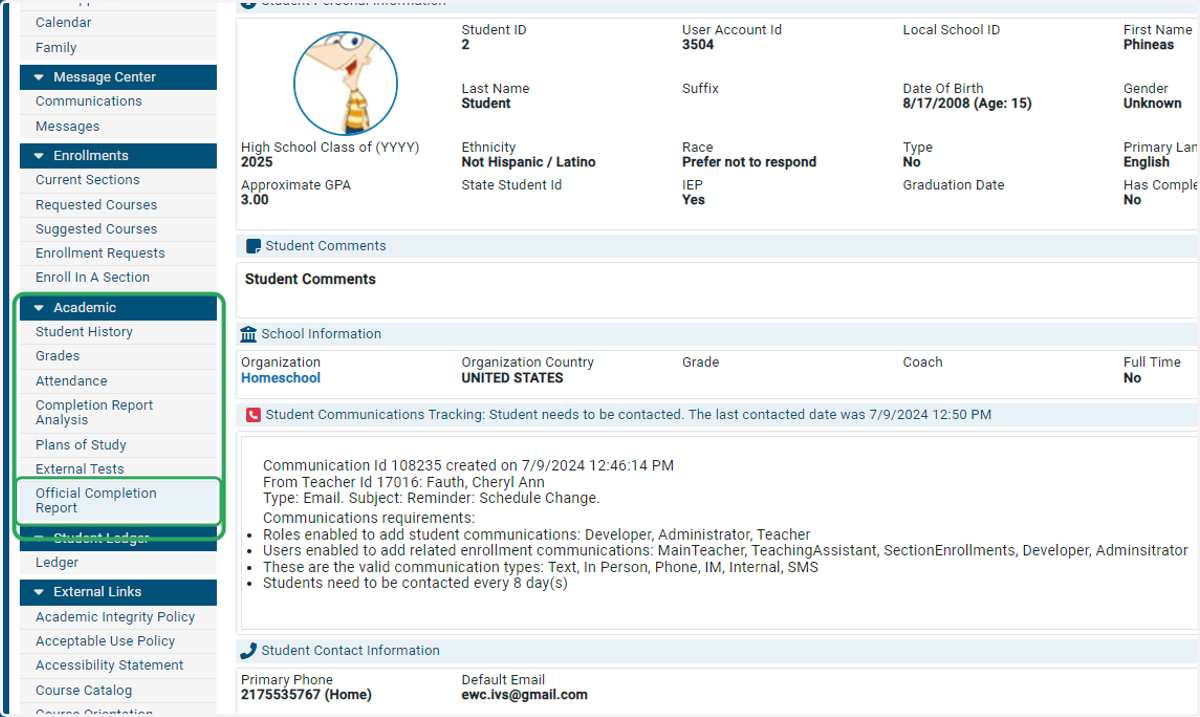
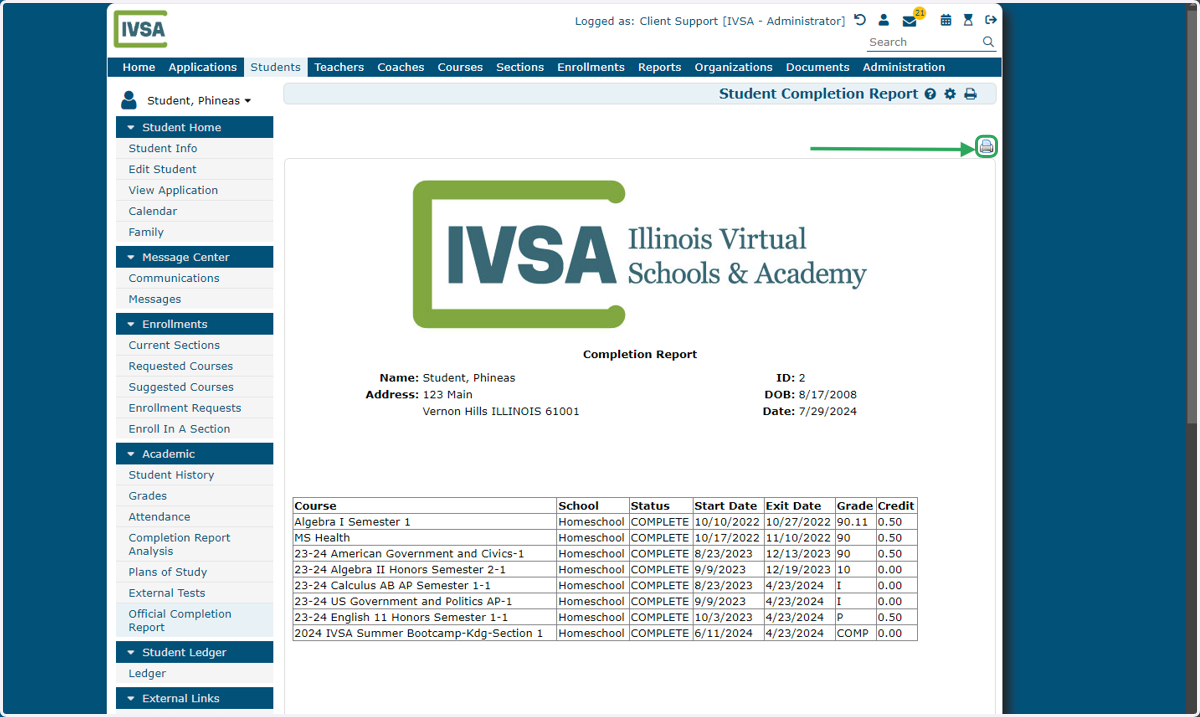
5. The student's IVSA completion report will be displayed on the screen.
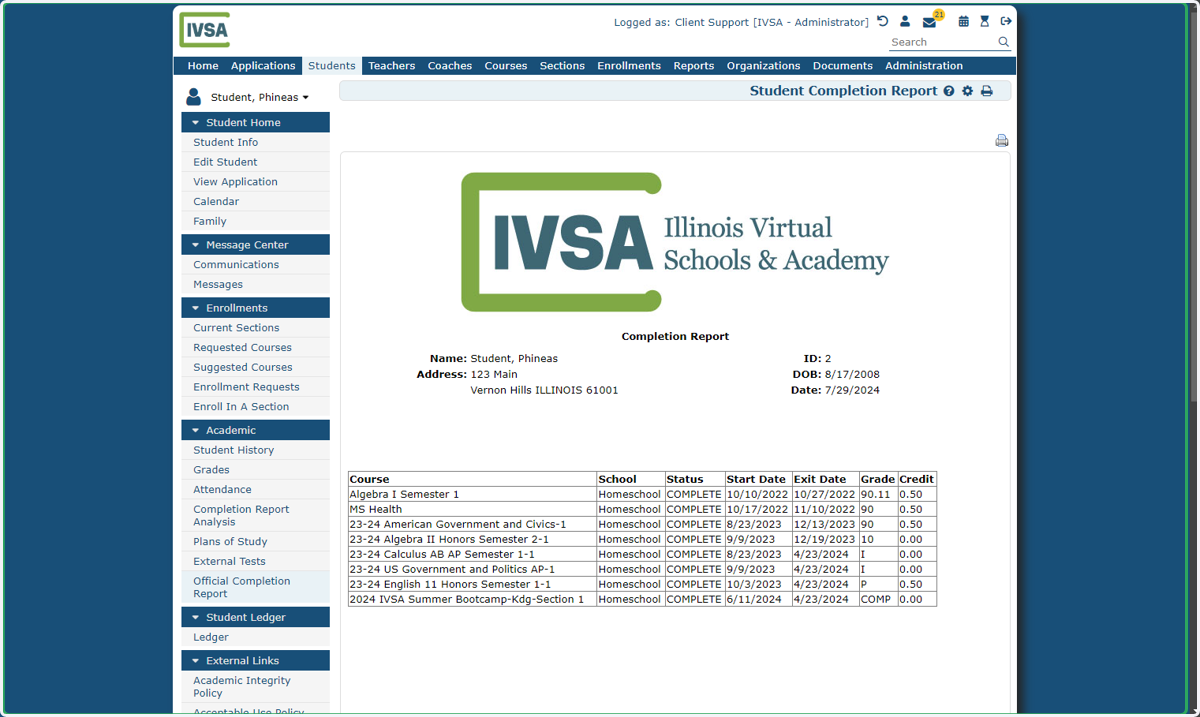
6. Click the printer icon in the top right corner of the report to download the document as a pdf.
If you need assistance or have any questions about a completion report, please contact us at info@ivsaschool.org.