Registering for Iowa Law OCI

12Twenty

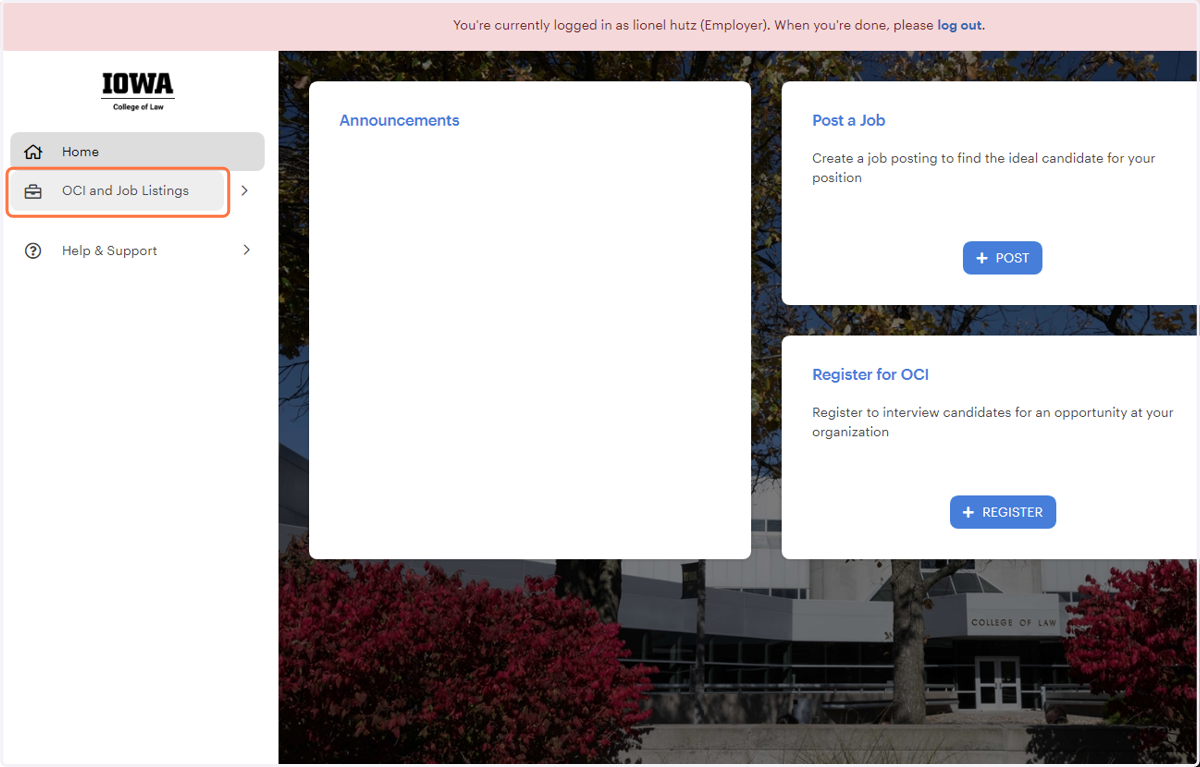
  1. 1. Click on OCI and Job Listings

    Click on OCI and Job Listings
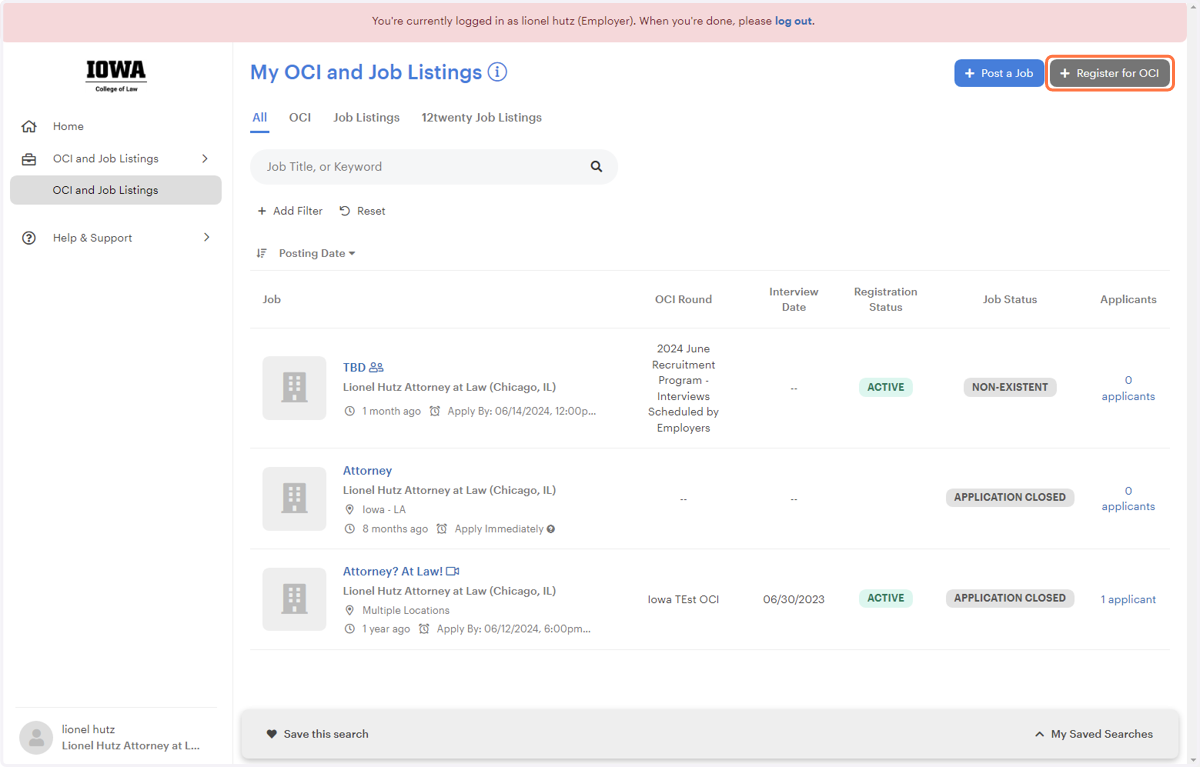
  2. 2. Click on Register for OCI

    Click on Register for OCI
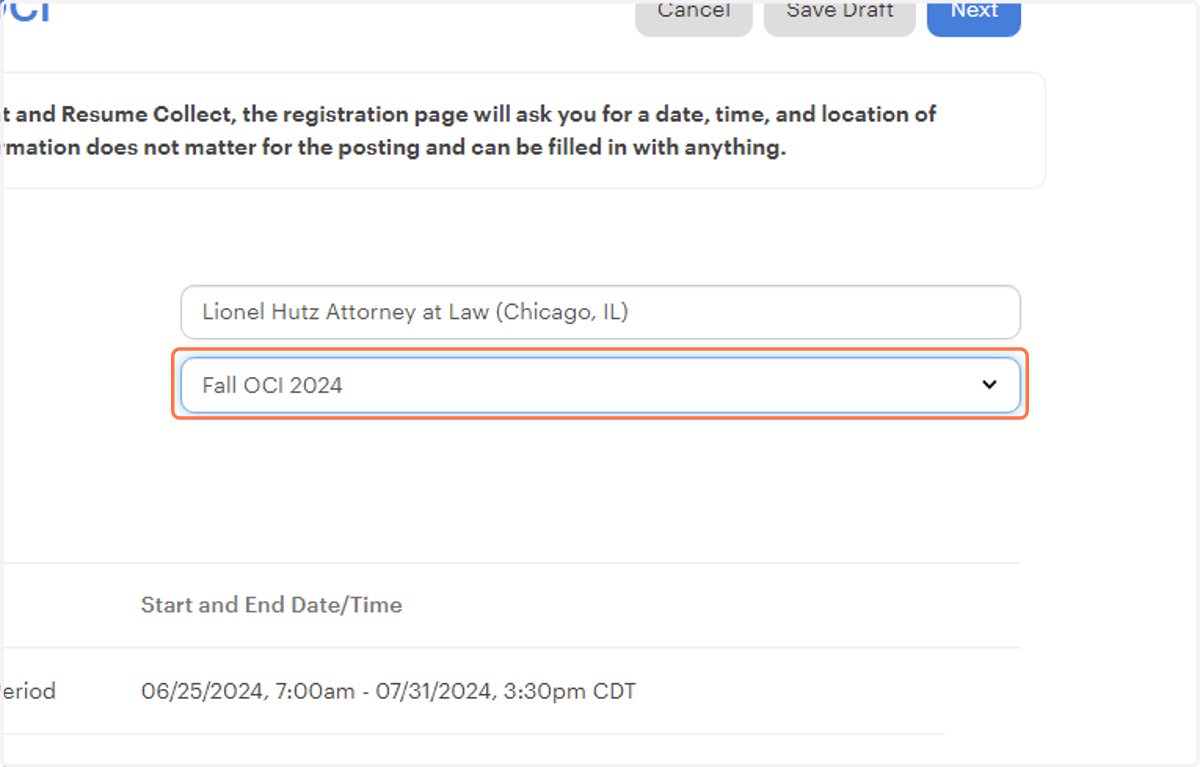
  3. 3. Select Fall OCI 2024

    Select Fall OCI 2024
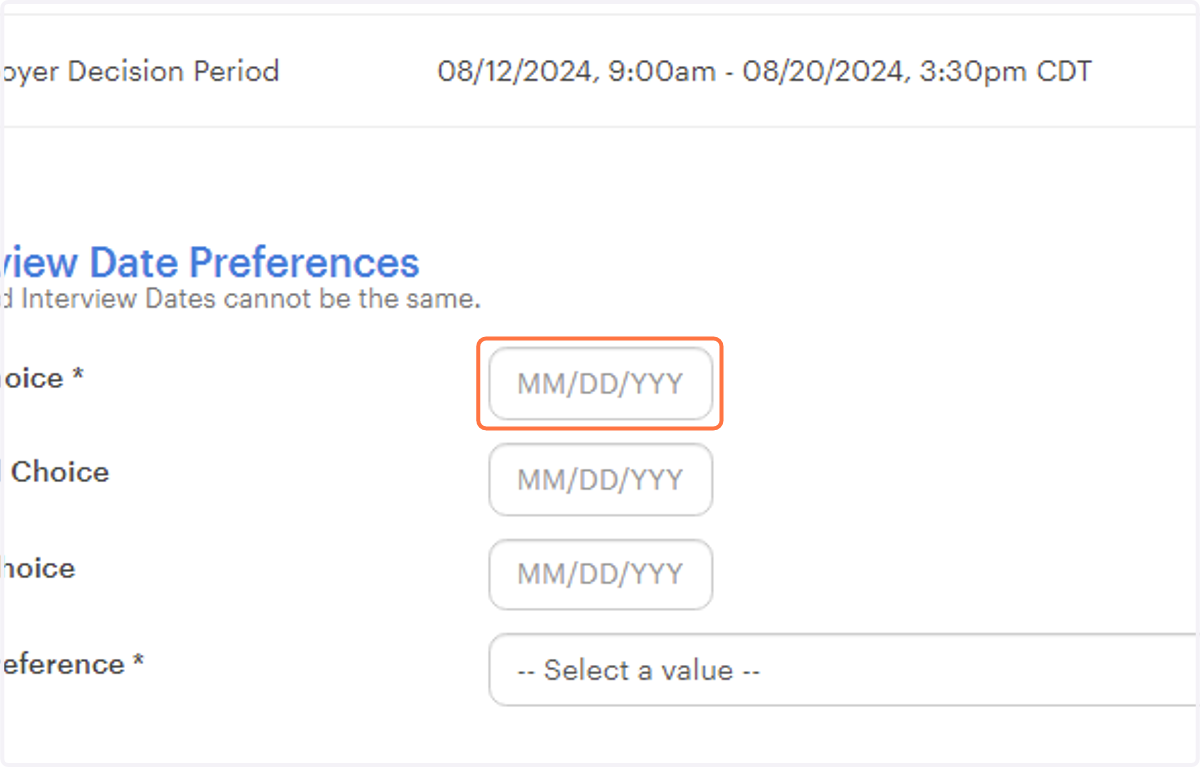
  4. 4. Click on date

    Click on date
  5. 5. Choose any of the available September Dates
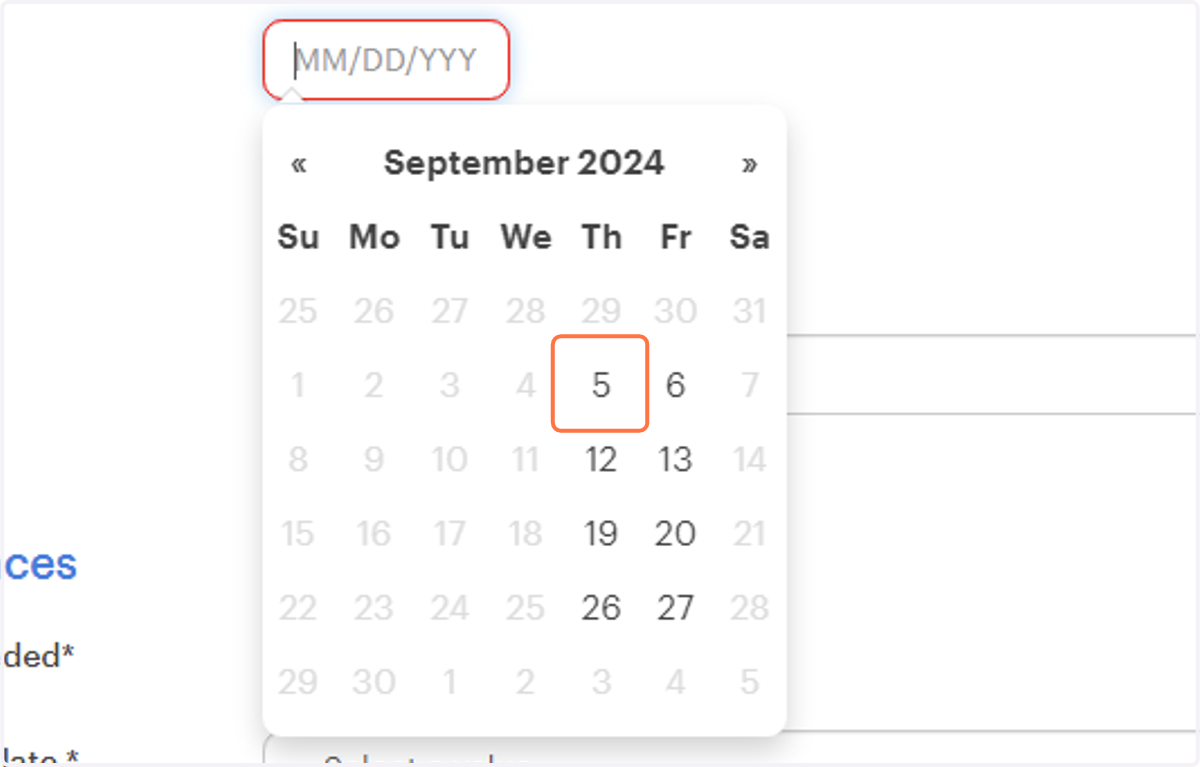
    Choose any of the available September Dates
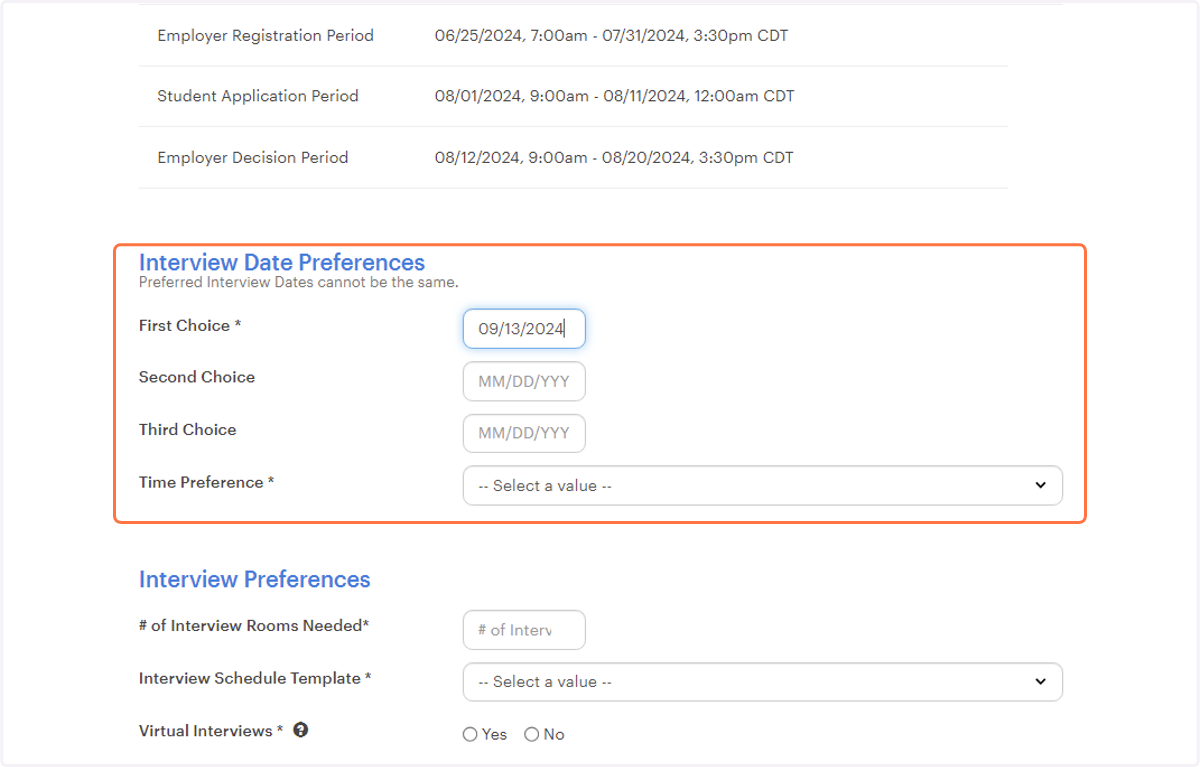
  6. 6. Complete this box

    Complete this box
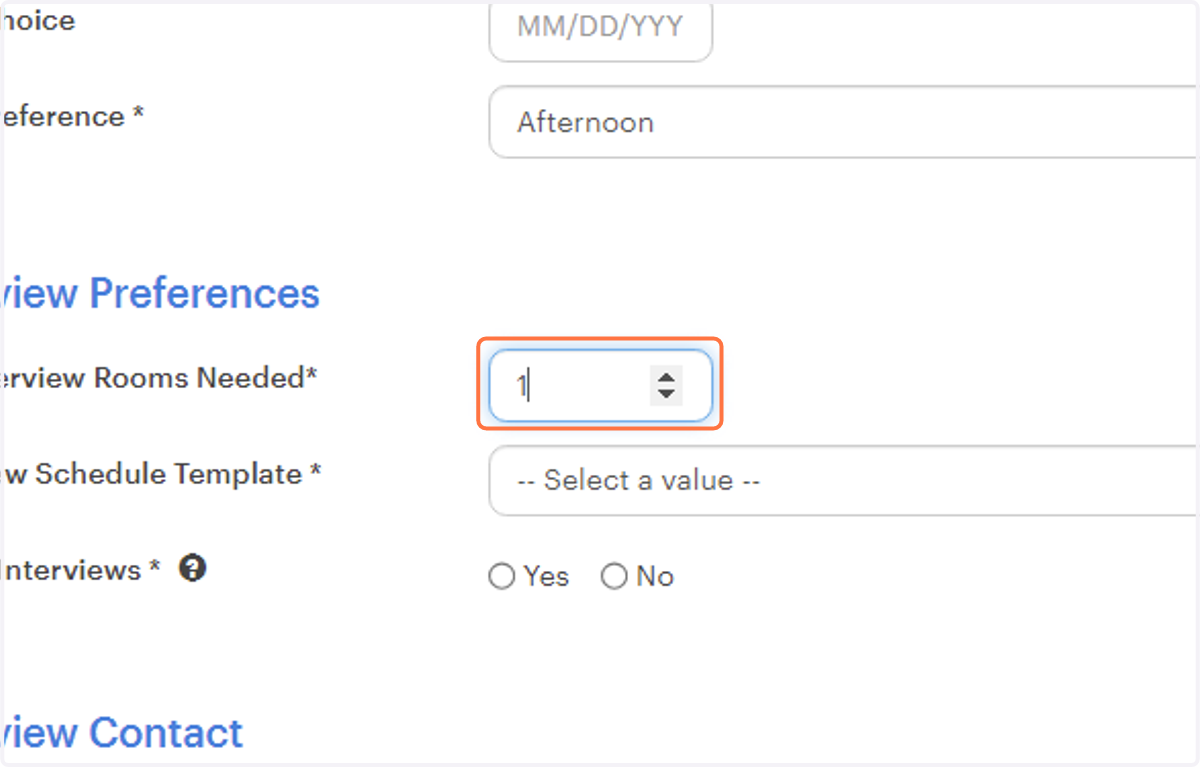
  7. 7. Type "1"

    Type "1"
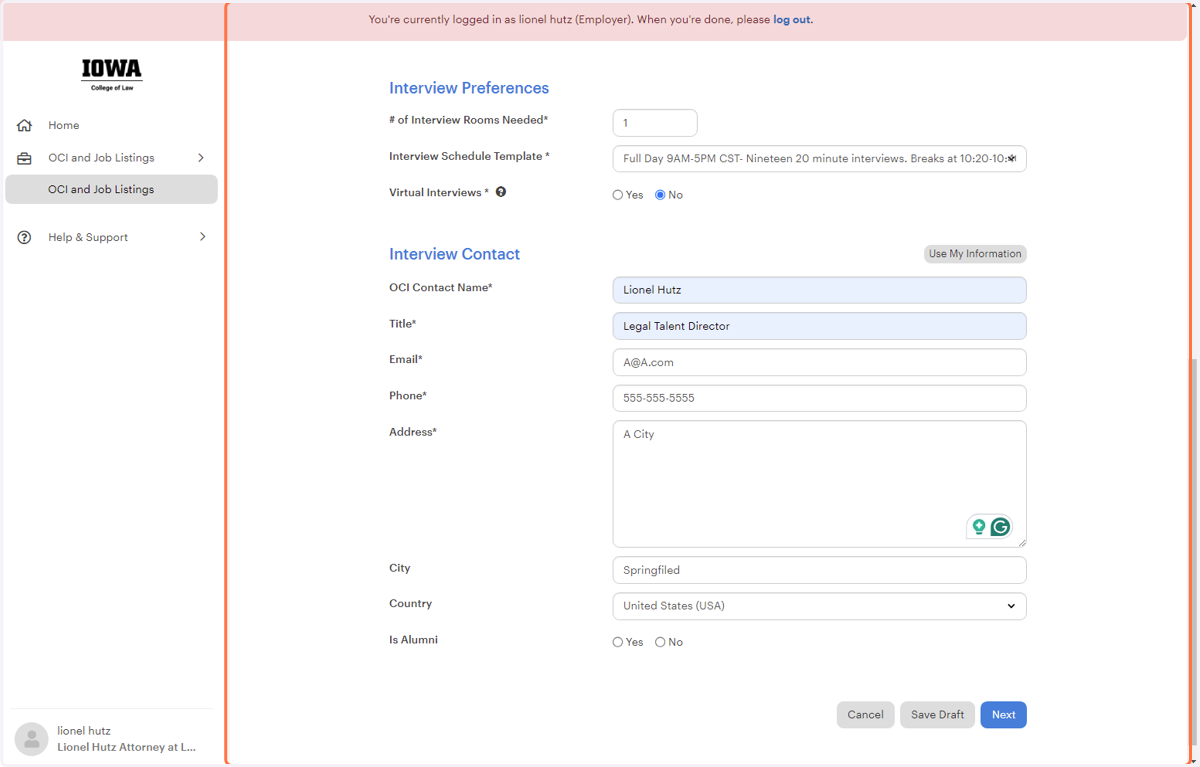
  8. 8. Complete Interview Preferences box
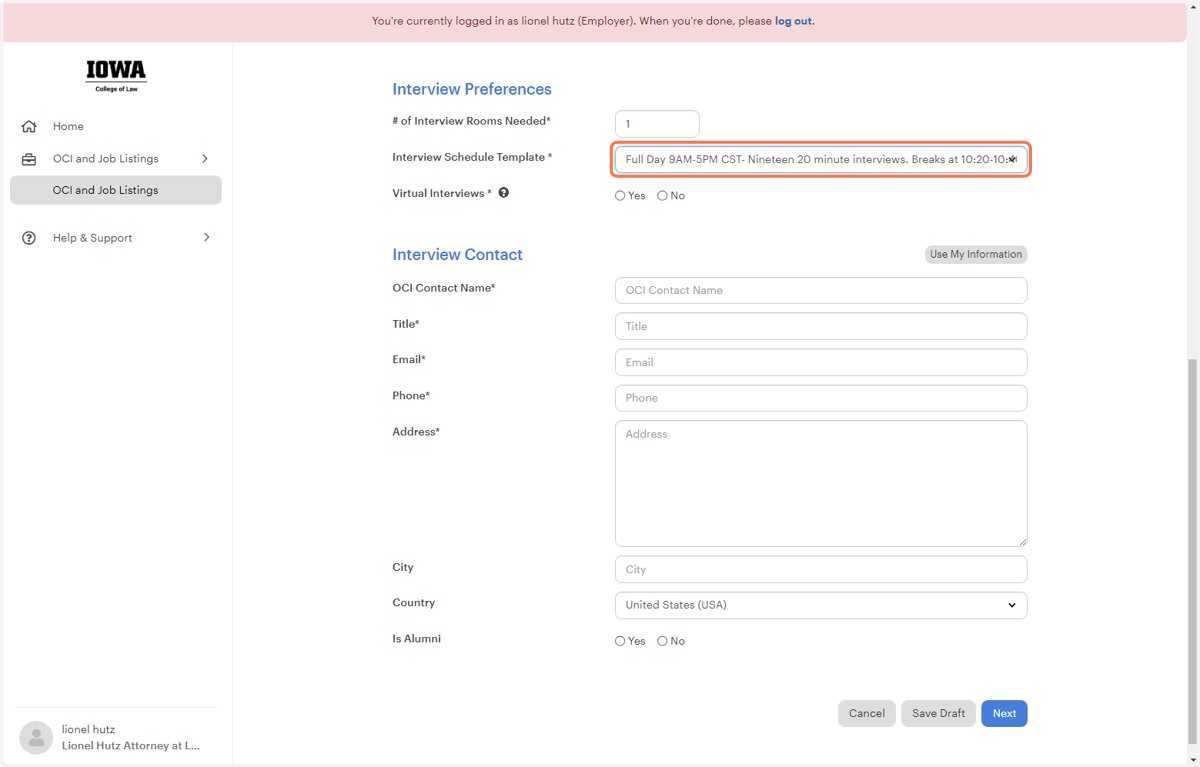
    Complete Interview Preferences box
  9. 9. Complete Interview Contact

    Complete Interview Contact
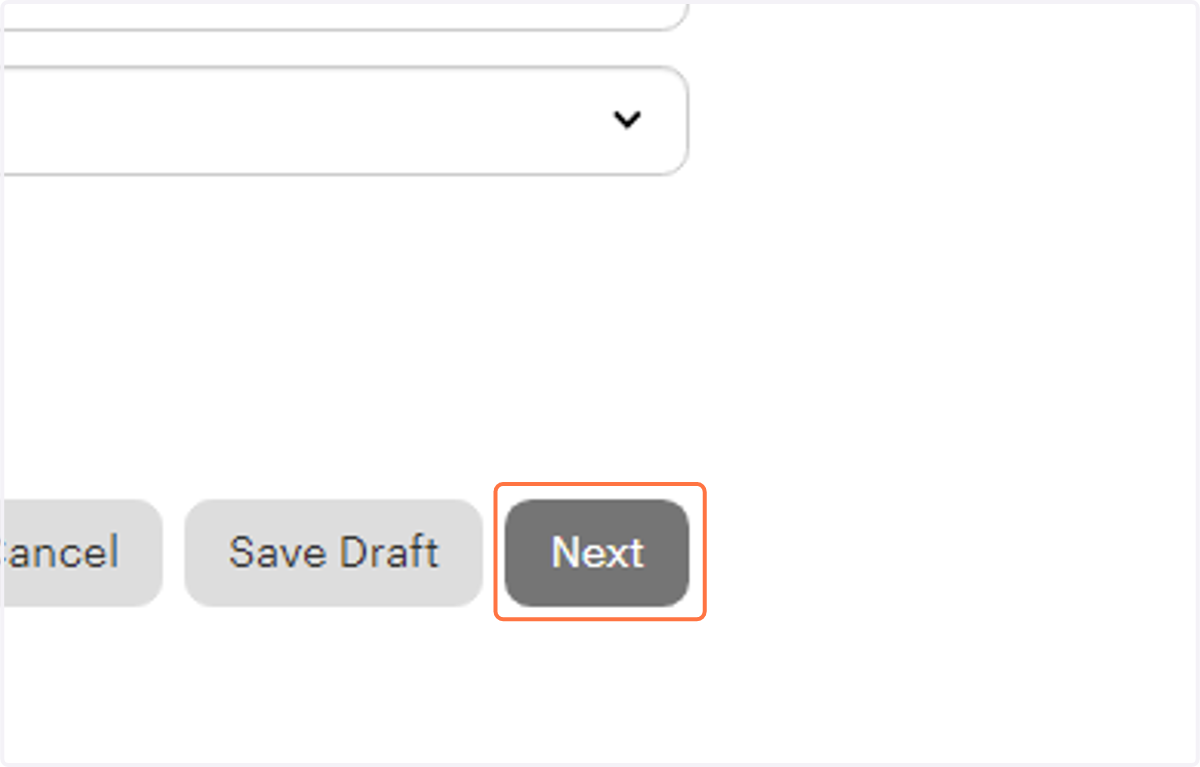
  10. 10. Click on Next

    Click on Next
  11. 11. Complete the Job Posting information
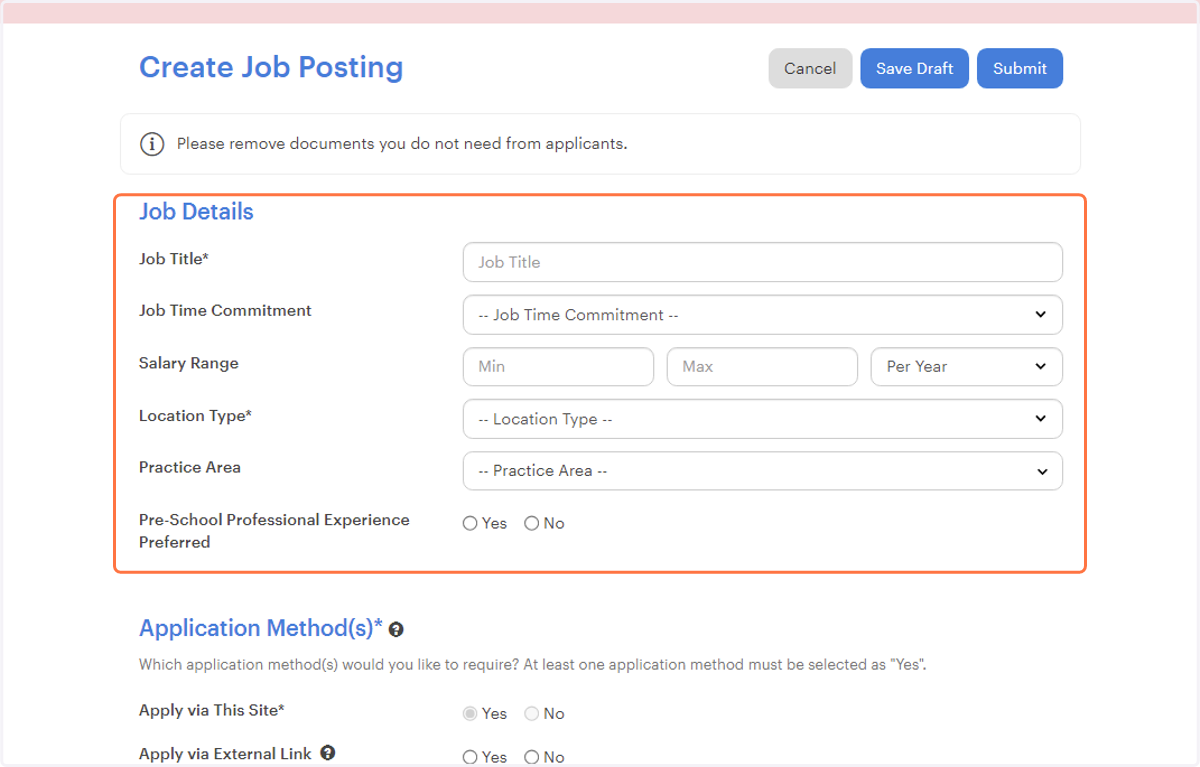
    Complete the Job Posting information
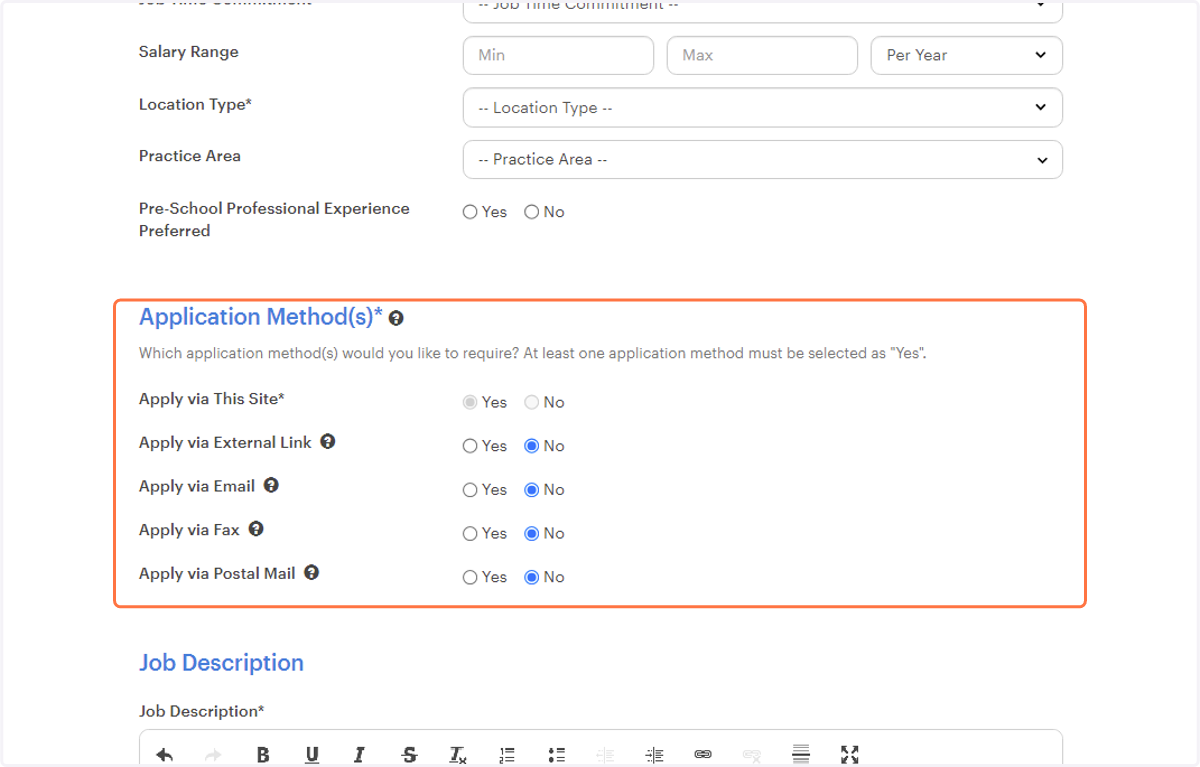
  12. 12. All should be "No"

    All should be "No"
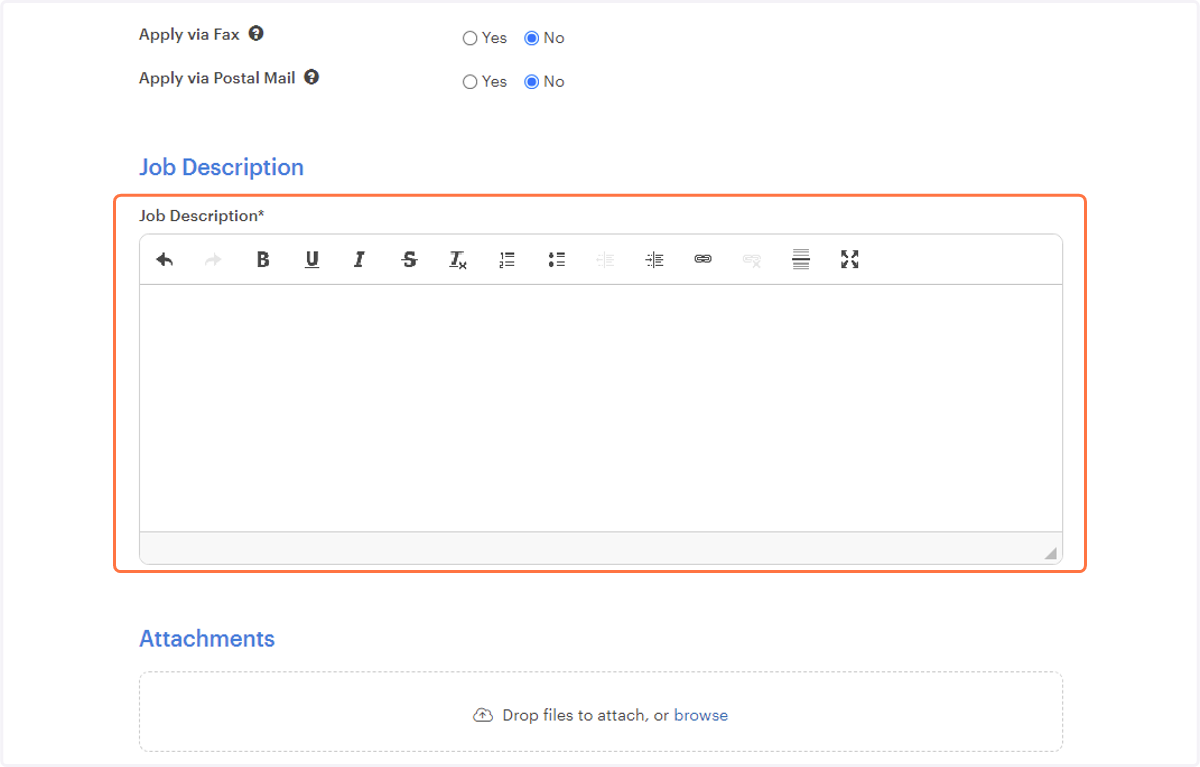
  13. 13. Click on Create Job Posting…

    Click on Create Job Posting…
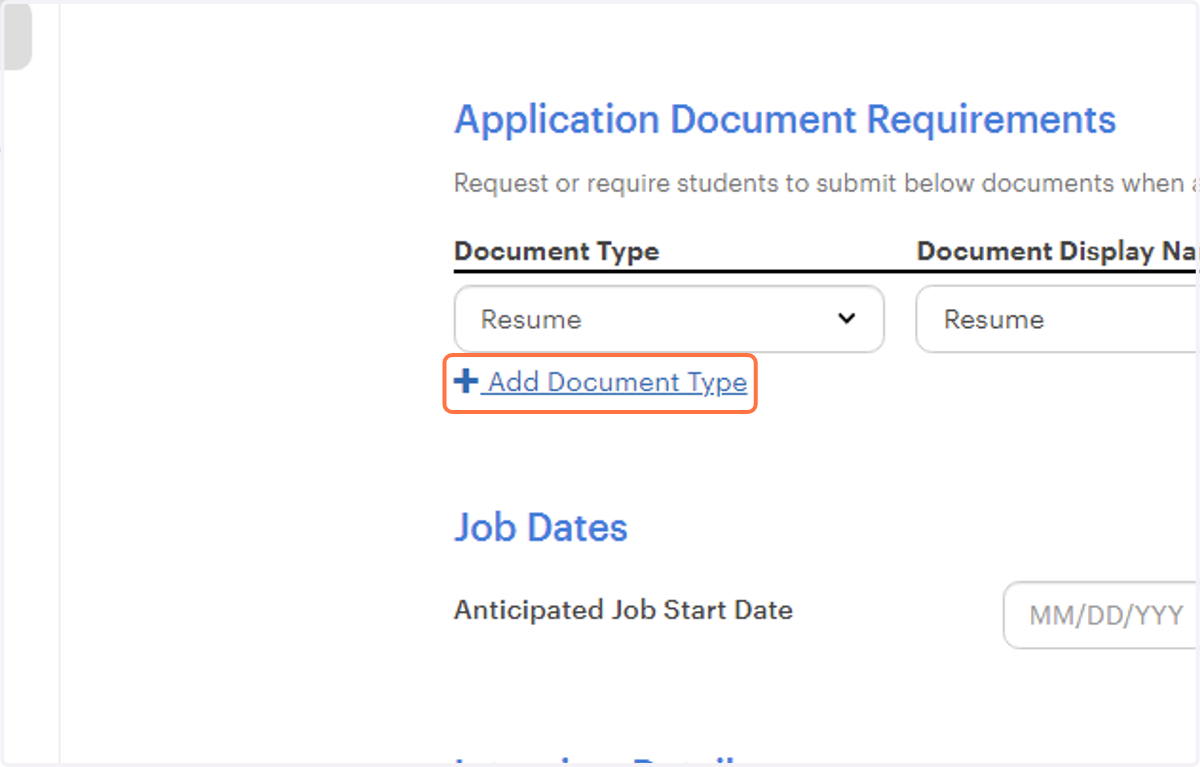
  14. 14. Add any documents requested

    Add any documents requested
  15. 15. Click on Create Job Posting…

    Click on Create Job Posting…
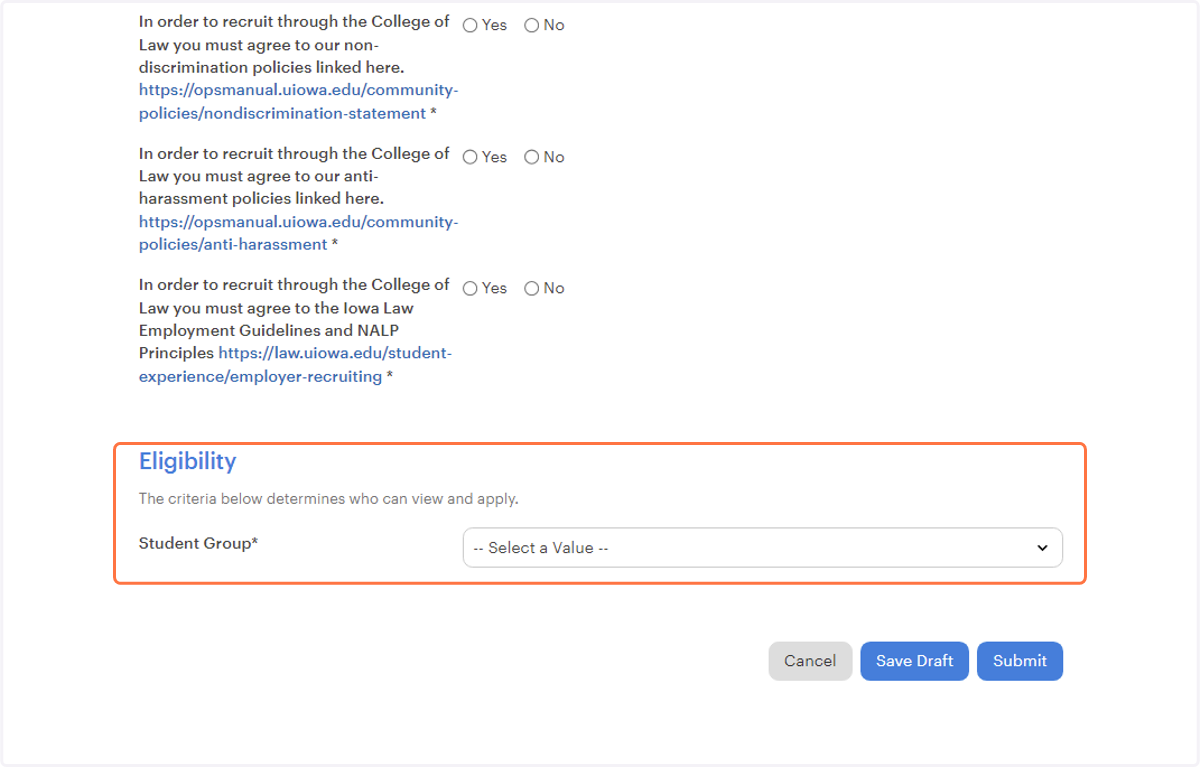
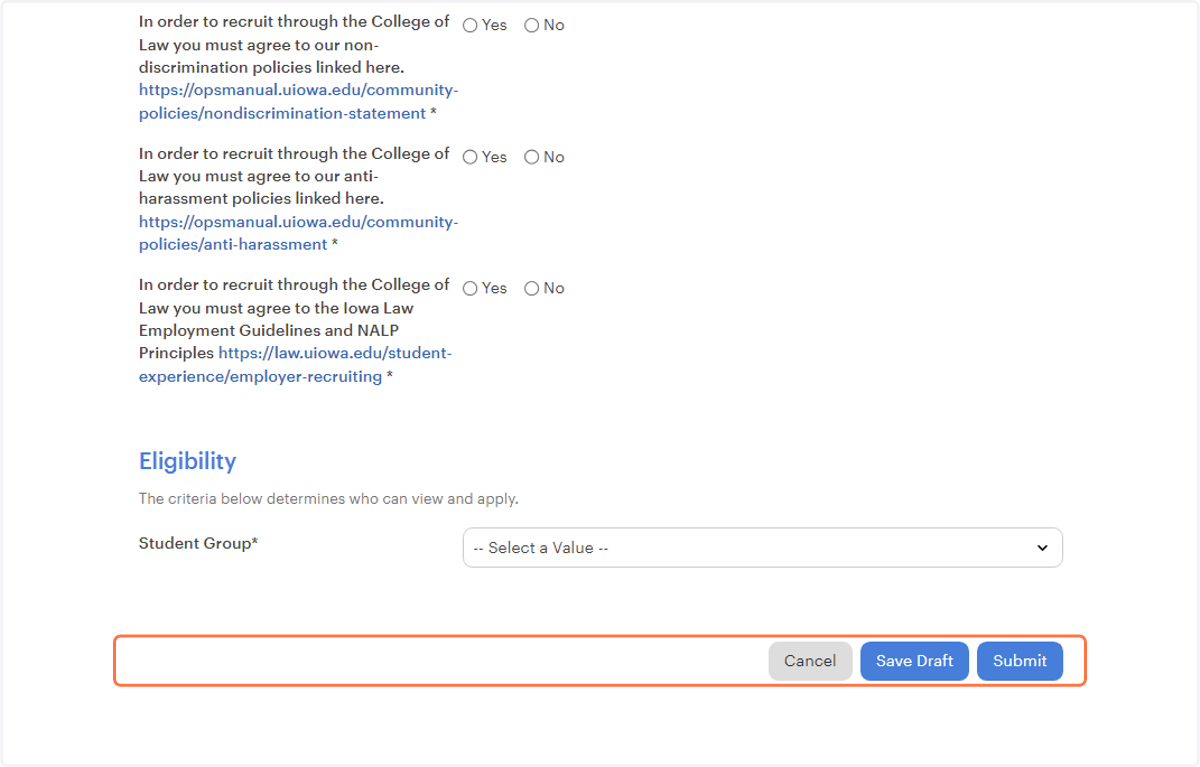
  16. 16. Submit

    Submit