Re-send 360 Invites to Reviewers (existing and new!)
Dashboard - Leadership Matters
These are the steps to follow when you wish to add new Reviewers or resend the Review Email to existing Reviewers
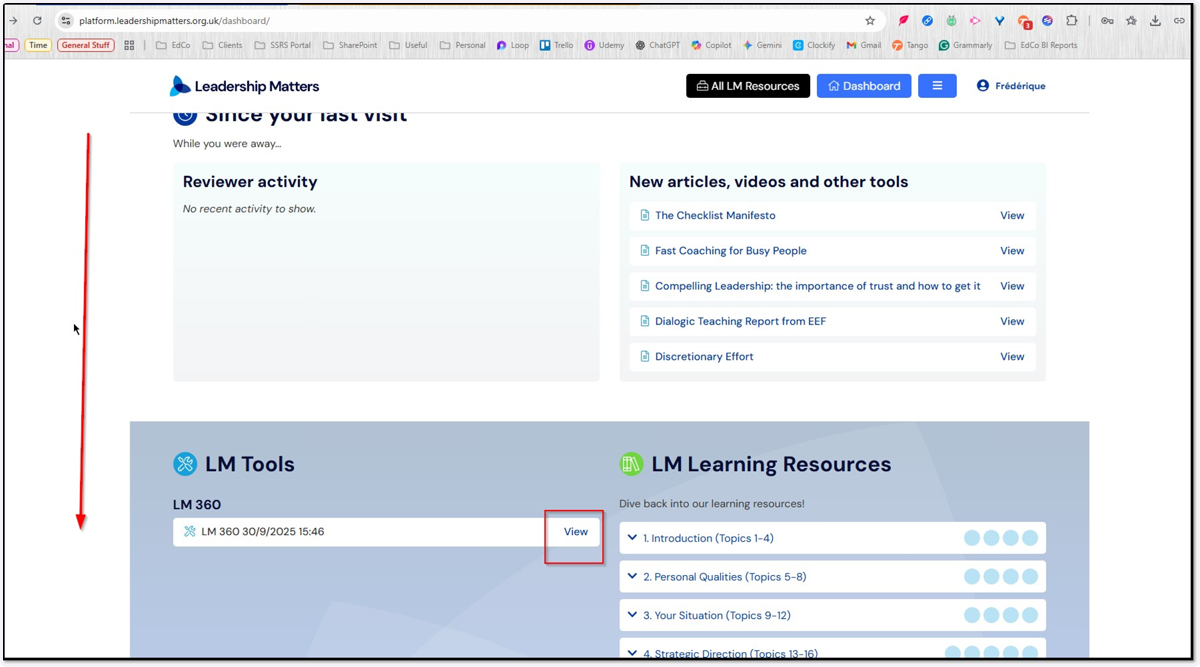
1. Scroll down the front page/Dashboard to your LM360 Review that is still active and click the View option
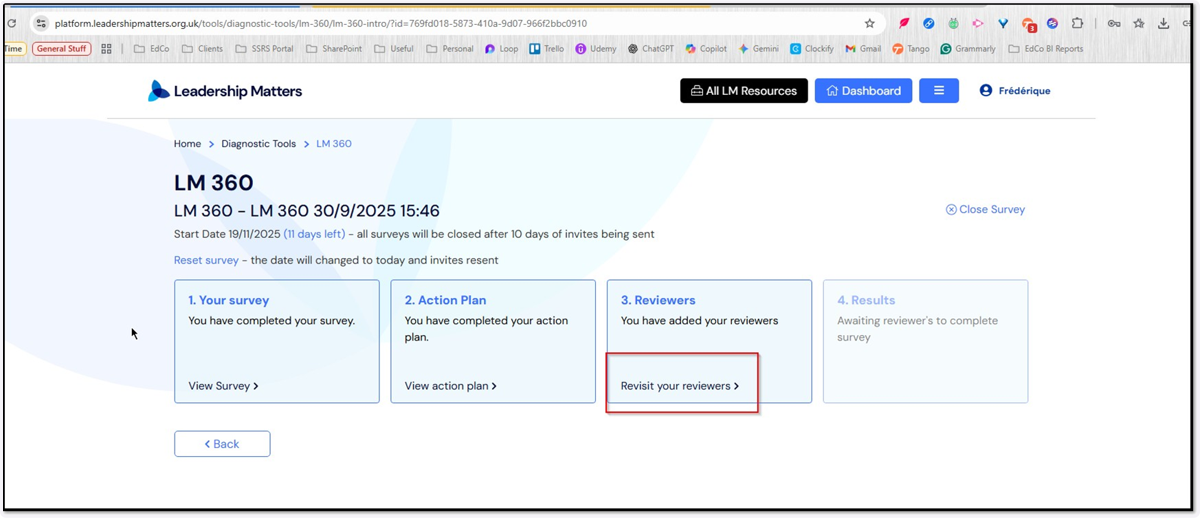
2. Click the option to "Revisit Your Reviewers"
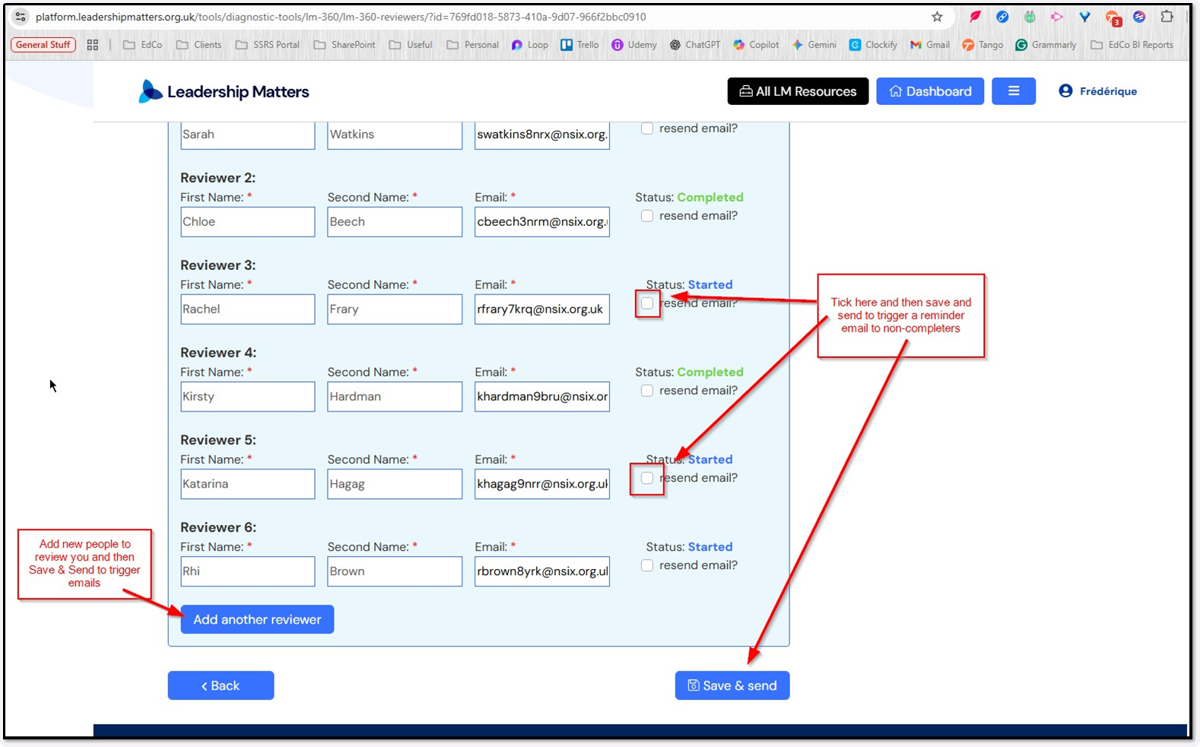
3. From here you can tick the option to resend the email to existing Reviewers or Add Another Reviewer Clicking Save & Send will trigger emails as required