Quiz Not Loading - Fix
This tutorial will show you how to fix an issue of a quiz or test not loading for the students. You will need to make the test or quiz visible in the grade book.
Grades List - Patti - Practice as Instructor - starkstate.brightspace
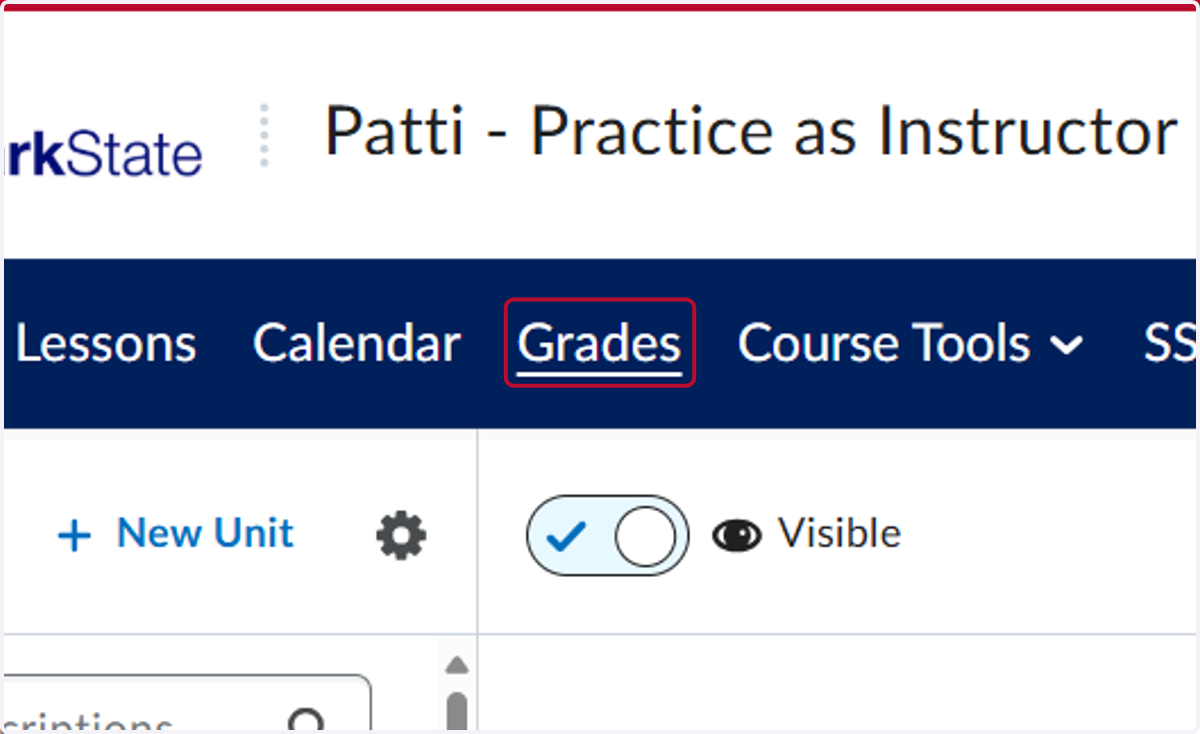
1. Click on Grades
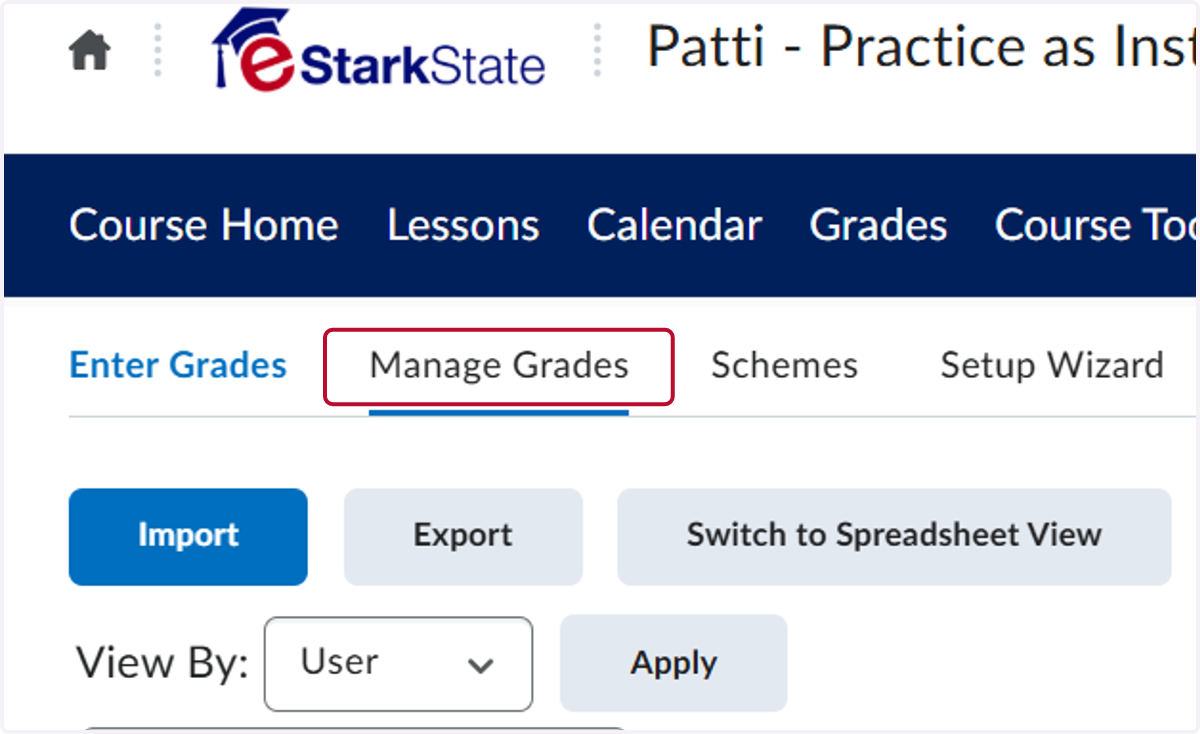
2. Click on Manage Grades
3. The problem is that the quiz is not visible in the Grade book. This is why it won't load for the students when they try to take it, even if it is visible in Lessons.
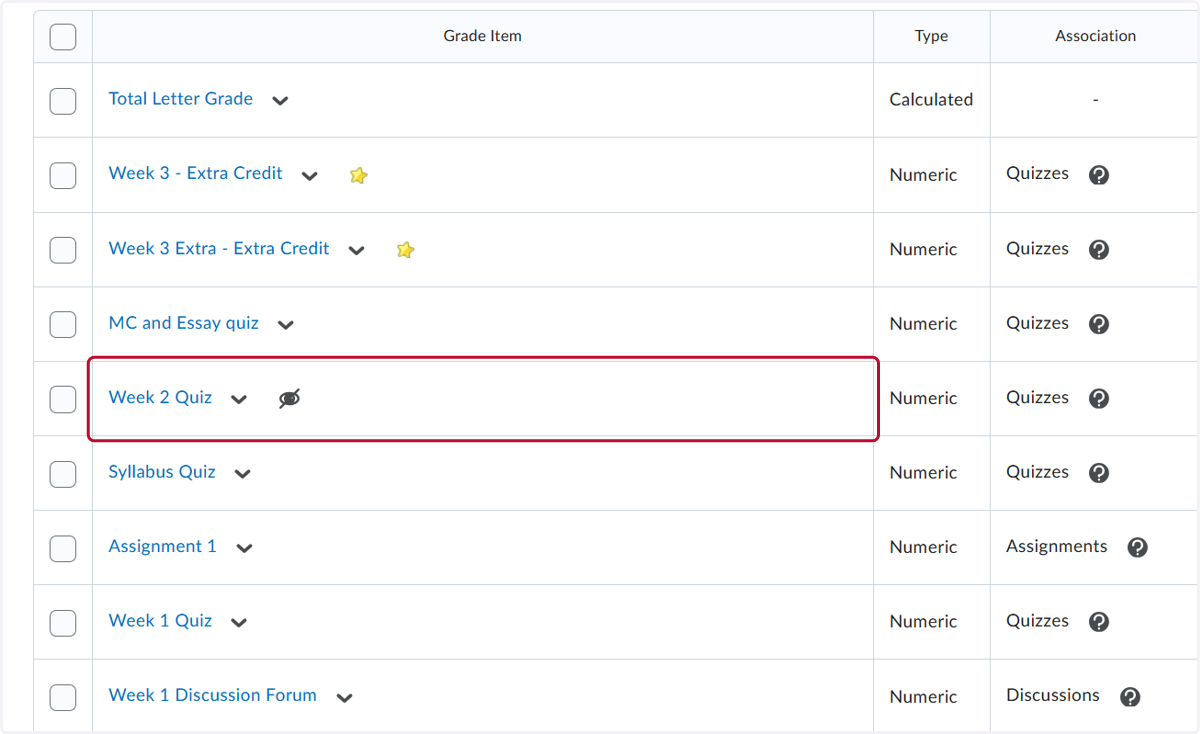
4. Click on the down arrow and then click Make Visible to Users
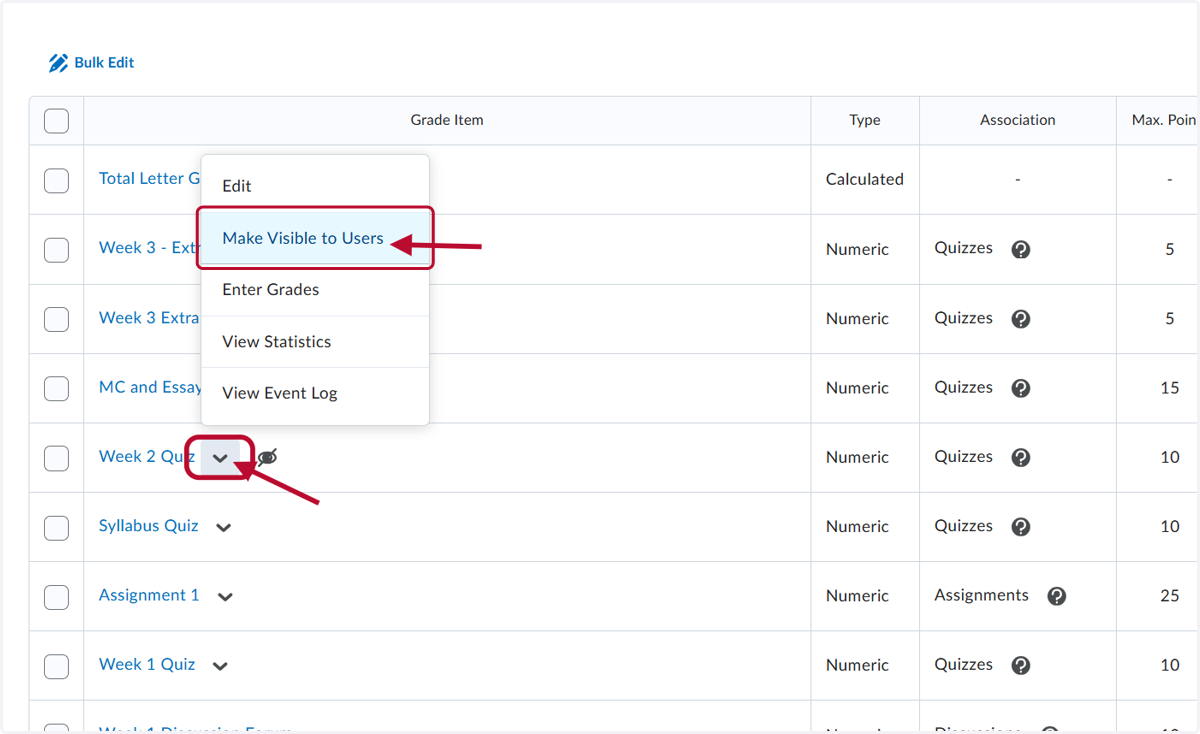
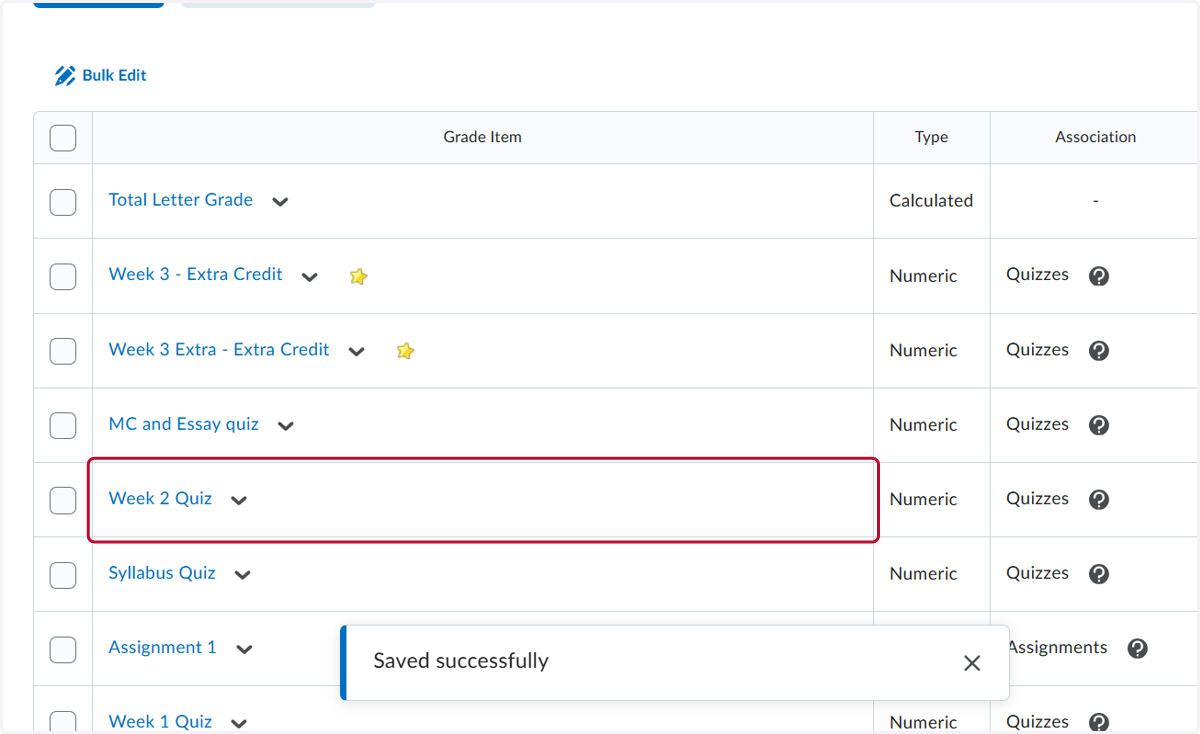
5. You can see that the quiz is now visible in the grade book.