Progress Learning Access for Teachers
Classlink
1. Open ClassLink
2. Click the + to Open App Library
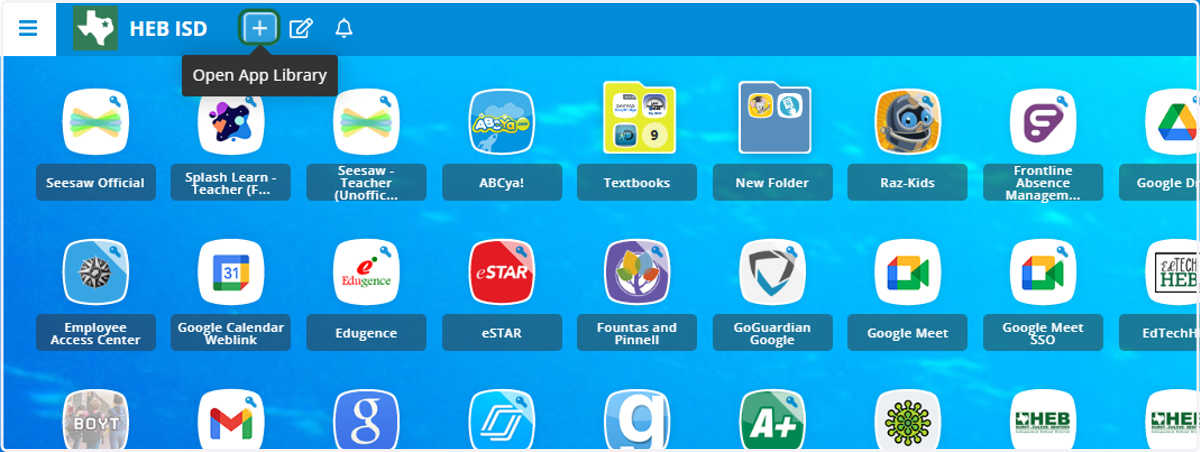
Classlink
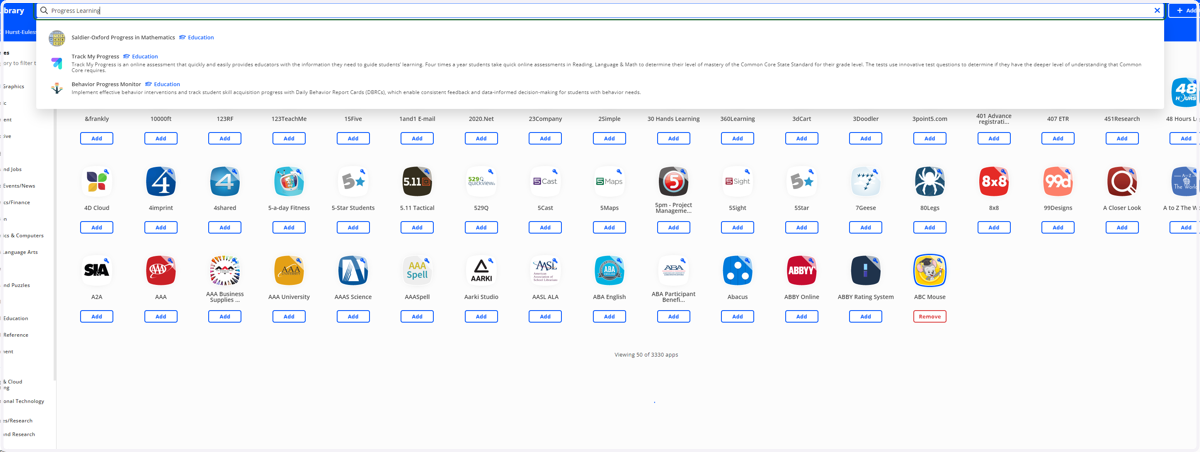
3. Type "Progress Learning"
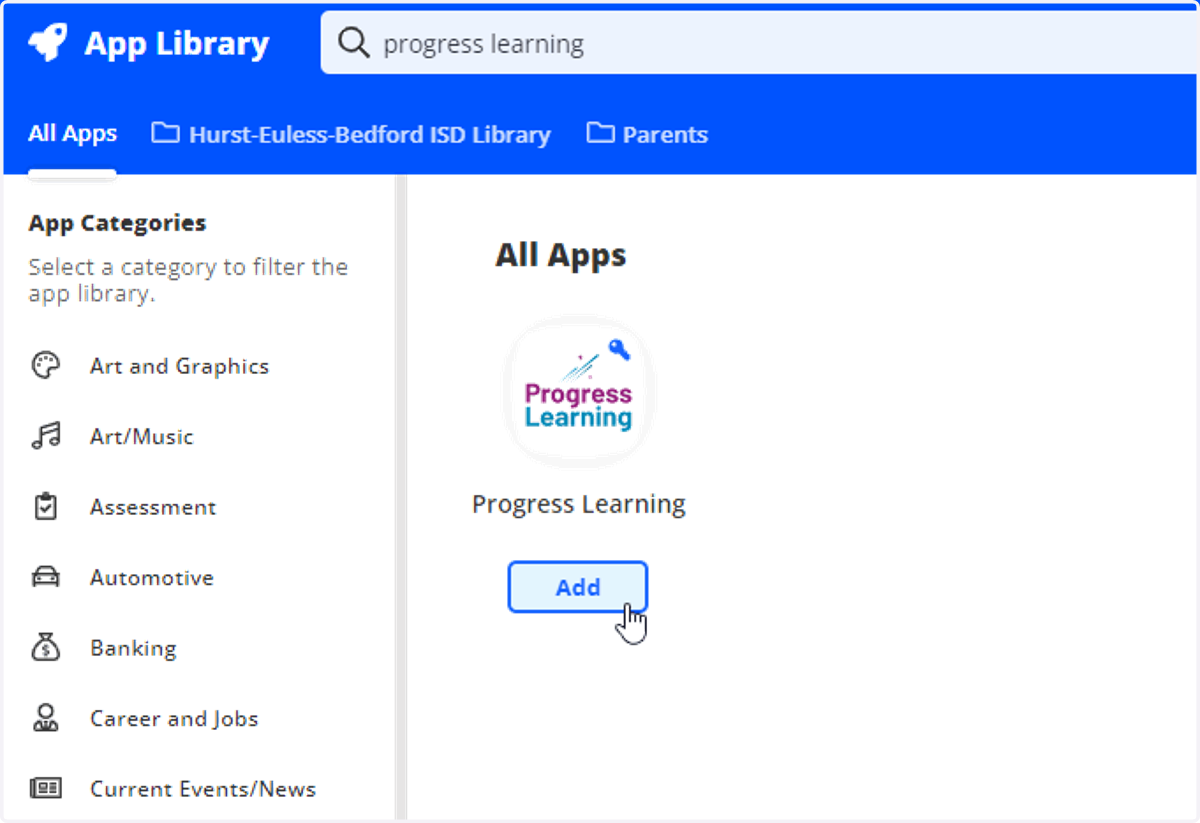
4. Select Add for the Progress Learning application
5. Choose Progress Learning from your ClassLink dashboard
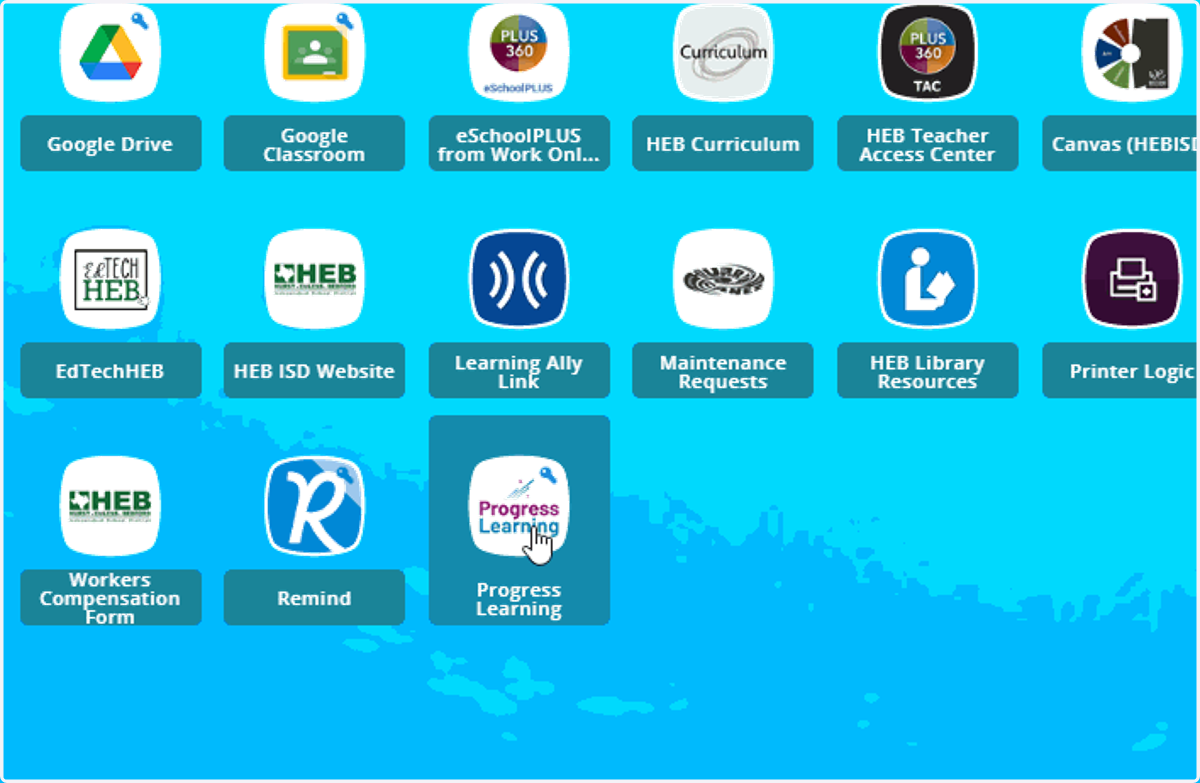
Classlink
6. Find and Select Your Class Name (e.g., homeroom)
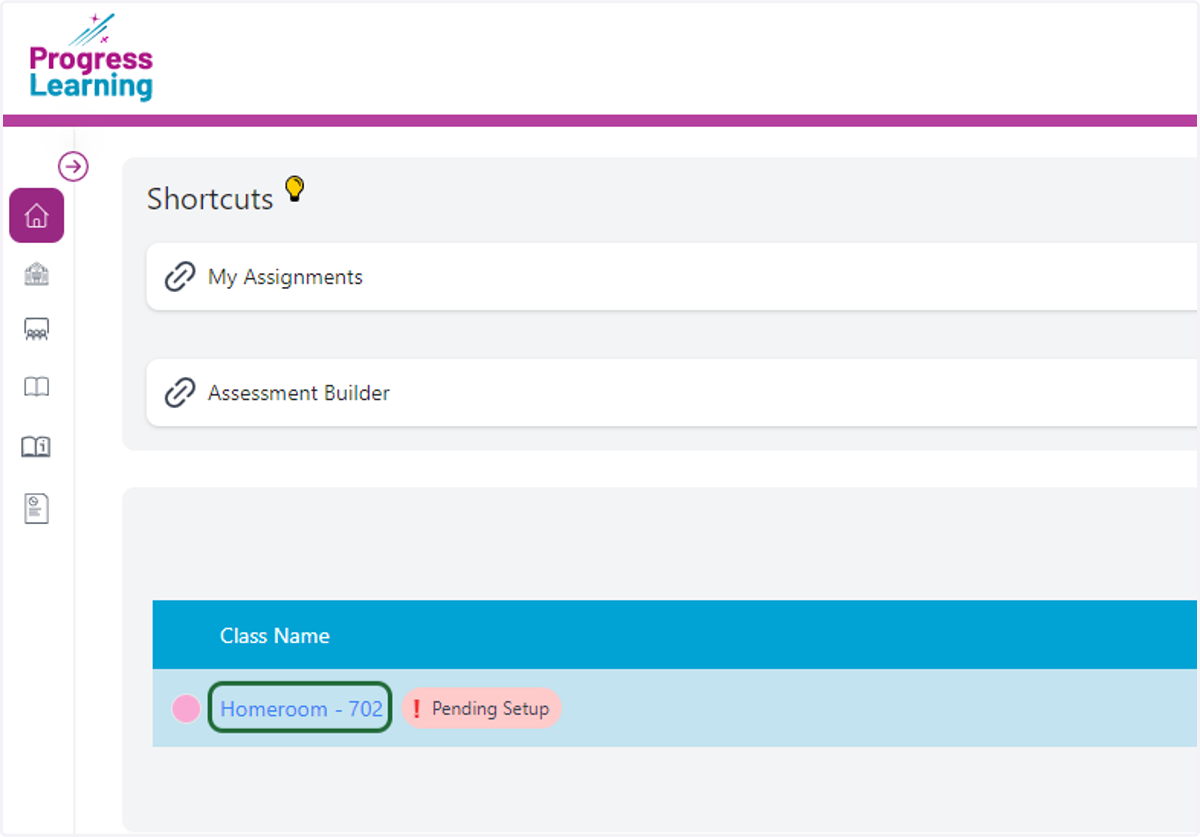
Progresslearning
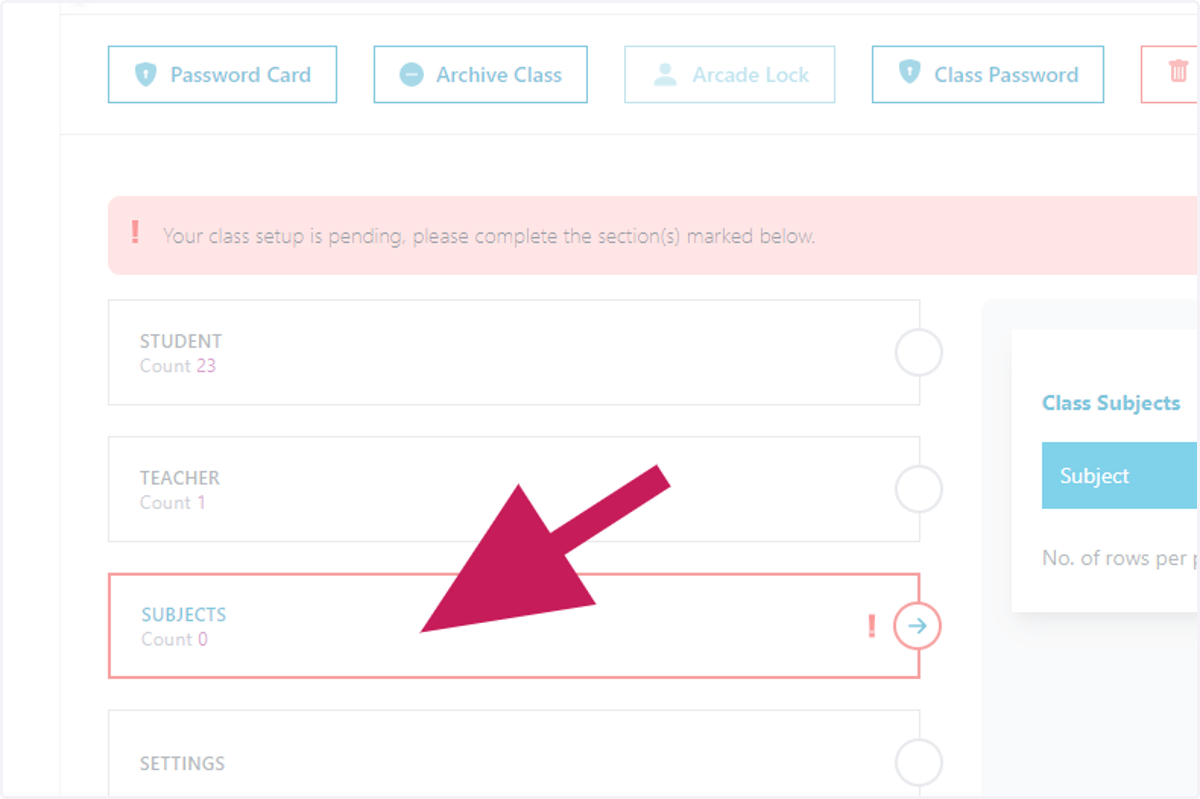
7. Find and select the option for Subjects
This will be on left side of screen and will most likely have an exclamation point
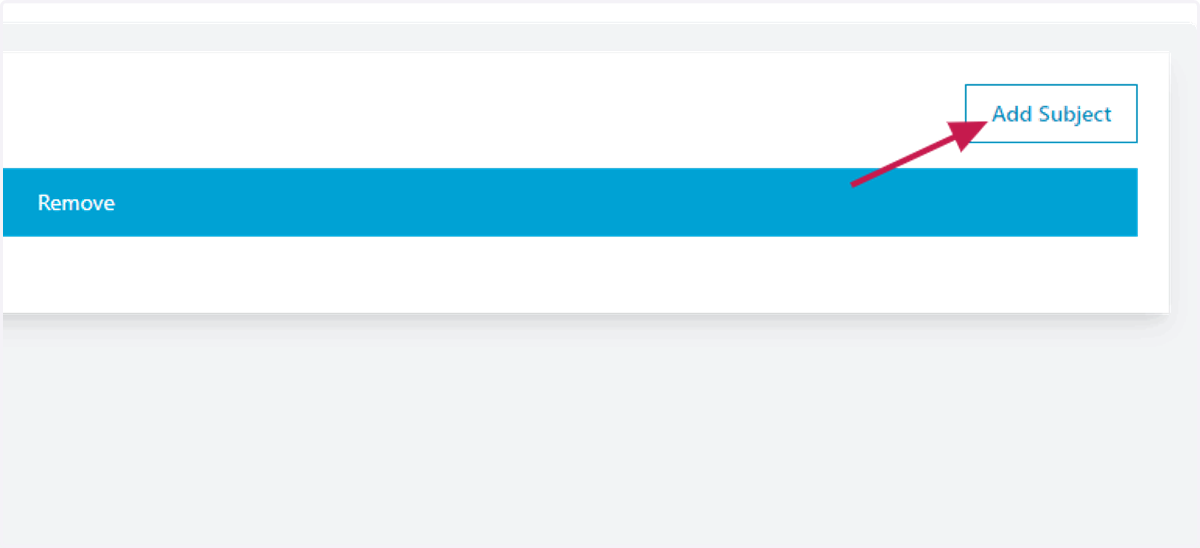
8. Select the add Subject button
This will be on the right side of your screen
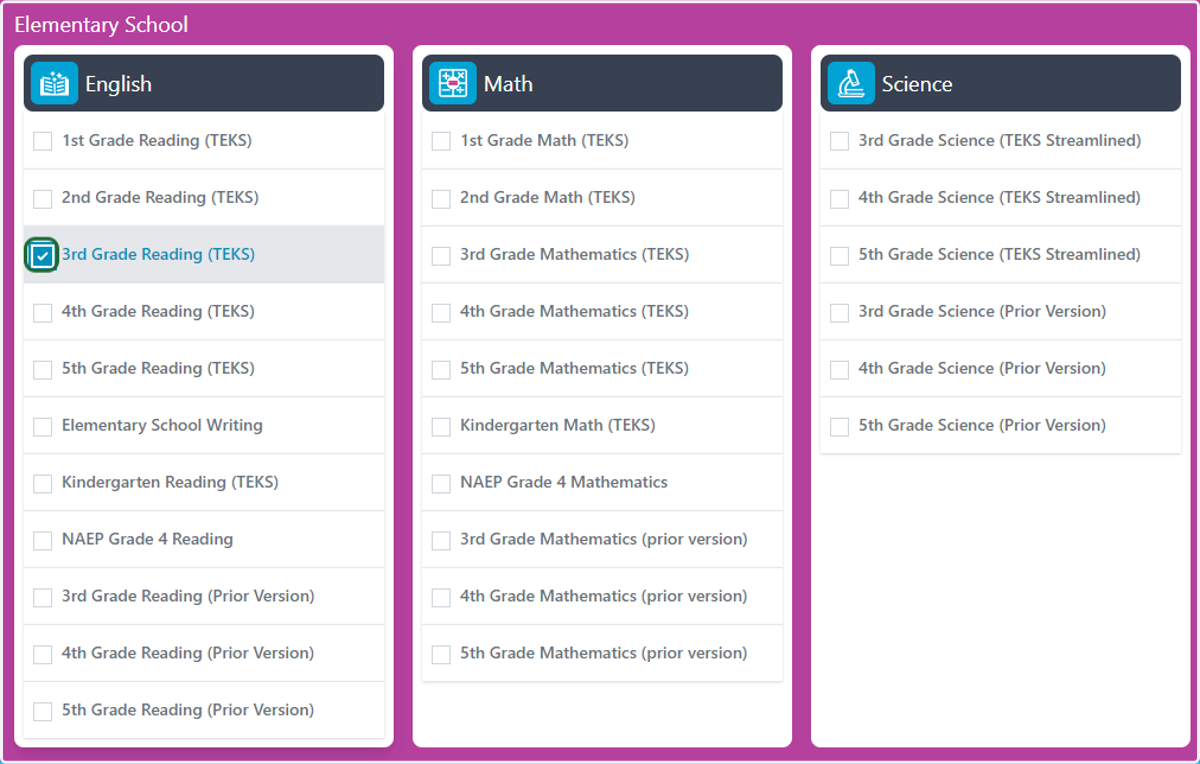
9. Select your subject(s)
10. Select the Add button
Toward the bottom right of the Class Subject list

11. Confirm your selection by choosing Ok

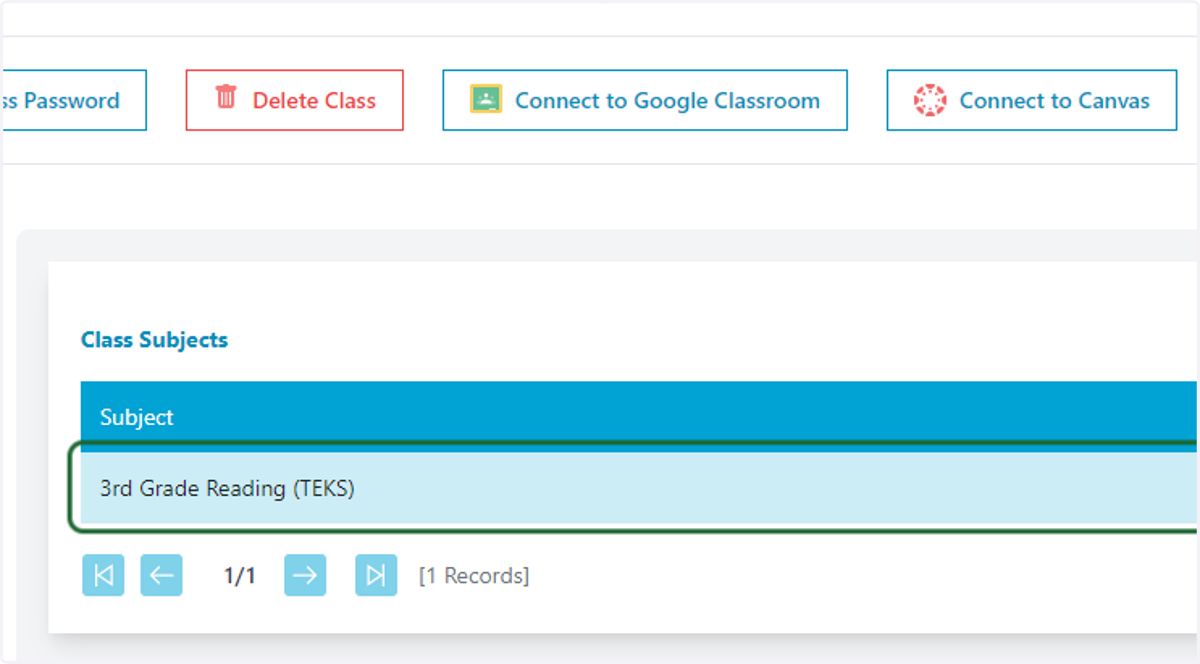
12. Verify your course was successfully added =)
13. You're ready to go!