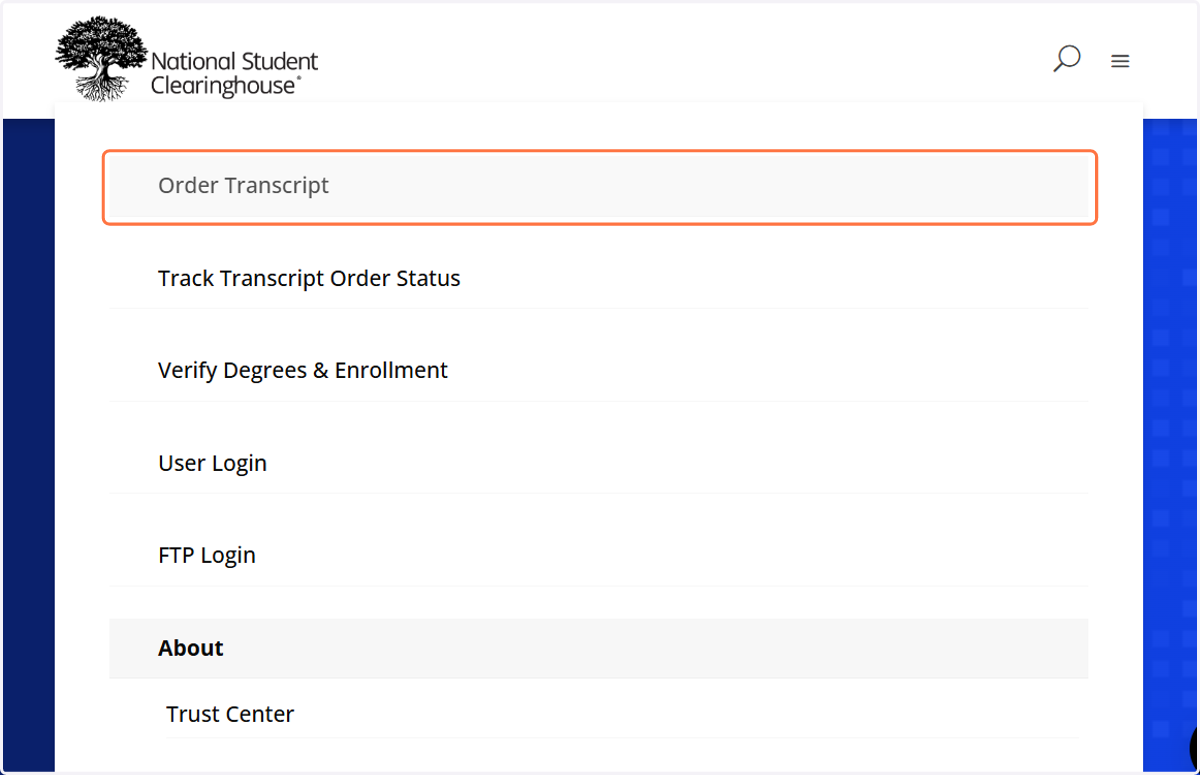
Ordering a Transcript on the National Student Clearinghouse
1. Access the Transcript Ordering Website
All official transcript orders must be placed through the National Student Clearinghouse.
Visit the National Student Clearinghouse website.
On the main page, select “Order Transcript” to begin the ordering process.
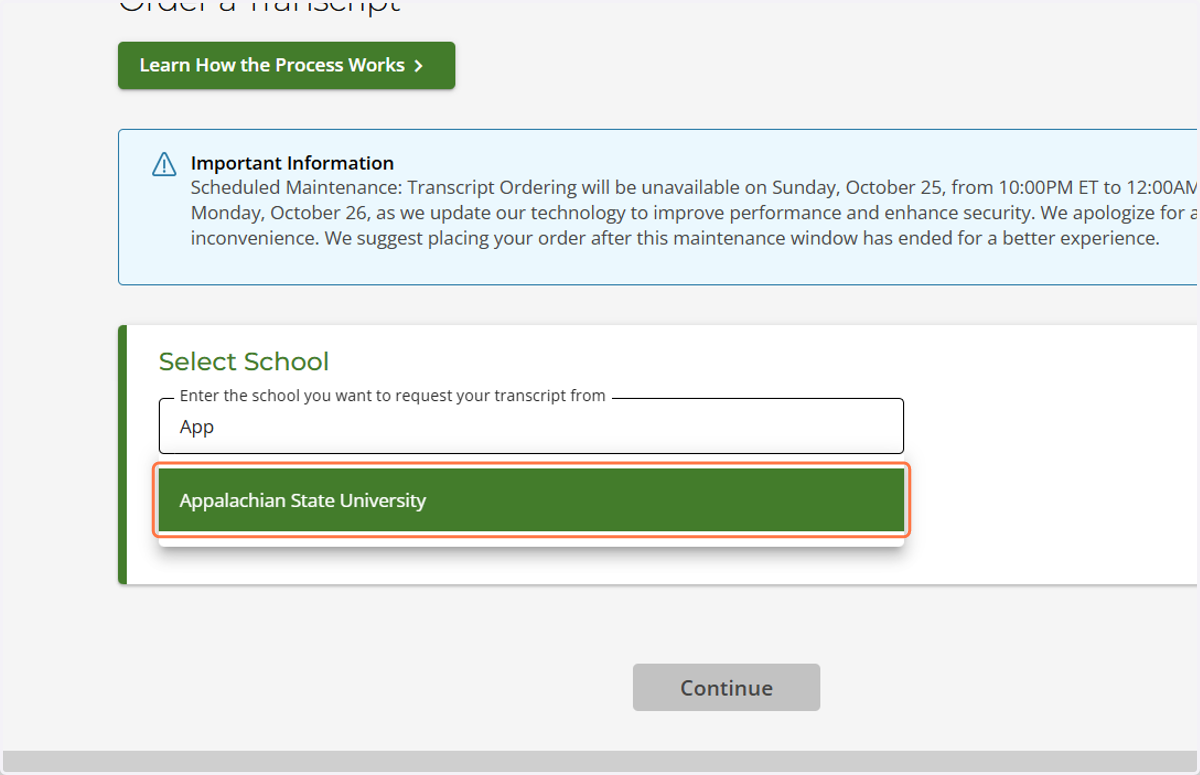
2. Select Your University
Select Appalachian State University from the “Select School” dropdown menu to continue with your transcript order.
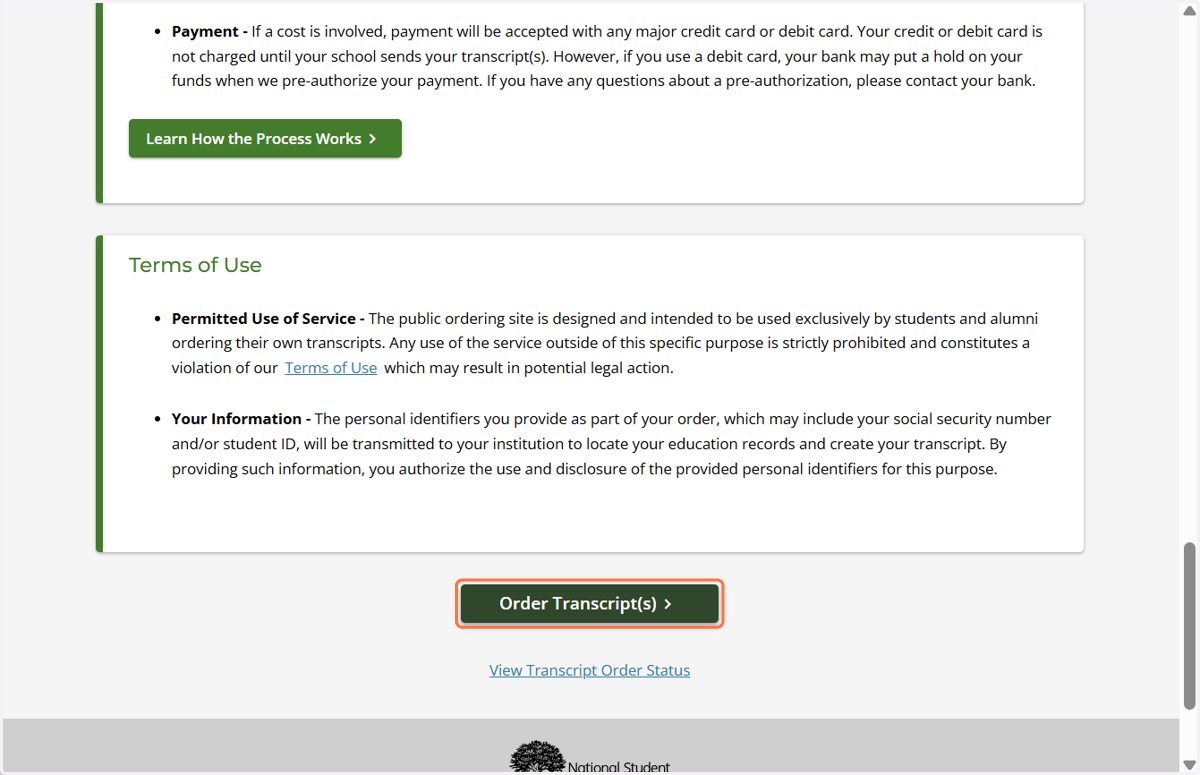
3. Review Important Transcript Information
This page provides important information for currently enrolled students and former students.
Review the information on the page carefully.
Scroll to the bottom of the page.
Select “Order transcript(s)” to continue.
4. Personal Information Page
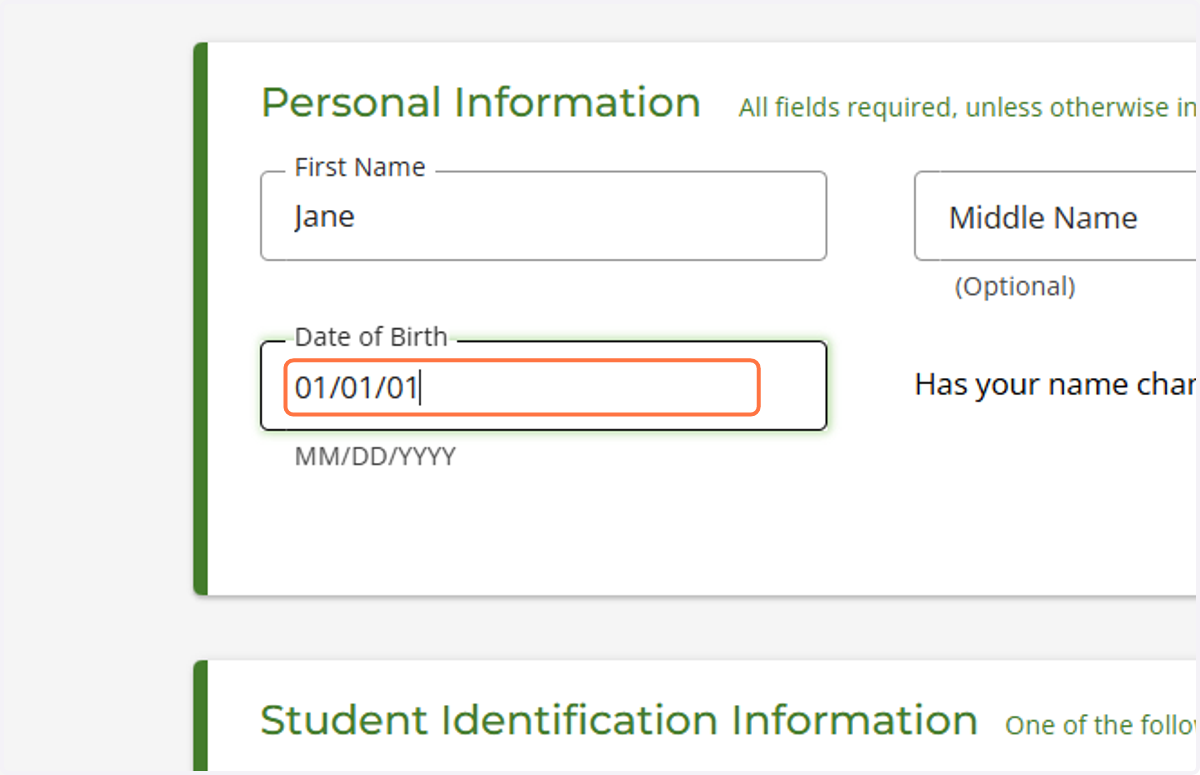
On this page, enter your first name, middle name, last name, and date of birth.
Next, answer the question, “Has your name changed since attending school?”
If no: Select “No” to continue.
If yes: Select “Yes” and complete the “My Name While Attending School” section by entering the requested information.
Review your information to make sure it is accurate before continuing.
5. Student Identification Information
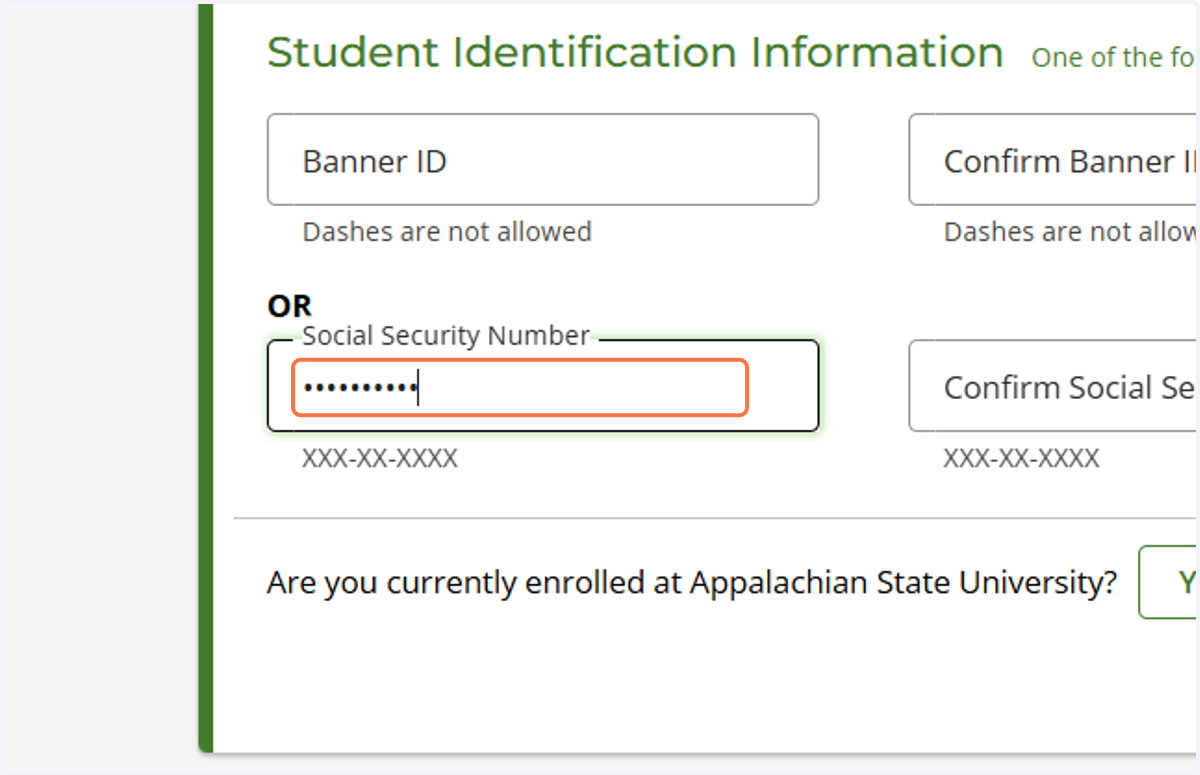
Enter either your Banner ID number or Social Security number.
Answer the question, “Are you currently enrolled?”
If you are not currently enrolled, you will be asked, “Did you attend Appalachian State University before 1986?” You will also need to enter the years you attended Appalachian State University.
If you attended Appalachian State University before 1986, select “Yes.” Please note that mail delivery will be your only available transcript delivery option.
6. Contact Information
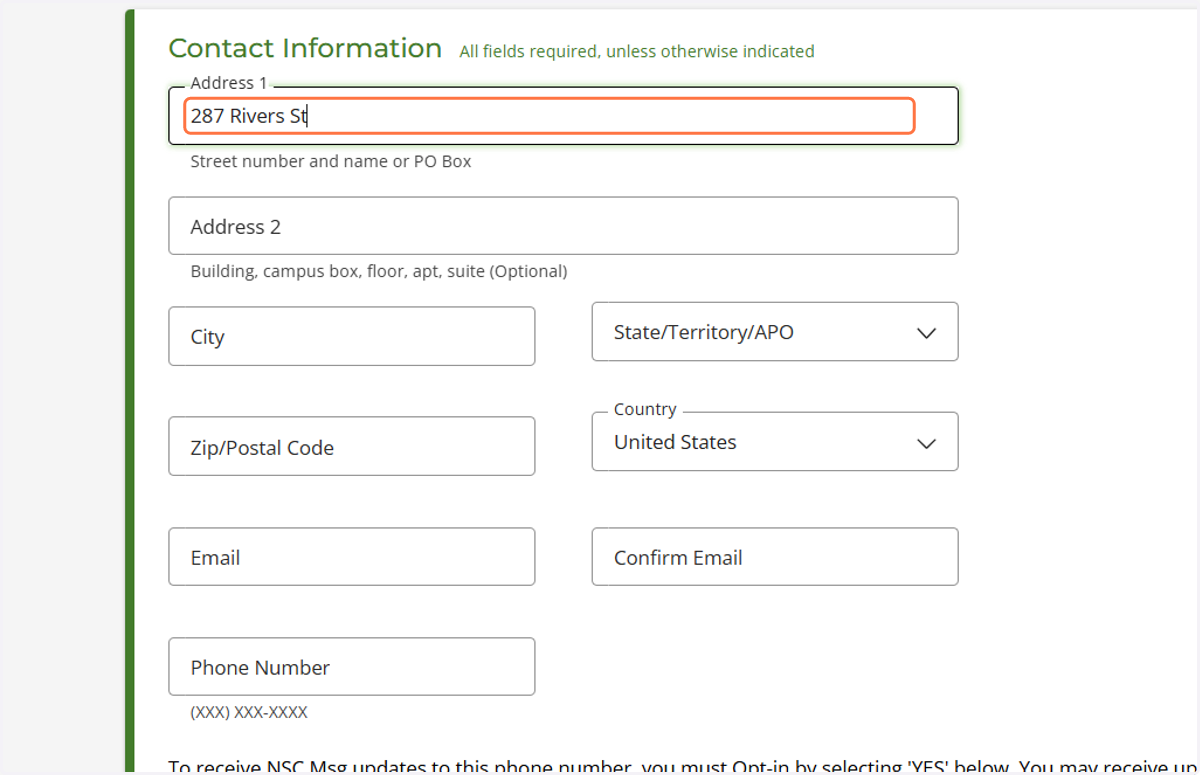
Enter your mailing address and email address in the appropriate fields.
Important: Do not enter recipient information in this section. You will have the opportunity to provide recipient information later in the ordering process.
7. Recpient Infromation
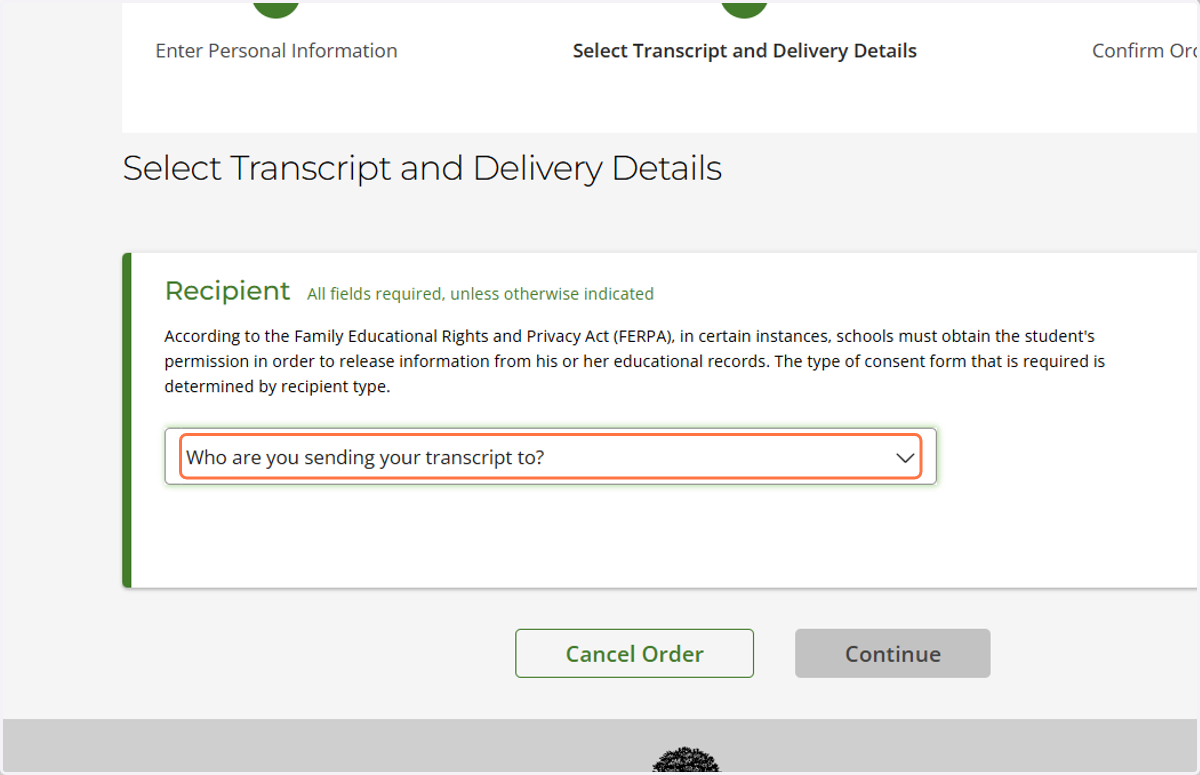
Use this section to enter the recipient's information.
Important: If your transcript must be sent directly to the recipient, do not enter your own personal information in this section. Entering your personal information instead of the recipient's information will cause the transcript order to be considered unofficial.
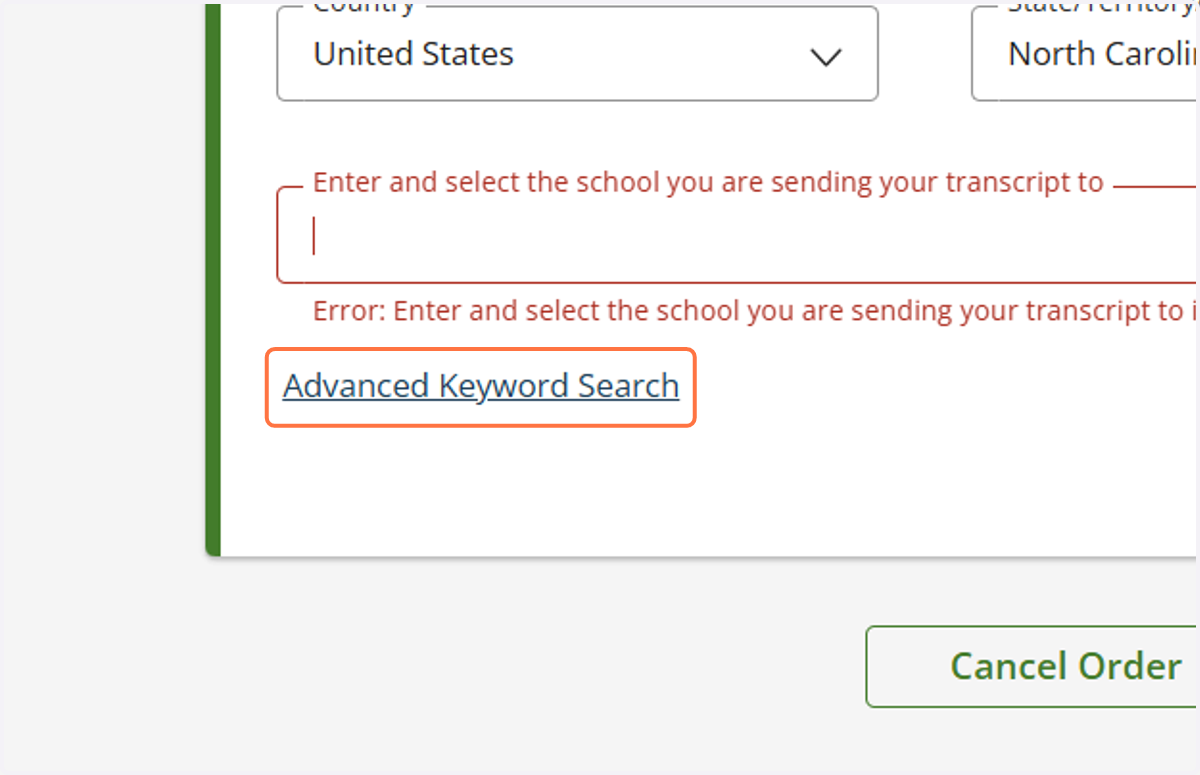
8. If Recpient Information Is Not Listed
Select “Advanced Keyword Search.”
Enter the name of the institution that should receive your transcript.
If the institution does not appear in the list, select “Not In List.”
Enter the institution's name when prompted to continue.
9. Processing Details
For Current Students
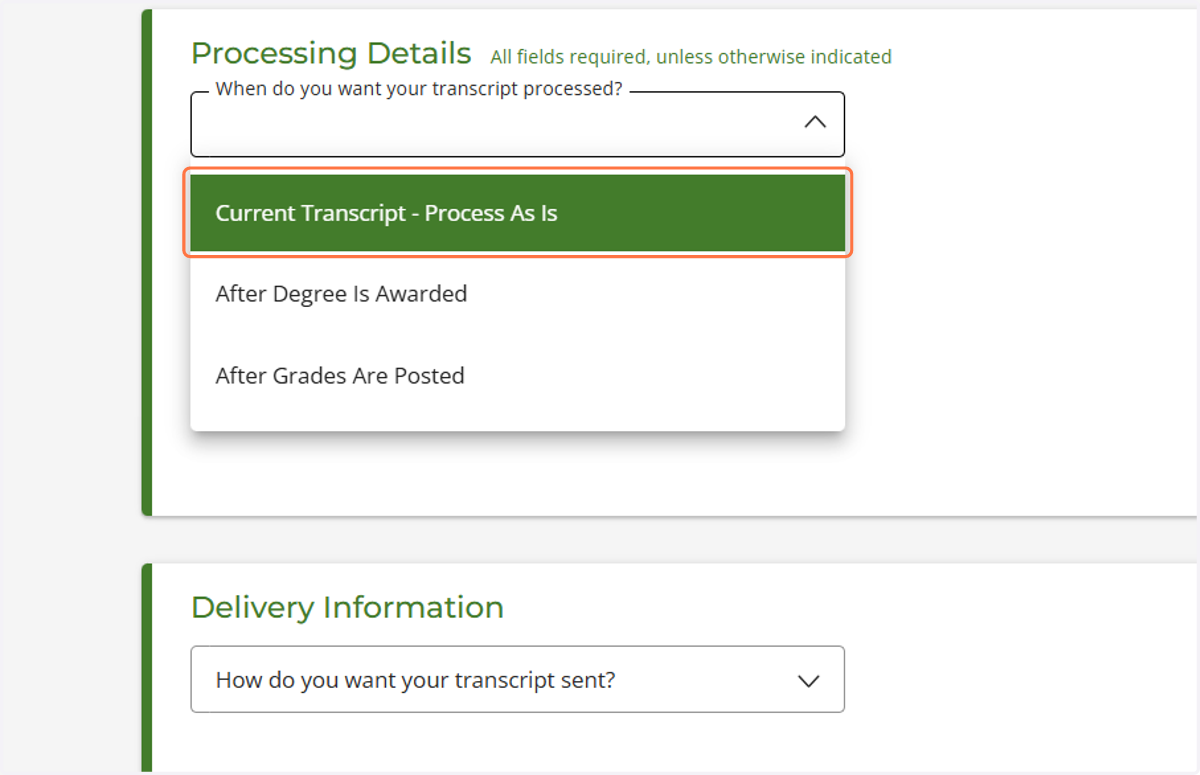
Current students may have the option to select one of the following:
“After Degree Is Awarded” — Available for the Spring, Summer, and Fall semesters.
“After Grades Are Posted” — Available for the Spring and Fall semesters.
Please visit the official Appalachian State University Office of the Registrar website to review the processing dates and determine when your transcript will be processed.
For Former Students Who Are Not Currently Enrolled
Select “Current Transcript – Process As Is”
Important: Former students who are not currently enrolled should not select “After Degree Is Awarded” or “After Grades Are Posted.” Selecting either option will result in the order being canceled without processing.
10. Delievery Infromation
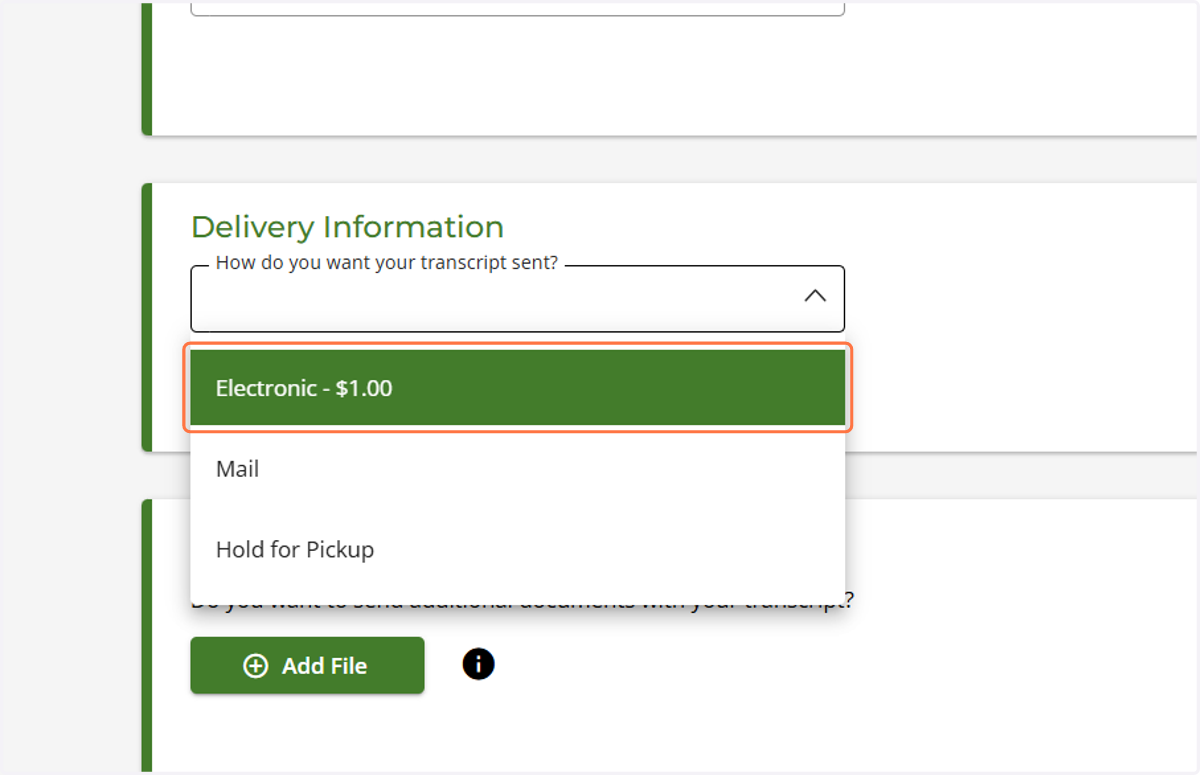
Students have three delivery options to choose from. Review the details below and select the option that best meets your needs.
1. Electronic Delivery
Transcripts are typically delivered within one hour after the order has been processed.
Additional processing time may be required in certain circumstances.
2. Mail Delivery
Transcripts are typically mailed within three business days after processing.
Allow additional time for the transcript to arrive.
3. Hold for Pickup
Students may pick up their transcripts at the Office of the Registrar during normal business hours, Monday through Friday, from 8:00 a.m. to 5:00 p.m.
A valid photo ID is required to pick up a transcript.
Only the student named on the transcript may pick it up.
If you would like a third party to pick up your transcript on your behalf, you must contact the Office of the Registrar in advance for instructions.
The authorized third party must present a valid photo ID when picking up the transcript.
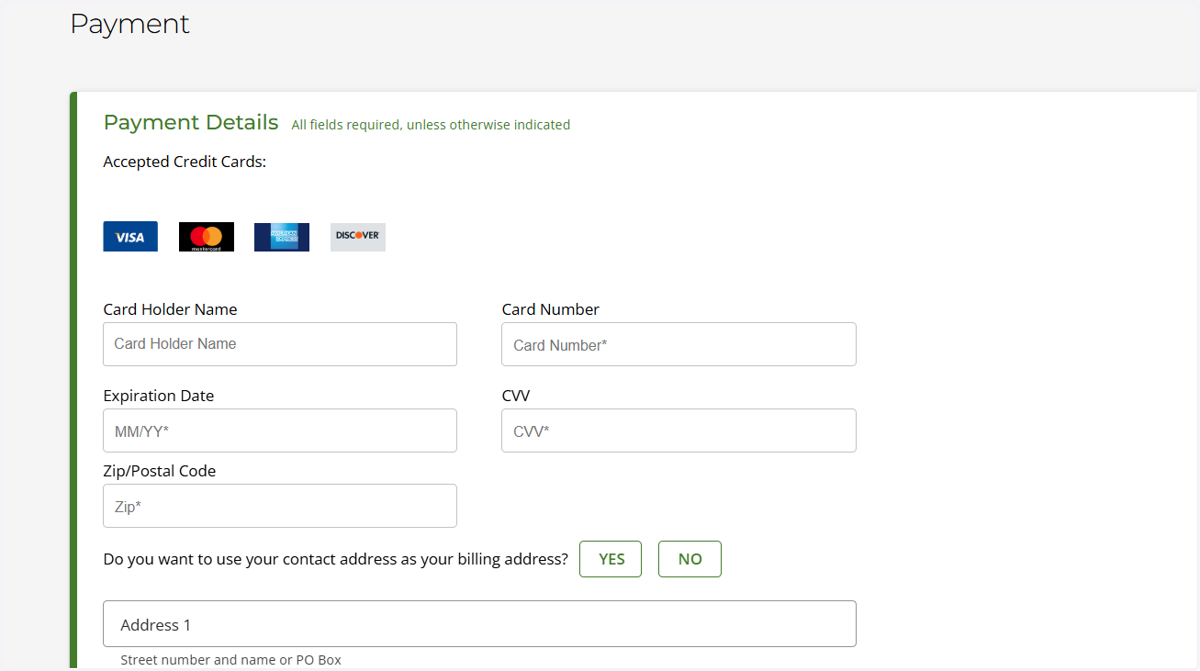
11. Payment Details
Review and sign the consent form as instructed.
Select “Continue” to proceed to the payment details page.
Enter your payment information in the required fields.
Review your order details and submit your payment to complete the transcript ordering process.
Important: Make sure all information is accurate before submitting your order.