Navigating Intra-Matrix: Accessing Additional MLS Markets
MLSListings has partnered with other MLSs globally that use Matrix Software. As an MLSListings Subscriber you have access to global listing data that continues to grow.
Matrix
To Access: Login to your account and access Matrix Search.
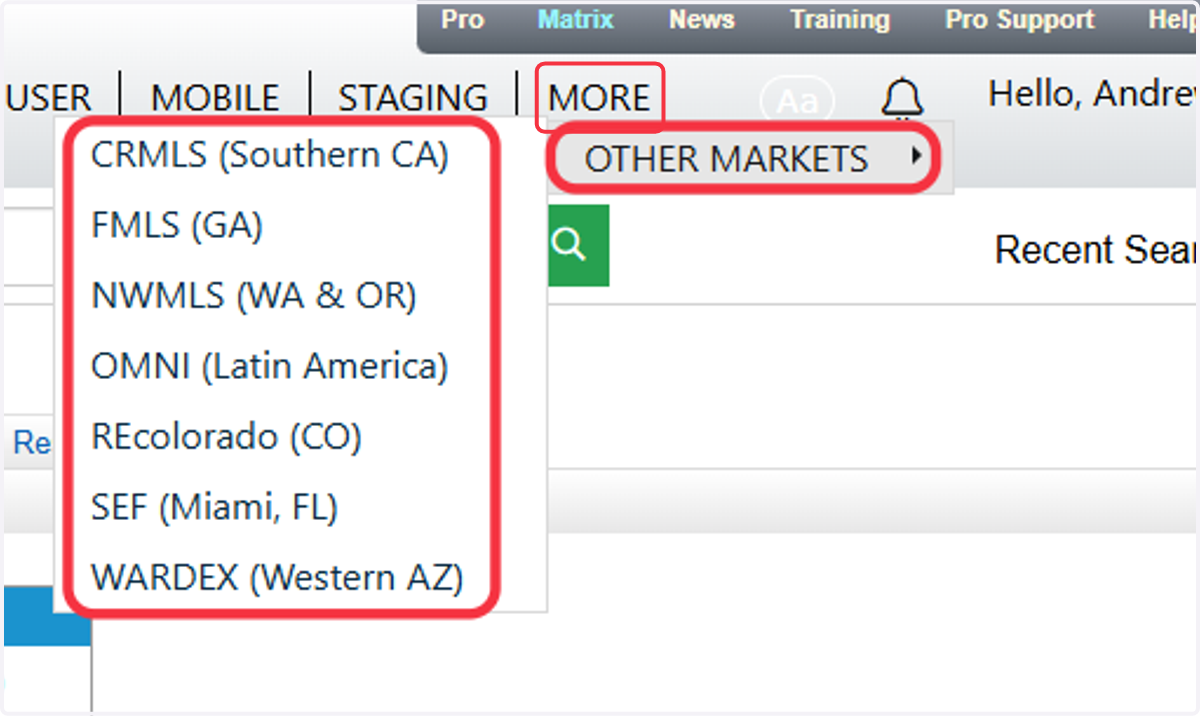
1. Click on MORE or OTHER MARKETS depending on the size of your screen
Here you will see a picklist of all available MLS systems outside of our Northern California Region.
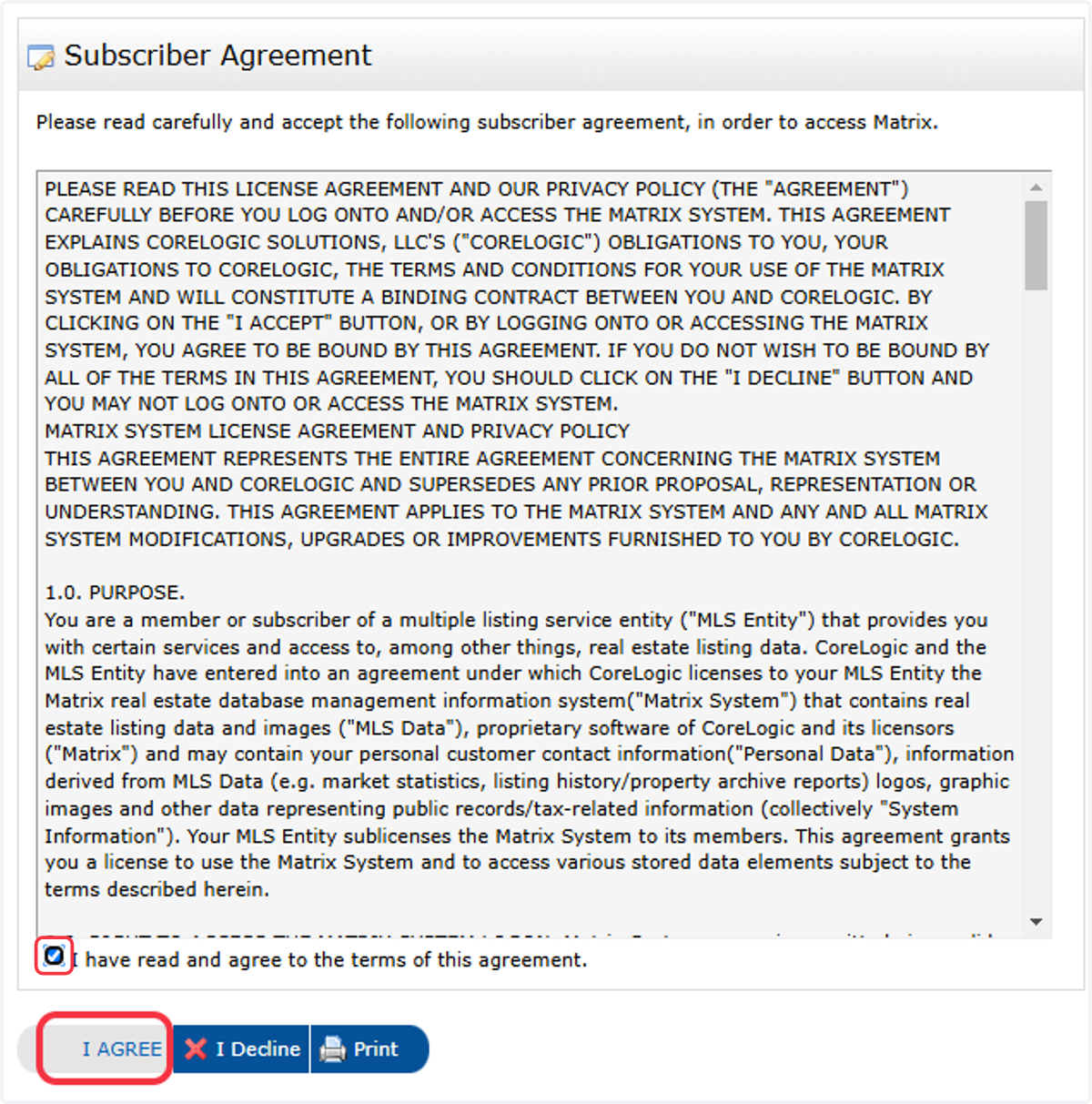
2. Click the Checkbox and then Accept Subscriber Agreement
Most other MLS Systems will have you accept their own subscriber agreement before accessing their system.
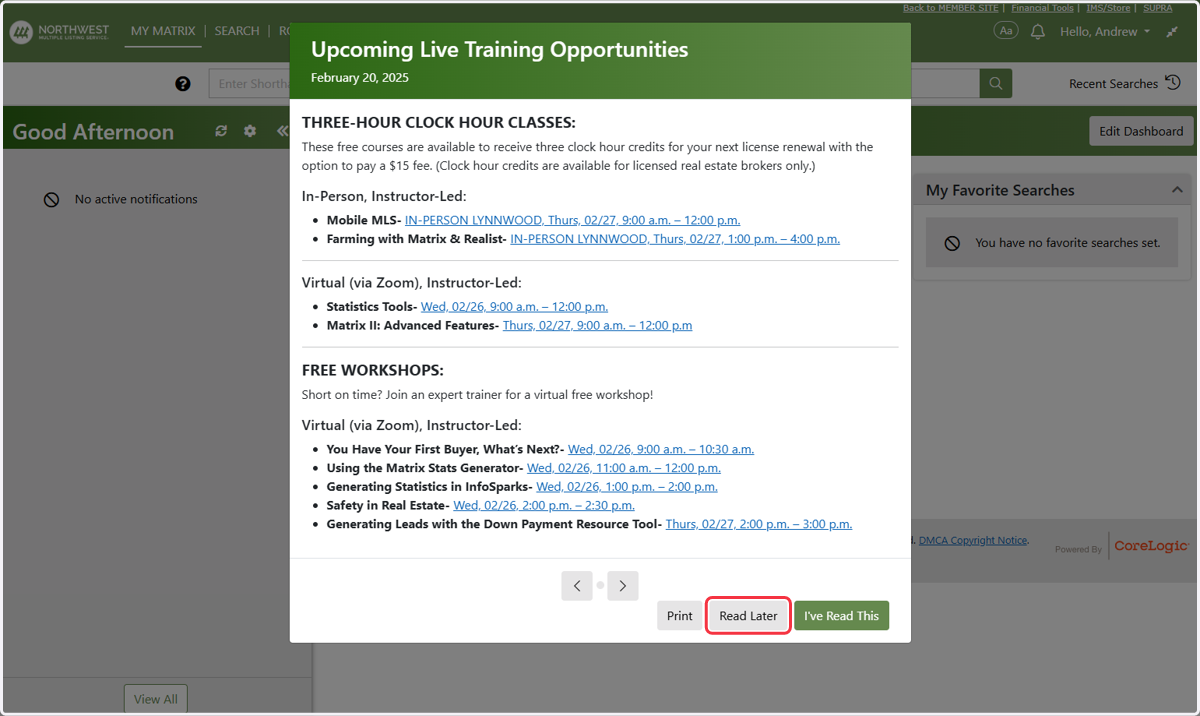
3. Some Intra MLS Systems may have a pop-up with additional info. This content DOES NOT apply to MLSListings Subscribers.
4. Depending on the MLS, emailing features may need to be enabled, but users can still run searches in the meantime.
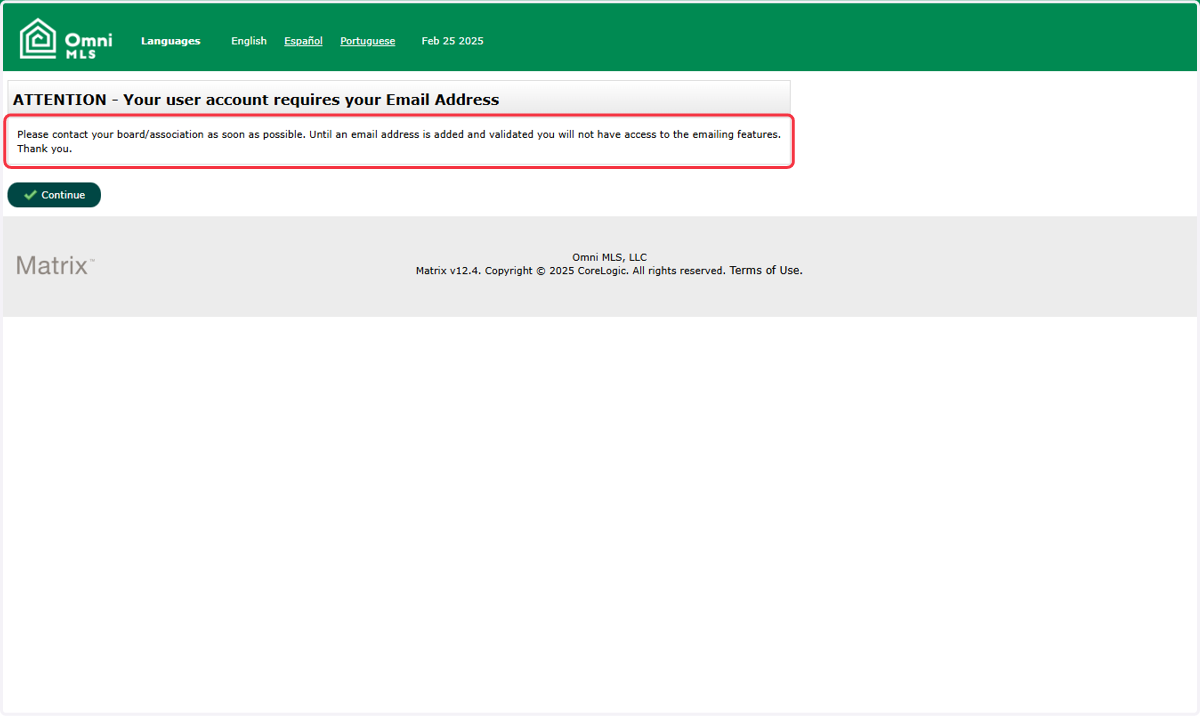
5. Each MLS System will have different branding but navigation will be similar. Here are some examples:
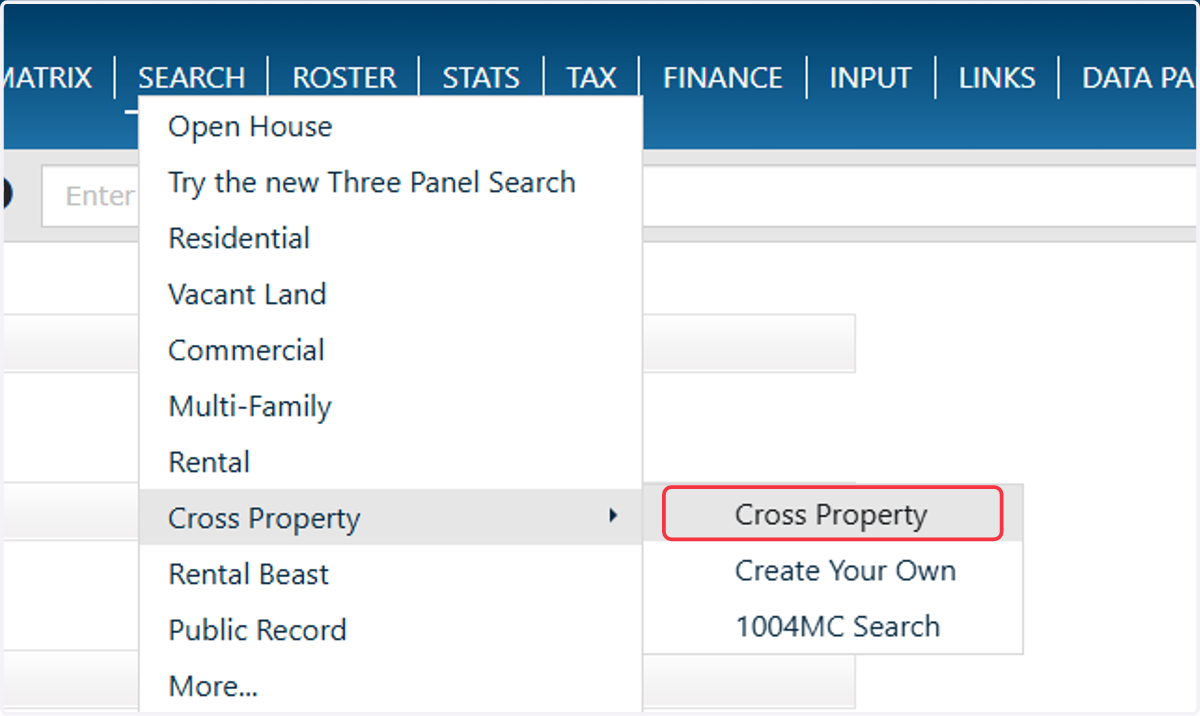
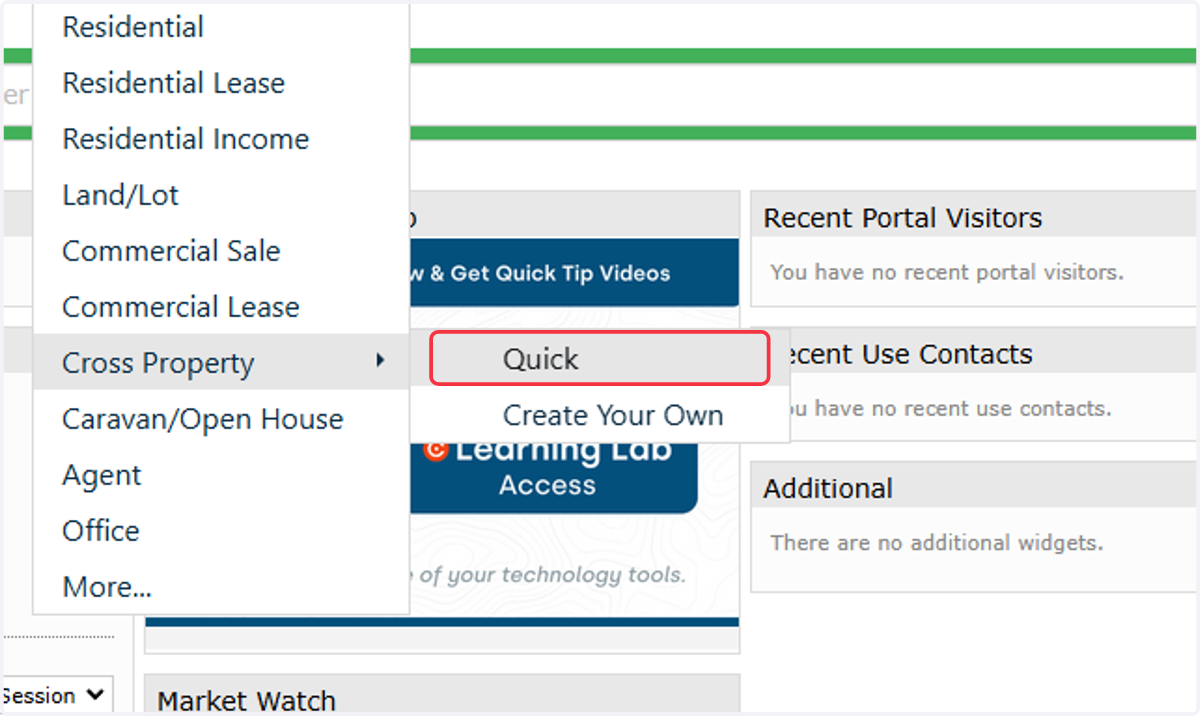
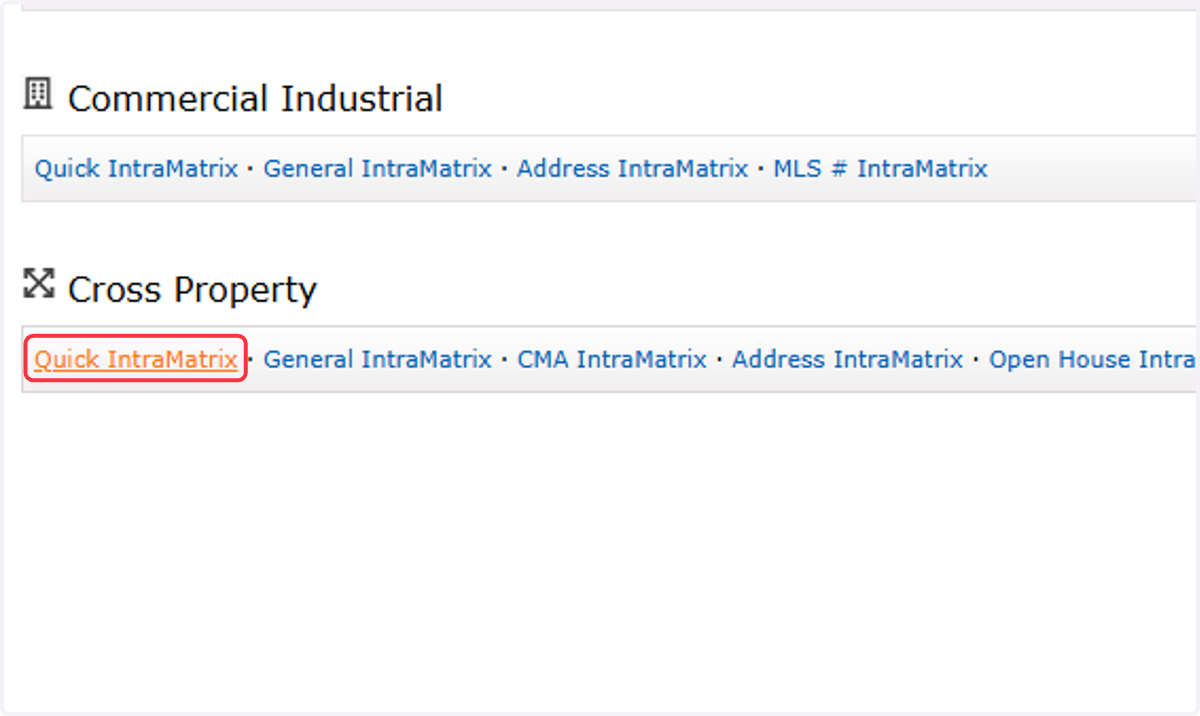
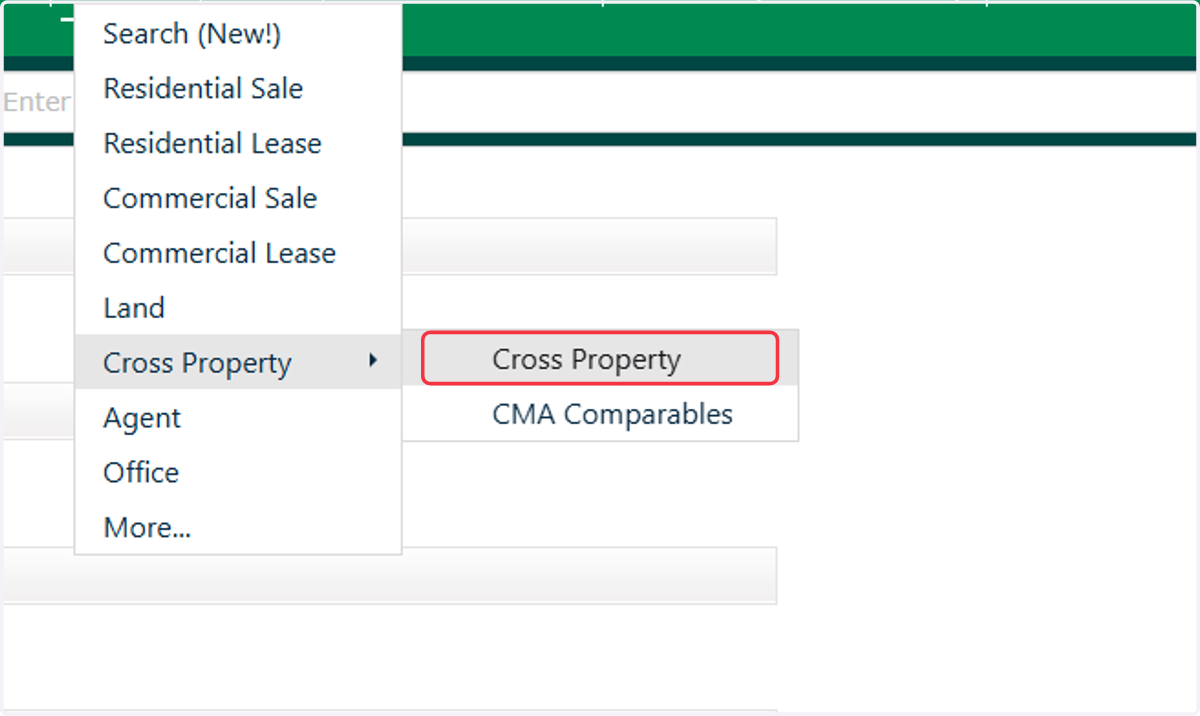
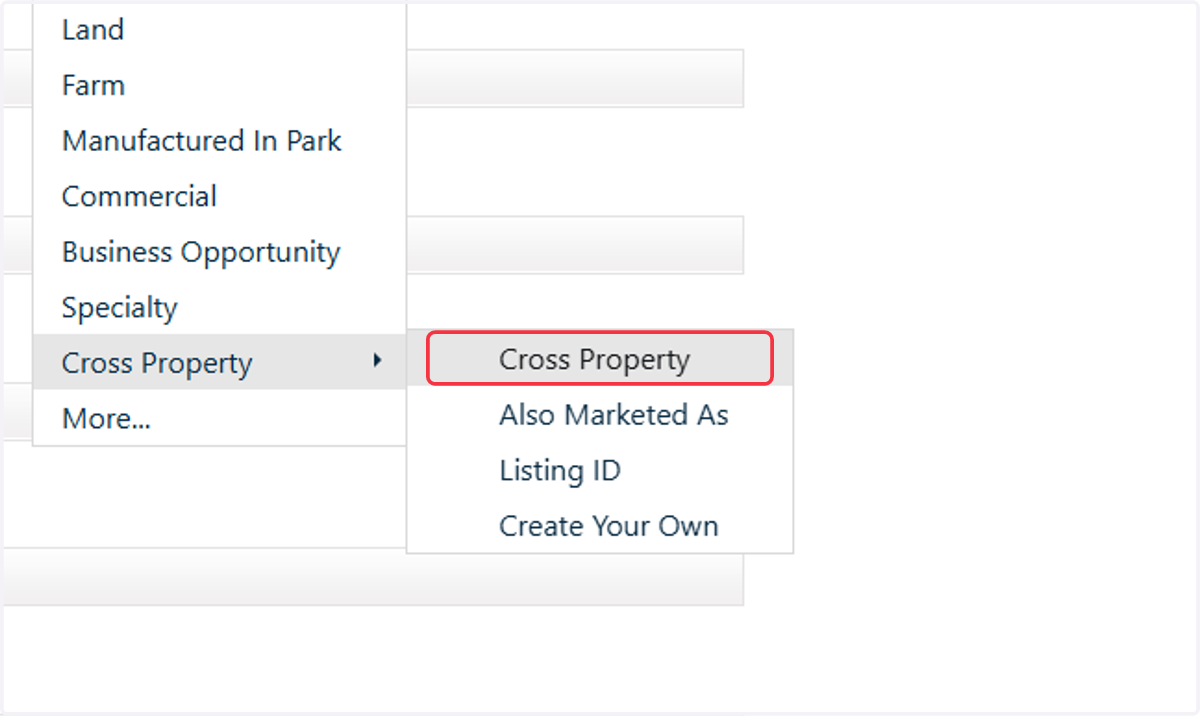
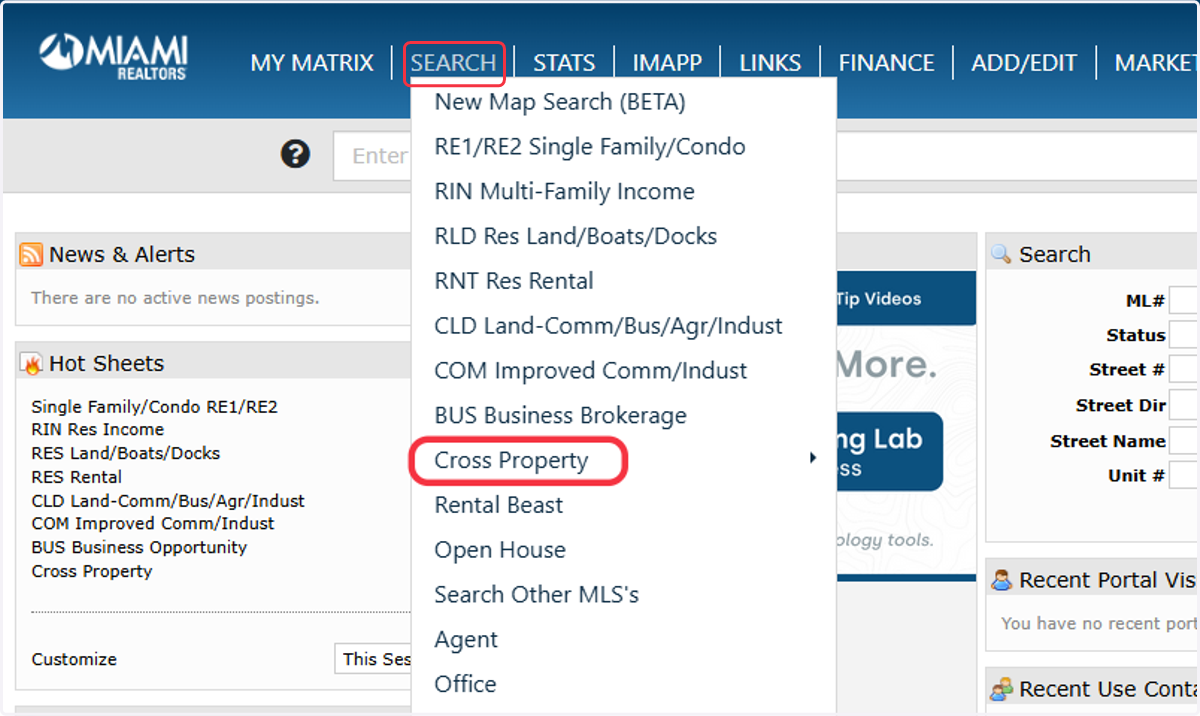
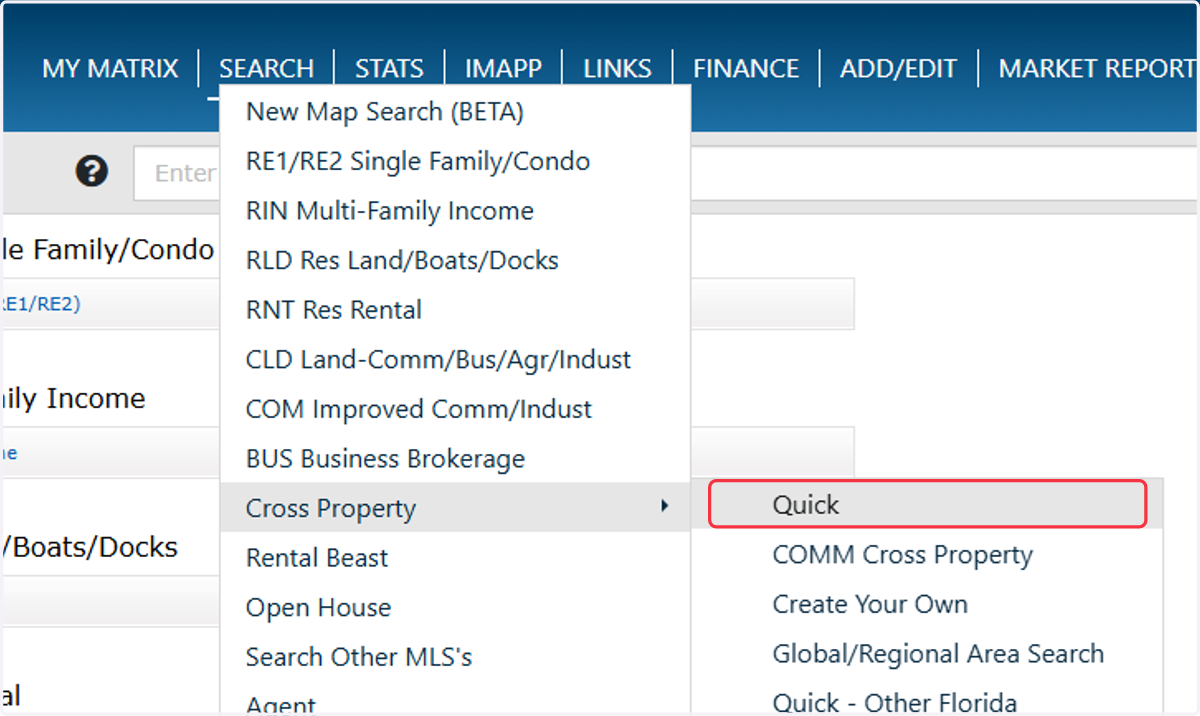
To access the most data, use the Cross-Property Search function. This will include listing data across all property types and can be narrowed down further on the criteria page.
6. CRMLS
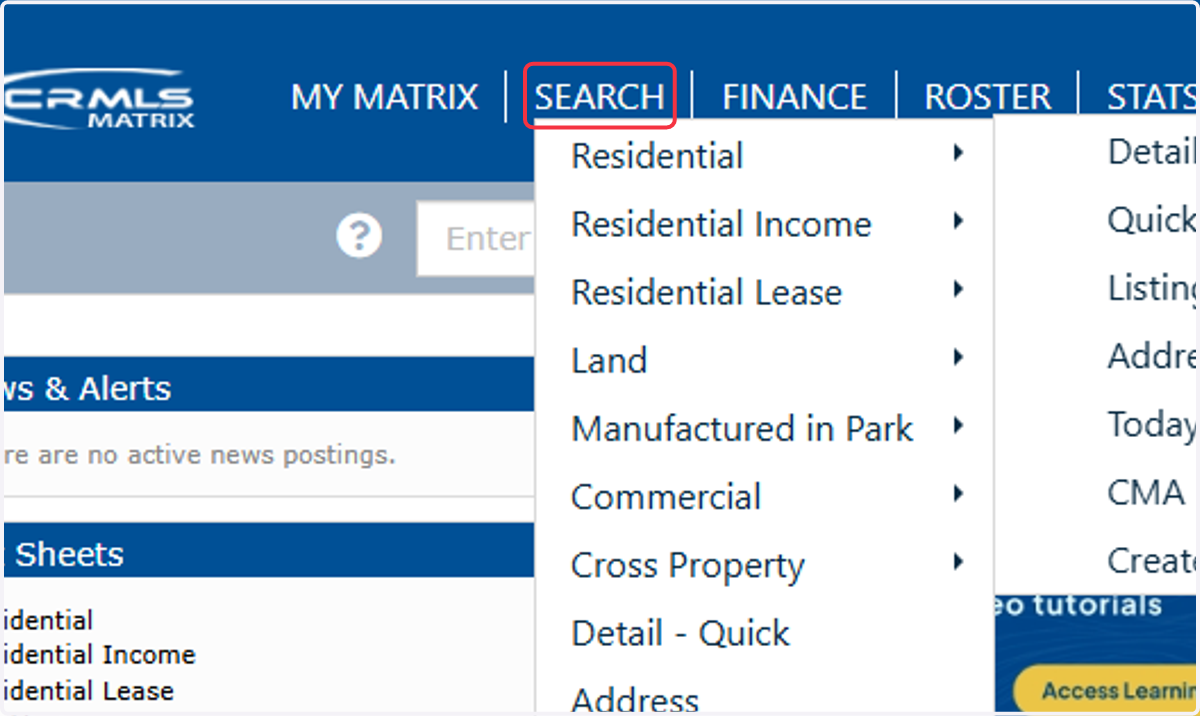
7. Click on Detail - Quick
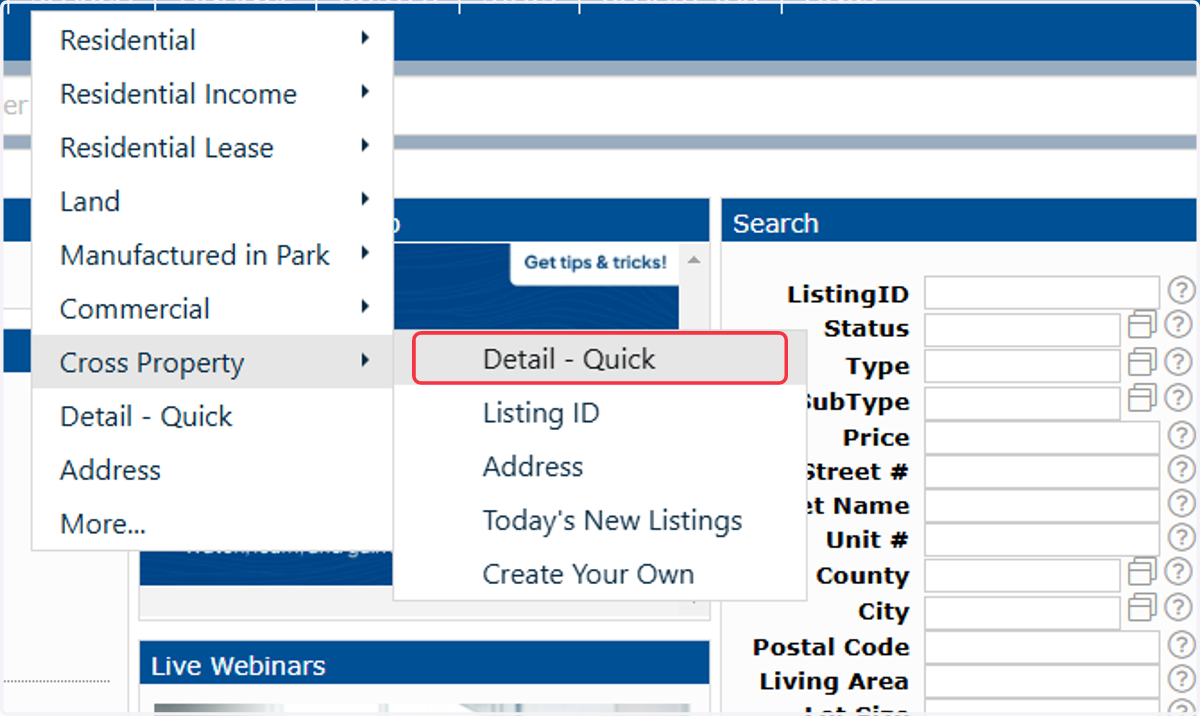
8. CRMLS (Southern CA)
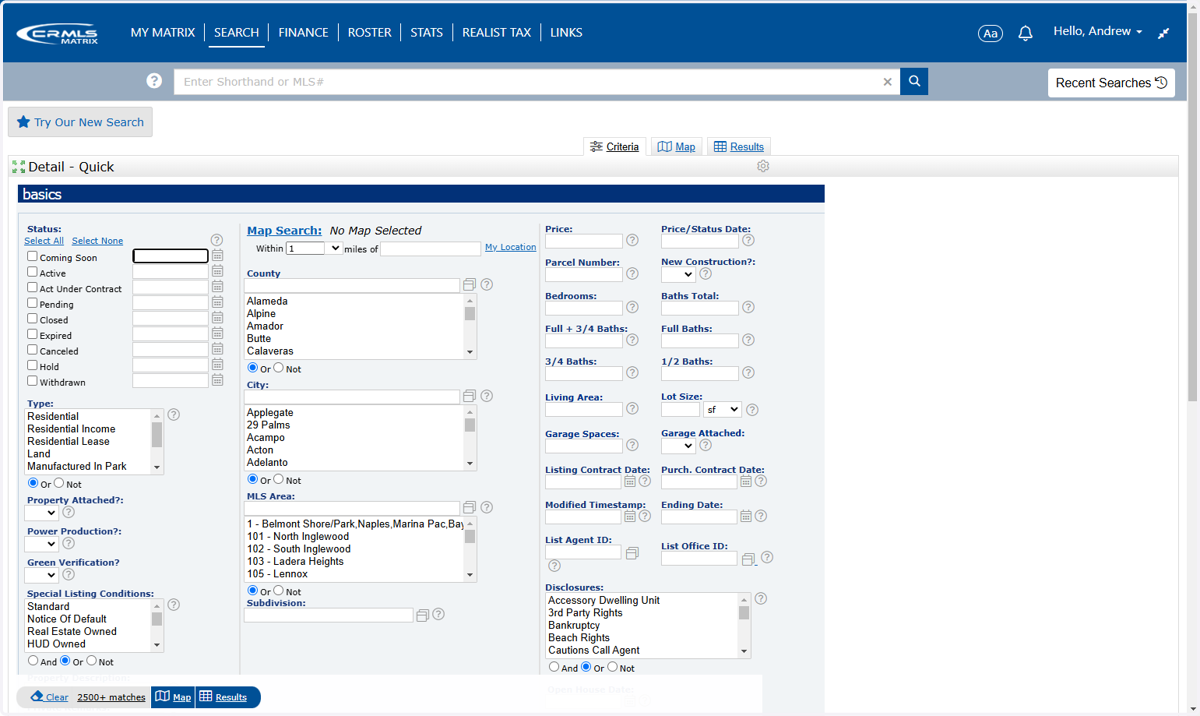
9. FMLS (Georgia)
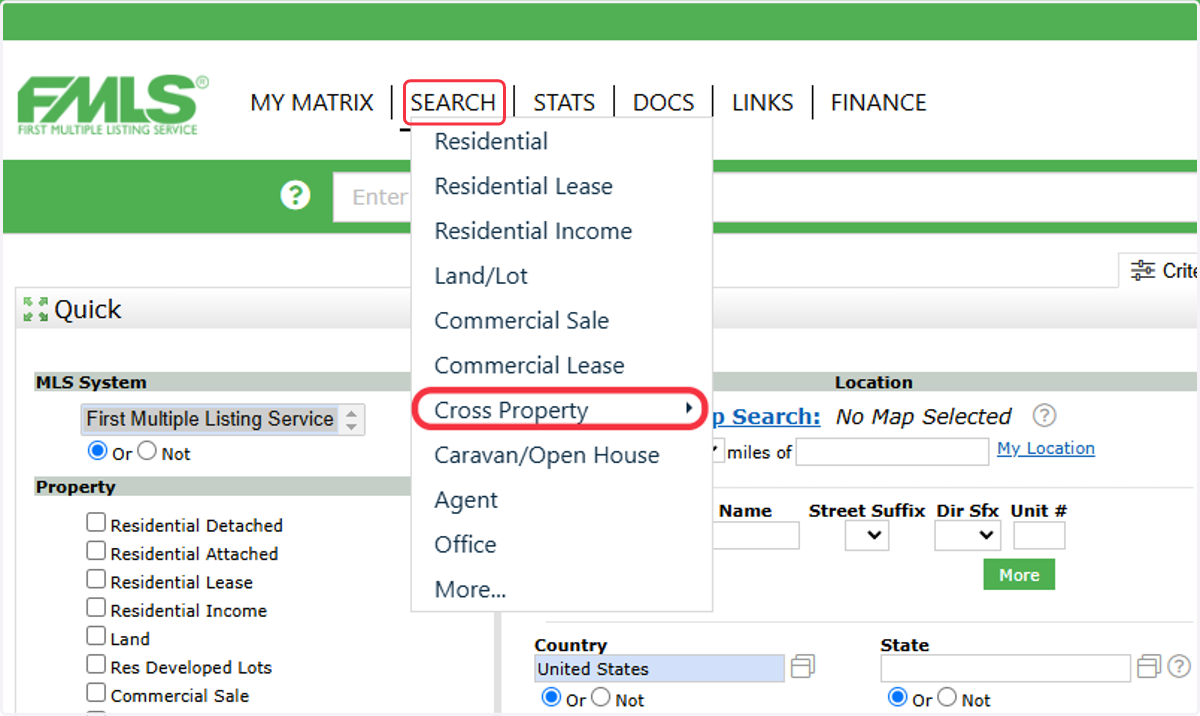
10. Click on Quick
11. NorthWest (WA and OR)
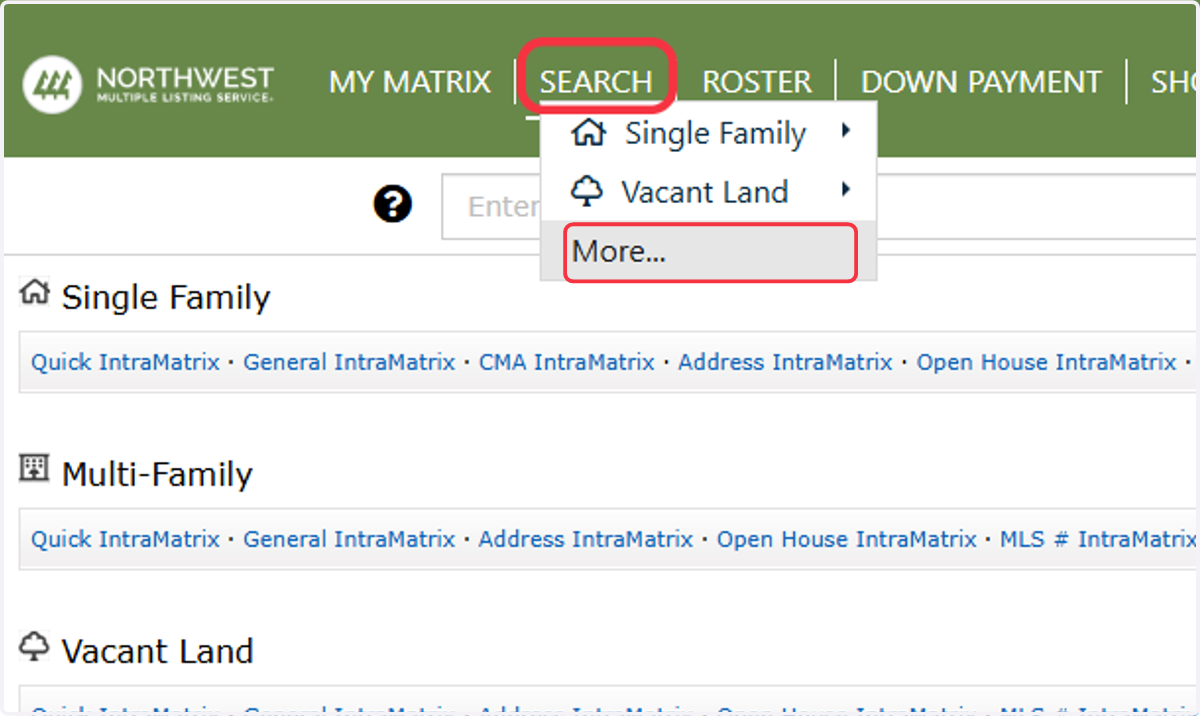
12. Click on Quick IntraMatrix
13. Omni MLS (Latin America)
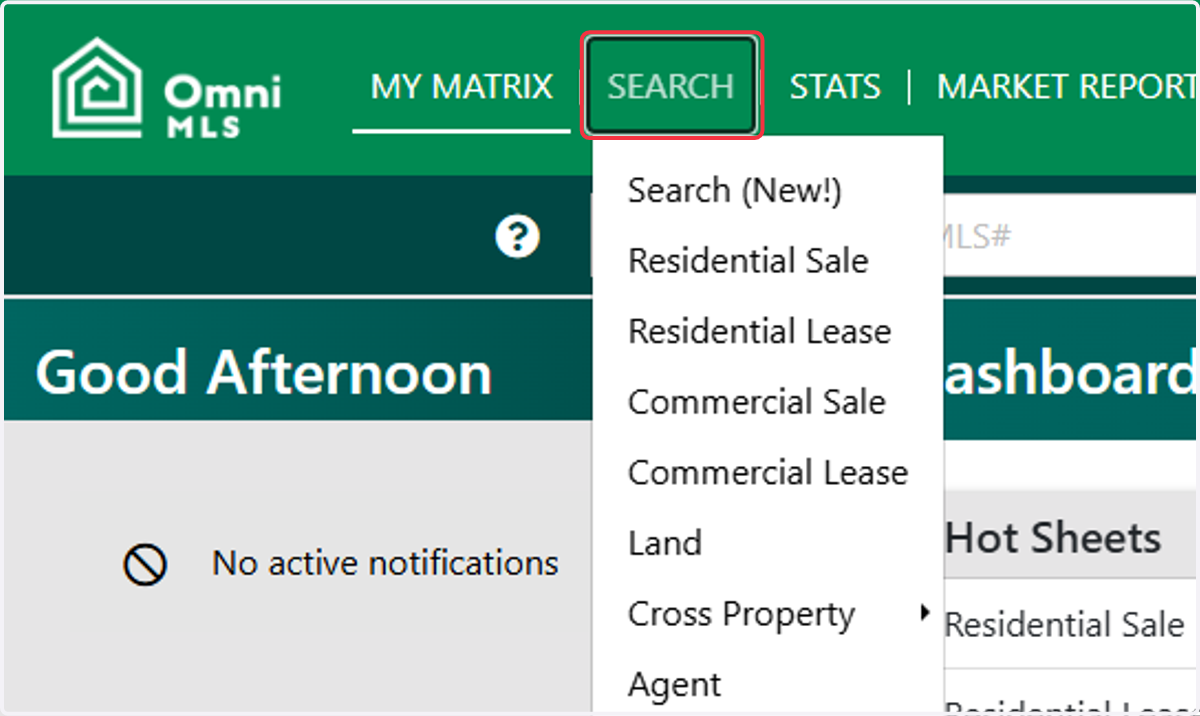
14. Click on Cross Property
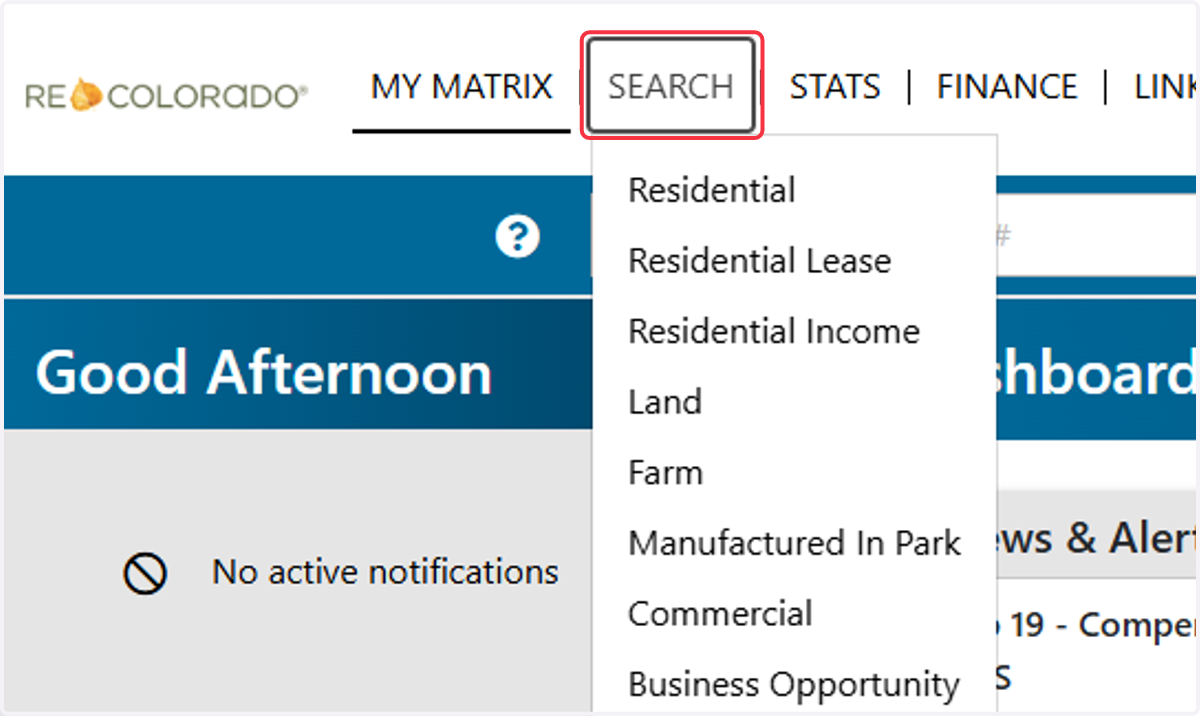
15. RE Colorado
16. Click on Cross Property
17. Click on SEARCH
18. Click on Quick
19. Wardex (Western Arizona)
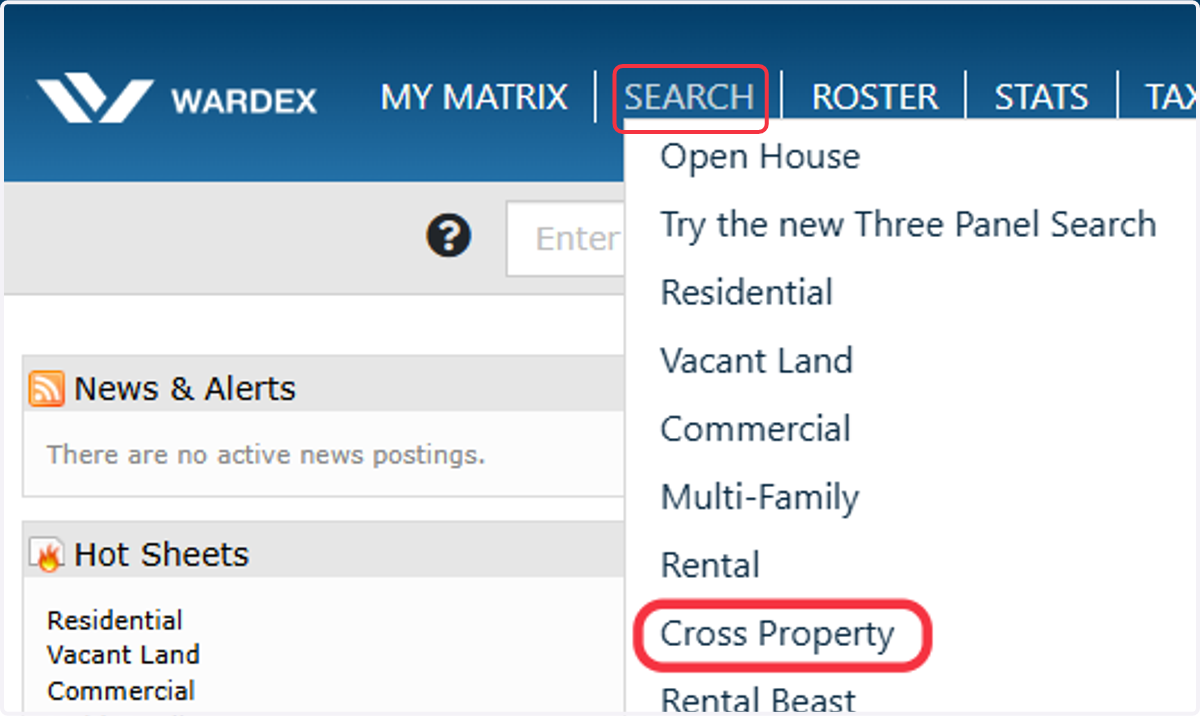
20. Click on Cross Property