Manually Creating a New Entry in Ajax

Ajax

  1. 1. Click on "Add New Entry" (or just click the N key)
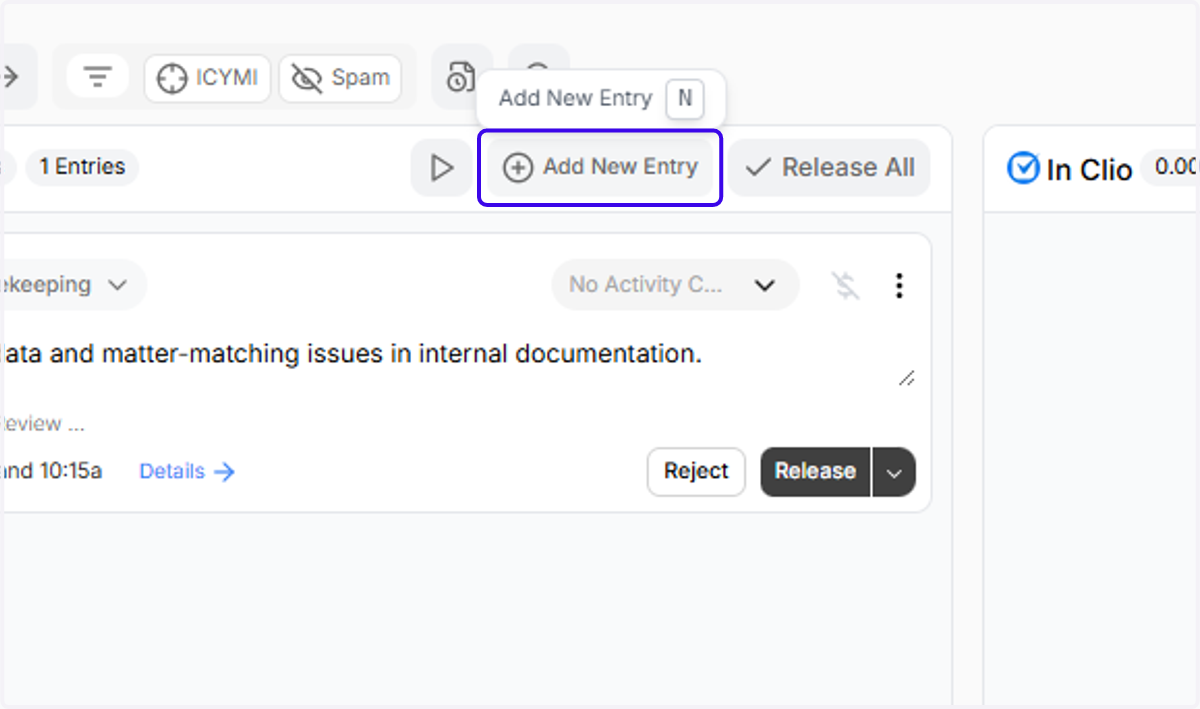
    Click on "Add New Entry" (or just click the N key)
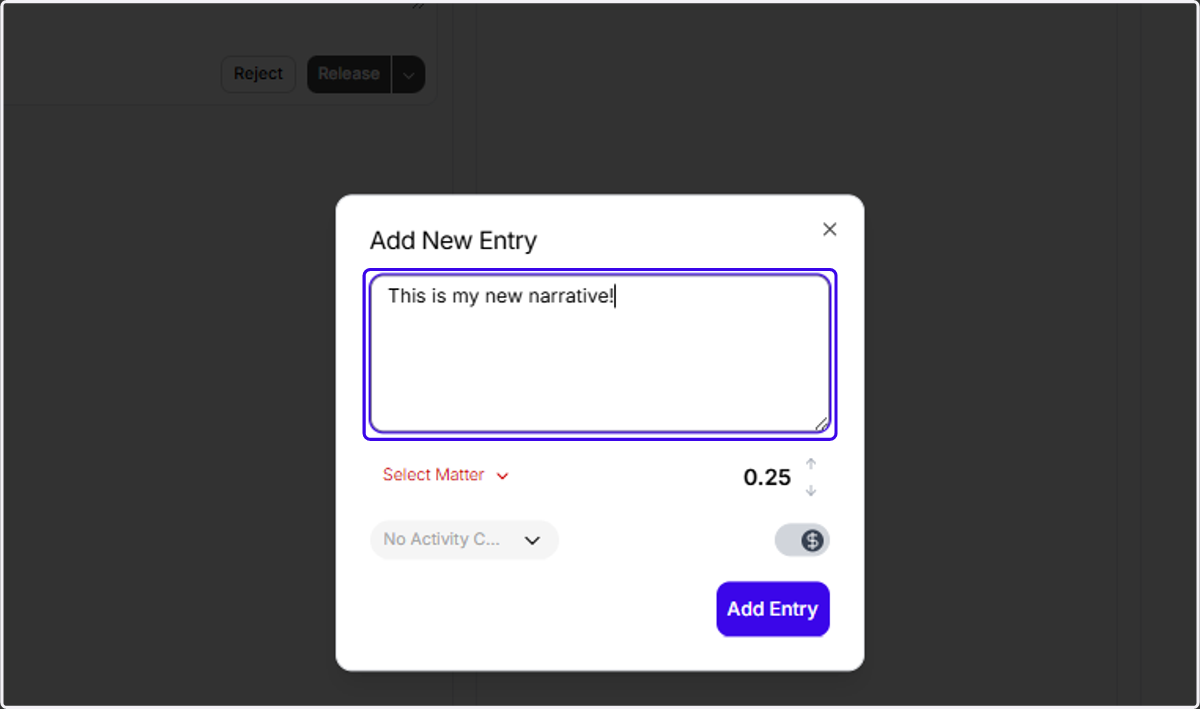
  2. 2. Type in a new narrative

    Type in a new narrative
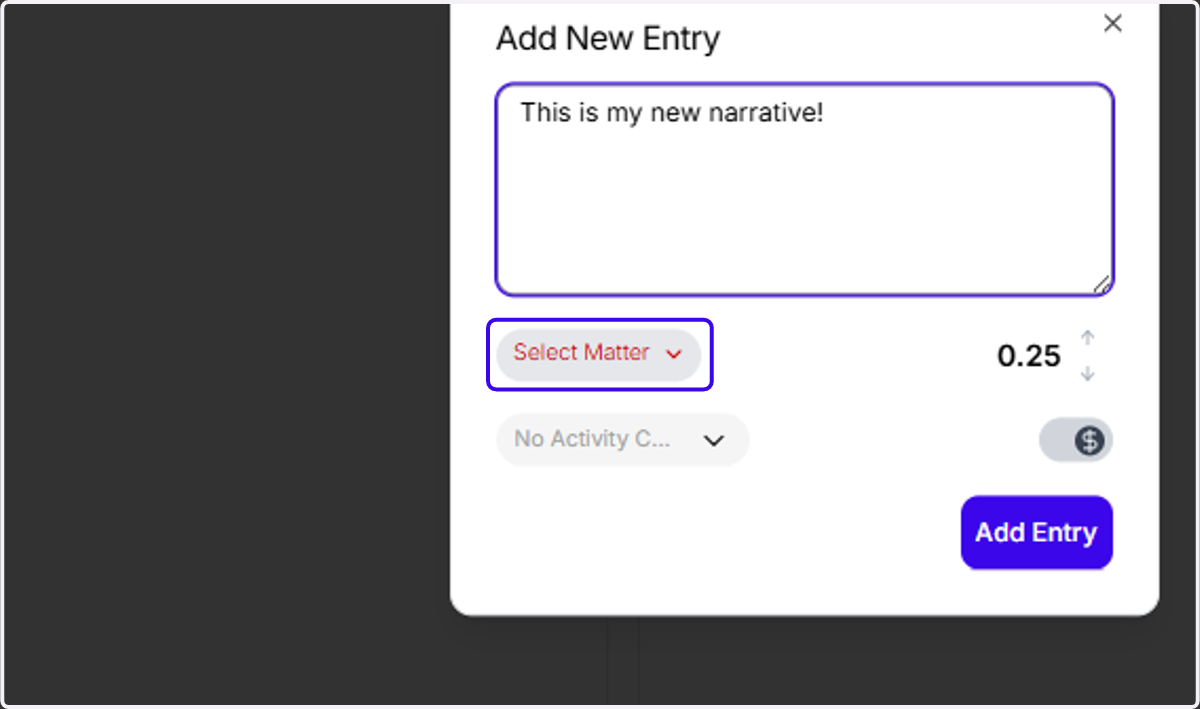
  3. 3. Click on "Select Matter"

    Click on "Select Matter"
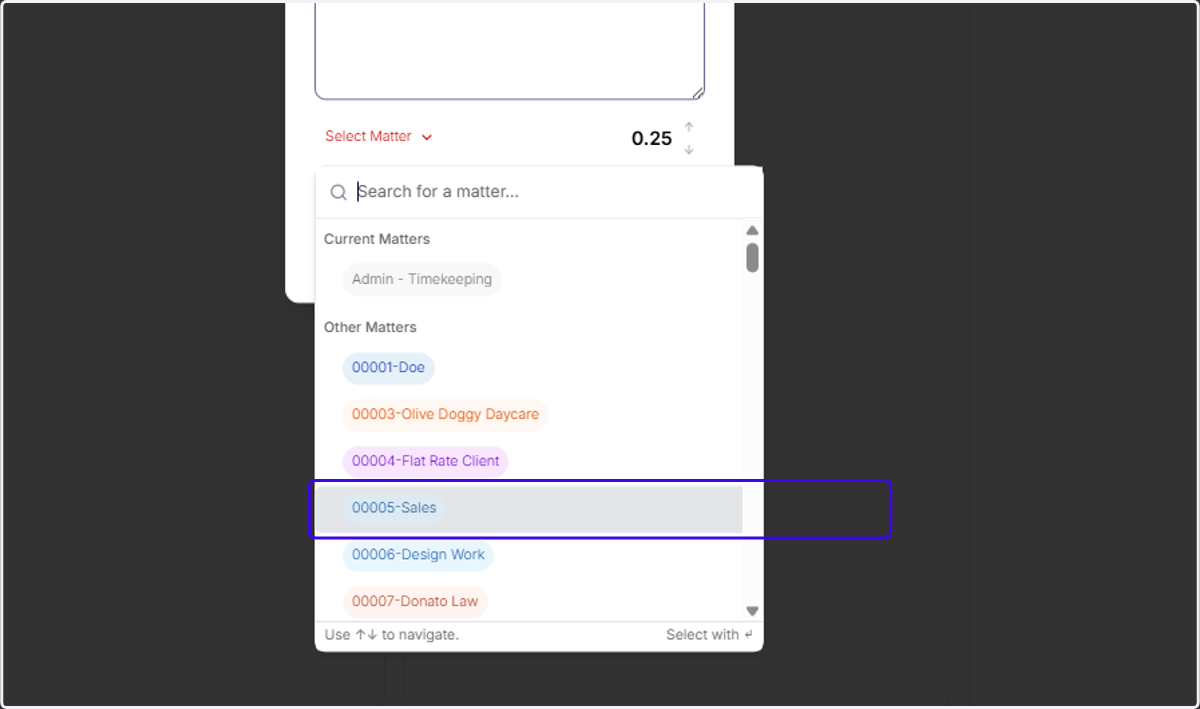
  4. 4. Pick a matter from the dropdown

    Pick a matter from the dropdown
  5. 5. Click on the activity code selector dropdown
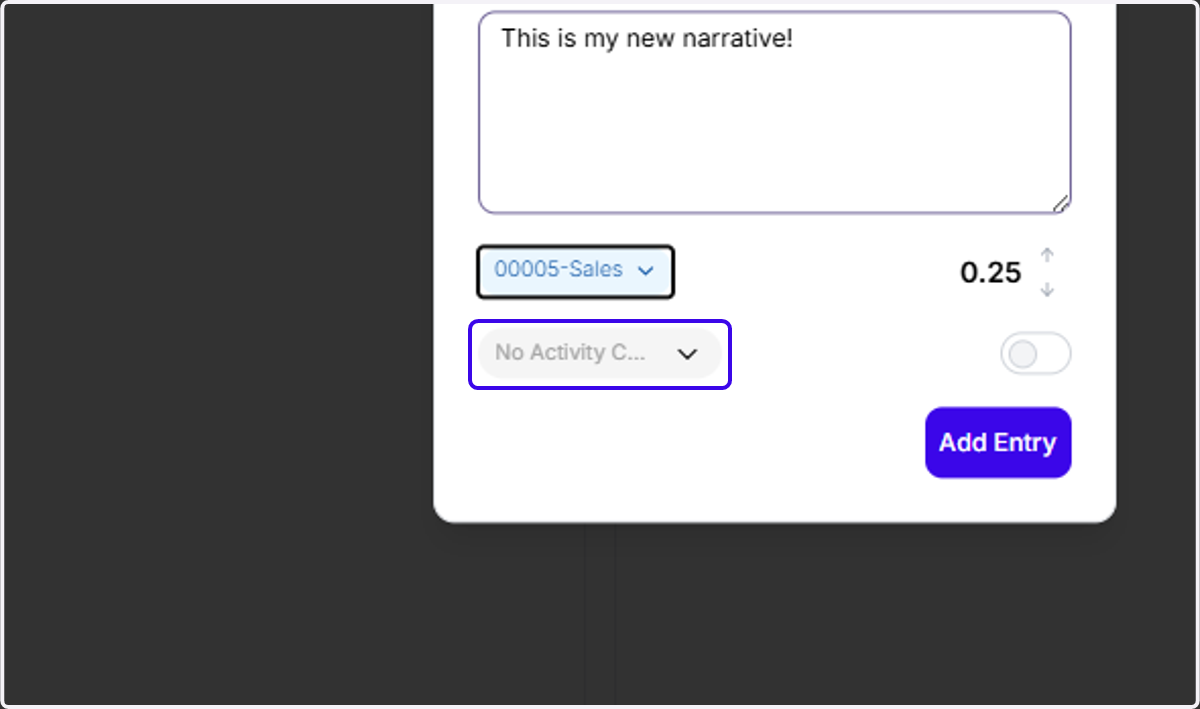
    Click on the activity code selector dropdown
  6. 6. Pick an Activity code from the dropdown
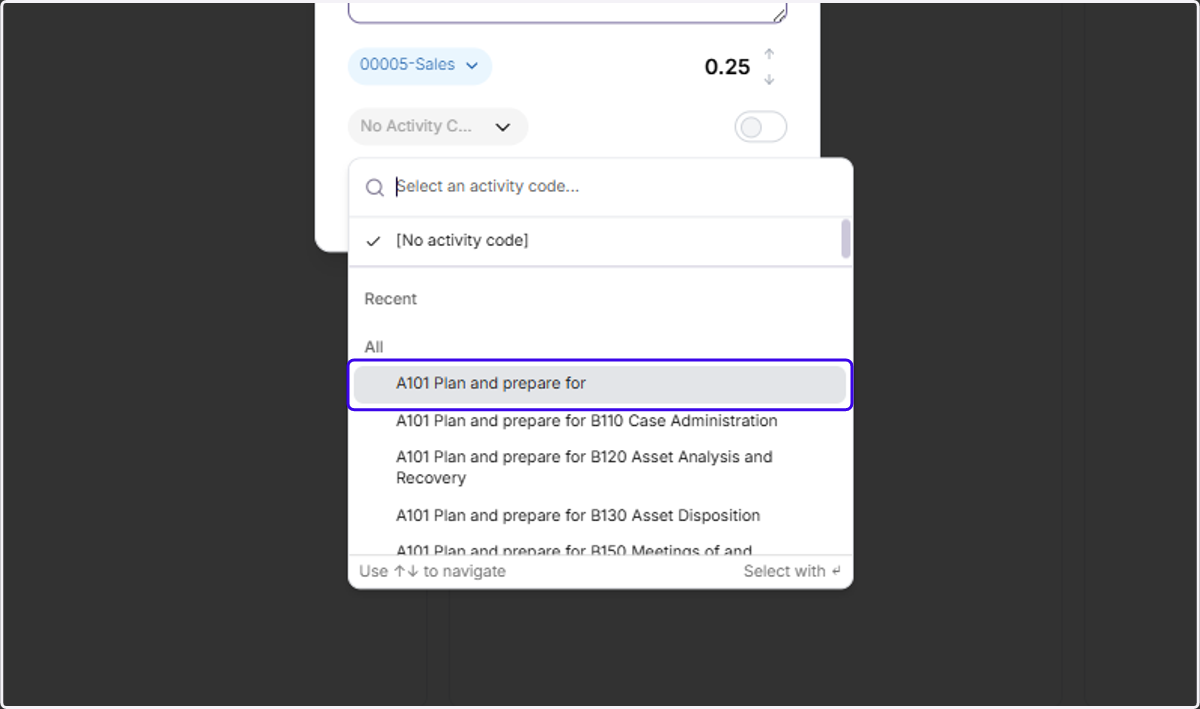
    Pick an Activity code from the dropdown
  7. 7. and pick a Task code from the dropdown as well
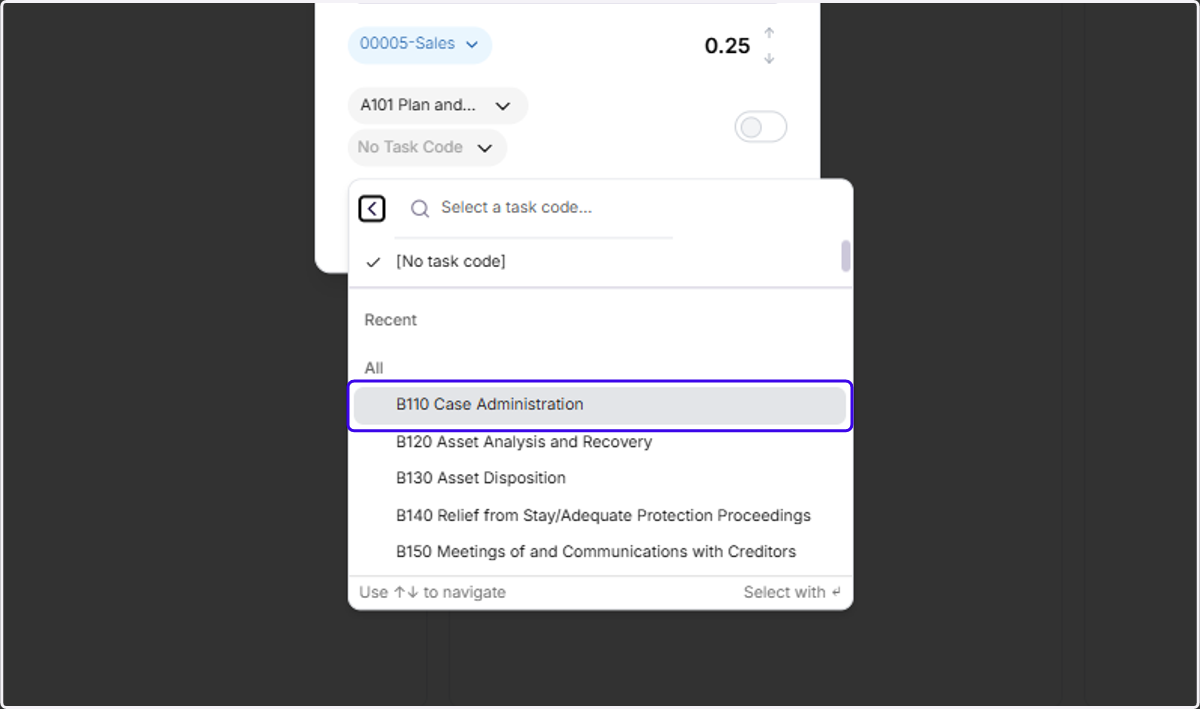
    and pick a Task code from the dropdown as well
  8. 8. Increment your entry to the proper duration
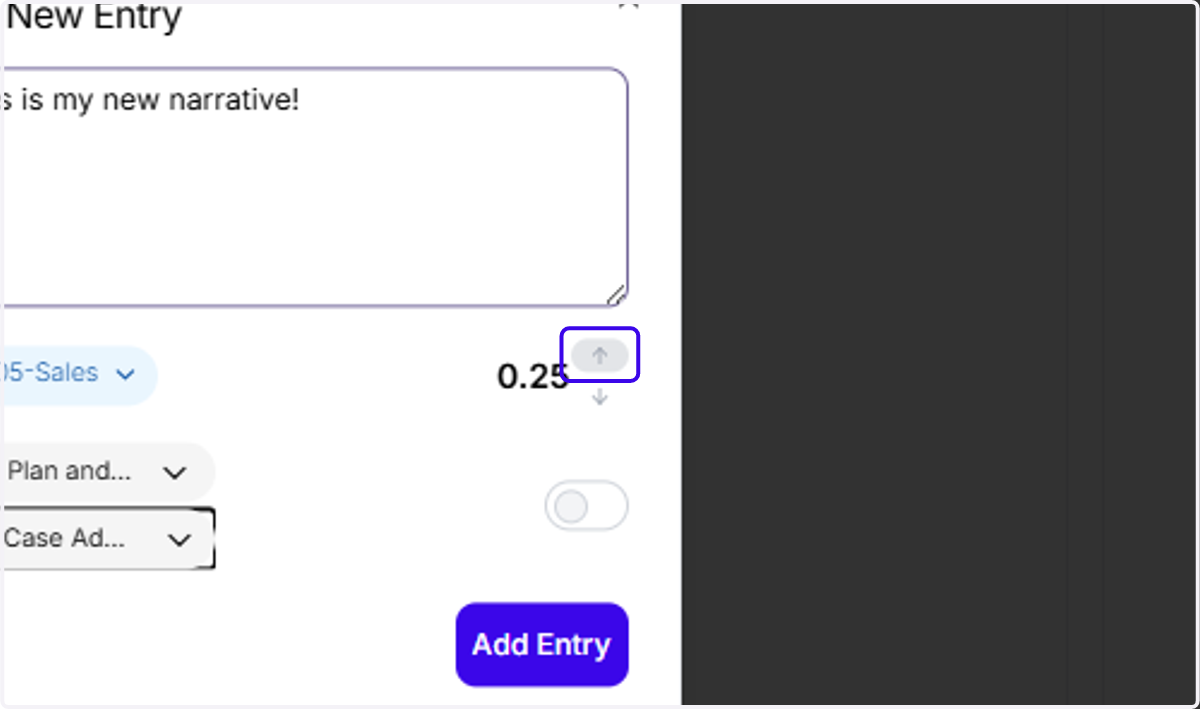
    Increment your entry to the proper duration
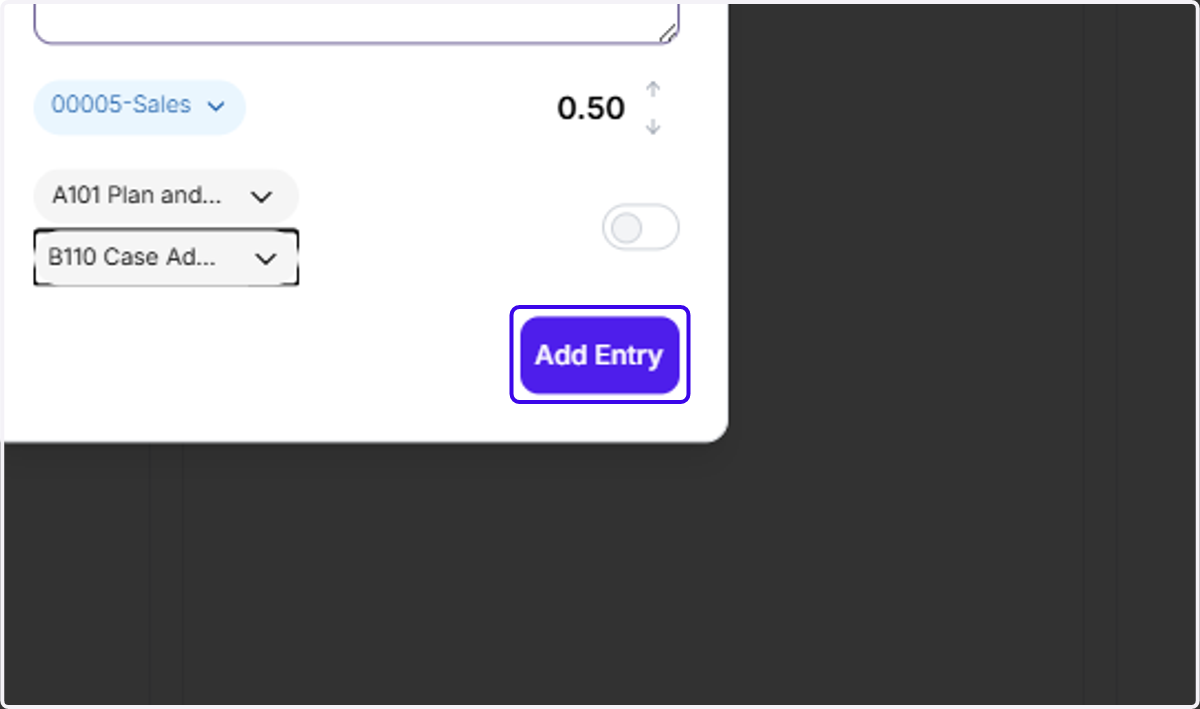
  9. 9. And then click "Add Entry"

    And then click "Add Entry"
  10. 10. Your entry has now been created in Ajax!
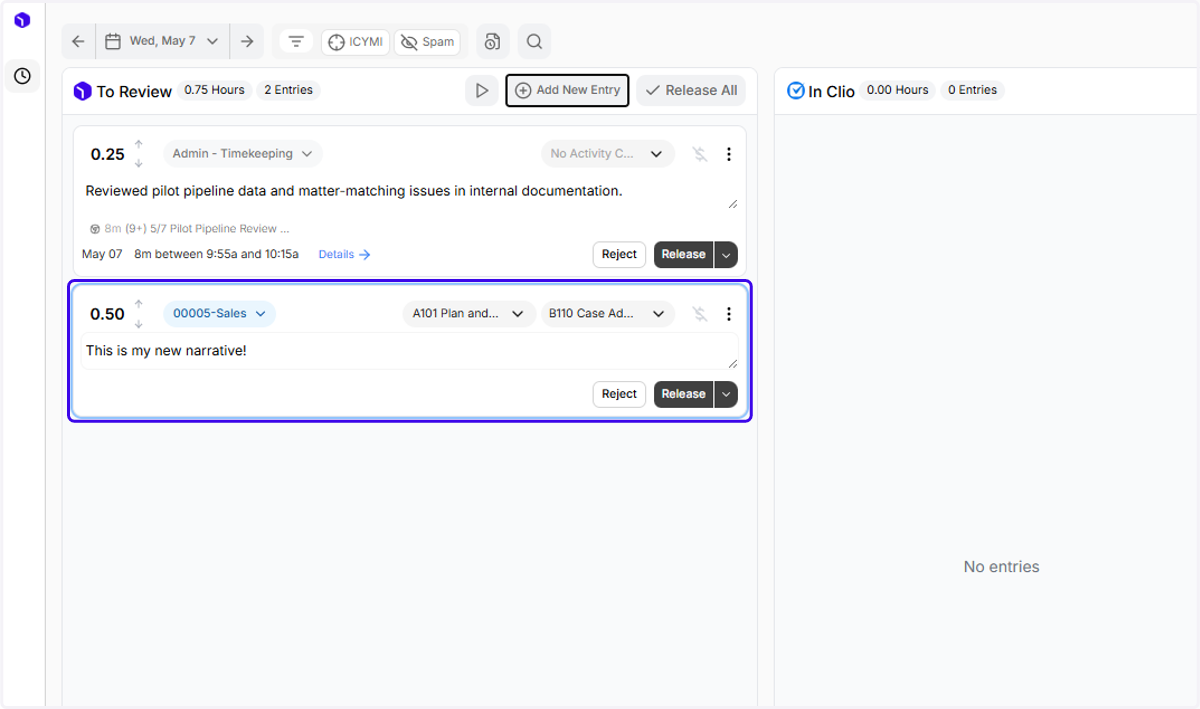
    Your entry has now been created in Ajax!