Managing Admission Enquiries

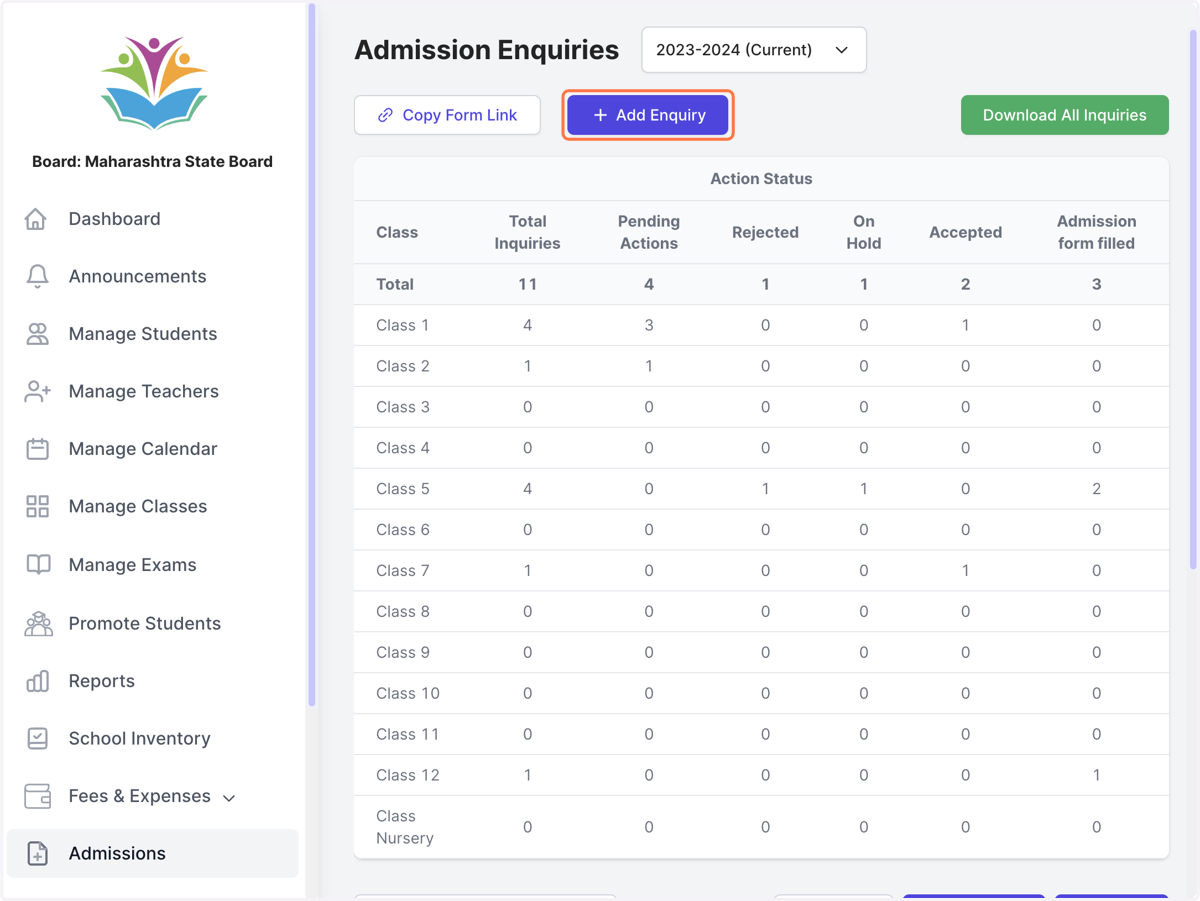
  1. 1. Click on Add Enquiry

    Click on Add Enquiry
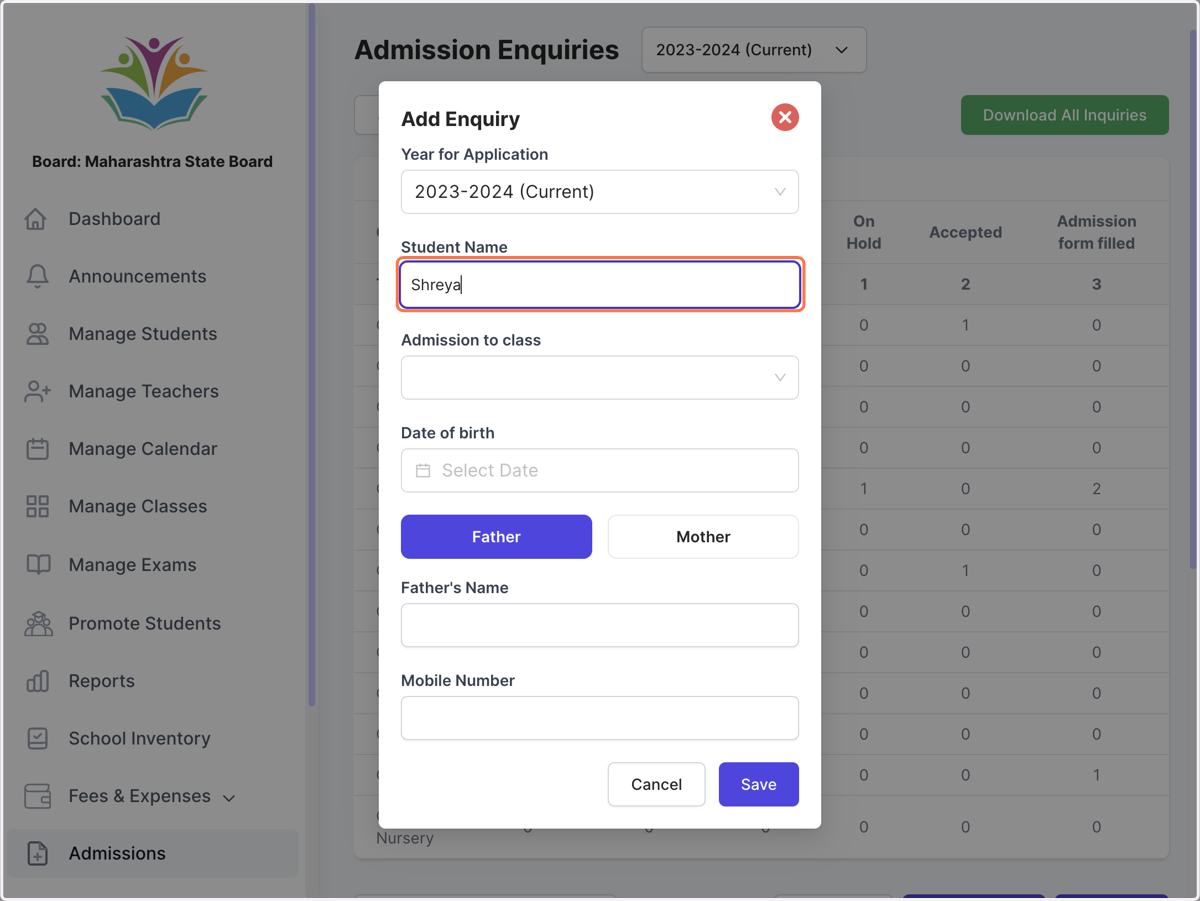
  2. 2. Fill all details

    Fill all details
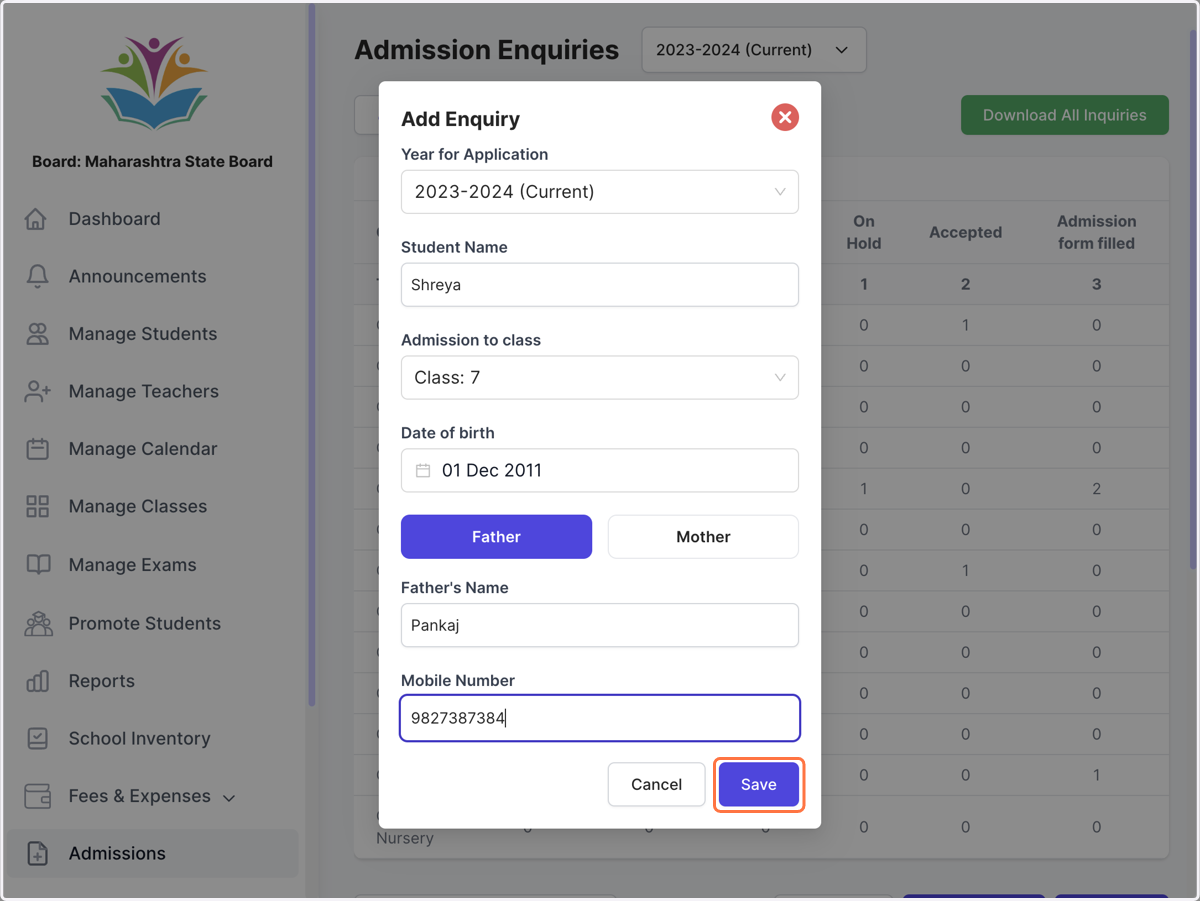
  3. 3. Click on Save

    Click on Save
  4. 4. Filter list of enquiries by class and status
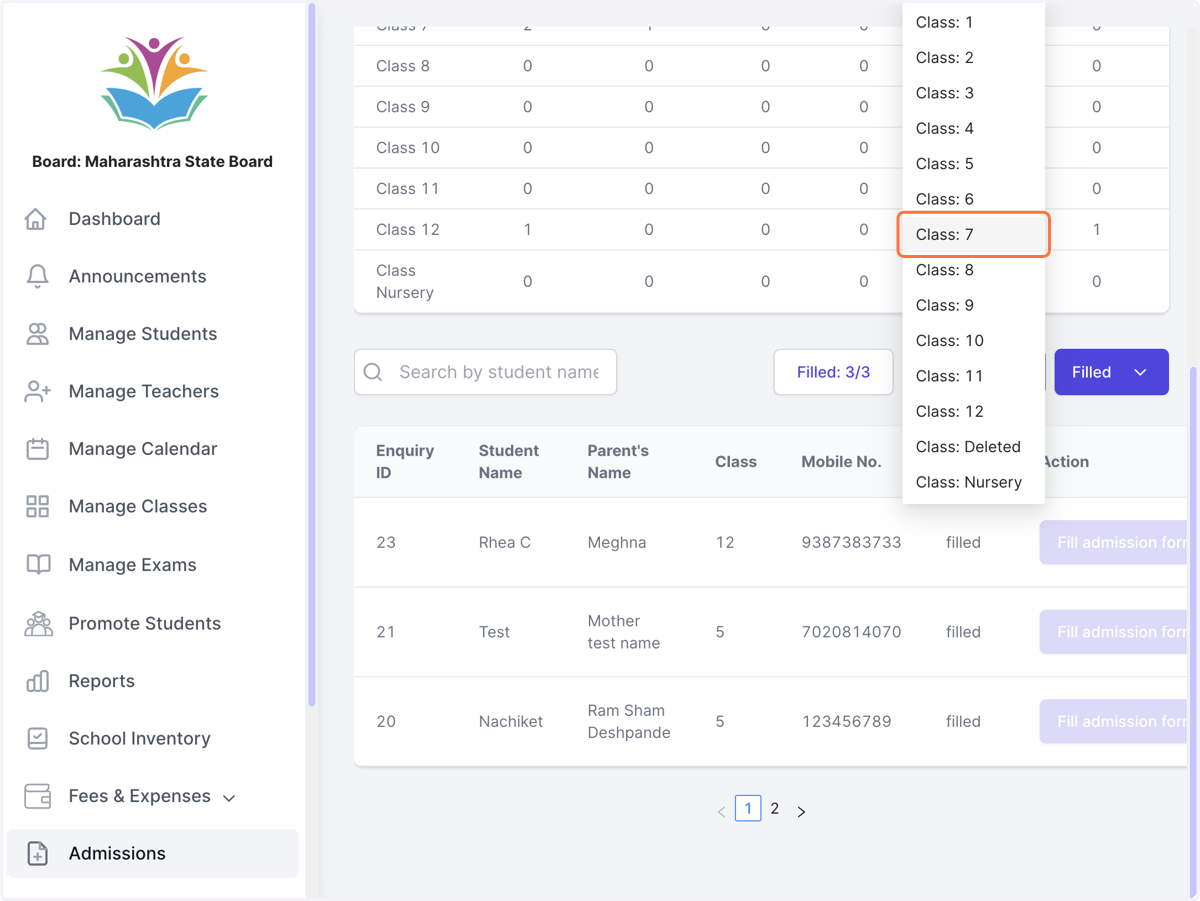
    Filter list of enquiries by class and status
  5. 5. Change status by clicking on dropdown under action column
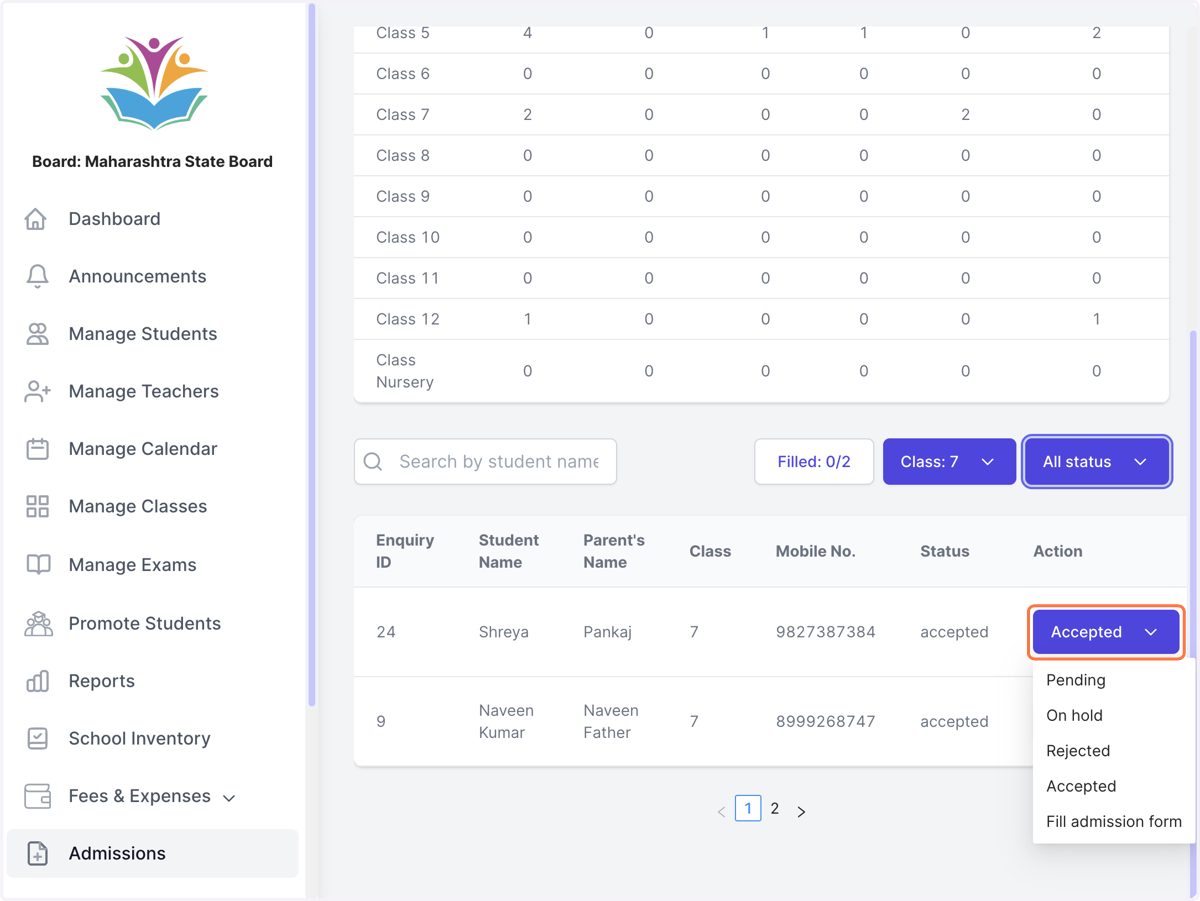
    Change status by clicking on dropdown under action column
  6. 6. For admitting the student click on fill admission form
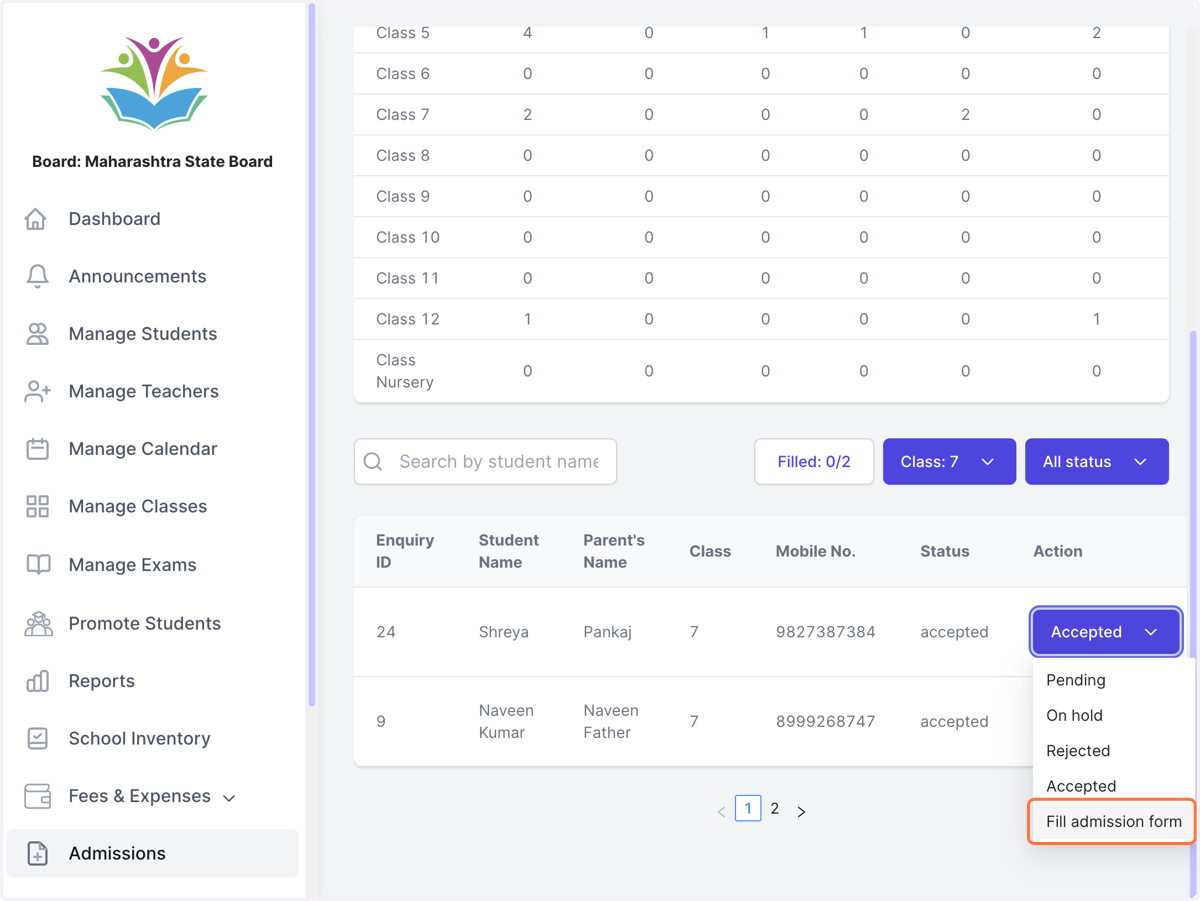
    For admitting the student click on fill admission form
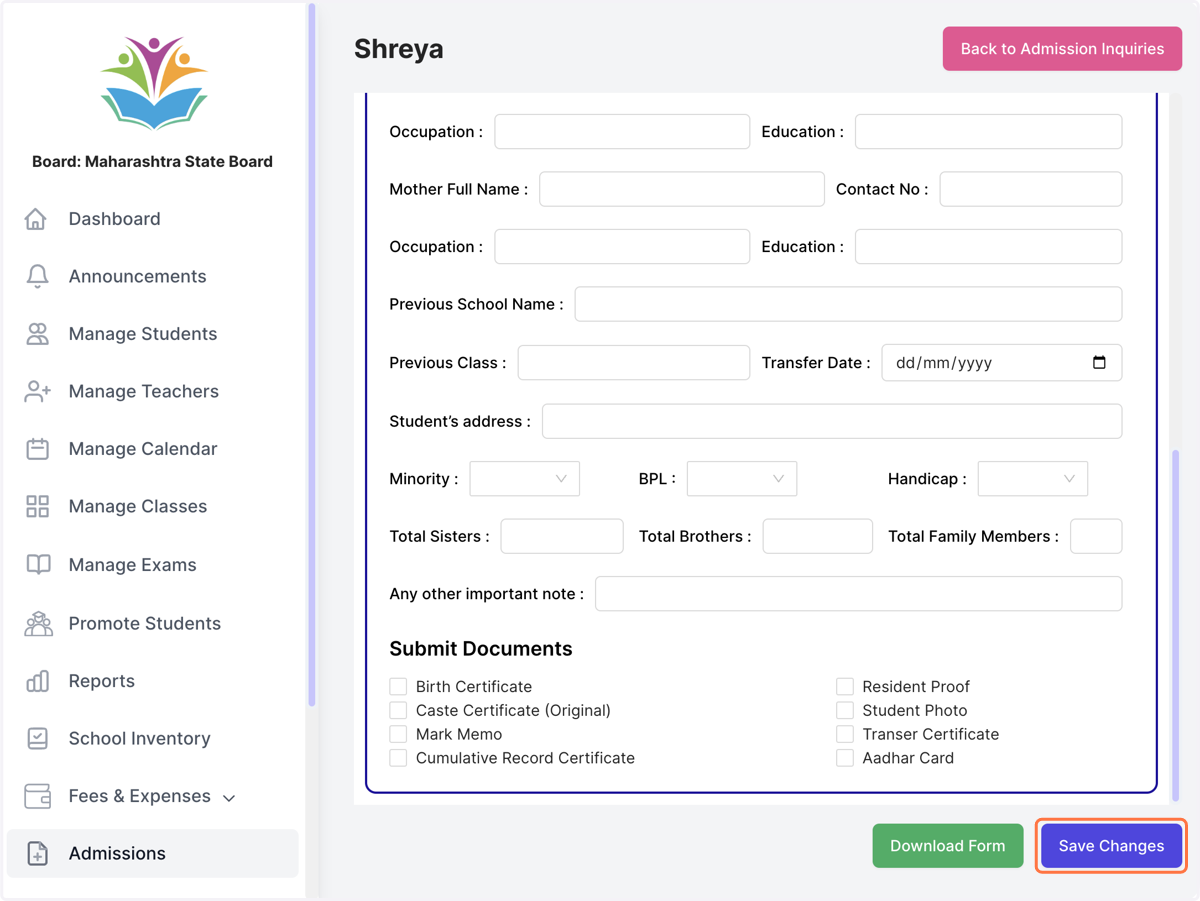
  7. 7. Fill the admission form

    Fill the admission form
  8. 8. Select which division to admit the student to
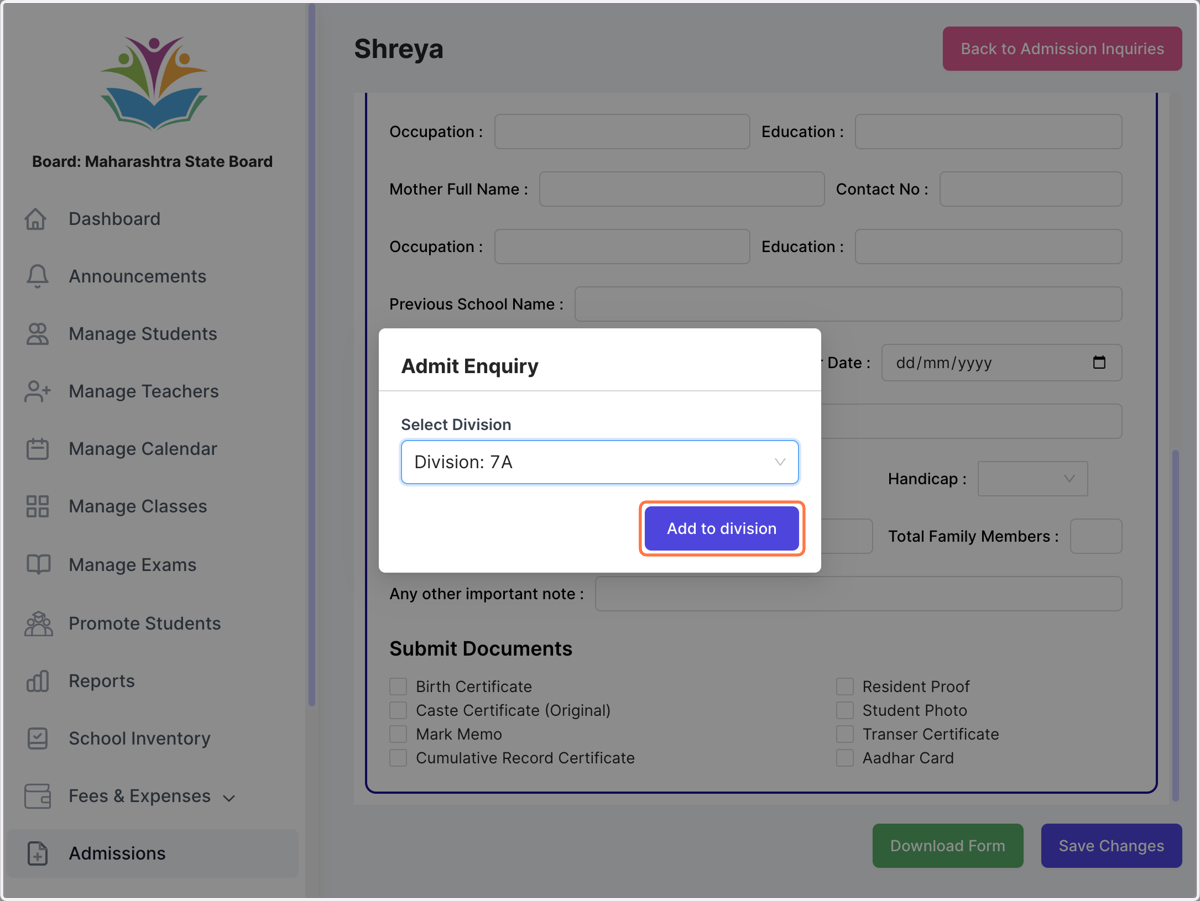
    Select which division to admit the student to

And done! The student will now be found in the student list in the selected division