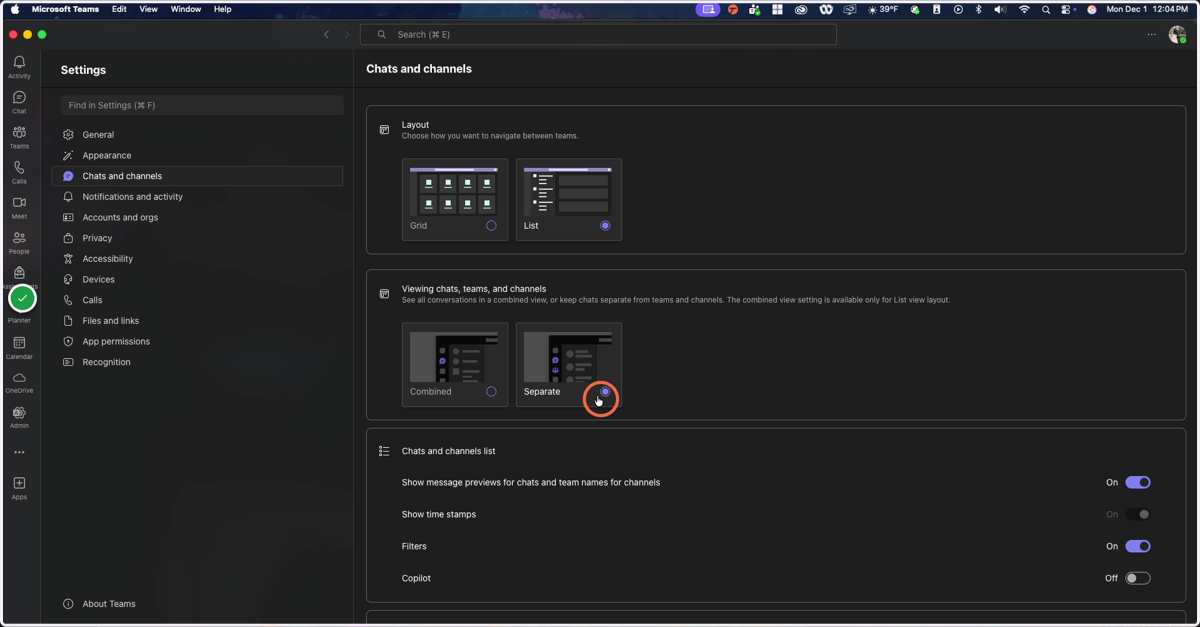
MS Teams: Toggle Combined Chat /Teams on and off
MS Teams offers the ability to combine Chat and Teams into a single 'app' if desired.
Open Microsoft Teams
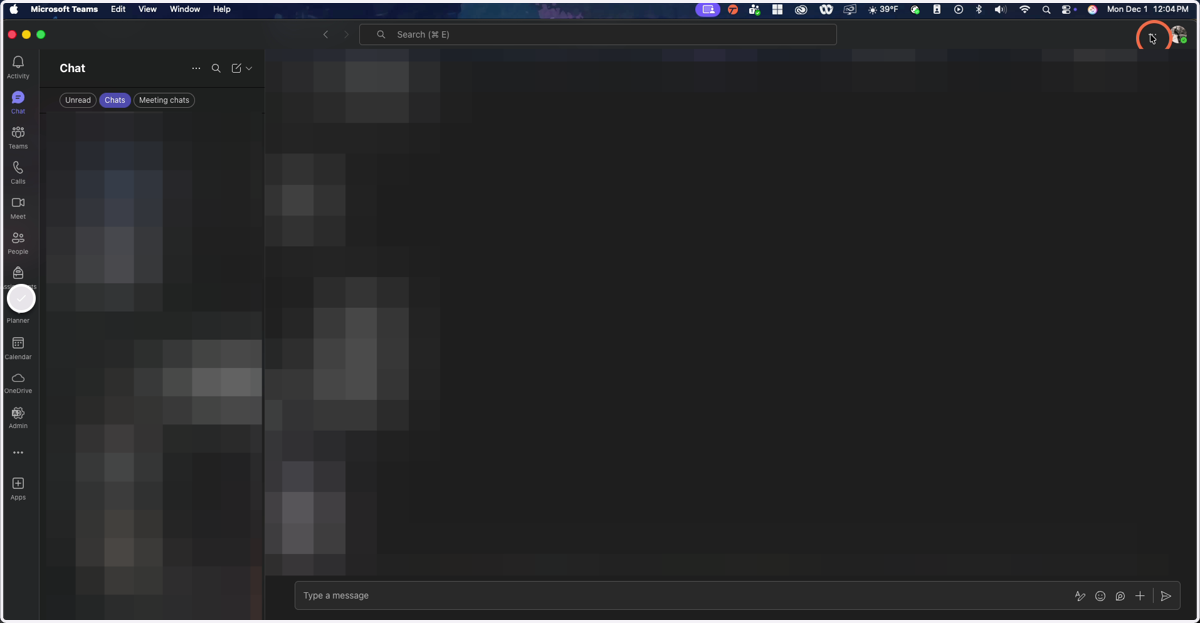
1. Click on the 3-dot menu next to your user profile picture
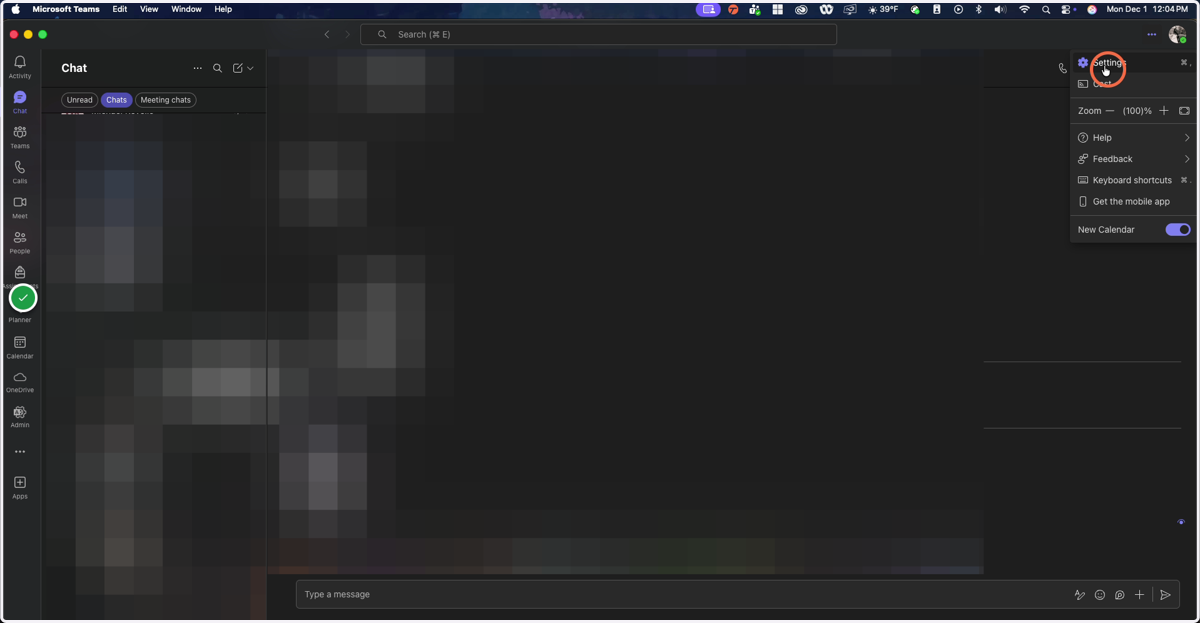
2. Click on Settings
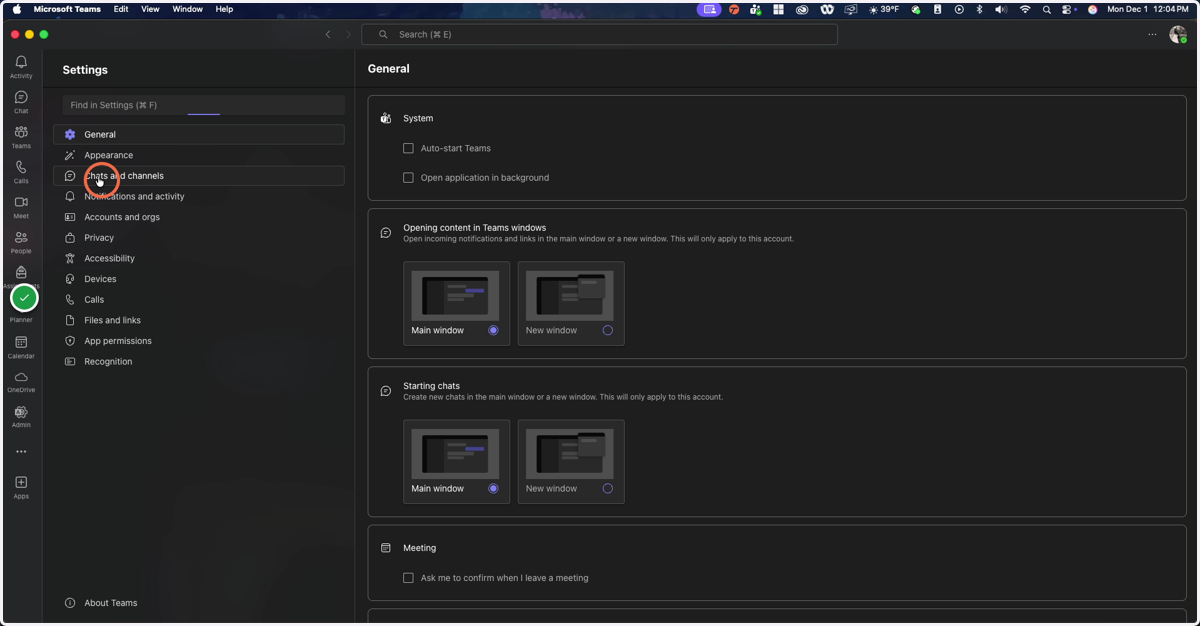
3. Click on Chats and Channels
4. Click on Separate / Combined to choose your preferred interface