Linkage Variants
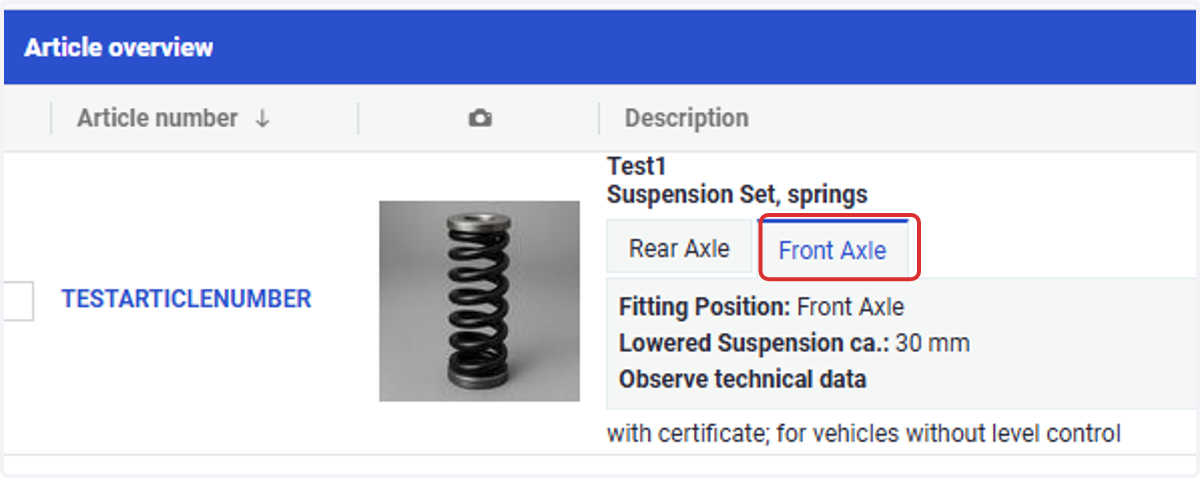
1. Have you ever wondered how to get the following structure in the TecDoc Catalogue using ONE?
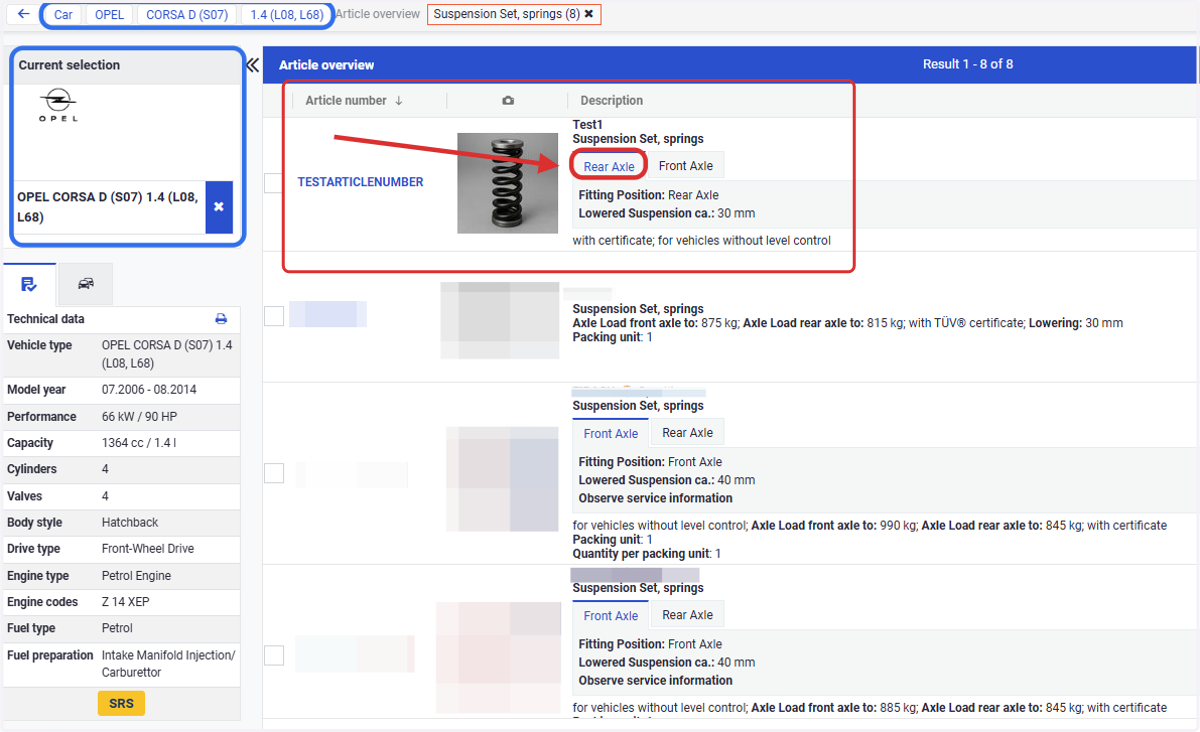
2. The information allocated to each variant will be displayed in different tabs in the catalogue
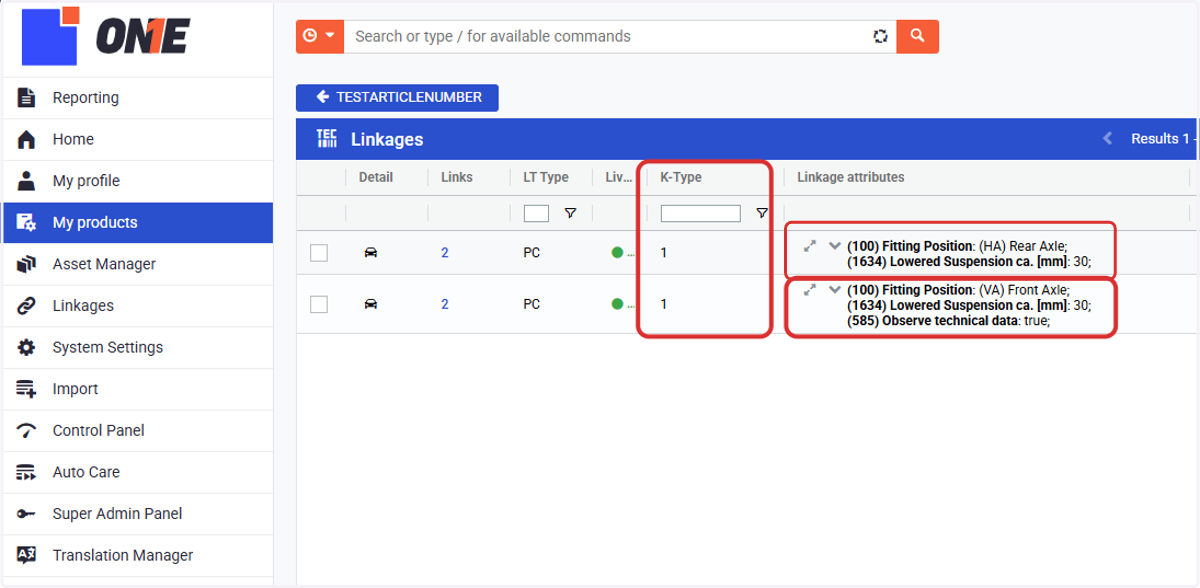
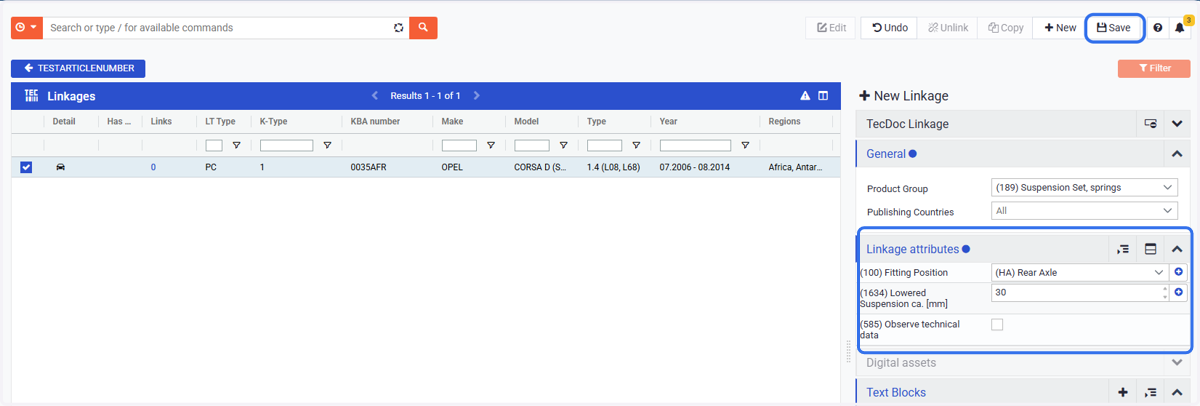
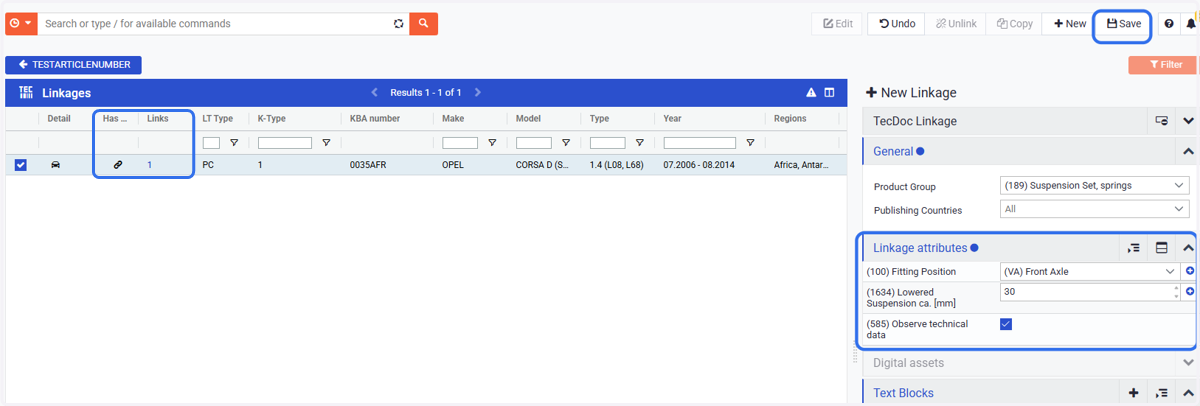
3. You can create them from scratch:
Click on +New and add the first variant (do not forget to add the attributes!)
4. If you already created a first variant, you can also use it as a base to create others:
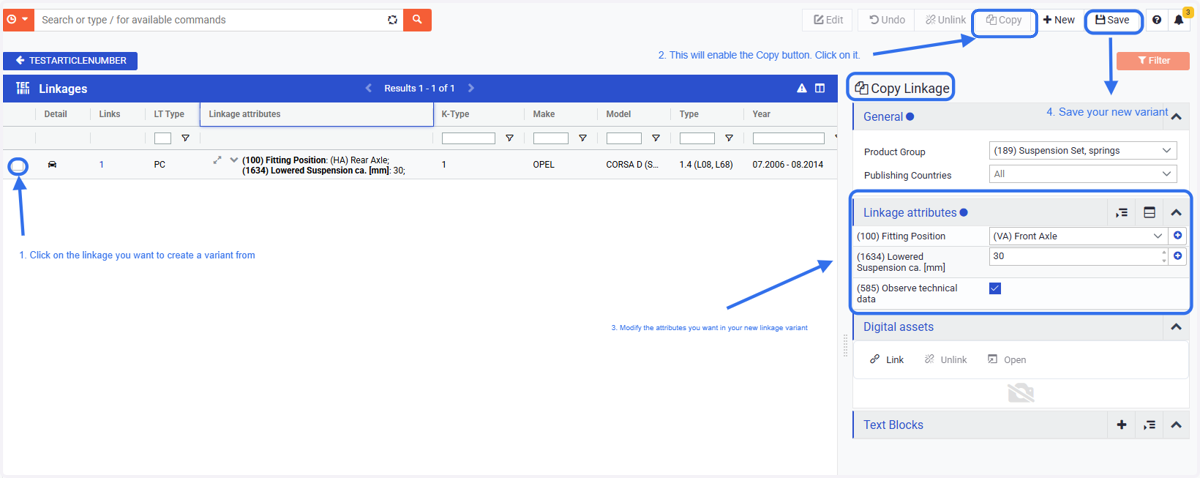
5. Each variation can be eaisly mantain on its own
6. But you can also edit simultoneasly multiple attributes at the same time and edit common attributes
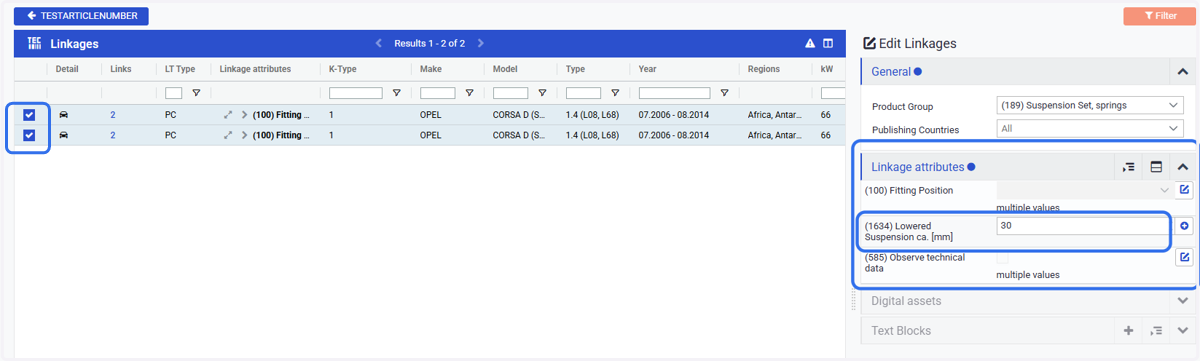
7. This structure is achieved in ONE by creating different variations of the same linkage.
8. Now add your second variant (or as many as you need)
9. And this is the result
