Leasing Workflow: Recurring Charges One Time Charges
This guide covers adding resident charges beyond apartment rent and care service. This is step 2 in the new Workflow
Senior CRM
Navigating to the quote sheet for resident
1. (2) Charges: Recurring Charges
Hit "Add New" under Reccuring charges

2. Add the charge code associated with the charge that needs to be recurring
Examples: Pet Fee, Parking Fee, Furniture Rental, etc.
Rate Type for recurring is always monthly
Start Date: This depends on what the charge is, but is typically the Physical Move-In Date.
Hit Save

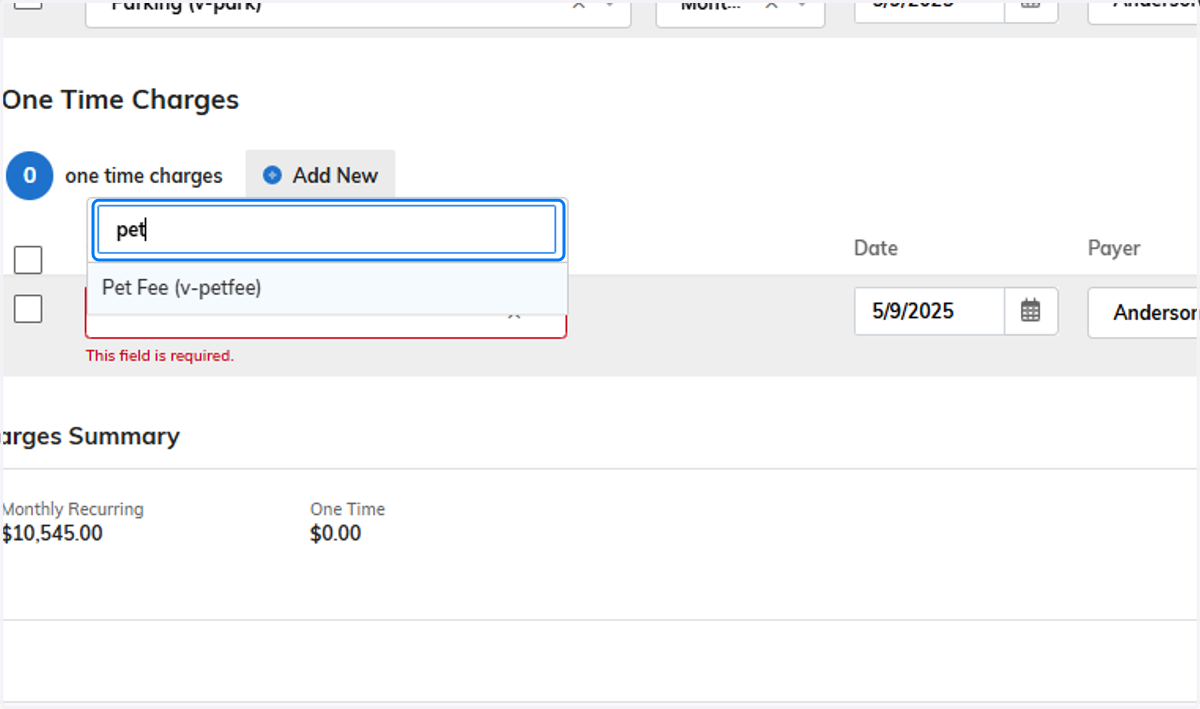
3. (2) Charges: One Time Charges
Click "Add New"
Add the charge code associated with the charge

4. Add the charge code associated with the charge
Examples: Pet Fee(the lump amount), change lock, etc
Start Date: This should always be Financial Move-In Date
Amount should be the amount that is on our Fee Schedule unless otherwise agreed upon
5. Adding Notes to Charges
Click the edit button next to any charge

6. Any charges have the ability to have notes. Please be aware that these will pull into the Lease
Hit Save when done
