KSDE Training Portal New Account Registration
KSDE Training Portal
How to create a new account in the KSDE Training Portal
1. Click on Request an account…
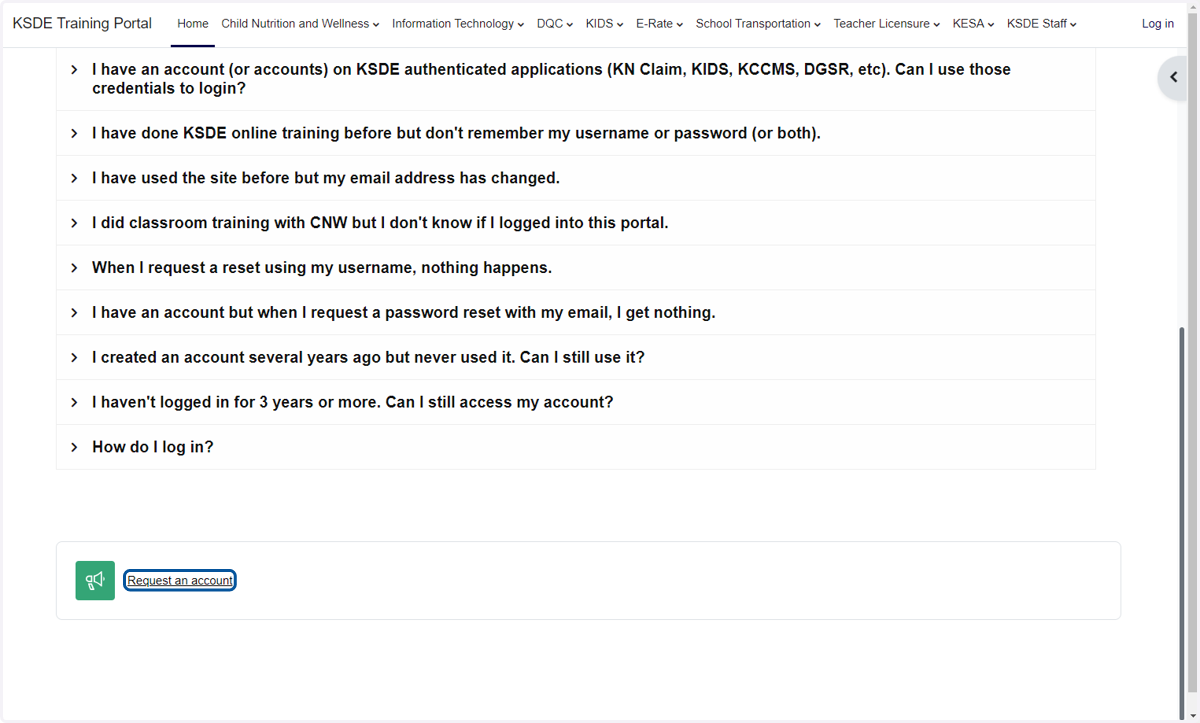
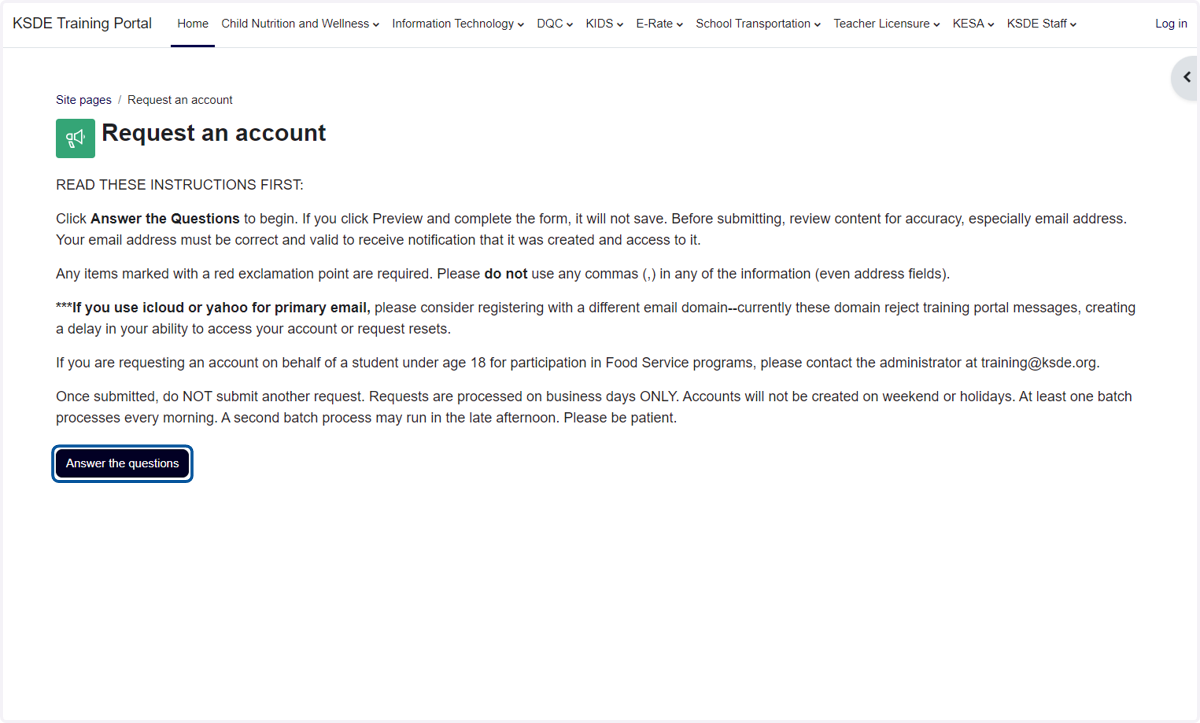
2. Click on Answer the questions
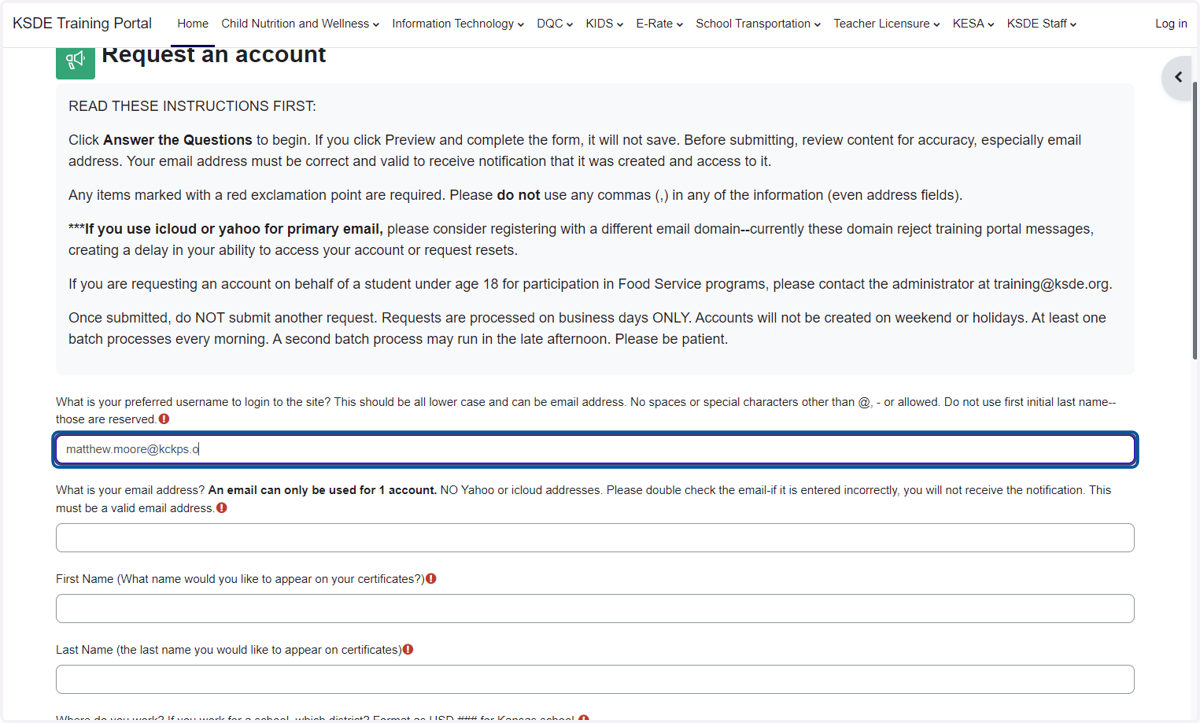
3. Type what you want your user name to be (I used my email)
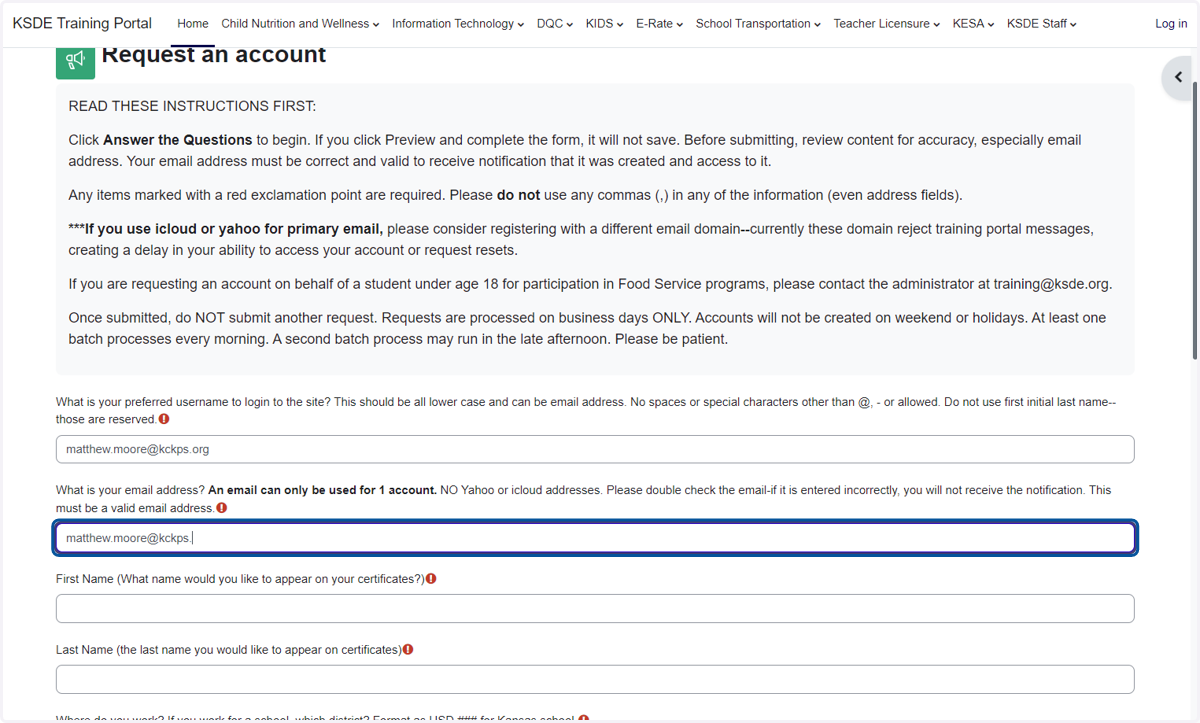
4. Type your email address
5. Type First Name
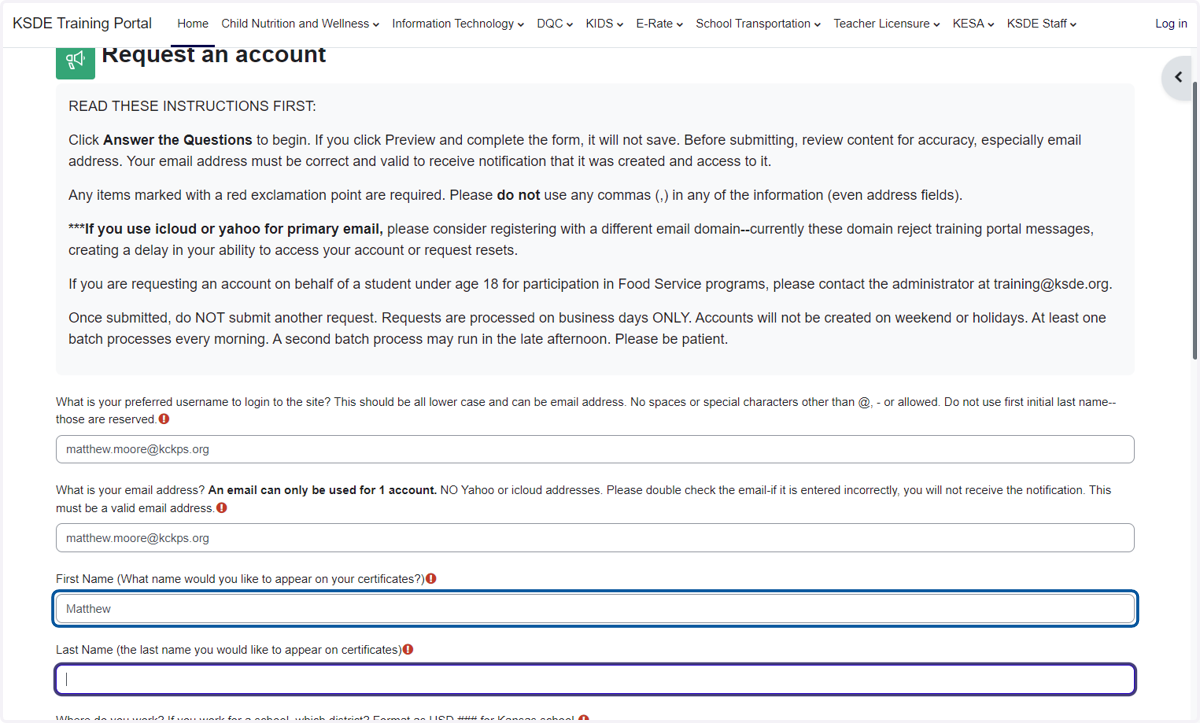
6. Type Last Name
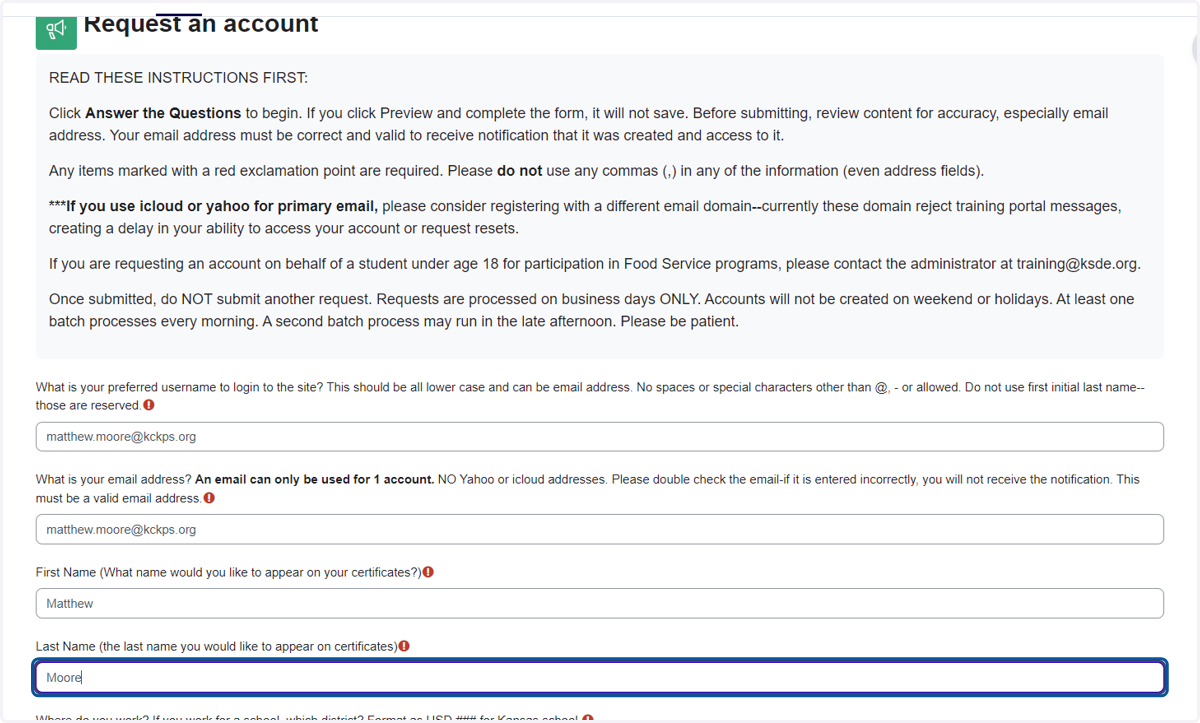
7. Type "USD 500"
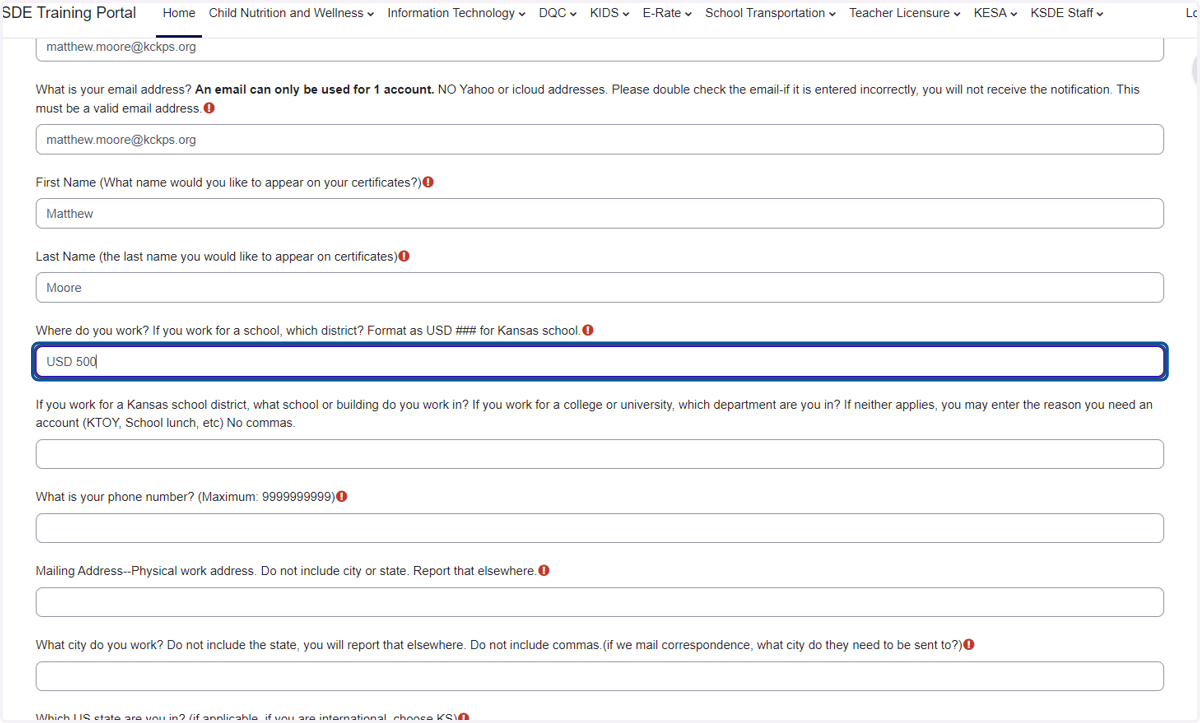
8. Type Your Building's Name
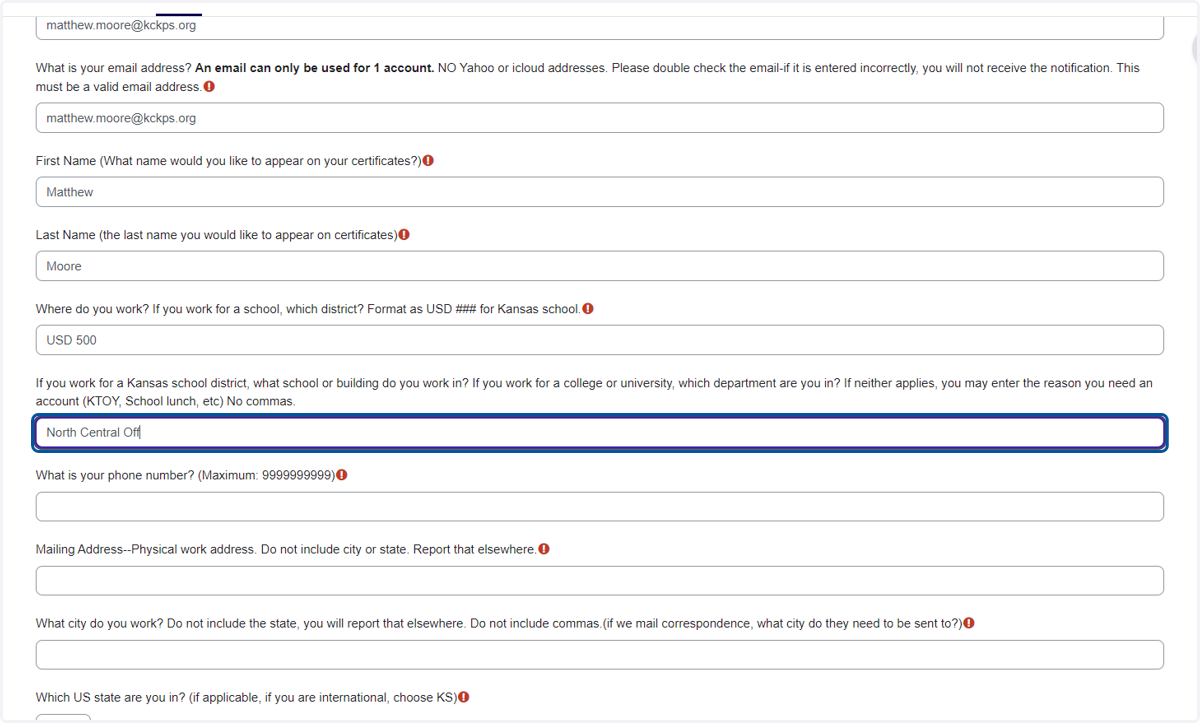
9. Type Your Phone Number
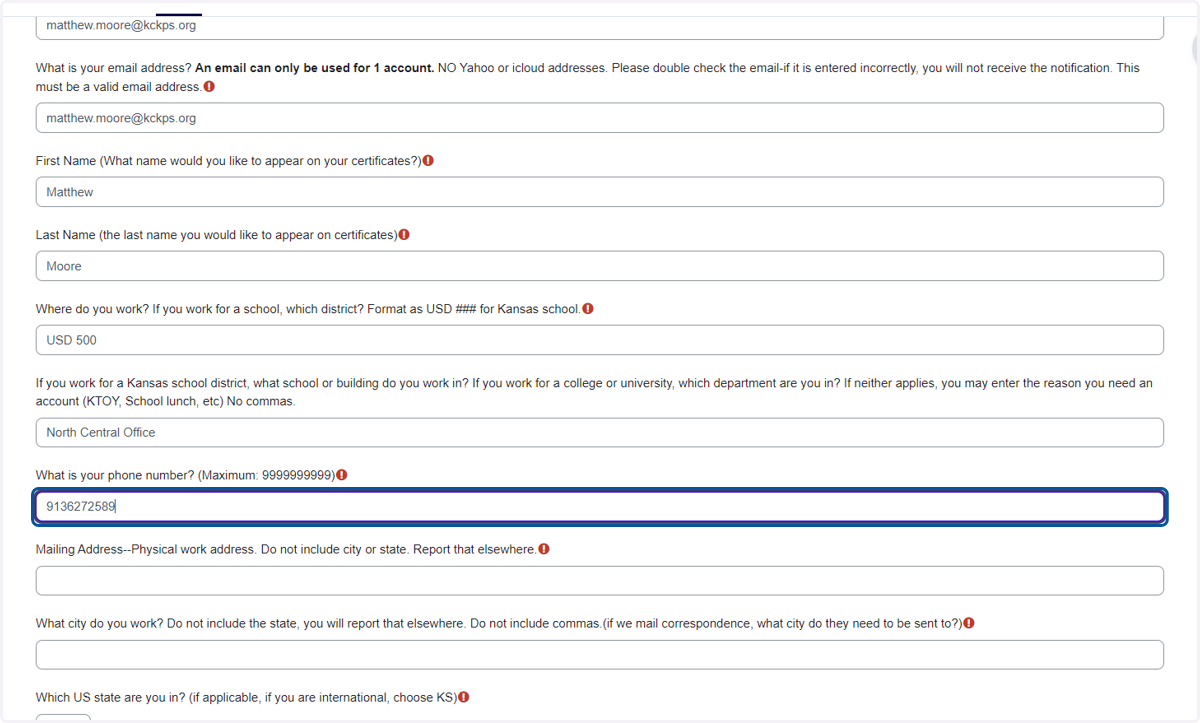
10. Type Your Building's Address
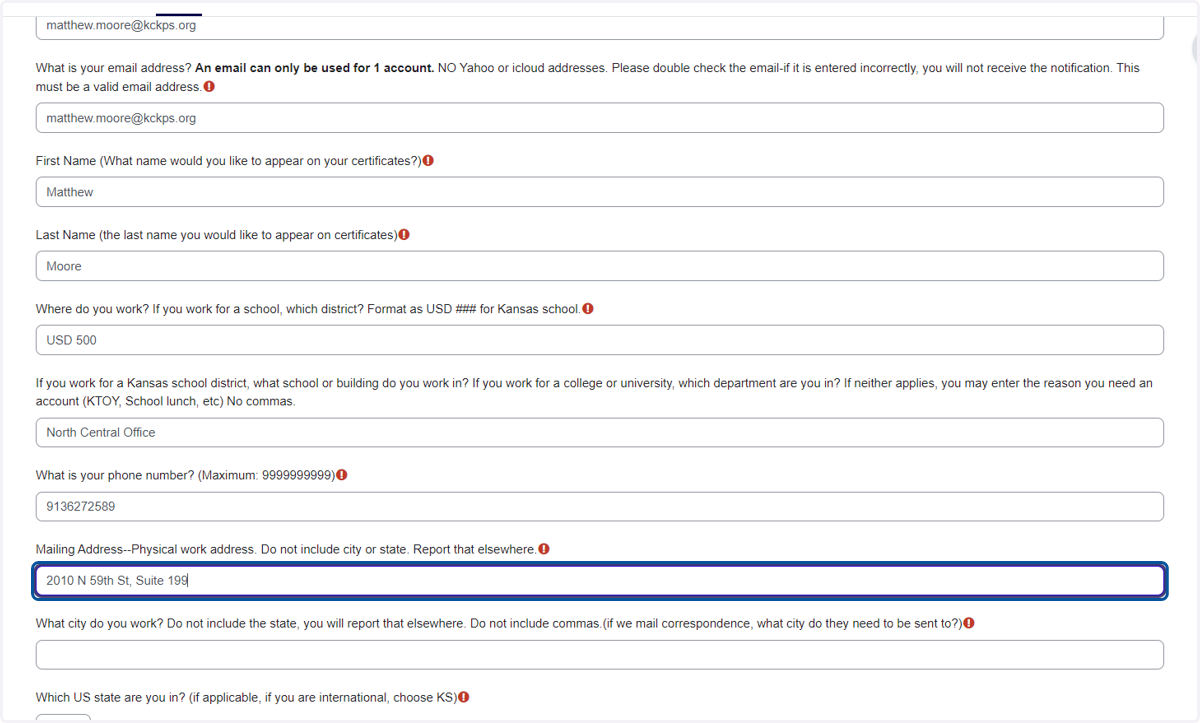
11. Type "Kansas City"
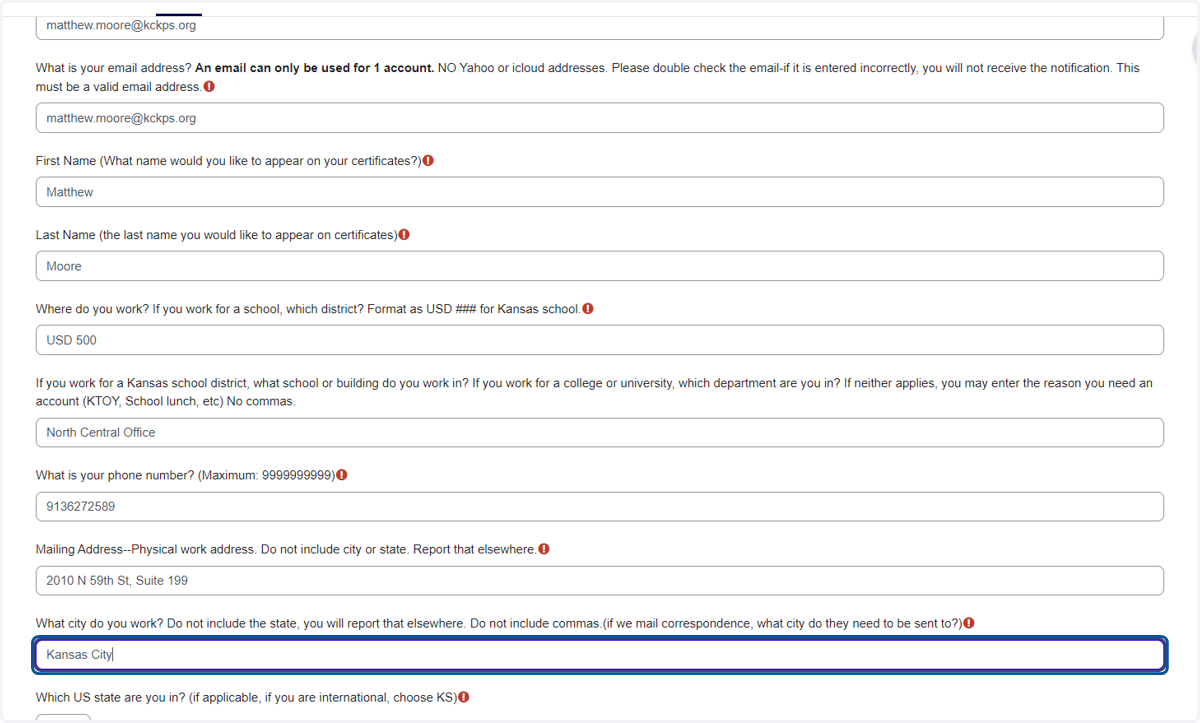
12. Select KS from Which US state are you in? (if applicable, if you are international, choose KS)
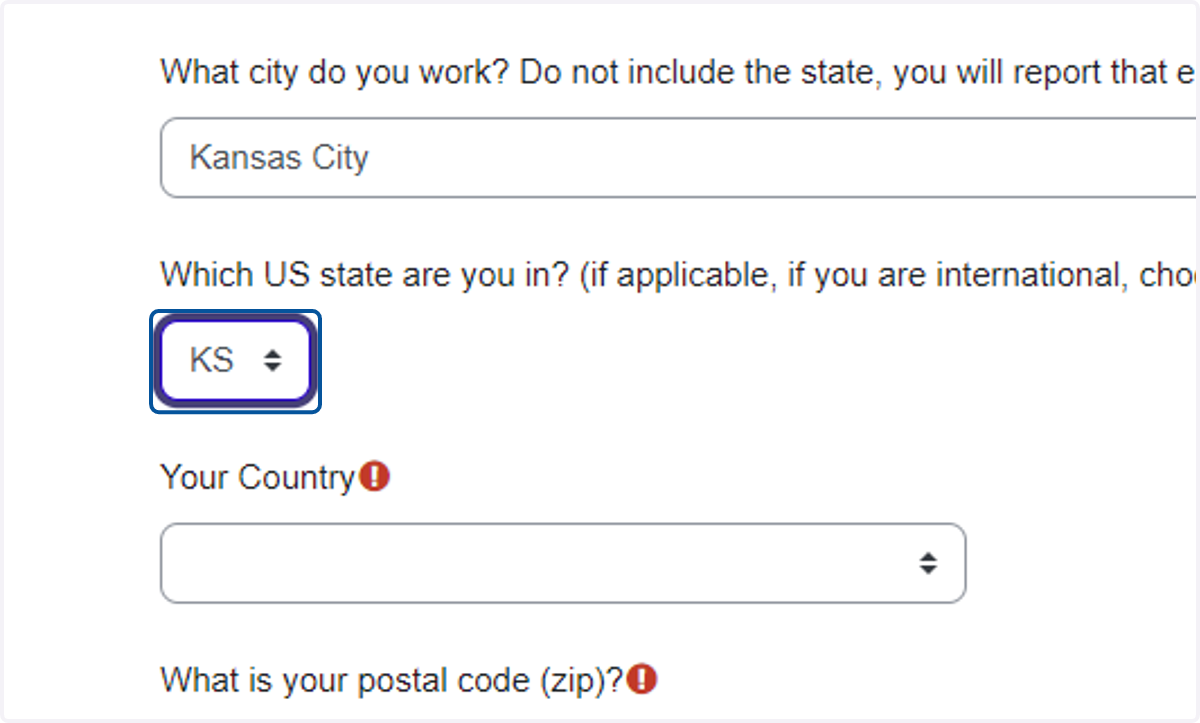
13. Select United States from Your Country
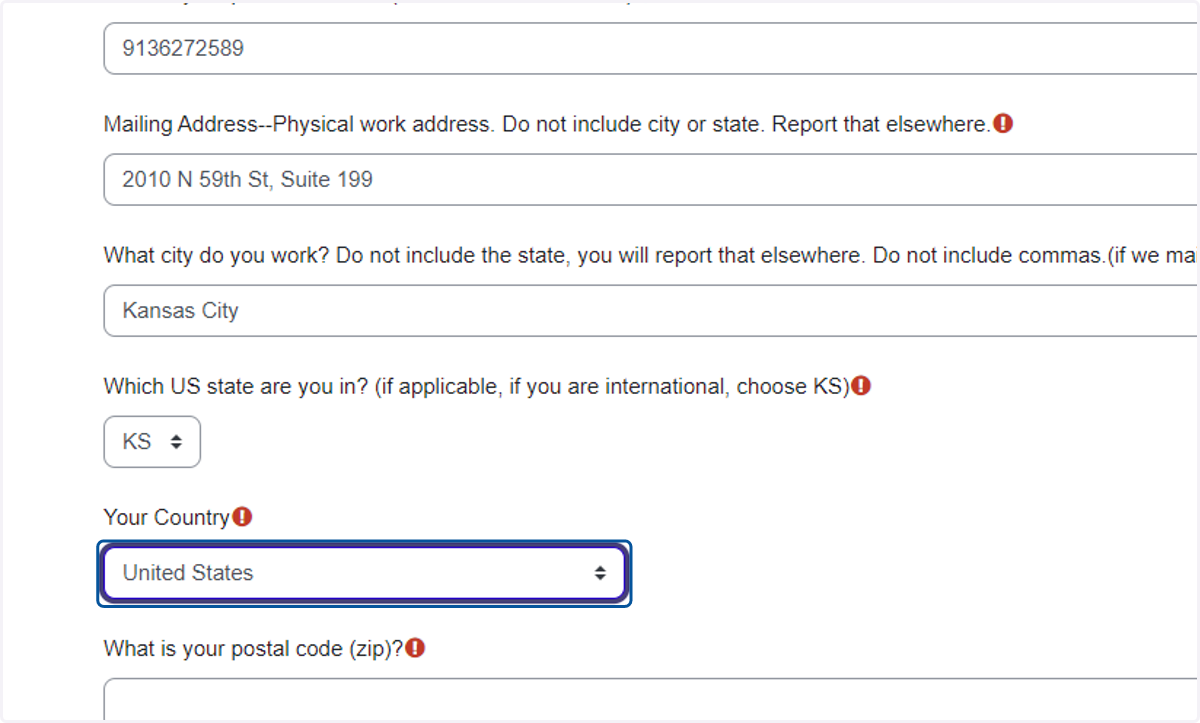
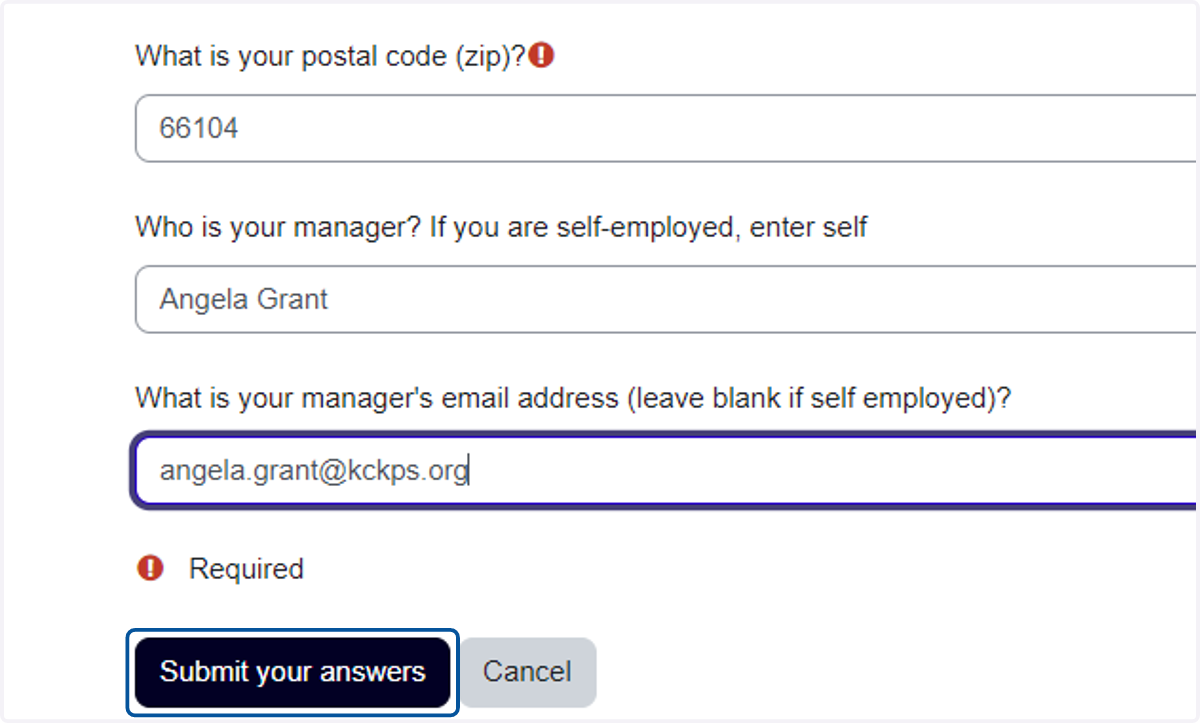
14. Type "66104"
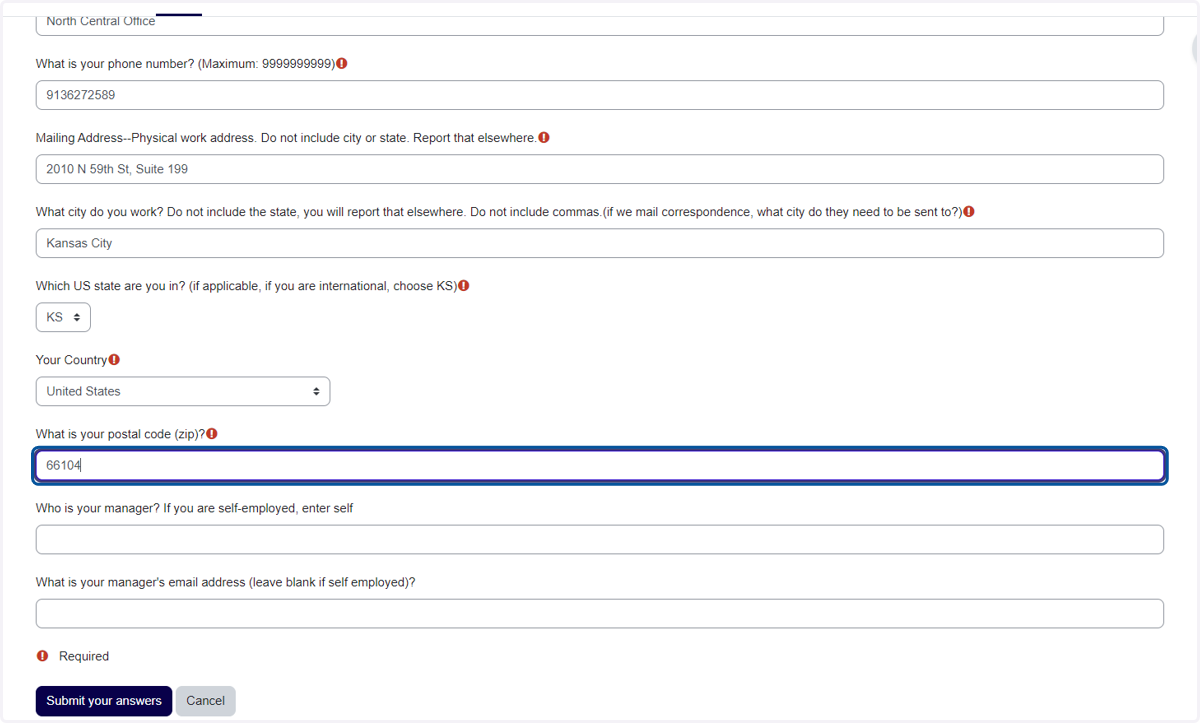
15. Type your supervisor's name
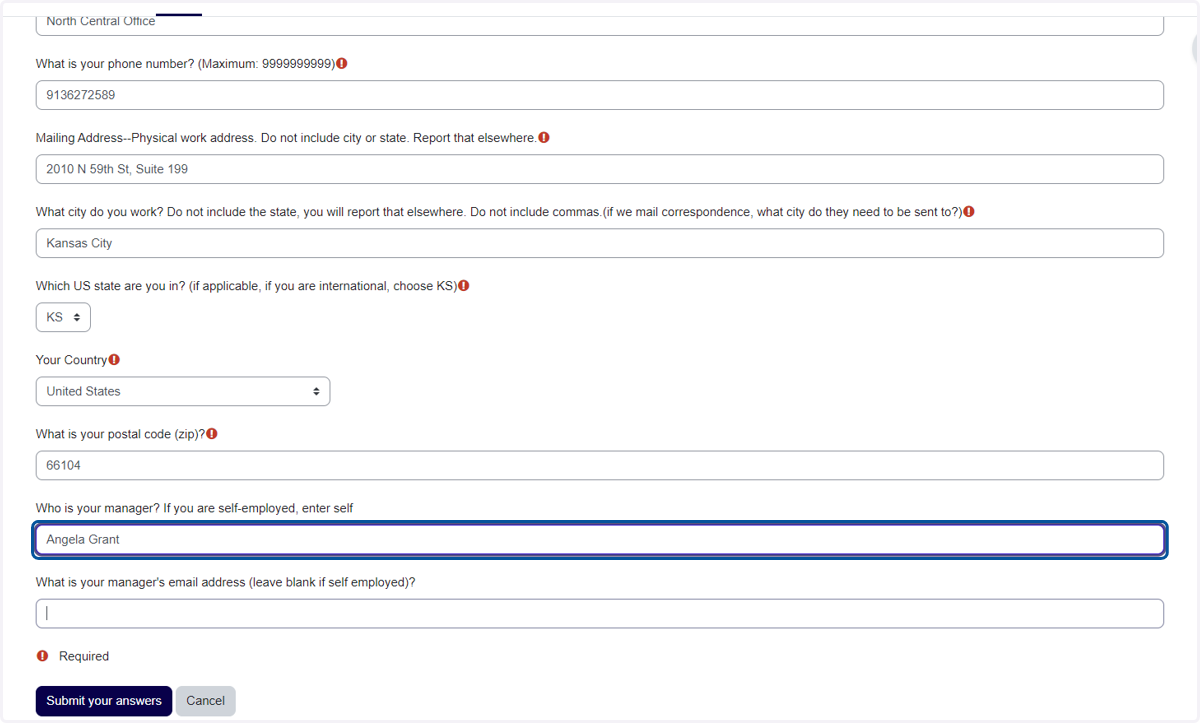
16. Type your supervisor's email
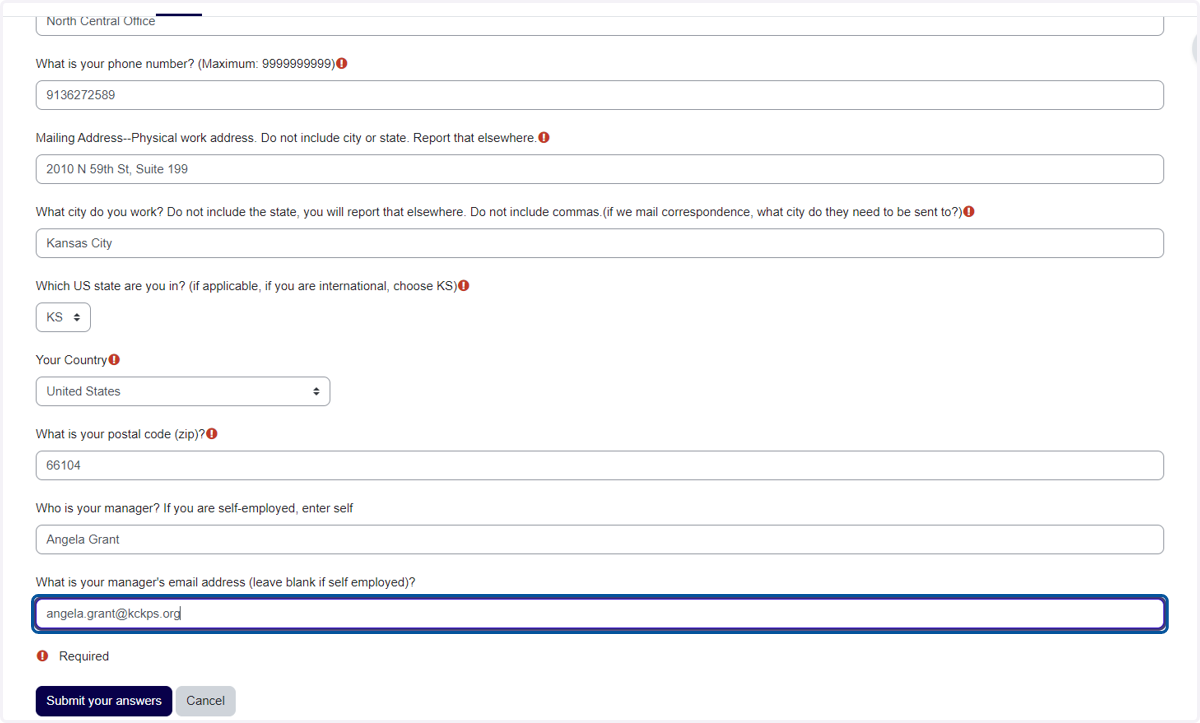
17. Click on savevalues
18. After you submit your answers it will return to the initial log in screen and remind you with this message:
Once submitted, do NOT submit another request. Requests are processed on business days ONLY. Accounts will not be created on weekend or holidays. At least one batch processes every morning. A second batch process may run in the late afternoon. Please be patient.