JCampus - Viewing Student Passwords
There are 3 main ways to view student passwords: Gradebook Email Report, Student Master, and Alpha/Recruit List
Gradebook Email Report - Teacher Access
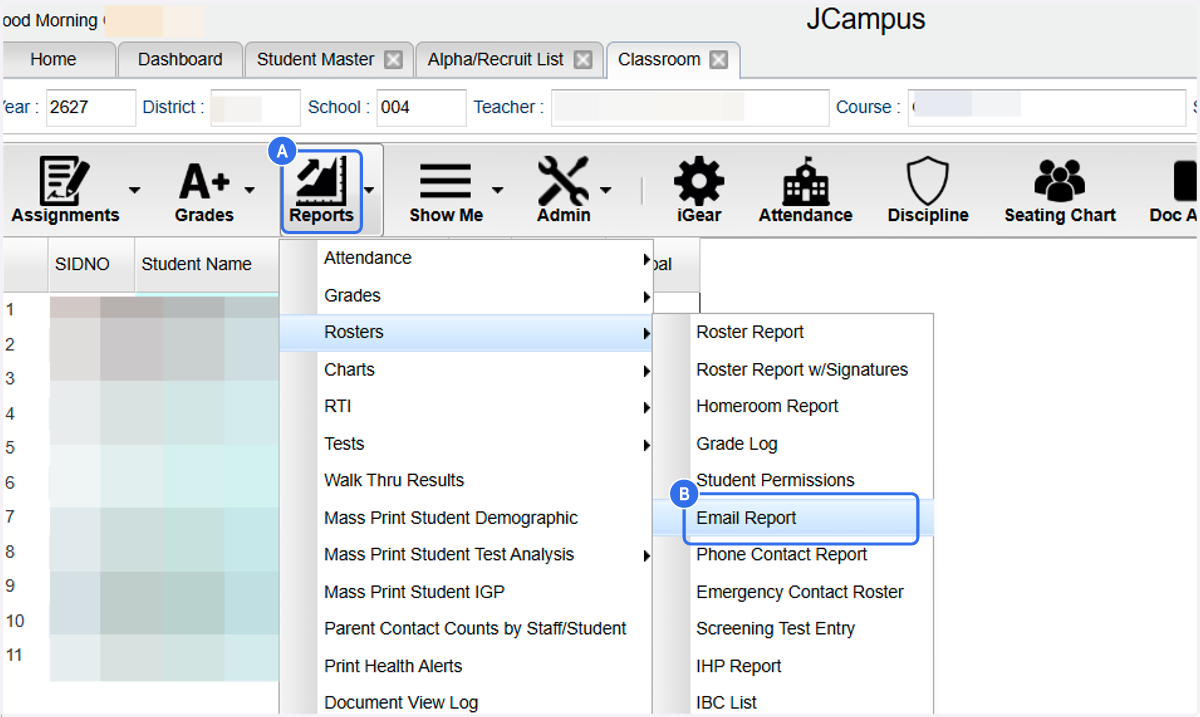
Teachers can see their students password by viewing the "Email Report" in their gradebook.
1. A. Click on Reports
1. B. Click on Email Report
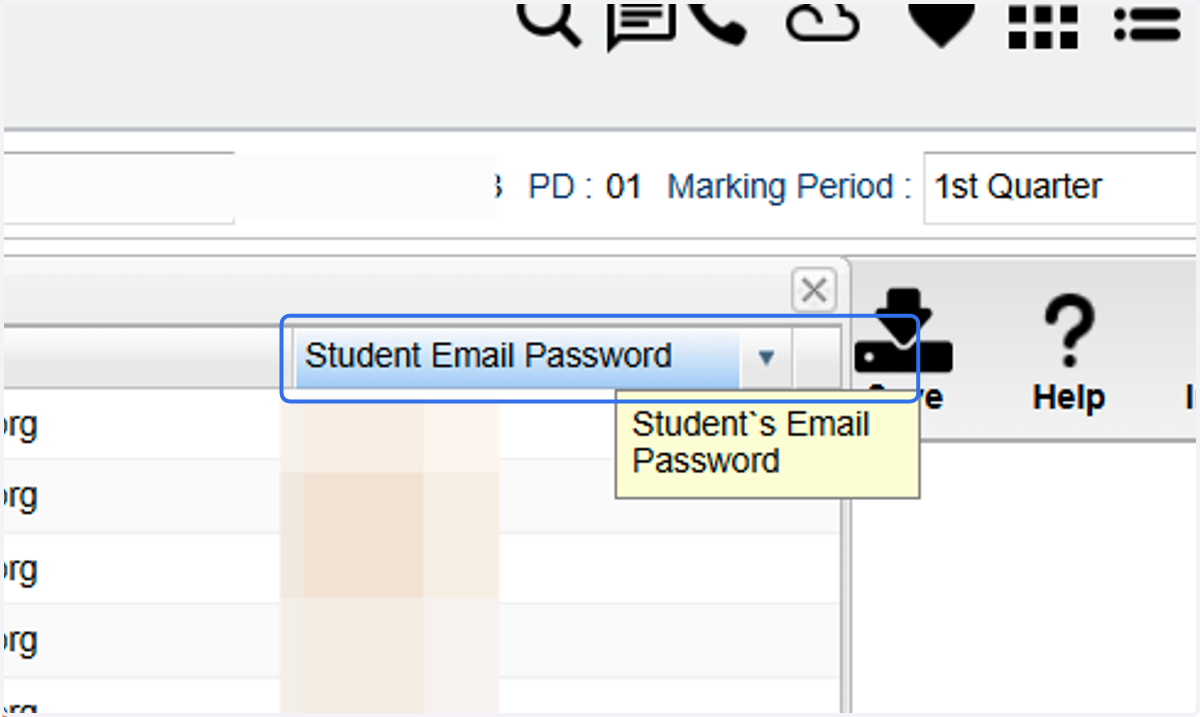
2. View Student Passwords
Student Master - Only accessible to those with Student Master access
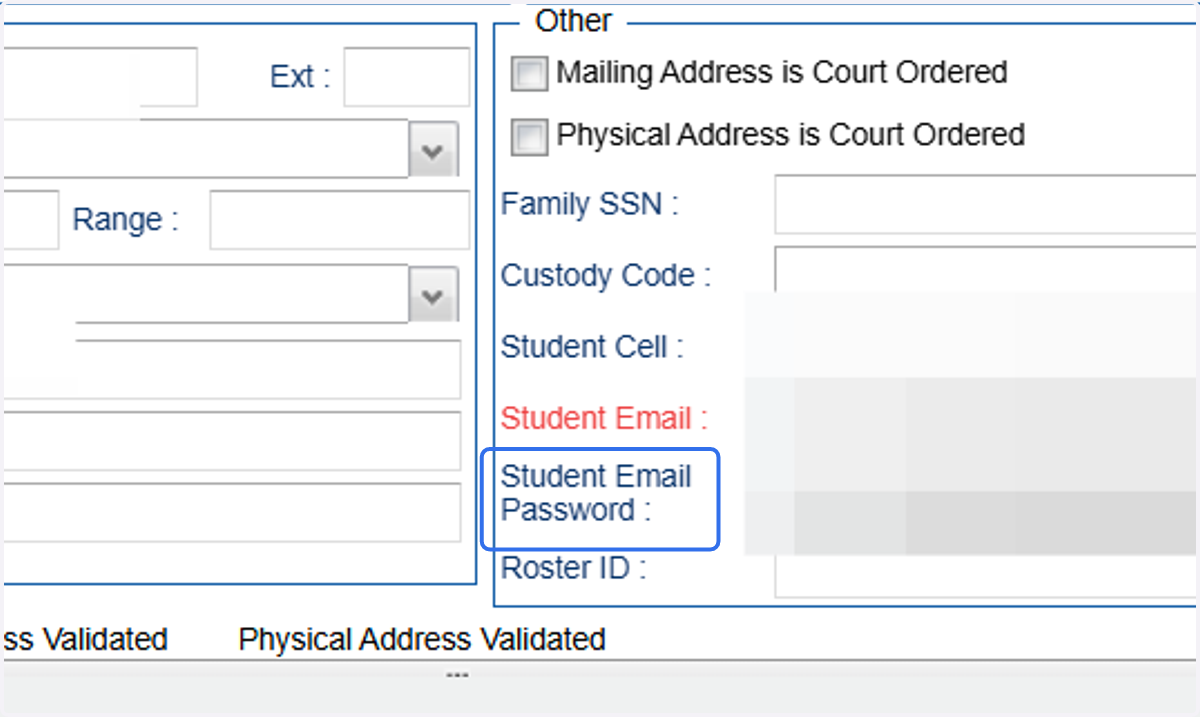
To see individual student password
3. Click on the student's name to bring up detailed demographics. - The student's password is listed right below student email.
Alpha/Recruit List - use with caution - Only available to those with Alpha/Recruit access
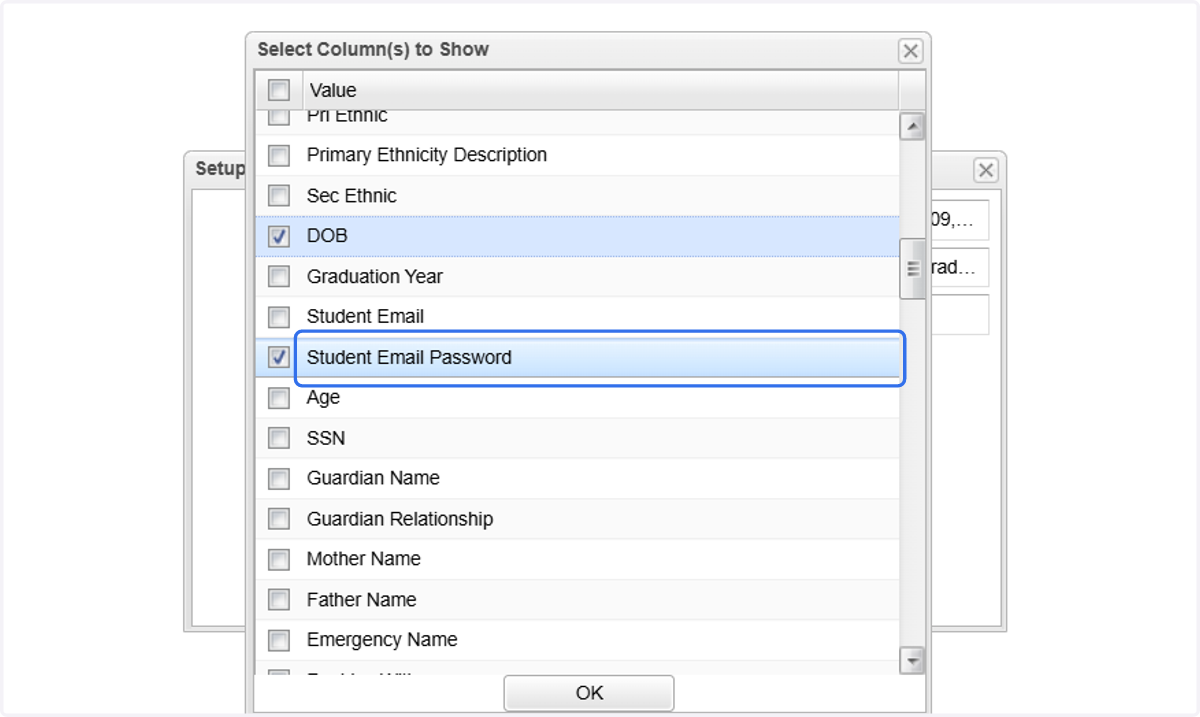
Password list for multiple students. Don't forget to UNCHECK this box when preparing other lists for distribution.
4. In the setup box, select "column"
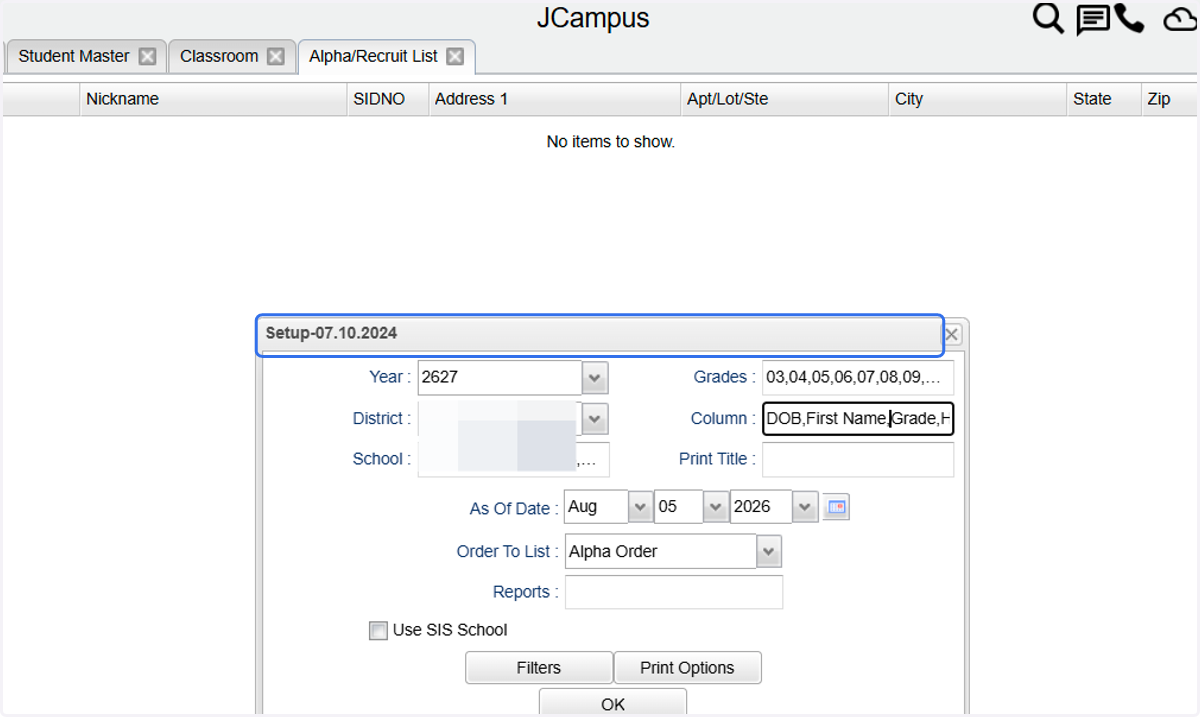
5. Click on Student Email Password to add it as a column to the report.