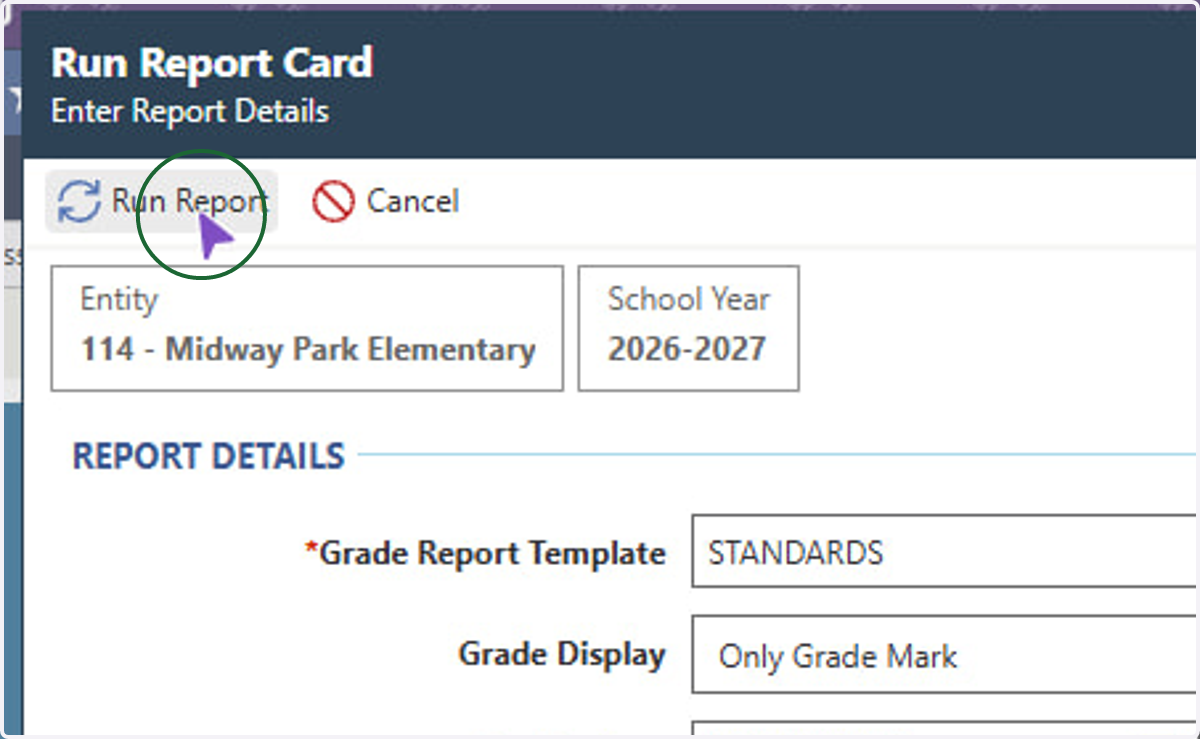
How to view Report Cards in Skyward (Grades PK-1)
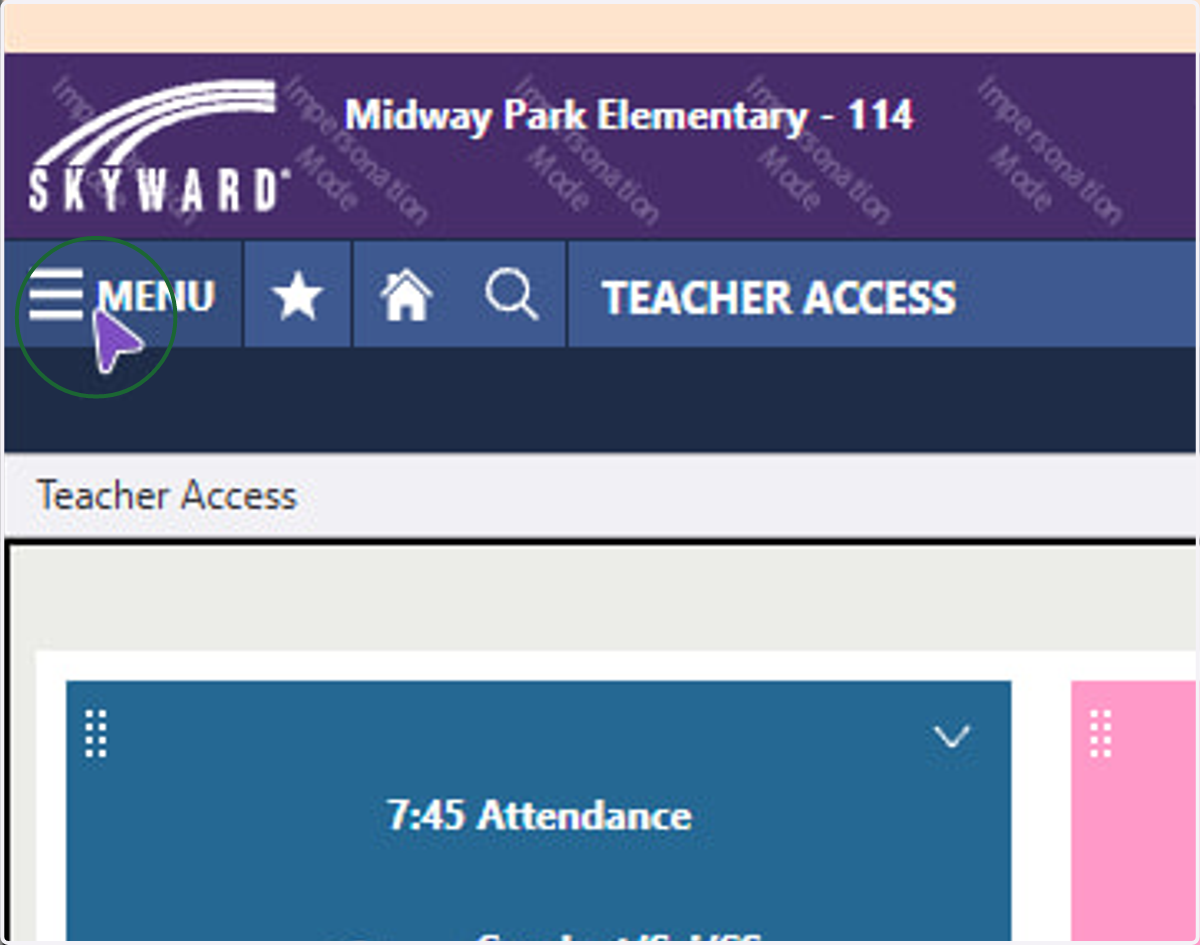
1. Click Menu
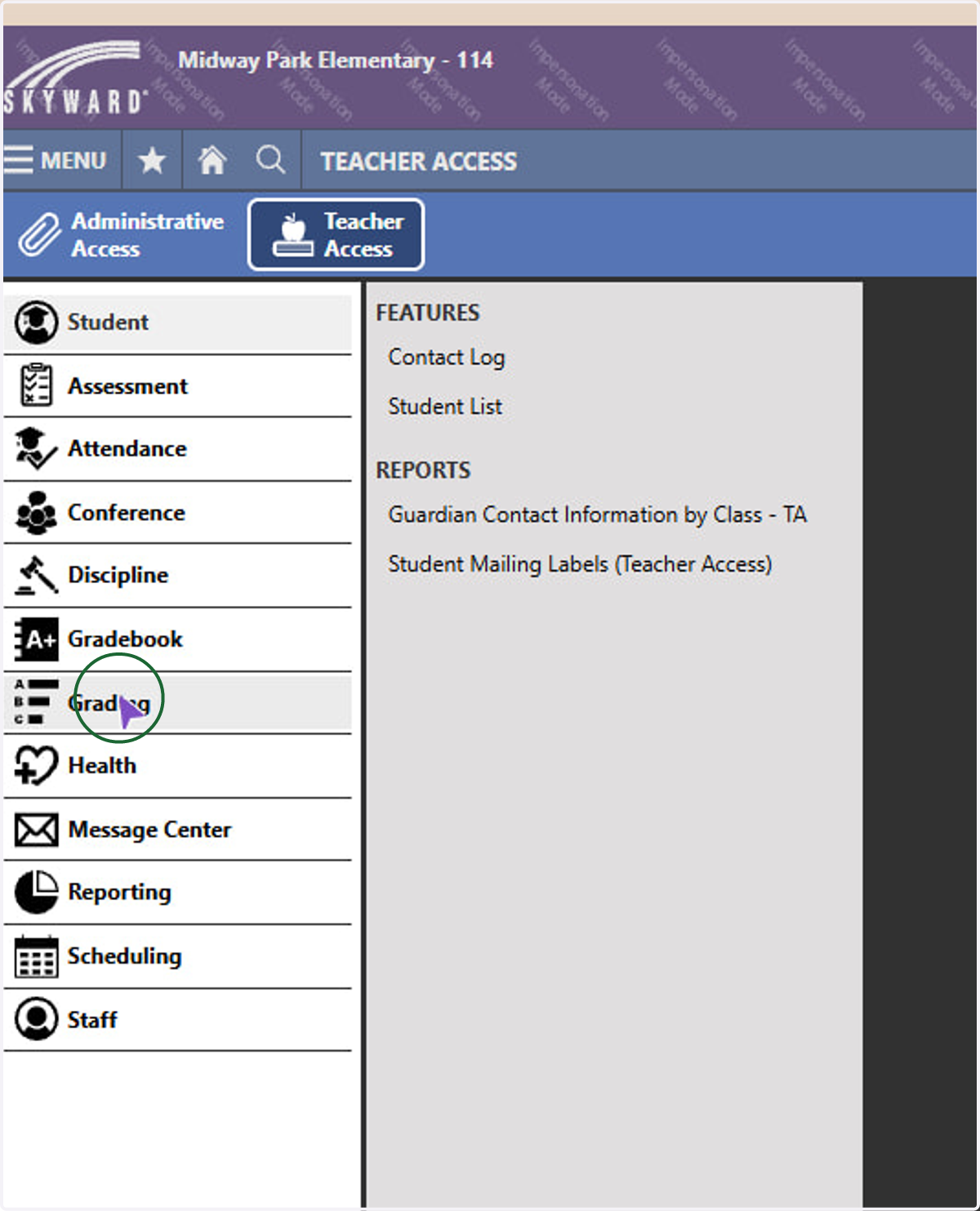
2. Click Grading
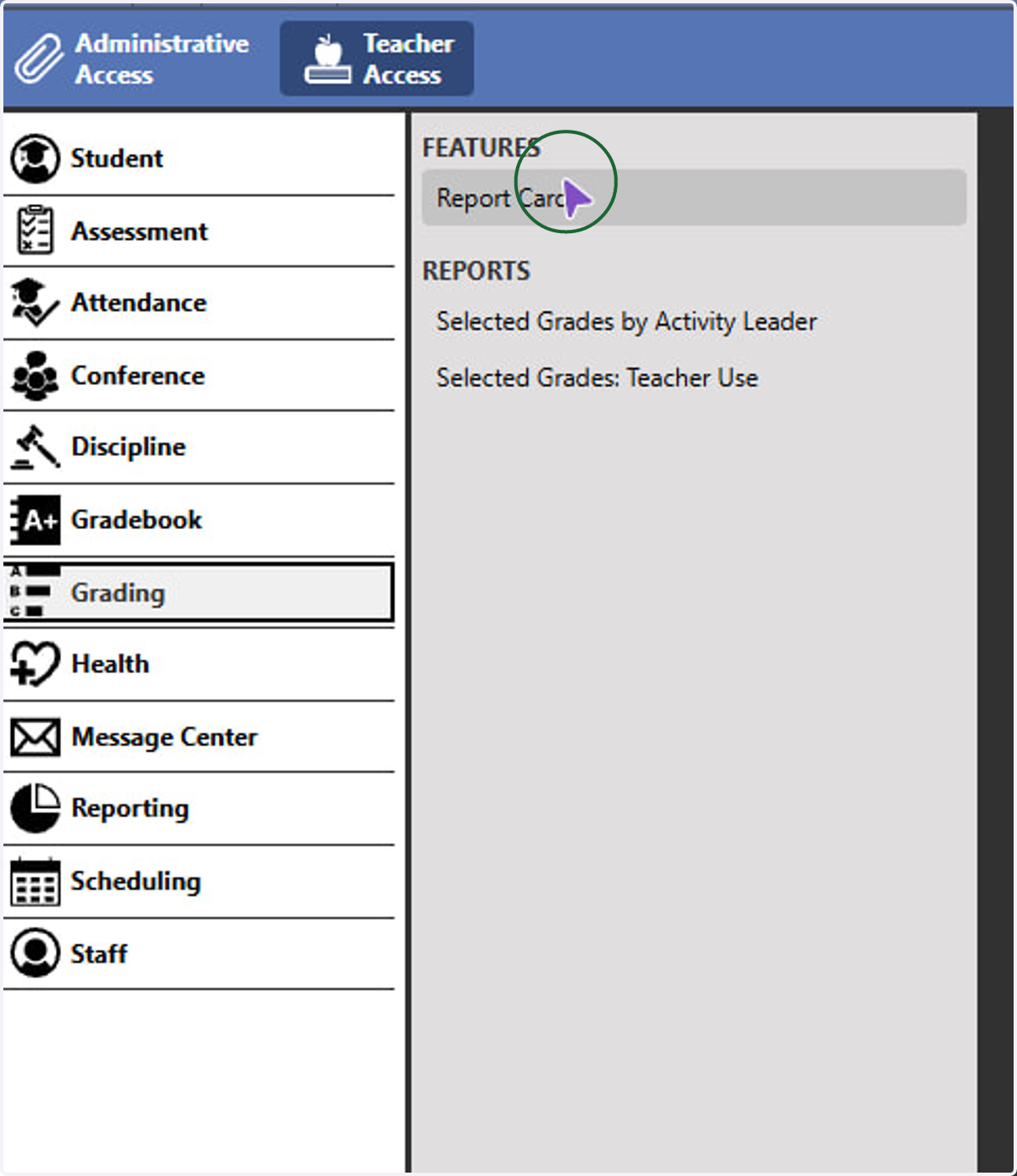
3. Click Report Card
4. Click the Grade Report Template Drop Down and select STANDARDS
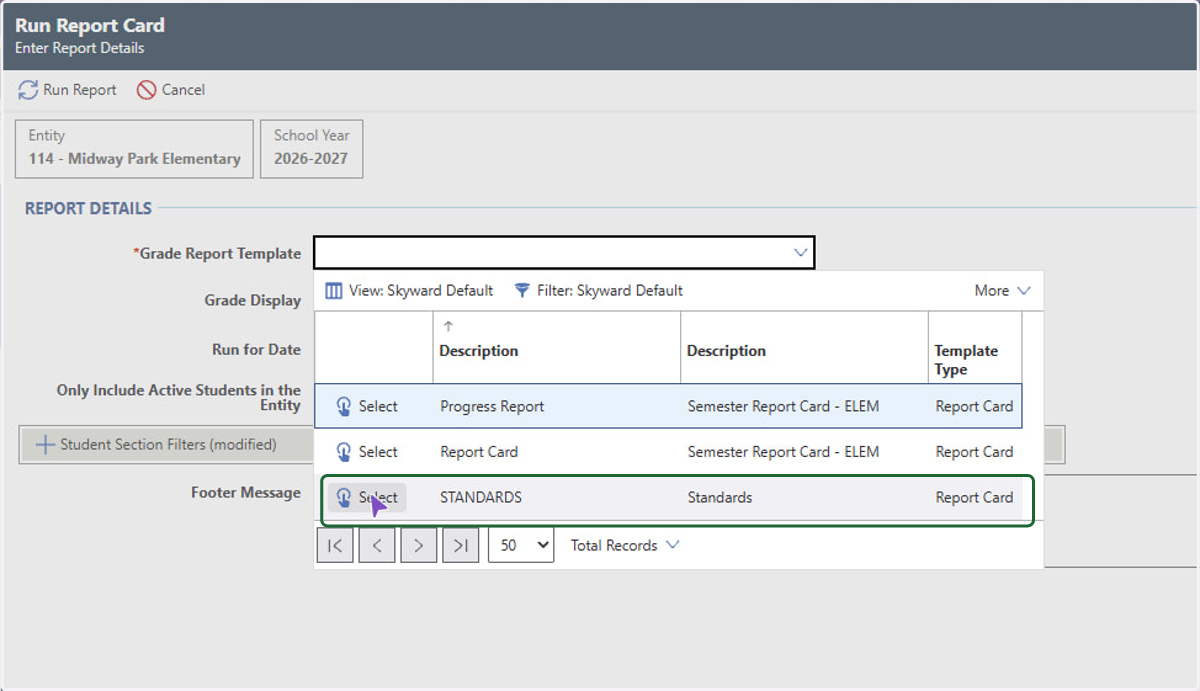
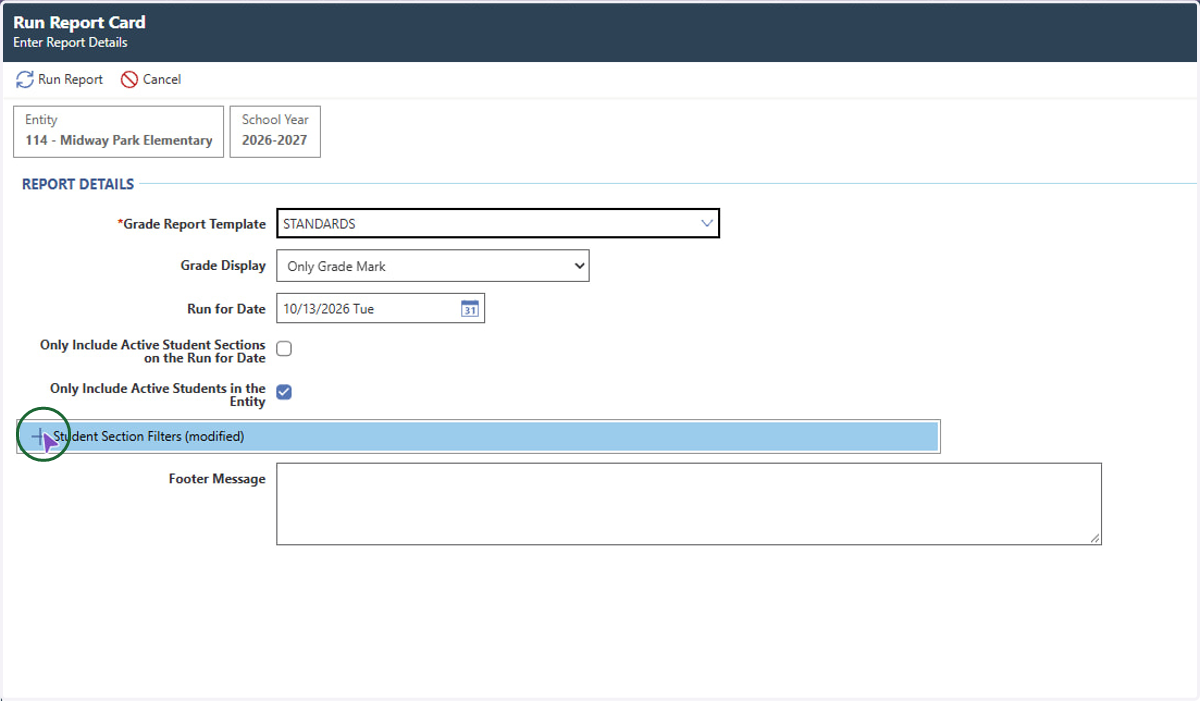
5. From there, you can click Run Report at the top or use the student section filters if needed.
6. If you need a report card for specific students, you can use the Student search filter
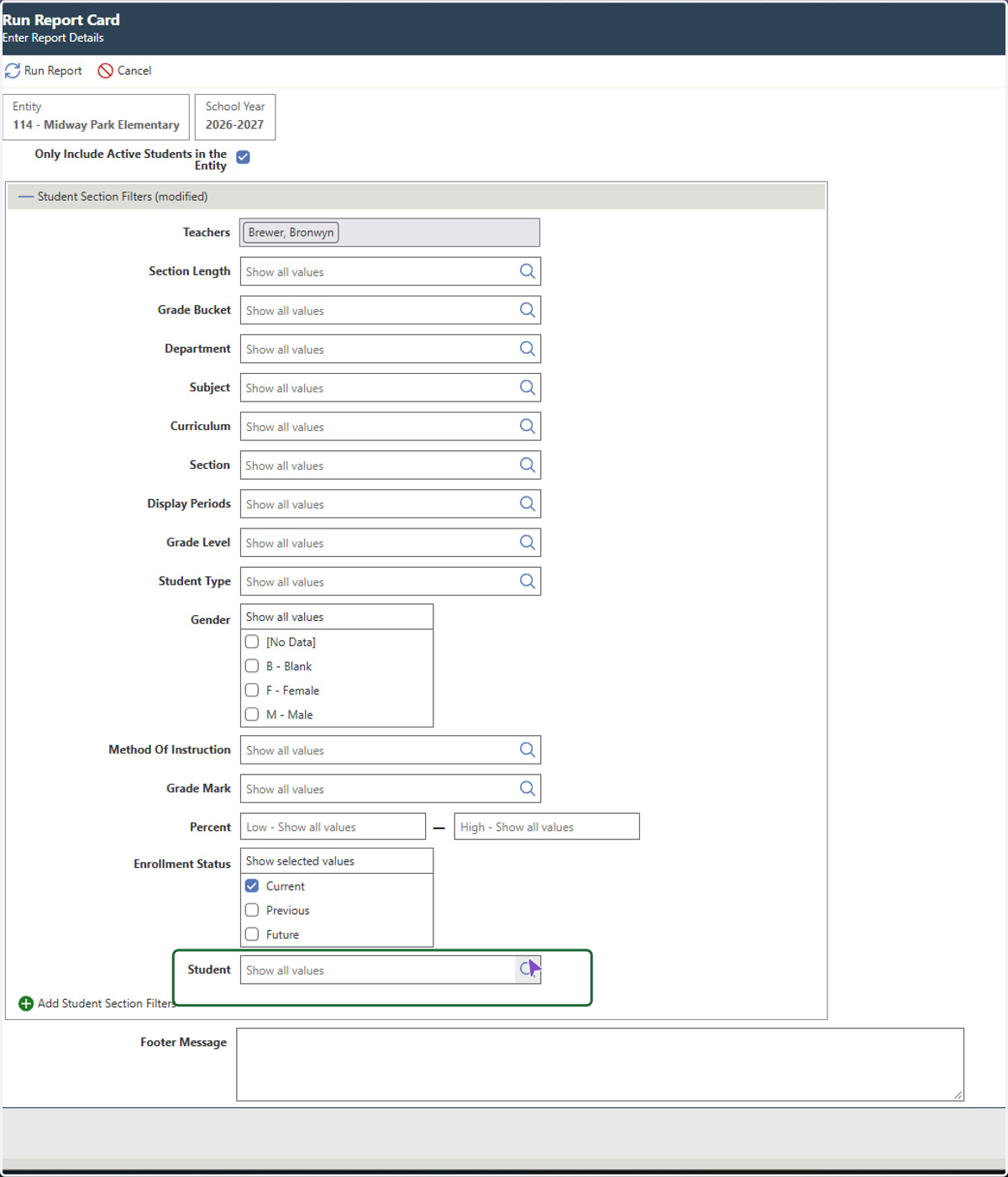
7. Click Run Report. After the report processes, you can download or print.