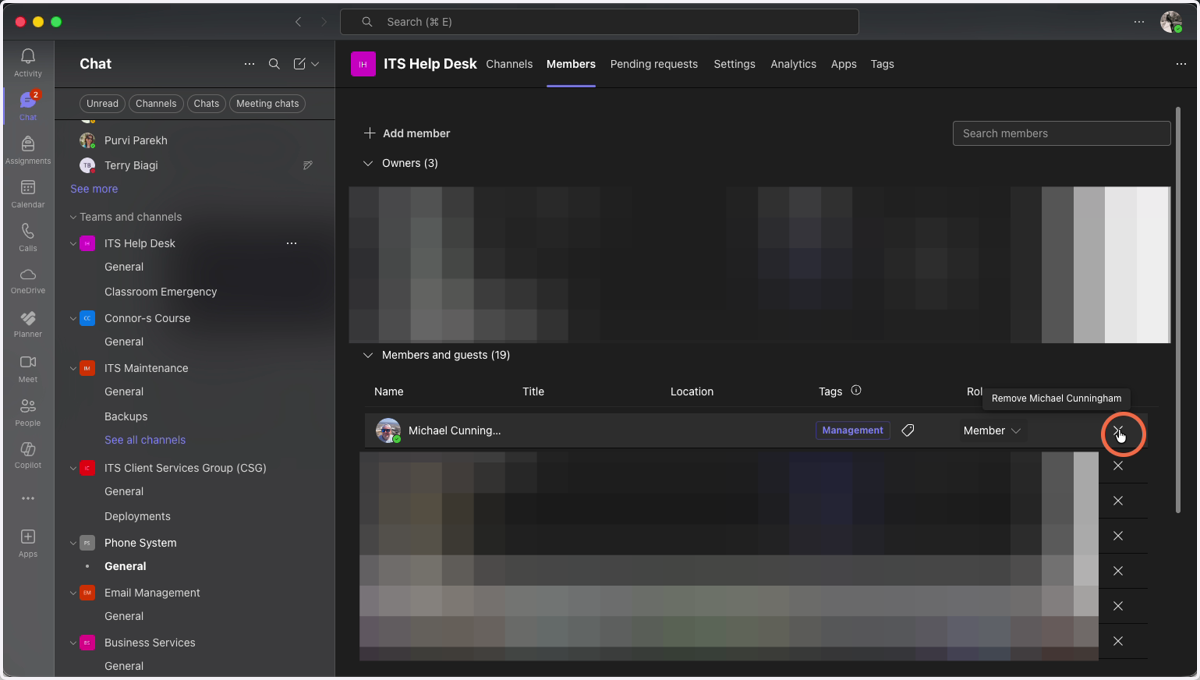
MS Teams: How to add/remove users from an already existing Team
Open Microsoft Teams
1. Navigate to the Team you wish to add or remove users from
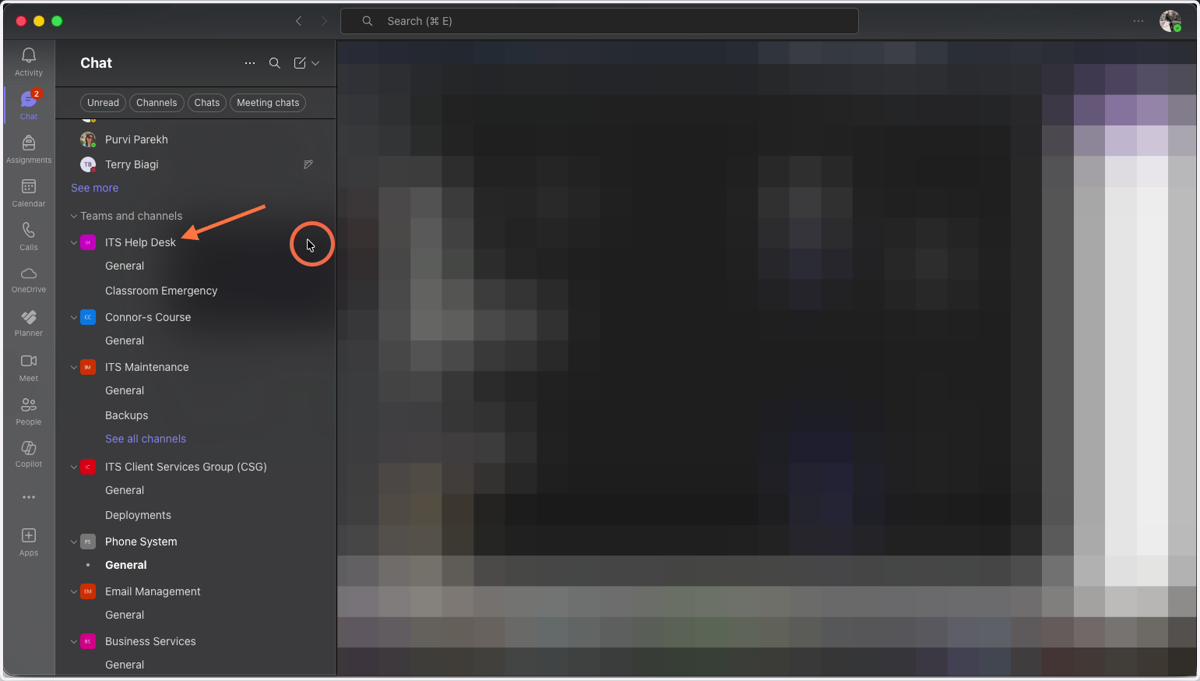
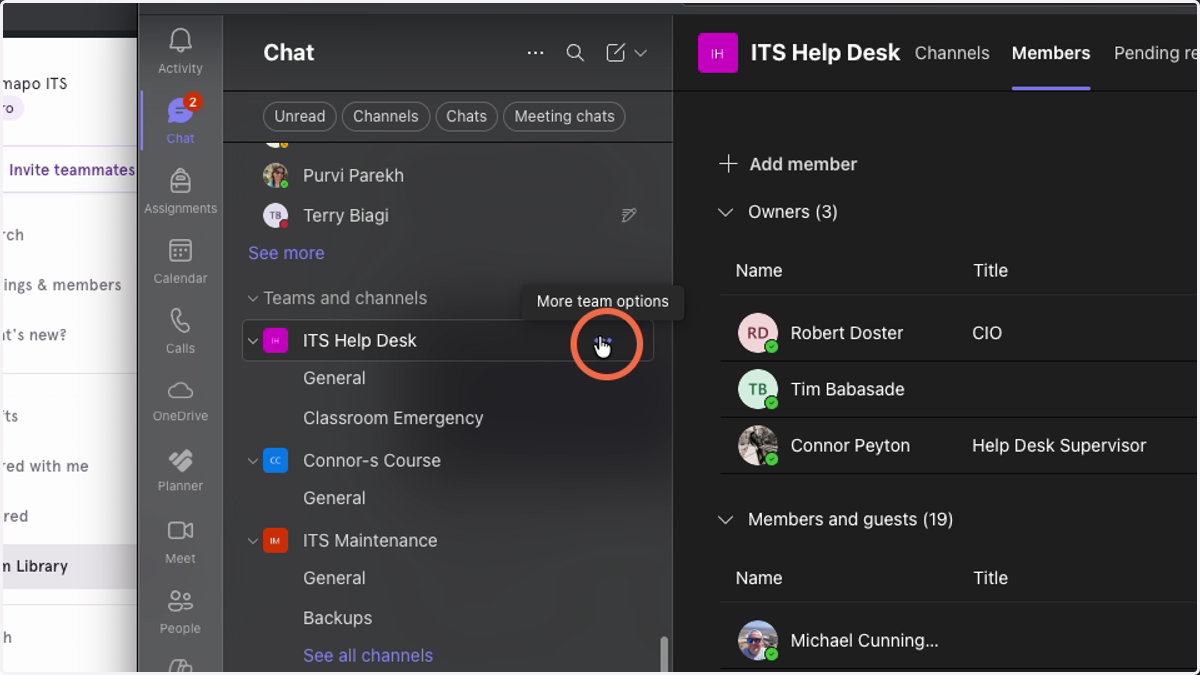
2. Click on the 3-dot menu
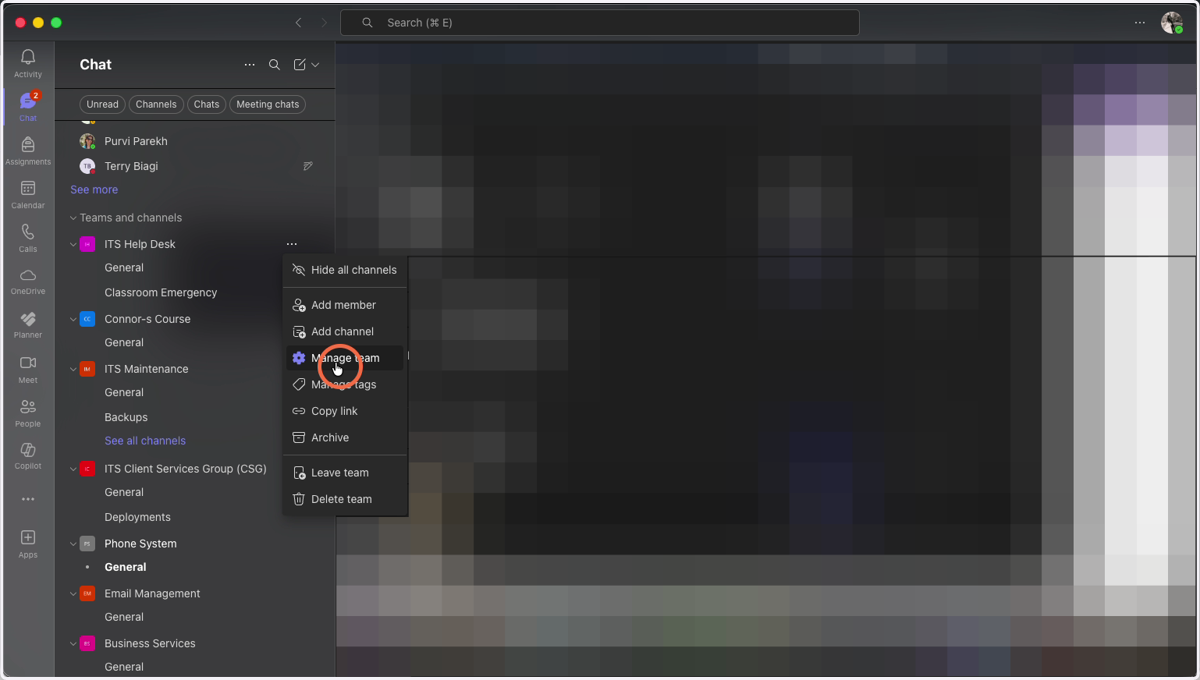
3. Click on "Manage Team"
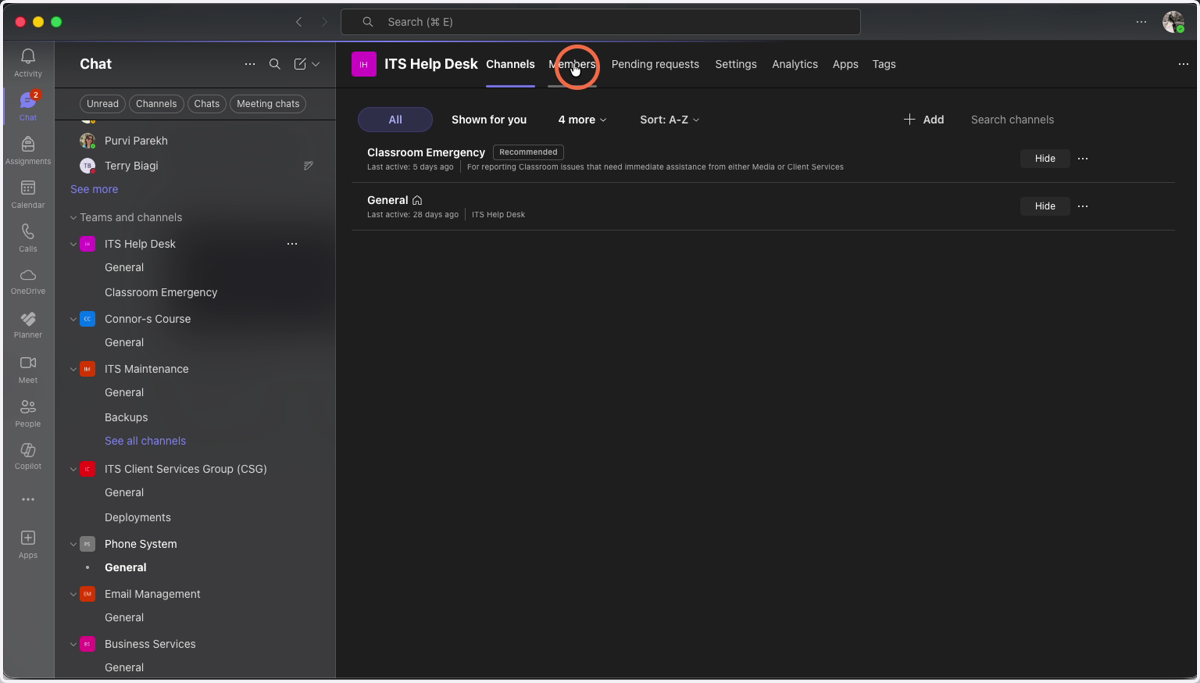
4. Click on the Members Tab at the Top
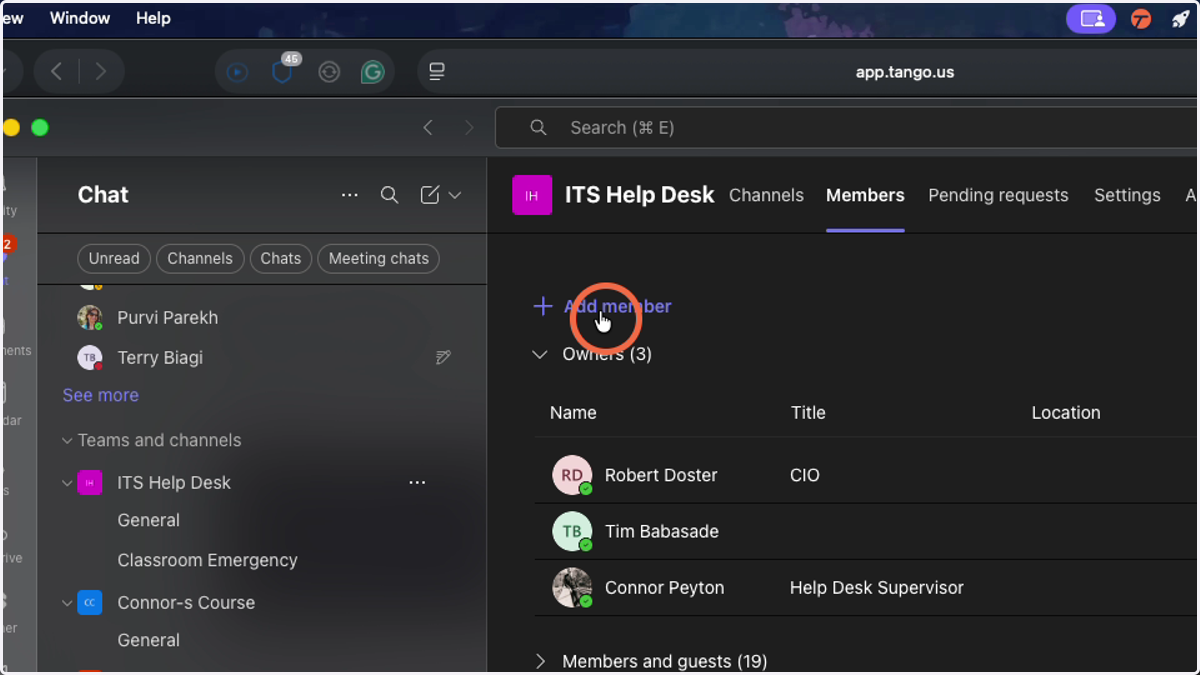
5. Click on Add Member
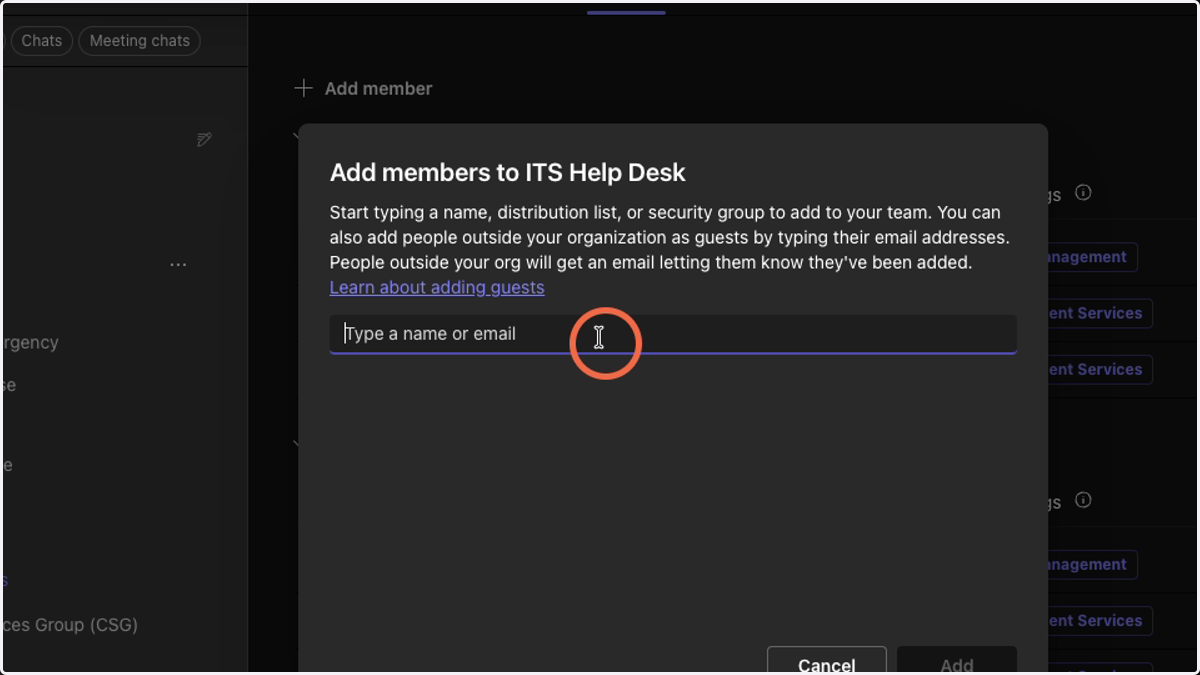
6. Enter users to add to the Team
Removing Users
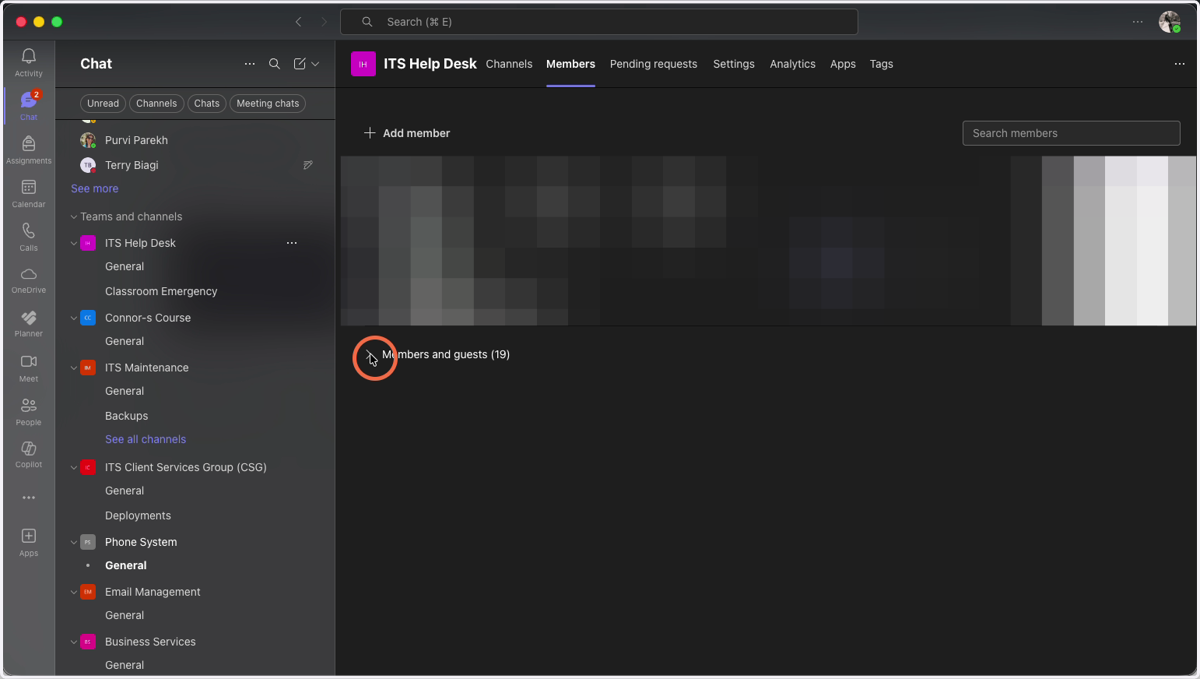
7. Click on the arrow next to Members and Guests
This will expand to list all the users in the Team
8. Click on the X on the far right listed with the User.